Simulation of a crush tube against a rigid wall with 6 different sub cases
Objective:- To run the simulation for a crush tube against a rigid wall & study the changes by varying a few parameters and notch position as per the following sub-cases.
- Run the crash tube model as it is.
- Change the Inacti=6 and run.
- Create the type 11 contact and run.
- Remove both notches and remove boundary conditions on a rigid body node then run.
- Create a new notch in the middle, select the whole section, and run.
- Create a new notch with nodes only from opposing 2 faces and run.
- INTERFACE/CONTACT MODELLING:-
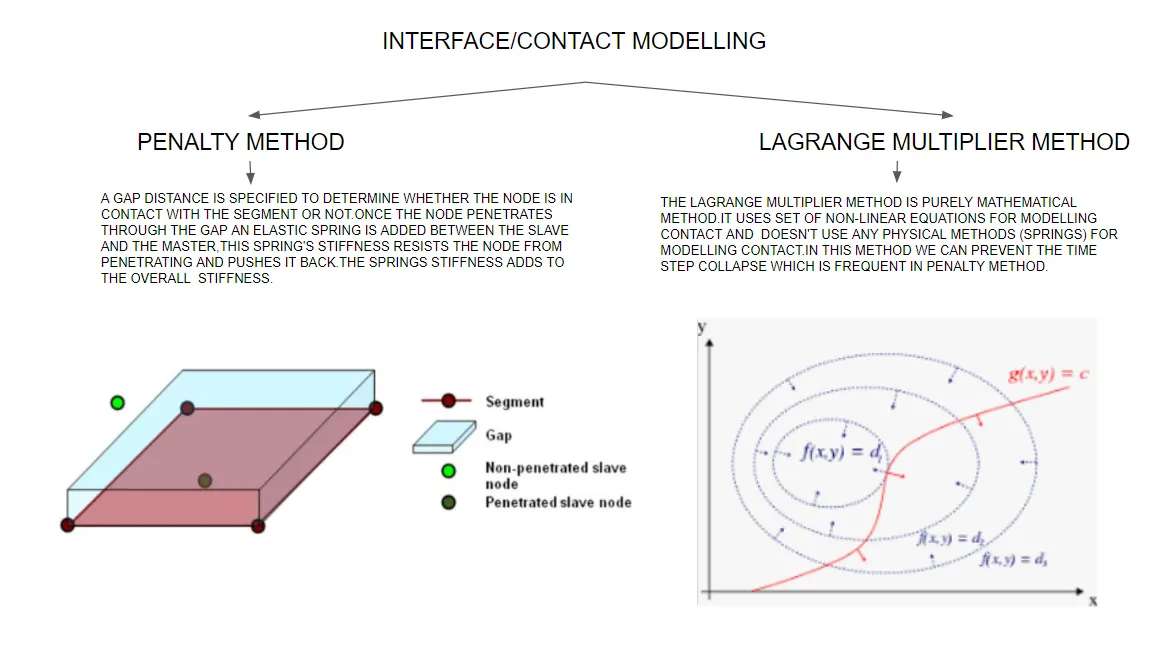 the t
the t
- The following contact types are used in the given model.
- Type 7 contact:- It is a contact type used for simulating contact between a set of slave nodes and master surface.
- Advantages of Type 7 contact:-
- It overcomes the limitations of type 2 & 3 contact types such as limited search algorithms, energy jumps, etc.
- It uses a fast search algorithm without any limitations.
- It allows self contact.
- A gap is provided on both sides of shell elements and a cylindrical gap is provides at the edges.
- Disadvantages of Type 7 contact:-
- It doesn't solve edge to edge contact problems.
- In the case of high-speed impacts, the time step is considerably reduced.
2. Type 11 contact:- It is a contact type used to model a line-line /edge-edge contact.
- Impact occurs between the master line and the slave line.
- It can be used with Type 7 contact to overcome its edge-edge limitation.
- Solution:-
- Meshing of bumper
a. Import the model in hypermesh.
b.Go to 2D<automesh
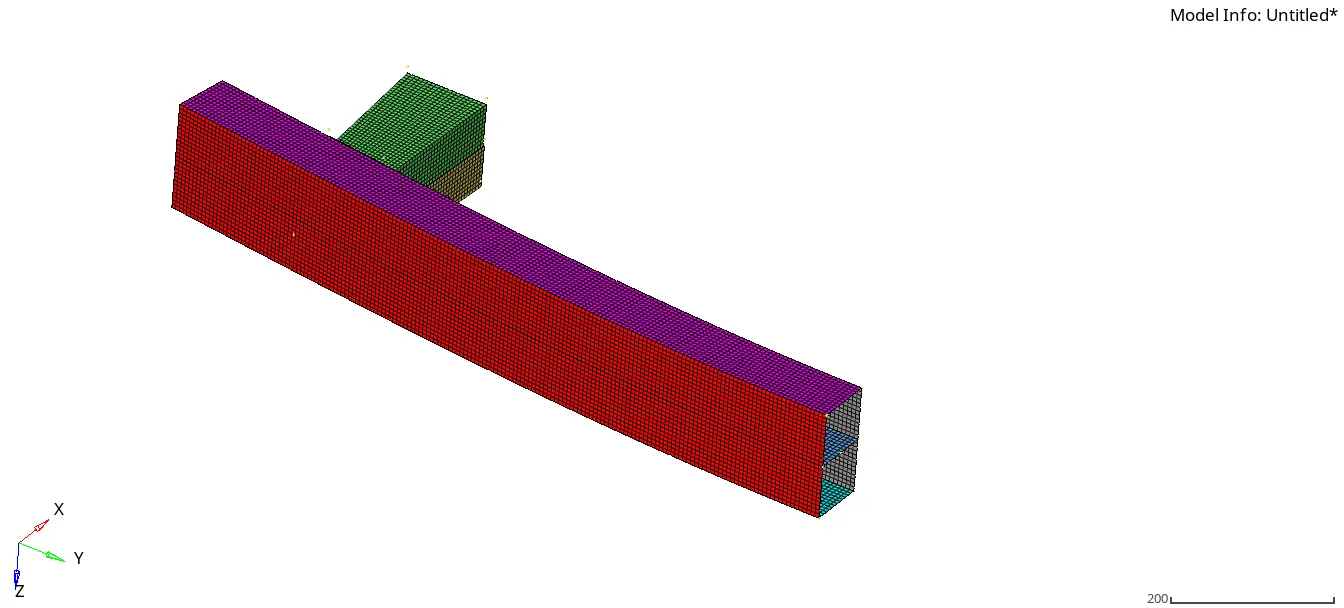
1. Case 1:- Run the crush tube model as it is.
a. Import the crush tube solver deck into hypermesh, make sure the profile is selected to Radioss.
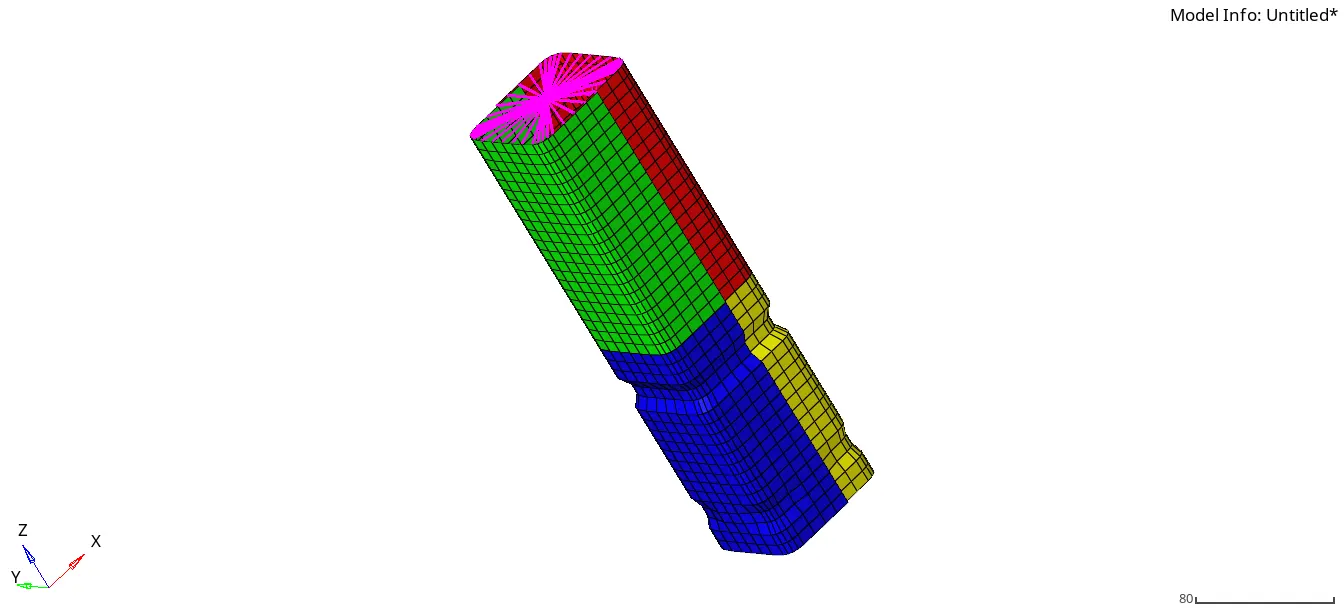
b.Check the model properties and interface properties.
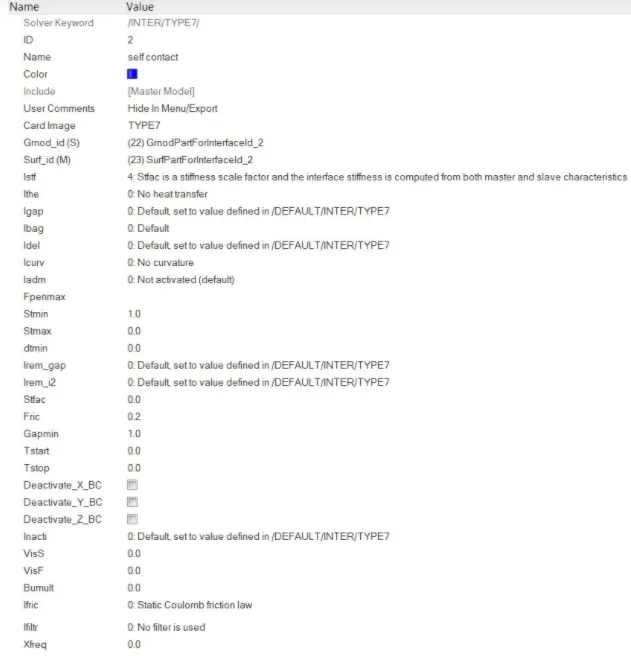
c.Without making any changes, run the simulation using 4 cores(-nt 4).

d.Once the simulation is completed check for mass and energy errors in 0001.out file.
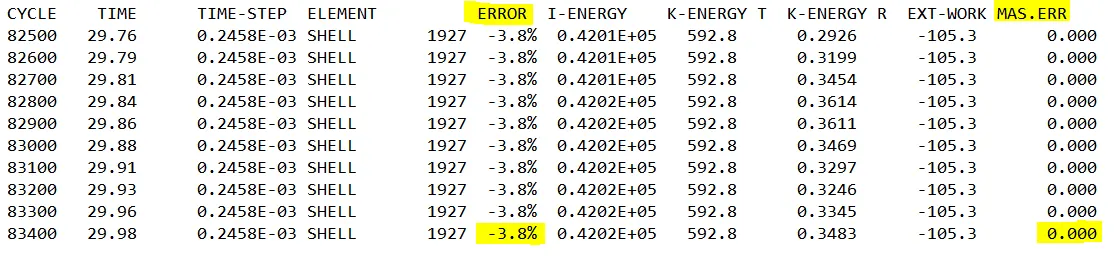
e.Import the H3D file into hyper view for animations and contour plot (select contour as von-mises and averaging method as simple.
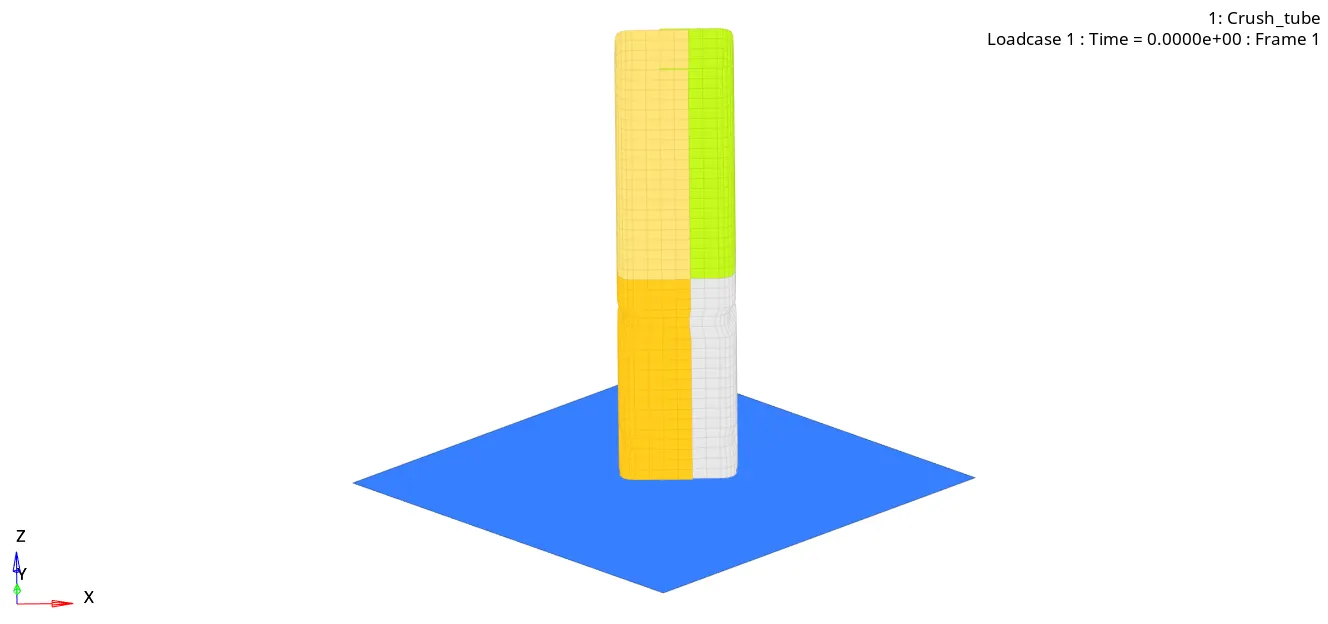
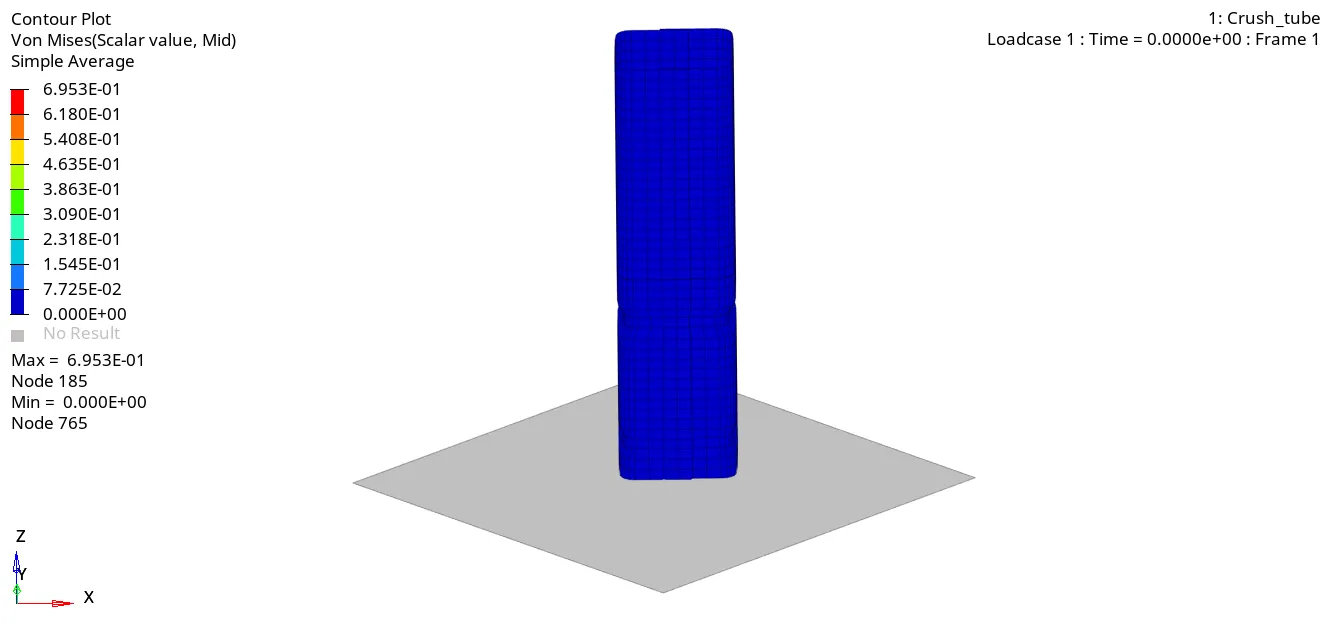
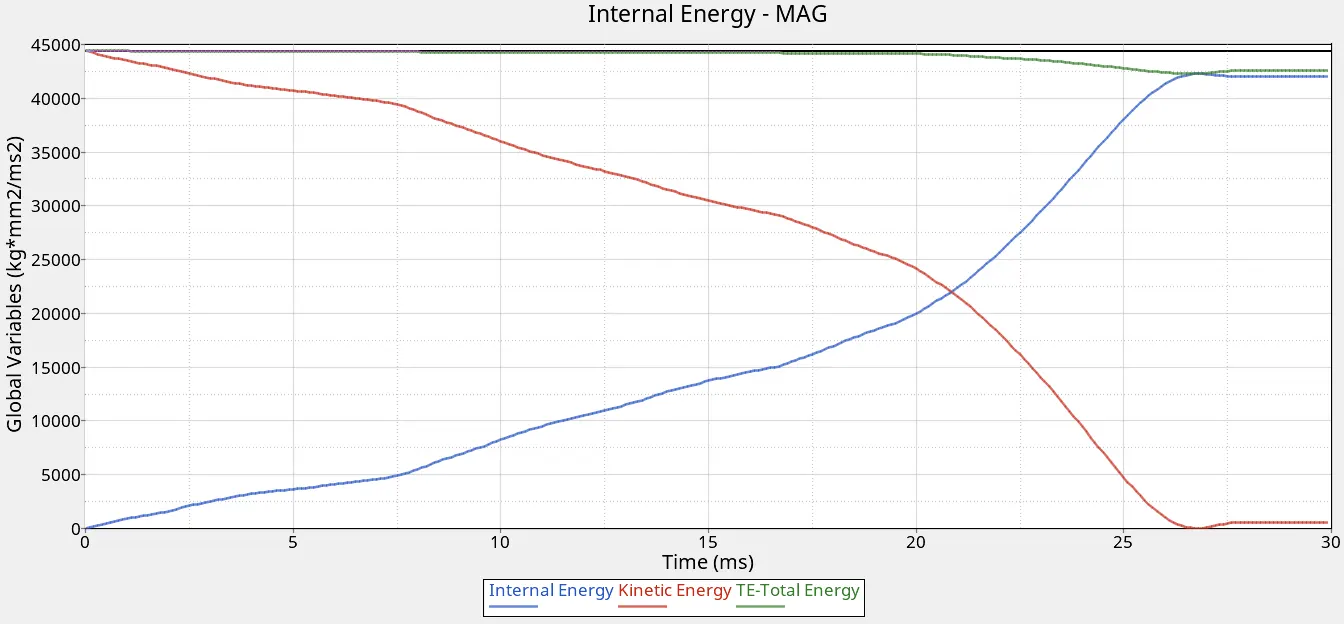
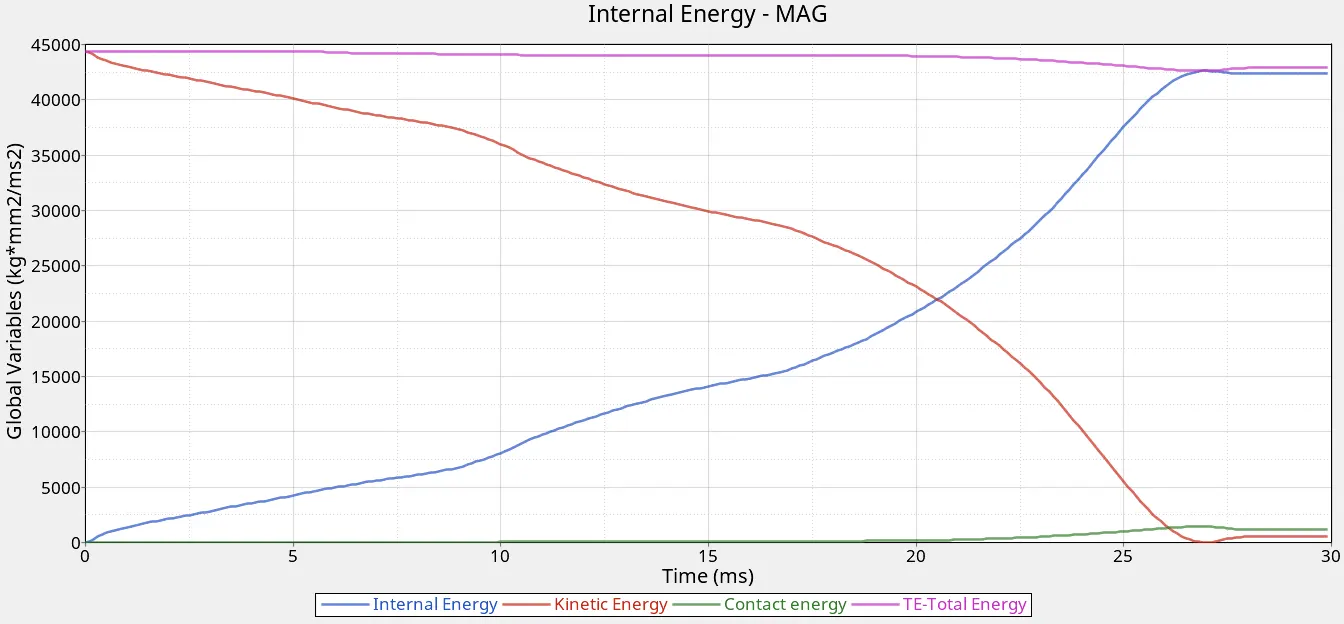
f.Import the T01 file into hypergraph 2D for energy plots.
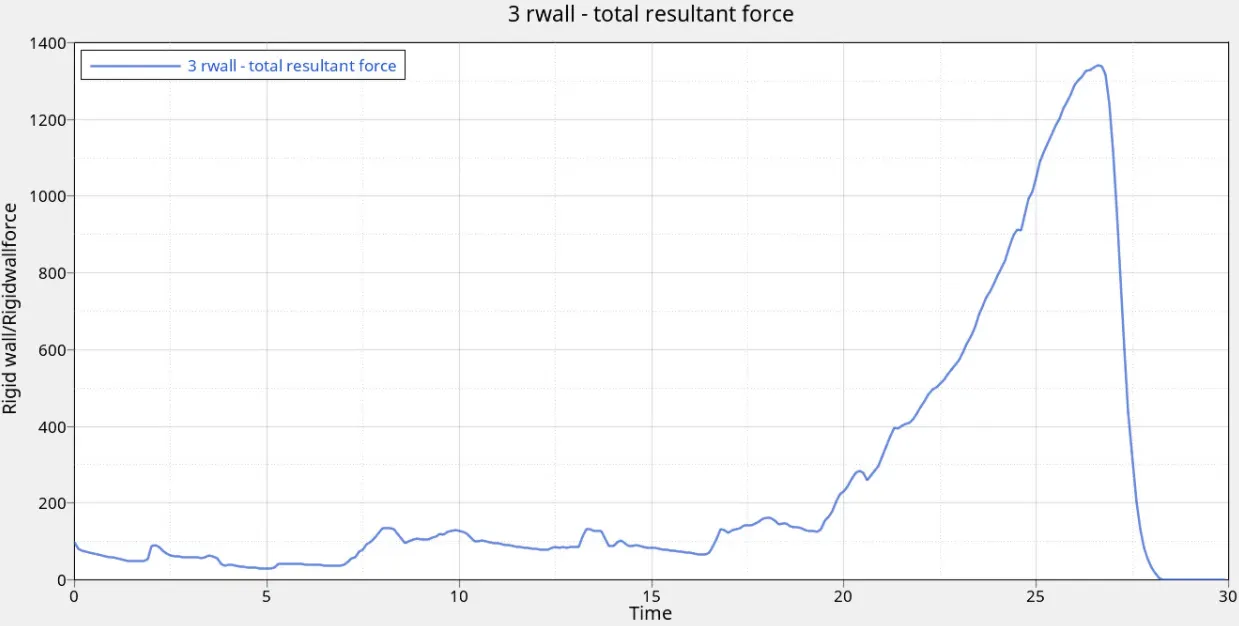
2. Case 2:-CHnage the Inacti =6 and run
a. Import the crush tube solver deck into hypermesh, make sure the profile is selected to Radioss.
b.Check the model properties and interface properties.
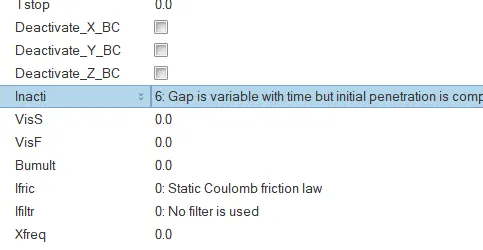
c.Change the Inacti value = 6(Gap variable with time), run the simulation using 4 cores(-nt 4).
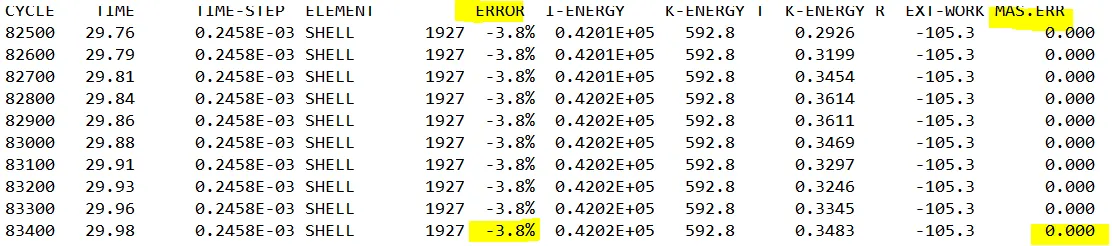
d.Once the simulation is completed check for mass and energy errors in 0001.out file.
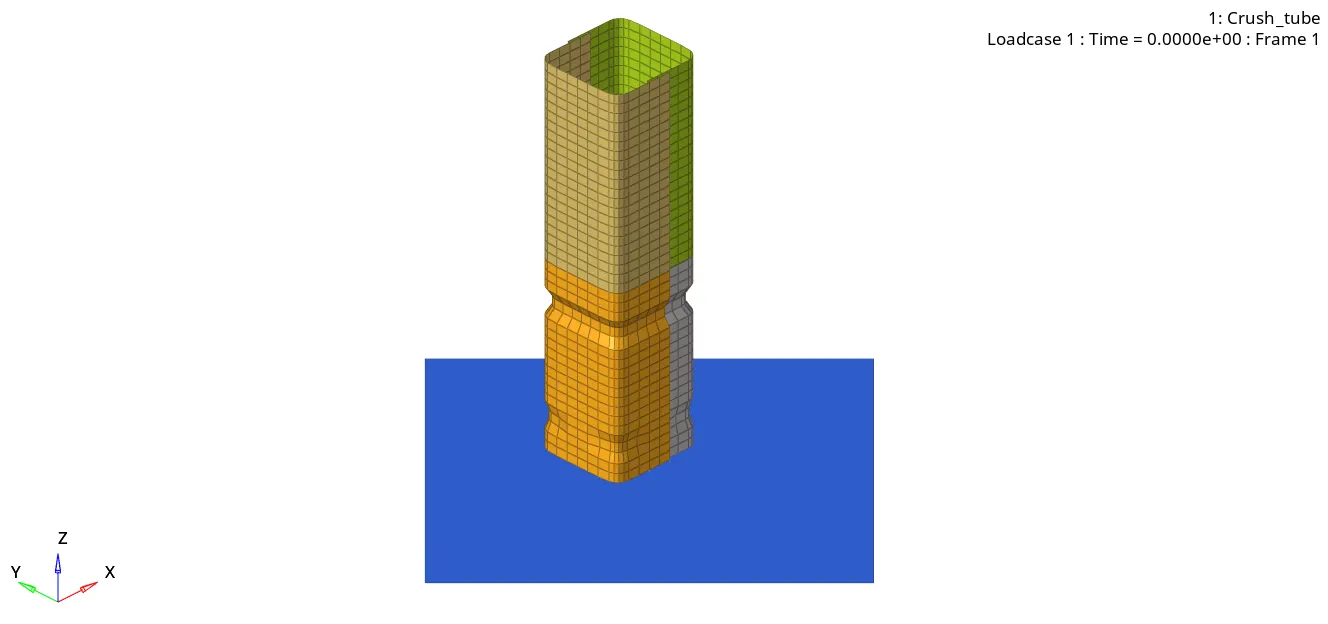
e.Import the H3D file into hyper view for animations and contour plot (select contour as von-mises and averaging method as simple.
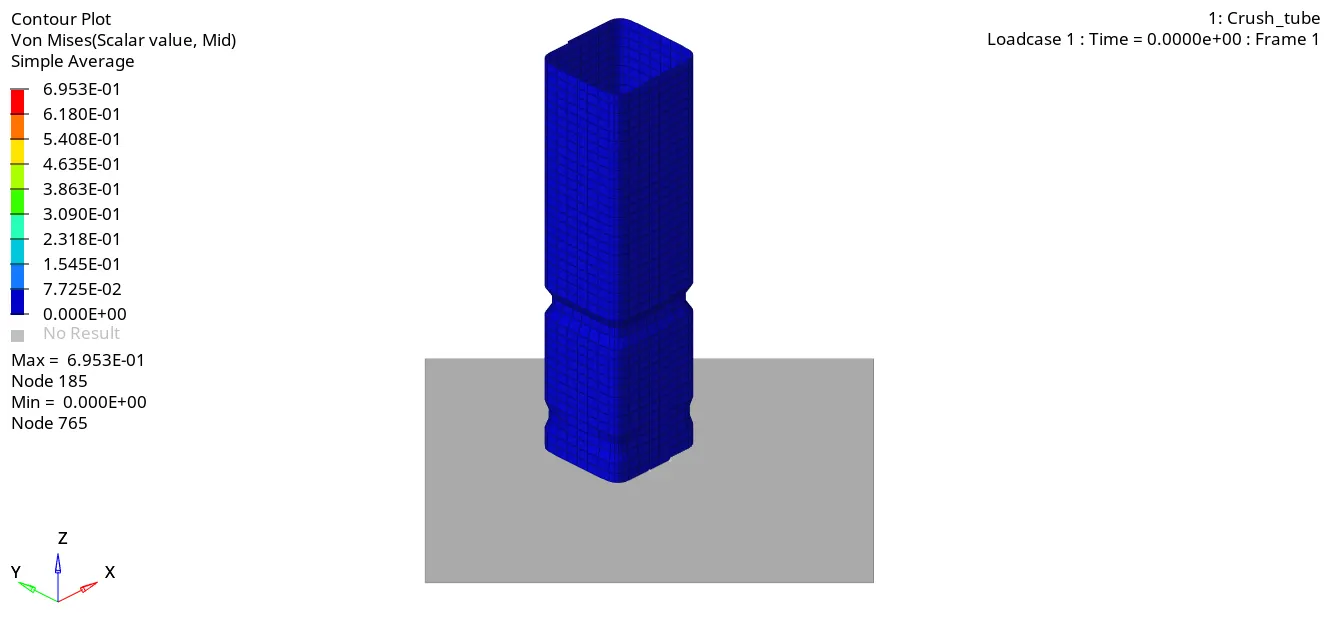
f.Import the T01 file into hypergraph 2D for energy plots.
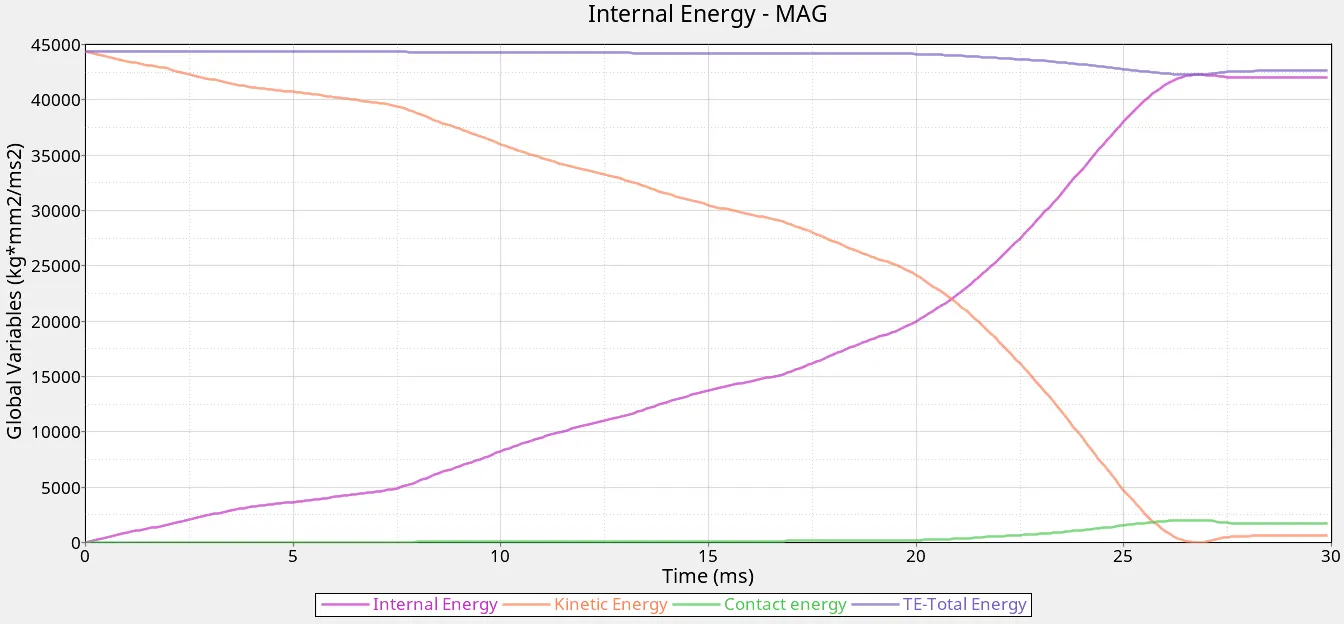
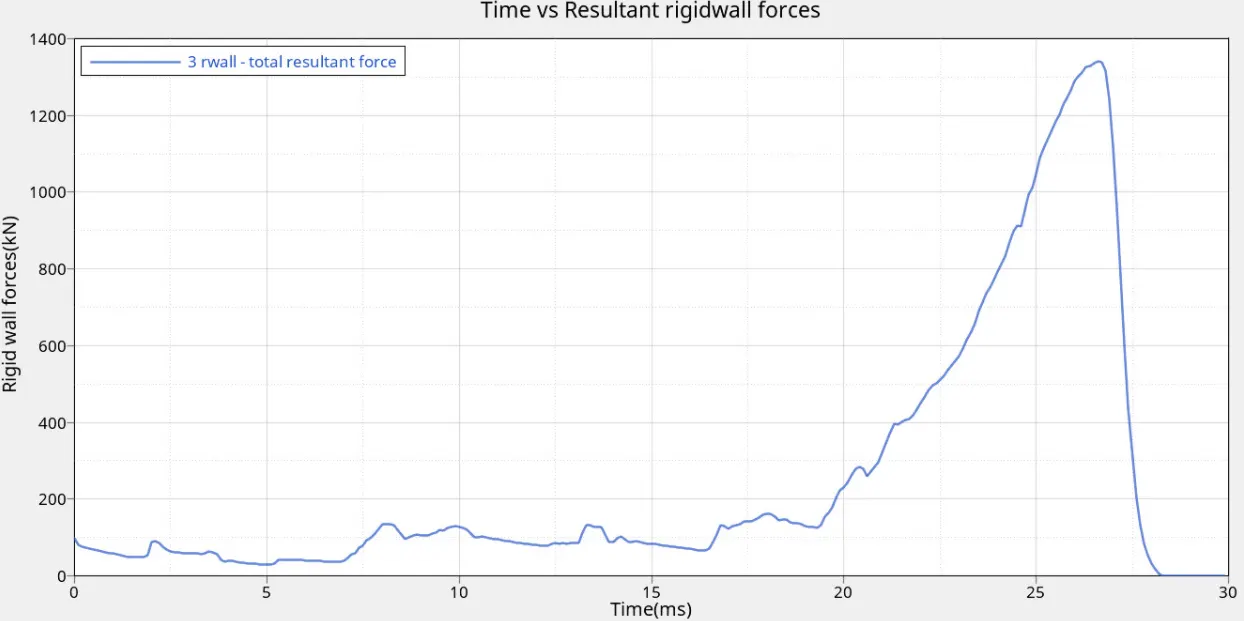
3. Case 3:- Create a Type 11 contact and run.
a. Import the crush tube solver deck into hypermesh, make sure the profile is selected to Radioss.
b.Check the model properties and interface properties.
c.Create a Type 11 contact by selecting the slave and master lines, run the simulation using 4 cores(-nt 4).
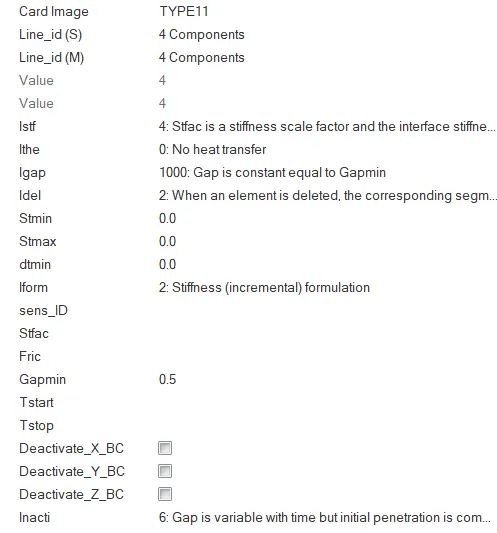
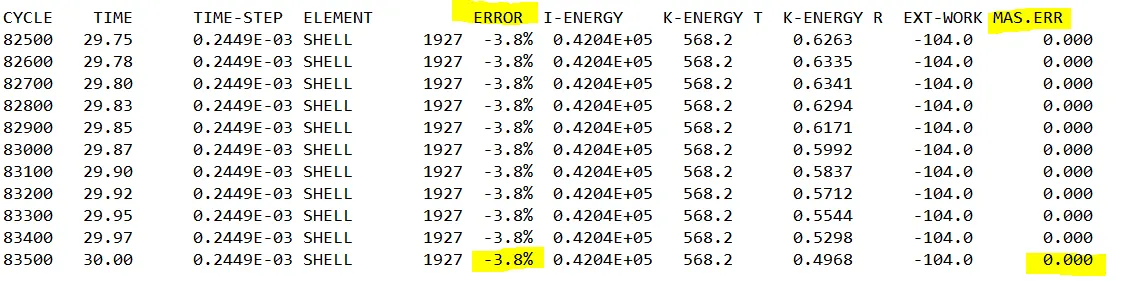
d.Once the simulation is completed check for mass and energy errors in 0001.out file.
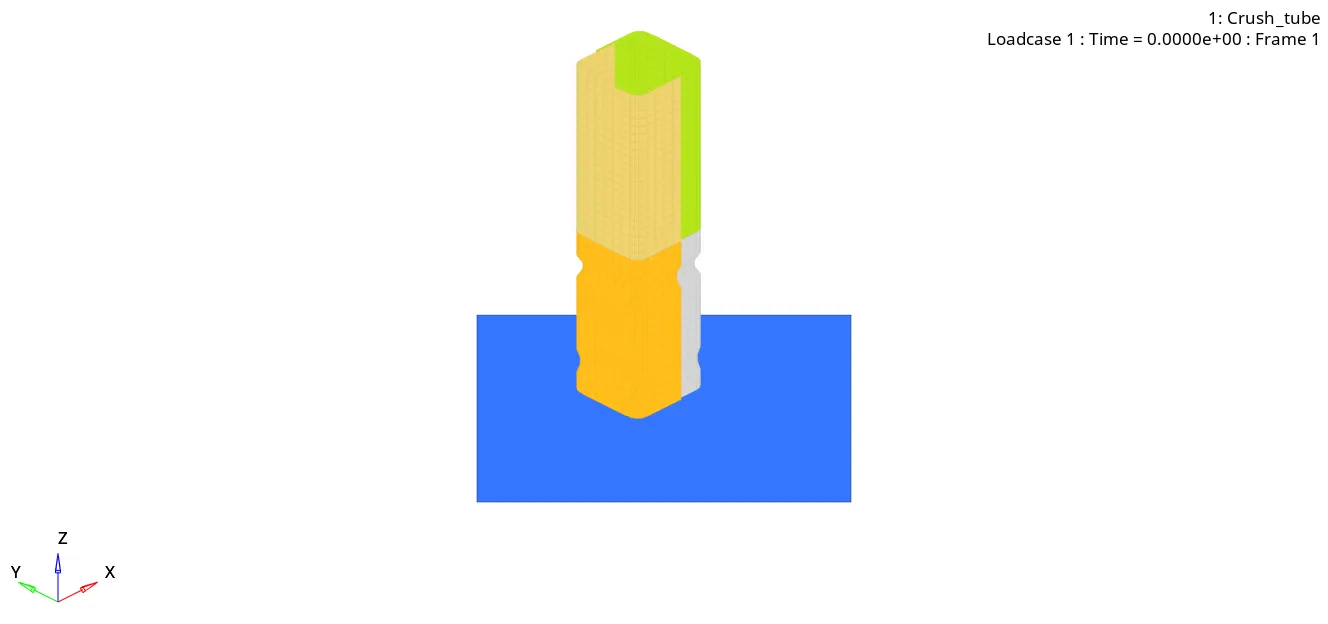
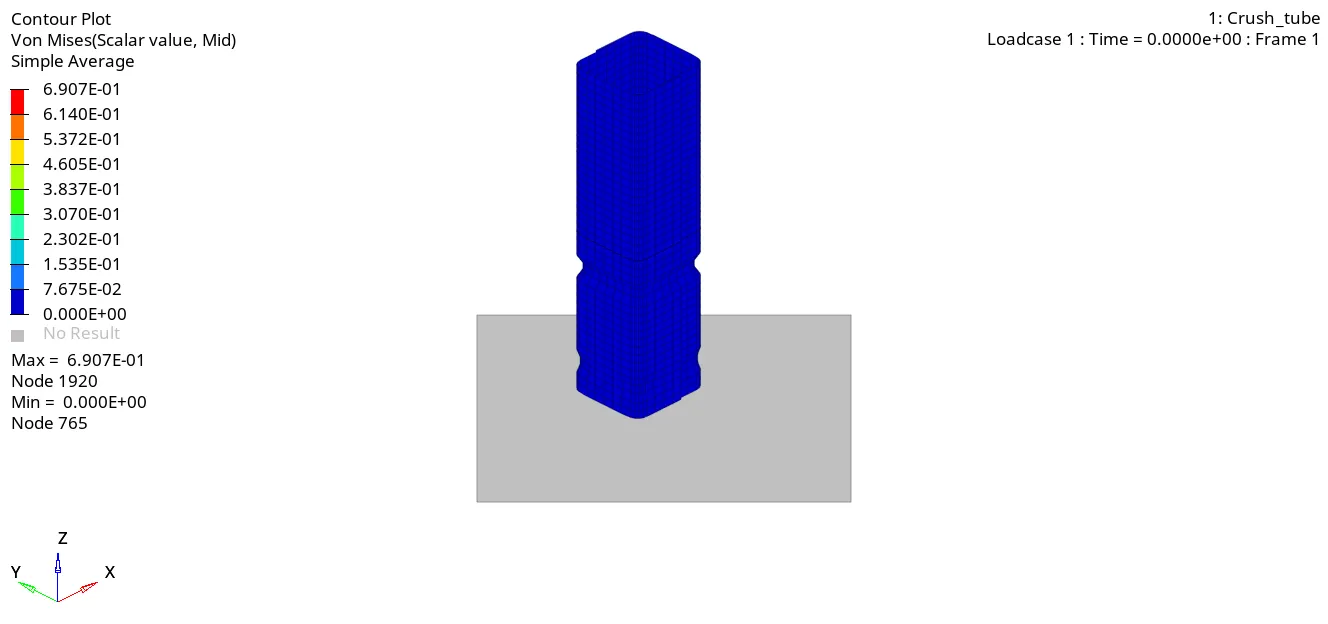
e.Import the H3D file into hyper view for animations and contour plot (select contour as von-mises and averaging method as simple.
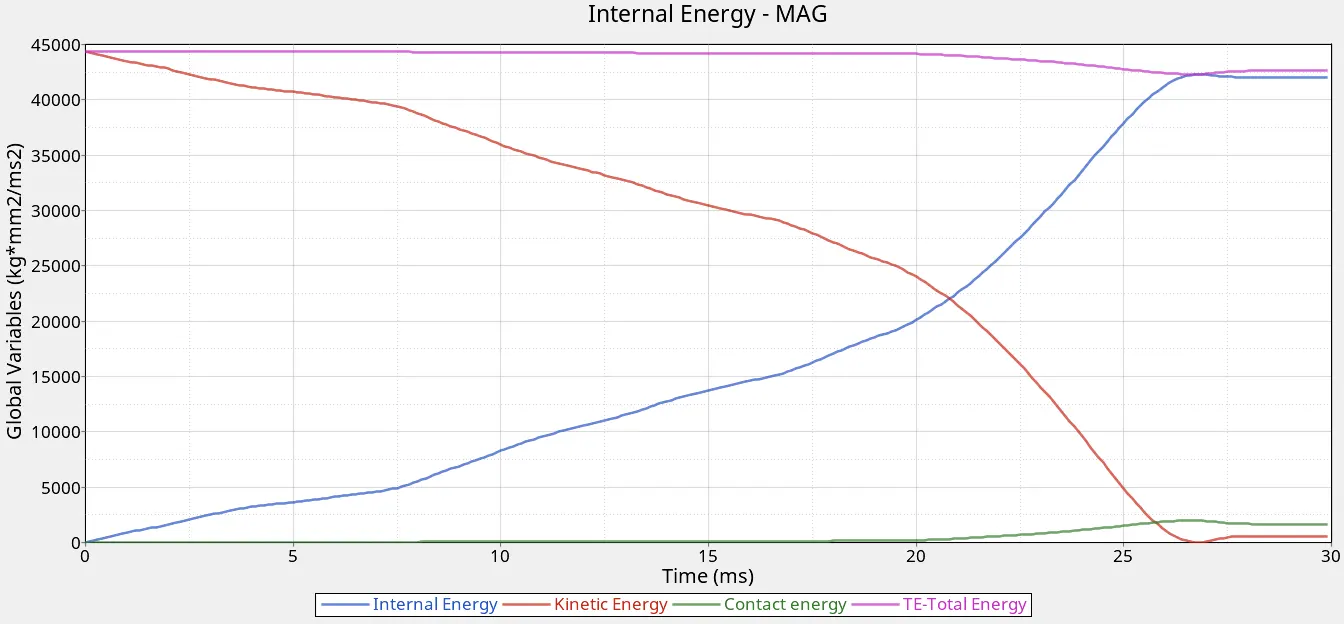
f.Import the T01 file into hypergraph 2D for energy plots.
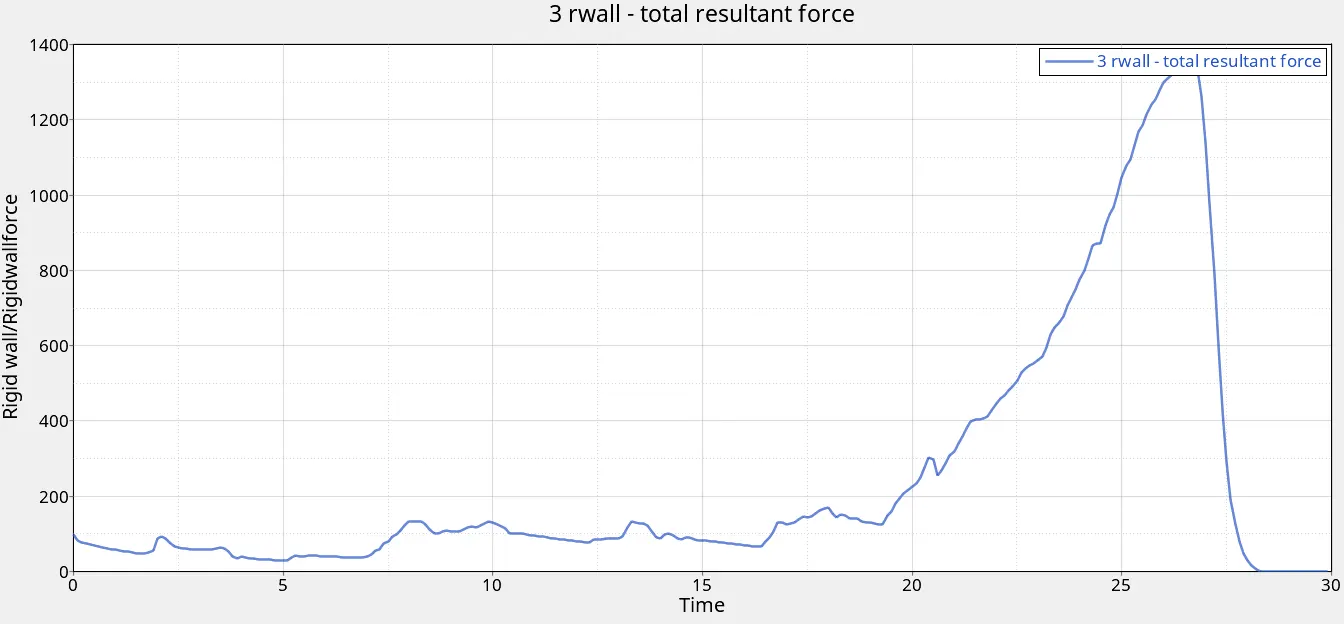
4. Case 4:-.
a. Import the crush tube solver deck into hypermesh, make sure the profile is selected to Radioss.
b.Remove the notches on the crush tube (Geom).
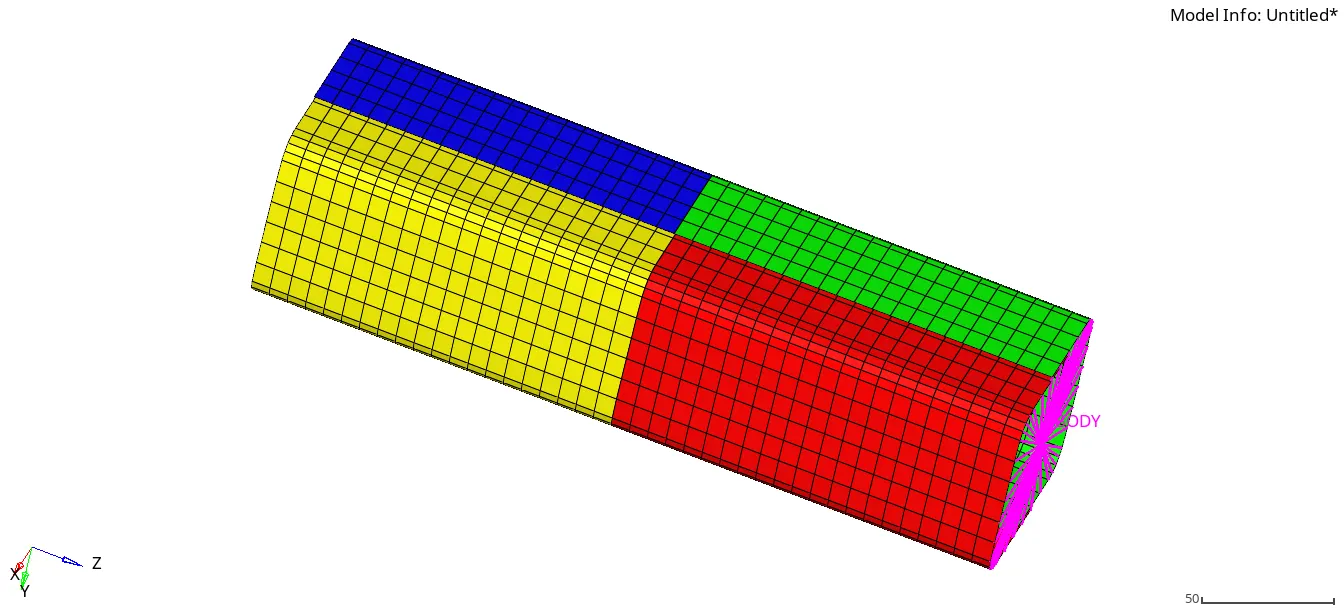
c. Run the simulation using 4 cores(-nt 4).
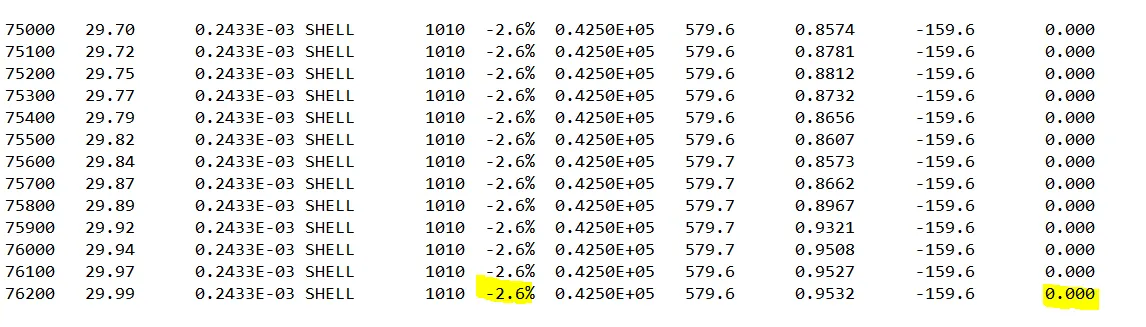
d.Once the simulation is completed check for mass and energy errors in 0001.out file.
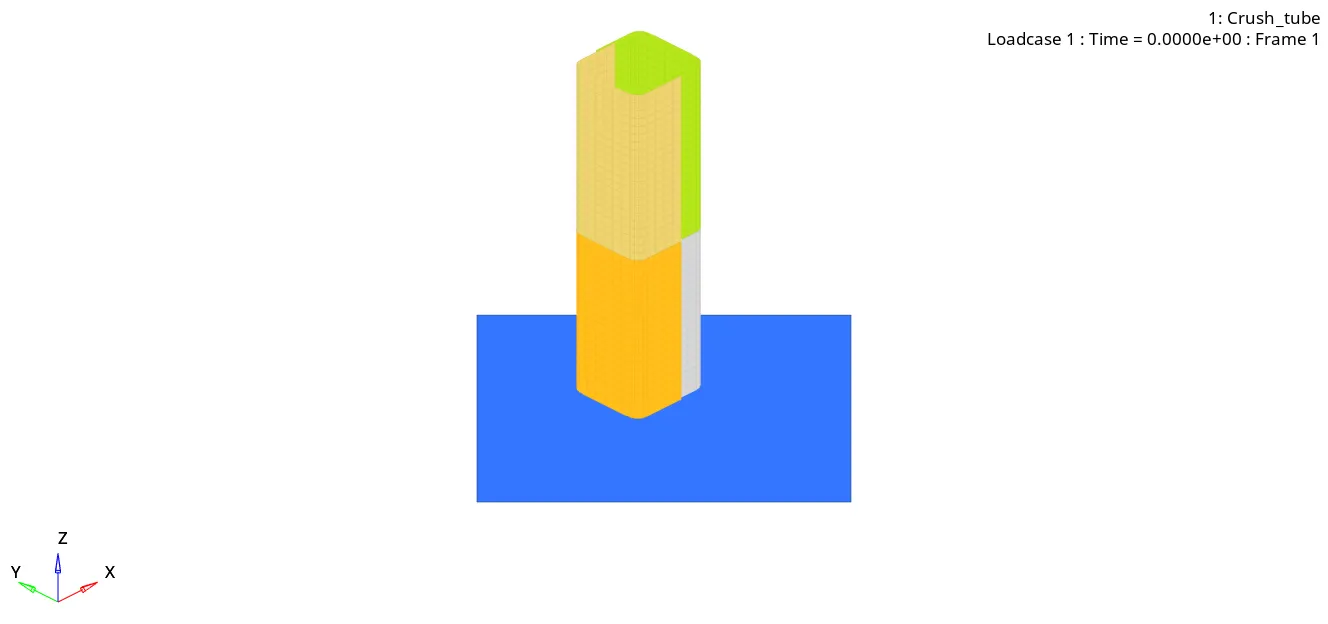
e.Import the H3D file into hyper view for animations and contour plot (select contour as von-mises and averaging method as simple.
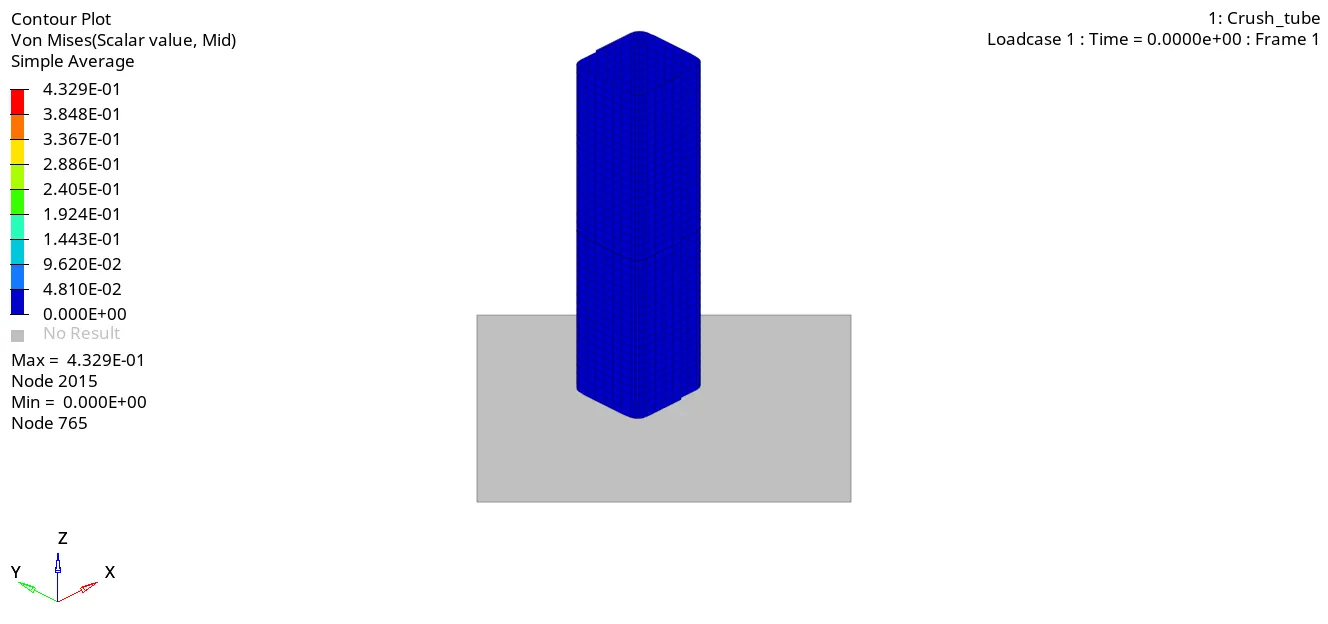
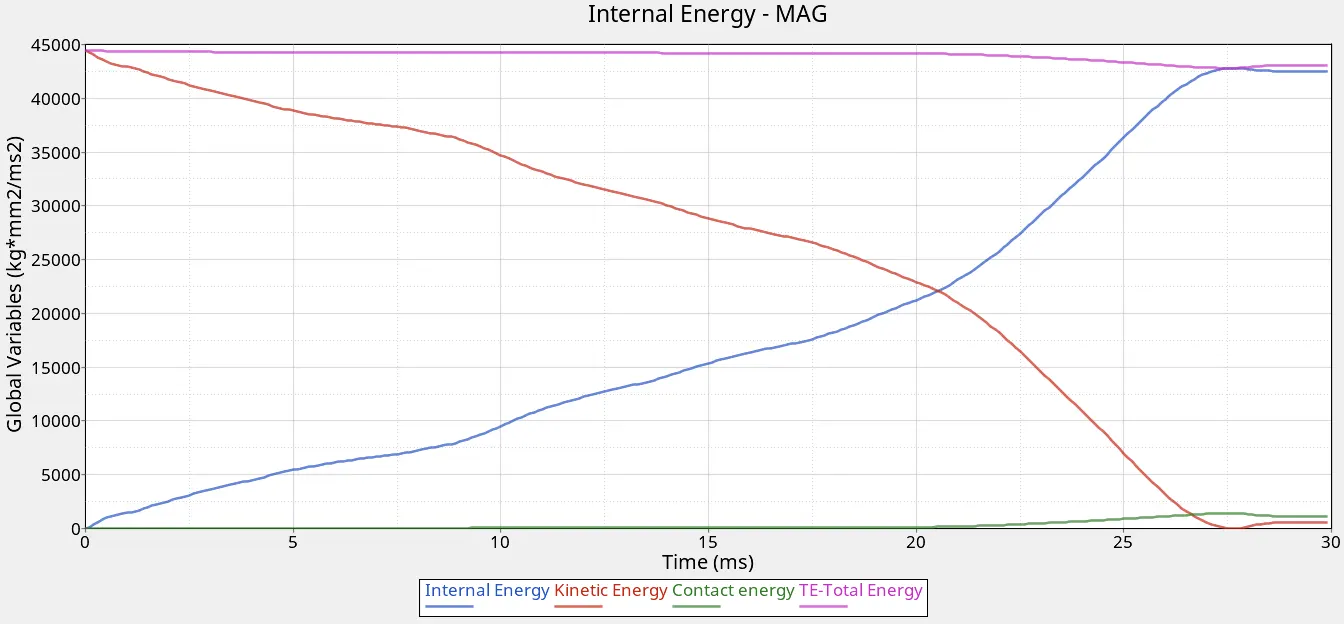
f.Import the T01 file into hypergraph 2D for energy plots.
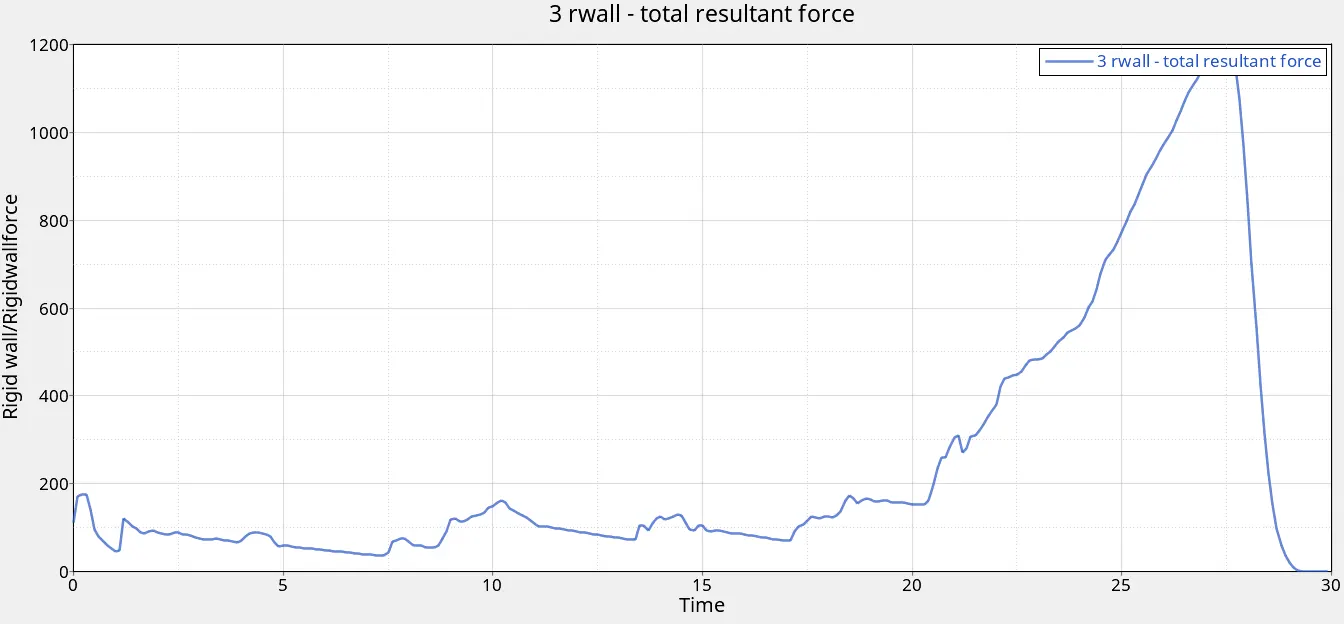
5. Case 5:-Create a new notch at the centre.
a. Import the crush tube solver deck into hypermesh, make sure the profile is selected to Radioss.
b.The new notch can be created using translate command & specifying appropriate distance and selecting desired axis .
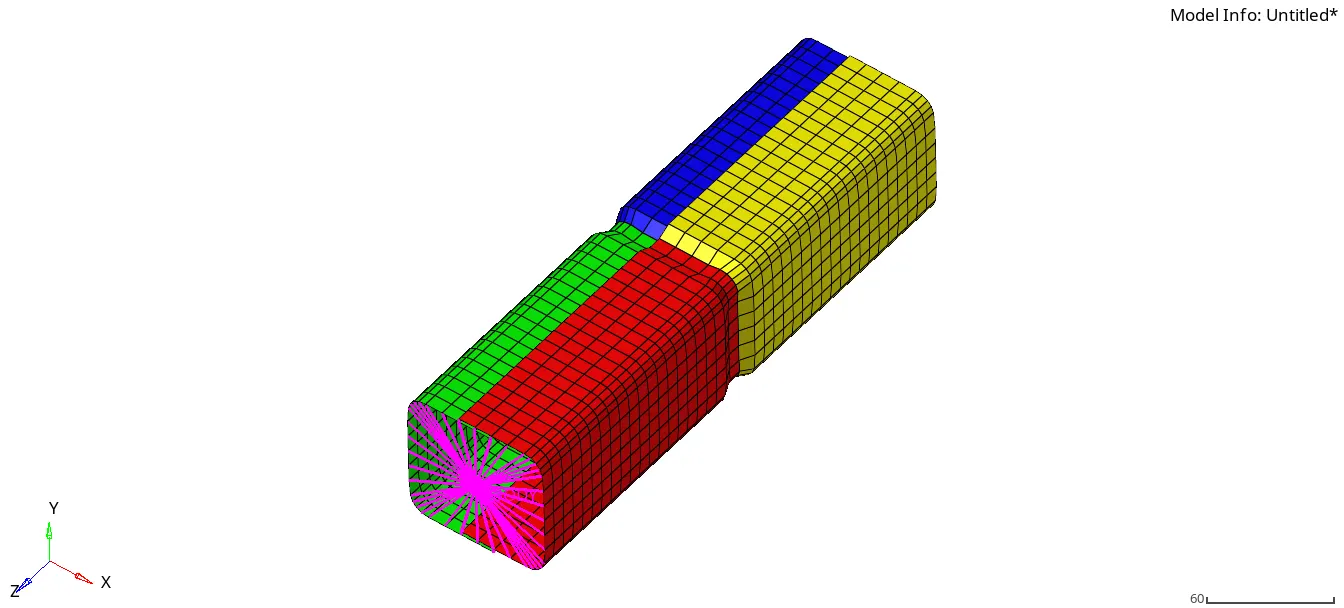
c. Run the simulation using 4 cores(-nt 4).
d.Once the simulation is completed check for mass and energy errors in 0001.out file.
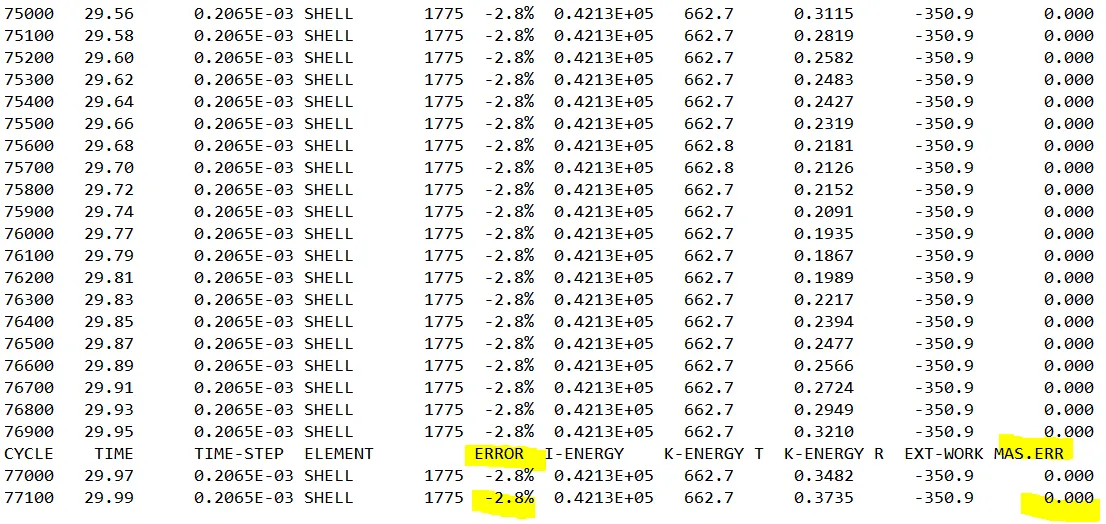
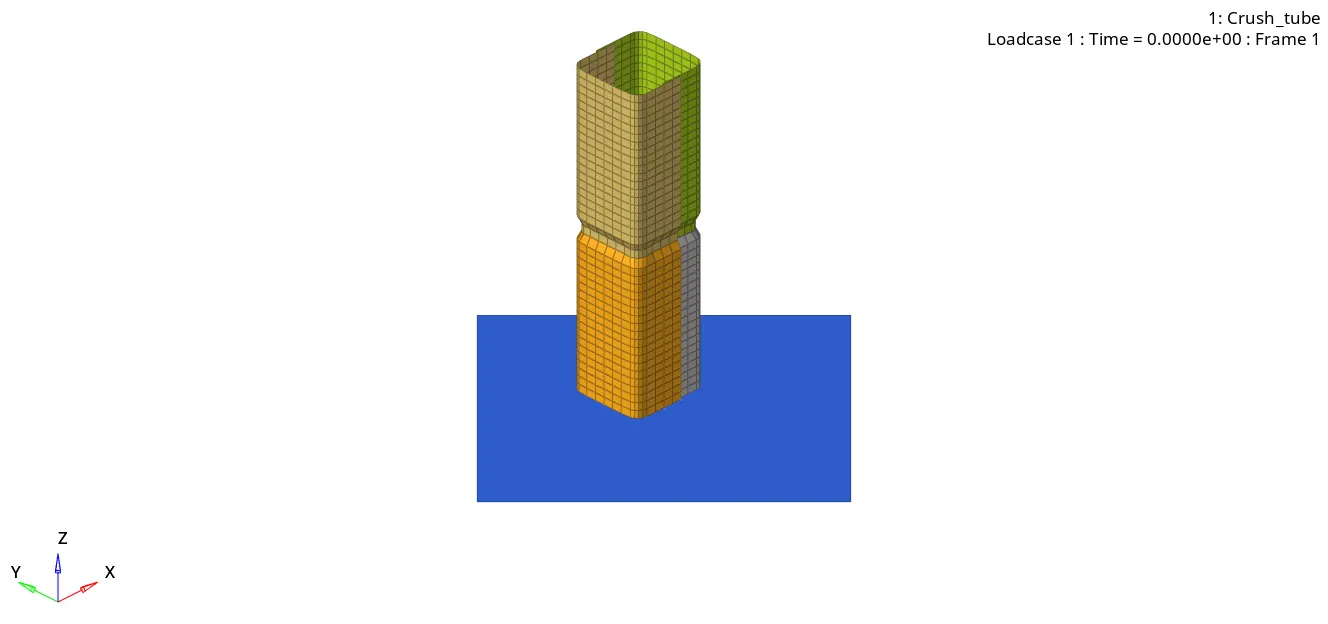
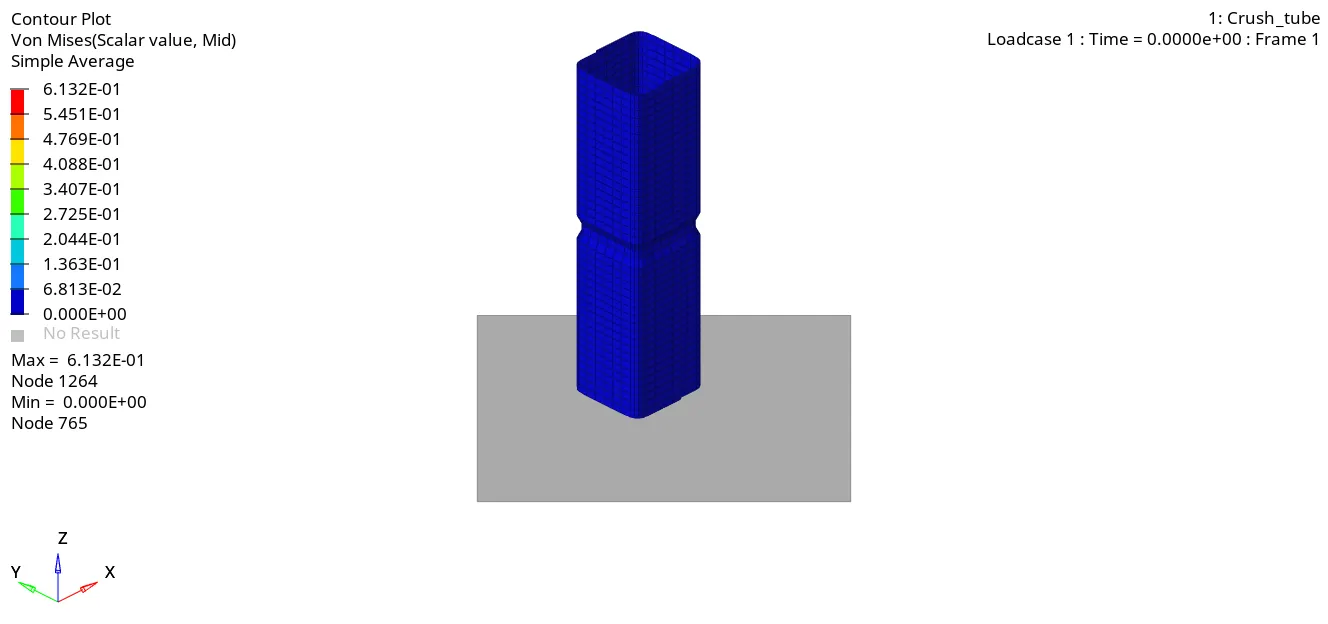
e.Import the H3D file into hyper view for animations and contour plot (select contour as von-mises and averaging method as simple.
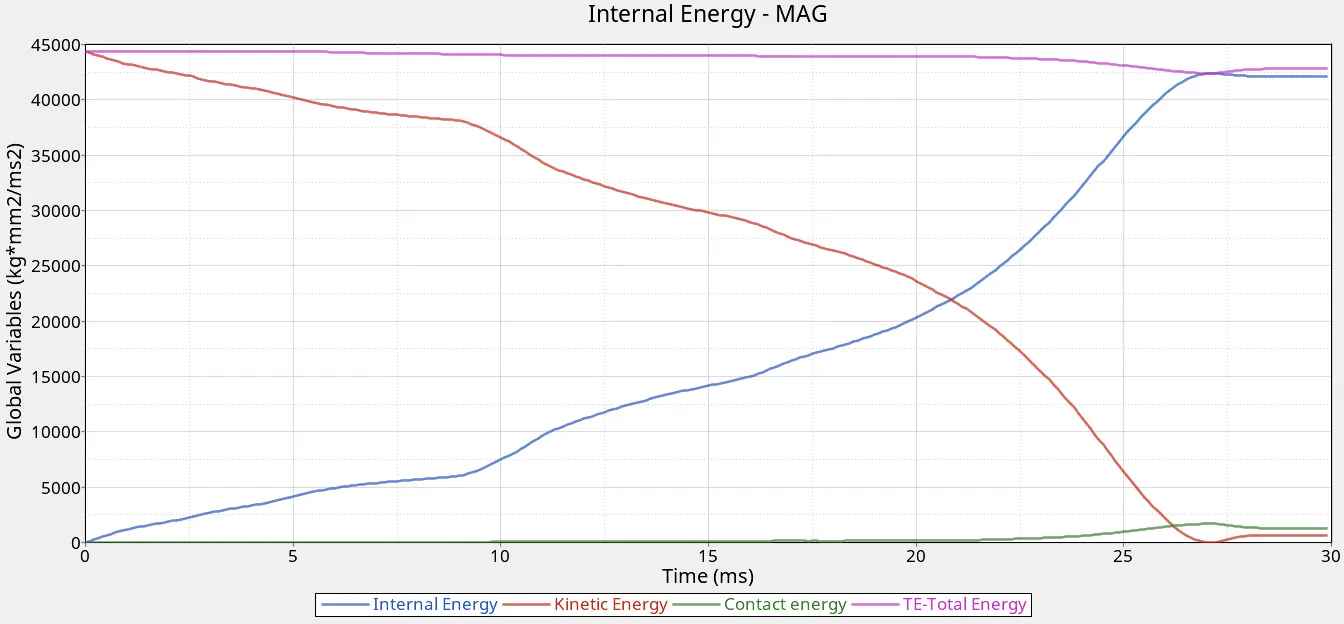
f.Import the T01 file into hypergraph 2D for energy plots.
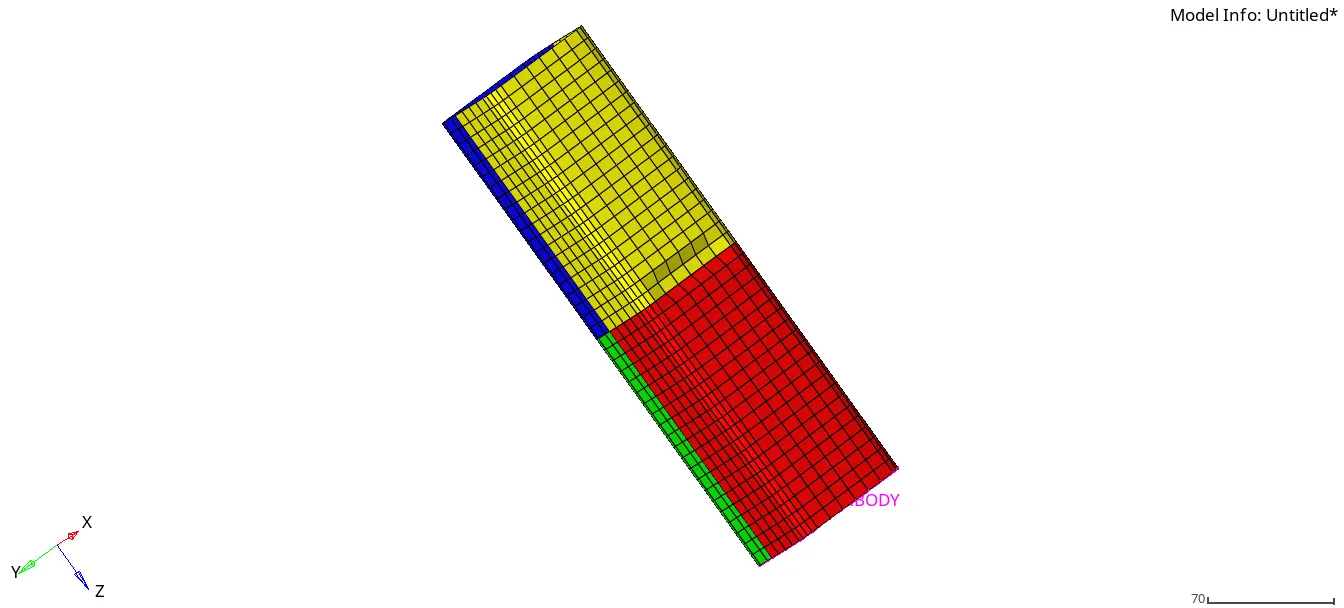
6. Case 6:-Create a new notch at the centre with nodes only at the opposite faces.
a. Import the crush tube solver deck into hypermesh, make sure the profile is selected to Radioss.
b.The unwanted notch can be removed by (Geom<Node-Edit) The new notch can be created using translate command (Tools<Translate) & specifying appropriate distance and selecting the desired axis.
c. Run the simulation using 4 cores(-nt 4).
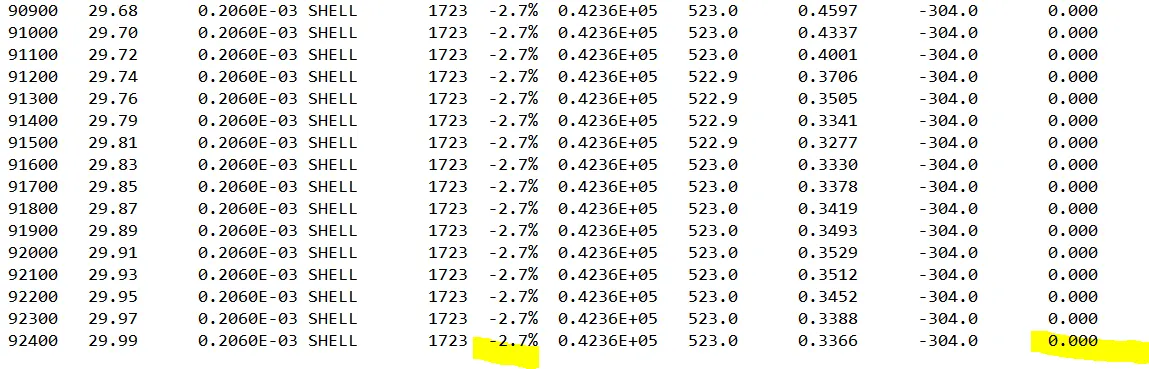
d.Once the simulation is completed check for mass and energy errors in 0001.out file.
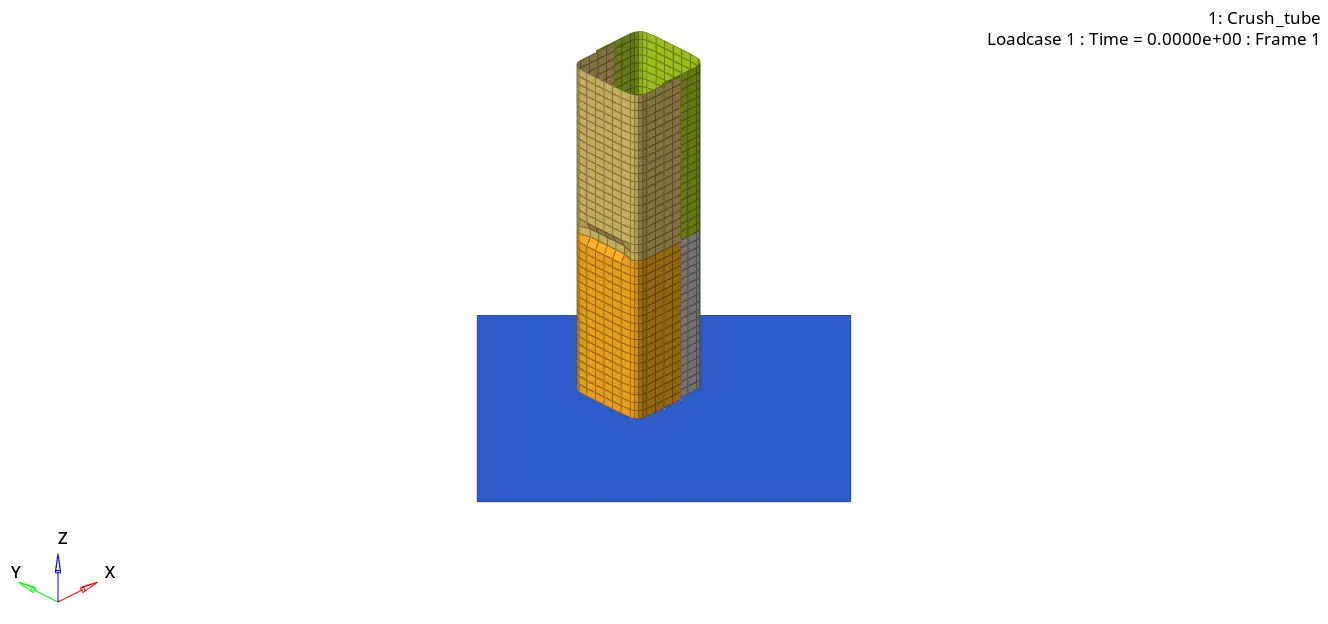
e.Import the H3D file into hyper view for animations and contour plot (select contour as von-mises and averaging method as simple.
f.Import the T01 file into hypergraph 2D for energy plots.
- Conclusion
1. Energy & mass error
| Case No. | Energy Error% | Mass Error% |
| 1. | -3.8 | 0 |
| 2. | -3.8 | 0 |
| 3. | -3.8 | 0 |
| 4. | -2.6 | 0 |
| 5. | -2.8 | 0 |
| 6. | -2.7 | 0 |
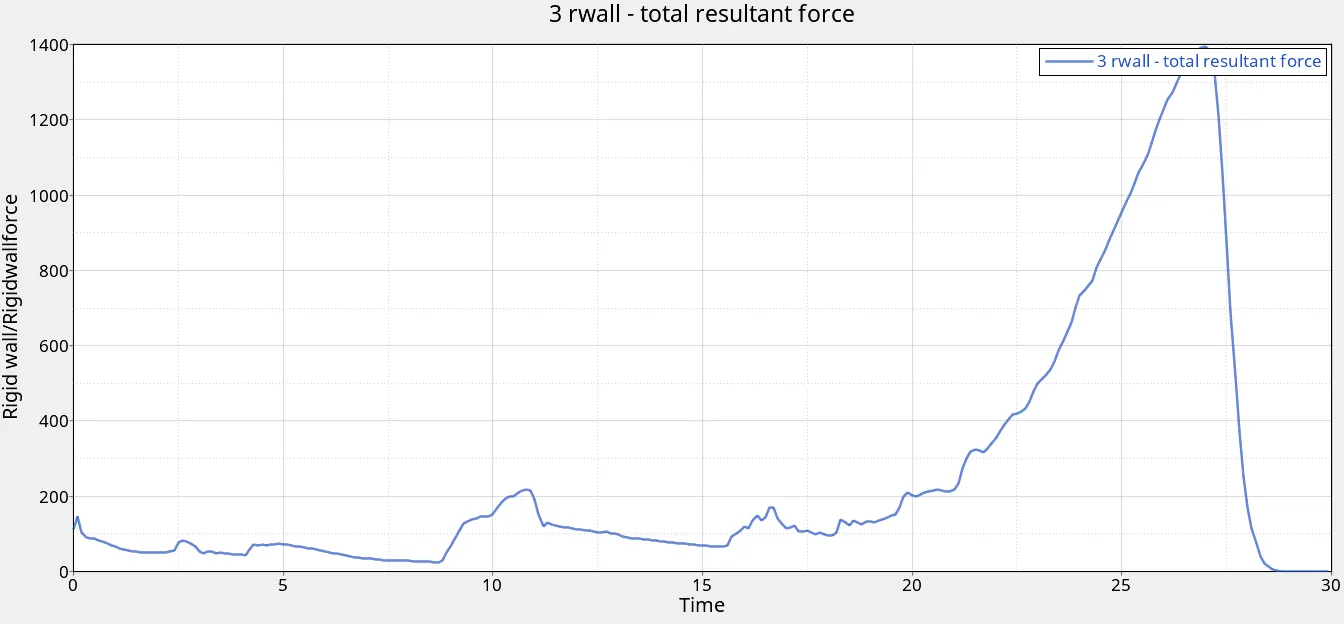
It was observed that when the notch was present the energy error was maximum.
When the notch was removed the energy error reduced to -2.6%.
2.Deformation
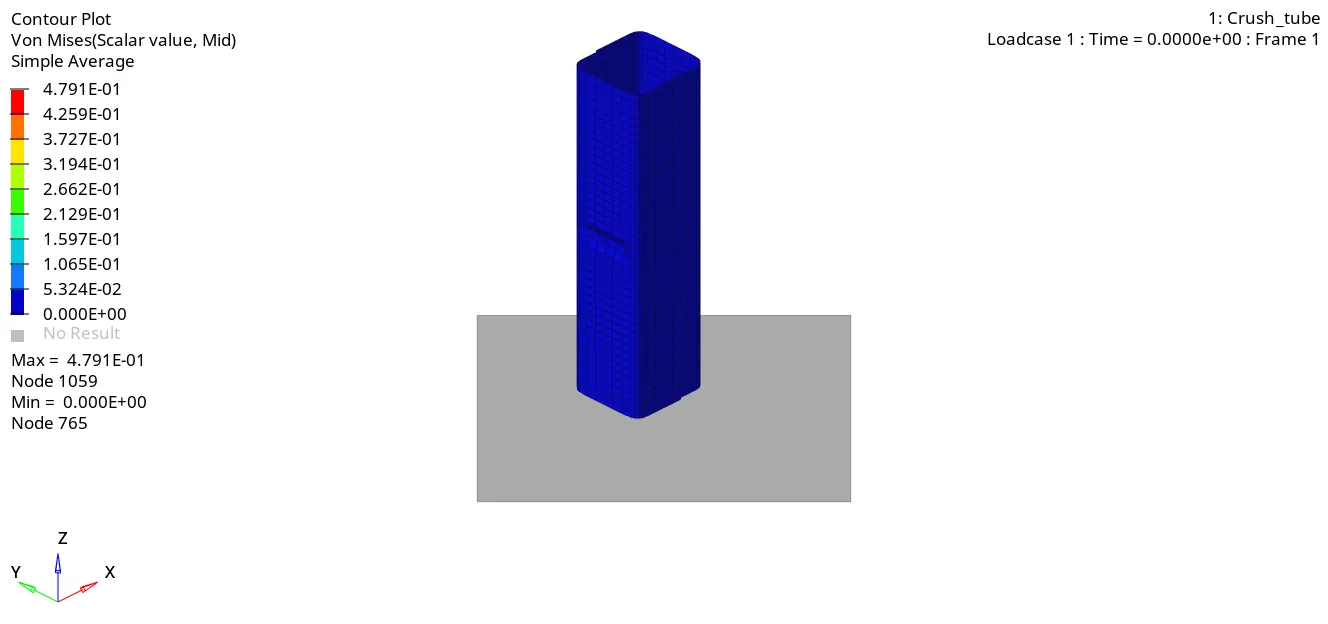
Notch regions deform first then the remaining region of the tube is deformed.
When the notch is removed there is uniform deformation.
3.Effect of inacti
No changes were observed by changing the inacti value, since there was no initial penetration.
4.Effect of Type 11 contact
Negligible changes were observed in the von-misses stress value.
5. All the cases were simulated and their subsequent result was studied.