Assignment 4-RADIOSS Material Laws Challenge
AIM
Perform the simulation as per the cases given below.
Case 1
- Import the FAILURE_JOHNSON_0000.rad file and run the model as it is. Give the title name as Law2_epsmax_failure.
Case 2
- Import the case 1 rad file, named “Law2_epsmax_failure” and perform the simulation with failure plastic strain (EPS_p_max) and fail_Johson card enabled.
- Changes to be made in /FAIL/JOHNSON card:
- ifail_sh= 1
- Dadv= 1
- Ixfem= 1
- Use the recommended values for the property card.
- Give the title name as Law2_epsmax_crack.
Case 3
- Import the case 2 rad file, named “Law2_epsmax_crack” and perform the simulation by removing the fail_Johnson failure card. Give the title name as Law2_epsmax_nofail.
Case 4
- Import the case 3 rad file, named “Law2_epsmax_nofail” and perform the simulation by removing both the failure plastic strain (EPS_p_max) and the fail_Jhonson failure card.
Case 5
- Import the case 4 rad file and perform the simulation by changing the material card to Law 1. Keep the same value for rho, E, and nu values.
Case 6
- Import the case 1 rad file, named “Law2_epsmax_failure” and perform the simulation with the law 36 material card. Refer to the video titled "Materials 7" for further information.
Case 7
- Open the Law27_0000.rad file and perform the simulation with the law 27 material card. Use the recommended shell properties.
Compare 7 cases as discussed in the last 3 slides, in a tabulated format based on:
1. The Total number of cycles, Energy error, mass error, and simulation time.
2. Notice the animation of all 5 and describe the animations in brief based on whether the elements are being deleted or cracked.
3. Plot energies and notice any difference.
4. Based on all the results, which case would represent the on-field scenario.
5. Prepare a ppt/Docx and list down case by case results and your conclusion as to why the failure happened.
PROCEDURE :
Import the model by using the solver deck tool.
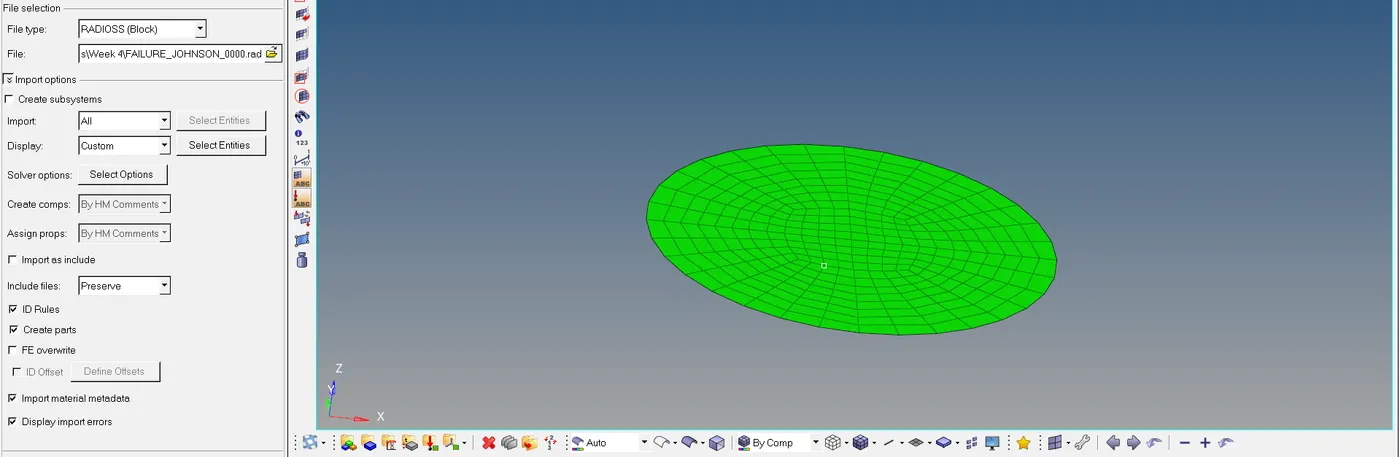
Create a folder to save the rad files in local directory and edit options providing number of threads as " -nt 4 ".

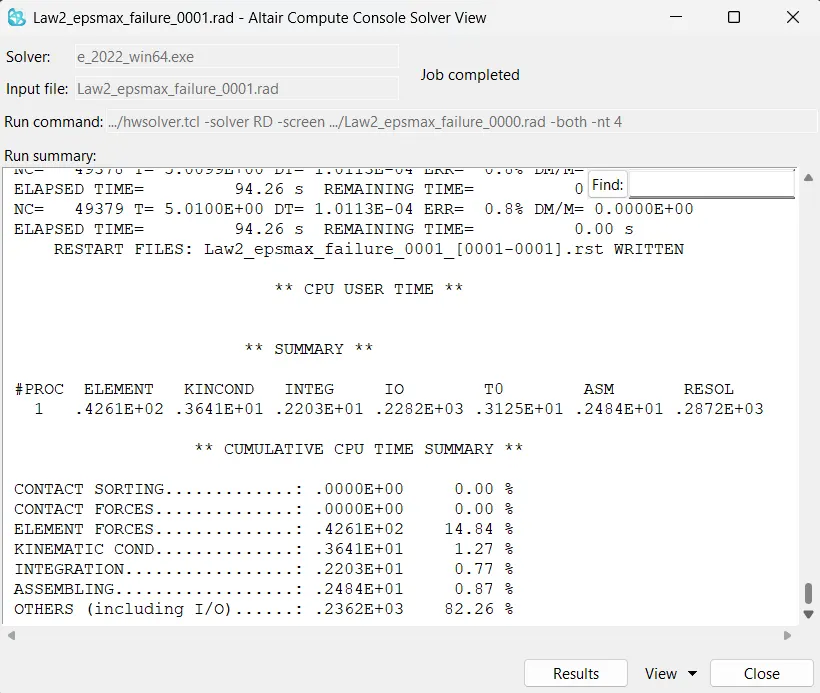
1) Run the program without changes, and save the file name as "Law2_epsmax_failure_0000.rad".
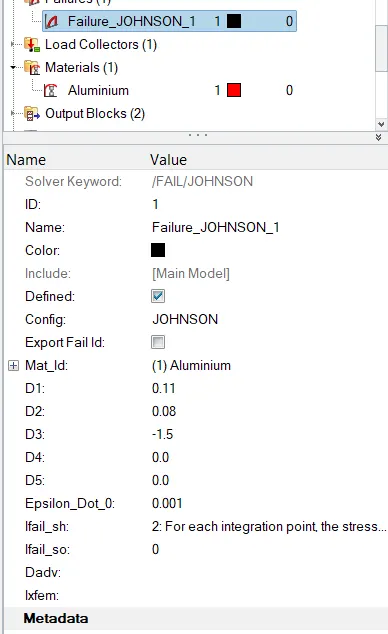
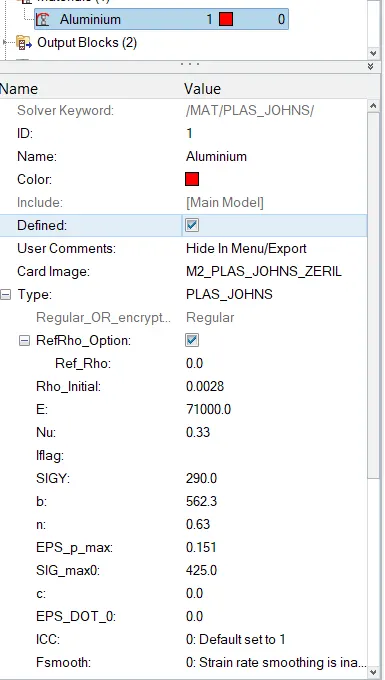
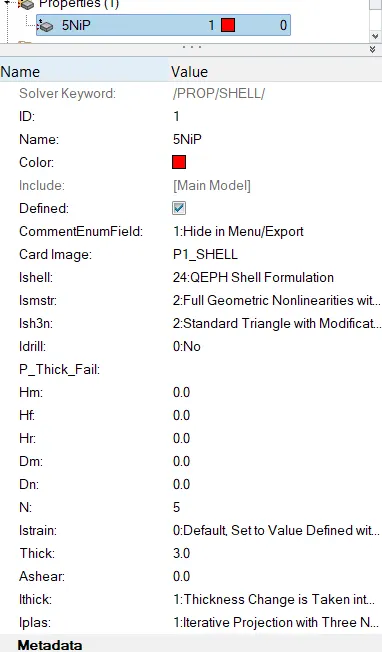
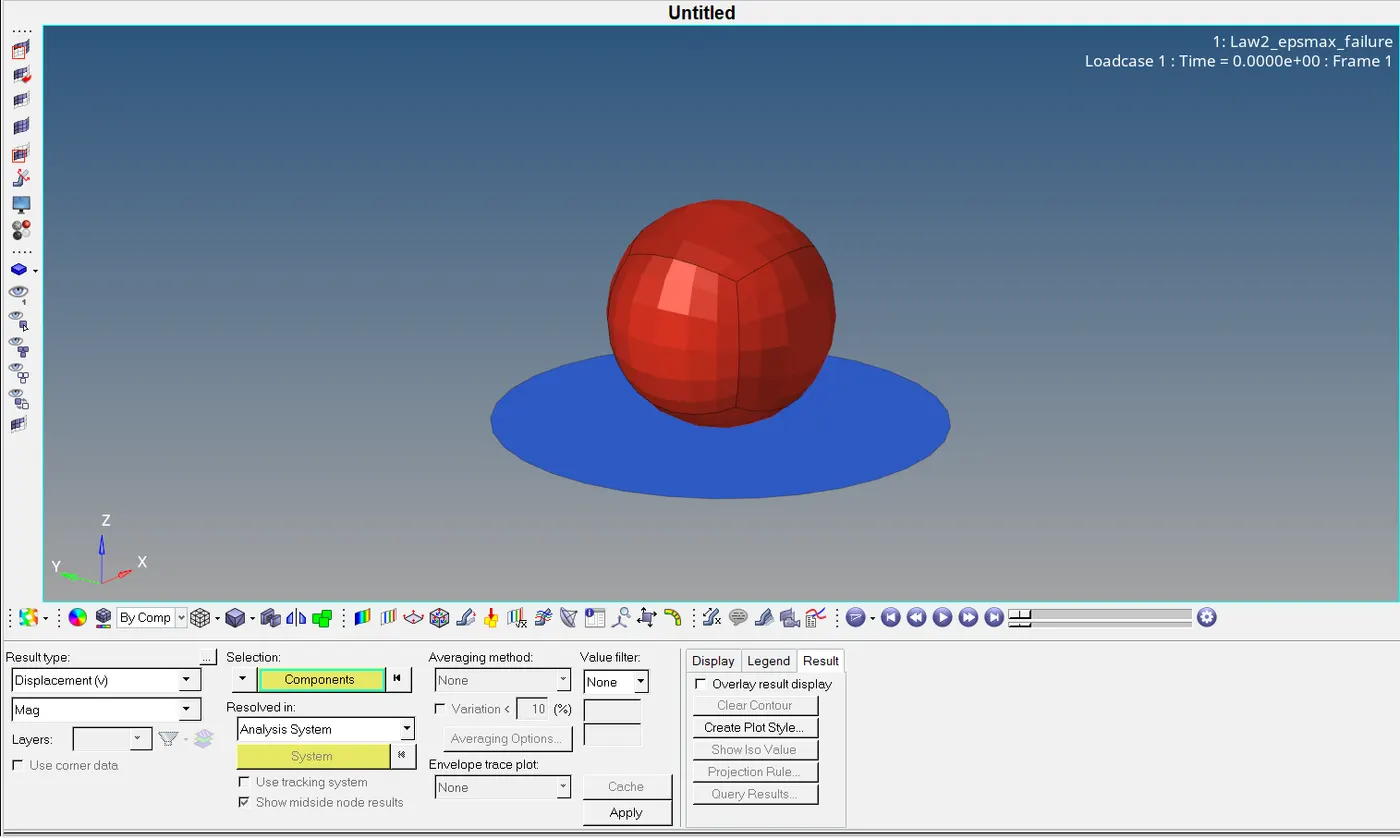
Simulate the model save it on a separate folder and open it with Vonmises stress value.
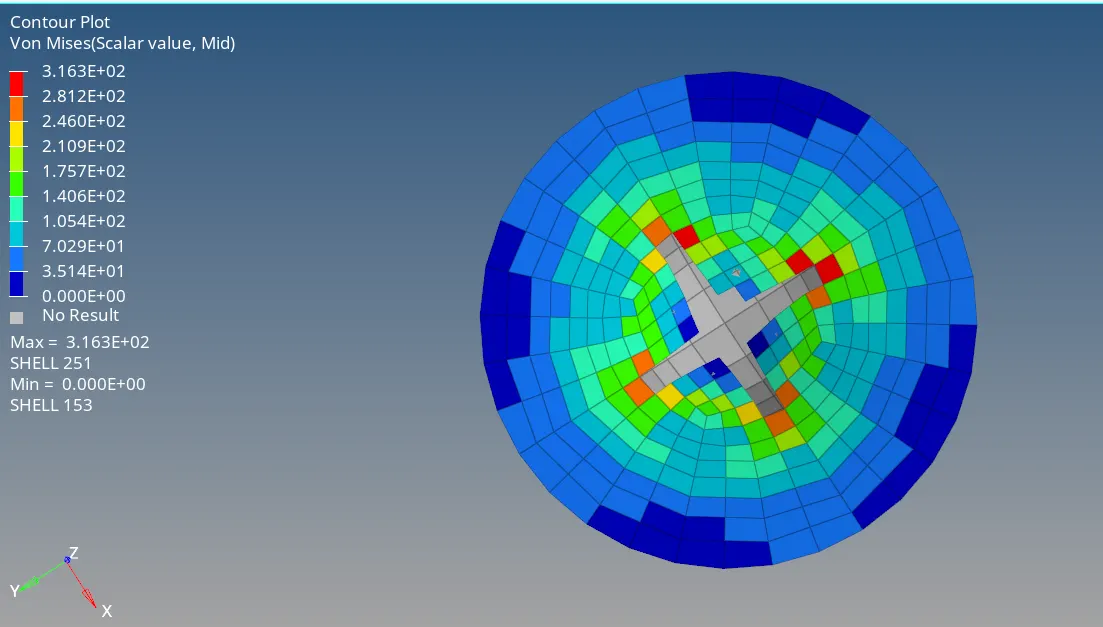
Now to run the simulation go to hyper view-import h3d file- apply contour - select von Misses stress select averaging method as simple - apply.
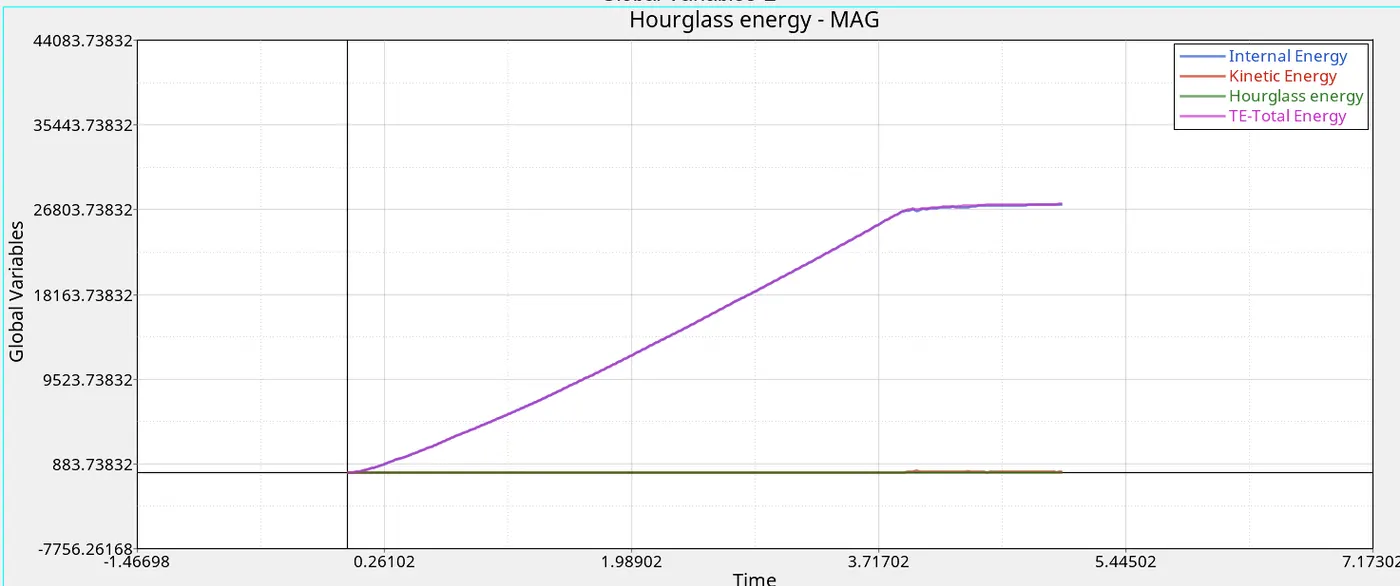
Plot the graph for energy change
ELAPSED TIME = 94.69 s
ENERGY ERROR = 0.8%
2) First import the file Case 1 file into the solver AND follow the procedure we had followed in Case 1. But there are some changes in the failure card as shown below.
we need to add the given values
ifail_sh= 1
Dadv= 1
Ixfem= 1
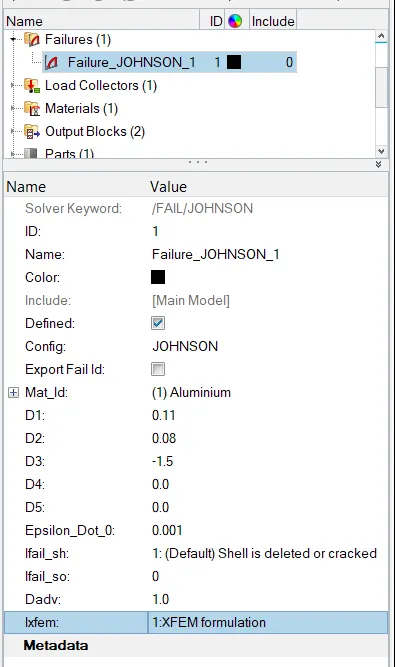
the above file is after inserting the given values, Now we can run the simulation.
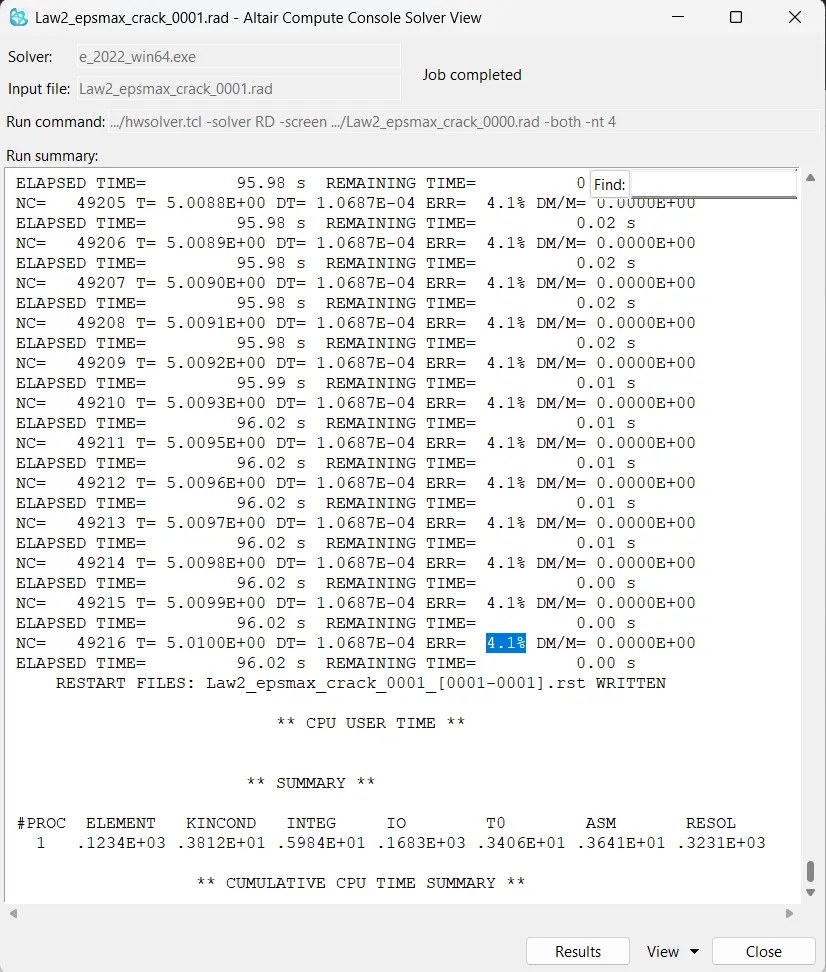
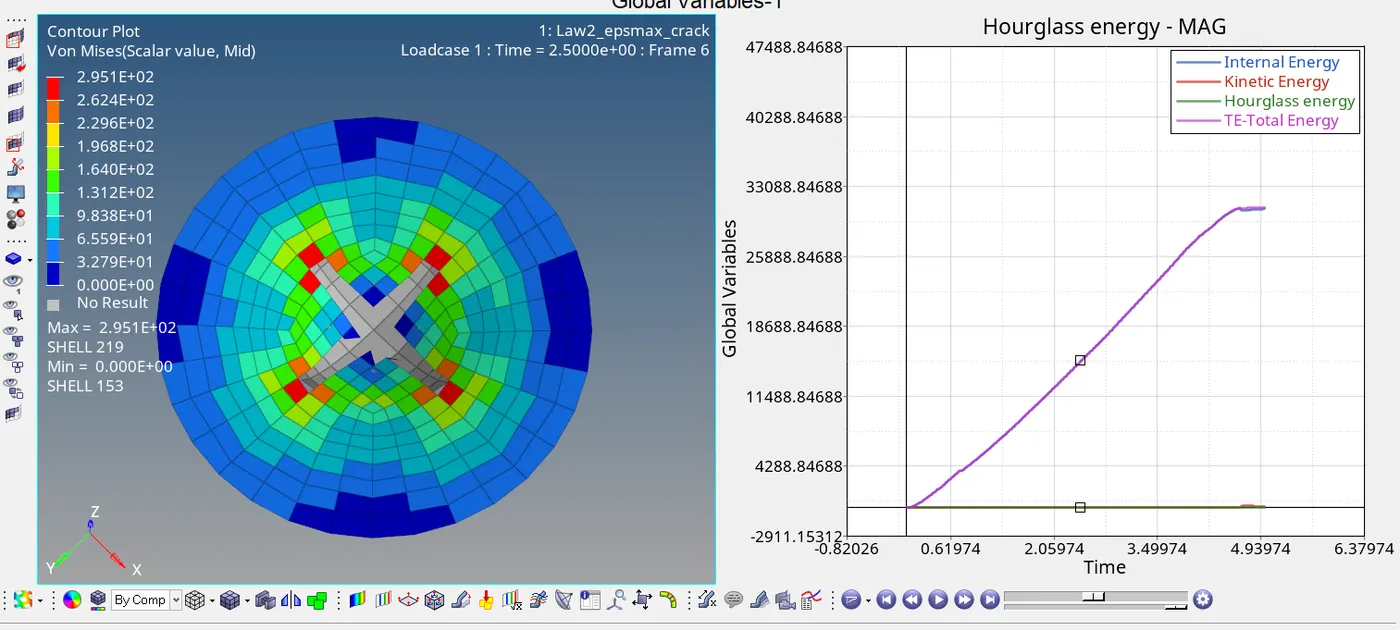
Now to run the simulation go to hyper view-import h3d file- apply contour - select Von Misses stress select averaging method as simple - apply
From the engine file, we get an energy error of 4.1%. It is acceptable because it is below 5%.
3) First, import the file Case 2 file into the solver, Delete the failure card from the simulation, and run the simulation.
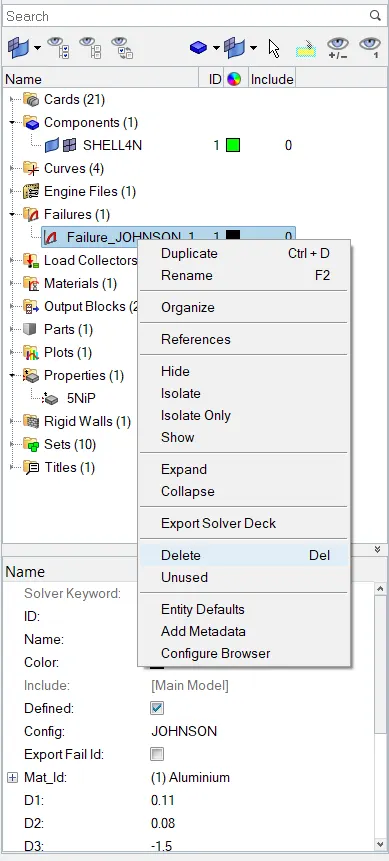
Now run the simulation, Give the title name Law2_epsmax_nofail.

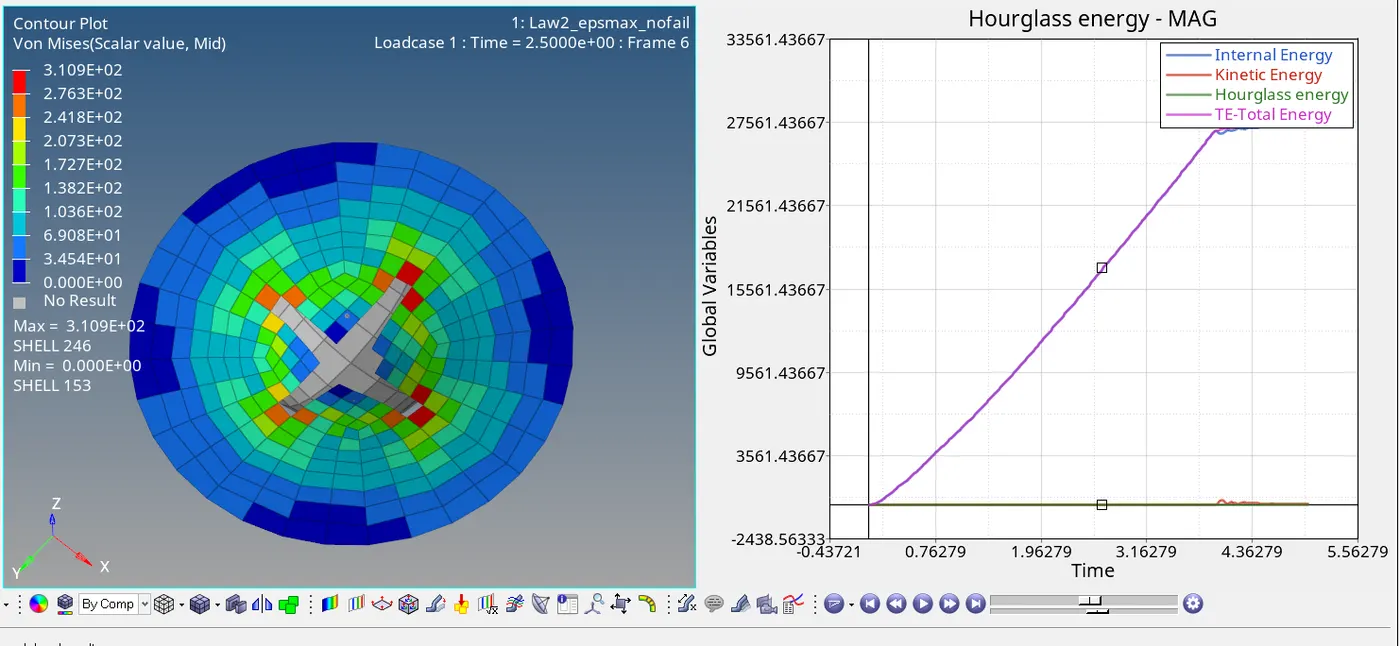
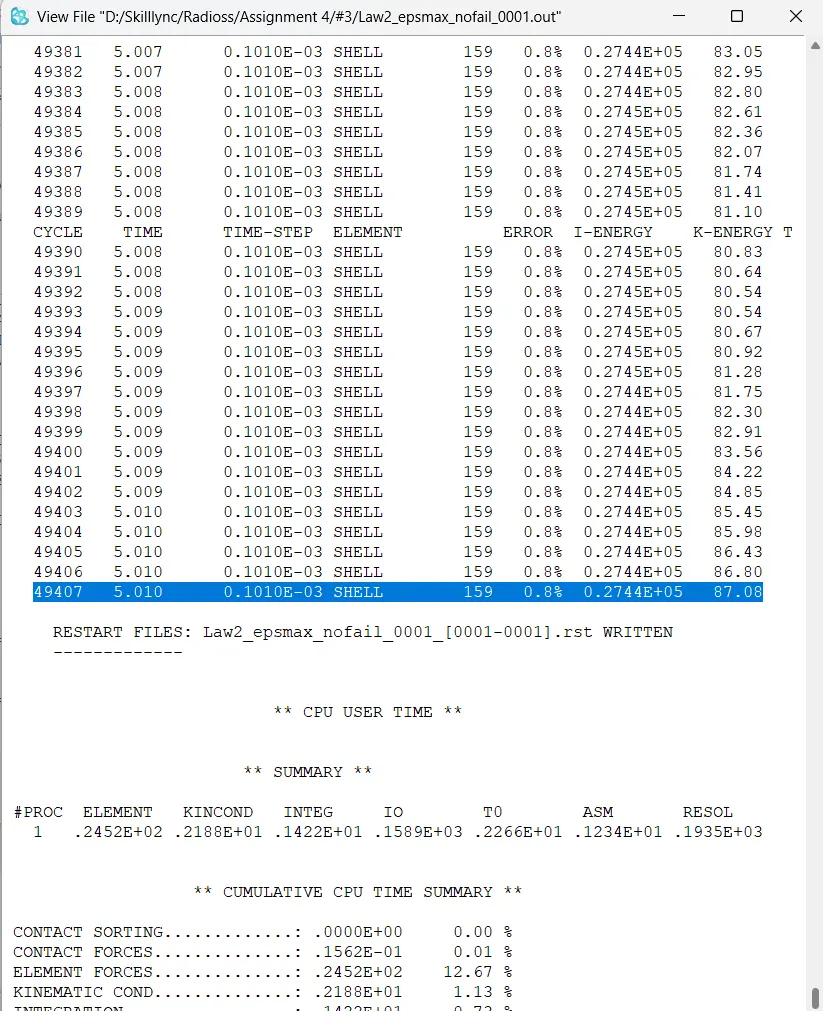
From the simulation, we can find out some importent observations:
_ Here, the energy error is 0.8% which is below 5% so it is acceptable
_ In the simulation, when the internal stress exceeds Young's modulus by 15% of the material, elements get cracked and deleted.
_ Total no of cycles of simulation is 49408 in 94.86 seconds.
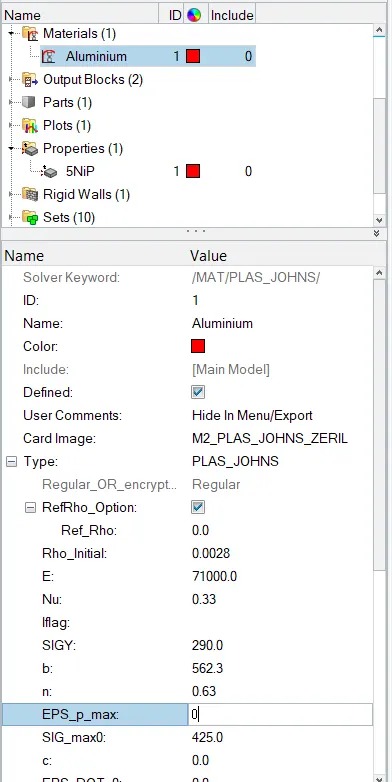
4) Import the case 3 file into the solver and perform the simulation by removing both the failure plastic strain (EPS_p_max) and the fail_Jhonson failure card.
Now run the simulation and Add von Misses contour to the H3d file in hyperview and import t01 in hypergraph, plot kinetic energy, internal energy, hourglass energy, and total energy. observe the changes.
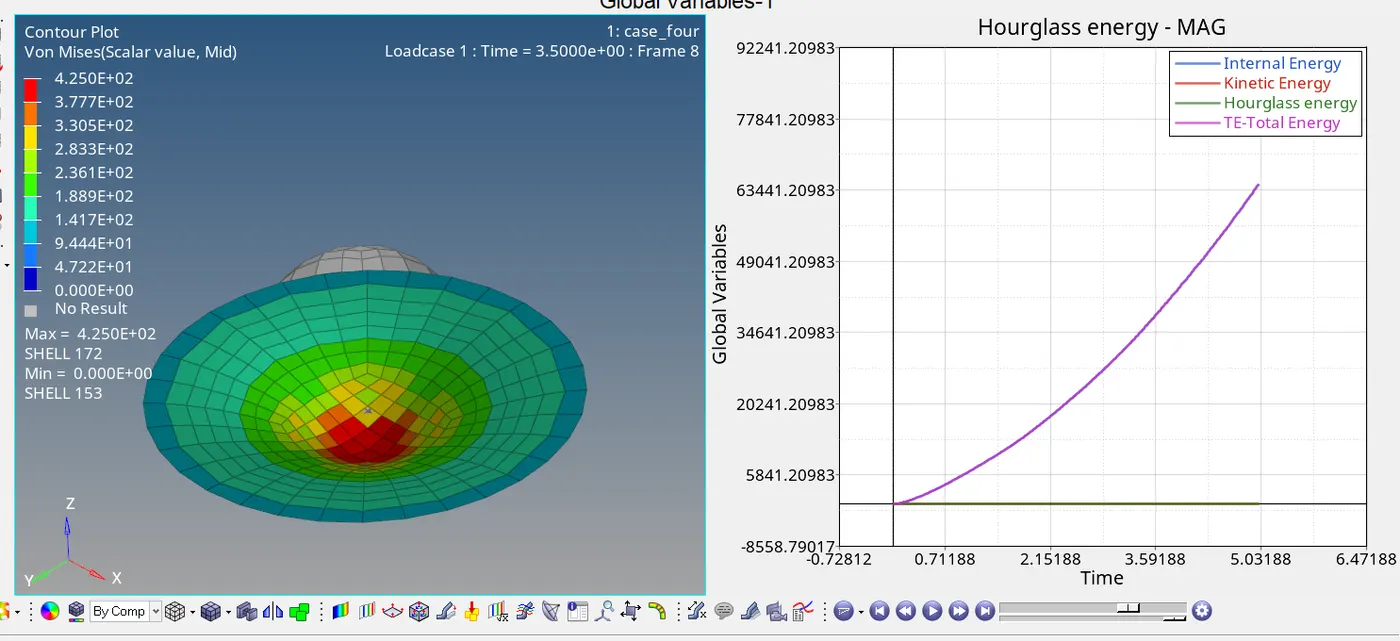
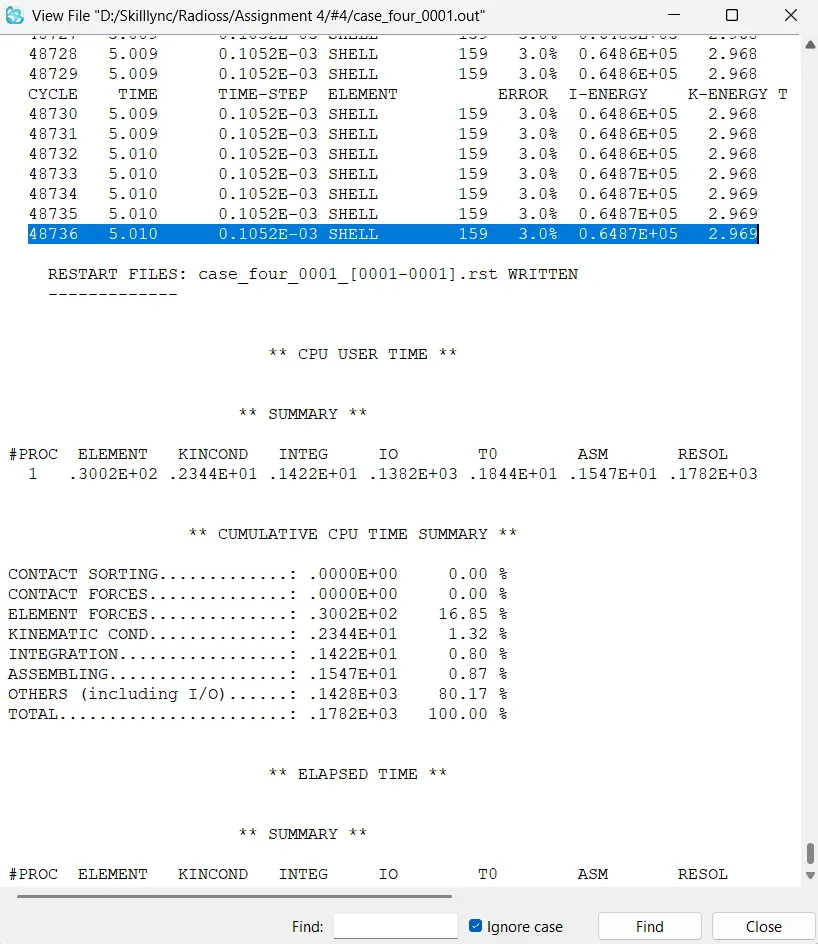
From the simulation, we can find out some importent observations:
- Here, the energy error is 3.0% which is below 5% so it is acceptable
- In the simulation, when the internal stress exceeds Young's modulus crack is not happening because we delete the eps_max value.
- From the graph, we can find that total energy increases with time because there is no rapture happens.
- Total no of cycles of simulation is 48736 in 57.03 seconds.
5)Import the case 4 rad file and perform the simulation by changing the material card to Law 1. Keep the same value for rho, E, and nu values.
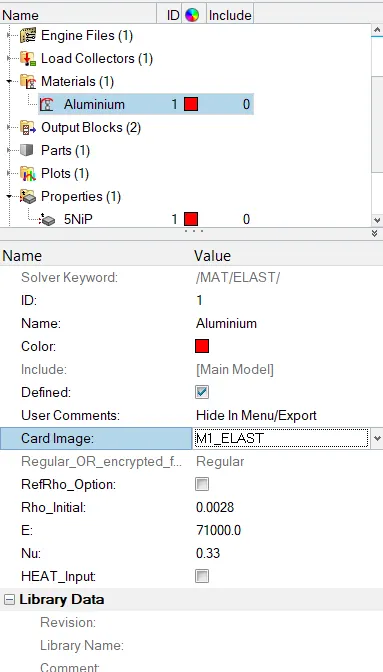
Afterward, go to Materials card > Aluminium and change the card image to M1_ELAST, Law 1. Also set the values for Rho_Initial, E & Nu as follows:
Rho_initial = 0.0028, E = 71000.00, nu = 0.33.
Run the Simulation.
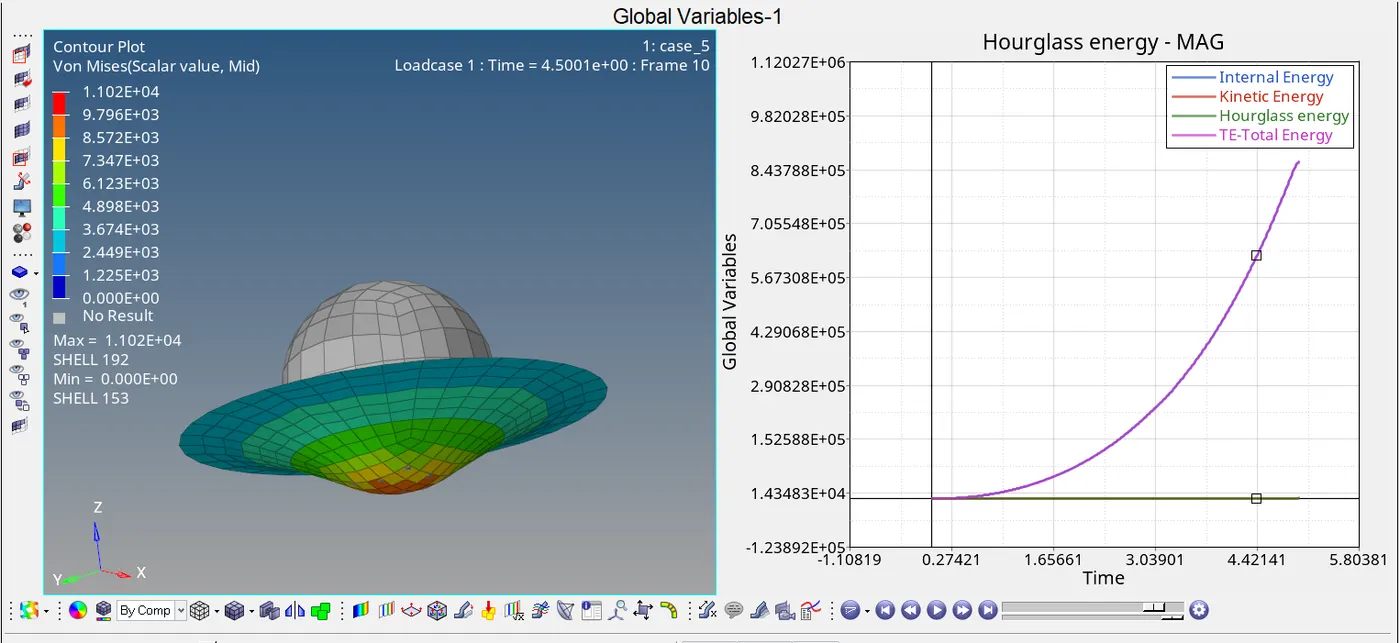
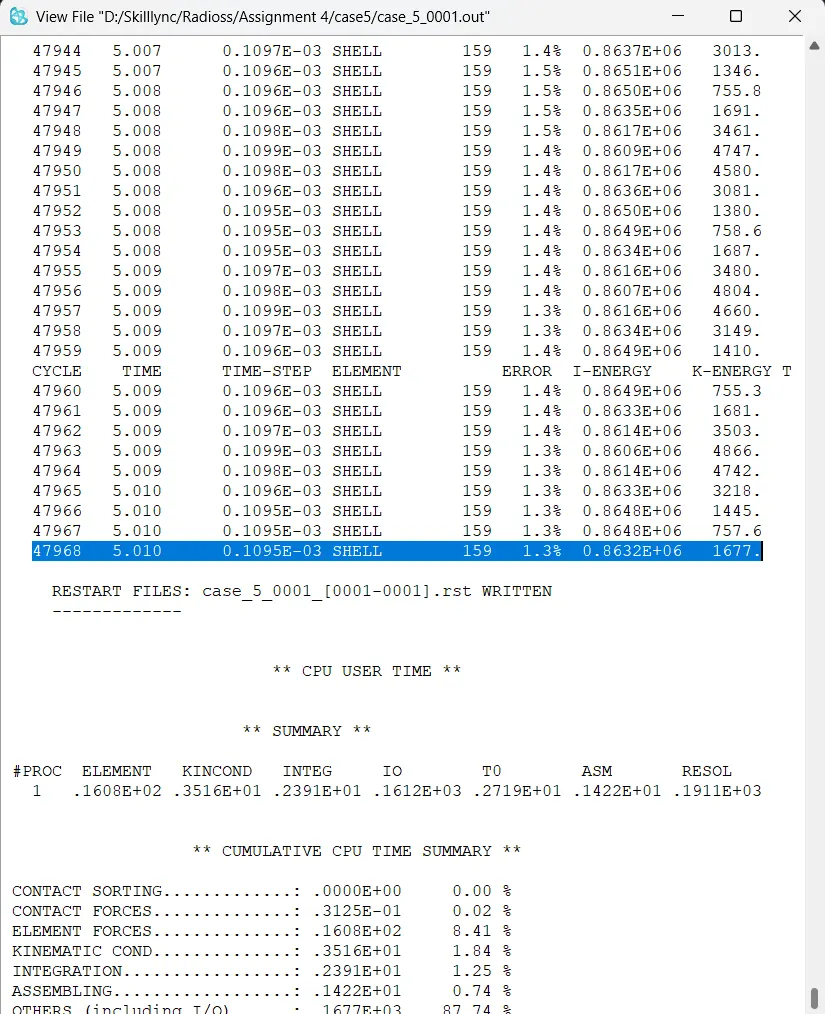
Case 6 Import the case 1 rad file, named “Law2_epsmax_failure” and perform the simulation with the law 36 material card. Refer to the video titled "Materials 7" for further information.
Create new materials as PLAS_tab with the same values.
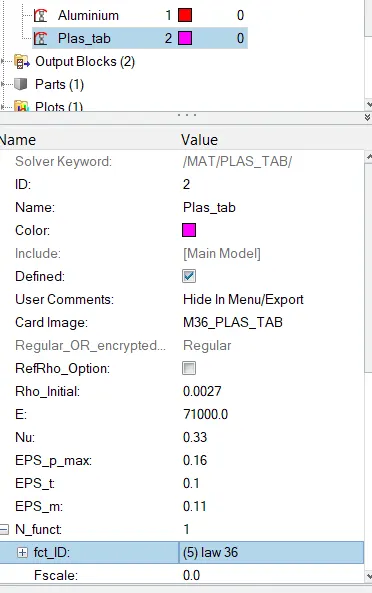
Create the curve as law 36
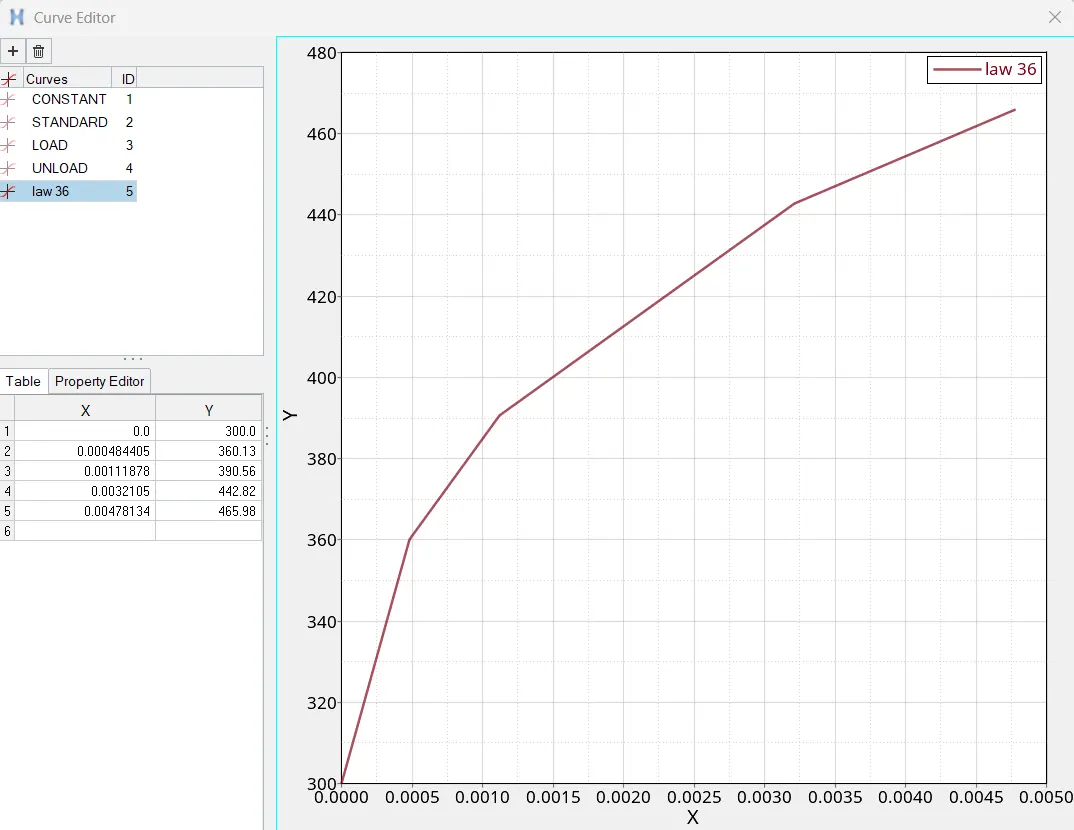
Run the simulation
the output file is as follows
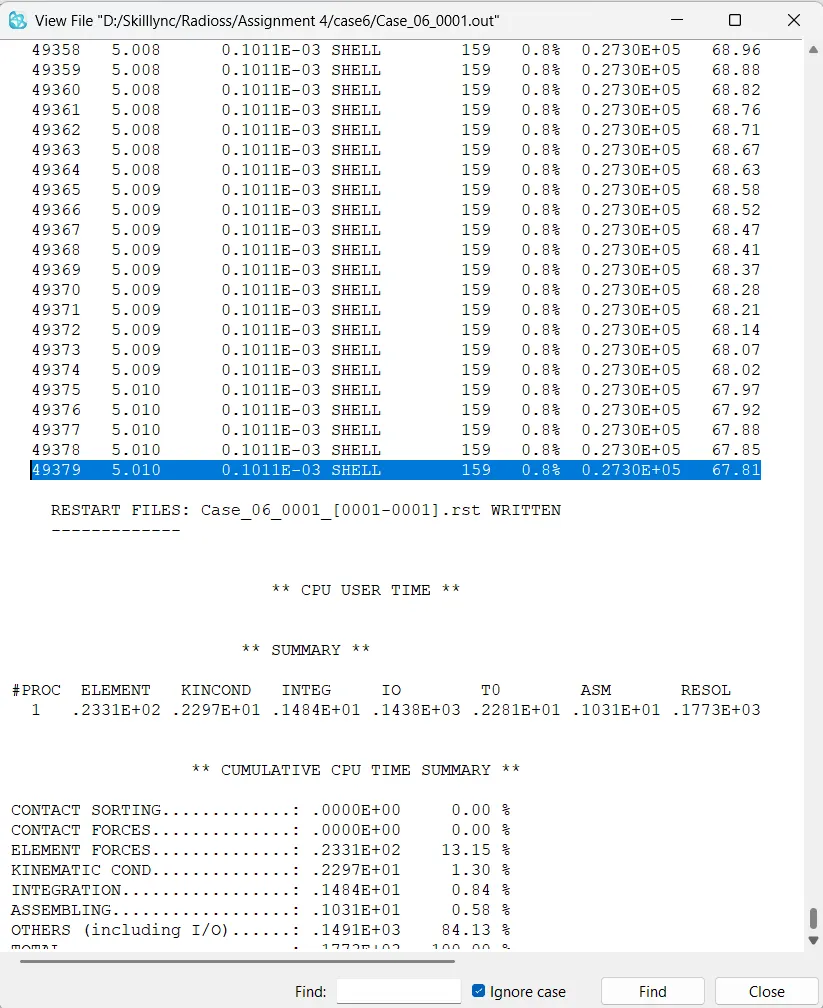
The mass error is 0.8% which is less than 5% so it is acceptable
open the simulation in hyperview and hypergraph 2d
plot all graphs
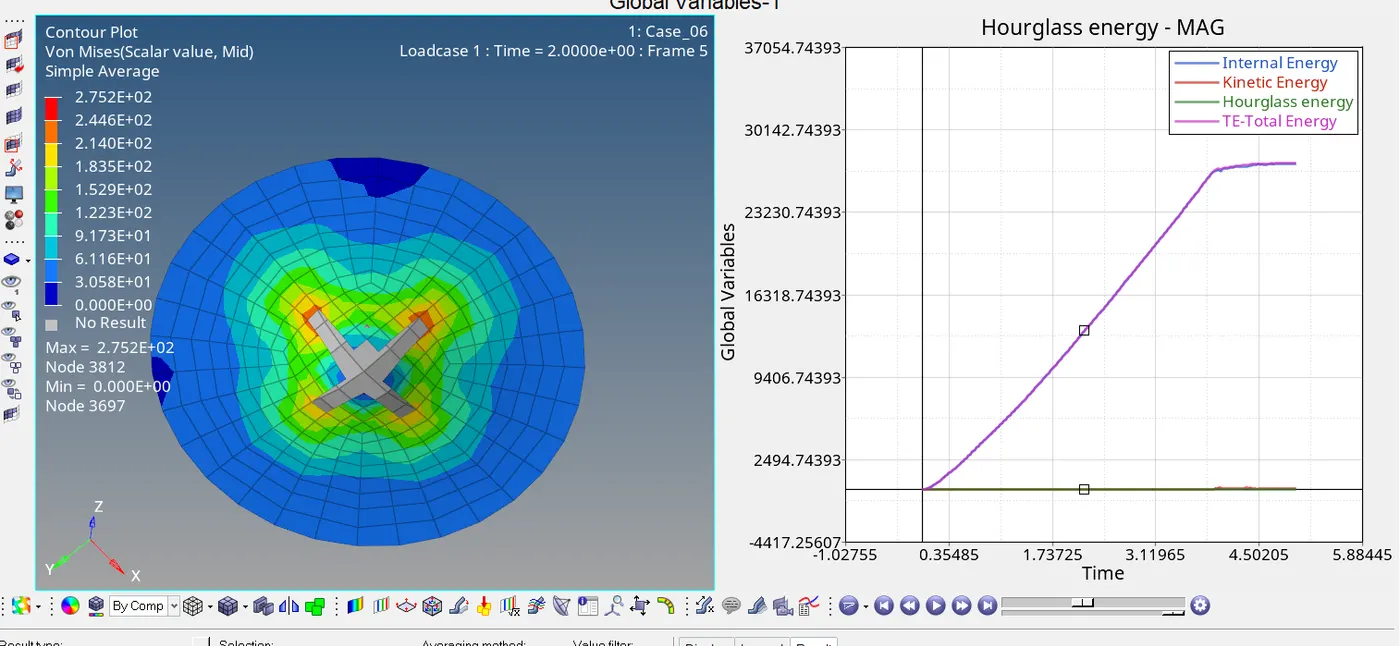
Case 7: Open the Law27_0000.rad file and perform the simulation with the law 27 material card. Use the recommended shell properties.
Import the Law27_0000.rad file into the solver and run the simulation
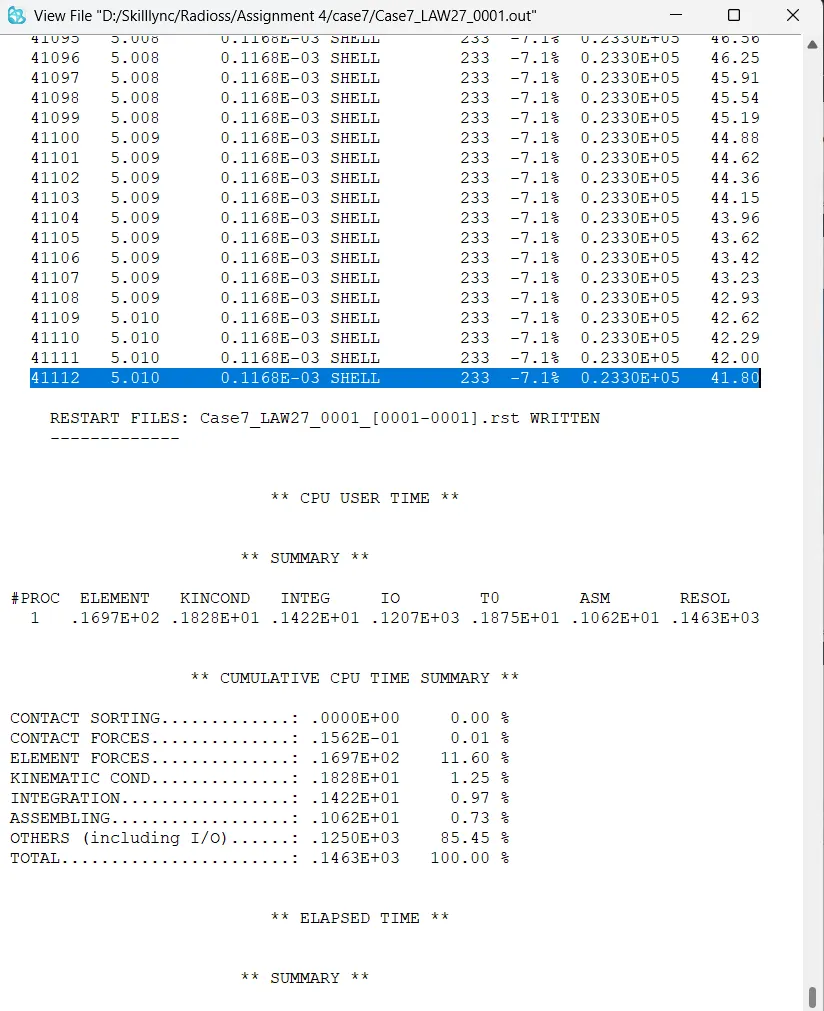
The mass-energy error is -7.1 % which is less than 5% which is acceptable.
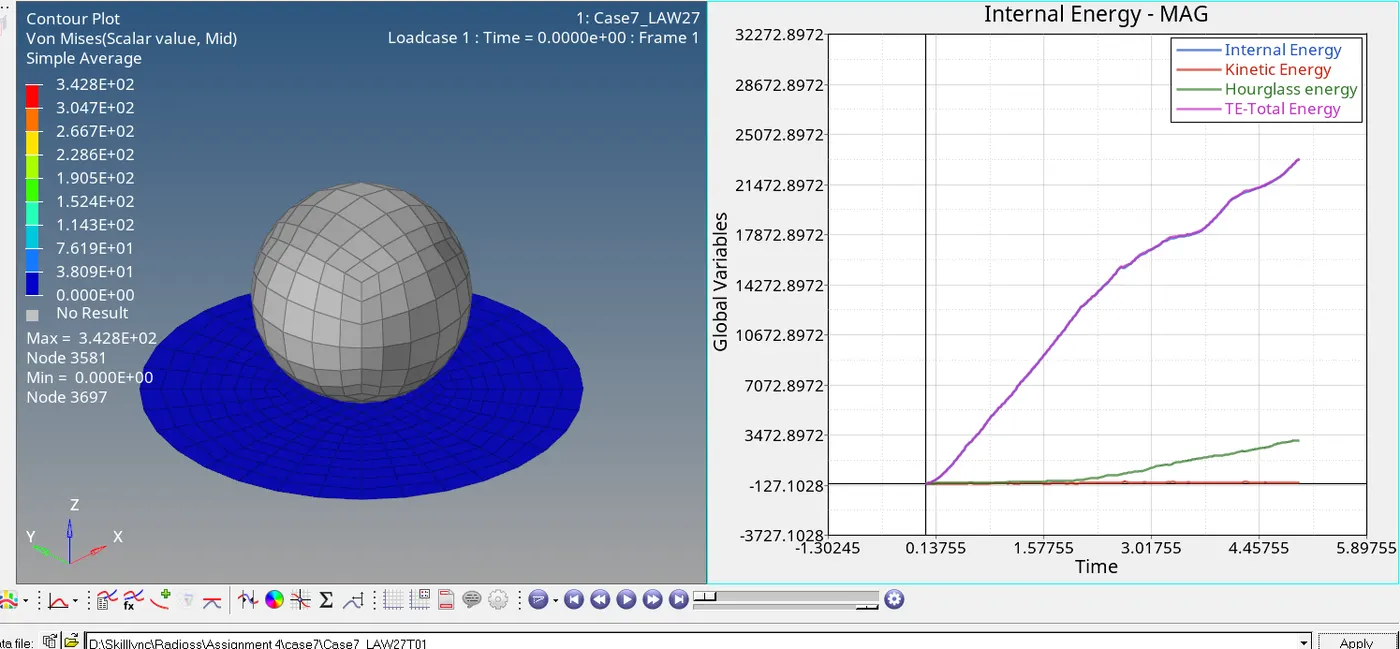
Now Run the 2d animation in hyperview and plot all graph in hypergraph2d.
OBSERVATIONS
- CASE 1: In this case, it has the Fail/JOHNSON card as well as EPS_p_max value assigned, with the Ixfem value as 0. This means that the elements are deleted as soon as they cross the EPS_p_max threshold, which is what we can see in the above simulation. In this case, it has the Fail/JOHNSON card as well as EPS_p_max value assigned, with the Ixfem value as 0. This means that the elements are deleted as soon as they cross the EPS_p_max threshold, which is what we can see in the above simulation.
- CASE 2: In Case 2 we have used Ifail_sh, Dadv, and Ixfem as part of the Fail/JOHNSON card. Ixfem is especially important here because it decides the way the elements react. With its value equal to 1 here, it means the elements will crack and fail. Along with Dadv, crack propagation can also be seen here, with elements being deleted only when the crack reaches them. As a result, this is a more realistic depiction.
- CASE 3: With the Fail/JOHNSON card deleted in this case, the onus is on EPS_p_max to be the factor for element deletion. As we can see in the following screenshot, its value is 0.151, meaning elements will be deleted if the strain on any integration point within said elements reaches 15.1% of the plastic strain. The elements, in this case, fail rapidly when compared to the elements in case 2 due to the XFEM crack formulation there.
- CASE 4: The metal sheet can withstand a large amount of stress and avoid element deletion primarily because the value for EPS_p_max was deleted. Since it was deleted, RADIOSS assigns it the default value of 10^30. In addition to that, the fail/JOHNSON card was deleted. The material behaves like a pseudo-elastic (also called elastoplastic) material since it has a very high EPS_p_max and elements cannot be deleted due to no failure cards.
- CASE 5: In this case, the plate is defined with a LAW-1 material which defines the basic properties of elastic material. This model considers only the elastic phase of the material, there is no plasticity involved which results in linear deformation.
- CASE 6: In this case, we use law 36 material card. Here we can add lab data directly so we get more accurate results.
- CASE 7: Here we use the law 27 material card. In this case, the use of the M27_PLAS_BRIT material card is used for the isotropic elastoplastic Johnson-Cook material model with an orthotropic brittle failure model.
CONCLUSION
- Law 1 material card is mainly used for elastic material. It is used for vibration analysis.This law represents a linear relationship between stress and strain.
- Law 2 material card is used in elesto plastic material. We get more realistic approuch in material simulation.
- Law 36 material card is also used for elesto plastic material. Here we can add lab data directly so it can improve simulation accuracy.
- Law 27 material card mainly used for brittle materials.