Week 3 - 2D meshing for Sheet metal
Aim:
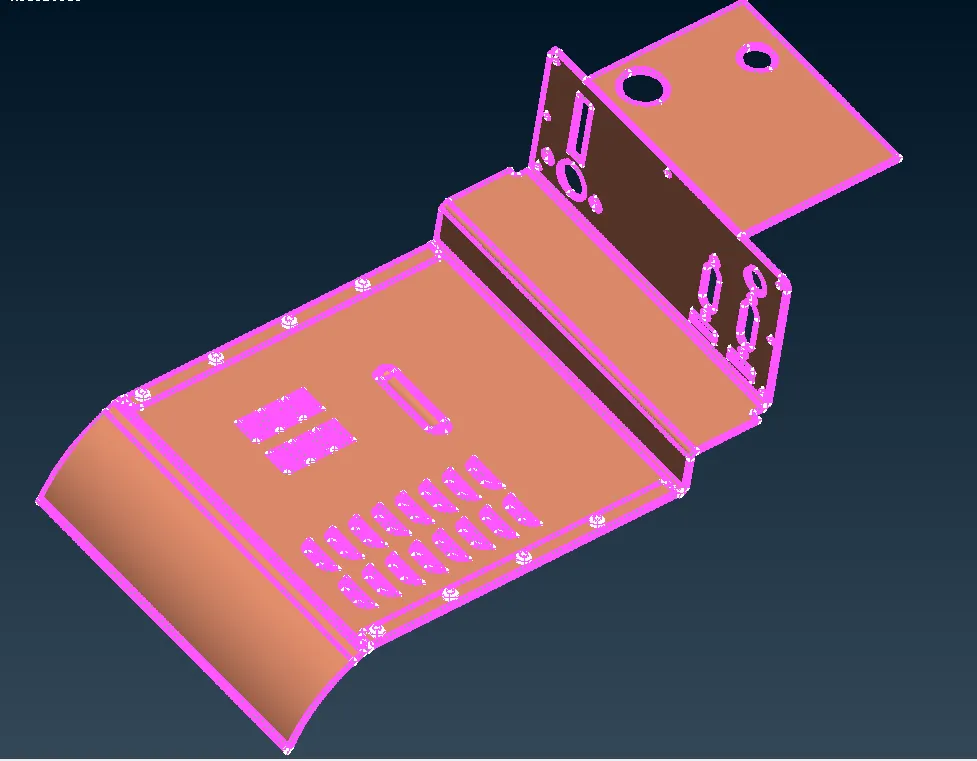
- To check the geometry of the given model.
- To find the mid surface of the given model.
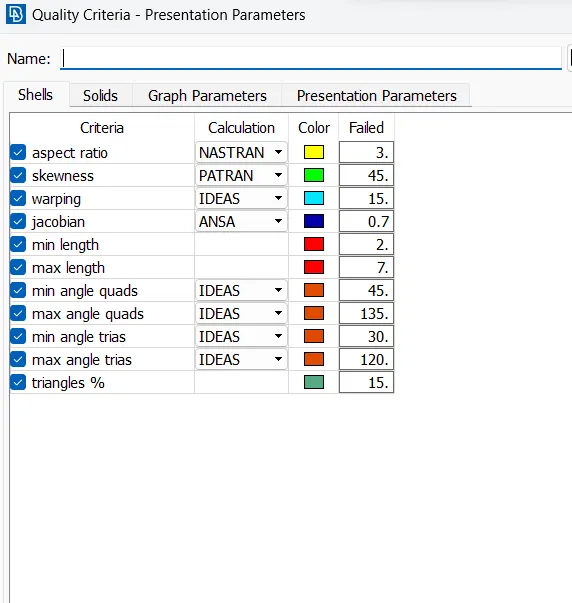
- To generate a mesh with the given quality criteria of the given model.
Given CAD model:
Procedure:
- Open the cad model in ansa pre proccesser.
- Check the geometry from the tools section mentioned as 'check'.
- Resolve the geometry issues.
- Generate the mid surface of the given cad model 'Manually' or 'Automatically'.
- Manually: Using the 'offset' option in the faces module.
- Automatic: Using the 'mid surfacing' option in the faces module.
- After generating the mid surface assign a separate property using the 'set PID' option from the faces module.
- Then switch to the mesh module And Assign the length i.e. 5 to the mid surface using the length option in the parameters module.
- After that check whether the holes are properly aligned with the nearest parameters or not
- If not then Allign them using the slide option parameters module
- Then check the numbers on it should be an even number
- Then start meshing the features first and then faces using the best option from the mesh generation module.
- To get a better mesh, Make sections to the faces using cut or pro.cut in the Macros module.
- Using the Reconst option we can reconstruct the mesh.
- Using the smooth option we can smooth the mesh.
- Using the split or swap option we can rectify the errors in the mesh.
Result: hence, the mesh is generated to the given Cad model with Required Quality criteria.