Assignment 4-RADIOSS Material Laws Challenge
Aim-
To perform the given Cases as per given below and perform the simulation for the same check for simulation time and No of Cycles.
Case 1
- Import the FAILURE_JOHNSON_0000.rad file and run the model as it is. Give the title name as Law2_epsmax_failure.
Case 2
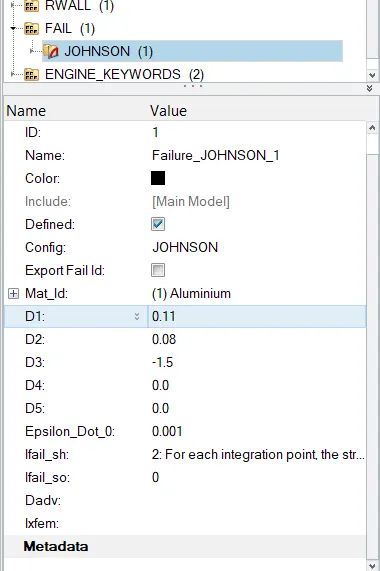
- Import the case 1 rad file, named “Law2_epsmax_failure” and perform the simulation with failure plastic strain (EPS_p_max) and fail_Johson card enabled.
- Changes to be made in /FAIL/JOHNSON card:
- ifail_sh= 1
- Dadv= 1
- Ixfem= 1
- Use the recommended values for the property card.
- Give the title name as Law2_epsmax_crack.
Case 3
- Import the case 2 rad file, named “Law2_epsmax_crack” and perform the simulation by removing the fail_Johnson failure card. Give the title name as Law2_epsmax_nofail.
Case 4
- Import the case 3 rad file, named “Law2_epsmax_nofail” and perform the simulation by removing both the failure plastic strain (EPS_p_max) and the fail_Jhonson failure card.
Case 5
- Import the case 4 rad file and perform the simulation by changing the material card to Law 1. Keep the same value for rho, E, and nu values.
Case 6
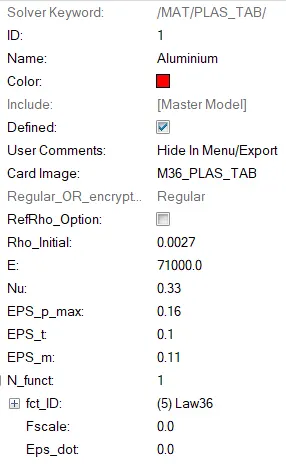
- Import the case 1 rad file, named “Law2_epsmax_failure” and perform the simulation with the law 36 material card. Refer to the video titled "Materials 7" for further information.
Case 7
- Open the Law27_0000.rad file and perform the simulation with the law 27 material card. Use the recommended shell properties.
Compare 7 cases as discussed in the last 3 slides, in a tabulated format based on:
1. The Total number of cycles, Energy error, mass error, and simulation time.
2. Notice the animation of all 5 and describe the animations in brief based on whether the elements are being deleted or cracked.
3. Plot energies and notice any difference.
4. Based on all the results, which case would represent the on-field scenario.
5. Prepare a ppt/Docx and list down case by case results and your conclusion as to why the failure happened.
Procedure-
Case 1
- First we need to import the given file i.e FAILURE_JOHNSON_0000.rad
- As per the given condition in case 1 here we did not need to change the property card keep it as default.
-
- Save the File as Law2_epsmax_failure. in seperate folder as it created diiferent several files like Rad, T01, H3D, .OUT etc. and open with Vonmisses Stress Value.
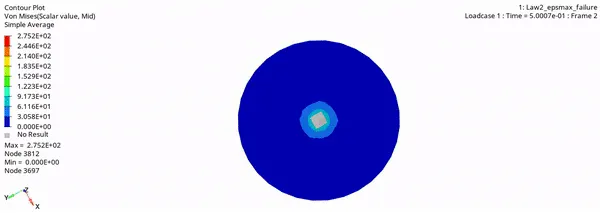
- Now to run simulation go to hyperview-import h3d file- apply contour - select von misses stress select averaging method as simple - apply
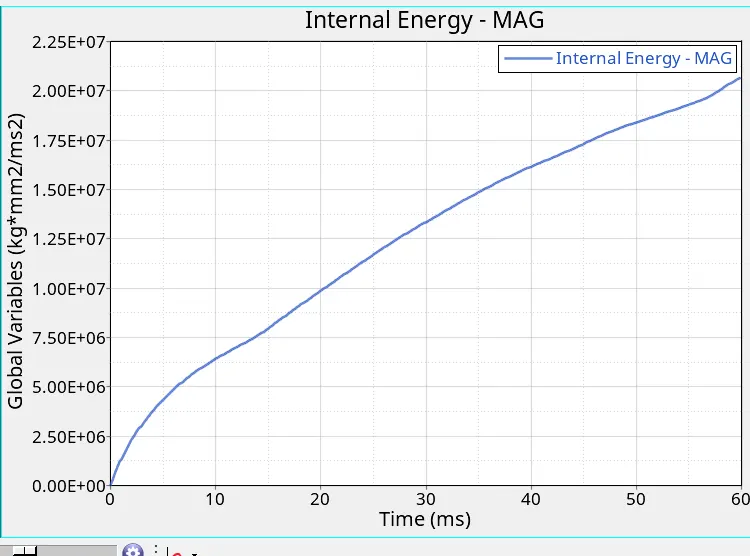
- Plotting the Graph for energy for the same Case .
- From the .001 OUT file we can get the energy error value and Mass error value.
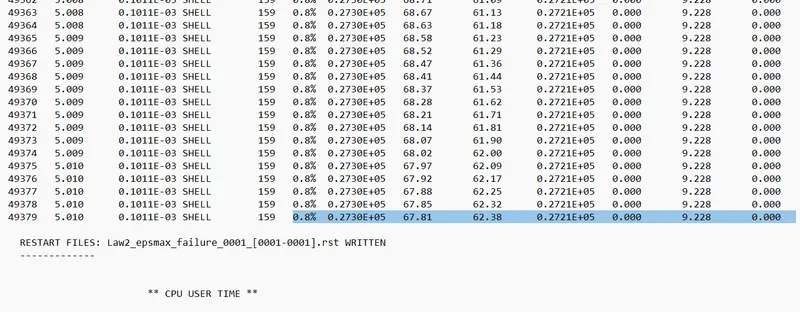
Here the Energy error is 0.8% and Mass error is 0%
- From the simulation we can find out that-
* Here Energy error is 0.8% and Mass error is 0%
* Simulation Time is = 40.44 s and TOTAL NUMBER OF CYCLES : 49380
* The Internal energy goes on increasing in linear manner.
* The Elements after failure gets deleted.
CASE 2-
- First import the file from Case 1 which we saved as Law2_epsmax_failure.
- Do the similar procedure same as Case 1 but here we need to change the property card i.e /FAIL/JOHNSON card: as per given case .
- ifail_sh= 1
- Dadv= 1
- Ixfem= 1
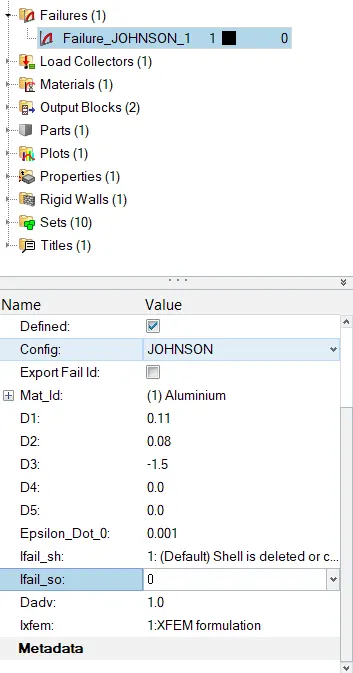
-Now save the file in different folder as Law2_epsmax_crack. and run the Radioss analysis
- Now to run simulation go to hyperview-import h3d file- apply contour - select von misses stress select averaging method as simple - apply
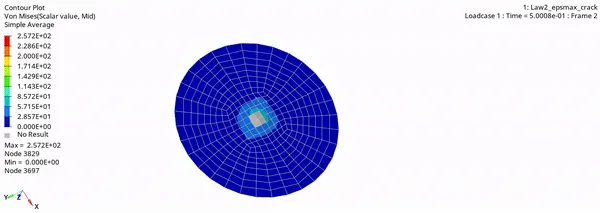
- As in this case we have set Ixfem=1 this failure criteria will lead to element cracking instead of element or layer deletion
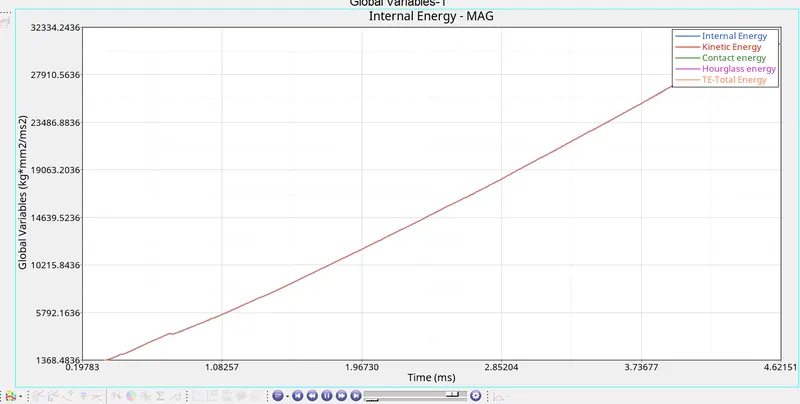
- Plotting the graph for energy change.
- From the 0001.out file we can get energy error and mass error.
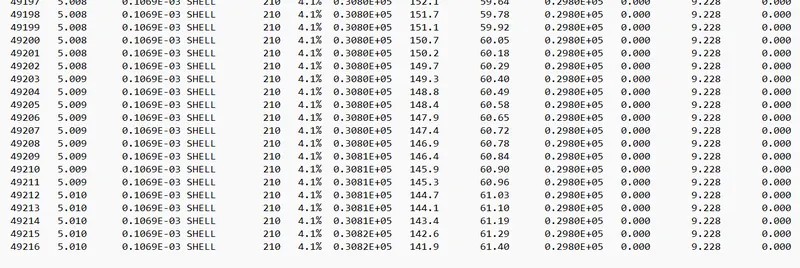
- Here the energy error is 4.1% which is below 5% which is acceptable and 0% Mass error.
-From the simulation we can find out that-
* Here the energy error is 4.1% which is below 5% which is acceptable and 0% Mass error.
* In this Condition Internal Energy increases in linear manner upto rupture then it is constant.
* From the simulation Elements get Cracked and Deleted.
* ELAPSED TIME = 39.90 s TOTAL NUMBER OF CYCLES : 49217
- Case 3
- Import the Case 2 which we saved as Law2_epsmax_crack
- Delete the failure card as mention in Case 3 .
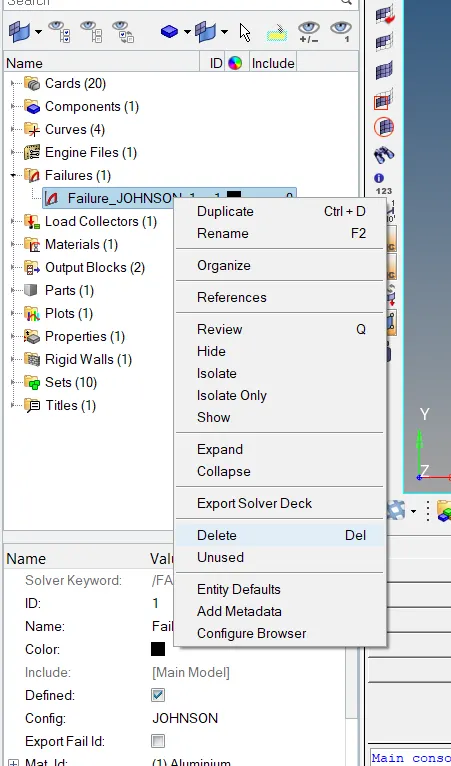
- And Saving the file in different folder as Law2_epsmax_nofail. and Running the Radioss Simulation.

- Now to run simulation go to hyperview-import h3d file- apply contour - select von misses stress select averaging method as simple - apply
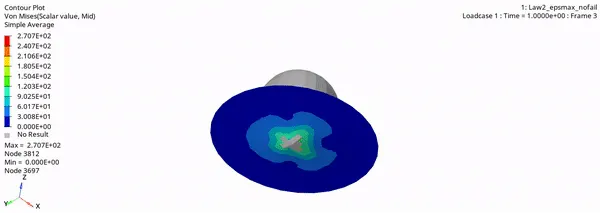
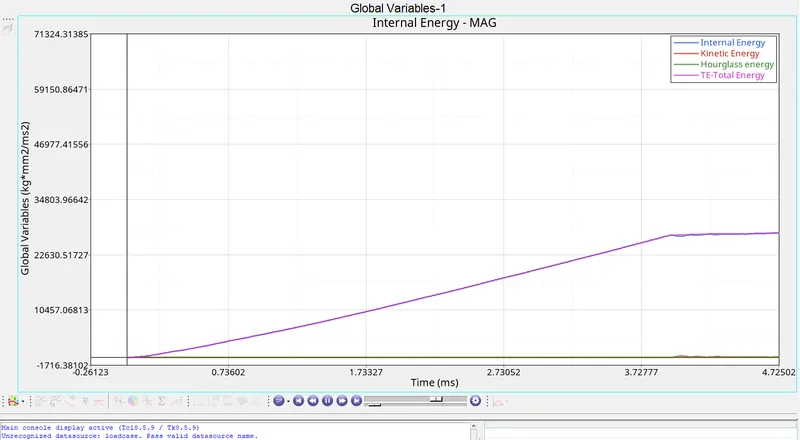
- 
- From .001Out File we will get energy error and mass error
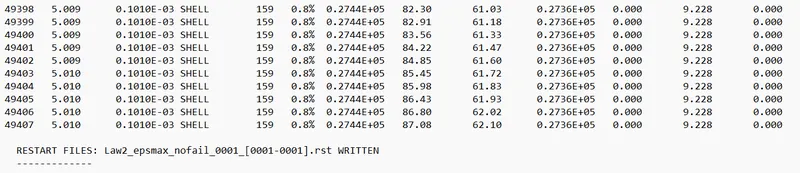
-Here the energy error is 0.8 % and mass error as 0%
-From the simulation we can find out that.
* From the graph we canfind that internal energy increases until the material get rapture.
* Here the energy error is 0.8 % and mass error as 0% which is acceptable.
* From the Simulation the elements get deleted after failing.
* Here the ELAPSED TIME = 36.67 s and TOTAL NUMBER OF CYCLES : 49408
Case 4-
- First import the Case 3 file in solver i.e Law2_epsmax_nofail
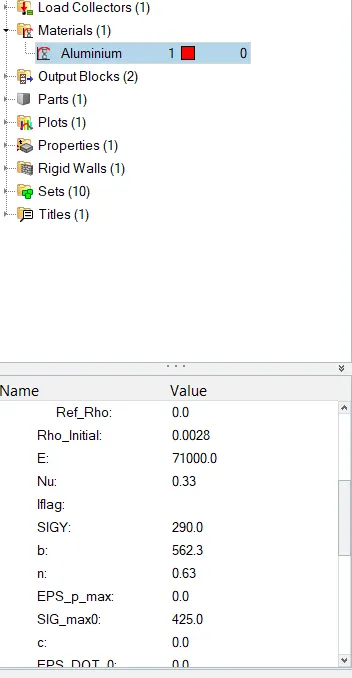
- Now change the materials- Aluminium-set EPS_P_max zero and run the simulation.
- 
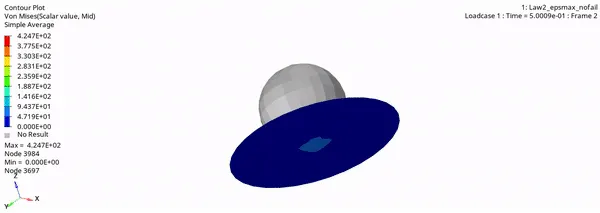
- Now to run simulation go to hyperview-import h3d file- apply contour - select von misses stress select averaging method as simple - apply
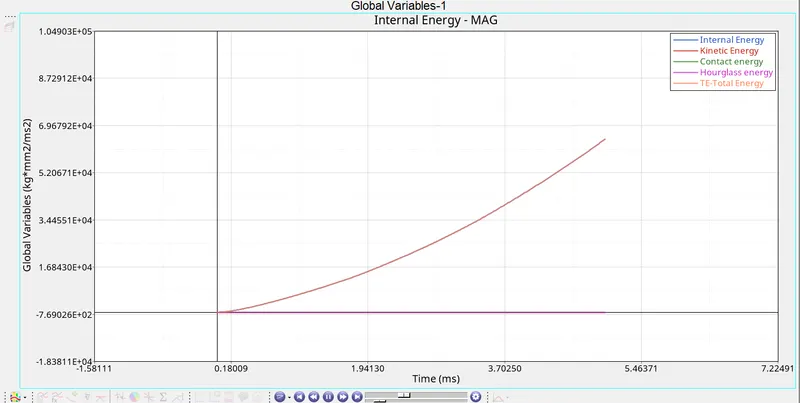
- Plotting the graph for energie change
- From 0001.out file we got energy error and mass error.

- Here the energy error is 3.0% and mass error is 0% which is acceptable.
-From the simulation we can find out that.
* From the graph we can find that total energy increases with time as there is no rupture.
* Here the energy error is 3.0% and mass error is 0% which is acceptable.
* In the simulation ,when the internal stress exceed the youngs modulus crack is not happening because we delete the eps_max value.
* ELAPSED TIME = 41.32 s TOTAL NUMBER OF CYCLES : 48737
Case 5-
- Importing the case 4 rad file
- Changing the material card from law 2 (elasto-plastic material) to law 1(linear elastic material)by keeping the same values for E (youngs modulus), density and poissons ratio.
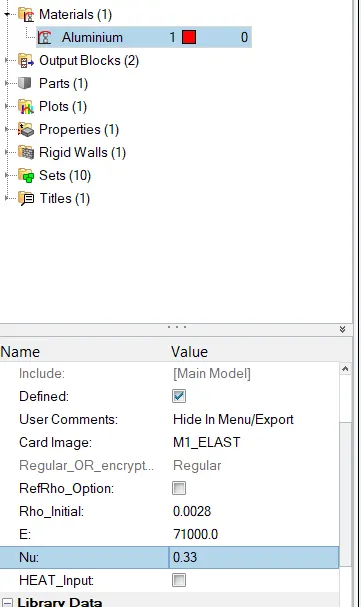
- Now to run simulation go to hyperview-import h3d file- apply contour - select von misses stress select averaging method as simple - apply
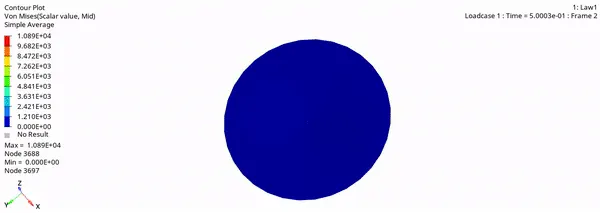
- Plotting the graph for energy change in hypergraph 2d.
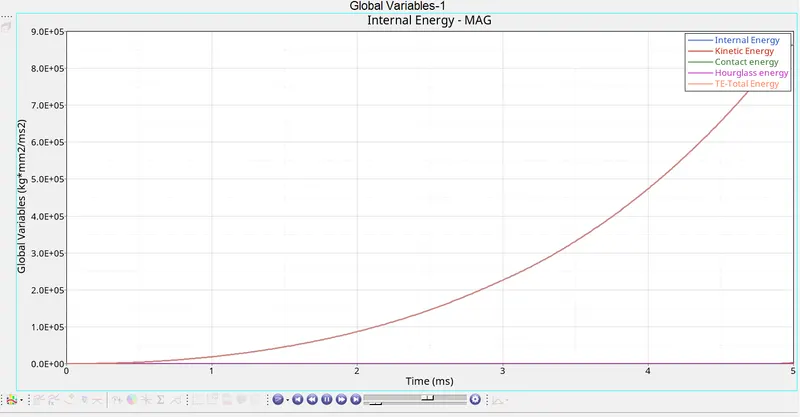
- Checking the energy error and Mass error and time from .0001out file .
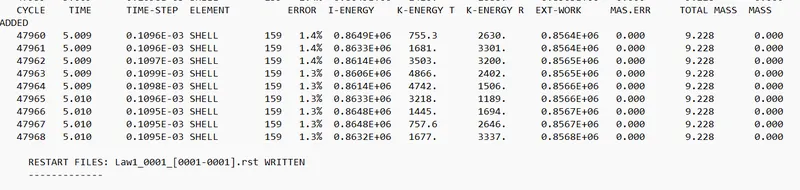
- Here the energy error is 1.3% and mass error is 0% which is acceptable.
-From the simulation we can find out that-
* Here the energy error is 1.3% and mass error is 0% which is acceptable.
* From the graph we can see that total energy increases with time exponentially .
* Due to elastic material card there is no crack or deletion of the elements it completely absorb energy and plate come to original state as soon as the sphere moves backwards.
*
ELAPSED TIME = 39.62 s TOTAL NUMBER OF CYCLES : 47969
Case 6 -
- Import the case 1 rad file, named “Law2_epsmax_failure” and perform the simulation with the law 36 material card.
- Perform the simulation with the law 36 material card. Give the curve details as shown in the
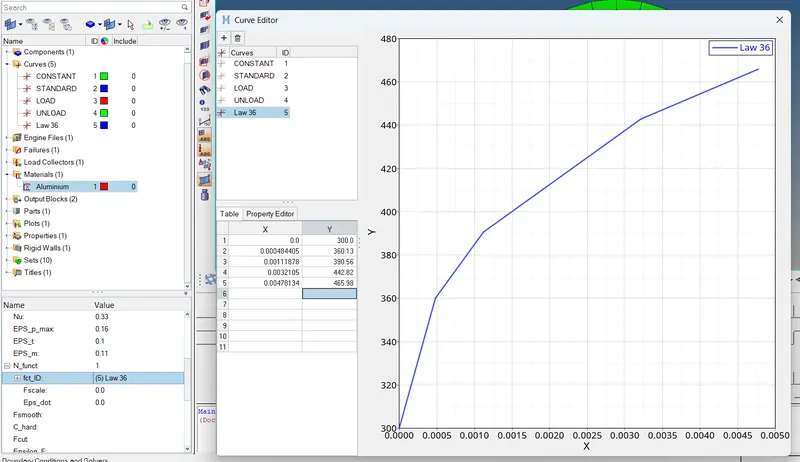
- Now go to Materials - Aluminium and change the card to M36_PLAS_TAB (Law 36). After that, set the values for Rho_Initial, E & Nu as follows:
Rho_initial = 0.0027, E = 71000.00, nu = 0.33.
- Ploting the graph for energy change.
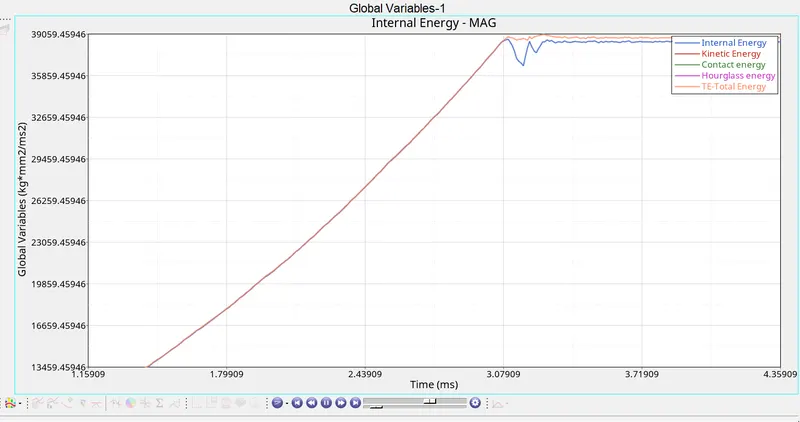
-In this type we can give or add the values to the curve the way we want to increase the accuracy of the result.
- Now to run simulation go to hyperview-import h3d file- apply contour - select von misses stress select averaging method as simple - apply
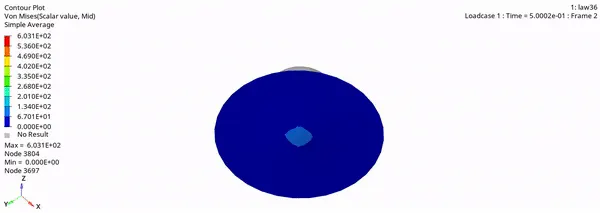
- Checking for energy error and mass error
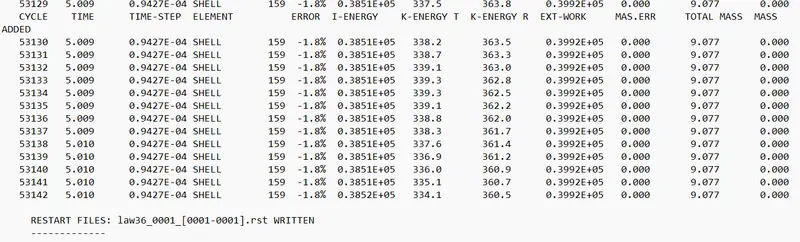
- Here the energy error is -1.8% and mass error is 0% which is acceptable.
-From the simulation we can find out that-
* Here the energy error is -1.8% and mass error is 0% which is acceptable.
* From the graph we canfirmed that totel energy and internal energy increases upto the failure point and then it goes to constant rate.
* In this case the elements get Deleted
* ELAPSED TIME = 44.10 s TOTAL NUMBER OF CYCLES : 53144
Case 7-
- First import the file FAILURE_JOHNSON_0000.rad into solver
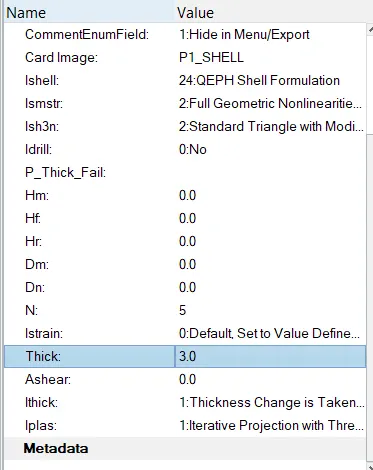
- We need to use recommended shell properties in this case. Go to Properties > 5NiP. Now, we can look at the utility window and set the following attributes as follows:
I_shell=24, I_smstr=2, I_sh3n=2, N=5, I_thick=1, I_plas=1
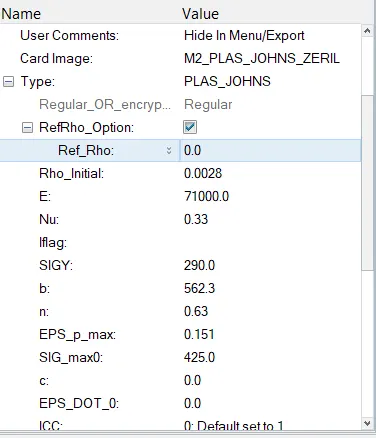
- Changing Material card to law 27
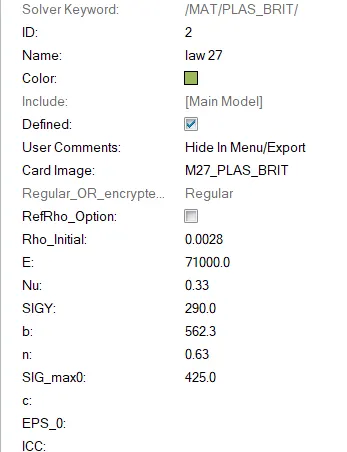
- This law combines an isotropic elasto -plastic Johnson cook material model with an orthographic brittle material failure model .Material damage is accounted for prior to failure.Failure and damage occur only in tension .This law is only for shells
- Now to run simulation go to hyperview-import h3d file- apply contour - select von misses stress select averaging method as simple - apply
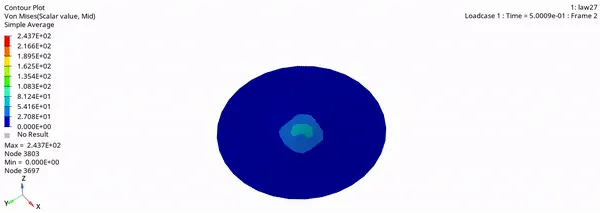
- Plotting the graph for the energy change.
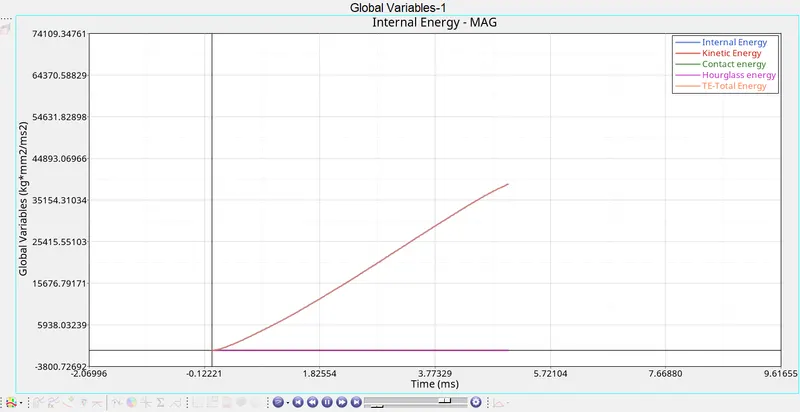
- Check for energy error and mass error

- Here the energy error is 1.1% and Mass error is 0%
- From the simulation we can find out
* Here the energy error is 1.1% and Mass error is 0%
* In the simulation ,when the internal stress exceed the youngs modulus ,material get deformed and deleted.
* From the graph we canfirmed that totel energy increases in linear manner
* ELAPSED TIME = 41.07 s TOTAL NUMBER OF CYCLES : 49317
Observation-
| Case | No of cycles | Mass Error | Energy error | Processing Time | Condition of elements |
| Case 1 (Law2_espmax_failure) | 49284 | 0 | 0.8 | 40.44 | Elements Deleted |
| Case 2 ( Law2_espmax_crack) | 49217 | 0 | 4.1 | 39.9 | Elements undergo crack and then deleted |
| Case3 (Law2_espmax_nofail) | 49408 | 0 | 0.8 | 36.67 | Elements Deleted |
| Case 4(Law2) | 48737 | 0 | 3 | 41.32 | Elements are not deleted due to lack of failure card and EPS_pmax value |
| Case 5(Law 1) | 47969 | 0 | 1.3 | 39.62 | Elements are not deleted due to elastic card property |
| Case 6 (Law 27) | 53144 | 0 | -1.8 | 44.1 | Elements Deleted |
| Case 7 (Law 36) | 49317 | 0 | 1.1 | 41.07 | Elements Deleted |
Learning Outcome-
- Learn about different material card
- learn about different properties and failure card what will happen if we apply the cards
- Learn about hourglass energy, Energy error, Mass error
-Learn about the simulation and its results obtained.
Conclusion-
- Law 1 material card is mainly used for elastic material. It is used for vibration analysis.This law represents a linear relationship between stress and strain.
- Law 2 material card is used in elesto plastic material. We get more realistic approuch in material simulation.
- Law 36 material card is also used for elesto plastic material. Here we can add lab data directly so it can improve simulation accuracy.
- Law 27 material card mainly used for brittle materials.
* For on field scenario Law 2 elasto plastic material would be better for its realistic approach in material simulation and to get better results.