Assignment 4-RADIOSS Material Laws Challenge
OBJECTIVE:
- To run the simulation on the given model by applying different materials laws available in RADIOSS and post-process the result.
THEORY:
RADIOSS provides various material models to simulate the behaviour of materials under different loading conditions. The choice of material model depends on the material properties and the expected behaviour of the structure.
Here are some of the material models available in RADIOSS:
- Linear Elastic Material: This model assumes that the material has linear elastic behaviour and follows Hooke's law. It is the simplest material model and is suitable for materials with small strains and linear elastic behaviour.
- Plasticity: This model is used for materials that exhibit plastic behaviour, such as metals. The plasticity model assumes that the material undergoes plastic deformation beyond its yield point and that the deformation is irreversible.
- Hyper elasticity: This model is used for materials that exhibit large deformations, such as rubber and elastomers. The hyper elasticity model assumes that the material's deformation is purely elastic and that it follows a strain energy density function.
- Viscoelasticity: This model is used for materials that exhibit both elastic and viscous behaviour, such as polymers. The viscoelasticity model assumes that the material's deformation depends on time and that it exhibits creep and relaxation behaviour.
- Damage: This model is used for materials that exhibit progressive damage and failure, such as composites. The damage model assumes that the material undergoes microcracking and delamination, and that the damage accumulates over time until the material fails.
These are just a few of the material models available in RADIOSS. The software also provides advanced material models, such as metal forming, fracture mechanics, and fatigue, among others. The choice of material model depends on the material properties, loading conditions, and expected behaviour of the structure.
- The accuracy of the simulation depends on the material chosen.
- Choosing the right material and providing the reliable material data in performing a simulation is very important.
- RADIOSS has multiple material properties and wide variety of material library like concrete, foam, rubber, composites etc.,
Some of the commercially used material laws are:
- Law 1: Elastic (Isotropic Elasticity)
- Law 2: Johnson-cook (Isotropic Elasto-plastic)
- Law 27: Elastic-plastic brittle
- Law 36: Elastic-plastic tabulated
- Law 42: Ogden (visco hyperelastic)
- Law 70: Foam
PROCEDURE/STEPS:
{CASE:1}
- Import the model
Here we import the Model in RADIOSS {solver deck}.
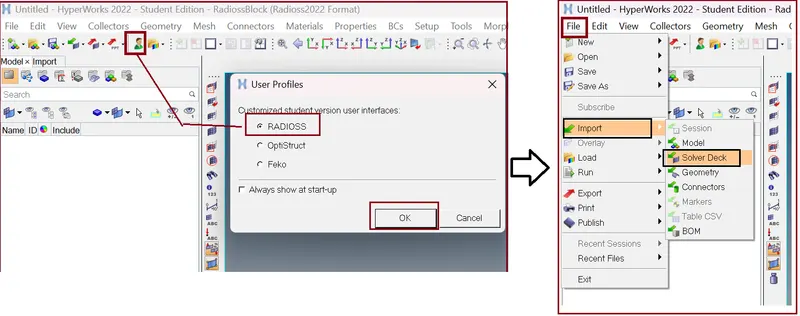
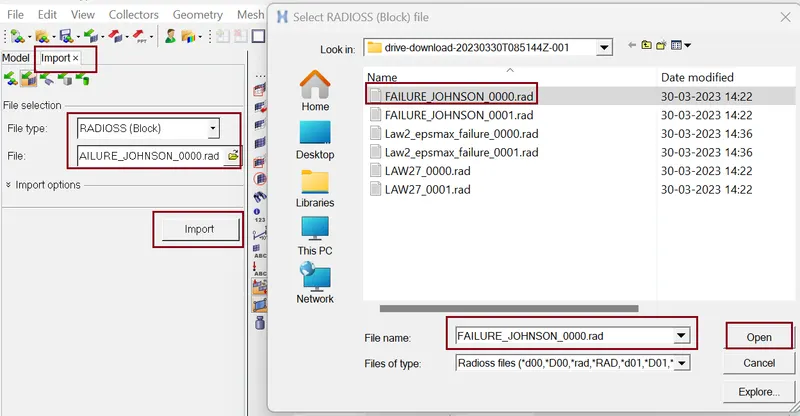
In this CASE:1 we run the base simulation. It means we will run the simulation with the default values.
- Checking for units
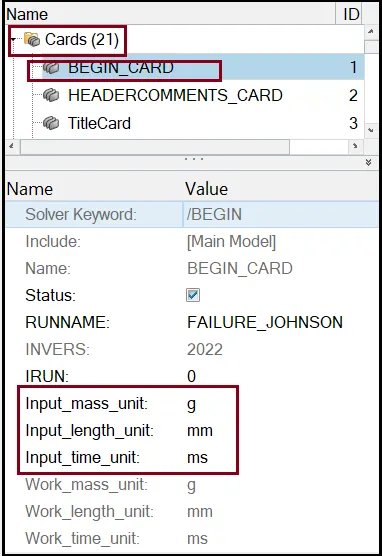
- property card parameter
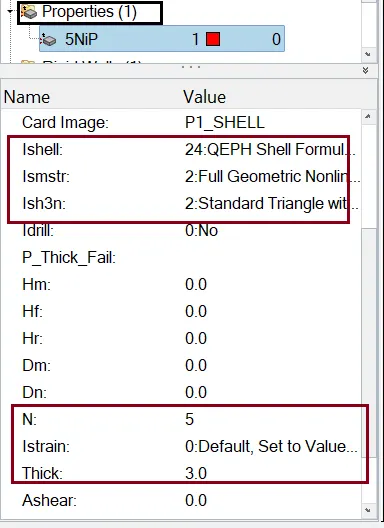
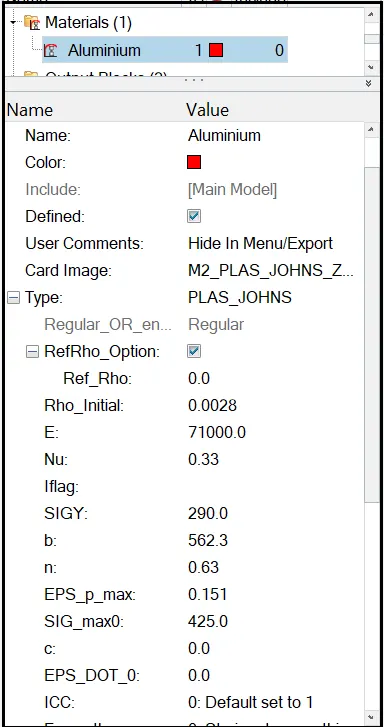
- Material card
- Failure Card
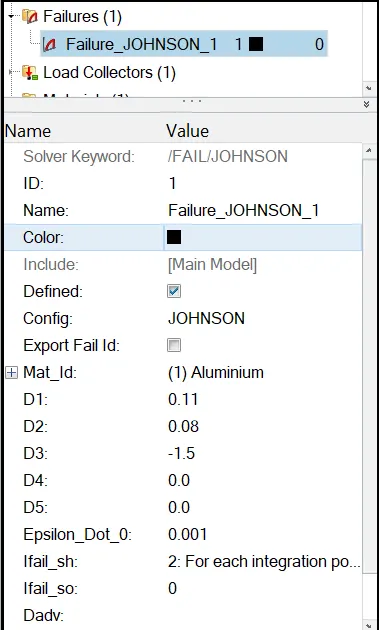
Here we take Default Values of Properties, Material, and Failures Cards.
- Simulation
Now we will run the simulation by using Tool Analysis >> Radioss >> Edit the card as per figure below.
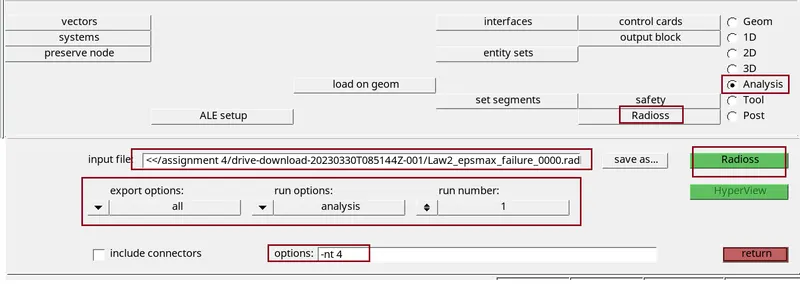
Click Radioss and simulation starts running after some time, it will show JOB IS COMPLETED
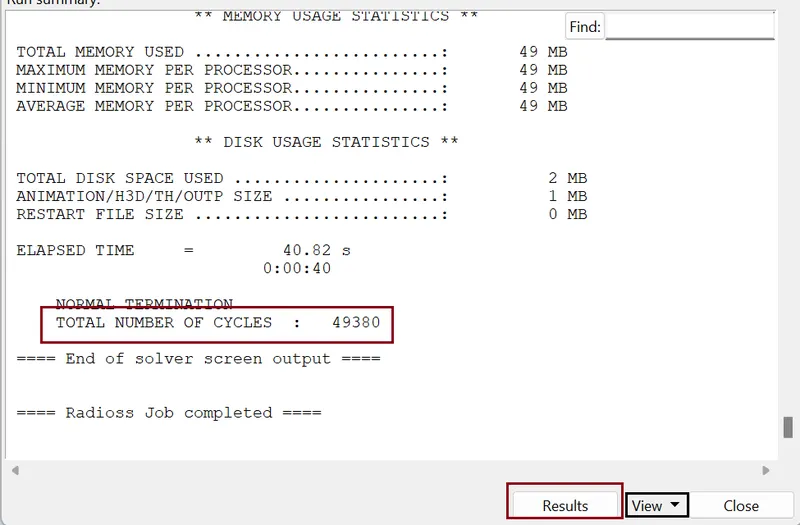
- Checking energy error and mass error:
we need to check the output of simulation in 0001.out file
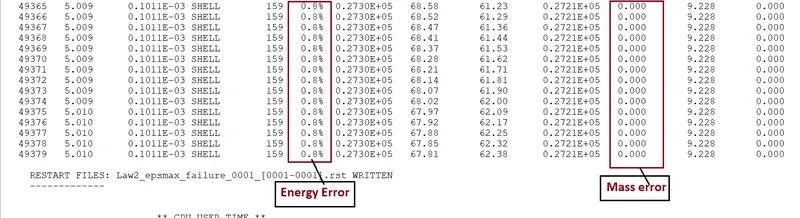
Condition for acceptable result
- The error {Energy} must be less than – 15 % at the end of computation (0% for a good model setup).
- The error {mass} must be less than 2%.
So, from output data our both the condition is satisfy we go for plots.
- Energy graph
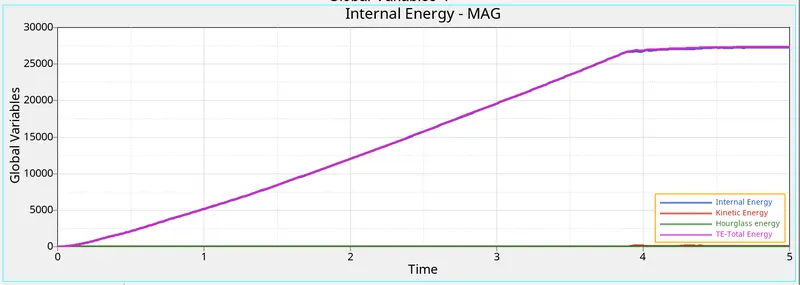
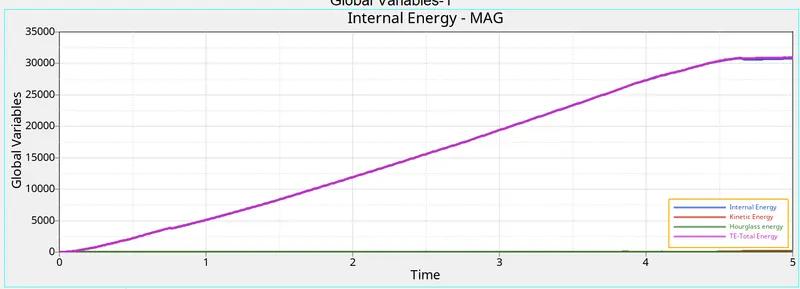
the above graph shows the energy evolvement (internal, kinetic, hourglass and total energy) in the simulation. from the graph it can be seen that there is no hourglass energy produced in the simulation, the internal energy increases as time increases this is because of elements absorbing the forces acting on them.
- Plastic strain contour
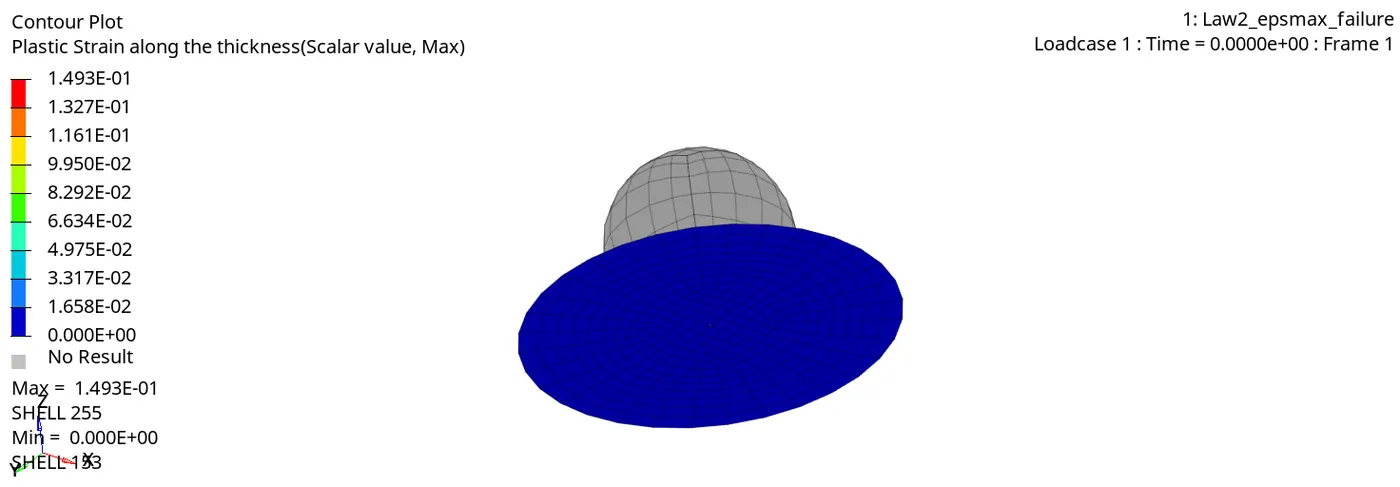
In the above image we can see that the elements are go away when the plastic strain value reaches to 15%.
- Von Mises stress
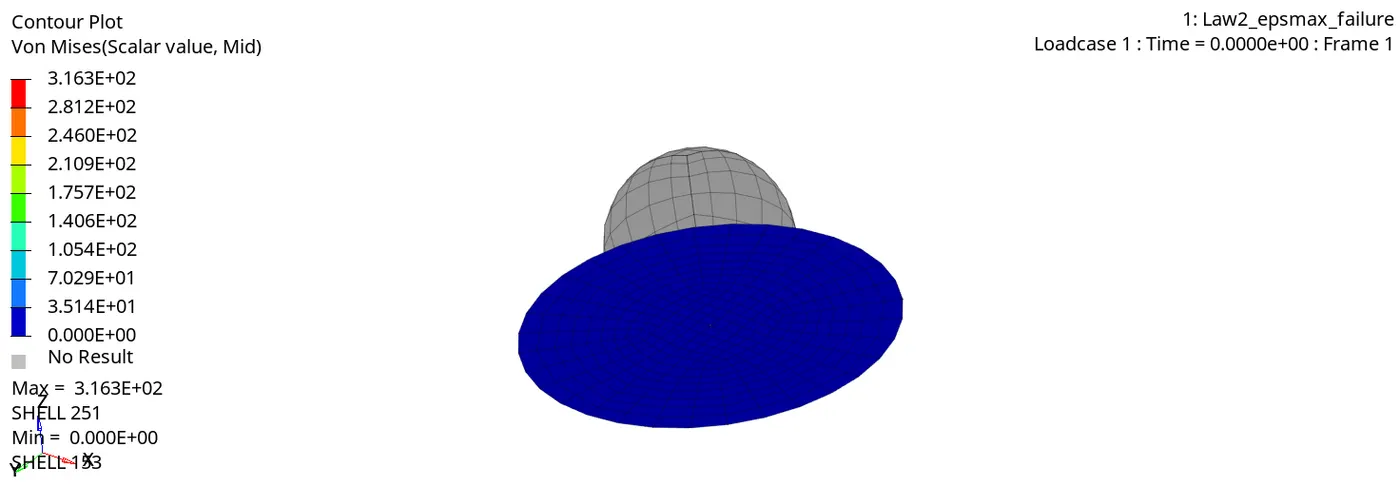
The maximum stress in the simulation is 316.3 MPa. elements break because the Johnson-Cook failure criteria model is applied to the simulation model which considers both tensile and compressive failure into account, when the elements plastic strain reaches Eps_p_max value they are deleted from the simulation, which is seen in the model above.
{CASE:2}
- Edit the failure Card
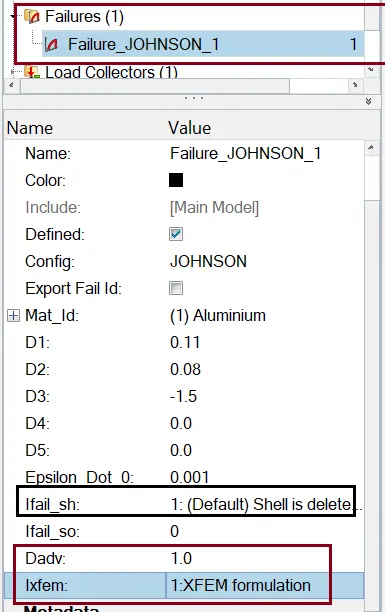
Click Radioss and simulation starts running after some time, it will show JOB IS COMPLETED
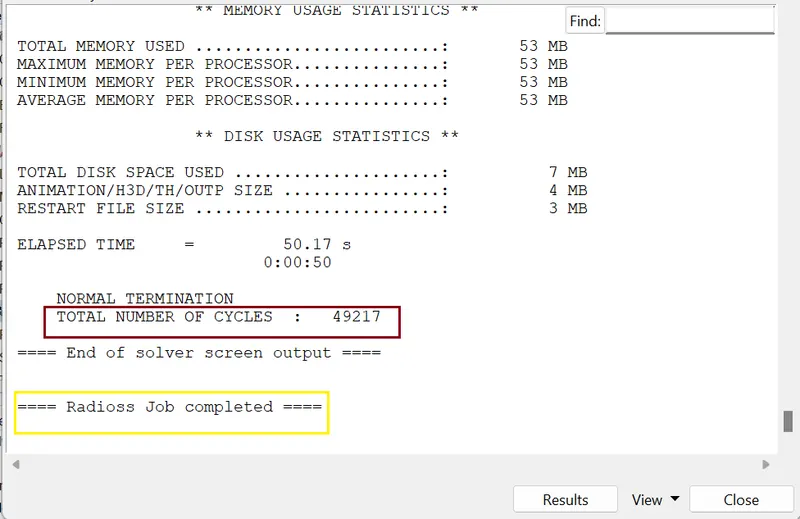
- Checking energy error and mass error:
we need to check the output of simulation in 0001.out file
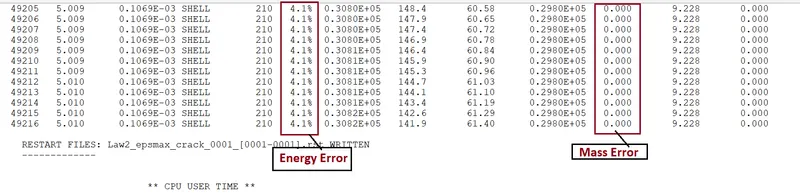
- The error {Energy} is 4.1% .
- The error {mass} is 0 .
So, from output data our both the condition is satisfy we go for plots.
- Energy graph
- Plastic strain contour
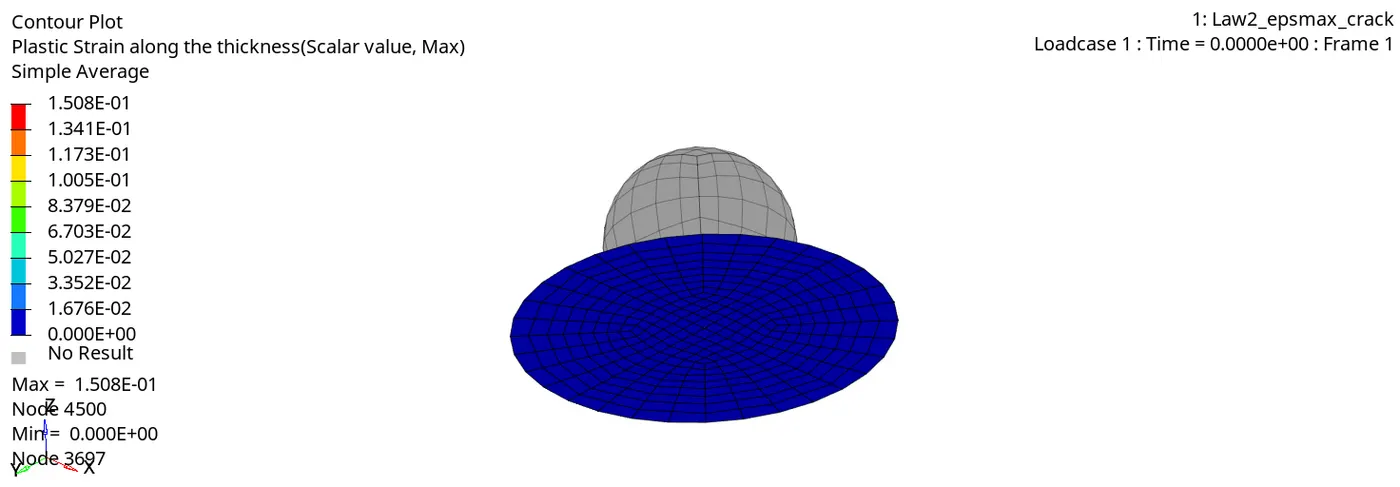
In this image we observe the elements being cracked at the centre before getting go away.
- Von Mises stress
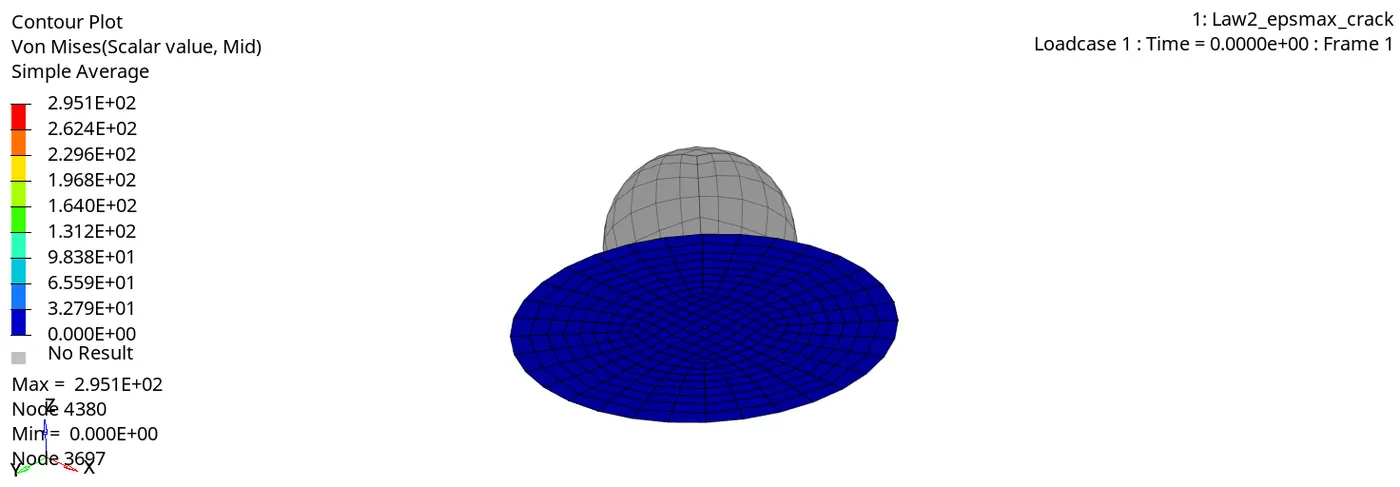
- The maximum stress in the simulation is 295.1 MPa. crack development can be seen in the simulation.
- since the crack advancement is set the maximum value of 1 and Ifail_sh is activated for shell elements, we can see the crack being generated in the simulation.
{CASE:3}
Here we Delete the failure card as per given in the challenge.
Click Radioss and simulation starts running after some time, it will show JOB IS COMPLETED
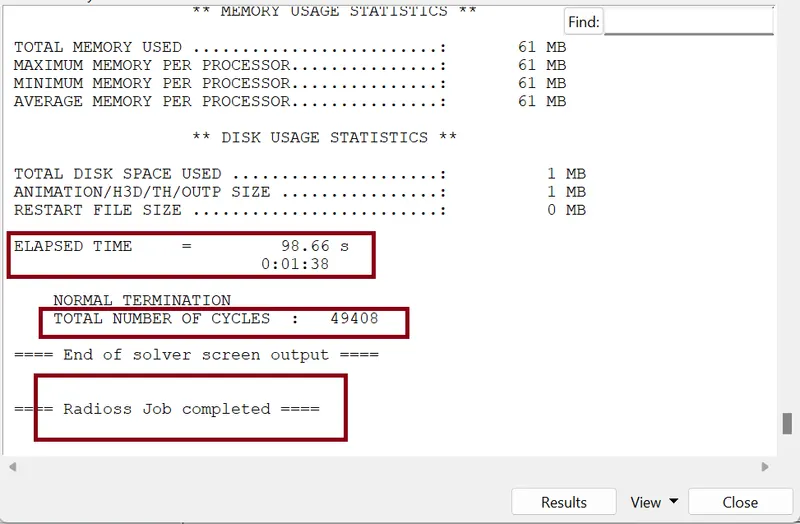
- Checking energy error and mass error:
we need to check the output of simulation in 0001.out file
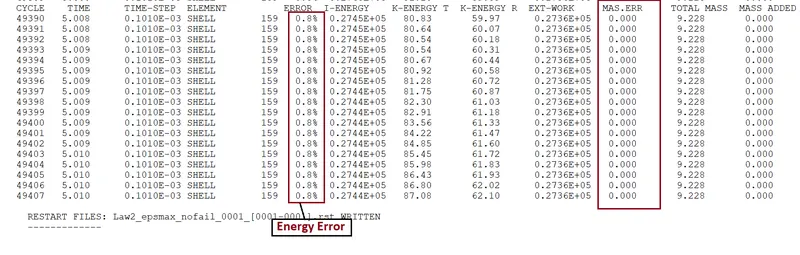
- The error {Energy} is 0.8 % .
- The error {mass} is 0 .
So, from output data our both the condition is satisfy we go for plots.
- Energy graph
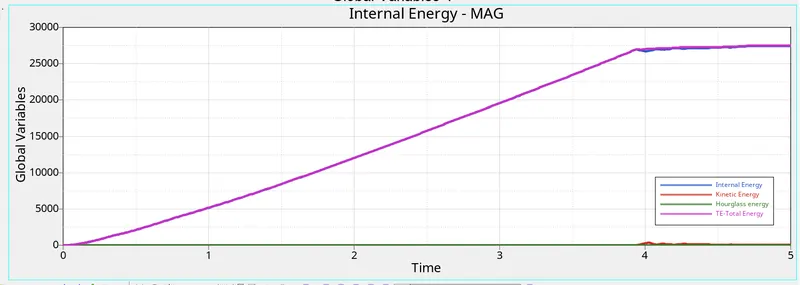
Here we observe Hourglass energy in the simulation is zero, this is due to QEPH24 element formulation, the internal energy in the model increases with time similar to both the previous simulations.
- Plastic strain contour
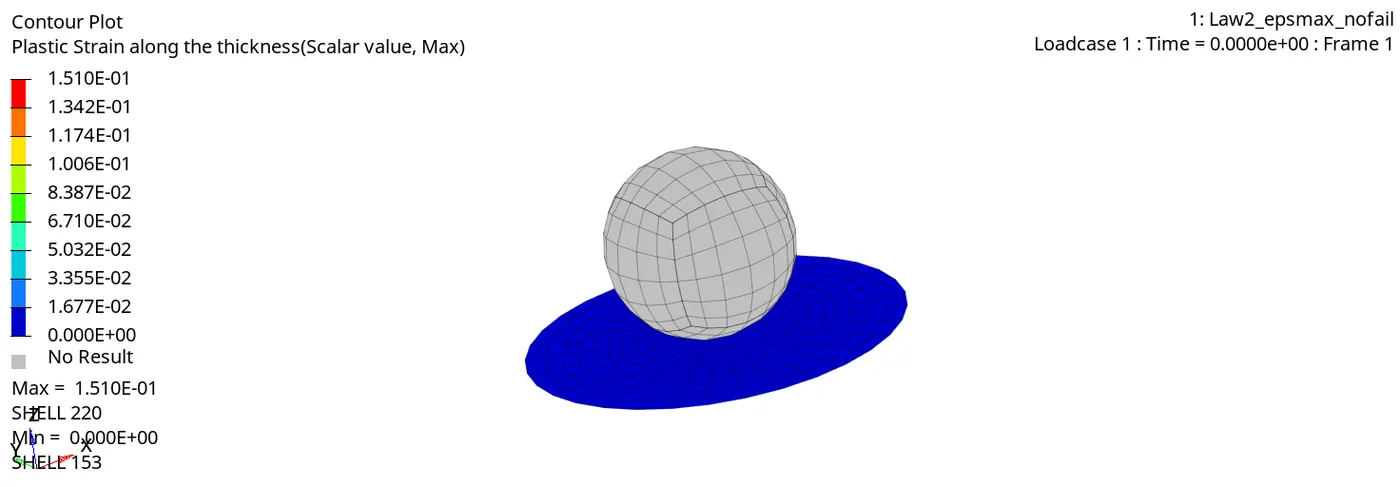
The elements are at the contact area get deleted in this simulation.
- Von Mises stress
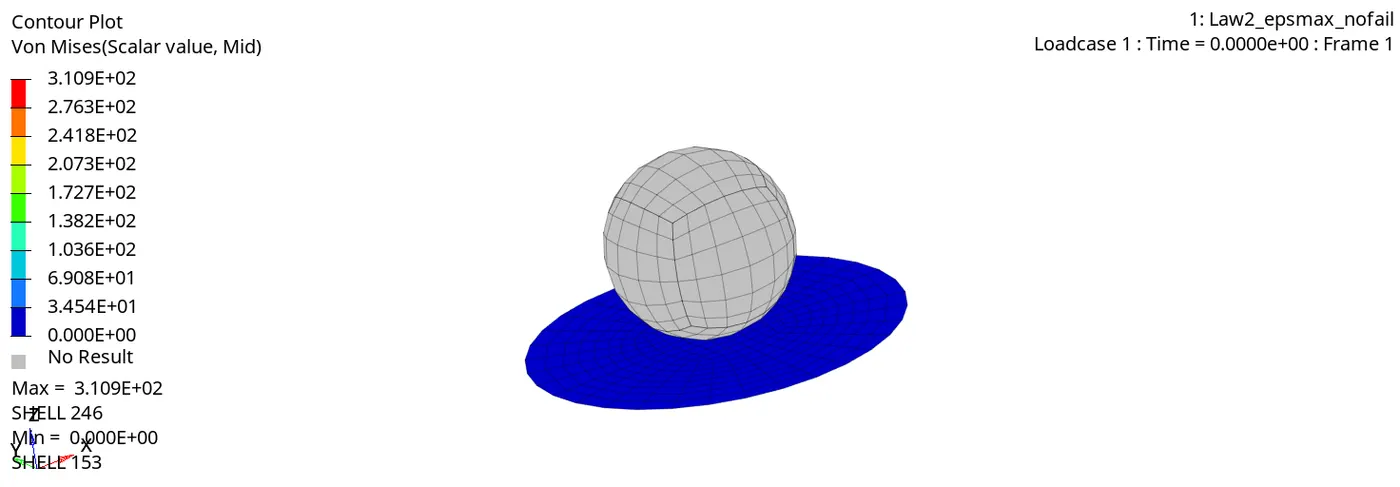
the maximum stress in the model is 310.9 MPa.
{CASE:4}
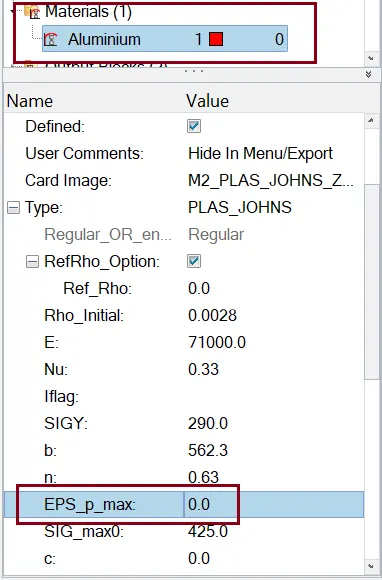
Run the model with zero EPS_p_max value.
- Material Card
Click Radioss and simulation starts running after some time, it will show JOB IS COMPLETED
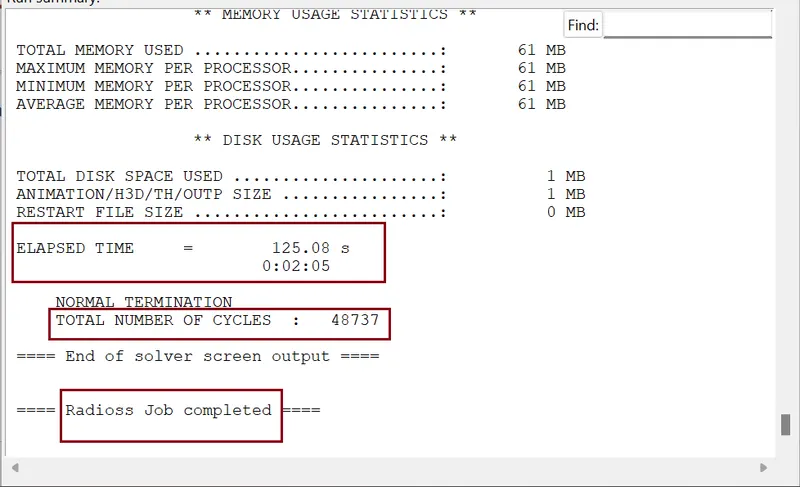
- Checking energy error and mass error:
we need to check the output of simulation in 0001.out file

energy and mass errors are in acceptable range.
So, from output data our both the condition is satisfy we go for plots.
- Energy graph
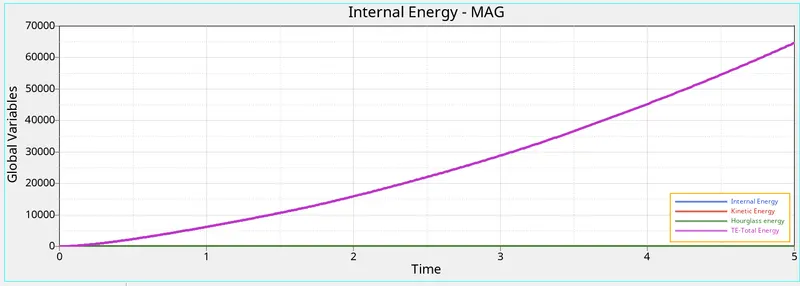
Here we can clearly observe that there is no hourglass energy generated in the simulation. And internal energy and total energy of the simulation intercepts each other and increases with time.
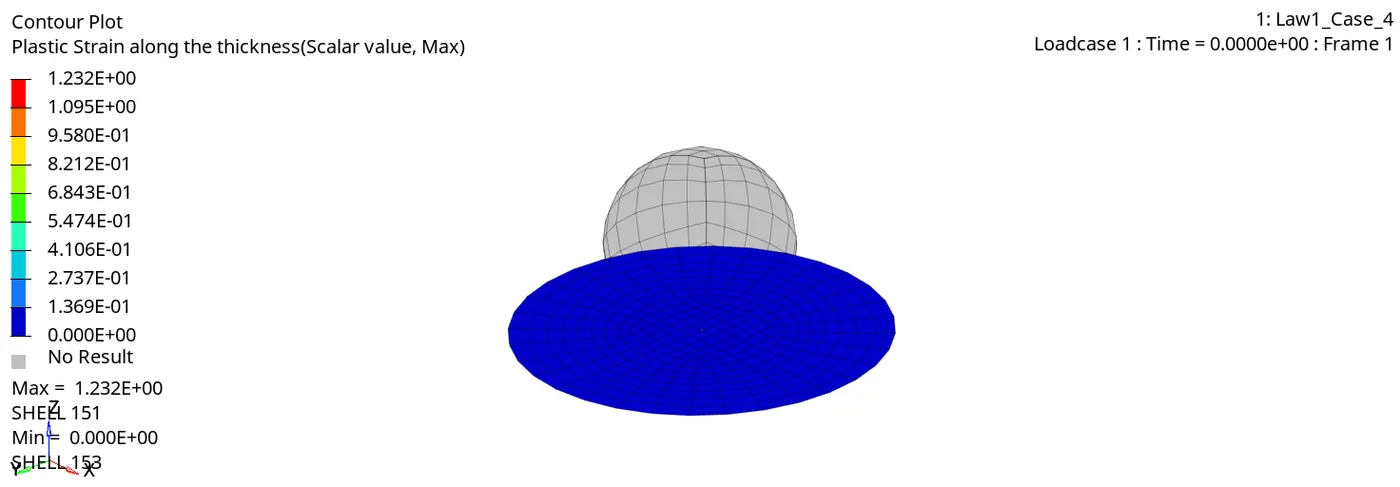
- Plastic strain contour
- Von Mises stress
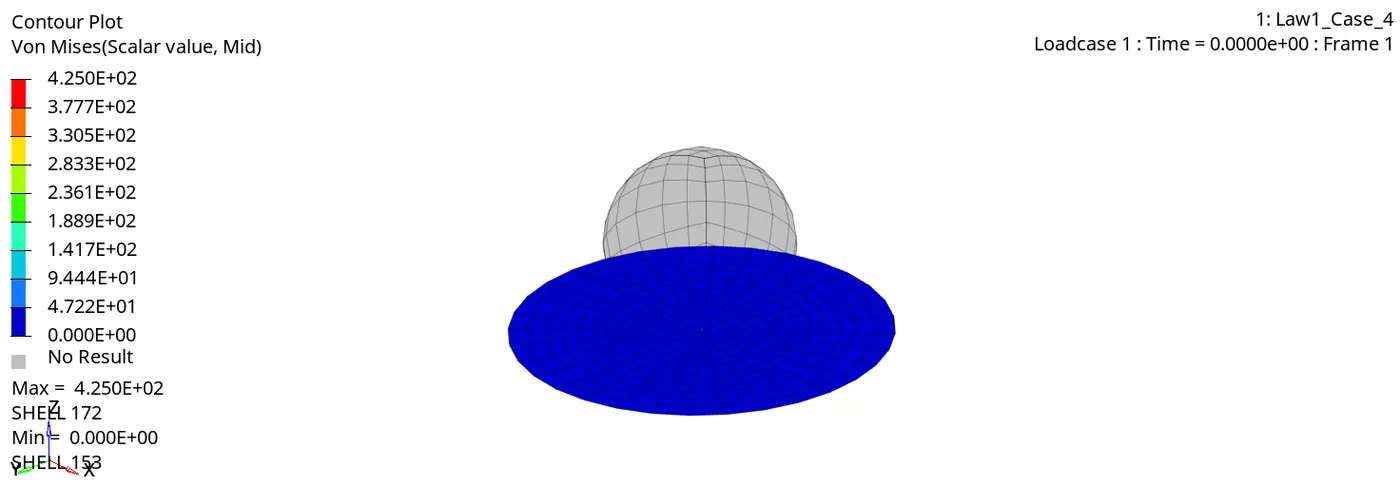
No failure criteria applied to the model, Because Eps_p_max (Failure plastic strain) value is deleted which sets it to the default value of 10^30, and the maximum stress value 425MPa, and there are no elements deleted in the model.
{CASE:5}
- Material Card:
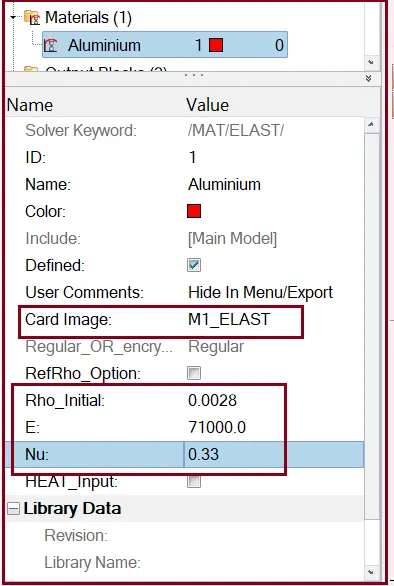
Here we need to Change the law 2 (elasto-plastic material) to law 1(linear elastic material) with same values of E (young’s modulus), density and poisons ratio.
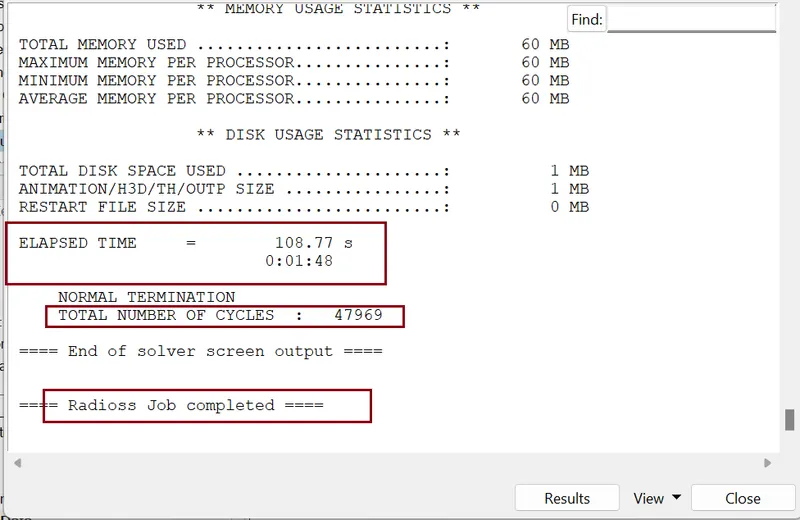
Click Radioss and simulation starts running after some time, it will show JOB IS COMPLETED
- Checking energy error and mass error:
we need to check the output of simulation in 0001.out file
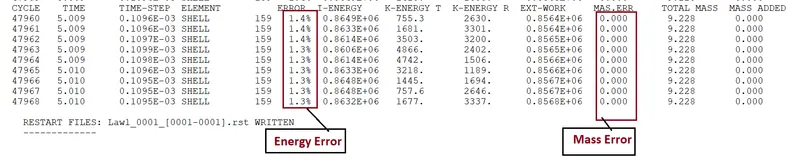
energy and mass errors are in acceptable range.
So, from output data our both the condition is satisfy we go for plots.
- Energy graph
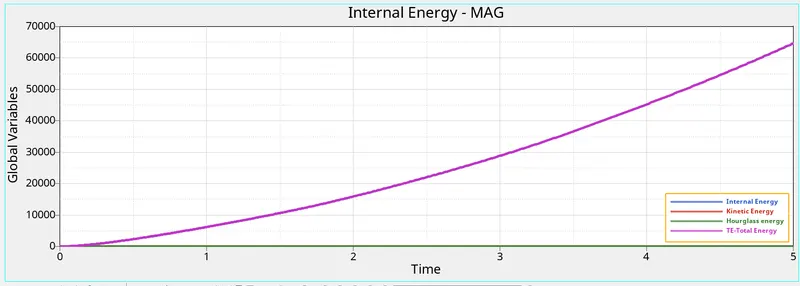
Here we can observe no hourglass energy generated in the simulation and internal energy and total energy of the simulation intercepts each other and increases exponentially with the time.
- Plastic strain contour
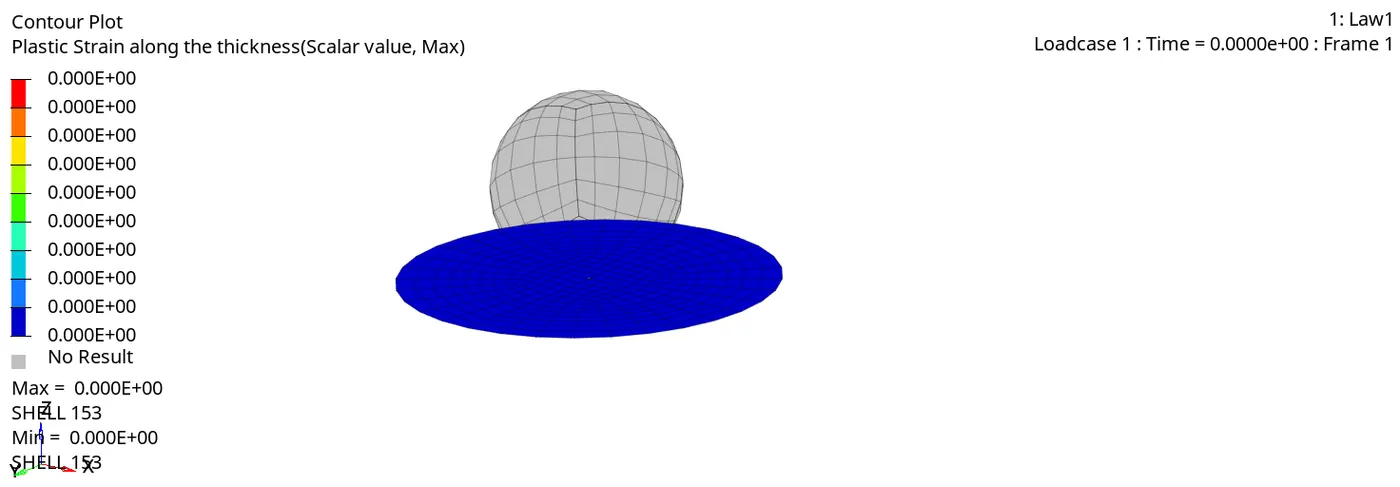
no plastic strain is recorded in the simulation since the material law applied is linear elastic, there is no plastic region in the material hence no elements fail and.
- Von Mises stress
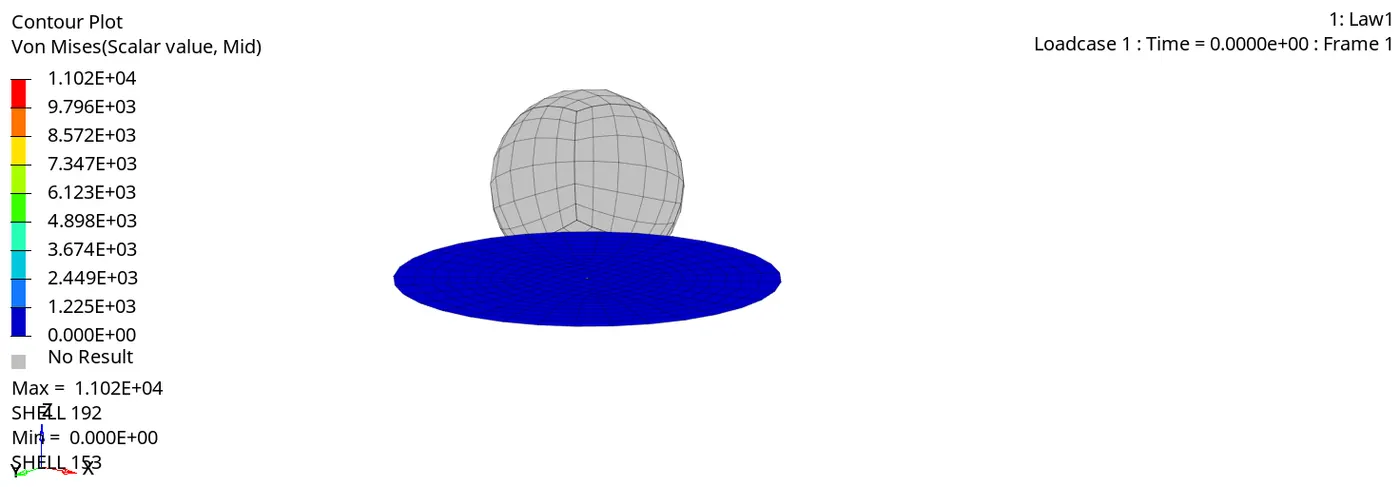
The stress strain relation is linear, and the material has no maximum stress defined. hence there is no failure of the elements.
{CASE:6}
Material card selection and curve selection.
- creating a curve
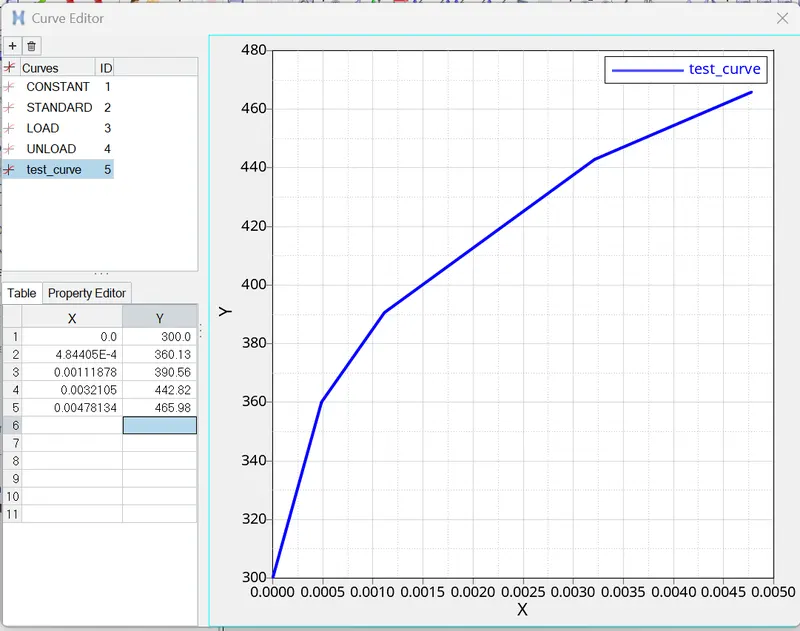
Create material card and assign the curve to the material.
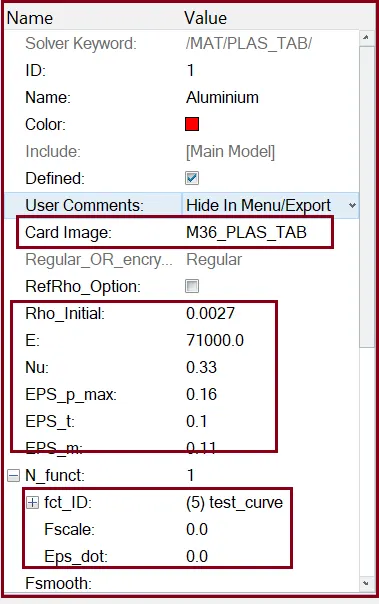
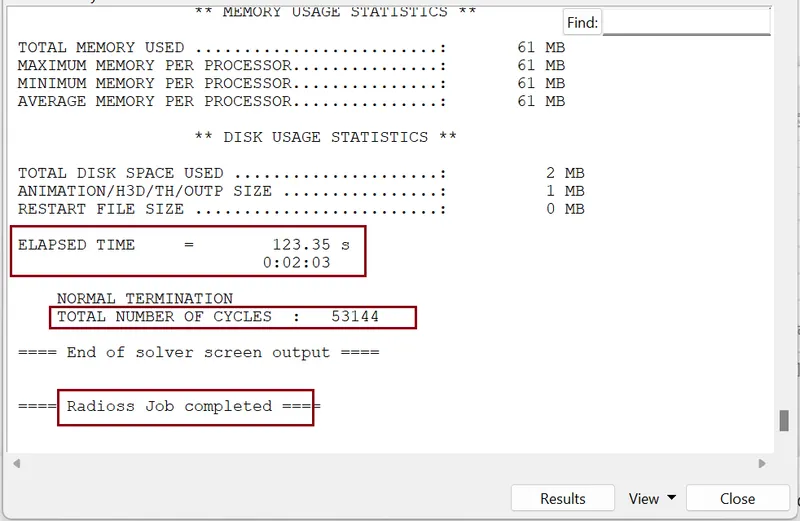
Click Radioss and simulation starts running after some time, it will show JOB IS COMPLETED
- Checking energy error and mass error:
we need to check the output of simulation in 0001.out file
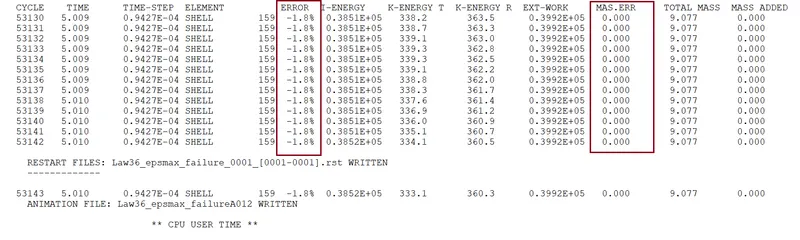
The energy error and mass error are in acceptable range.
So, from output data our both the condition is satisfy we go for plots.
- Energy graph
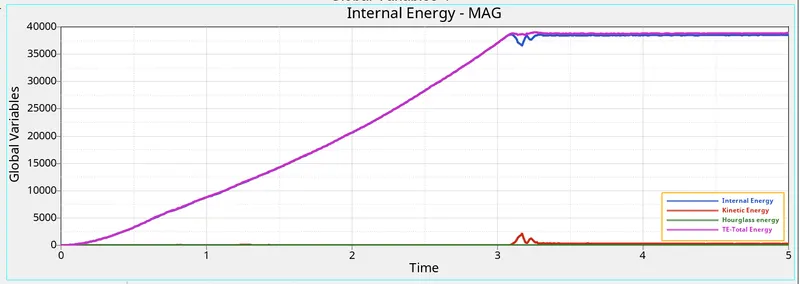
We can clearly observe no hourglass energy generated in the simulation.
- Plastic strain contour
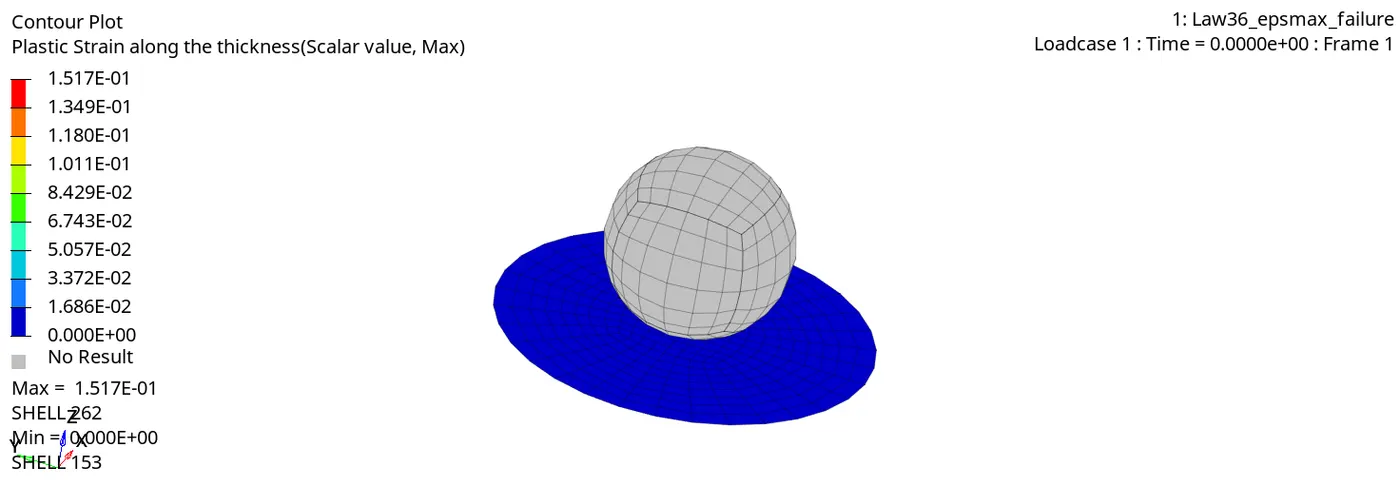
Once the EPS_p (plastic strain) reaches EPS_p_max , in one integration point, the element get go away.
- Von Mises stress
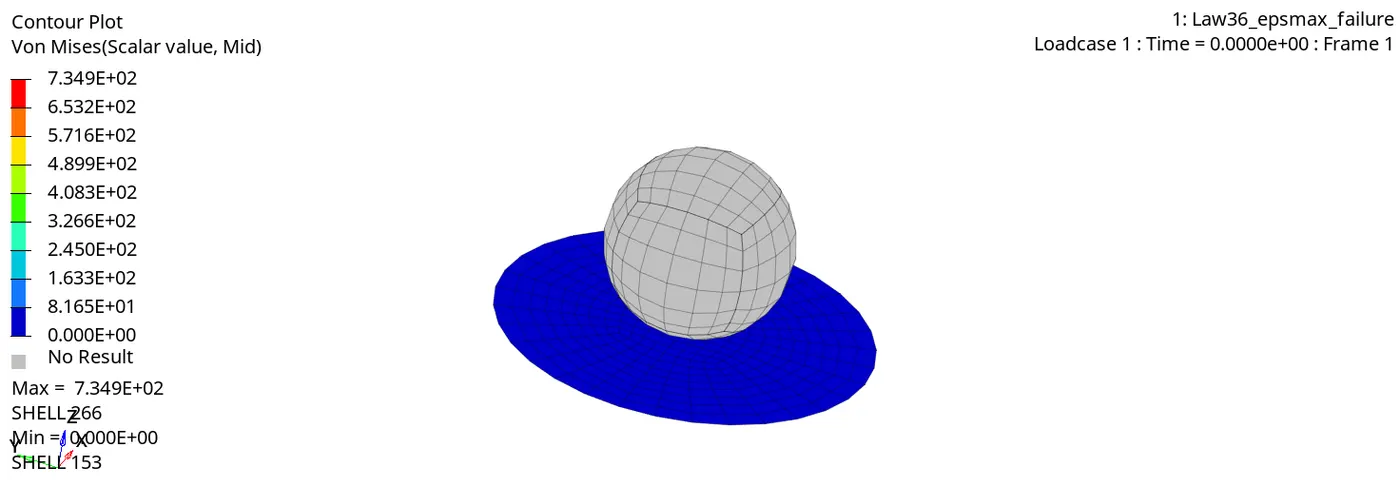
{CASE:7}
Here we import new rad file "Law27_0000.rad" file in Radioss solver deck.
- Property card
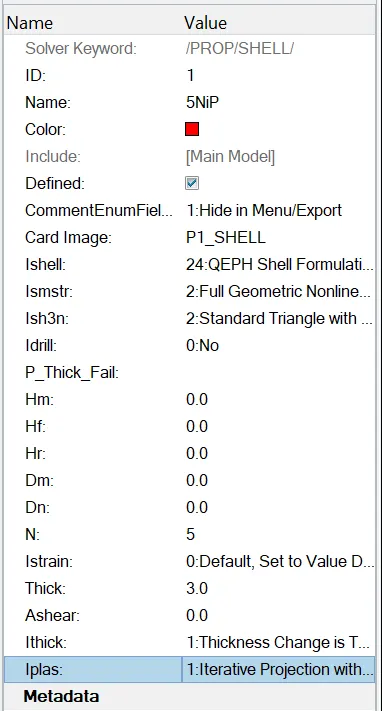
Here we use recommended shell properties.
- Material Card
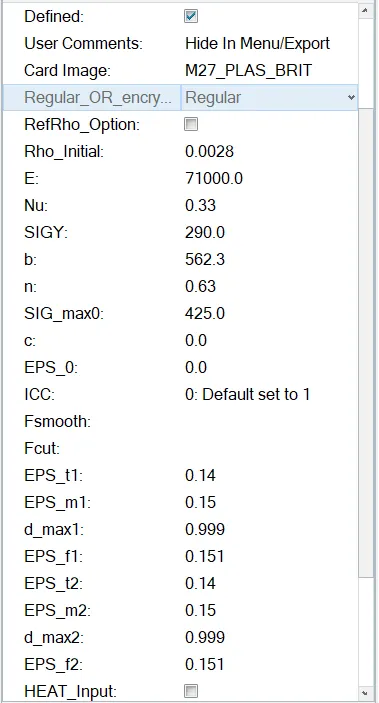
Default material card
Click Radioss and simulation starts running after some time, it will show JOB IS COMPLETED
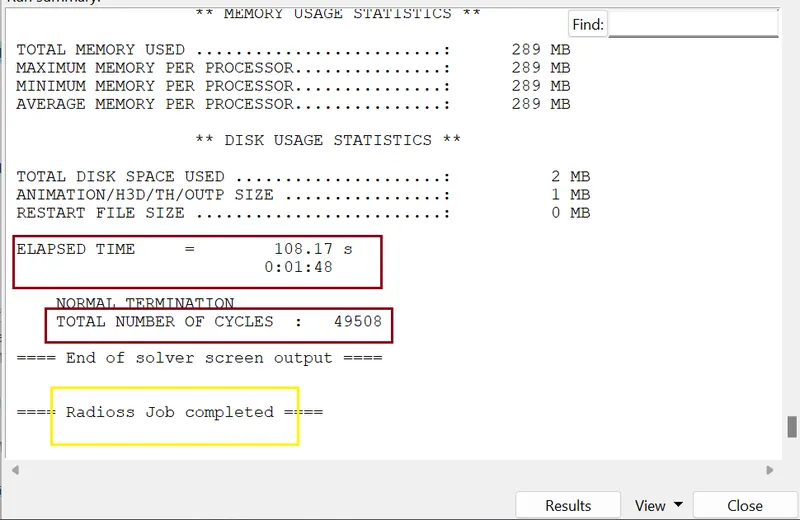
- Checking energy error and mass error:
we need to check the output of simulation in 0001.out file
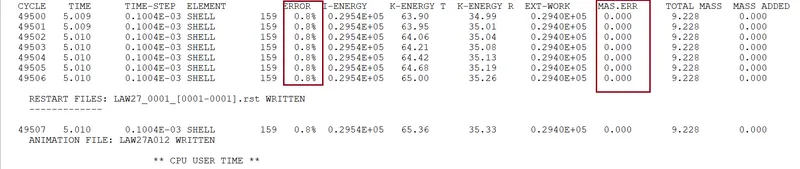
The energy error and mass error are in acceptable range.
So, from output data our both the condition is satisfy we go for plots.
- Energy graph
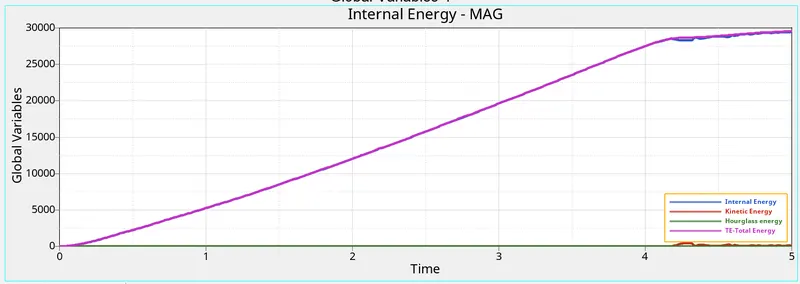
Here we clearly observe that there is no hourglass energy in the simulation, the internal energy and total energy increase with time and then tends to flatten at 4ms.
- Plastic strain contour
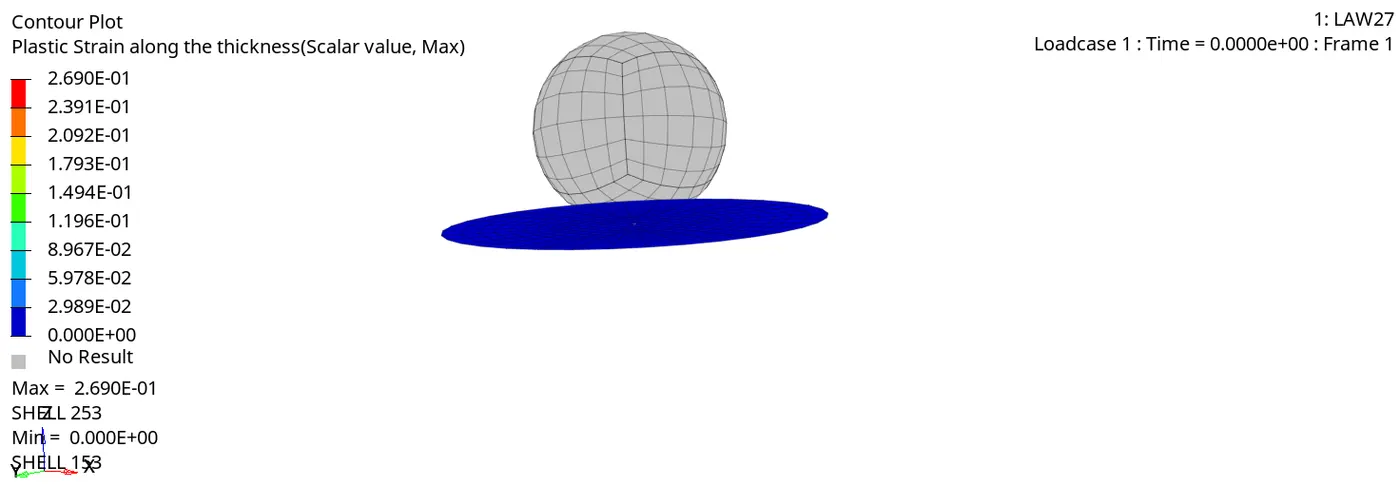
Here we observe elements are go away due to EPS_t, EPS_m and EPS_f values.
- Von Mises stress
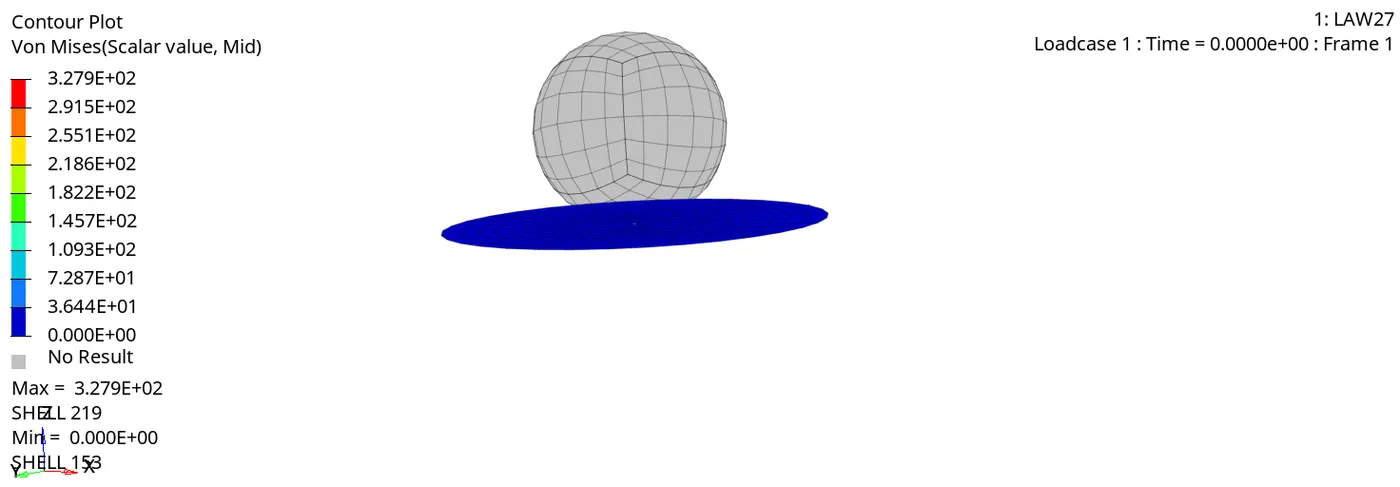
The maximum stress developed in the simulation is 327.9 MPa. material breaks after the cracks reach the end of material boundary as seen in the simulation image.
COMPARISION:
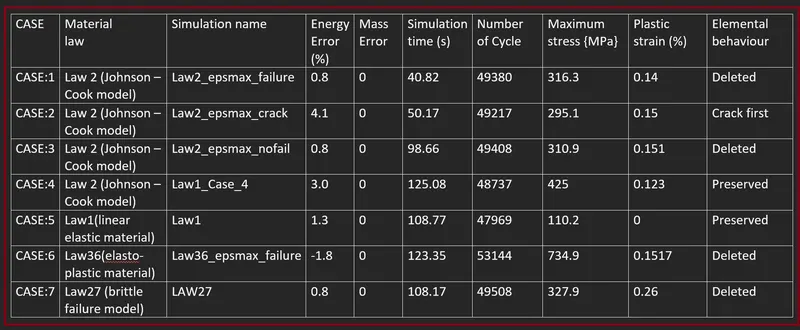
CONCLUSION:
Here we done the comparison between different material cards and failure cards by applying them to the given simulation model. Element behaviour, strain cantors and stress development has been discussed. Based on the observation of results. CASE:6 presents the best on-field scenario in the simulation.
********************************************************************************************************************************************************************************************************************************************************************END
Thanks & regards,
DEVESH KASHYAP