Assignment 4-RADIOSS Material Laws Challenge
RADIOSS Material Laws
Objective:
To carry out simulations of the given starter files and compare the results. There shall be 7 cases (according to given parameters) and they are to be compared primarily via animations and plots.
The cases are as follows:
1. Law 2 (file: FAILURE_JOHNSON_0000.rad) - base simulation.
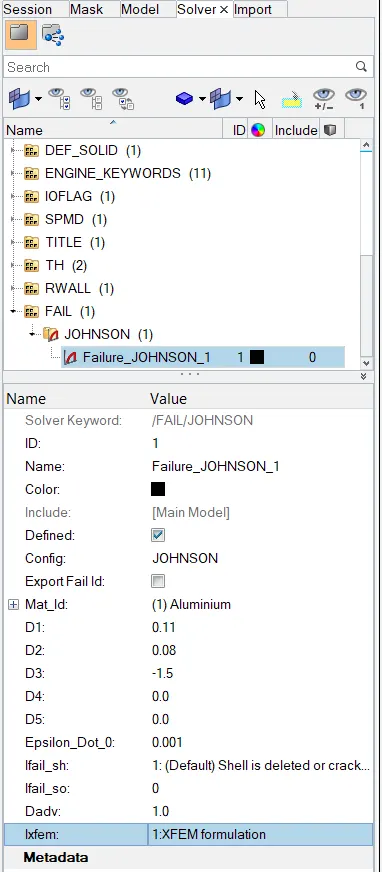
2. Law 2 (file: FAILURE_ JOHNSON _0000.rad) with Ifail_sh = 1, Dadv = 1, and ixfem = 1.
3. Law 2 (file: starter file for case 2) with fail/JOHNSON card deleted.
4. Law 2 (file: starter file for case 3) with EPS _p_max value deleted
5. Law 1 (file: FAILURE_ JOHNSON_0000.rad) with fail/ JOHNSON card deleted and values for density, E, nu assigned
6. Law 27 (file: LAW27_0000.rad with recommended shell properties
7. Law 36 (file: LAW27_0000.rad) with recommended shell properties and given reference curve.
Aim is to run crash analysis on the given model by applying different materials laws available in Radios and post-process the results.
Procedure:
For CASE 1:
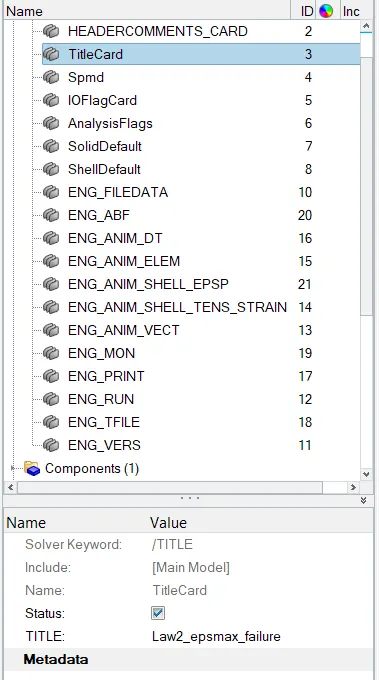
First Import the file provided and change the title in the title card as shown below and run the file using analysis>radioss>filelocation>radioss.

For CASE 2:
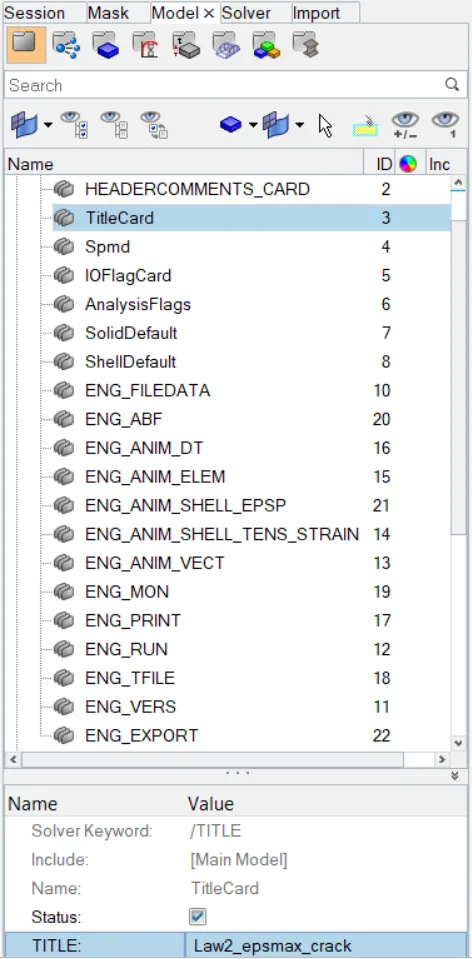
Import the case 1 rad file, named “Law2_epsmax_failure” and perform the simulation with failure plastic strain (EPS_p_max) and fail_Johson card enabled with following inputs as shown and run the analysis:
For Case 3:
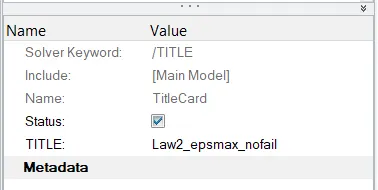
Import the case 2 rad file, named “Law2_epsmax_crack” and perform the simulation by deleting/removing the fail_Johnson failure card and give the title name as Law2_epsmax_nofail and run the analysis.
For Case 4:
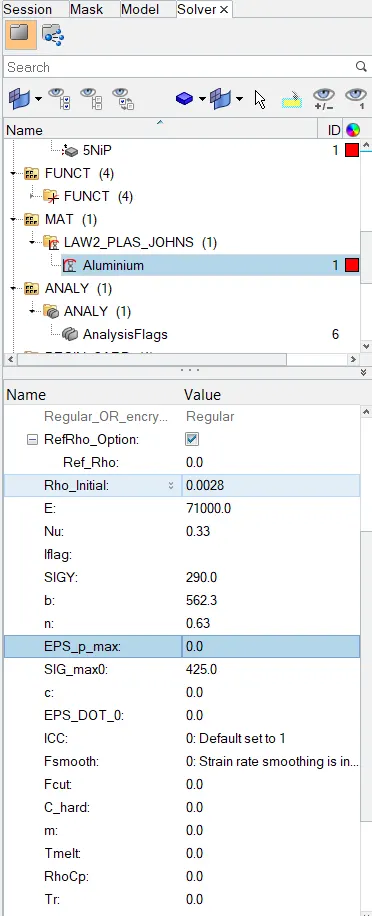
Import the case 3 rad file, named “Law2_epsmax_nofail” and perform the simulation by removing both the failure plastic strain (EPS_p_max) and run the analysis.
.
For Case 5: Import the case 4 rad file and perform the simulation by changing the material card to Law 1; keep the same value for rho, E, and nu values and run the analysis.
From 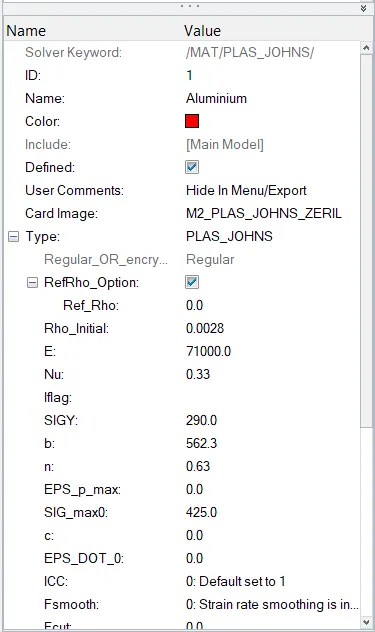 to
to 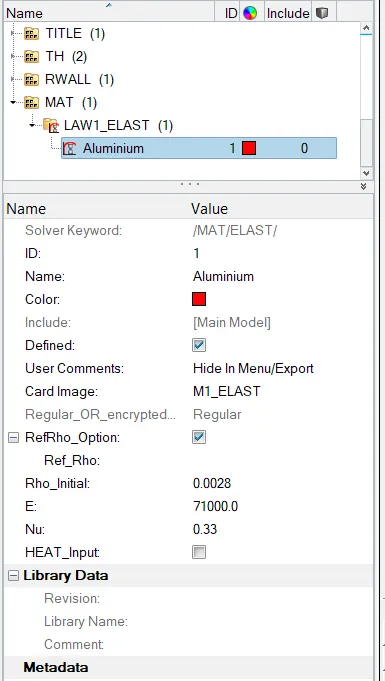
For Case 6:
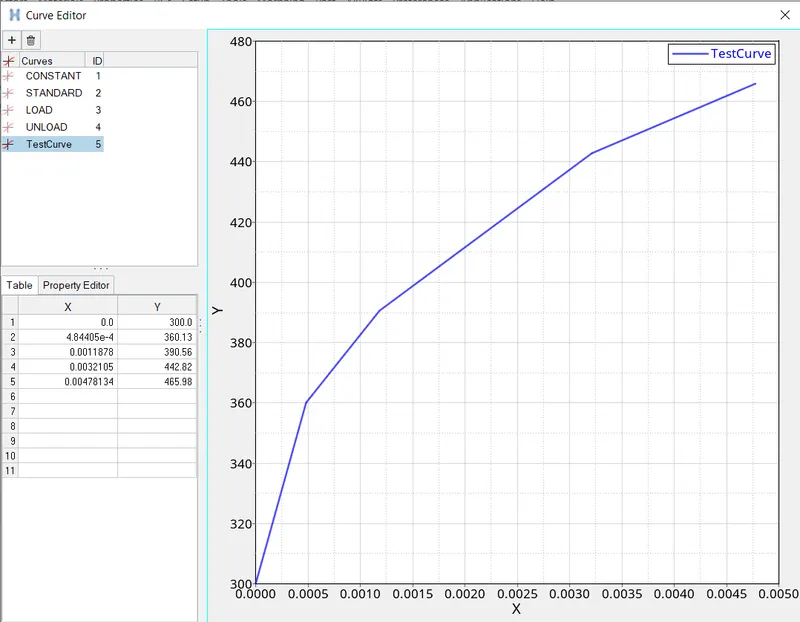
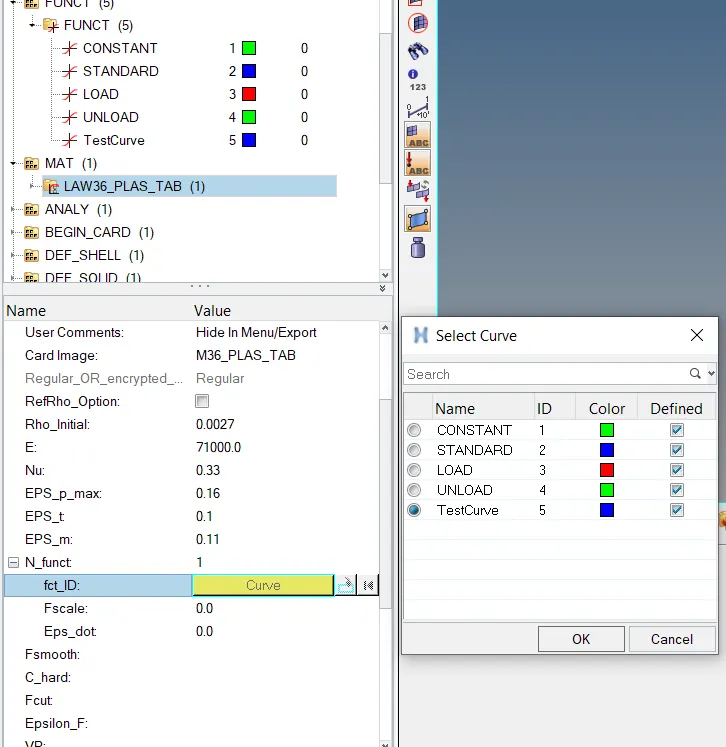
Import the case 1 rad file, named “Law2_epsmax_failure” and perform the simulation with the law 36 material card and run the analysis. Create a stress strain test curve as shown below:
For Case 7:
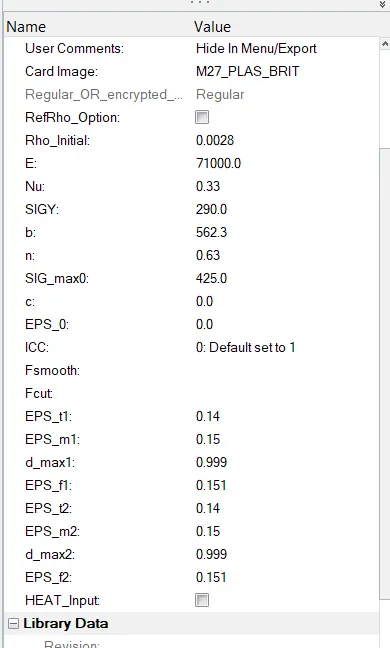
Importing Law27_0000.rad file and perform the simulation with the law 27 material card using the recommended shell properties.
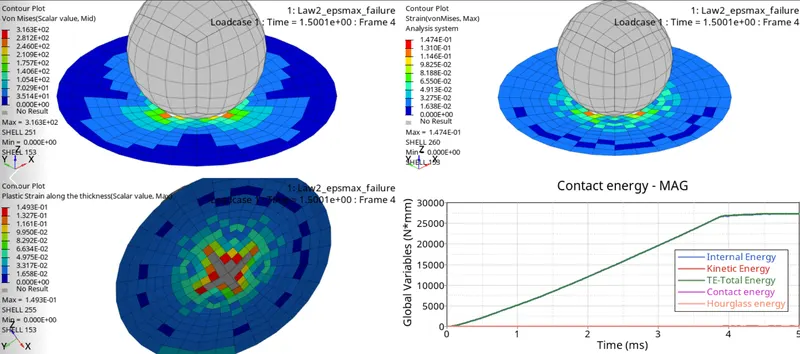
- Now, we divide the graphics window into 4 parts and after running all the analysis, and use 3 windows to open the h3d file and 1 window for T01 file. We now get the following results as shown below:
For CASE 1:
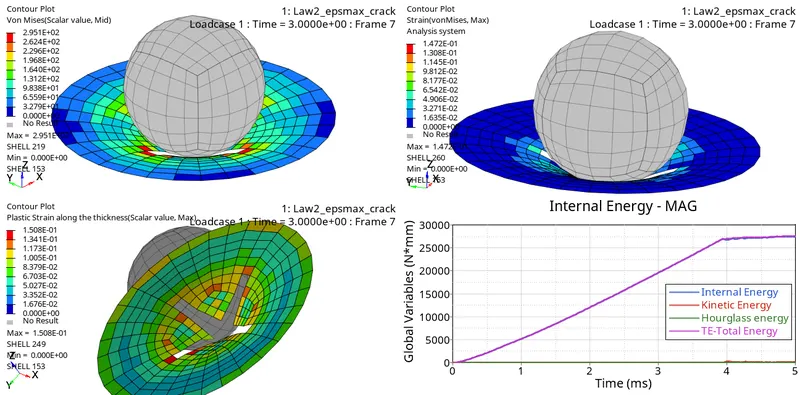
For CASE 2:
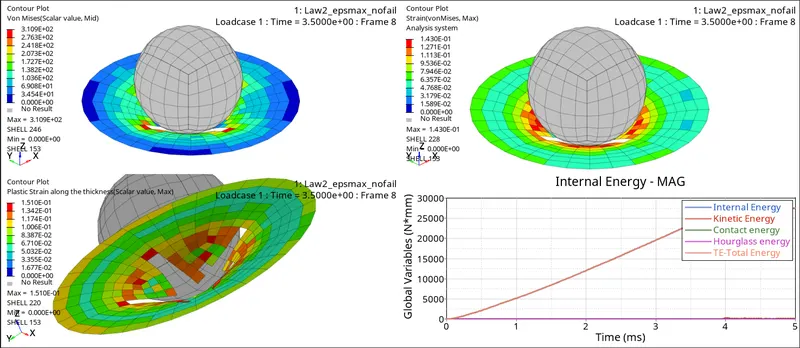
For CASE 3:
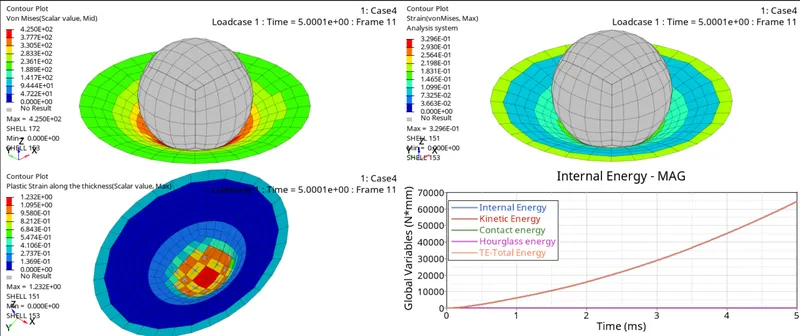
For CASE 4:
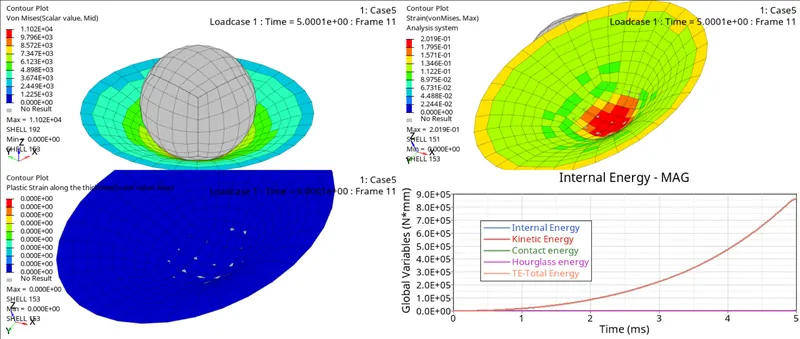
For CASE 5:
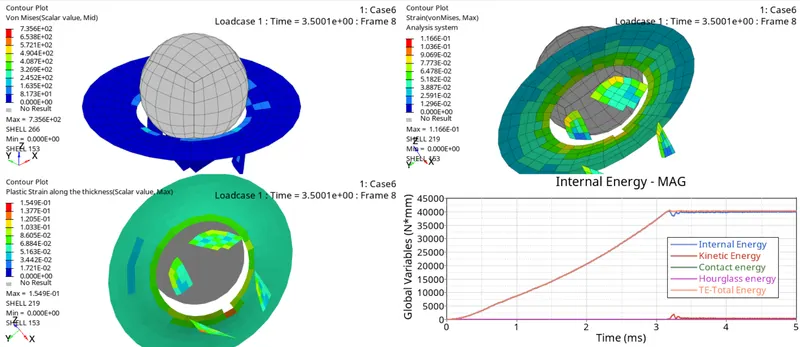
For CASE 6:
For CASE 7:
Observation:
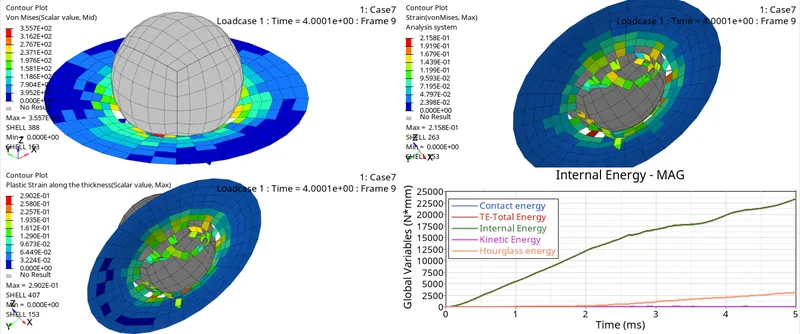
When can we say that the element has been deleted? - Just by observing the animations we cannot say that the elements have been deleted, so here comes the role of the graphs. When there is a slight dip in the curve of internal energy then we can say that the elements have been deleted or cracked or there is no interaction between them because when the element is stretched then there is an internal energy developed in elements. If any element is deleted then there will be a decrease in the internal energy. In elastic the elements will not be deleted or cracked and will keep on absorbing the energy which implies that the energy will be constant.
- As we can observe in the graphs above for all the cases, we can say that the internal energy for case 4 and case 5 keep on increasing. Also, in animations the surface is intact and not shearing apart which means that the . So, we reject the cases 4 and 5.
- For case 7, by observing the graphs and animations the elements energy is increasing and also there is no drop in it which means that case 7 can be represented or used for a particular scenario but it is a brittle material and the energy error is also -7.1 %.
- For case 1, 2, 3 and 6; after a linear increase there is a dip in the internal energy which means that the elements are deleted or cracked which is not suitable for any real life scenario.
Conclusion:
- Checking .out file for the output results:
Now let us open the 0001.out file using notepad for simulation time, number of cycles, energy error, kinetic energy, internal energy and mass error.
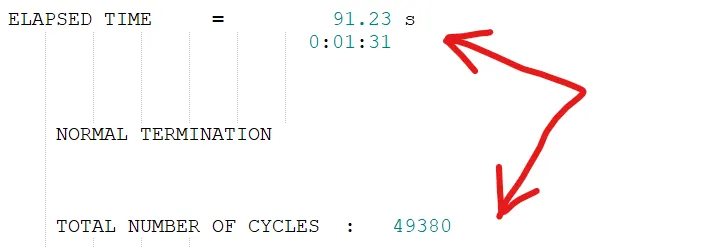

Similarily, we check for all the cases and get the following results as shown in the conclusion:
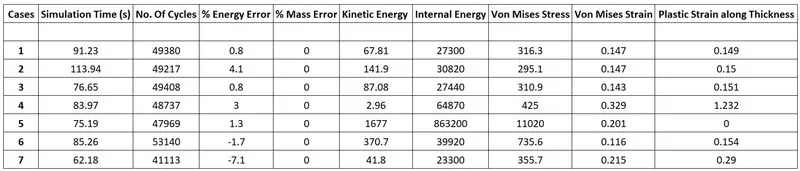
From all the cases or the three laws used, law2 and law 27 both use johnson cook to describe the elasto plastic behaviour i.e. law2 with plastic strain and law27 with principal strain. Here, 6th case with law36 seems to be more realistic since we have manually added the real life stress strain curve data where the material is behaving according to it. Due to this it has maximum number of cycles and takes more time when compared with most of the cases; the energy error is -1.7% which is in the range.