Assignment 3
objective:For the given component run the base simulation with given data and then change the properties for the component as given and then run the simulation and then compare the results.
procedure:1.Import the given rad file first and then set the eng run time and the animation dt value.
2.After import the rad file enable the set master interface surface and then go to the radioss option and take export options all and run option analysis and run no as 1 and save the input file in the respective path.
3.Run the simulation by clicking the radioss button after select the include connectors and option as -nt 4 to run the simulation and then click radioss so that block file is running with simulation by showing the energy error and the mass errors.
4.Note down the energy and the mass errors that obtained and compare that errors with the element formulation run and repeat the same procedure for the element formulation run.
case 1: without changing the shell element property
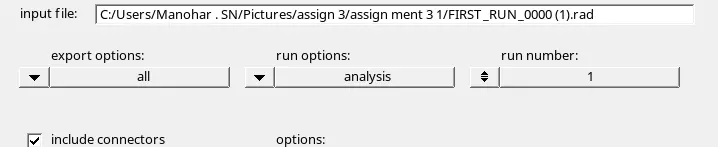
fig shows the setting of the options before run the simulation
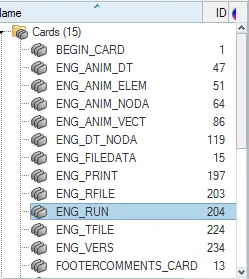
fig shows the change value of the eng run
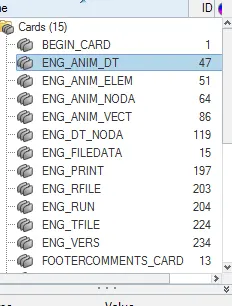
fig shows the change value of animation
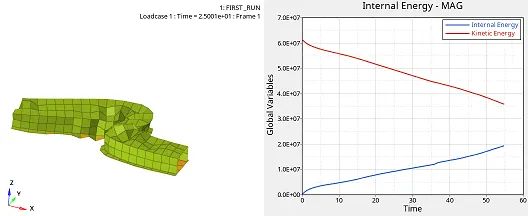
fig shows the plot of internal energy and the kinetic energy
kinetic energy is maximum at 6.0E+07 and kinetic energy decreases with increase of the time and internal energy increases with increase of time.
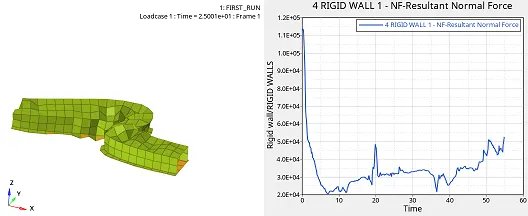
fig shows the resultant normal force of rigid walls and shows the variation with respect to time.
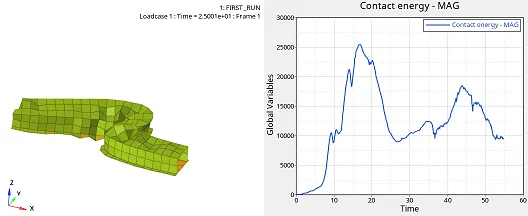
fig shows the contact energy with respect to time
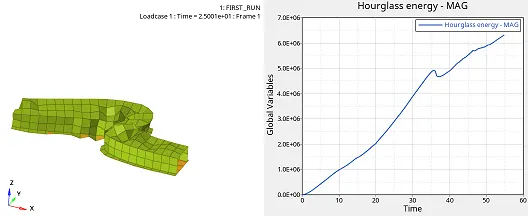
fig shows the hour glass energy with respect to time increases.
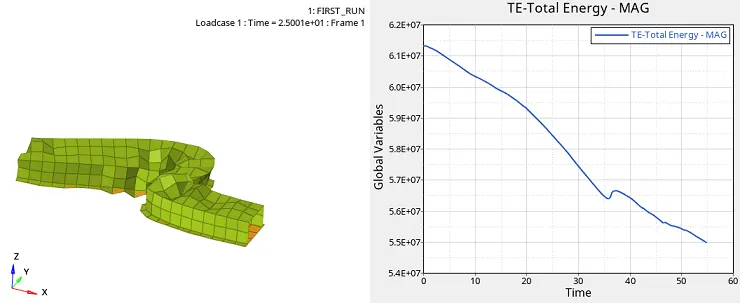
fig shows the total energy decreases with the increase of time
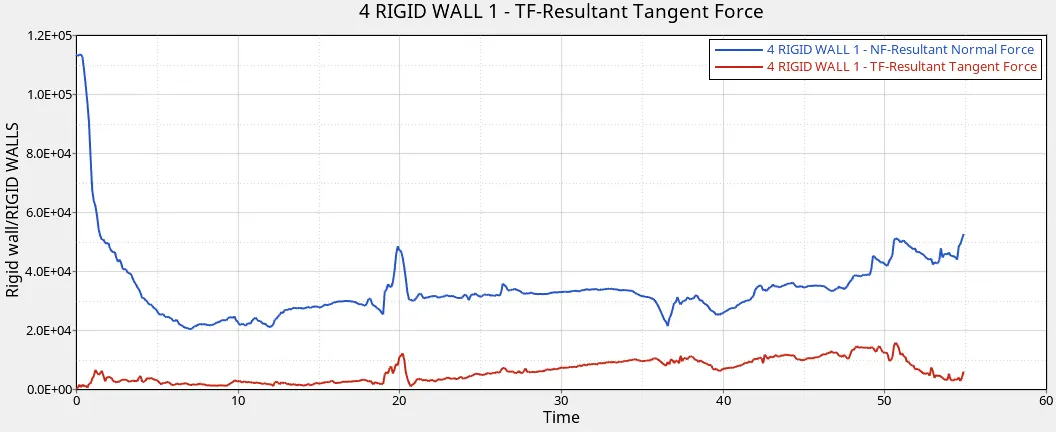
fig shows the resulatant normal force and resultant tangent force with respect to time
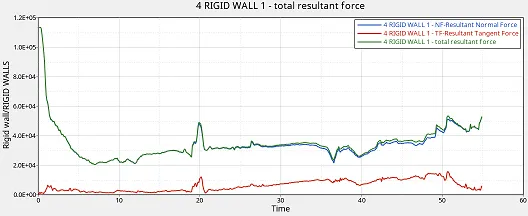
fig shows the normal,tangent,and total resultant force
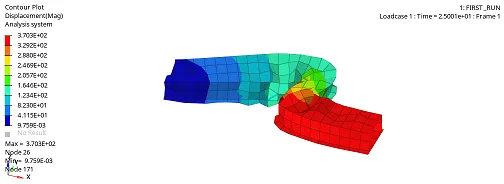
fig shows the displacement and minimum is 9.750e-03 at a node 171 and max is 3.703e+02 at a node 26
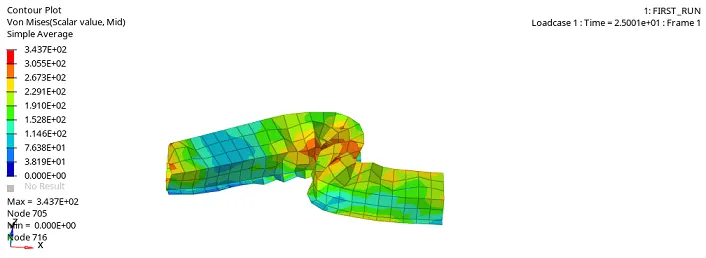
fig shows the von mises value max is 3.437E+02 at a node 705 and min is 0 at the node 716
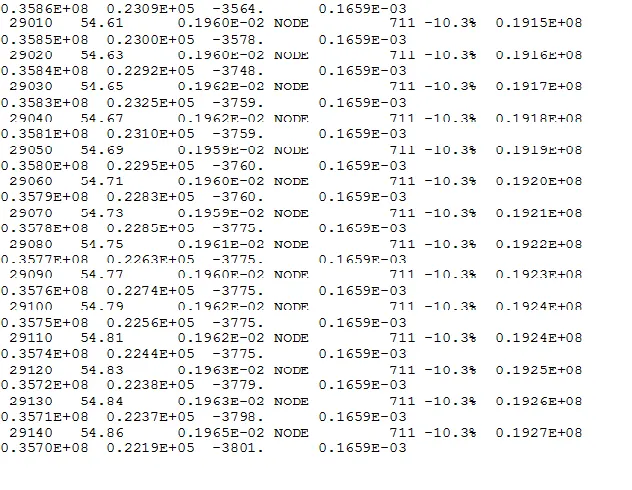
fig shows the maximum energy and mass error for the without change of element shell properties the maximum mass error is 0.1659E-03 and the max energy error is -10.3%.
case2 :with the change of element shell properties
| Parameters | Comment | |
|
Ishell =24 |
QEPH 4 nodes shells are best combination of cost and accuracy. | |
|
Ismstr=2 |
Full geometric nonlinearities (default)with possible small strain formulation activation in RADIOSS Engine. | |
|
Ish3n=2 |
Standard 3 noded shell (C0)with modification for large rotation(default) |
|
| N=5 | Number of integration points set to 5 for accuracy bending. | |
|
Ithick=1 |
Thickness change is taken into account for accuracy. |
|
|
Iplas=1 |
Iterative plasticity for good accuracy. |
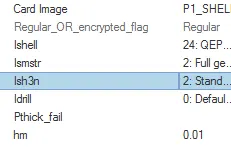
fig shows the change of shell element properties
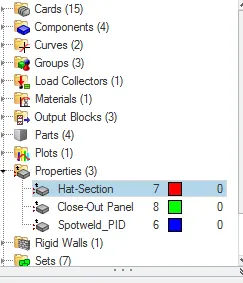
fig shows the properties for the 3 components
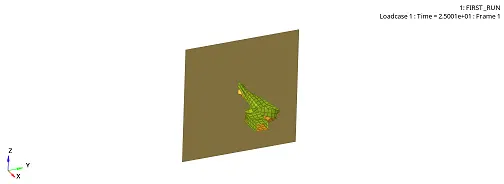
fig shows the shell element formulation simulation
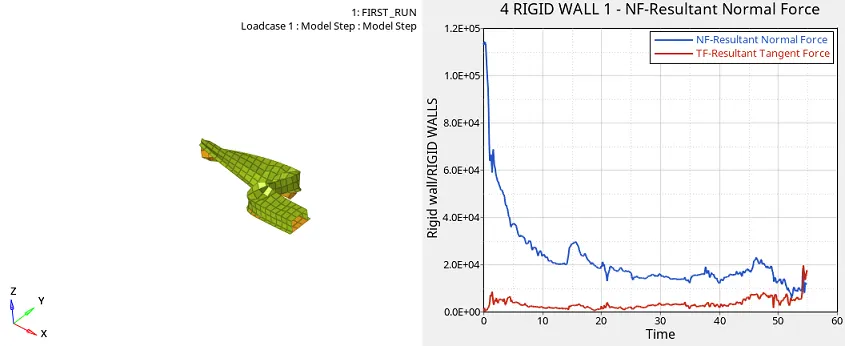
fig shows the resultant normal and tangent force with respect to time
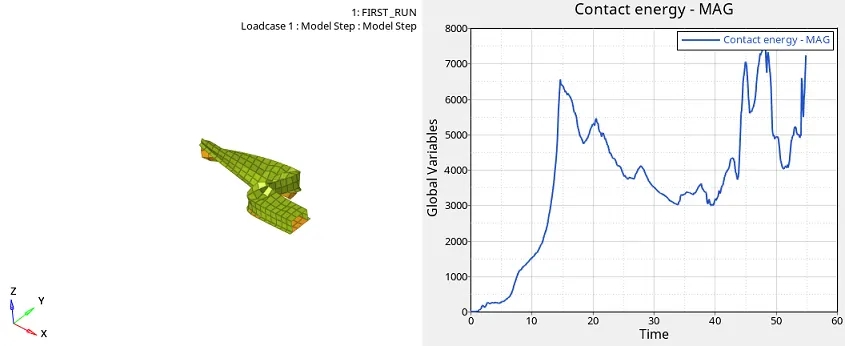
fig shows the contact energy can be varies with time
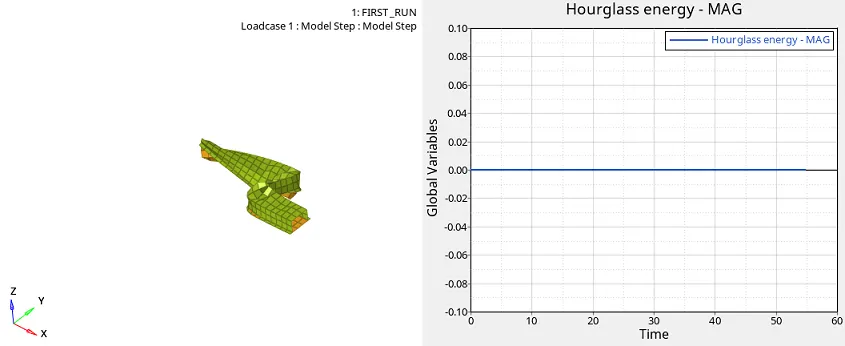
fig shows the hour glass energy is constant
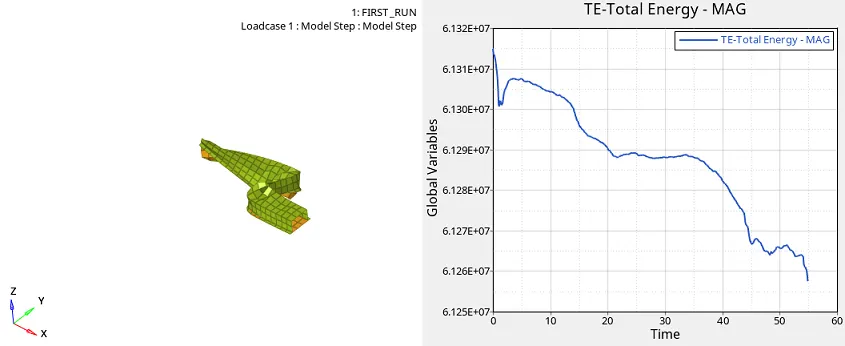
fig shows that total energy decreases with increase in time
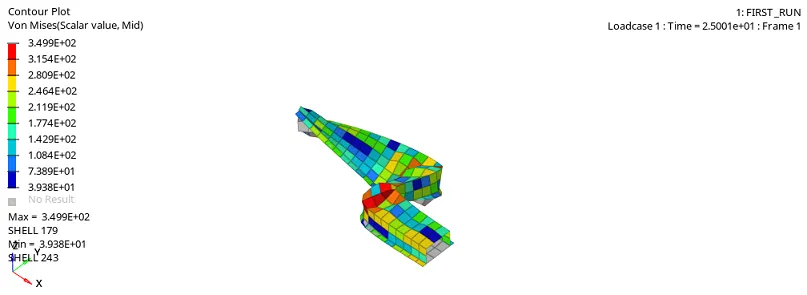
fig shows the vonmises value max is 3.499E+02 at shell 179 and min is 3.938+01 at shell 243
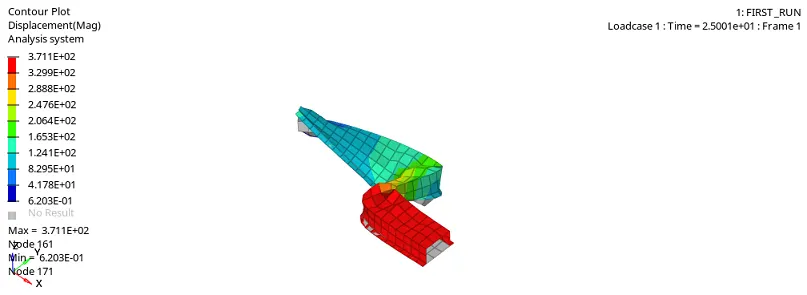
fig shows the displacement max is 3.711E+02 at node161 and min is 6.203E-01 at node 171
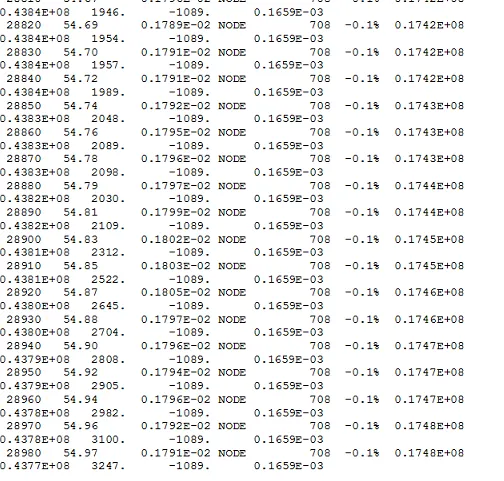
fig shows the energy error and the mass error so maximum mass error is 0.1659E-03 and max energy error is -0.1%
The main difference is that change in error in case1 as without change property and in case2 change in property in the case2 is that energy error and the mass error .
In the energy error in case 1 is that -10.3% and that of the case 2 is that -0.1%.
In case1 the hour glass energy increases with increase of time and in case2 the hour glass energy remains constant.
Hourglass ( HG ) modes are nonphysical, zero-energy modes of deformation that produce zero strain and no stress. Hourglass modes occur only in under-intetgrated (single integration point) solid, shell, and thick shell elements.
https://drive.google.com/file/d/1GvF8SLMdCNpu5KhqqwEi6HlhrIRfHJjD/view?usp=sharing
https://drive.google.com/file/d/1W1C6qZWB2QGb7g_2JPUEbsiCKUCrWRtE/view?usp=sharing
conclusion:In this assignment know about the how to run the base simulation and also change the property and then run the simulation and obtain the results and make the comparision in between the cases.