Assignment 3
objective :-
Comparison of results with base simulation and improved shell element properties
1.Using the crash beam file from the previous assignment, change the run time to 55 ms.
2. Change the number of animation steps during simulation to a minimum of 25 and maximum of 60.
3. Run the base simulation without any modification to element properties.
4. At the end of the simulation, do the energy error and mass error checks and determine whether results would be acceptable.
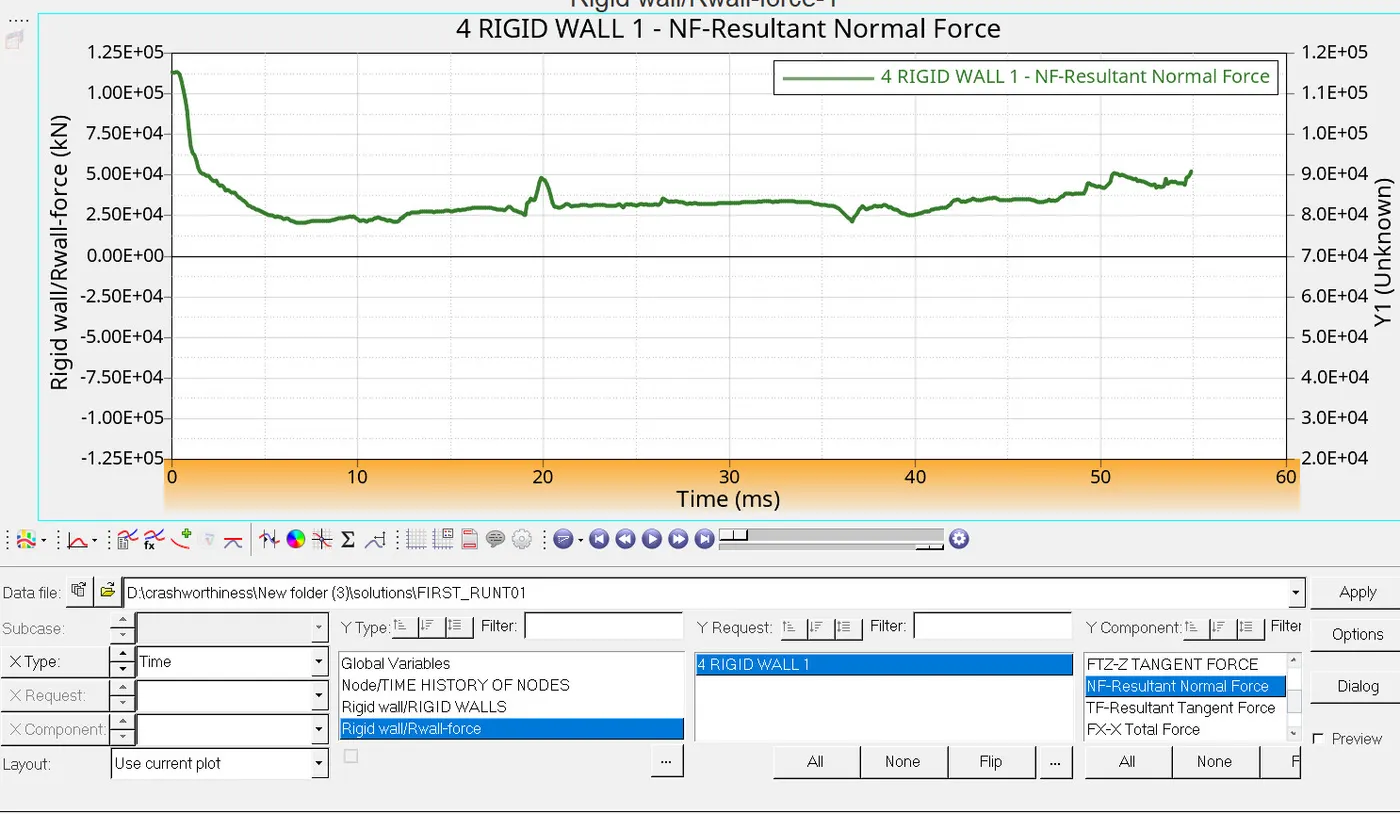
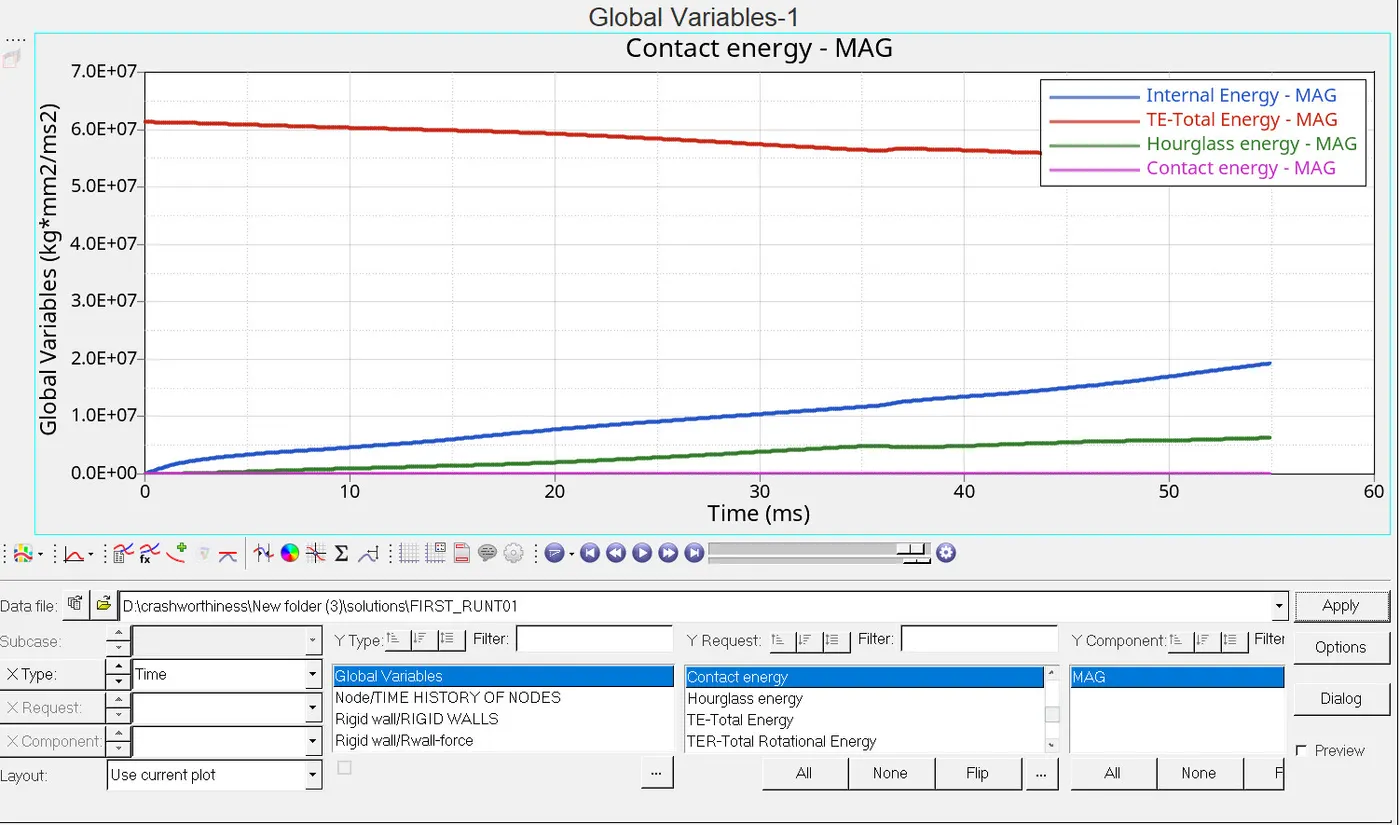
5. If acceptable, Plot rigid wall forces, internal energy, hourglass energy, contact energy, total energy of the simulations.
6. Change all the shell elements properties to recommended properties, save this as separate, rad files and run the simulation.
7. Follow steps 5 and 6.
8. Create a brief report comparing all the results from steps 5 and 6 for both simulations.
9. Comment whether there is any change in the results and why there is any change in the result.
Procedure :-
Case 1:-
- Import the "FIRST_RUN_0000" file .
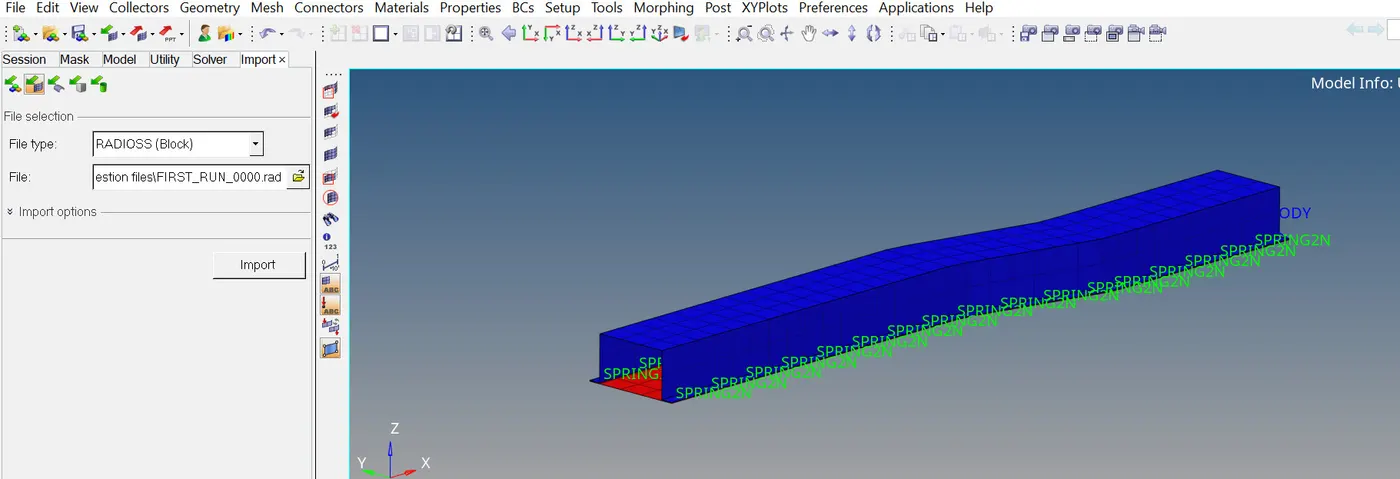
- We have to change the run time to 55 ms.
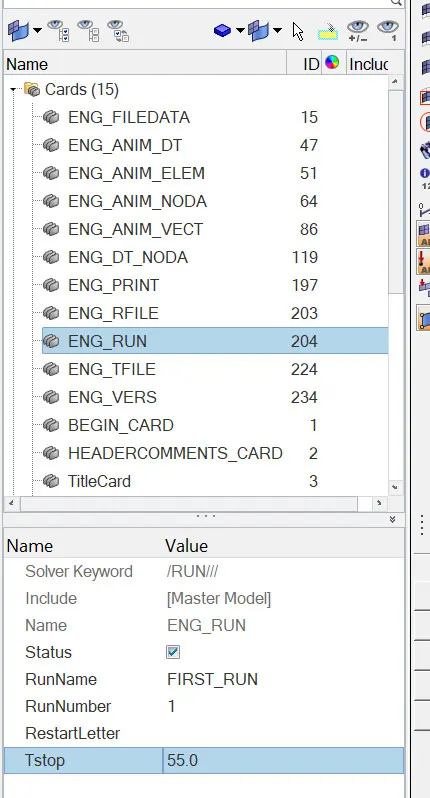
- Go to model browser -> open cards ->choose ENG_RUN card -> change the tstop time to 55ms.
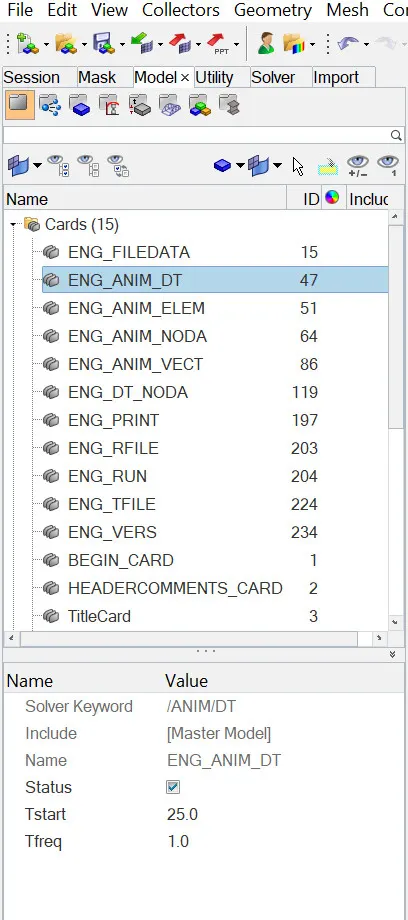
- Go to model browser -> open cards ->choose ENG_ANIM_DT->Change the number of animation steps during simulation to a minimum of 25.
- To run the simulation we have to choose analysis menu page -> Radioss .

- Choose input file location and in options mention "-nt 4".

- It will do the analysis and gives you the output .
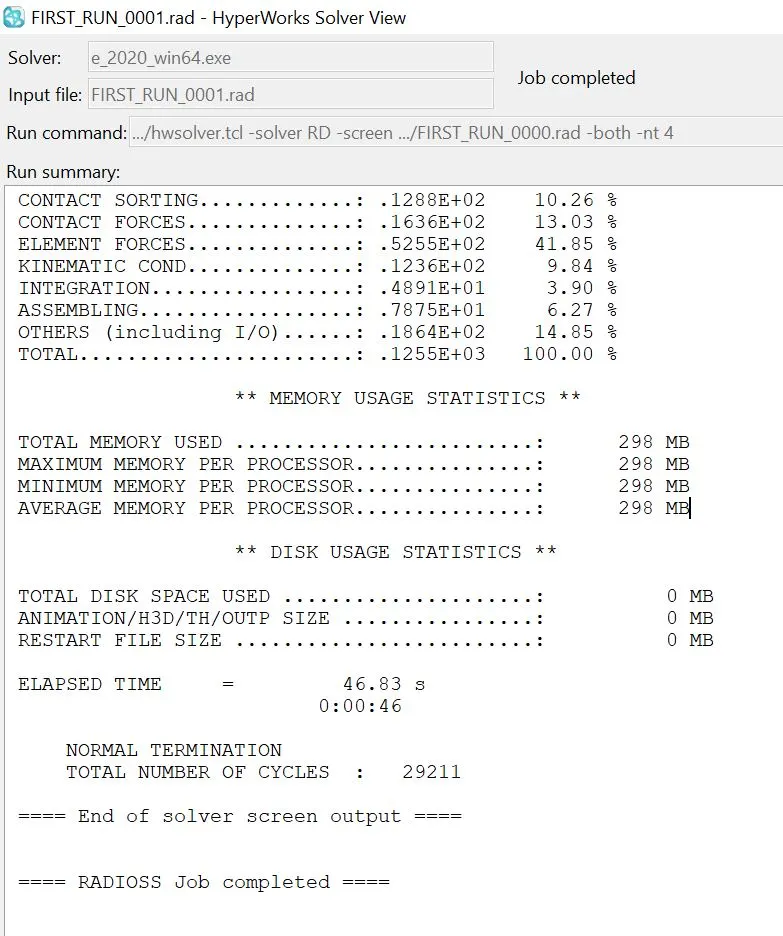
- At the end we have to check for the energy error and mass error checks and to we have to conclude that wether they are in acceptabale limits of +ve 5% error .
- The energy error value is "ERR=-10.3%" and mass error is "DM/M= 1.6590E-04"
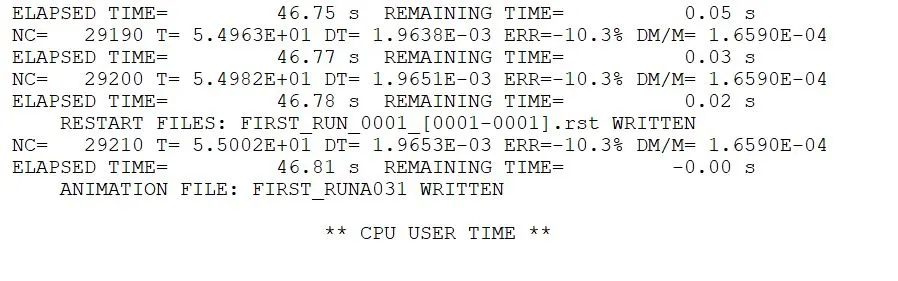
- The energy error should be a negative value and it is acceptable up to +ve 5% and for us it is "ERR=-10.3%".
- For mass error, the value should be less than 5kg and for us,it is 0.0001659.
- The difference between the animations start step .
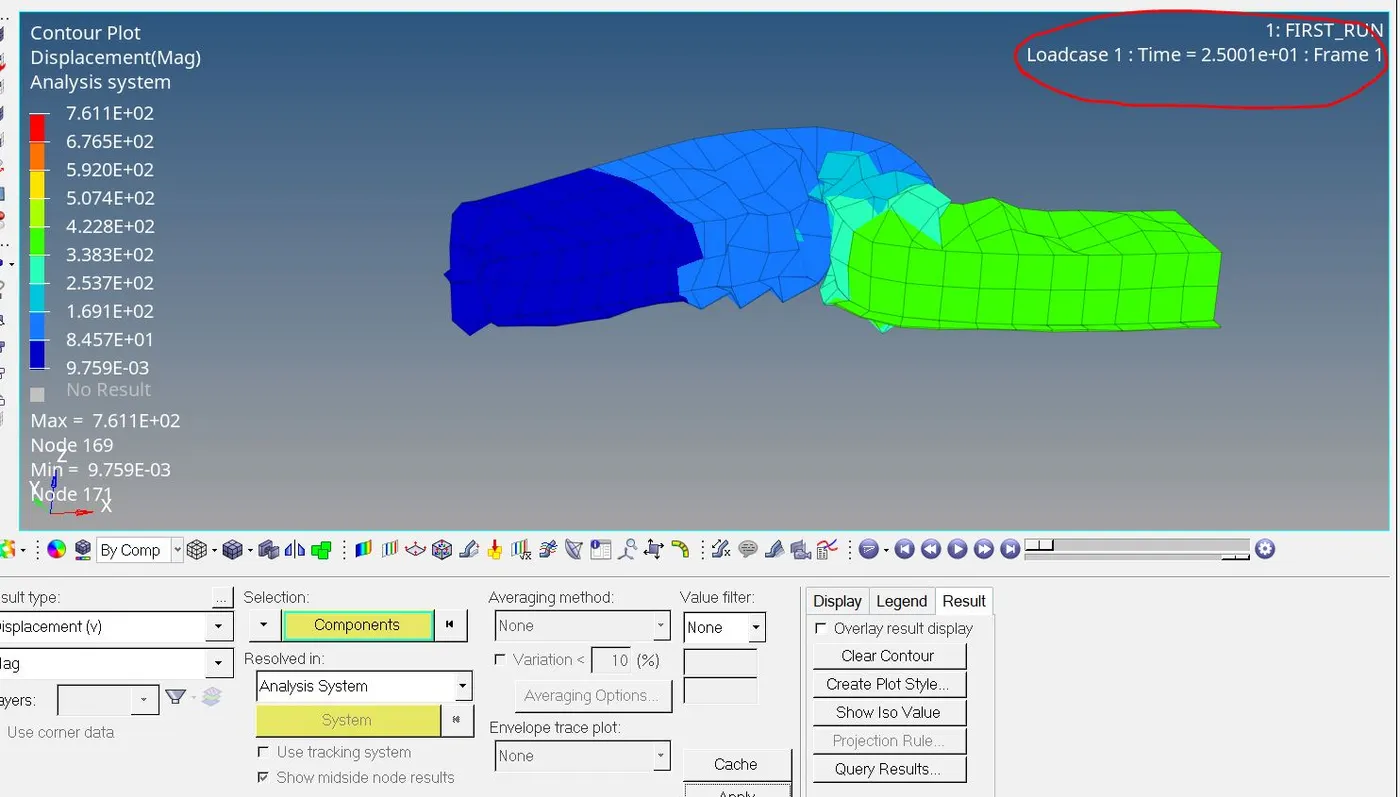
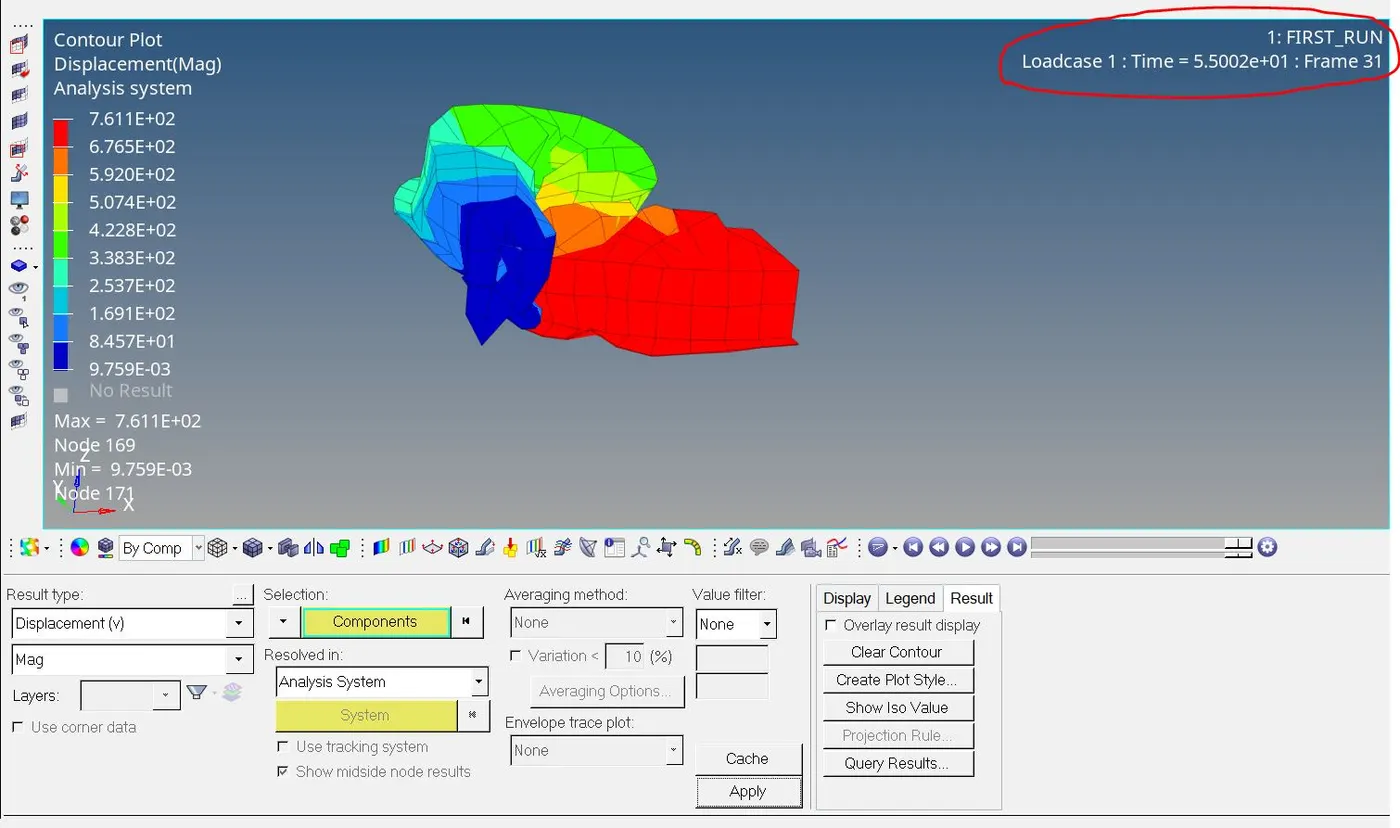 for 25 animations
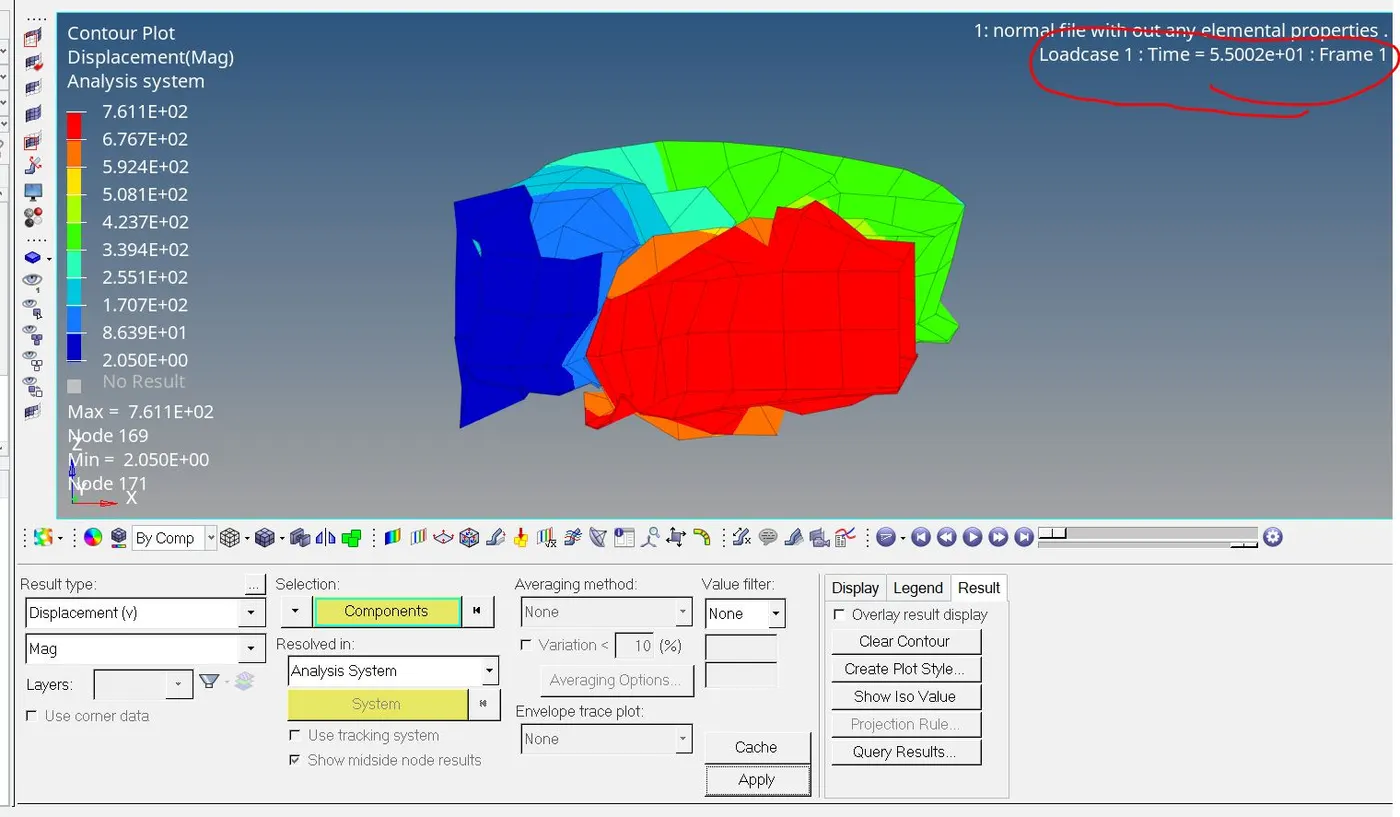 for 60 animations .
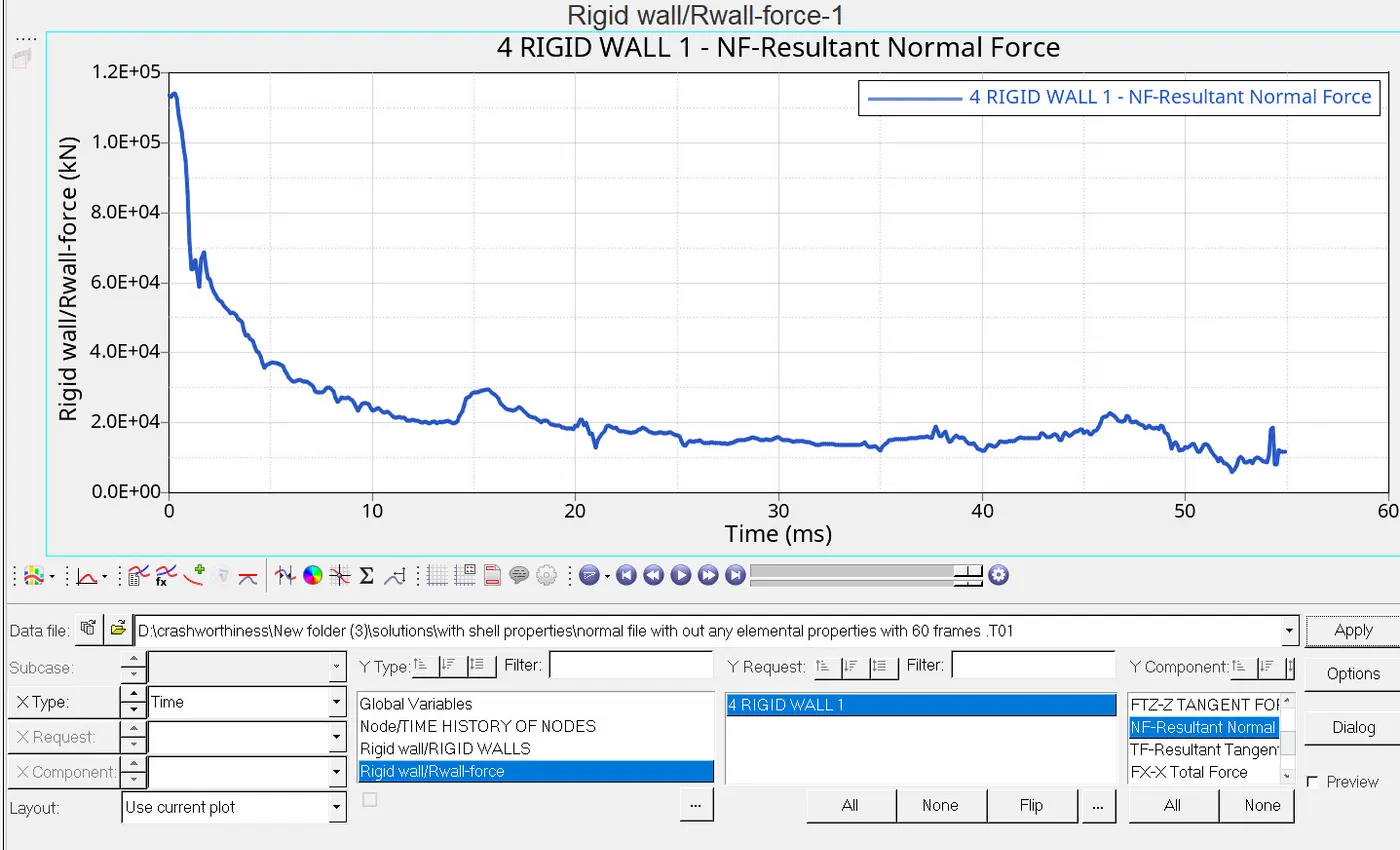
plot of rigid wall forces vs time:-
-plot of various energy value vs time:-
Case 2 :-
- Import the "FIRST_RUN_0000" file .
- We have to change the run time to 55 ms.
- Go to model browser -> open cards ->choose ENG_RUN card -> change the tstop time to 55ms.
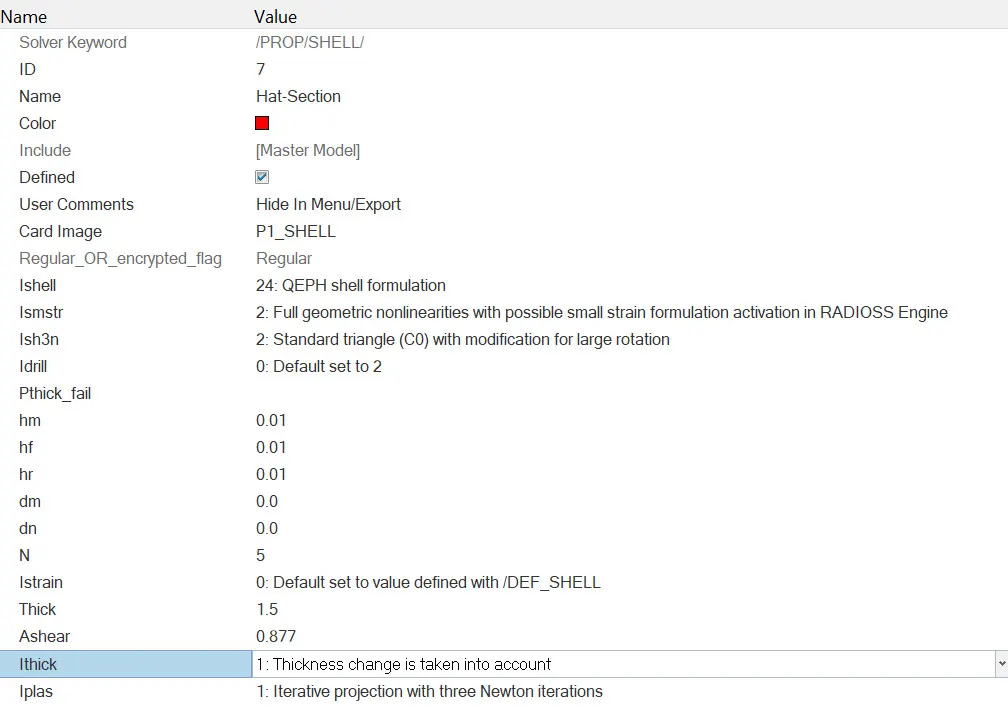
- Assign the values of "Ishell =24,Ismstr=2,Ish3n=2,N=5,Ithick=1,Iplas=1".
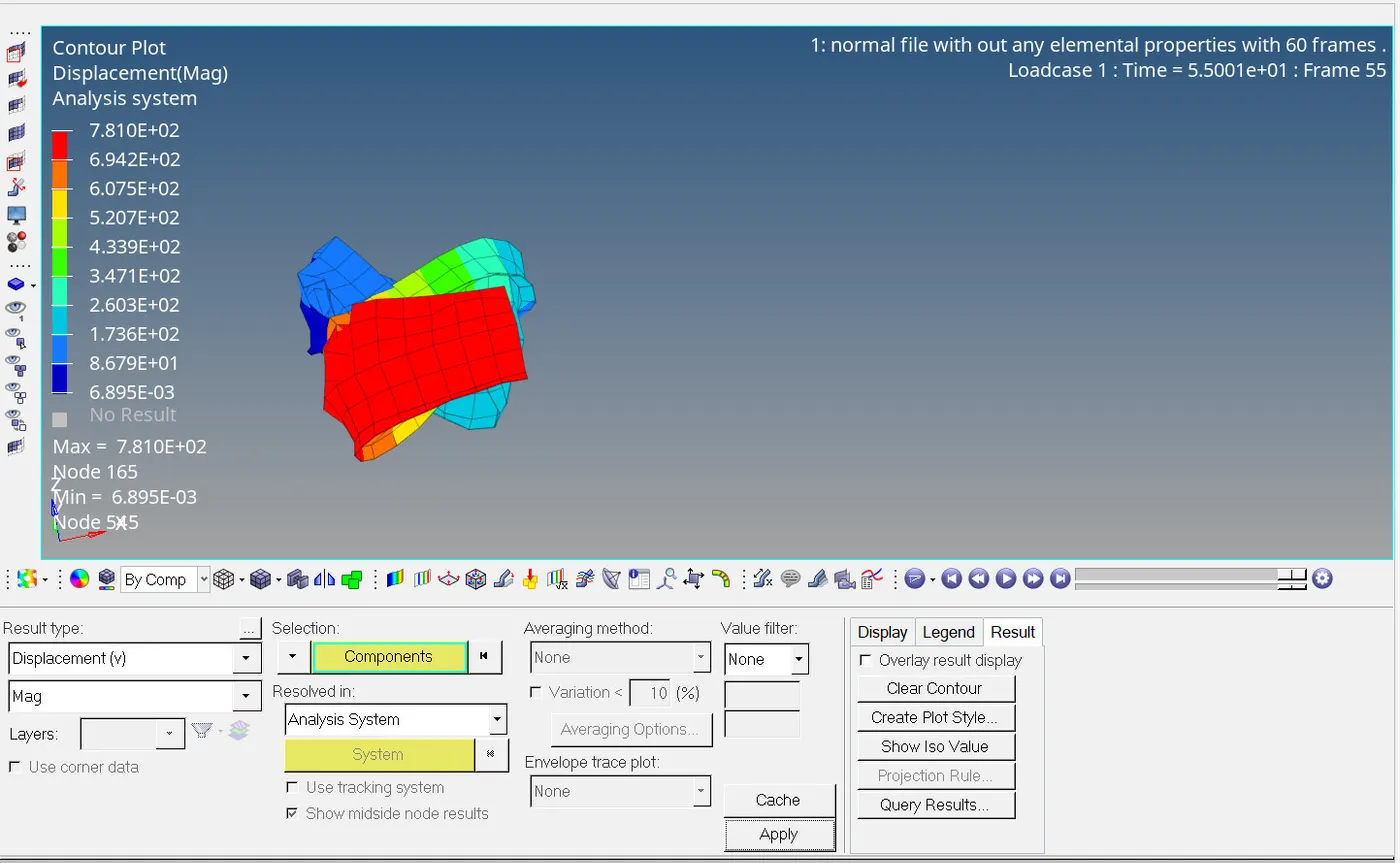
- The hyperview plot for displacement .
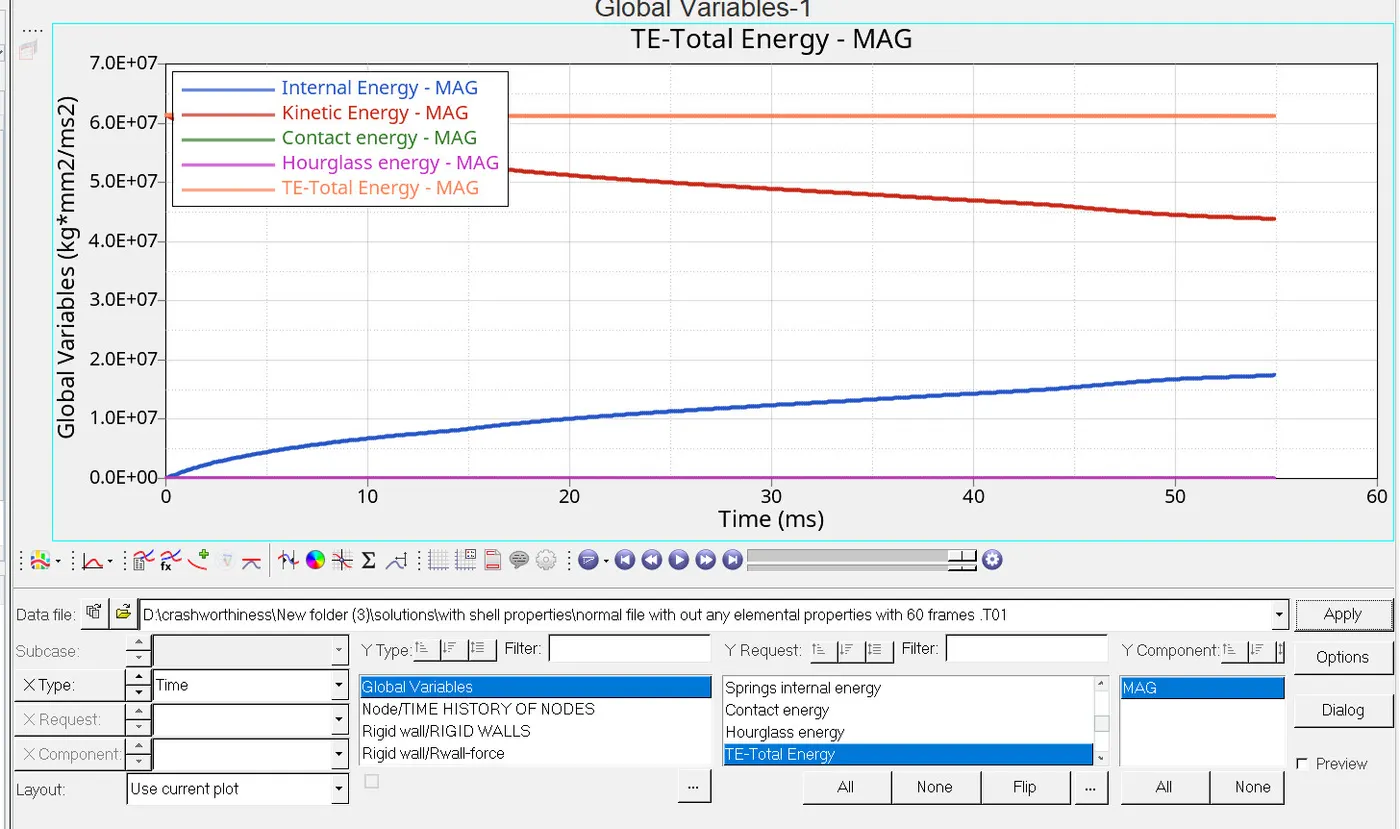
plot of various energy value vs time:-
plot of rigid wall forces vs time:-
Conclusions :-
1. For animations steps the run time is less for 60 animations step when compared with 25 animations step .
2. There is no hour glass effect for the case 2 when compared with the case 1.
3. Since we have used the following parameters in the case 2 there was a good accuracy .
|
Ishell =24 |
QEPH 4 nodes shells are best combination of cost and accuracy. | |
|
Ismstr=2 |
Full geometric nonlinearities (default)with possible small strain formulation activation in RADIOSS Engine. | |
|
Ish3n=2 |
Standard 3 noded shell (C0)with modification for large rotation(default) |