Assignment 3-2D Element Formulation Challenge
Objective:
To run the given crash beam file with base simulation and improved shell element properties and compare the obtained results.
Case 1:
Import:
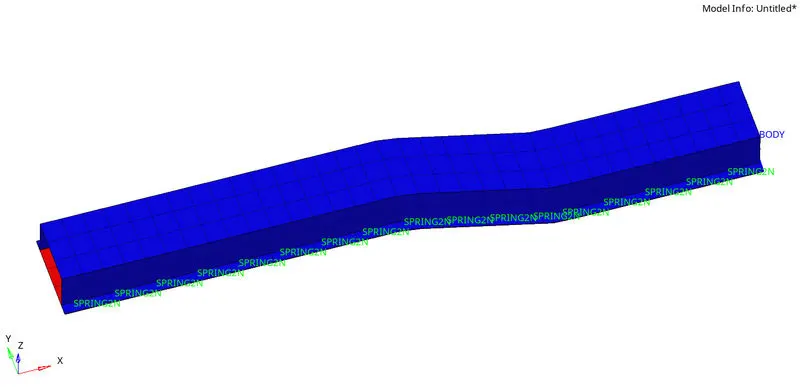
Go to Import solver deck and select Radioss as the file type. Choose the '.rad' file to be imported and click on import.
Changing Run Time:
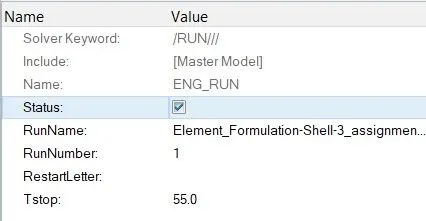
To change the run time, click on the ENG_RUN card in the cards collector. Change the Tstop value to 55.
Applying the number of animation steps:
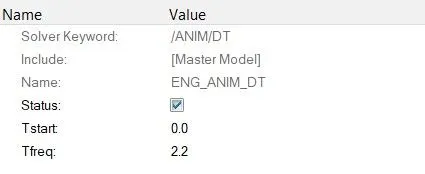
- To apply the change in animation steps, we have to calculate the Tfreq value by using the formula,
- Tfreq = Run Time`/`No. of steps
- Tfreq = 55`/`25
- Tfreq = 2.2
- To set the frequency of animation output, click on the ENG_ANIM_DT card in the cards collector. Change the Tfreq value to 2.2.
Running the simulation:
After all the necessary inputs are defined, goto Analysis > Radioss, select the save destination and click on Radioss.

Energy error and Mass error check:
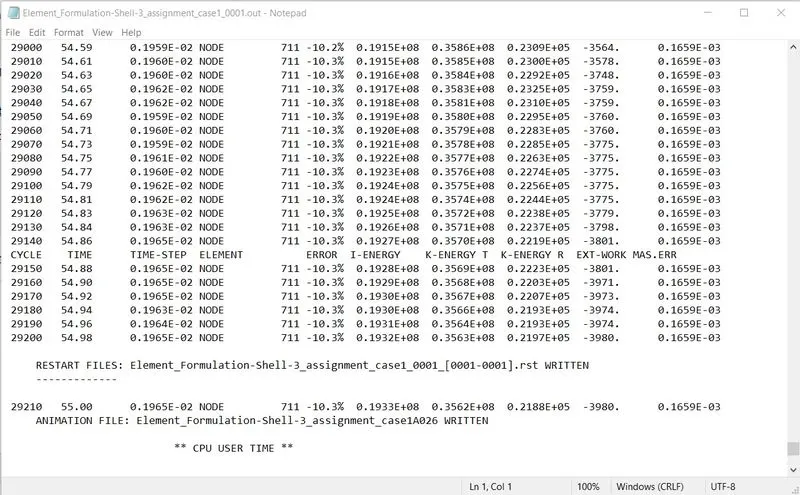
- To check the final energy error % and the mass error value, open the '_0001.out' file with notepad.
- In this case, the energy error is under the -15% mark and the mass error value is also acceptable.
Using Hypergraph to plot energy and force graphs:
- To plot various graphs by using the results obtained, open HyperGraph 2D from the drop down menu.
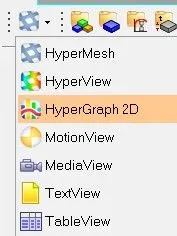
- Since the T01 file contains all the time based data obtained from the simulation, select the T01 file to open.

- Select the X and Y components from the various menu available in the panel area and click on Apply.
Internal Energy:
Hourglass Energy:
Contact Energy:
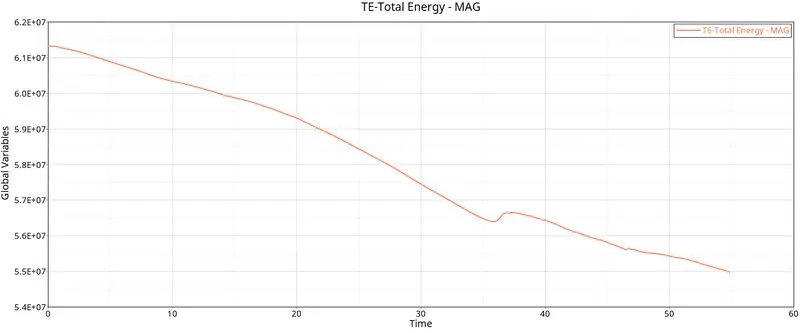
Total Energy:
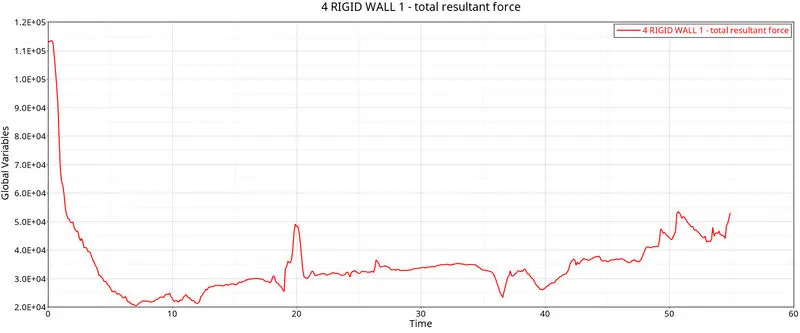
Rigid Wall Force:
Case 2:
Import:
Use the Case 1 file to continue with the Case 2 simulation.
Changing the shell element properties:
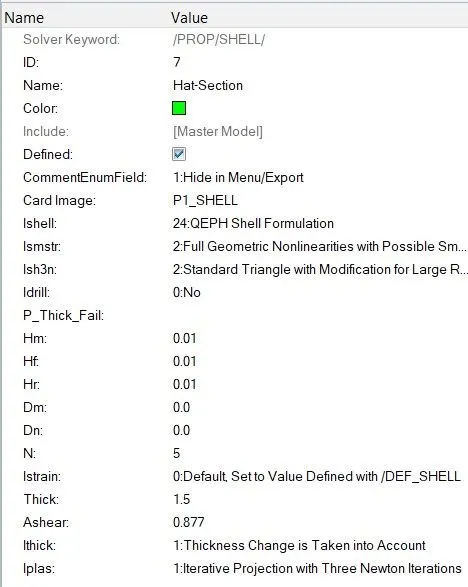
Change all the shell elements properties to recommended properties.
| Parameters | Comment |
|
Ishell =24 |
QEPH 4 nodes shells are best combination of cost and accuracy. |
|
Ismstr=2 |
Full geometric nonlinearities (default)with possible small strain formulation activation in RADIOSS Engine. |
|
Ish3n=2 |
Standard 3 noded shell (C0)with modification for large rotation(default) |
| N=5 | Number of integration points set to 5 for accuracy bending. |
|
Ithick=1 |
Thickness change is taken into account for accuracy. |
|
Iplas=1 |
Iterative plasticity for good accuracy. |
Running the simulation:
After all the necessary inputs are defined, goto Analysis > Radioss, select the save destination and click on Radioss.

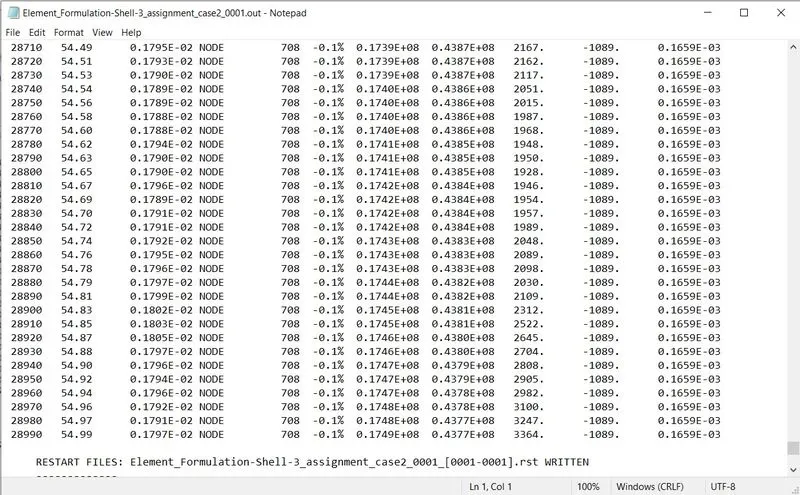
Energy error and Mass error check:
- To check the final energy error % and the mass error value, open the '_0001.out' file with notepad.
- In this case, the energy error is under the -15% mark and the mass error value is also acceptable.
Using Hypergraph to plot energy and force graphs:
- To plot various graphs by using the results obtained, open HyperGraph 2D from the drop down menu.
- Since the T01 file contains all the time based data obtained from the simulation, select the T01 file to open.

- Select the X and Y components from the various menu available in the panel area and click on Apply.
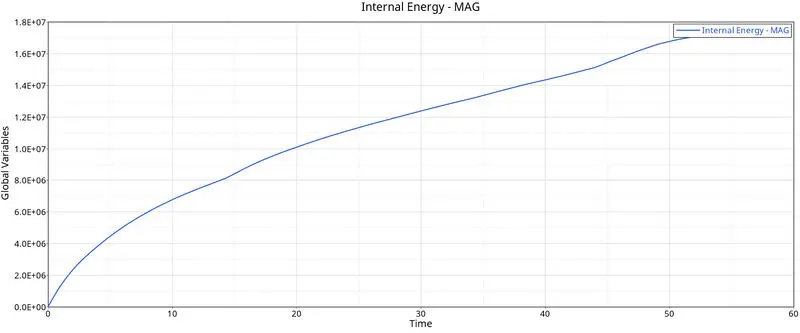
Internal Energy:
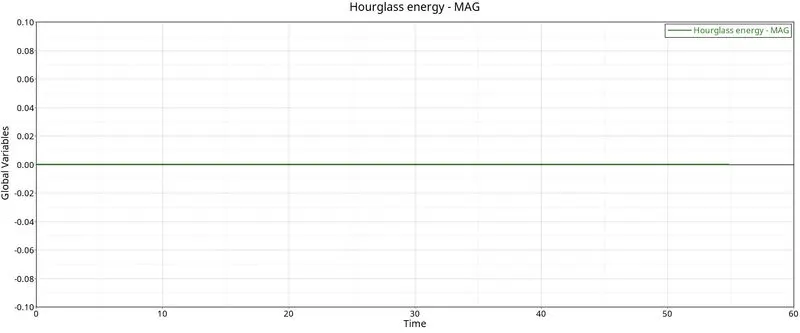
Hourglass Energy:
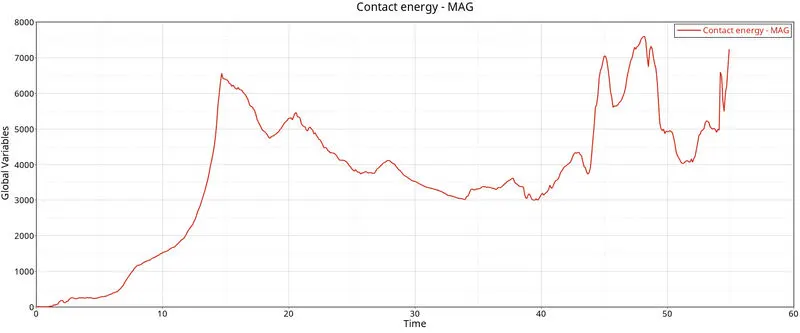
Contact Energy:
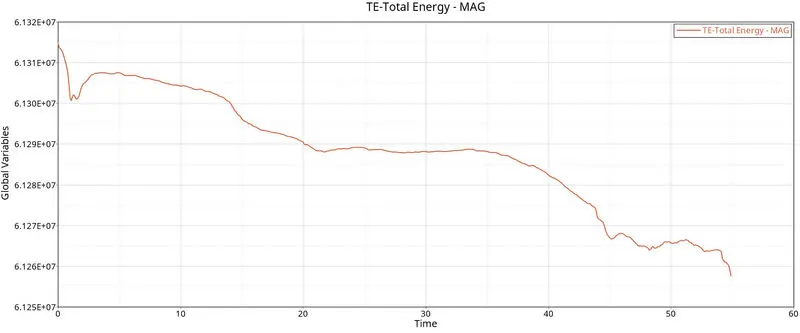
Total Energy:
Rigid Wall Force:
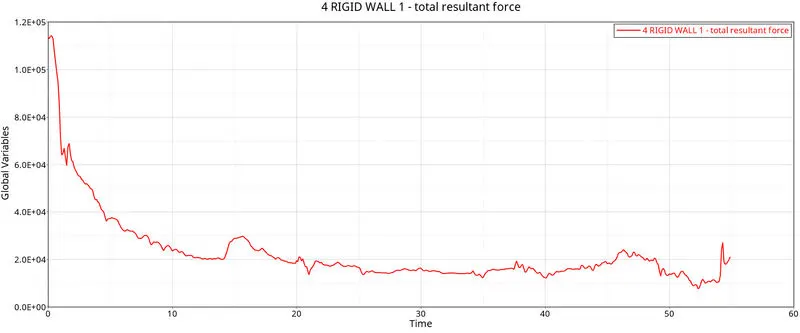
Result and Conclusion:
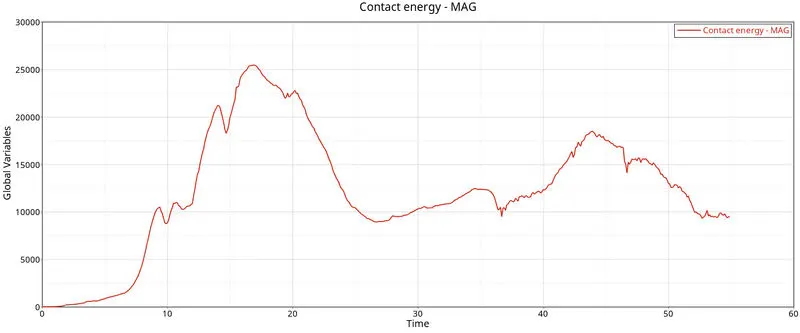
In the simulation without defining any of the shell element properties, the energy error is around -10.3% whereas the energy error after changing the shell element properties is around -0.1% which is way better than the original value. The closer the value is to Zero, the better it is.
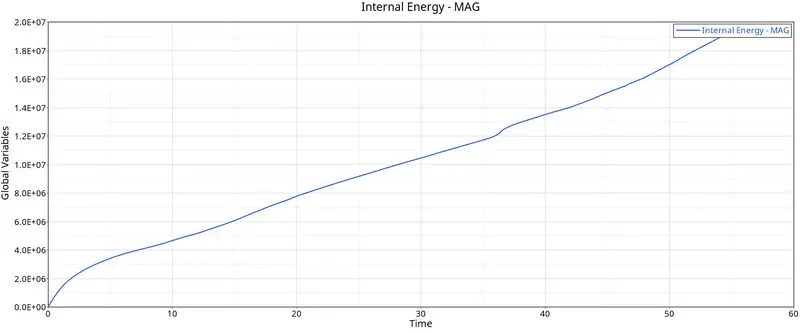
Looking at the Internal energy plot, we can see that the maximum Internal energy is reduced from 19.32E+06mJ to 17.49E+06mJ after changing the shell element properties.
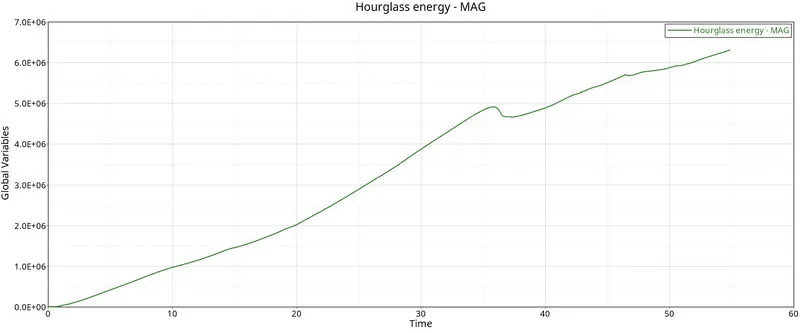
Difference in the hourglass energy is the most significant as we can see that the value of hourglass energy is Zero in the Case 2.
The Total energy drop is reduced in the Case 2 simulation ranging from 6.1315E+07mJ to 6.1257E+07mJ when compared to the case 1 value ranging from 6.14E+07mJ to 5.5E+07mJ.
In conclusion, the Simulation with the recommended properties (Case 2) produces a result with better accuracy in energy ranges, zero hourglass energy and close to zero energy error.
Hourglass Effect:
Hourglass energy effect occurs in under-integrated elements. It is a phenomenon when the stress developed in the element goes unnoticed due to the presencee of only one integration point.
The following methods can be used to prevent hourglassing:
- Perturbation method (Q4 or QEPH)
- QEPH element formulation adds stiffness to the material in order to prevent hourglassing.
- Q4 element formulation adds an artificial energy which inturn increases the nodal stiffness.
- Fully-integrated method (QBAT)
- Fully integrated method has more number of integration point due to which the accuracy of the result increases significantly.