2D Element Formulation Challenge
OBJECTIVE:-
To comparison of results with base simulation and improve shell element properties by using Hyper Works 2021.
Case 1 setup and Procedure:-
1.First import the file Select→Import→Import solver deck→File→Import.
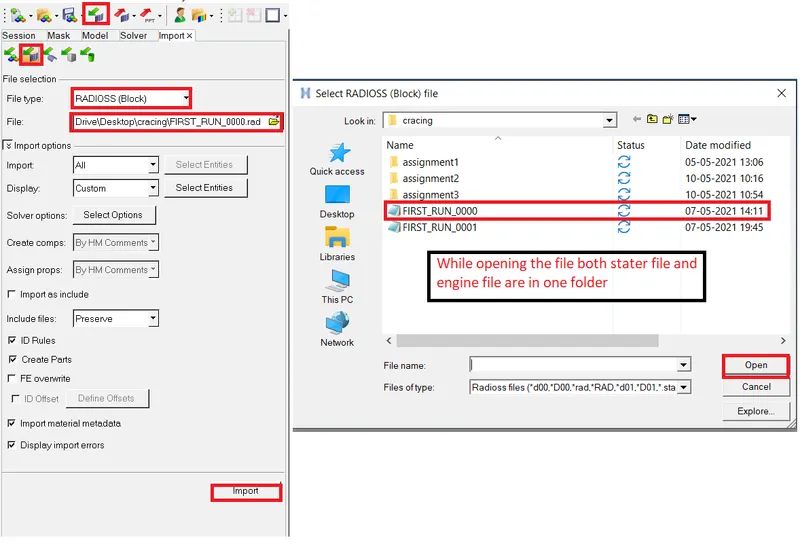
2.Next click on the import the model is displayed in the graphical area as shown below.
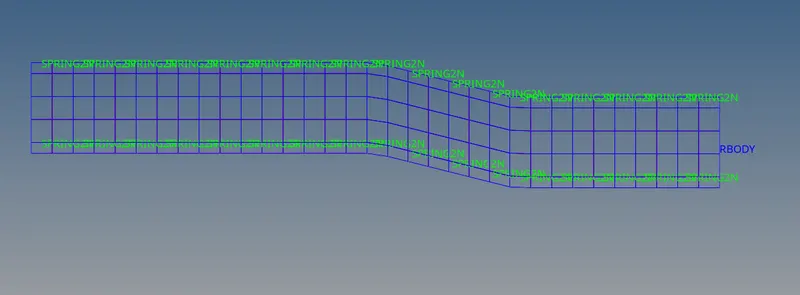
3.Mention in the 1 Question to change run time to 55ms how to change explained below.
4.Go to tab bar Select→Cards→Select→ENG_RUN→Tstop.
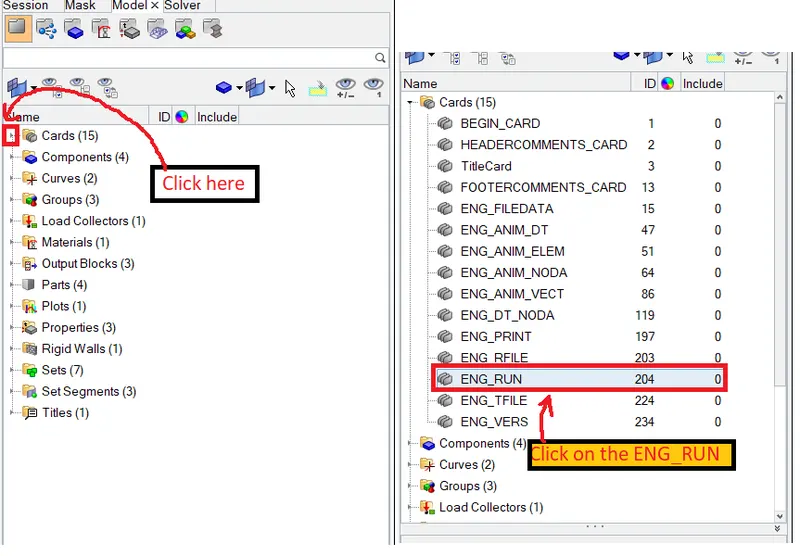
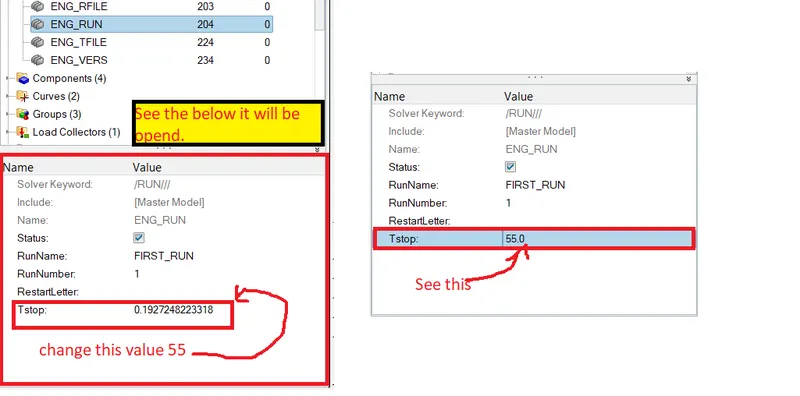
5.Next change the number of animation steps during simulation to a minimum of 25 and a maximum of 60. So I am taking the 30.
6.Go to tab bar Select→Cards→Select→ENG_ANIM_DT→Tstart.
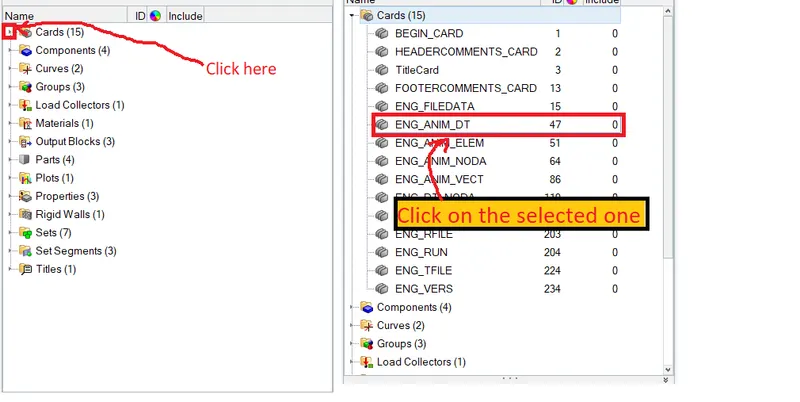
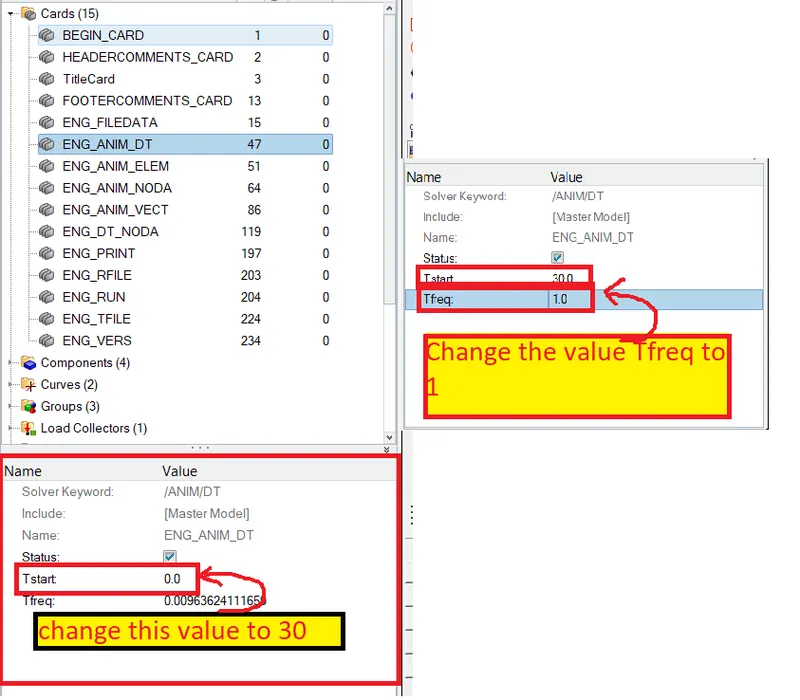
7.Next run the base simulation without any modification to element properties as shown below.
8.Go to the main menu bar Select→Analysis→Radioss.
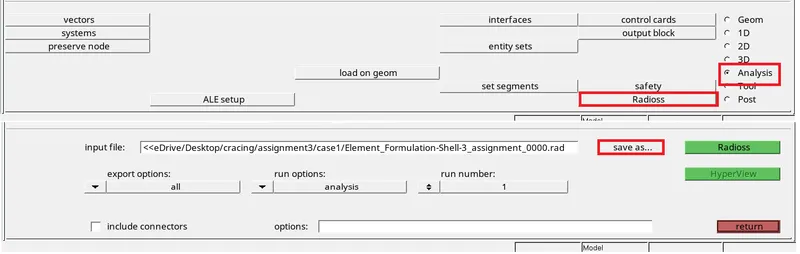
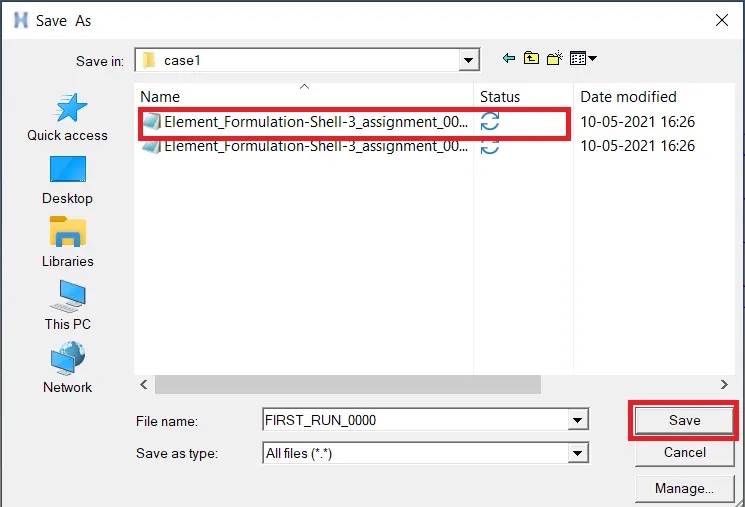

9.Click on the radioss the simulation run on the display as shown below.
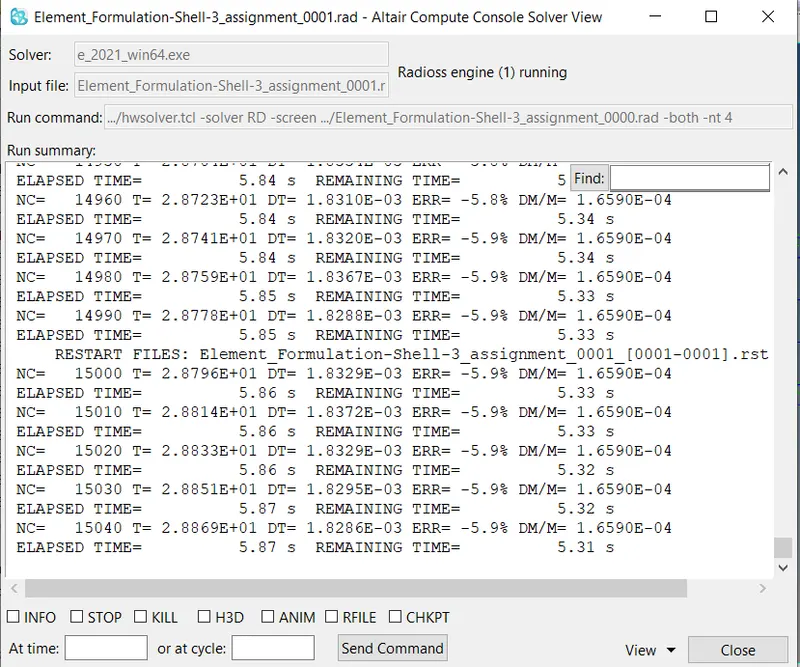 Like this running.
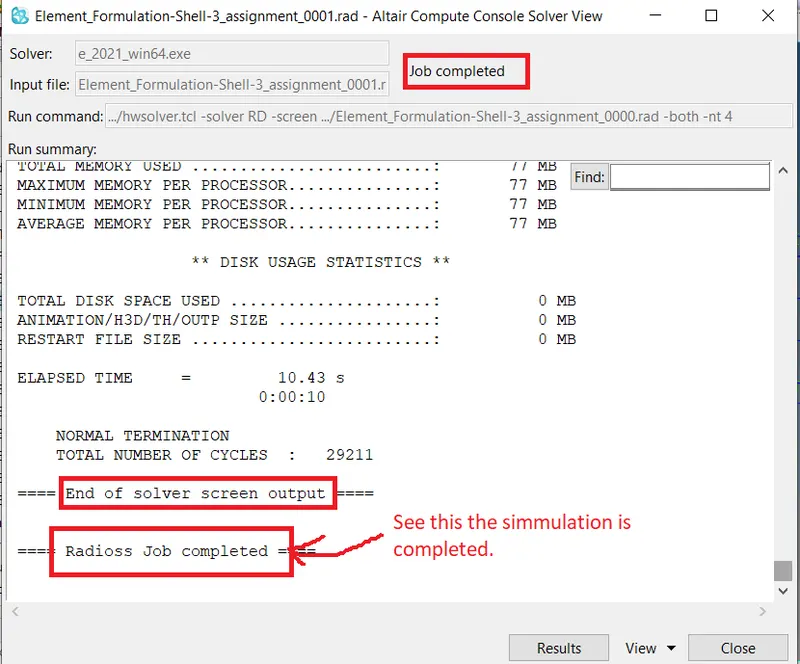
10.Check the energy error and mass errors. Go to simulation files open the file Element_Formulation-Shell-3_assignment_0001.out as shown below.
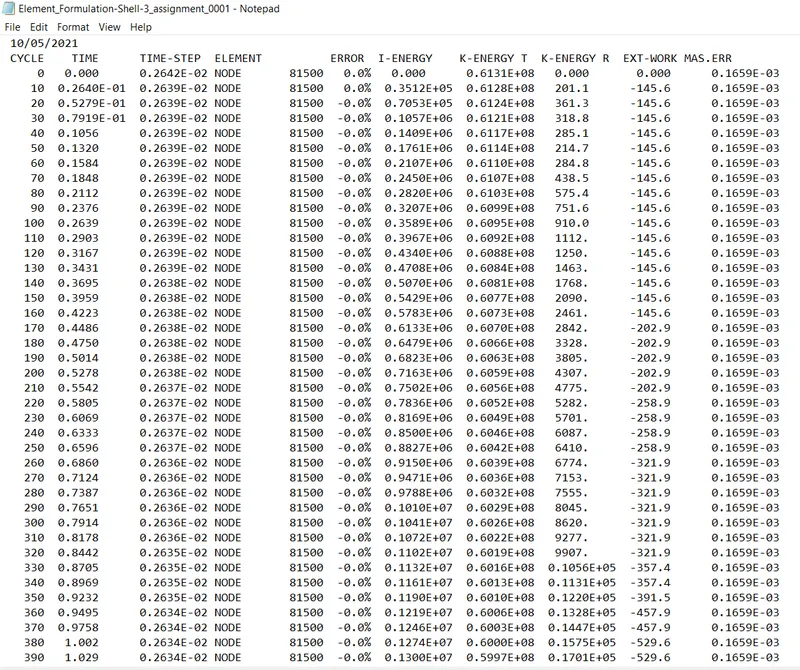
Acceptable error limits for energy error: -15% to+5%
mass error: upto2
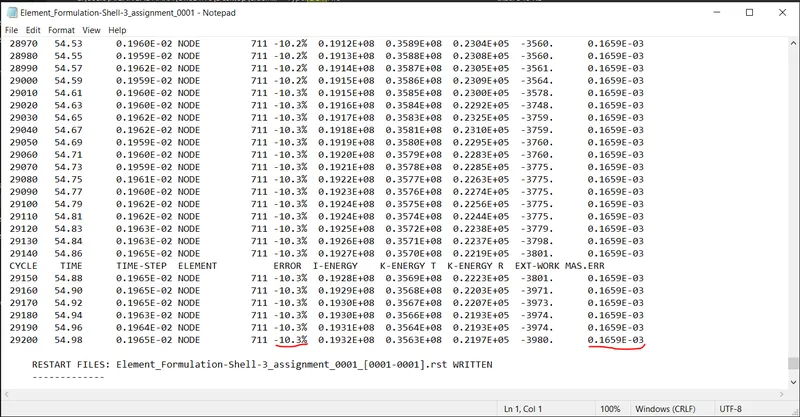
11.See the above figure where the error is visible. Energy error -10.3% and Mass error 0.1659E-03
12.So the energy error and mass errors are acceptable.
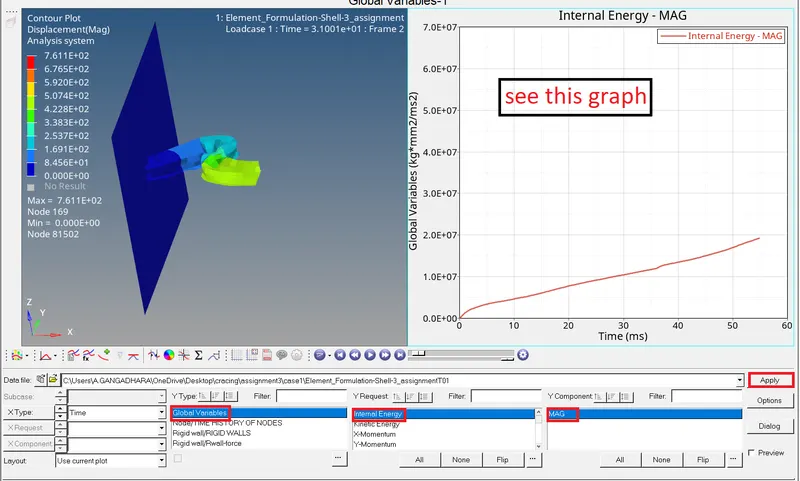
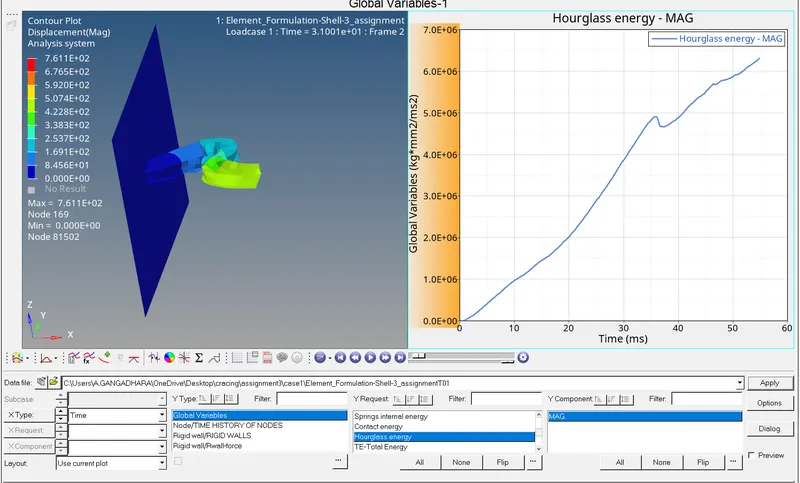
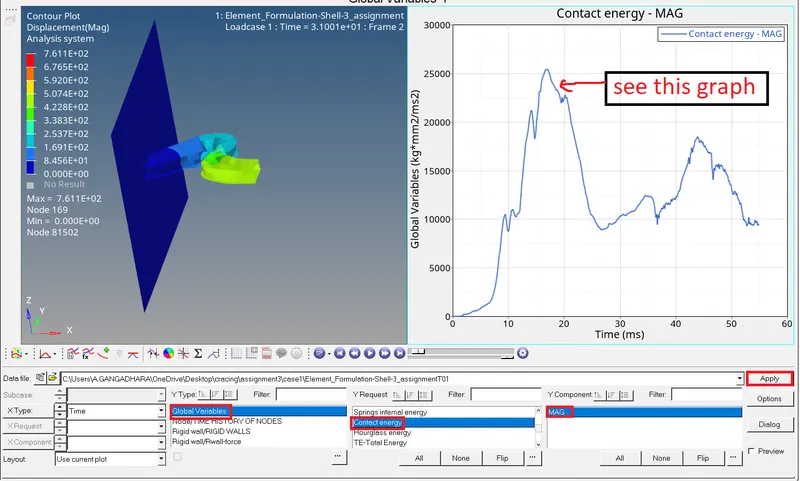
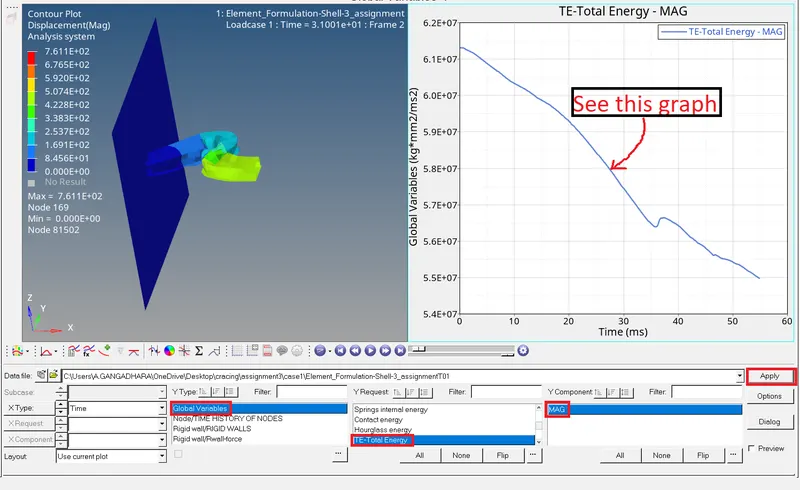
13.Make a graph for internal energy, contact energy, hourglass and total energy.
14.Goto toolbar Select from list→HyperGraph 2D.
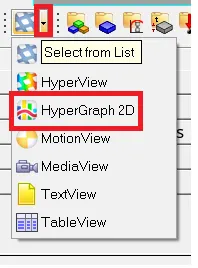
15.Click on the HyperGraph 2D it displays as shown below.
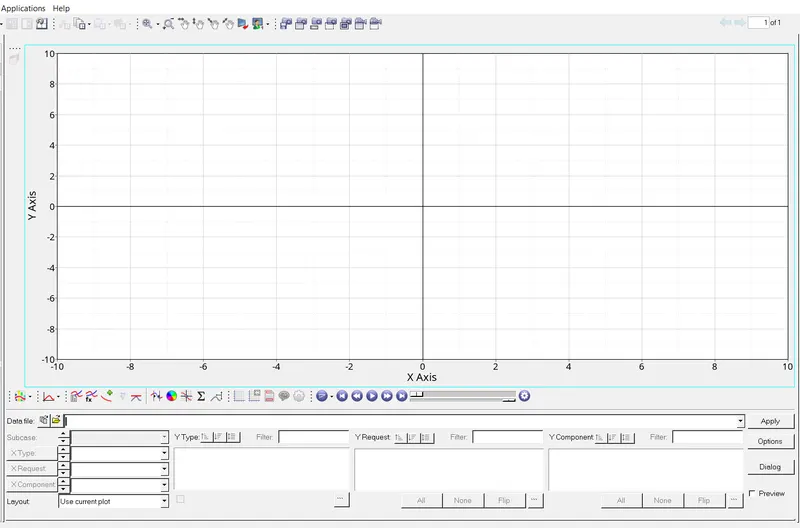
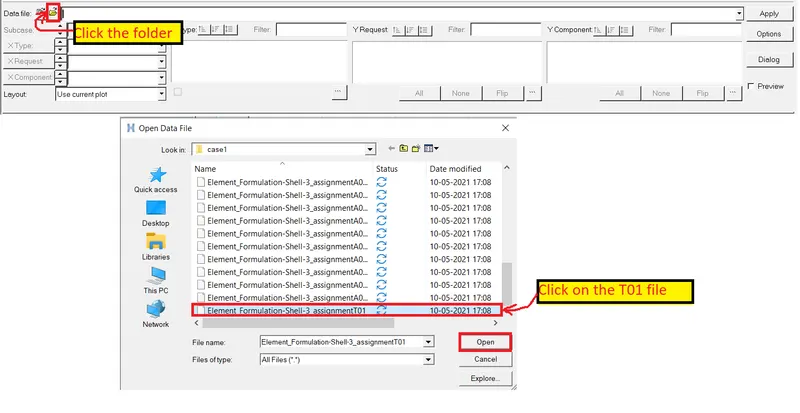

16.First making the Rigid wall force as shown below.
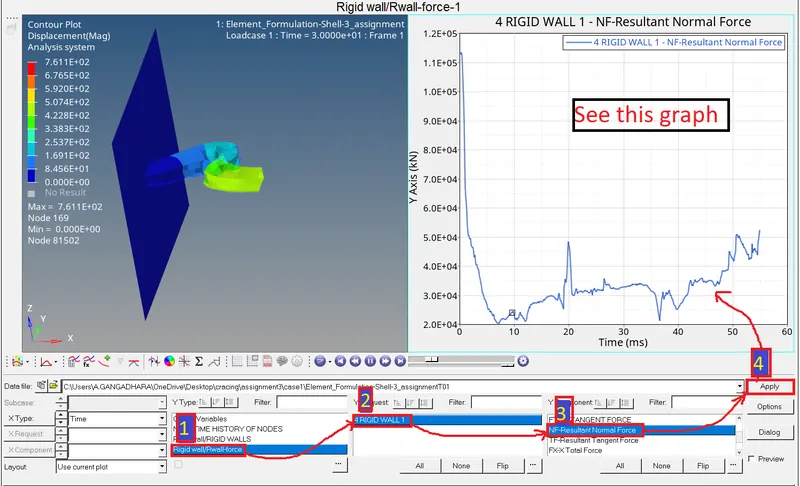
17.Next go to internal energy as shown below.
18.Next select hourglass energy as shown below.
19.Next make contact energy as shown below.
20.Last one is Total energy as shown below.
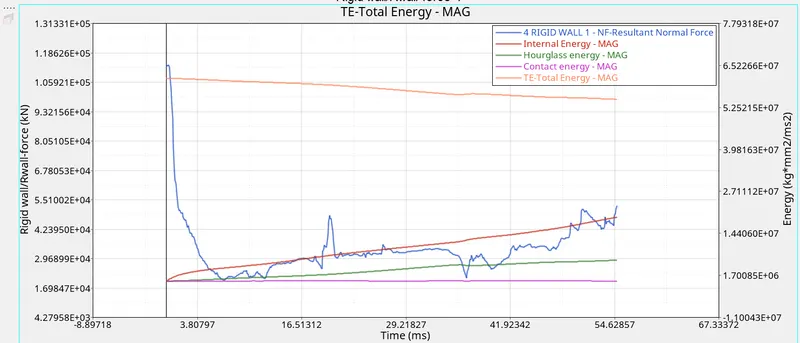
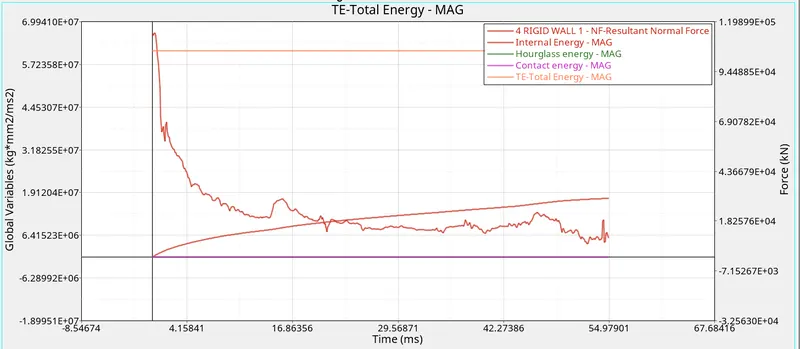
21.All the above energies make in one graph as shown below.
Case 2 setup and Procedure:-
1.First import the file Select→Import→Import solver deck→File→Import.
2.Next click on the import the model is displayed in the graphical area as shown below.
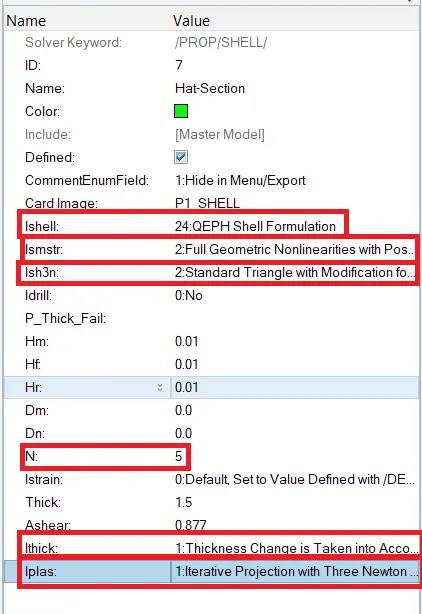
3.Set the given recommended properties as shown below.
| Parameters | Comment | |
|
Ishell =24 |
QEPH 4 nodes shells are the best combination of cost and accuracy. | |
|
Ismstr=2 |
Full geometric nonlinearities (default)with possible small strain formulation activation in RADIOSS Engine. | |
|
Ish3n=2 |
Standard 3 noded shell (C0)with modification for large rotation(default) |
|
| N=5 | The number of integration points set to 5 for accuracy bending. | |
|
Ithick=1 |
Thickness change is taken into account for accuracy. |
|
|
Iplas=1 |
Iterative plasticity for good accuracy. |
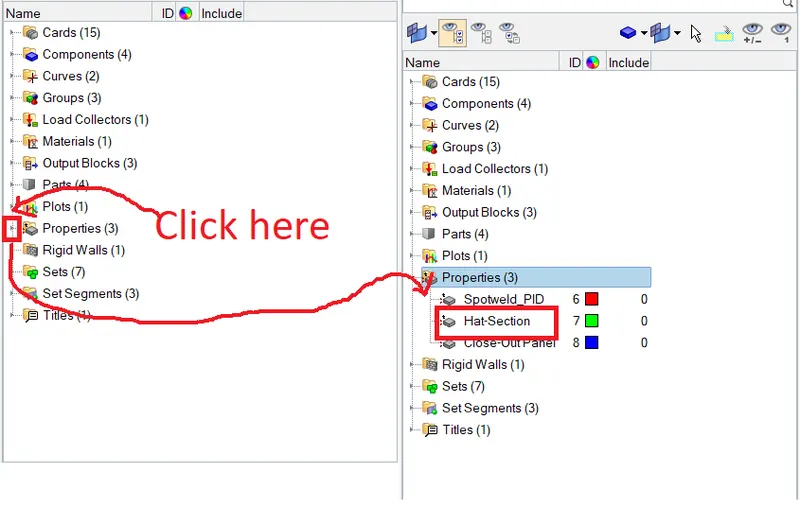
4.Goto tab bar Select→Properties→Hat section as shown below.
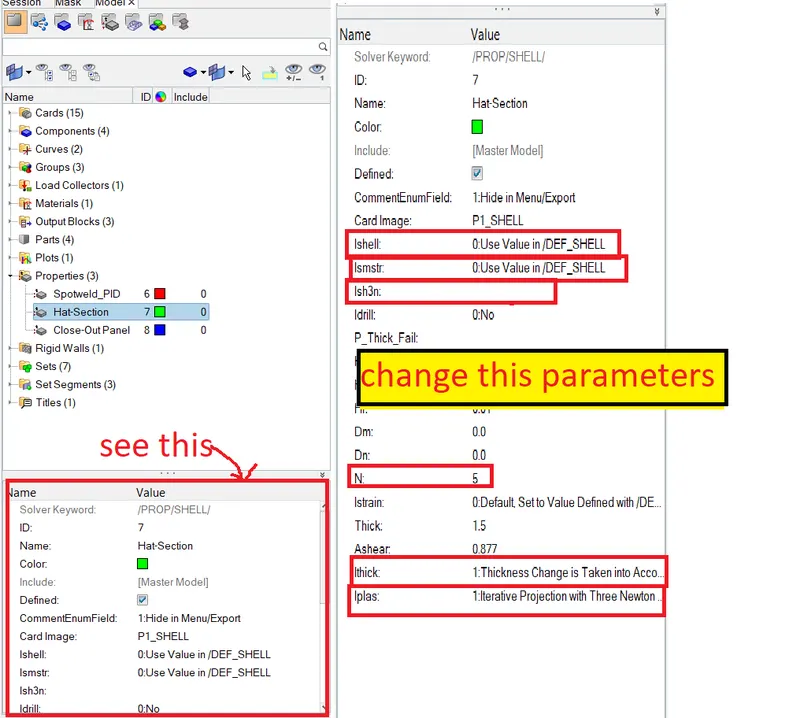
5.Click on the Hat-section see the tab bar below as shown below.
6.Change the parameters as shown below...
7.Next save the file select the export icon select folder and click the Export it will be saved.
8.After saving the file and next import the file and check the parameters it will be placed.
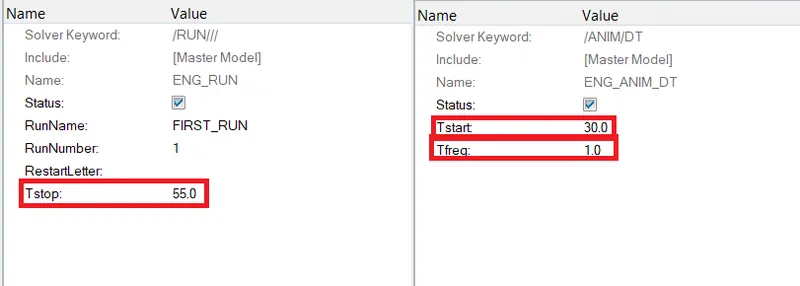
9.Set the values Tstop, Tstart and Tfreq as shown below.
10.Next start the simulation goto main menu bar Select→Analysis→Radioss.
11.As mention in the above case same as it is doing.
12.See the below the simulation is running and completed.
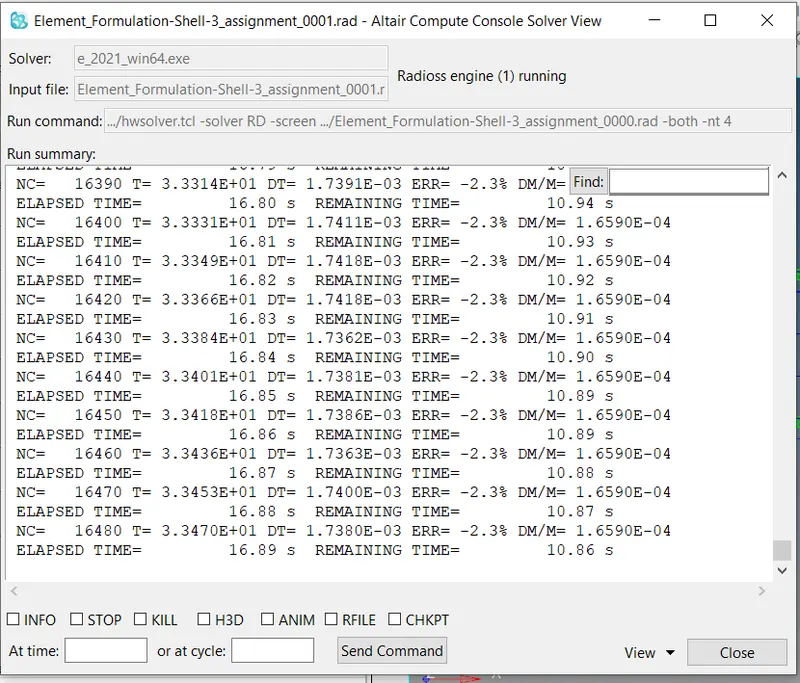 run the file.
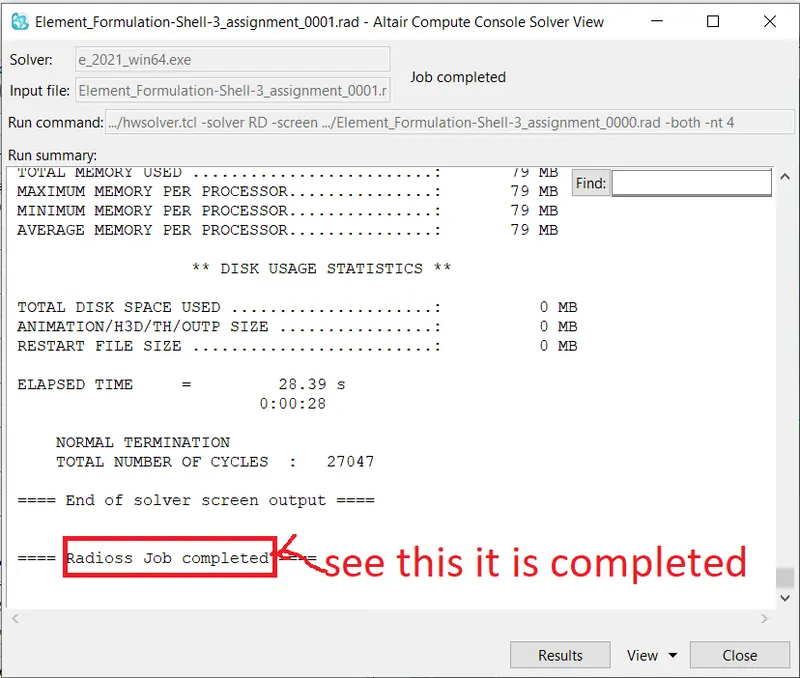
13.Next checking the energy error and mass error already discussed in the above case.
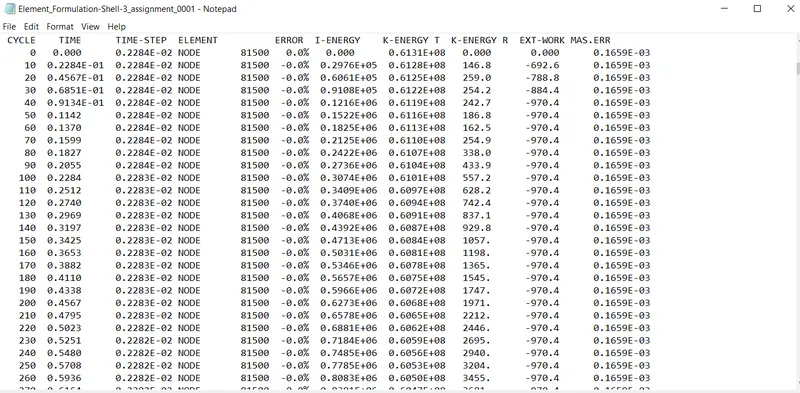
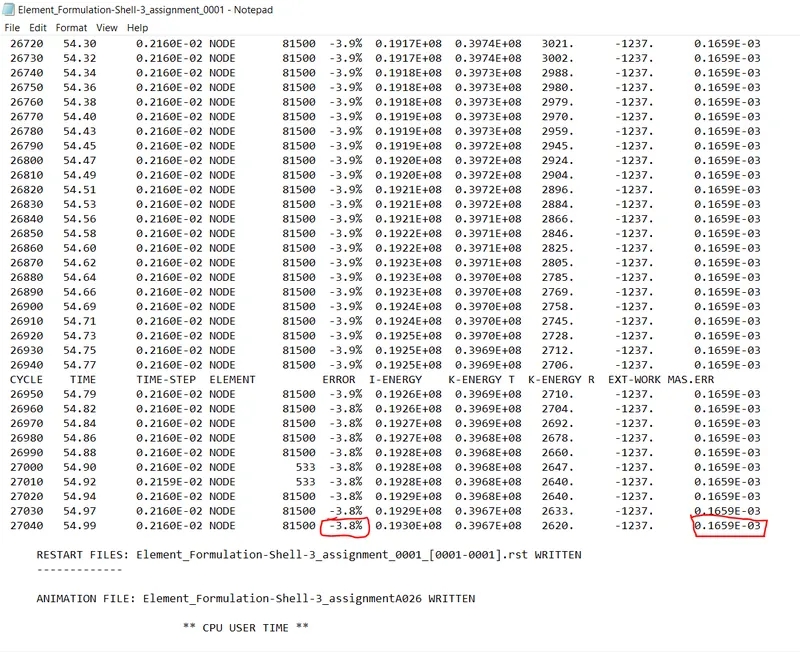
14.Checking the energy error and mass error I am absorbing is an acceptable range is there.
15.Next make a graph by using HyperGraph 2D in case1 discussed.
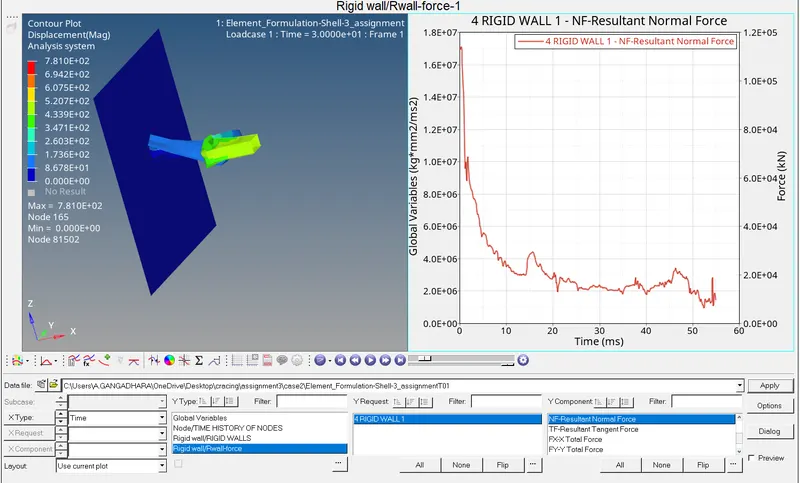 Rigid wall force.
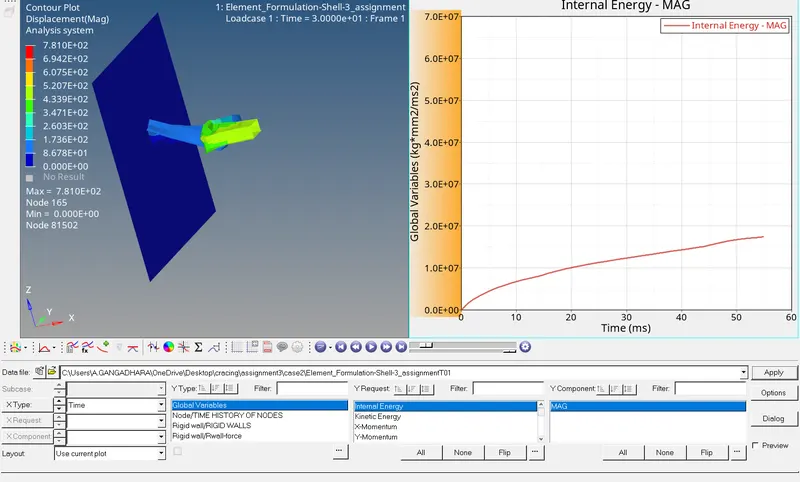 Internal energy.
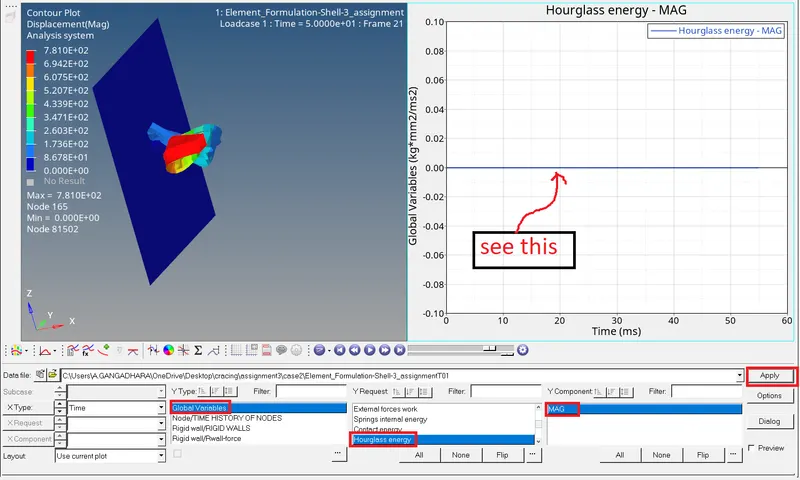 Hourglass energy.
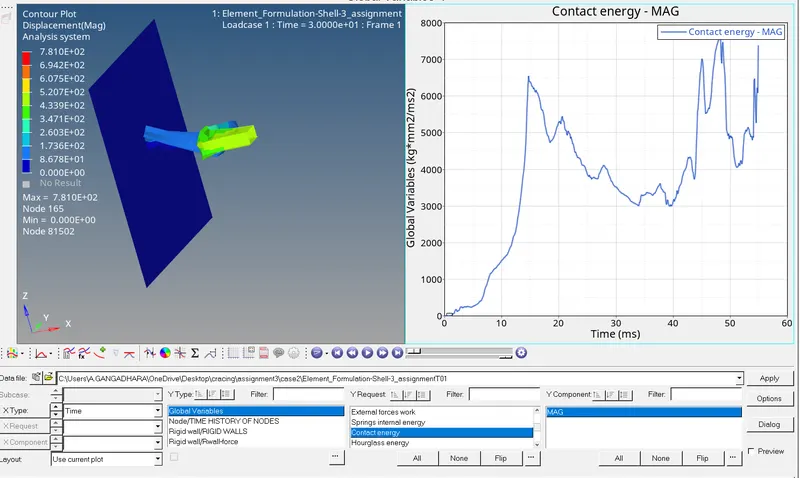 Contact energy.
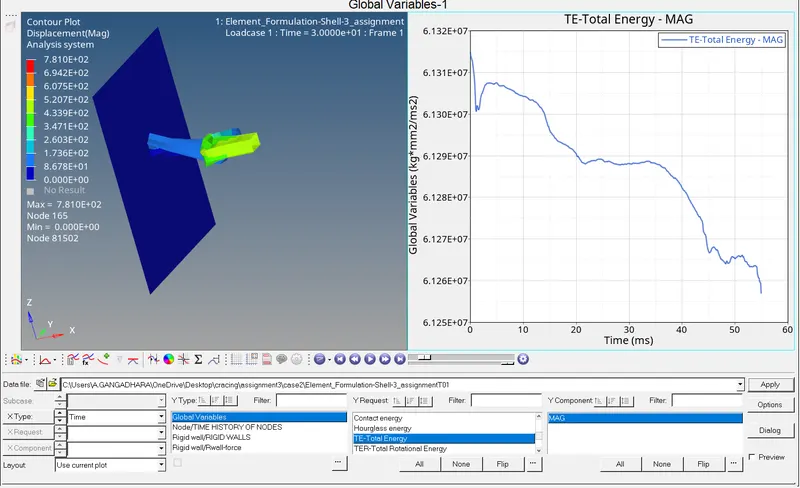 Total energy.
COMPARISION BETWEEN CASE1 AND CASE2:-
1.compassion of the simulation as shown below.
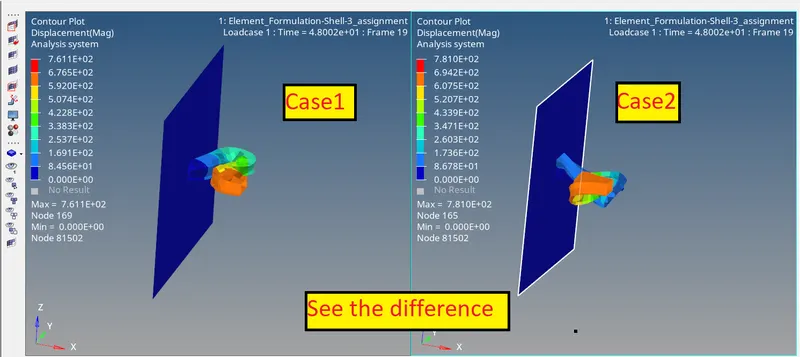
2.Case2 gives the energy error and mass error is the best result as compared to Case1.
Case1
Case2
3.By comparison of both cases graphs as shown below.
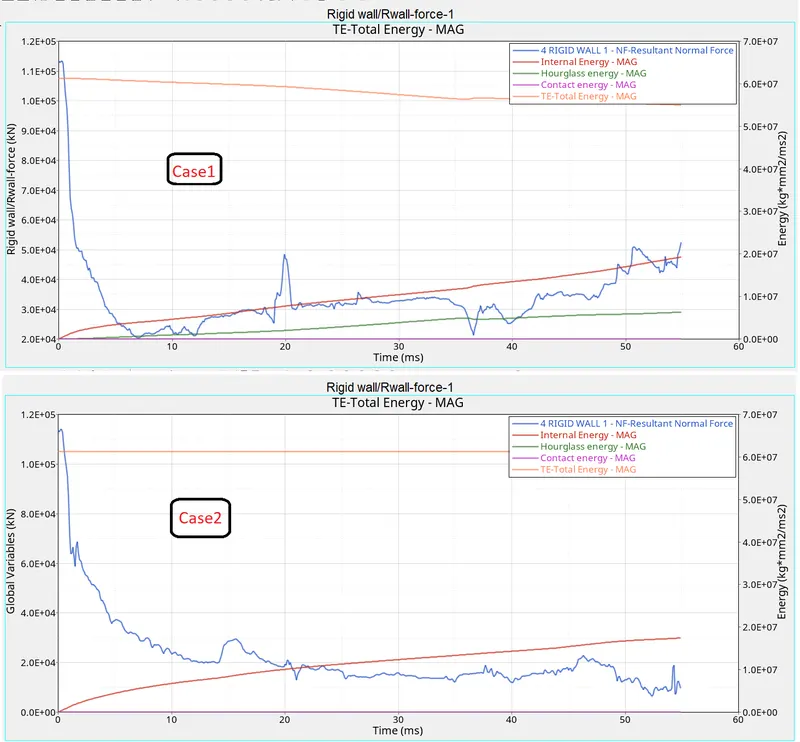
4.I am observing the above figure as comparing case1 to case2.
- Rigid wall force is decreased.
- Internal energy is constant there are no changes.
- Hourglass energy is rasing in case1, in case2 it is constant which means zero.
- Contact energy constantly in both cases.
- Total energy decrease in case1 and case2 it will be increased.
RESULT:-
Thus, I completed the simulation, make graphs, compare both case1 and case2 simulations, checking the mass error and energy error by using the Hyper Works 2021.
CONCLUSION:-
I understood to change the shell element properties, simulation, radioss analysis, mass error and energy error and making the graphs.