Assignment 3-2D Element Formulation Challenge
Aim- To interpret and compare the results of shell element properties and the recommended properties for rigid wall forces, internal energy,hourglass energy, contact energy, total energy.
Recommended properties:
| Parameters | Comment | |
|
Ishell =24 |
QEPH 4 nodes shells are best combination of cost and accuracy. | |
|
Ismstr=2 |
Full geometric nonlinearities (default)with possible small strain formulation activation in RADIOSS Engine. | |
|
Ish3n=2 |
Standard 3 noded shell (C0)with modification for large rotation(default) |
|
| N=5 | Number of integration points set to 5 for accuracy bending. | |
|
Ithick=1 |
Thickness change is taken into account for accuracy. |
|
|
Iplas=1 |
Iterative plasticity for good accuracy. |
Procedure-
Case1-
Simulation without recommended properties
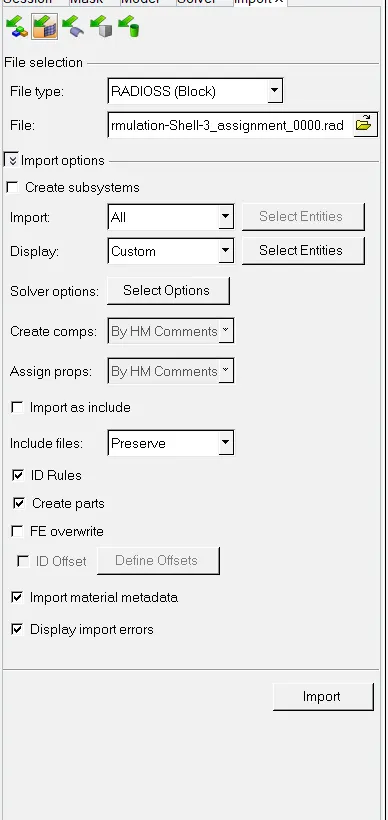
1. Open Hyperworks with Radioss Profile and import the file
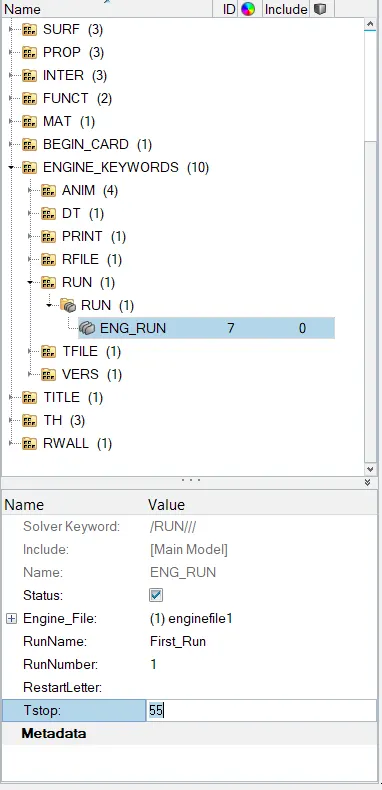
2.After Importing the model changing the run time to 55 ms
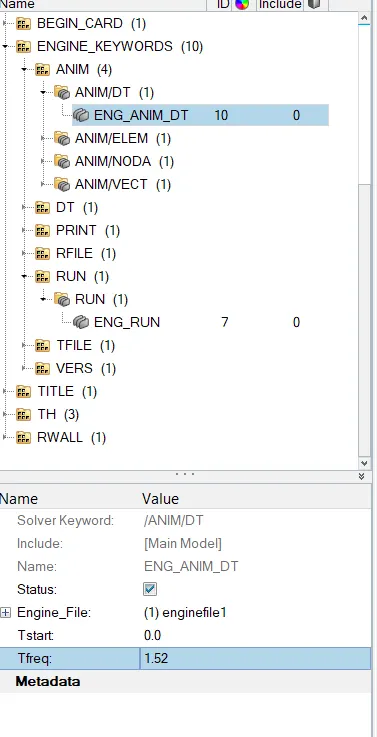
3. Changing the animation steps to between minimum25 and maximum 65 going for an average value i.e 36
formulae for the same Tfreq= T/n
Where T- Tstop value i.e it runs for 55ms
n- no of animation steps.
Tfreq= 55/35
= 1.52
4. After Entering parameters we go for simulation by Analysis - Radioss

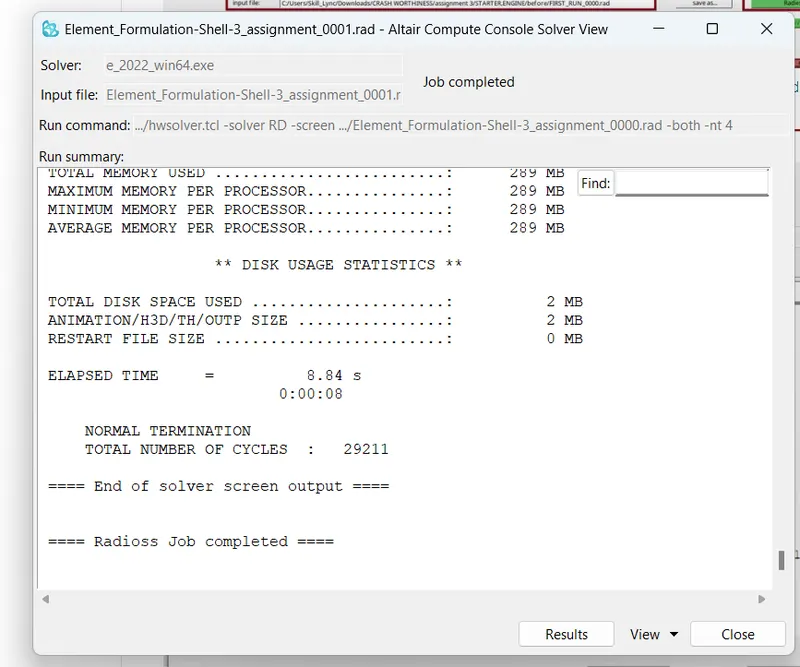
5. Save the input file in seperate folder as it have different files like T01, 001rad, 000rad, H3D, OUT File etc. we wrote -nt 4 command under options tab that helps the software to run the simulation smoothly.

6. After Clicking Radioss we will get a pop up window which will create files as mentioned above in selected folder and you can go for result to see the result.
7. To see mentioned reults we need to switch to hypergraph 2d were you can get the reults for hourglass error, Total Energy, Contact Error etc.
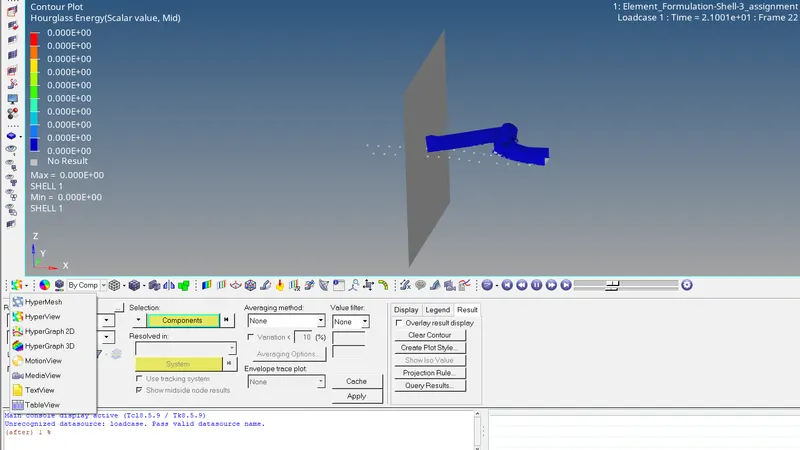
8. Import the T01 file from the folder in which we saved by clicking RADIOSS T01 file is selected because it used for plotting different kinds of plots
9. Below is the Deformation video for given base simulation
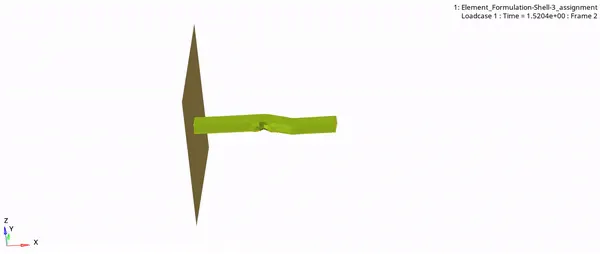
10. For the above computation ploting graph for rigid wall forces, internal energy, hourglass energy, contact energy, total energy
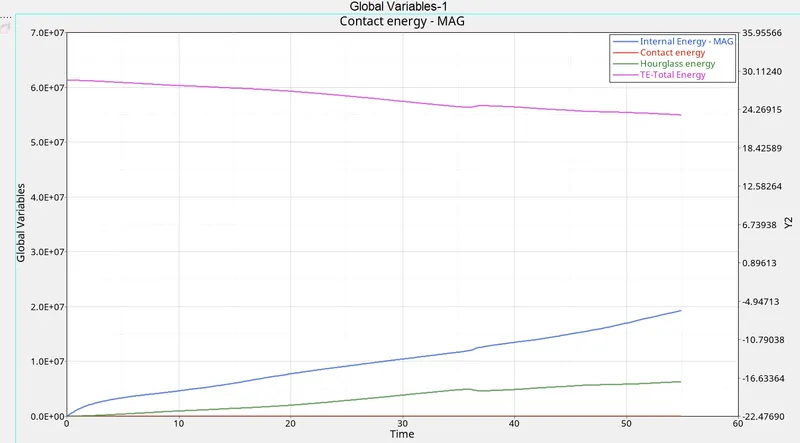
if we check the grapgh Hourglass tends to increase with respect to time which may be cause error for different energy like intenal, contact, total energy
11.
. 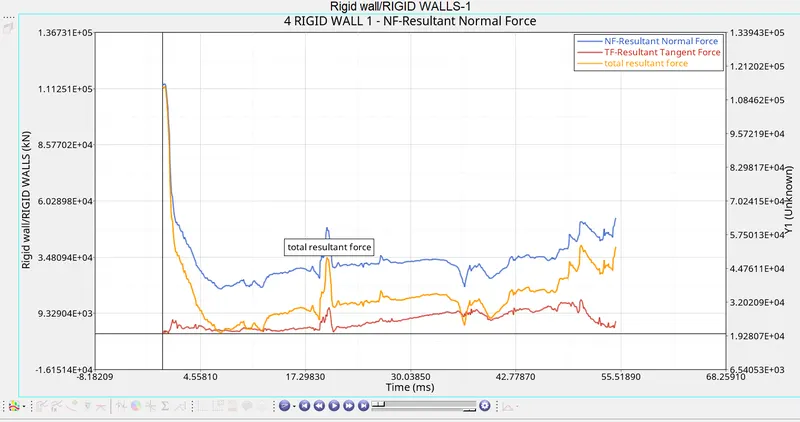
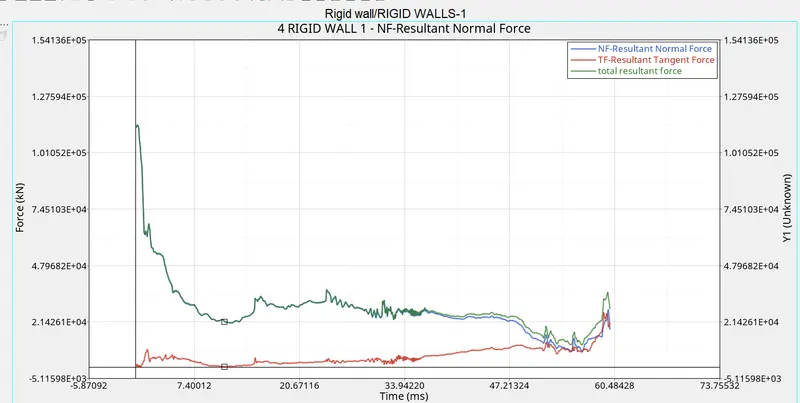
While comparing with simulation normal force is applied to the rigid wall which tends to decrease as the simulation progress.
12. We need to check for erergy error % its acceptable range is -15% to - 5%

here the energy error is -10.3% and mass error was -0.1659E-03
Case 2- Simulation considering the improved shell element properties
| Parameters | Comment | |
|
Ishell =24 |
QEPH 4 nodes shells are best combination of cost and accuracy. | |
|
Ismstr=2 |
Full geometric nonlinearities (default)with possible small strain formulation activation in RADIOSS Engine. | |
|
Ish3n=2 |
Standard 3 noded shell (C0)with modification for large rotation(default) |
|
| N=5 | Number of integration points set to 5 for accuracy bending. | |
|
Ithick=1 |
Thickness change is taken into account for accuracy. |
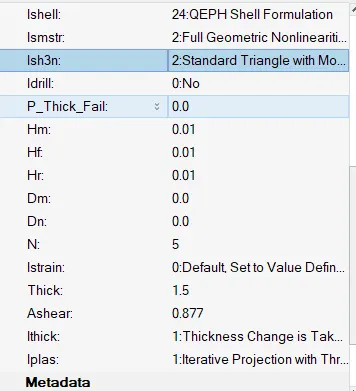
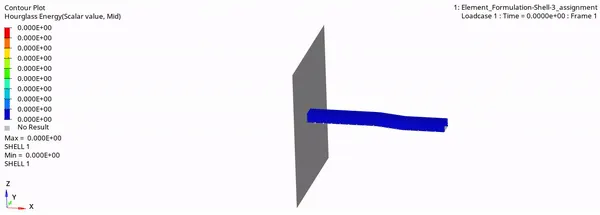
After applying the properties we will run the simulation in Radioss Platform the deformation for the same is shown below in gif format i.e the body is getting deformed in a proper way than the earlier deformation which seems to reduce the hourglass effect.
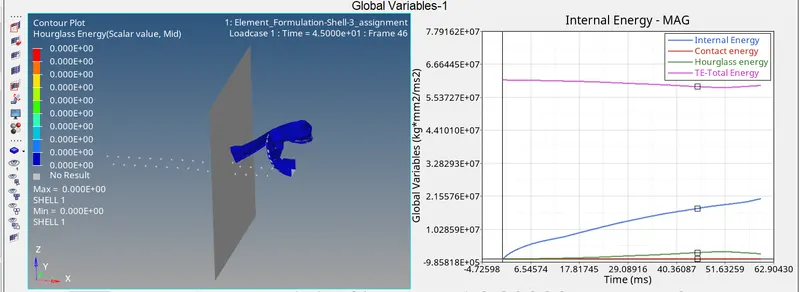
- It can also observed that due to change in properties change in Energy error observed - 3.2% previous was -10.3% and mass error remains same.

- If we plot the graph for hourglass effect, internal energy, total energy, Contact energy Hourglass energy observed to be almost zero compare to previous case. and Internal energy increase gradually with respect to time. Contact energy remains constant.
For Rigid Wall
What is Hourglass energy?
- Hourglass modes are nonphysical, zero-energy modes of deformation that produce zero strain and no stress. Hourglass modes occur only in under-intetgrated (single integration point) solid, shell, and thick shell elements. They produce no stress. Under-integrated elements have just one integration point. This under/reduced-integration result in hourglass modes.
How To Avoid Hourglass?
- Stiffness can be added to the reduced integration element at the material level where this hourglass is occurring. In most of the solvers, this is done automatically provided you have activated the card.
- A damping force can be added at the deformation, depending upon the deformation, the force will be computed. This can be done for the problem with high velocity eg, blast simulations. This can also be done by activating the respective card from the solver.
- By using the fully integrated elements, this Hourglass effect can be avoided.
- Mesh refinement will also help in avoiding this Hourglass effect. Coarse mesh along with fewer integration points is more prone to Hourglass deformation.
Results-
Due to change in Property Parameter Energy error reduced from -10.3% to -3.2% and the mass error remains constant in both case
By case 2 we can say that hourglass effect almost reduced than previous case because of QEPH shell formation.