Assignment 3-2D Element Formulation Challenge
AIM:--
1) Run the simulation with the default property card (CASE 1)
2) Changing the property card ( CASE 2)
3) Comparing CASE 1 & CASE 2
PROCEDURE--
CASE 1:-- WITHOUT ASSIGNING THE RECOMMENDED PARAMETER IN THE PROPERTY
1) Import the model in RADIOSS user interface
2) Import the file as SOLVER DECK
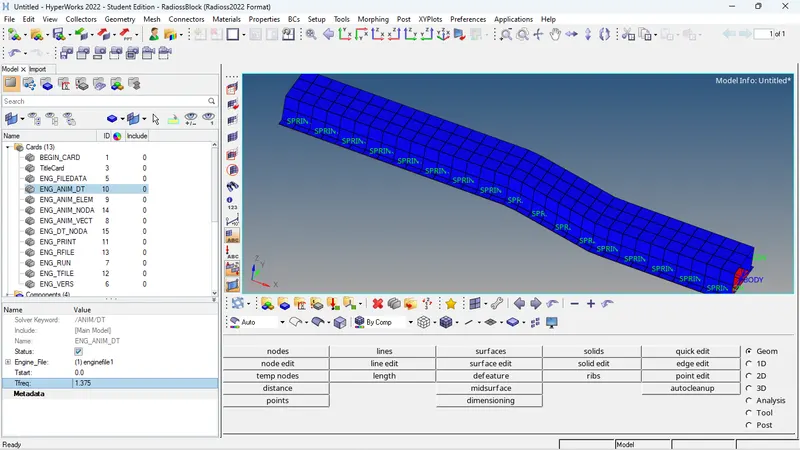
3) Now next step is to assign the value of time step in ENG_RUN cars as 55ms as per question
4) Now we have assign the number of animation steps. I choose 50ms as number of animation step as per the question.
Tfrequency= TIME STEP/NUMBER OF ANIMATION STEP = 55/40 = 1.375
5.) In the property card every parameter property is by default.
6.)Now we will run the simulation ANALYSIS--RADIOSS
7.)In the RUN OPTION panel it is recommended to write -nt 4. not stands for number thread it assigned to do the simulation at faster rate.
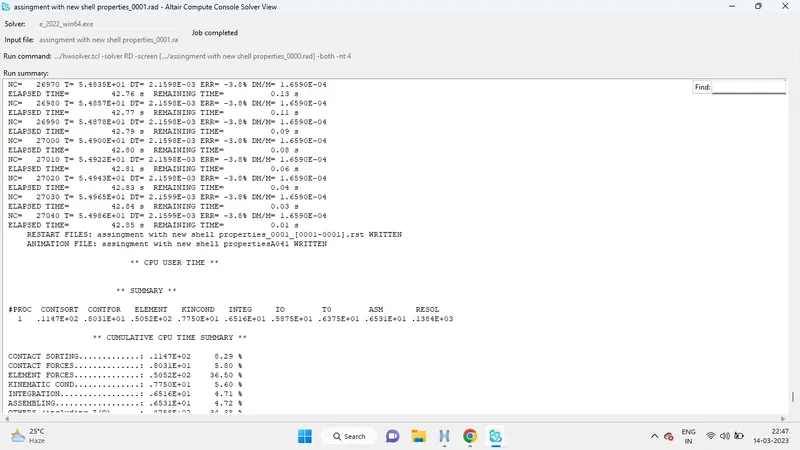
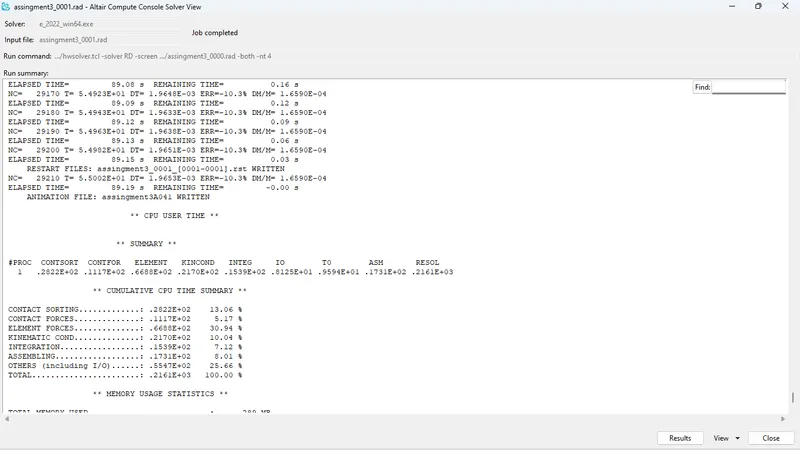
8.)Click RADIOSS and it will show JOB IS COMPLETED
9.) Now click on RESULT, it will directly take you to hyperview where we can see the animation of the simulation. Animation file are in name of h3d
10) After switching choose the RESULT TYPE to see the deformation. I Hourglass and displacement and click apply.
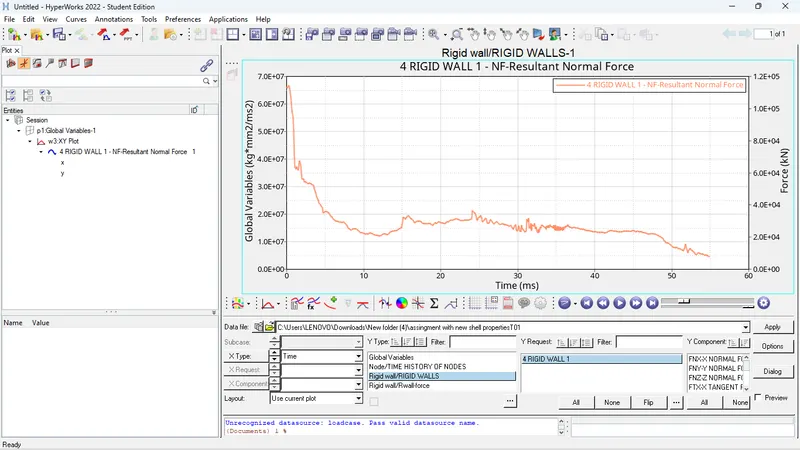
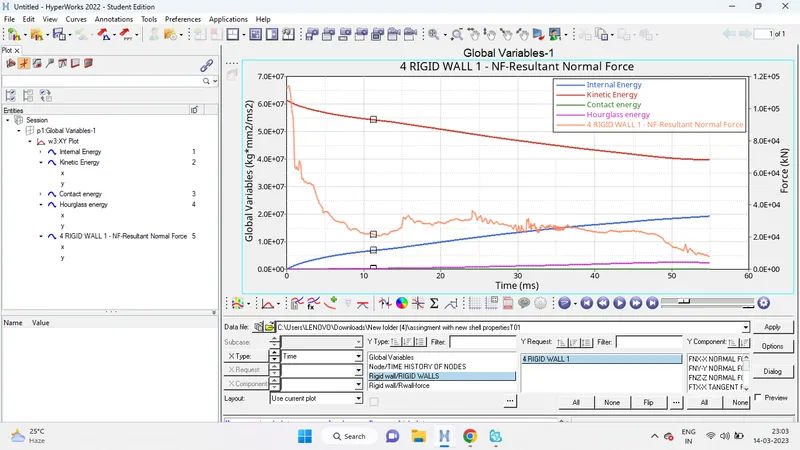
11.)Graphs for plotted for this various energy. For plotting graph we have to switch to hypergraph tab and import file T01 which is stands for time history.
CASE 2:-- ASSIGNING THE RECOMMENDED PARAMETER IN THE PROPERTY
1) Assign all the parameter property
2) we will follow the same steps as we did in previous case and we will compare the results.
Conclusion-The energy error and mass error are different in both cases but both results are acceptable.
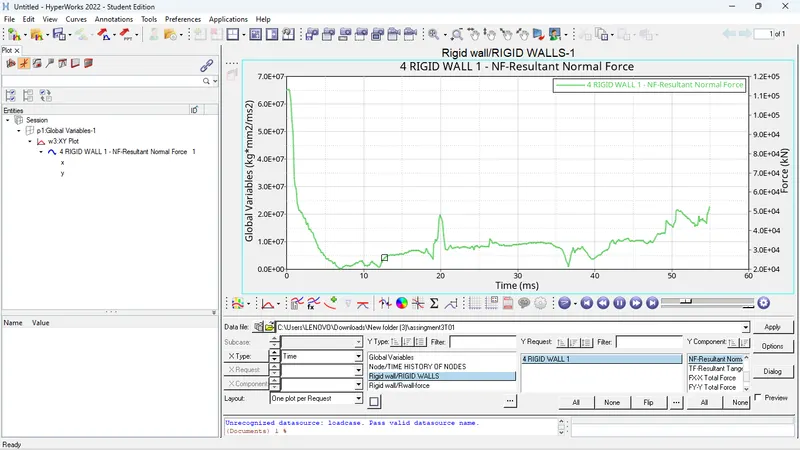
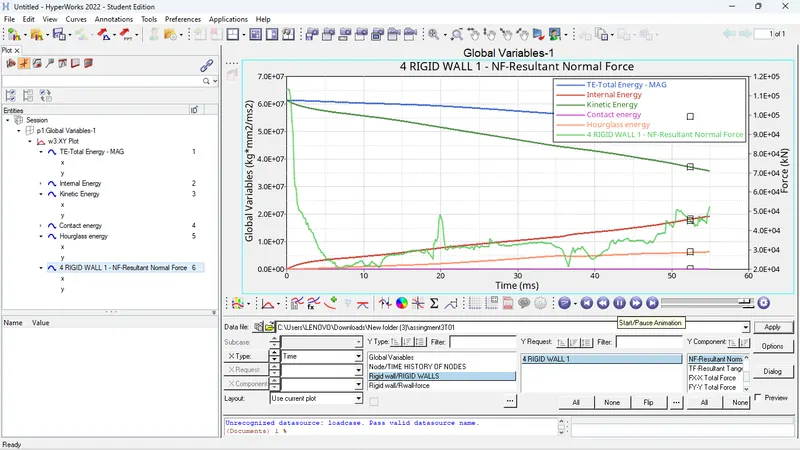
The comparison graphs and contours are attached below for both the simulations.
As we can see the total energy in 1st case is slightly deviated but in 2nd case its straight similarly the kinetic energy and the internal energy in 1st case is intersecting eachother as and due to energy error they are not meeting at a point and for the 2nd case the energy error is less so they trends to meet at a single point and the total energy graph seems to be a straight line.
Same for the rigid wall forces the normal forces in both the cases is different as shown in graphs.
Hourglass:
"Hourglass is a deformation, that is noticed when an element is deformed due to the applied load. But the strain energy due to this deformation is not recorded for that element". It is also known as "Zero energy deformation modes" where an element is seen deformed.
- It indicates instability.
- It is also said to be as, non-physical mode of deformation, that occurs in reduced or under integrated elements & produces no stress.
- Usually, it can be seen in the post-processing stage, where the elements will have zig-zag formation.
METHODS TO CONTROL THE HOURGLASS:--
- Perturbation method(viscous method)
- Physical stabilization method (stiffness method)
Perturbation method(Viscous method)