Assignment 3-2D Element Formulation Challenge
Aim: To use the improved version of the 2D elemental formulation and comparing with the base simulation.
Objective: Comparison of results of the improved version of the 2D elemental formulation and comparing with the base simulation.
Procedure:
The given RAD files are downloaded and imported to hypermesh software.
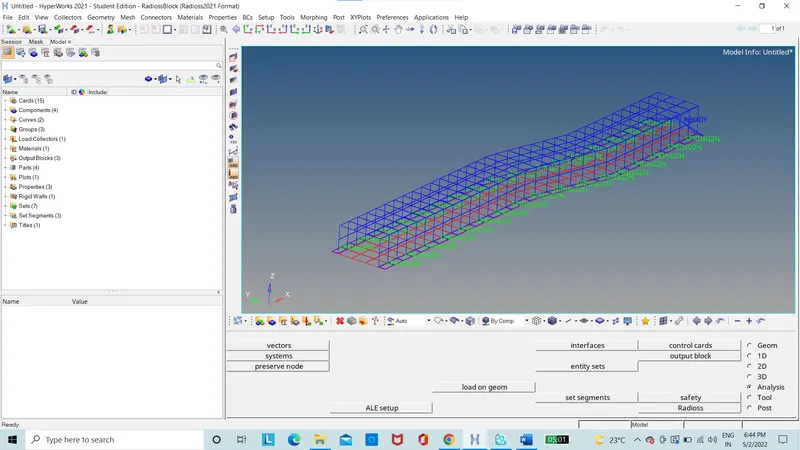
Figure 1: Model
The elemental view is set to shaded element view.
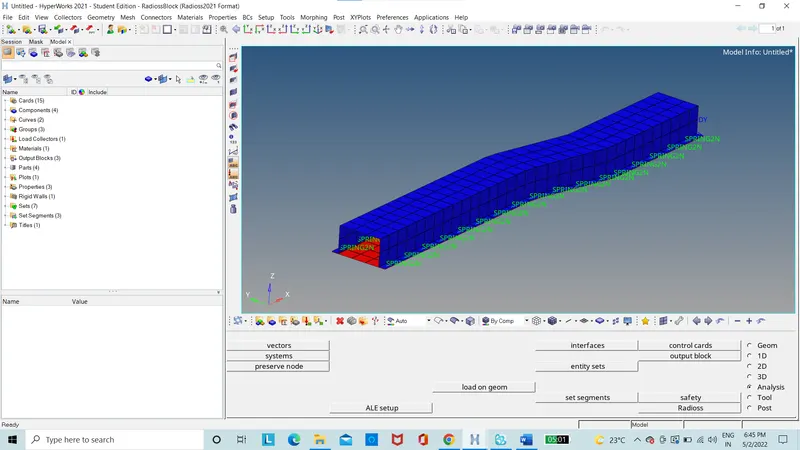
Figure 2: Model with shaded view
Change the run time to 55ms in the cards option of ENG_RUN option.
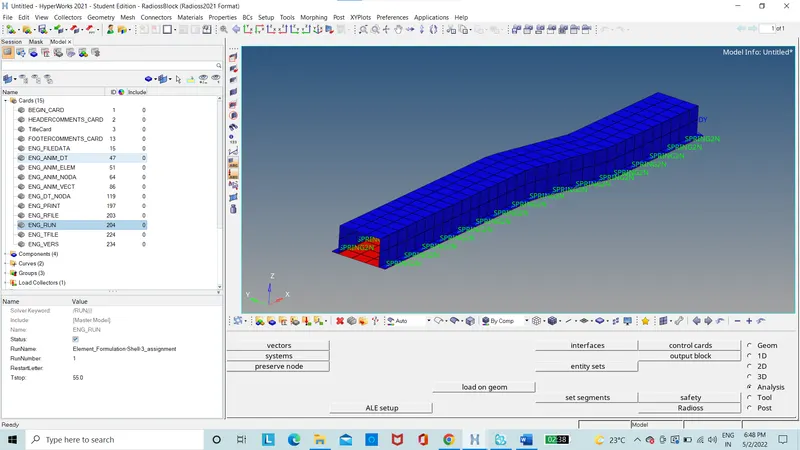
Figure 3: ENG_RUN option
Change the animation step to 55. To have the 55 animations step the frequency should be calculated as 55/55=1 which is run time /Animation step.
In the card option the Tfrequency is set to 1
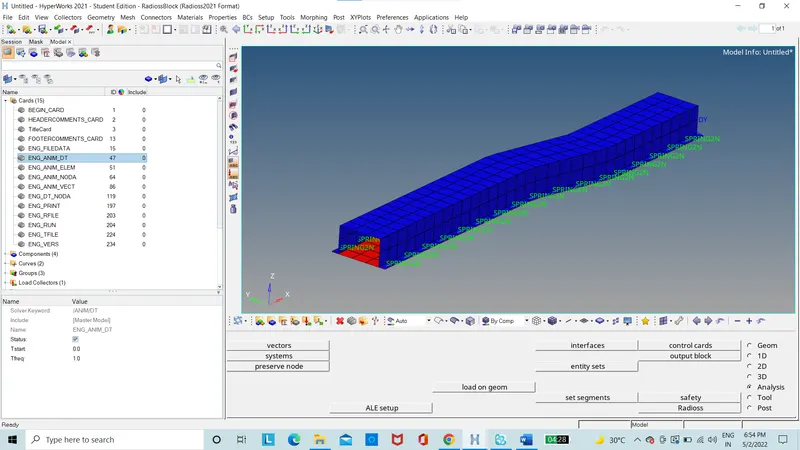
Figure 4: ENG_ANIM_DT
The base simulation is run without any modification in the elemental properties using the radioss option in the analysis option.
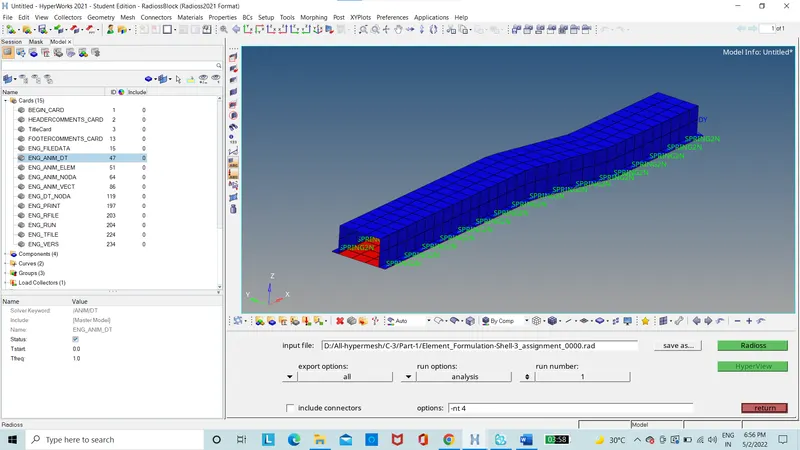
Figure 5: Model is run
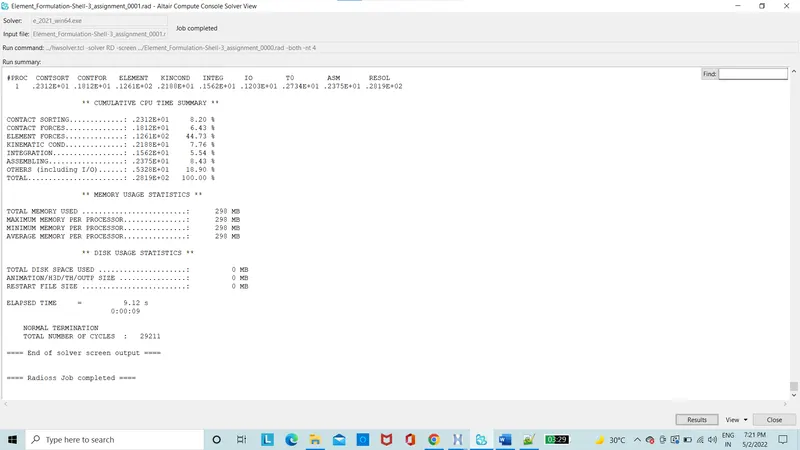
Figure 6: Command file
Energy Error percentage and mass error is taken from the .OUT file generated under the name of elemental formulation shell 3 assignment 0001.out which is opened in the notepad++ application to view the value.
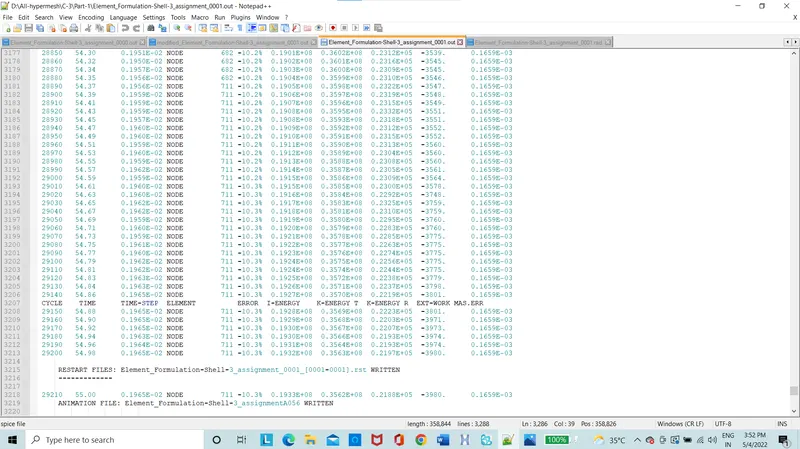
Figure 7: elemental formulation shell 3 assignment 0001.out
Values of the error percentage of energy is 10.3%, which is to be in the range of 0%- 10% to be acceptable.
Mass error stays constant throughout simulation at 0.1659e-03 which is within the acceptable range.
The contour plot of the von-mises stress is obtained from hyperview.
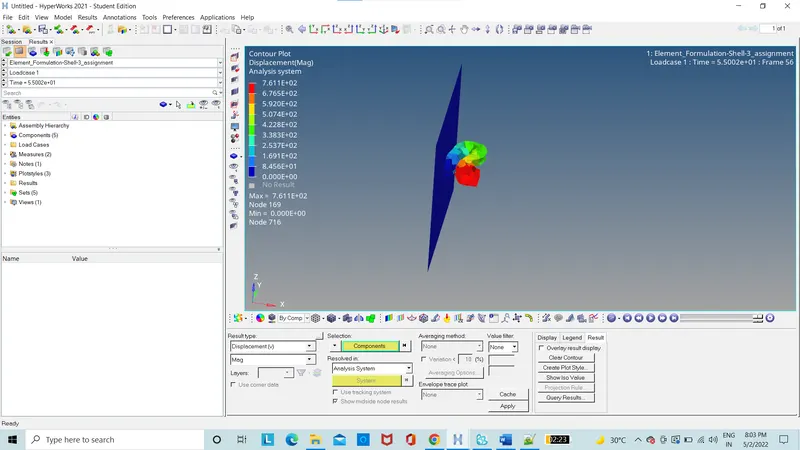
Figure 8: Von-mises stress
The contour plot of the displacement is obtained from hyperview.
Figure 9: Displacement
The contour plot of the hourglass energy is obtained from hyperview.
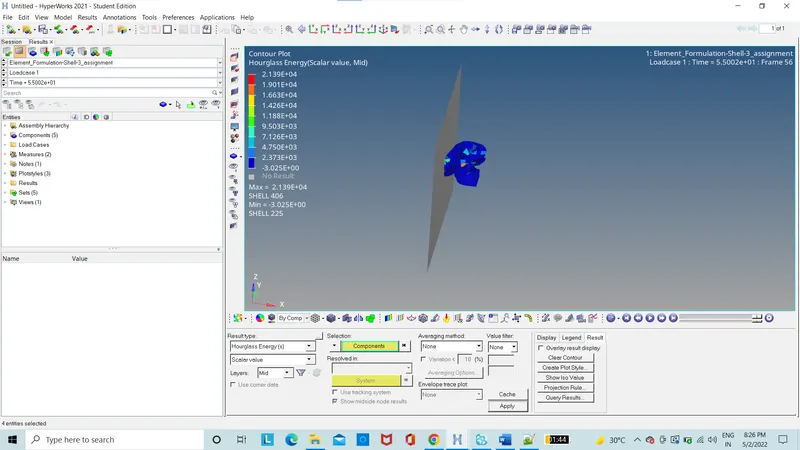
Figure 10: Hourglass Energy
The graph of rigid wall force is plotted.
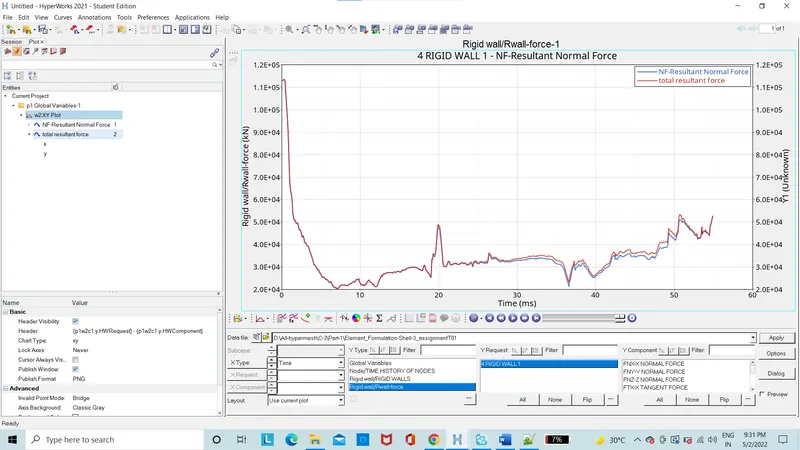
Figure 11: Normal forces graph
The graph of kinetic, internal, hourglass and total Energy is ploted.
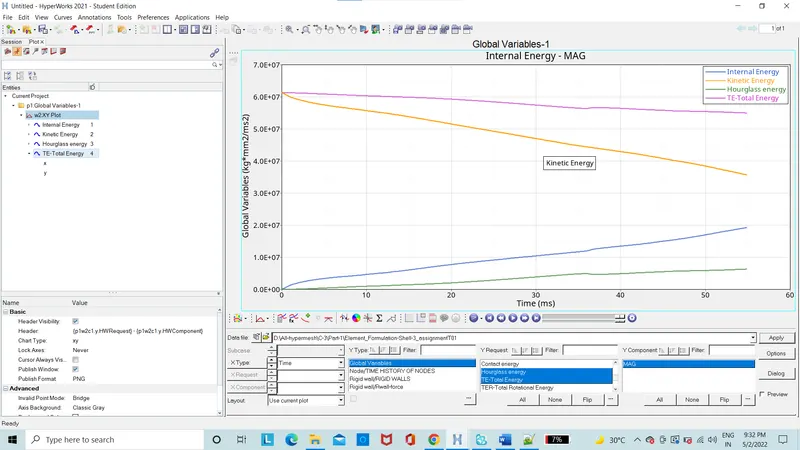
Figure 12: Energies graph
The second part where the properties of the component is modified as per the requirement of the project.
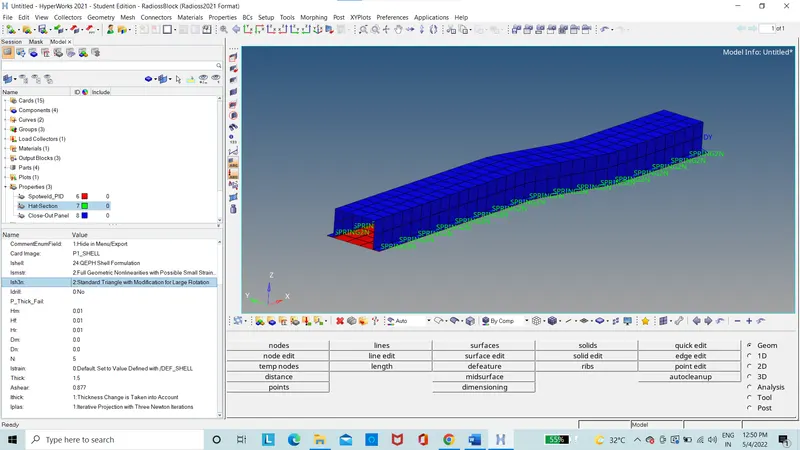
Figure 13: Modified properties
Model is run by using the radioss.
Energy Error percentage and mass error is taken from the .OUT file generated under the name of elemental formulation shell 3 assignment 0001.out which is opened in the notepad++ application to view the value.
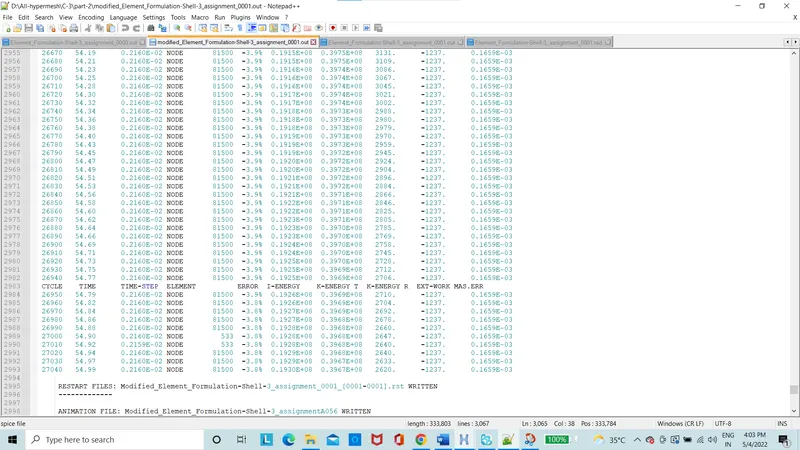
Figure 14: elemental formulation shell 3 assignment 0001.out
Values of the error percentage of energy is 3.8%, which is to be in the range of 0%- 10% to be acceptable.
Mass error stays constant throughout simulation at 0.1659e-03 which is within the acceptable range.
The contour plot of the displacement is obtained from hyperview.
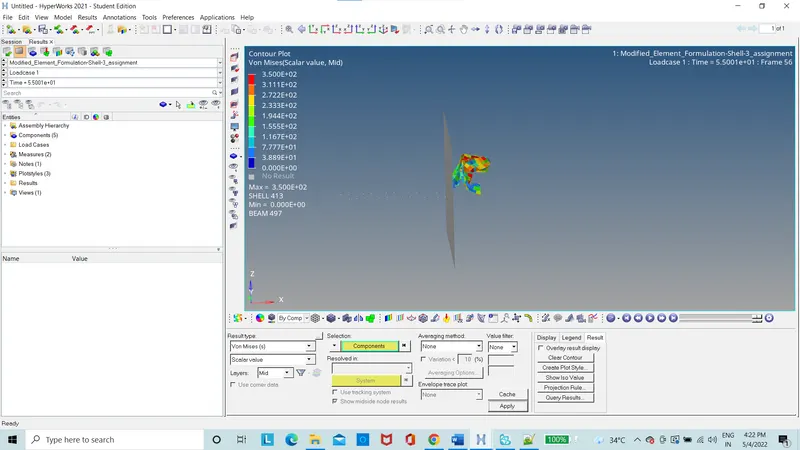
Figure 15: von-mises stress
The contour plot of the displacement is obtained from hyperview.
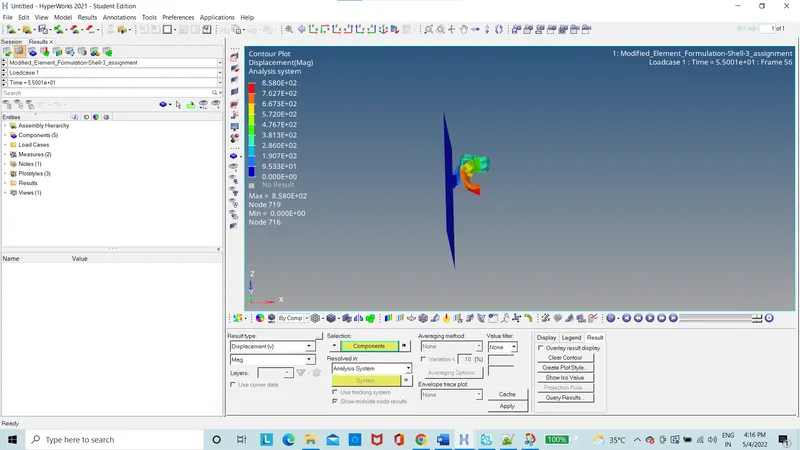
Figure 16: Displacement
The contour plot of the hourglass energy is obtained from hyperview.
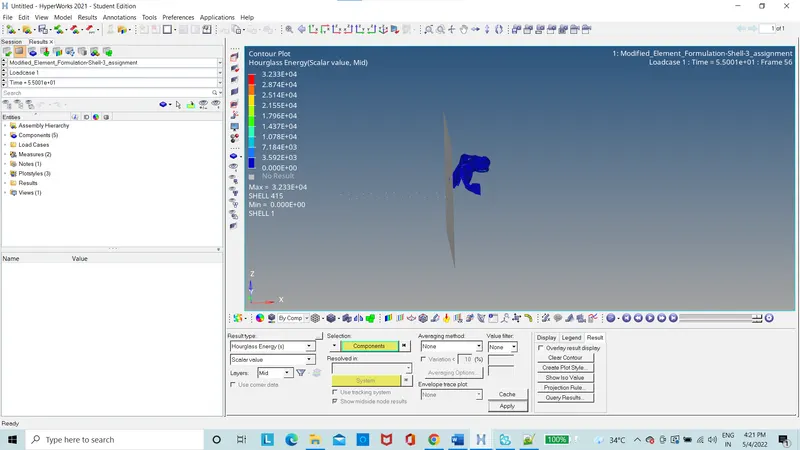
Figure 17: Hourglass Energy
The graph of rigid wall force is plotted.
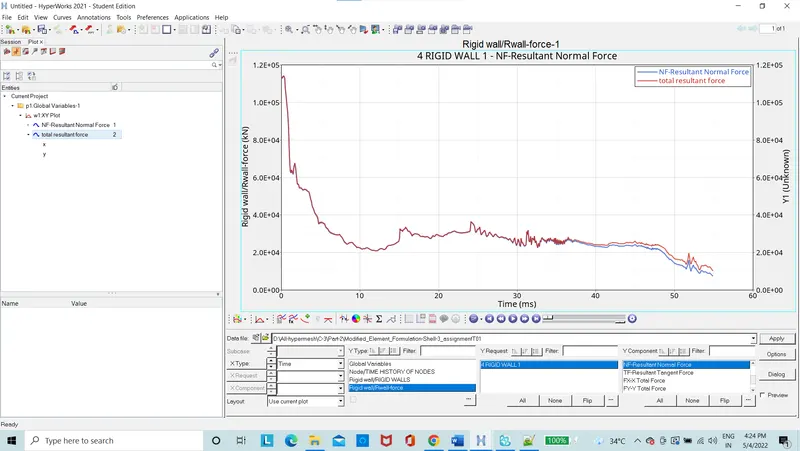
Figure 18: Normal forces graph
The graph of kinetic, internal, hourglass and total Energy is ploted.
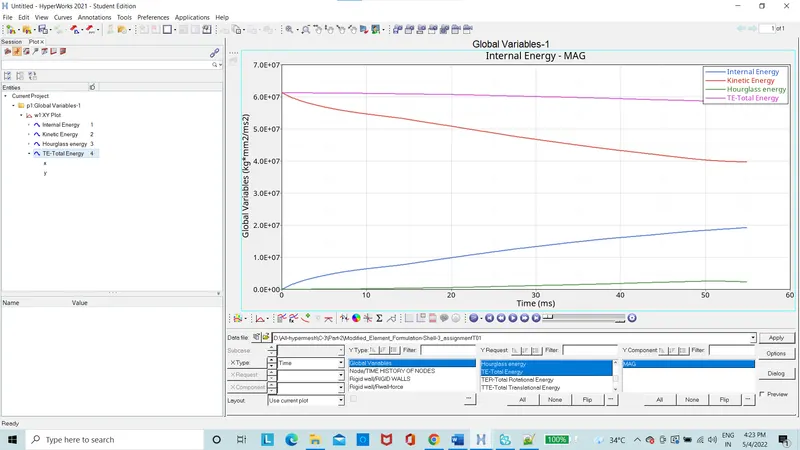
Figure 19: Energies graph
Comparison between the default and improved properties
- Maximum energy error for the case 1 with default properties is 10.3% while, for the improved properties is 3.8%.
- There is no physical stabilization for the case 1 while for the case 2 there is physical stabilization.
- The results are less accurate in case 1, while results are accurate in case2.
Conclusion:
Learnt how the hourglass energy works
Learnt how the physical stabilization works
Learnt how to simulate using the radioss