Assignment 3-2D Element Formulation Challenge
AIM:
- Run the simulation with the default property card (CASE 1)
- Changing the property card ( CASE 2)
- Comparing CASE 1 & CASE 2
PROCEDURE
CASE 1 : WITHOUT ASSIGNING THE RECOMMENDED PARAMETER IN THE PROPERTY
- Import the model in RADIOSS user interface
- Import the file as SOLVER DECK
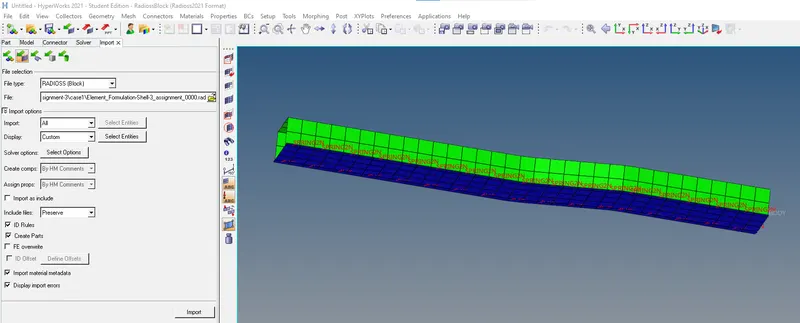
IMPORT FILE
- Then assign the value of time step in ENG_RUN cars as 55ms as per question
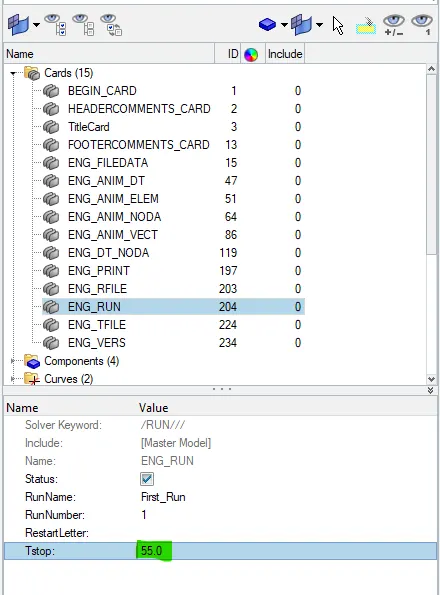
ENGINE RUN CARD
- Then assign the number of animation steps. I choose 40ms as number of animation step as per the question.
T frequency = Termination Time / Number of Animation step
= 55/40
=1.37
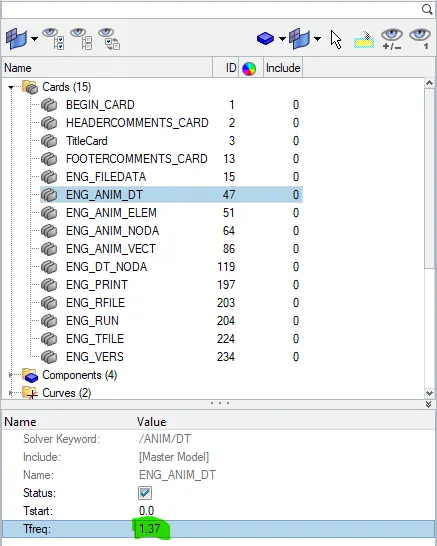
T frequency Set
- In the property card every parameter property is by default shown below
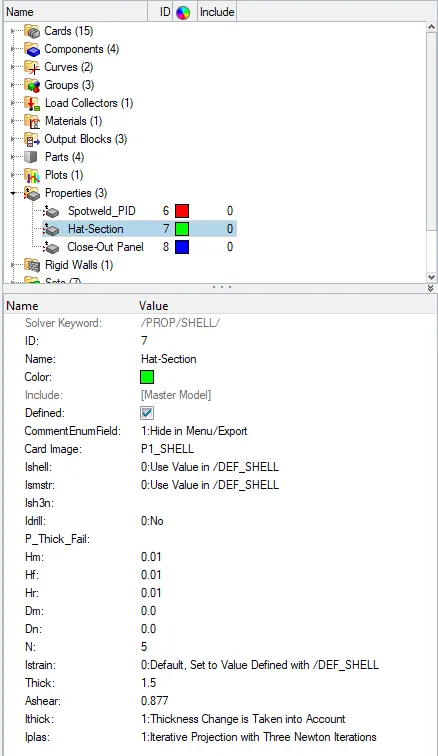
PROPERTY CARD
- Run the simulation using following option
Analysis→Radioss

ANALYSIS → RADIOSS
- In the RUN OPTION panel it is recommended to write -nt 4. not stands for number thread it assigned to do the simulation at faster rate.

FILE RUN
- Click the ''Radioss'' the simulation completed.
- Now click on RESULT, it will directly take you to hyperview where we can see the animation of the simulation. Animation file are in name of h3d
- After switching the RESULT to see the deformation I choose VON MISSES and click apply
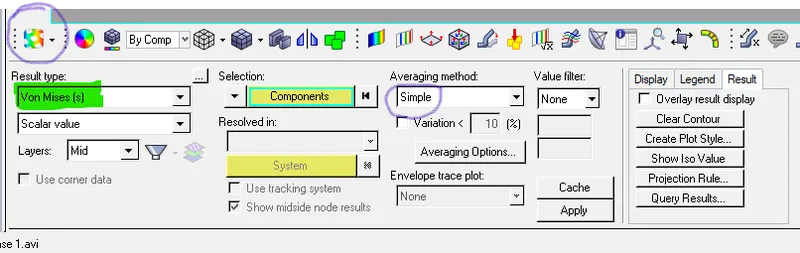
CHANGES IN HYPERVIEW
- Now we can see animation
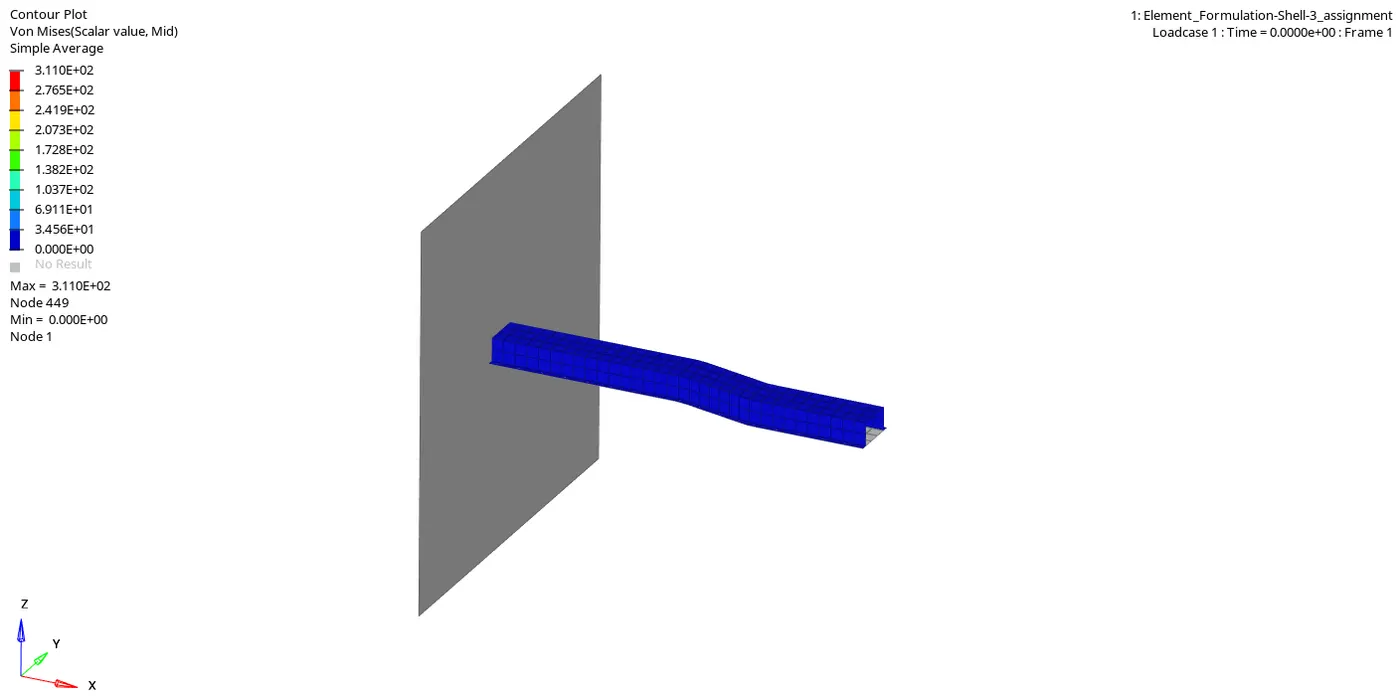
ANIMATION OF CRASH
- Now we can see the output of simulation in 0001.out file
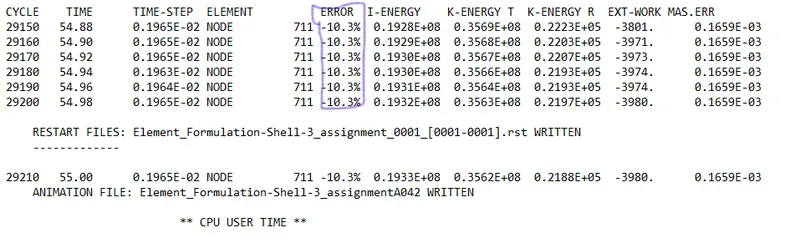
ERROR PERCENTAGE
- SAFE TOLERANCE IS -15% TO +5%
- The error value lies between the tolerance value so it is acceptable.
- For plotting graph we have to switch to hypergraph tab and import file T01 which is stands for time history
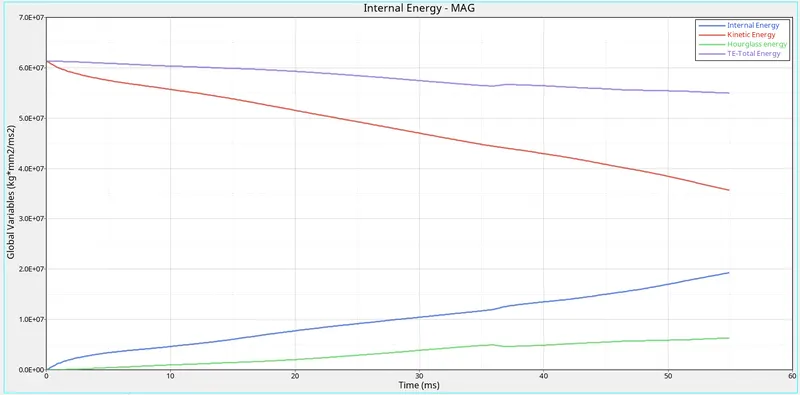
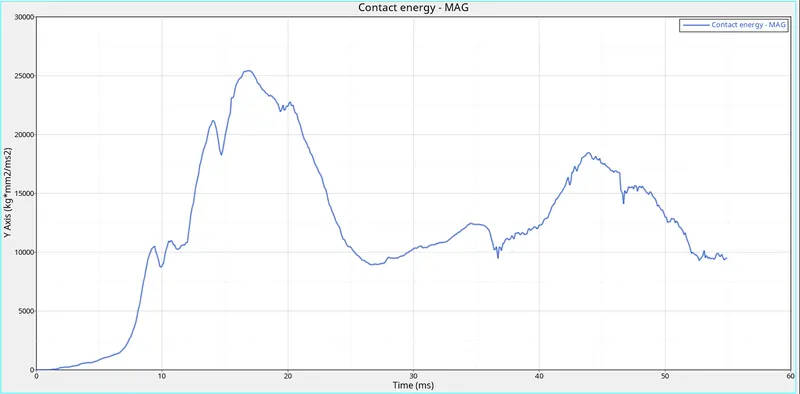
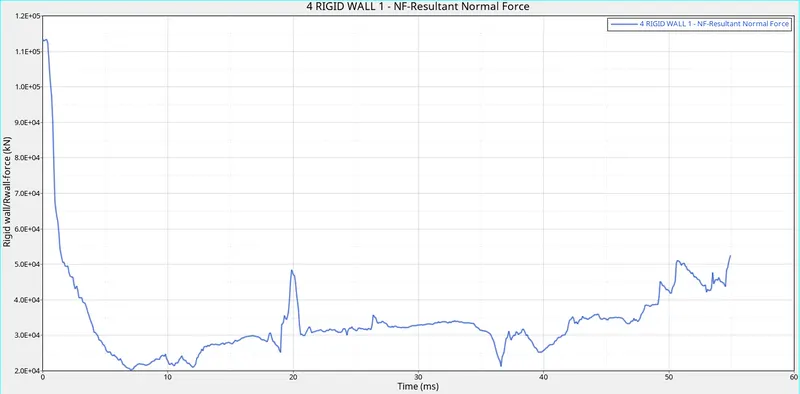
CASE 2 : ASSIGNING THE RECOMMENDED PARAMETER IN THE PROPERTY
- Assign all the parameter property
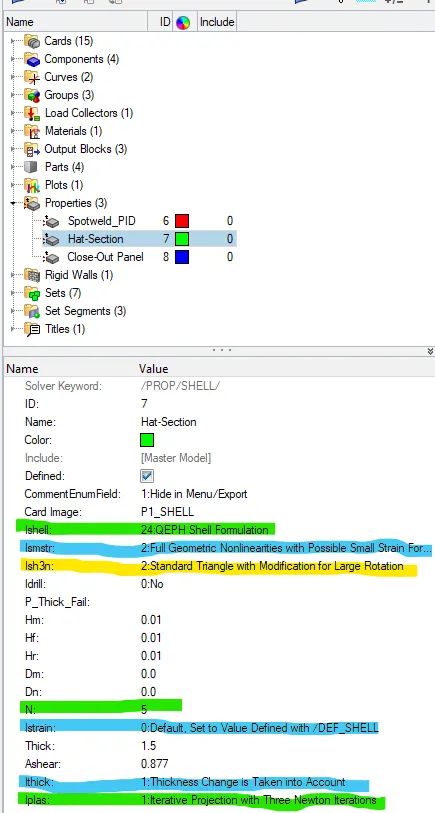
PROPERTY FOR HAT-SECTION
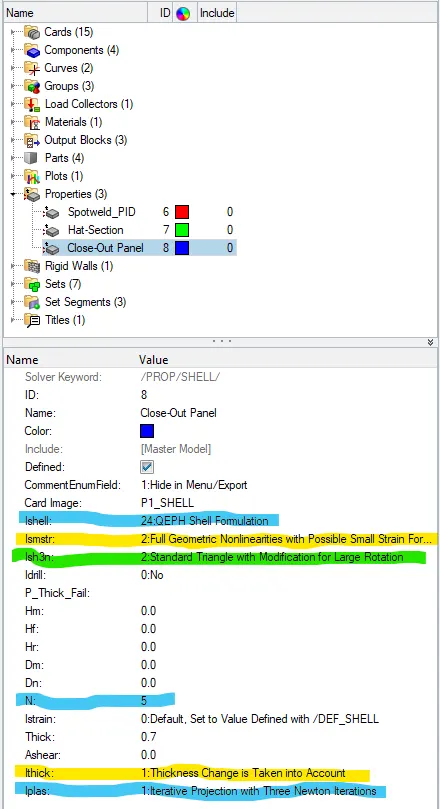
PROPERTY FOR CLOSE-OUT PANEL
- After assigning run the simulation same as above simulation
- Now we can see animation
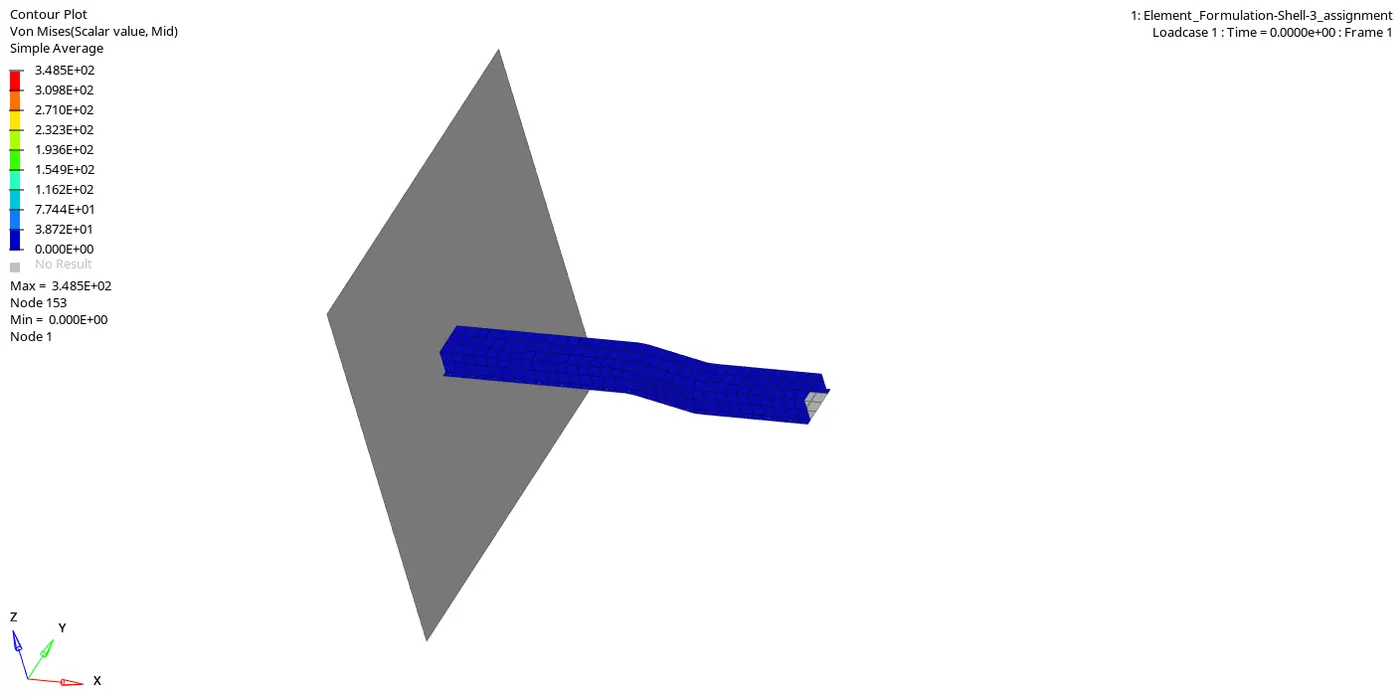
ANIMATION OF CRASH
- Now we can see the output of simulation in 0001.out file
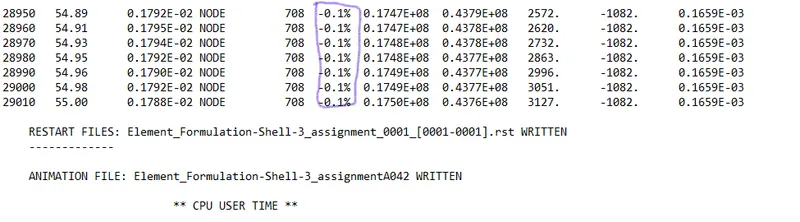
ERROR PERCENTAGE
- SAFE TOLERANCE IS -15% TO +5%
- The error value lies between the tolerance value so it is acceptable.
- For plotting graph we have to switch to hypergraph tab and import file T01 which is stands for time history
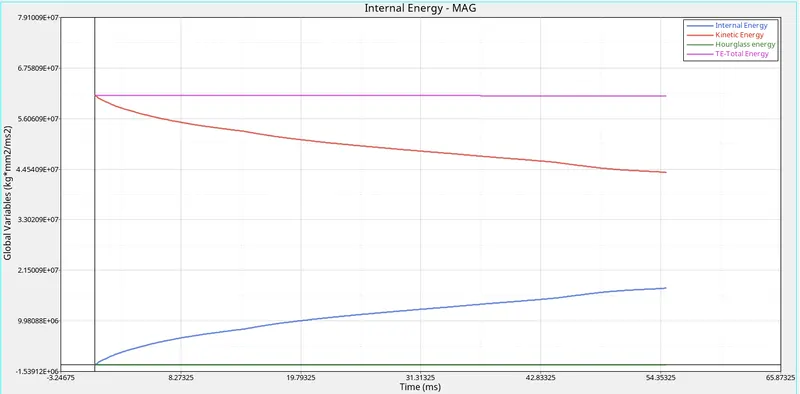
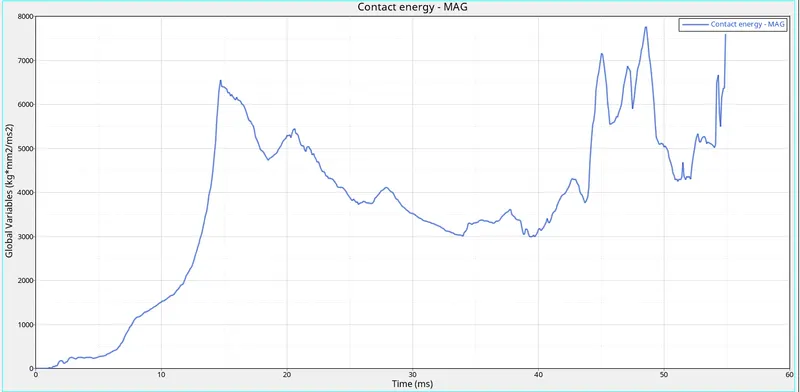
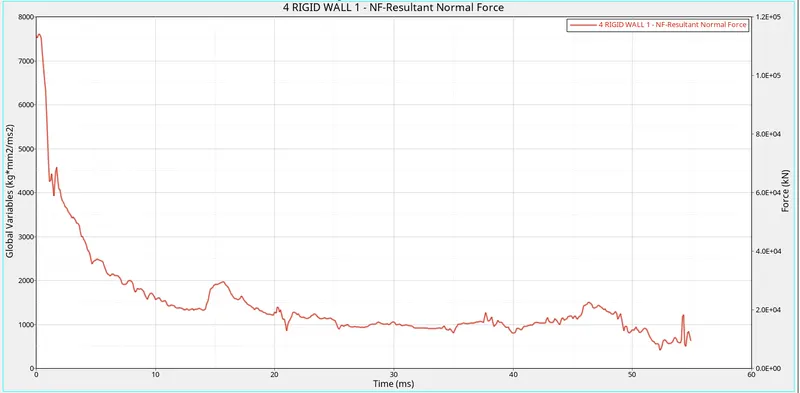
COMPARISON OF THE CASE 1 & CASE 2
| COMPARISION | CASE - 1 | CASE - 2 |
|
OBTAINED MAXIMUM ENERGY ERROR |
-10.3% | -0.1% |
| OBTAINED MAXIMUM KINETIC ENERGY | 0.3569E+08 | 0.4377E+08 |
| OBTAINED MAXIMUM INTERNAL ENERGY | 0.1928E+08 | 0.1747E+08 |
| HOURGLASS ENERGY | Varying so the elements does not have physical stabilization | Constant so the elements have physical stabilization |
| REQUIREMENT OF HOURGLASS ENERGY BALANCE | Yes | No |
| RESULT | Less accuracy | More accuracy |
CONCLUSION:
- Learned how to carry out simulation.
- Learned about assain property card.
- Learned how to use Hypergraph.
- Leaned about hourglass and how to remove hourglass errors.