Assignment 2-RADIOSS Engine File Editing & 3D Meshing Challenge
Aim-
1. To Check the material properties of the rail component and calculate the speed of sound in steel rail=_______
2. To Calculate the time for shock wave to travel from one end of the rail to the other
3. Time for sound to travel length of rail
4.Edit the engine file so that the stress wave can be monitored, moving from one end of the rail to the other during impact -this will require a termination time equal to the time it takes for the sound to travel the length of the rail(set on/RUN card)
5. Set the frequency of animation output to a time that will give 20 animation steps
6. Change / print-10
Procedure-
1. Checking the material properties and calculating the speed of sound in steel rail

Density- 0.0078
Young's Modulus E= 210000
Speed of Sound = √(Young's Modulus/Density)
= √E/p
= √210000/0.0078
=5188.74522mm/ms
2. To Calculate the time for shock wave to travel from one end of the rail to the other
Time Step- Length of Rail/ Speed of Sound
t=l/c
t= 1000/5188.74522
=0.192724822ms
3. Time for sound to travel length of rail - 0.192724822ms
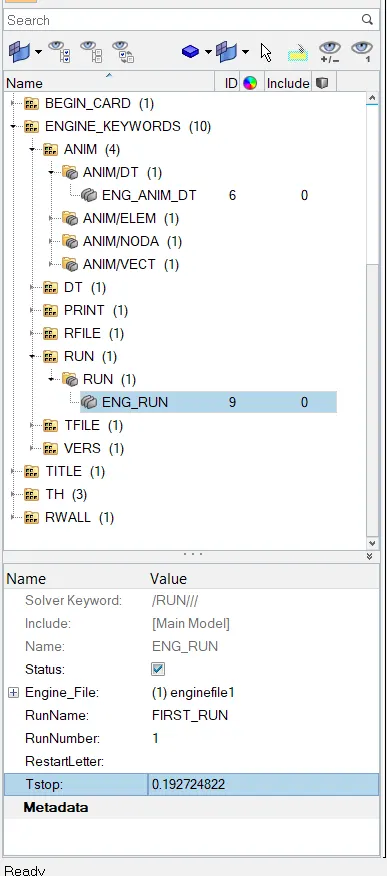
4. Edit the engine file so that the stress wave can be monitored, moving from one end of the rail to the other during impact -this will require a termination time equal to the time it takes for the sound to travel the length of the rail(set on/RUN card)
- Open Hyperworks and solver as Radioss
- Import the Radioss file i.e First Run 000.rad and file type as radioss block'
- Go to View-Browser-Hyperworks-Enable Solver
Go to the solver under the run engine keywords change time step to 0.192724822
5. Set the frequency of animation output to a time that will give 20 animation steps(/ANIM/DT)
As we need 20 animation steps need to divide time step by 20
= 0.192724822/20
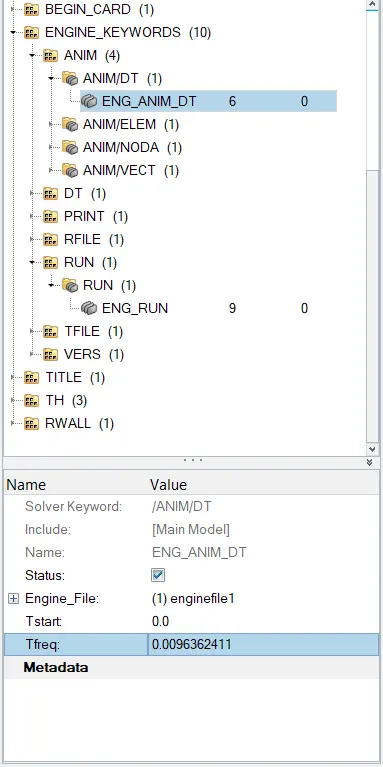
Tfreq= 0.0096362411
Change the Tfreq Under the Engine-Anim/dt and set Tfreq as 0.0096362411
6.Change / print-10
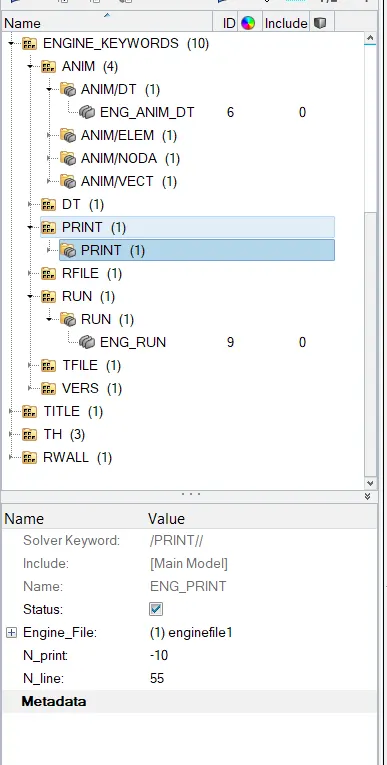
- Go to engine keywords -print-ENG_PRINT then change N_PRINT as -10
Tetra Mesh
Aim-
For the given model creating a tetramesh with given quality Criteria
Procedure-
1.For TetraMesh 2D to 3D generatiion steps are as follows
- Import the .stp file Delete the solids Perform cleanup wherever necessary where it will be failing for minimum size
- Go to Prefrences-Criteria File Setting
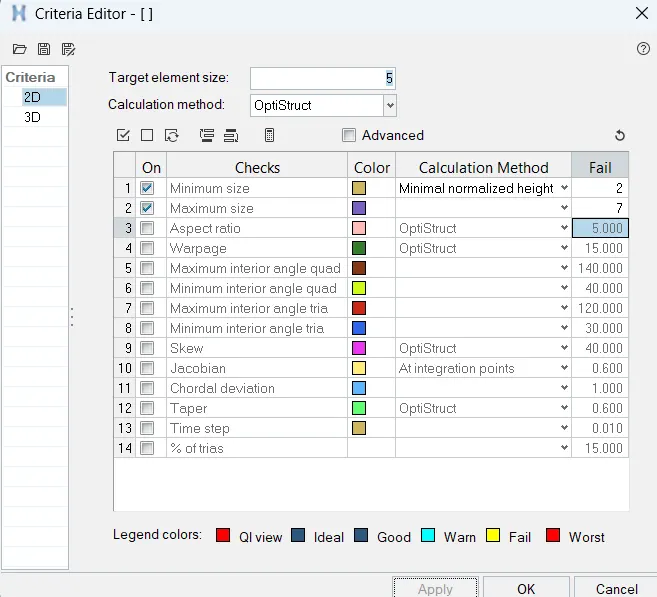
- Go for Mesh F12 with element size as 5mm and and mesh type as Tria also check for tet collapse - 0.15

-Go to 3d -Tetramesh

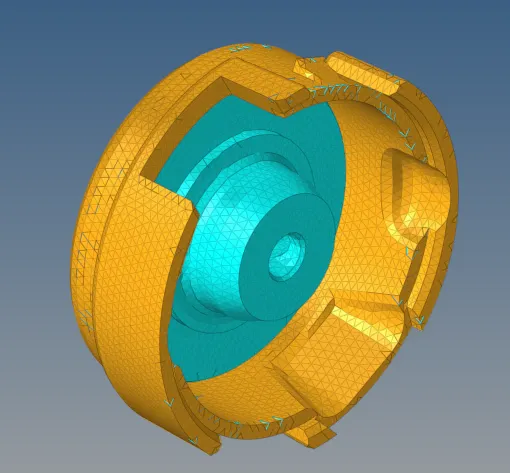
Hexa Mesh
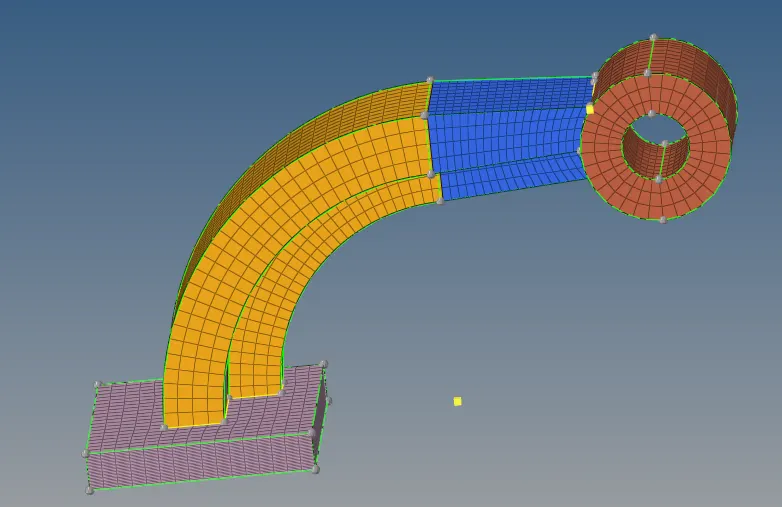
1. There are four components need to mesh each seperately
Start with base as element size as 10 mm
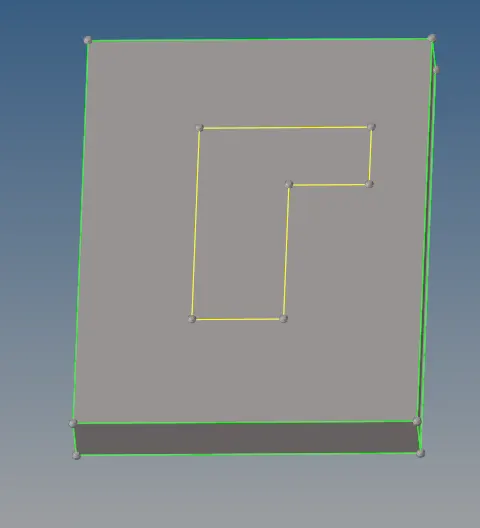
- After Meshing with element size as 10 mm Go to 3D-line Drag-Drag Elements on drag 25 elements.
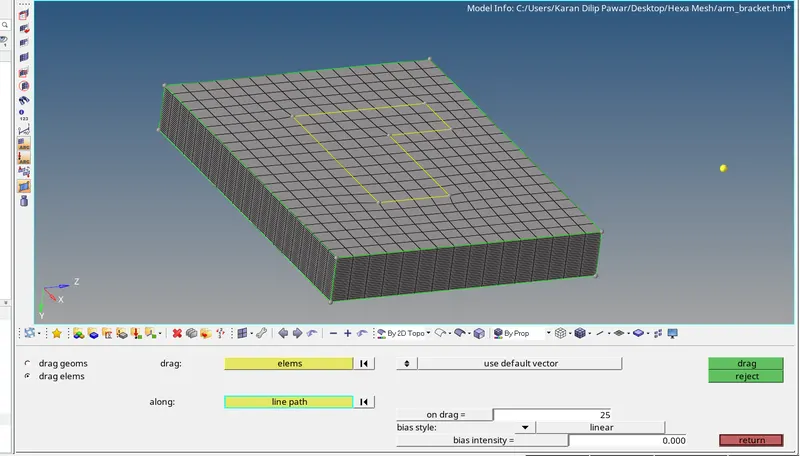
- Switch on the Arm Curve and make the component as Current Component.
Select Only the mesh which are inside yellow line
From Geo-Nodes-Lines get the center node for the Arm Curve
Go to 3D-Spin- Spin Elements
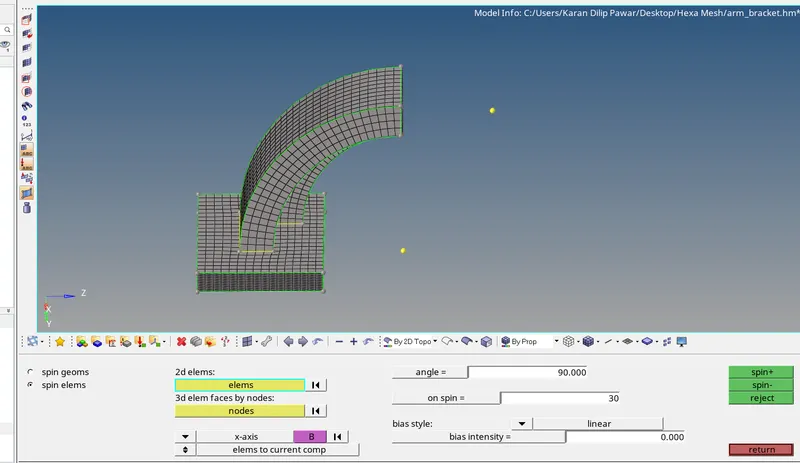
For Arm Straight
Go to Tools- Faces- Get 2d elements from the arm Curve first
Mesh arm Straight with 2d elements with same no of nodes as of arm straight.
Go to 3D- Linear Solid to map the elements from 2d -2d Elements
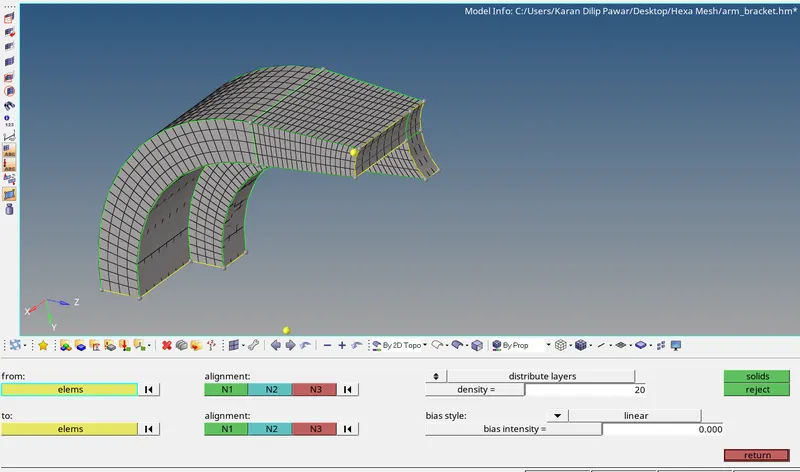
- Now Make Boss as current component
Mesh with 2d elements and have equal node element as that of arm straight to have connectivity.
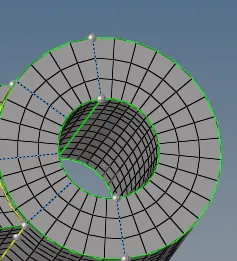
Go to 3d- Solidmap-General Select Source Geo and destination geo and select the node path.
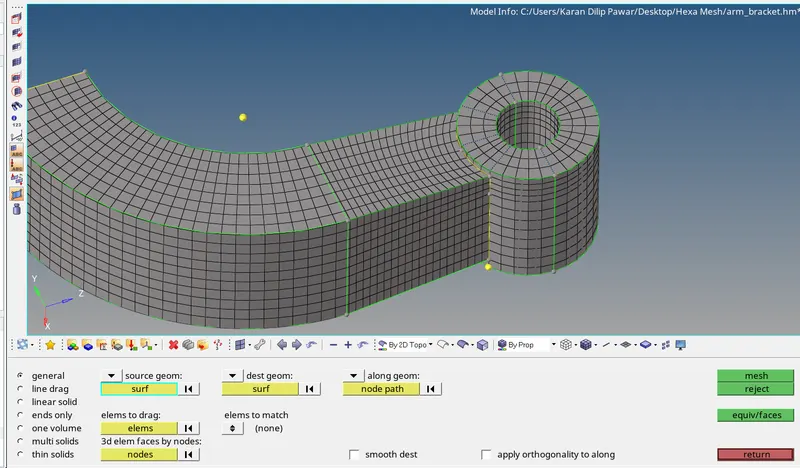
Completed with Hexa Mesh
Learning Outcome-
Learn How to check the material properties with notepad rad file calculating the speed of sound in rail time taken for shock wave to travel and how to edit it in the engine file how to set time to have 20 animations.