Assignment 2-RADIOSS Engine File Editing & 3D Meshing Challenge
Aim: To edit the engine file of the given model with the calculated value and create 3D mesh of the given components.
Objective: To check the material properties, calculate the speed of sound, calculate the time taken to for sound wave to travel from one end to other end with length of 1000mm, set frequency of animation output to a time to give 20 animation steps(/ANIM/DT), change print-10, 3D tetra mesh of Housing and 3D Hexa meshing.
The given quality criteria to follow:
- Target Tet size: 5mm
- Target Hex size: 10mm
- Tet collapse: 0.15
Procedure:
The given model is downloaded and the file First_Run_0000 is opened in the notepad++.
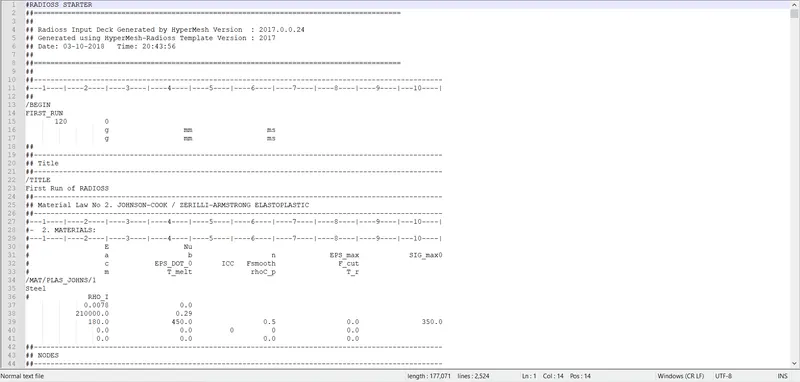
Figure 1: Material property of steel
The speed of sound is calculated using the formulae
`C=√(E/ρ)`
`C=√(210000/0.0078)=`5188.74mm/ms2
The time for sound to travel in the element of rail is
Time step (dt) = Length of the smallest element/Speed of sound
Time = 16/5188.74 = 0.00308ms (milliseconds)
The time taken for the sound to travel the length of rail from one end to another end with length of rail taken as 1000mm.
`dt/1000=0.00308/16`
dt=0.1925ms
The frequency of the animation output to a time that will give 20 animation steps
`f=1/dt*n=1/0.1925*20=103.89Hz`
The print is set as -10.
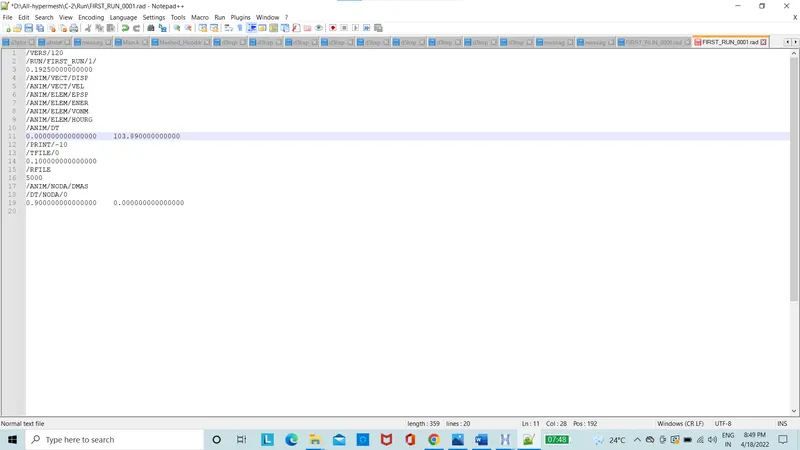
Figure 2: The RUN file edited
The rigid body element 2 is created using the 1D options of the rigids.
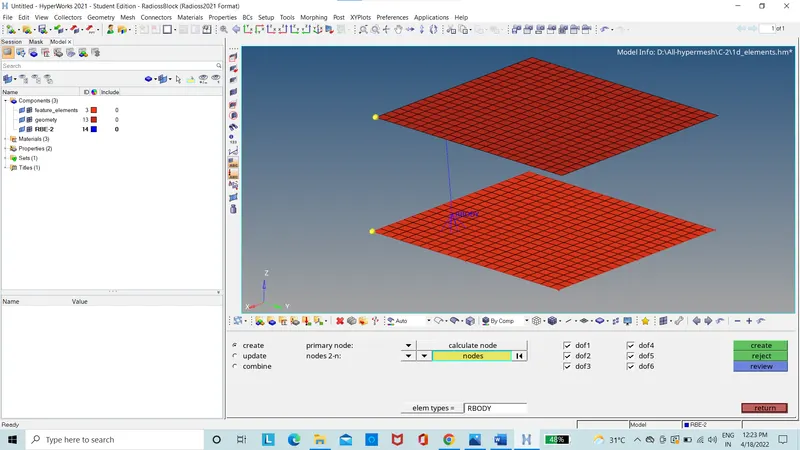
Figure 3: Rigid body element-2
The rigid body element 3 is created using the 1D options of the rigids.
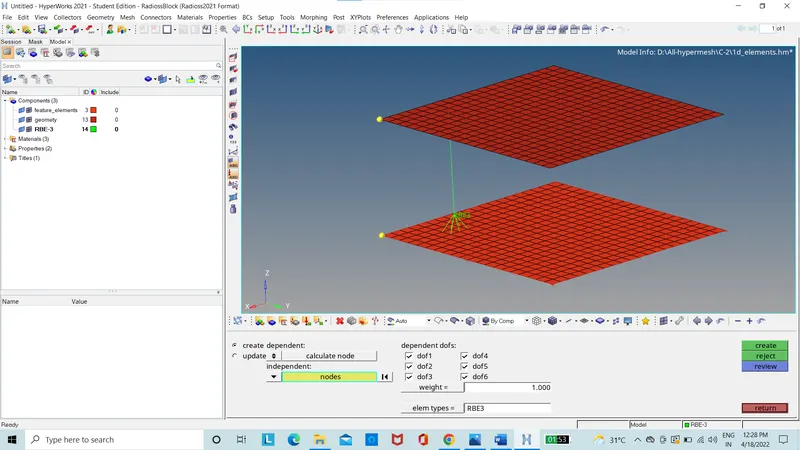
Figure 4: Rigid body elements-3
The rod is element is created using the 1D options of rods.
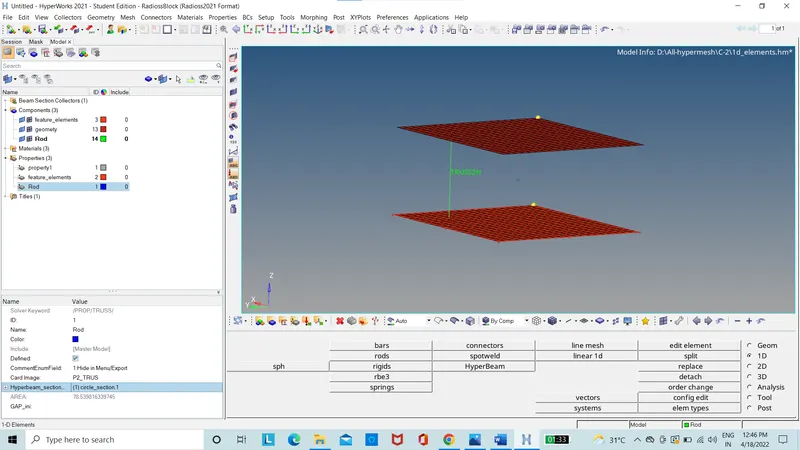
Figure 5: Rod element
Properties of the circular section is created using the hyperbeam option.
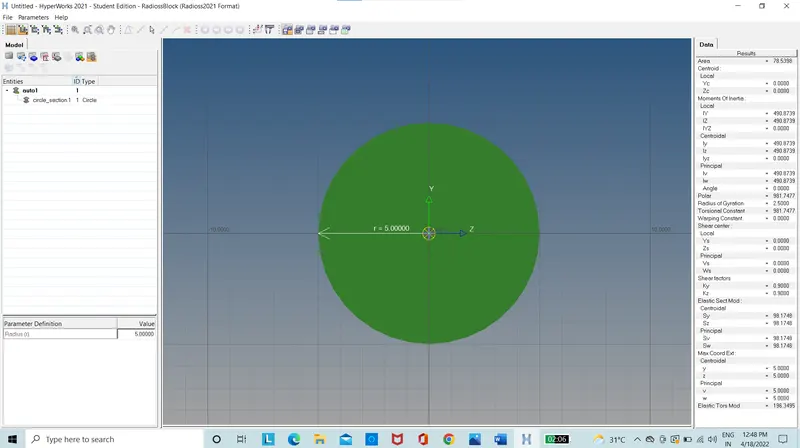
Figure 6: Circular cross-section
The bar element is created using the 1D options of bars.
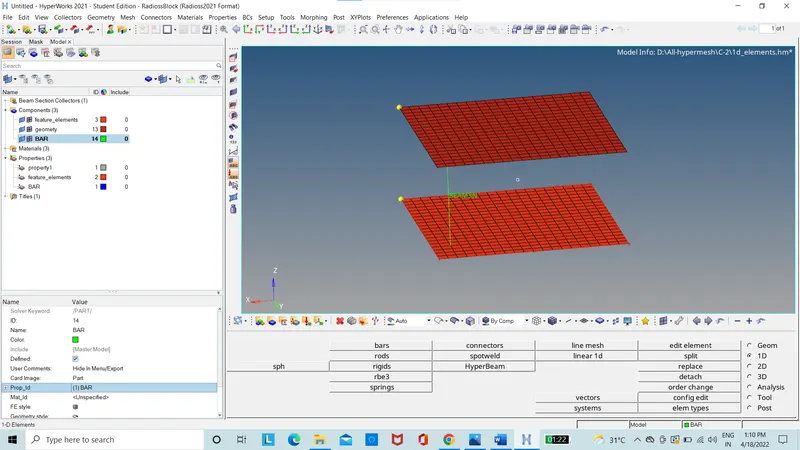
Figure 7: bar element
Properties of the circular section is created using the hyperbeam option.
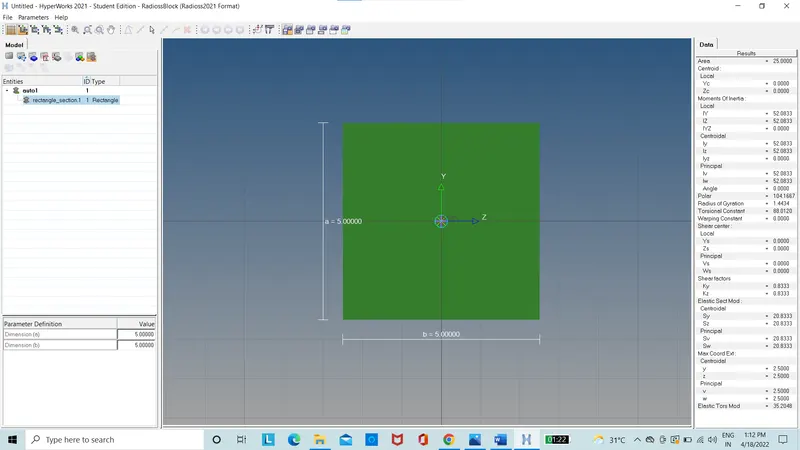
Figure 8: Circular cross-section
The beam element is created using the 1D options of bars.
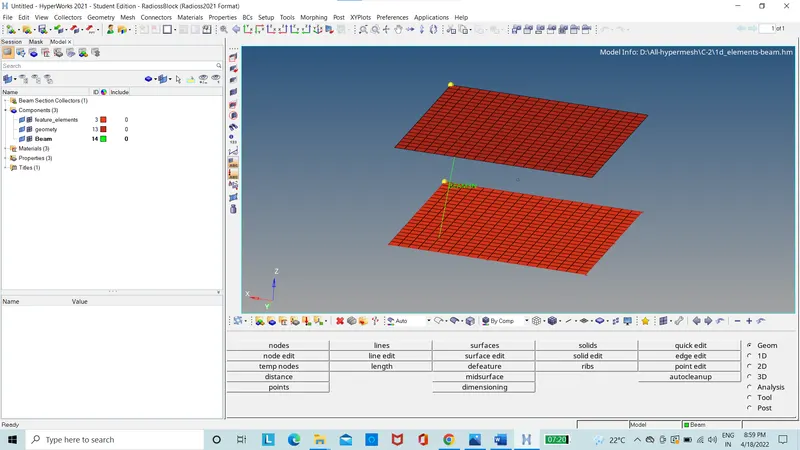
Figure 9: Beam element
Properties of the circular section is created using the hyperbeam option.
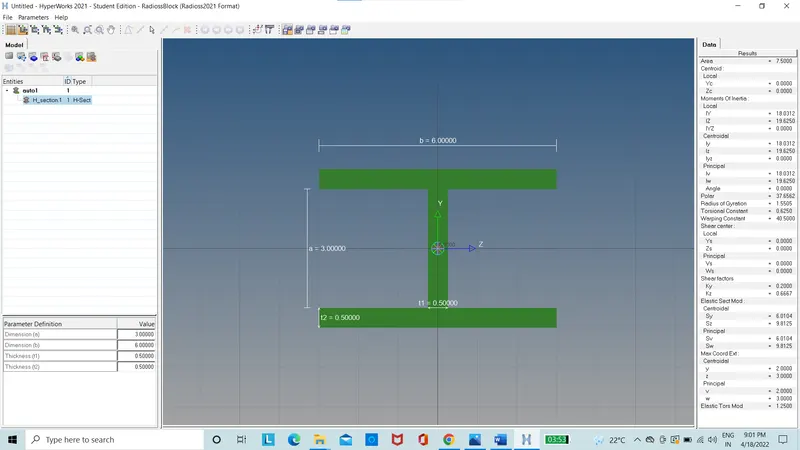
Figure 10: Circular cross-section
The housing file is opened and the auto-clean up is done.
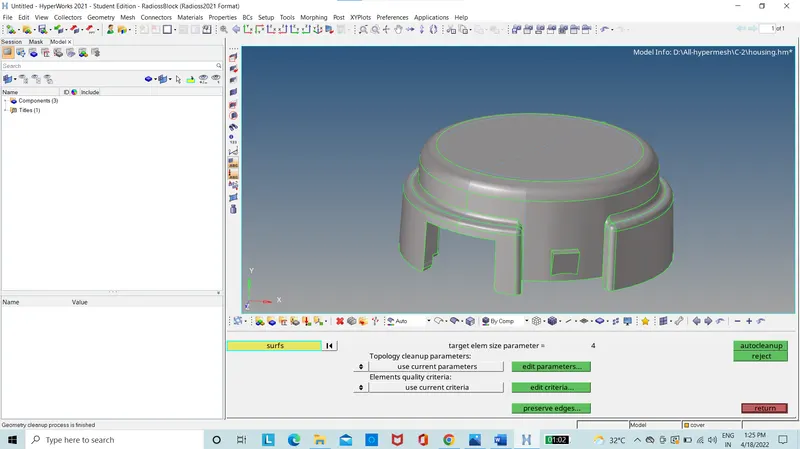
Figure 11: Housing is auto-cleaned
Hub and cover parts are then 2D meshed with only trias with 5mm element length set as target
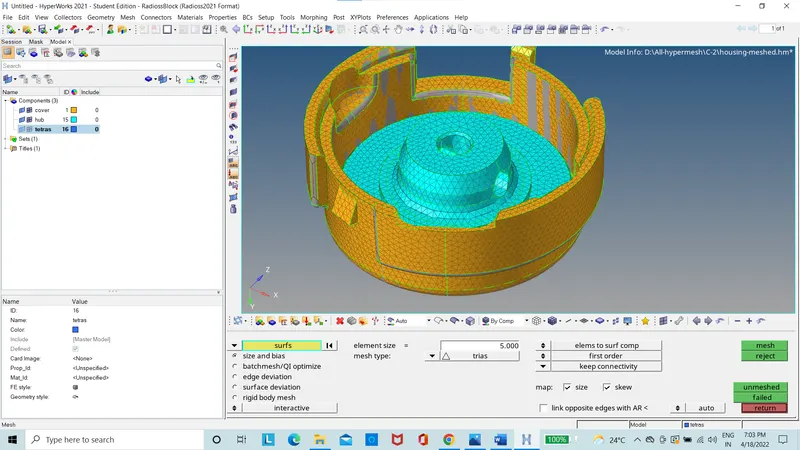
Figure 12: Housing parts with 2D mesh
Hub and cover parts are 3D meshed using the tetra mesh option in 3D are placed in separate component called tetras.
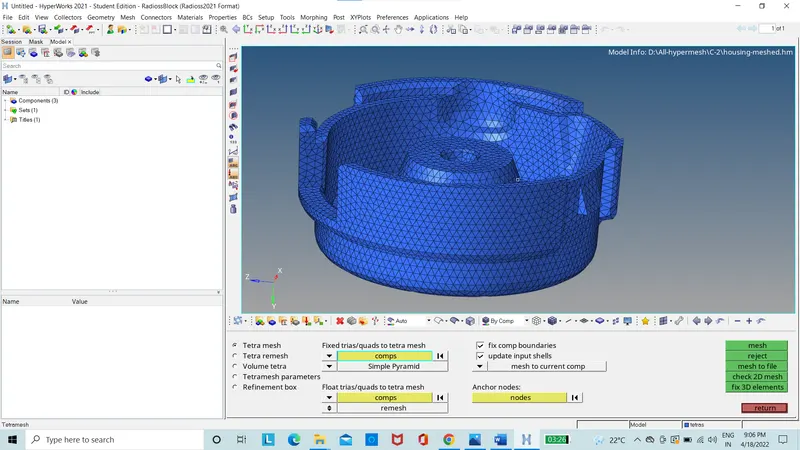
Figure 13: Housing parts with 3D tetra mesh
Hub and cover 3D tetra mesh is checked for tet collapse in the quality criteria and cleared with zero element failing.
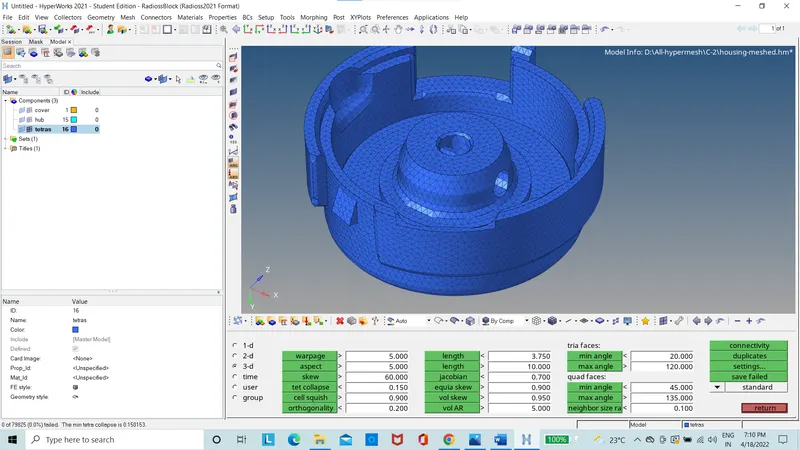
Figure 14: 3D Tetra mesh quality Index
The arm racket file is opened and auto-cleanup is done.
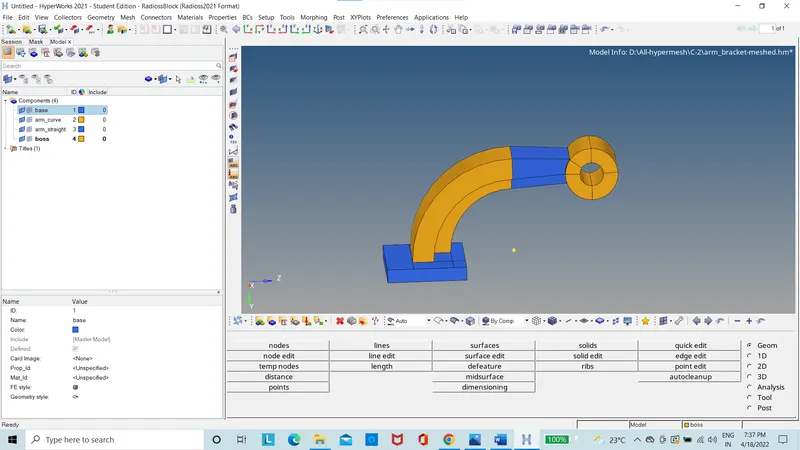
Figure 15: Arm bracket
The arm bracket base is quad meshed.
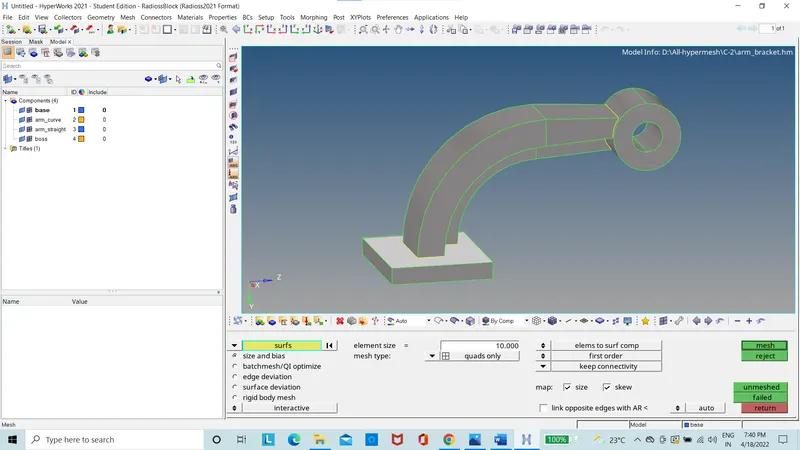
Figure 16: Arm bracket base with quad mesh
The arm bracket base is meshed with 3Dmesh using the element offset.
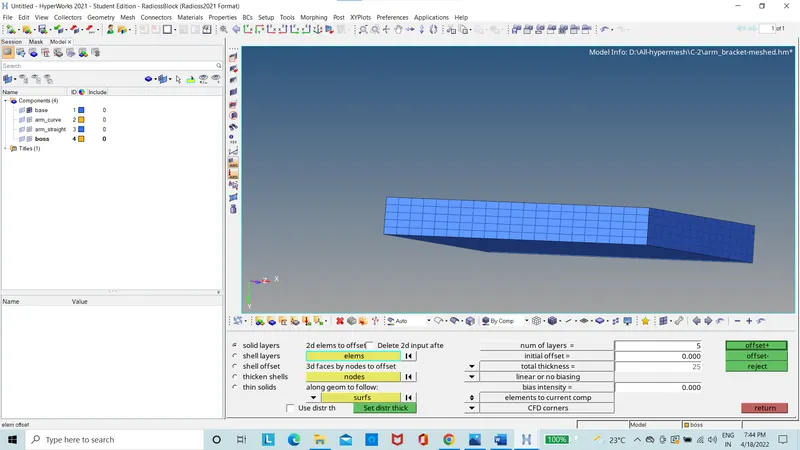
Figure 17: Arm bracket base with 3D Hexa mesh
The arm bracket curve is meshed using the spin option using the quad elements and the spin is created on X-axis and base point is created using a temporary node.
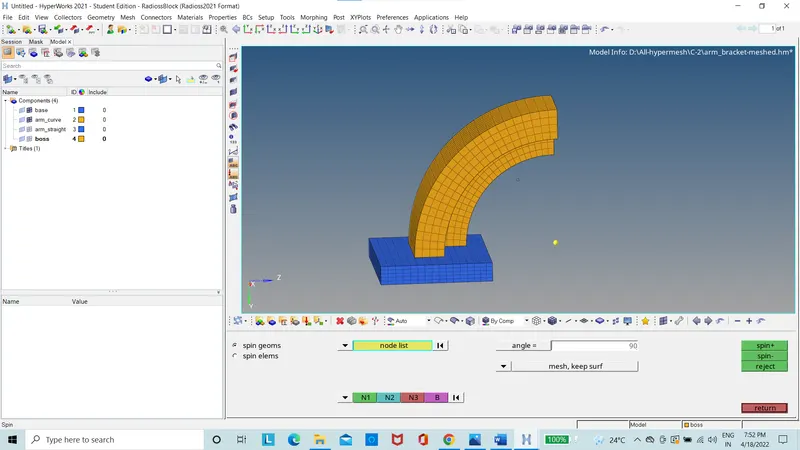
Figure 18: Arm bracket curve with 3D Hexa mesh
By using the faces option on the arm curve the faces were created
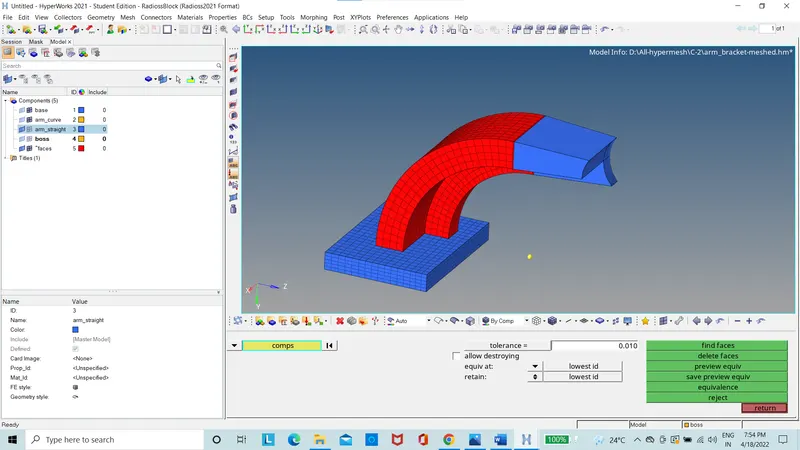
Figure 19: Arm bracket curve with faces
The arm bracket straight is 2D meshed on other end to match with the other face of the arm bracket curve.
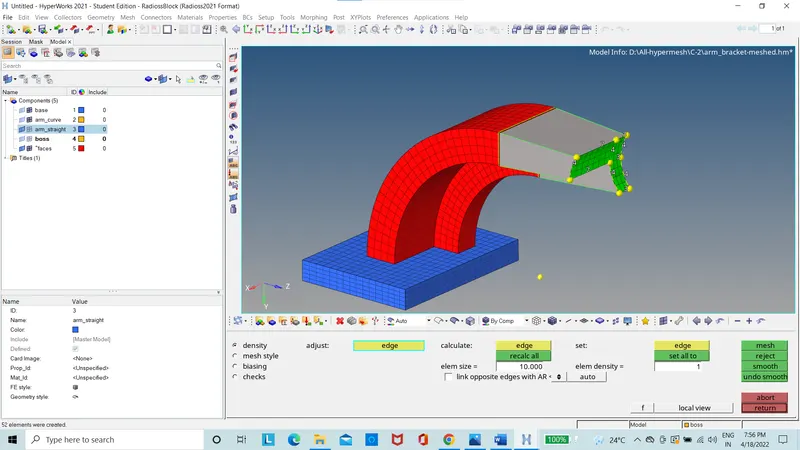
Figure 20: Arm bracket straight with 2D mesh
The arm bracket straight is 3D meshed using the linear solid option.
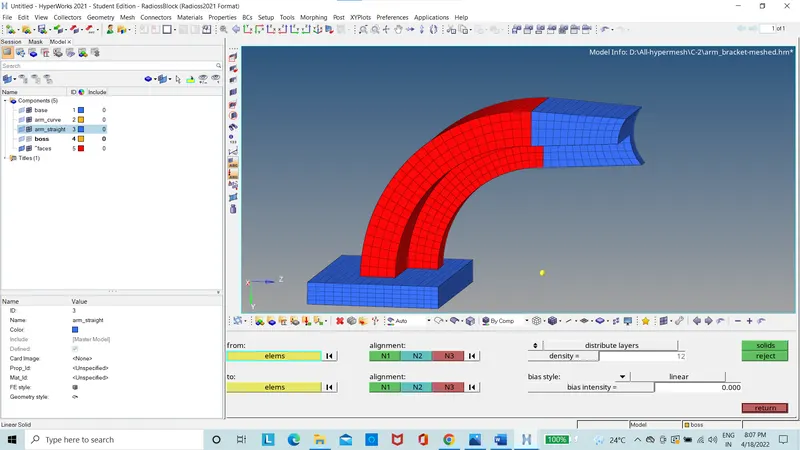
Figure 21: Arm bracket straight with 3D mesh
The boss is meshed with 2D mesh on the surface.
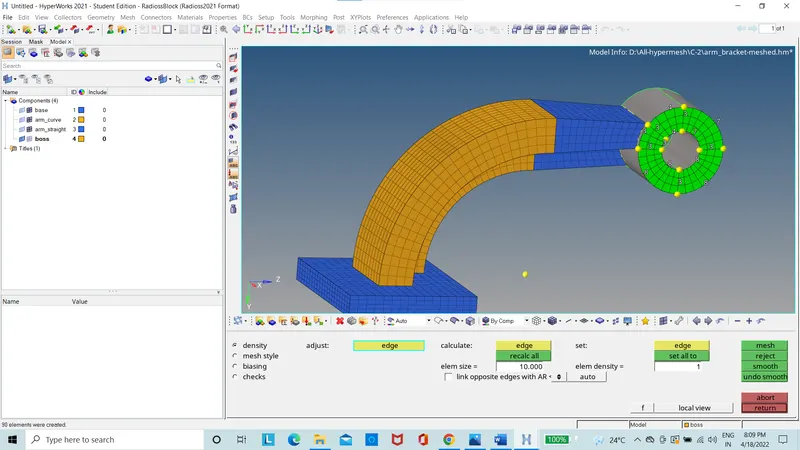
Figure 22: Boss surface 2D mesh
The boss is 3D meshed using solid map option.
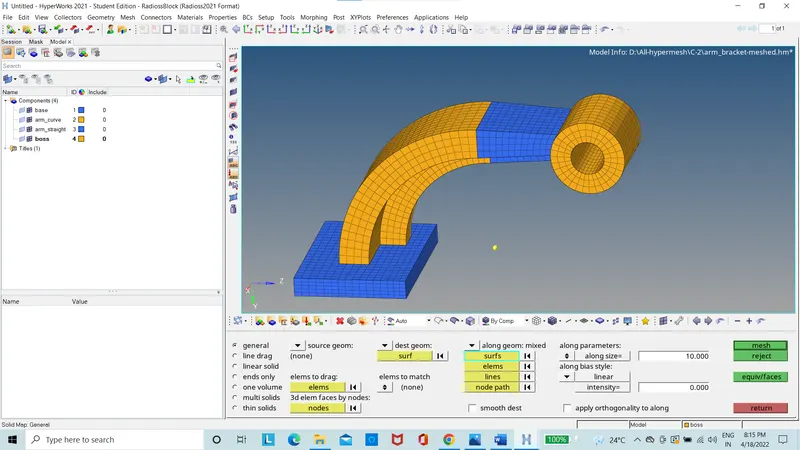
Figure 23: Boss with 3D mesh
Results:
The speed of sound is calculated using the formulae
`C=√(E/ρ)`
`C=√(210000/0.0078)=`5188.74mm/ms2
The time for sound to travel in the element of rail is
Time step (dt) = Length of the smallest element/Speed of sound
Time = 16/5188.74 = 0.00308ms (milliseconds)
The time taken for the sound to travel the length of rail from one end to another end with length of rail taken as 1000mm.
`dt/1000=0.00308/16`
dt=0.1925ms
The frequency of the animation output to a time that will give 20 animation steps
`f=1/dt*n=1/0.1925*20=103.89Hz`
The print is set as -10.
Conclusion:
The calculation of the speed of sound, time step, time taken for the sound wave to travel the length of rail, frequency of animation output and print is set as -10. The mesh of housing is done with tetra 3D element. The mesh of arm bracket is done with hexa elements.