Assembly of Yacht
_ MODELING_OF _YACHT _TUTORIAL
DEMOSTRATING FULL COMPONENTS MODELING AND ASSEMBLING OF AN MODELING OF YACHT TUTORIAL
OBJECTIVE :
The project is used to create models of different parts of YACHT by using solid works .
TO assemble of different of modeled in the yacht by using solidworks
PARTS MODELING : You can create conceptual of sketch by using solid features to modeling as well build many of parts through directly. Graphical manipulation
SURFACE MODELING :
surface give you the ability to presenting solid object the process require you to convert between
Different 3d modeling type, such as converting the 3d object to show procedural surfaces, validate imperfection ,and apply smothness
Most of parts of yacht is surface modeling
Surface loft : To generated by multiples 3d curves or existing edges creating a smooth tangency between the selected curve match point are created between each selection denoting the orientation and path of surface loft .
Sweep surface : to generate the section curve positioned along path
Filled surface :the surface path with any number of sides within a boundary defined by existing model edges ,sketch , curve etc…
Surface trim :its used to cut the material of surface provide to models standard and mutual .
Extend surface :its used to create the extend which is all ready created .we can extend the surface as same surface or we can extend to
Tangent surface as same .
Surface knit : its used to knit two free or open surface together and reduce the gaps between surface .
PARTS BE MODEL FOR THE YACHT :
1propeller
2 radar
3 blue print
4 hull
5 garage door
6 front seat
7 middle seat
8 rear seat
9 super structure
10 radar mast
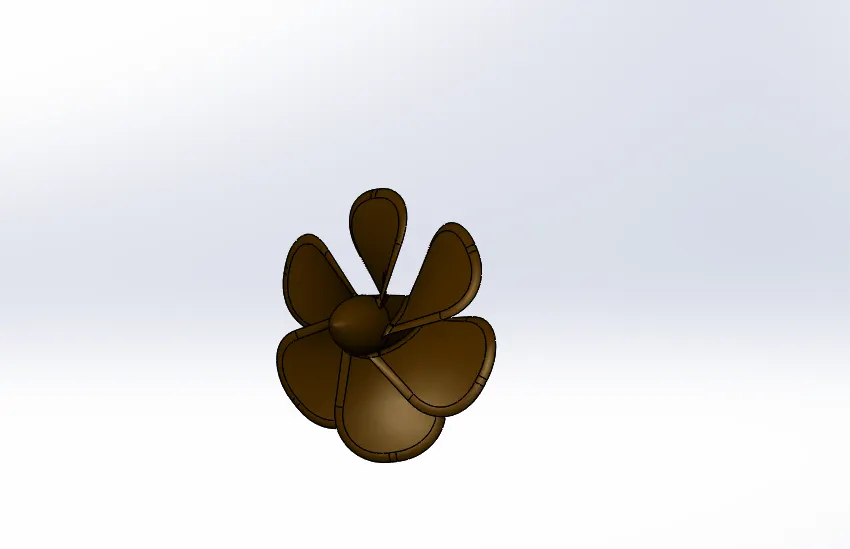
1.propeller :
it’s a rotating member attached at the lower back side also attached to the transmission output shaft.
Its help the yacht assembly to move forward by rotating it is producing a thrust and propelling the yacht in forward direction,.
Most important part of the transmission system present in yacht.
Features to use create a propeller
Sketch
Revolve
cut Extrude
Fillet
Loft
circular pattern
Sketch: its shows to representation of the model to respect to plane /view outside of model in solidworks .
You can change the plane or face on which a sketch is created there are different sketch option on the solidworks.
You can create a sketch on splines ,entities, line ,arc circle etc.
Fillet: overview fillet creates a rounded internal or external face on the part you can fillet all edges of a face, selected set.
Of o a faces selected edges ,or edge loops.
Revolve : To create a revolve feature sketch contains one or more profile and a centerline ,line or edge use as the axis around
Which feature to revolve.
Cut extrude : its a feature remove material from the part
Loft : loft generate multiple3d curves or edges to create smooth tangency between the curve .
Circular pattern: its used to created a pattern in propeller to create multiple propellers .
Description and procedure to make propeller.
insert the blueprint of the yacht in a new part.
Create the center shaft of propeller.
Create one propeller blade and apply fillet to all the necessary edges.
Then create circular pattern of the propeller blade throughout the shaft at equal distance .
Apply appearance to the surface of the propeller.
2 radar
radar is a detection system that uses radio wave to determine the range, angle, or velocity of objects the transmitter transmits.
A signals to the surroundings which are reflected back if there are any obstacles in its path.
Features to use create a radar
Extrude
Mirror
Cut extrude
Fillet
Sketch driven pattern
extrude: you can extrude the boundary edges of a face of solid body or edges of a surface body in a customizes direction
It’s a type feature to convert 2d sketch to 3d model .
mirror : creates a copy of a feature mirrored about a face or plane .you can select the feature or you can select the feature or you can select the face that comprise the feature bodies to mirror select a body in a single model or multibody part to create a mirror entity.
Sketch driven pattern: using sketch points within a sketch ,you can specify a feature pattern the seed feature propagates throughout the pattern to each point in the sketch you can use sketch driven pattern .
Description and procedure to make radar .
Insert the blue print of the yacht in a new part .
Create the side view of the radar and extrude it
Apply fillets on the sharp edges .
Create the cap and fasteners on the side of the radar.
Create the remaining part of the radar by mirroring the hull modelled till the last step .
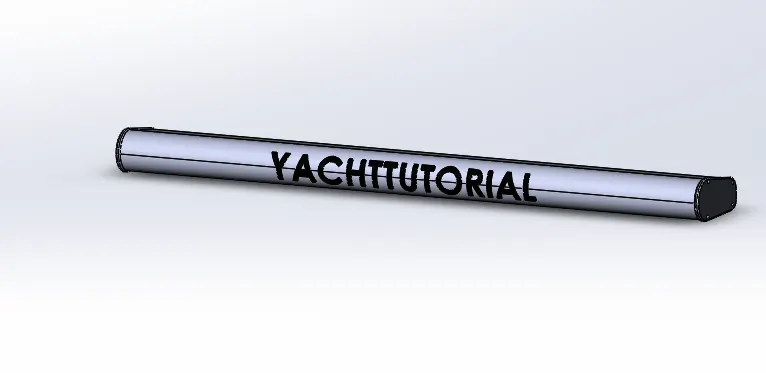
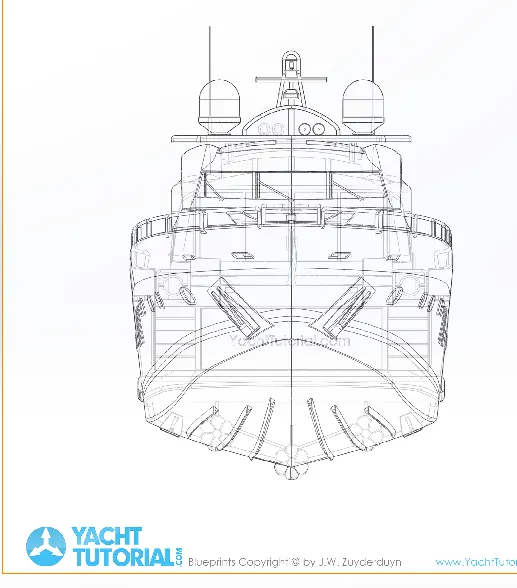
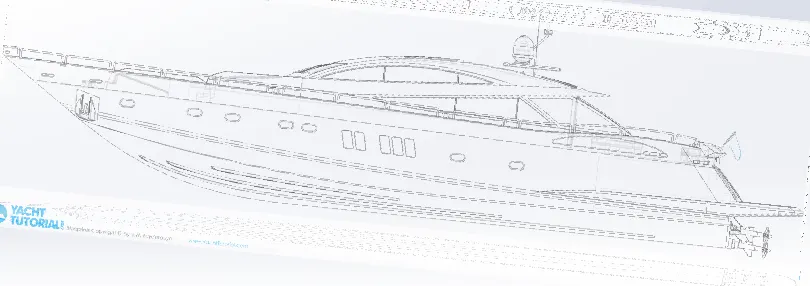
3 blue print : a blue print is a guide for making something or it’s a design or pattern that can be
Followed by further guidance while designing individual part of the yacht.
Blueprint is a combination of multiple images of the yacht such as front
View ,top view, sideview ,back view, bottom view.
Save the file as the blue print of the yacht.
Description and procedure to make blueprint
in a new sketch ,import the image of the top view of the top view of the yacht and place appropriate position with respect to the origin
Repeat the previous step to all the views such as front ,side, bottom ,back, top views
Save the file as the blueprint
4 hull : a hull is the major part of a ship or boat or yacht which is wateright in nature
It may be open at the top or may be fully or partially covered
Over the hull ,there be superstructure ,front seat ,middle seat backseat ,etc .
Features to use create a hull
Sketch
Projected curve
Swept surface
Extruded surface
Extend surface
Surface knit
Extrude
Mirror
Cut extrude
Fillet
Pattern
Spilt
shell
Split : you can also to able to split face multiple bodies with one command .
Shell: its property manger is used to define the thickness of thin and thick of a shell element.
Pattern :pattern tool allow you to create pattern along a planar or 3d curve .you can base your pattern on an open curve ,or on.
A closed curve ,such as a circle in the chain part use as a curved pattern.
Project curve :use this selection to project a sketch to project ,select the curve in the graphics area or from the flyout feature manger design tree.
Description and procedure to make hull
Insert the blue print of the yacht in a new part
Create projected curves of the bottom part of the hull as per blue print and create a lofted surface.
Created a lofted surface for the remaining bottom part as per the blueprint.
Trim unwanted surface for making the surface of the hull.
Fill the open surface and knit all the surface.
Create a shell of required thickness from the knited surface
Create the deck surface by extruding.
Create the basement by extruding
Remove unwanted portion from the hull model and provide fillet and chamfer to required edges.
Create stairs on the backside of the hull
Create rail on the top of the hull
Create headlight on the frontside of the hull
Create a standing board on the front side of the hull
The remining part of the hull by mirroring the hull modelled till the last step
Apply decals and appearances the surface of the hull .
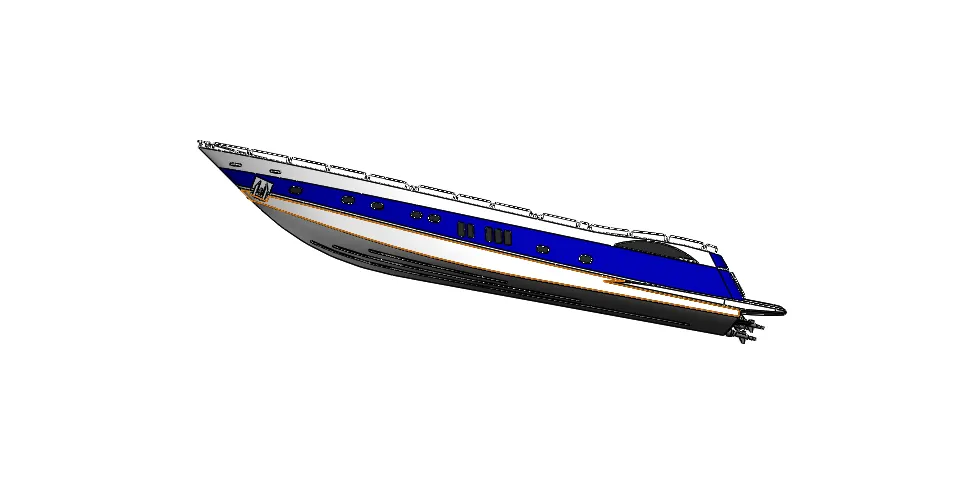
5garage door
a garage is the storage space provided in the yacht for parking personal such as car etc
Features to use create a hull
cut extrude
Shell
Text
Spilt
Text : its use to write the letter on the garage
Description and procedure to make garage door.
Insert a block from the hull ,which is removed from the hull for creating a garage for parking a vehicle in hull.
Remove all the unwanted portion of the block inserted and provide fillet on all the required edges.
Create the remaining part of the garage door by mirroring door.
Apply appearance to surface door
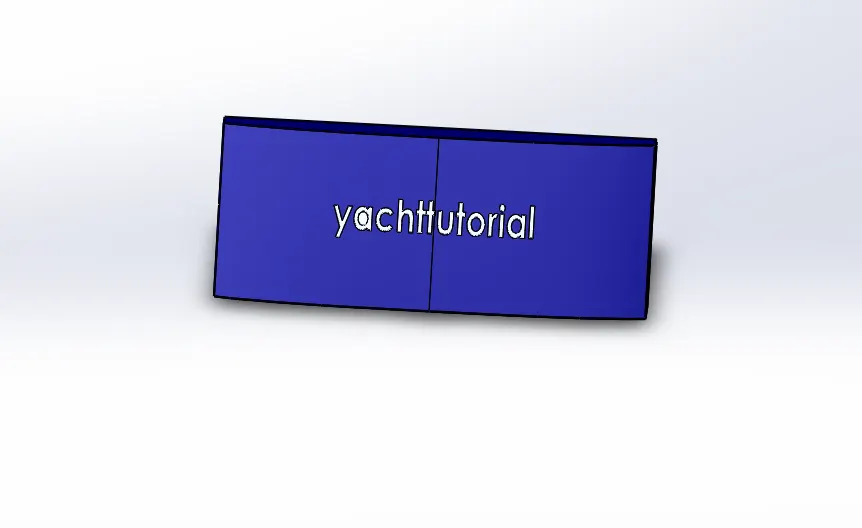
6 front seat
front seat is kept in the front portion of the hull and it has a seating with nice cushions are usually used in yacht
Features to use create a front seat
sketch
Project curve
Loft surface
Swept surface
Rule surface
Surface knit
Mirror
Cut extrude
Fillet
Pattern
rule surface : a surface generated by a moving straight line with the result that through every point on the surface a line can be drawn lying wholly in the surface.
Description and procedure to make front seat.
Insert the blueprint of the yacht in a new part
Create a projected portion in the side of the front seat of the yacht on the floor of the hull using surface modelling.
Create the seating portion of the front seat.
Provide fillet and chamfer to all the required of the seat
Create the remaining part of the front seat by mirroring the seat modelled till the last step.
Apply appearance to all the required surface .
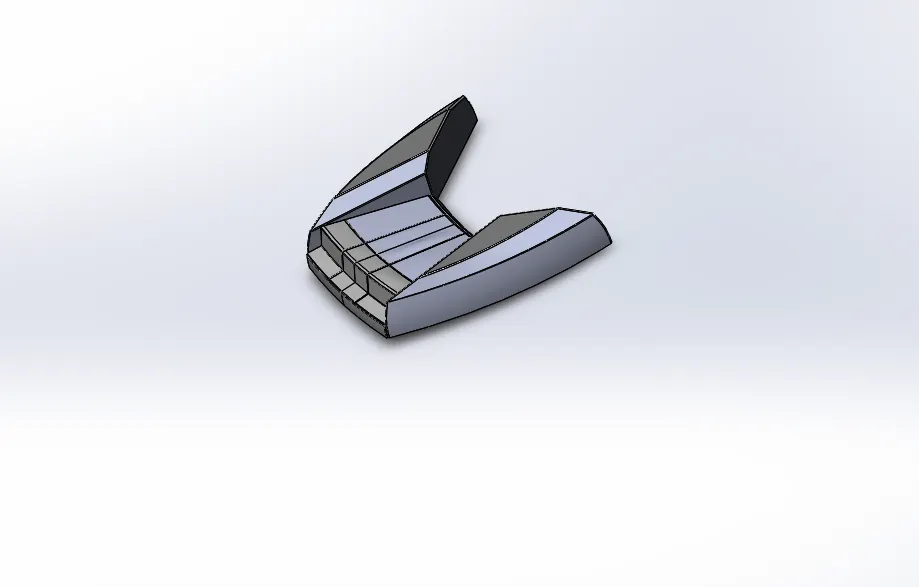
7 middle seat
the middle seat is kept just behind superstructure the middle seat consists of a table and chair
Features to use create a middle seat
Sketch
Extrude
Chamfer
Fillet
Chamfer :the chamfer tool create a beveled feature on selected edge, face ,or a vertex set the distance and angle in the
Chamfer
Description and procedure to make middle seat
Insert the blueprint of the yacht in a new part
Create the base of the middle seat
Create the cushioning part of the seat above the seating portion
Provide fillet and chamfer to all the required edges
Create the remaining part of the middle seat by mirroring the seat modelled till the last step .
Create table at the centre of the middle seat .
Apply colour to all the required surface .
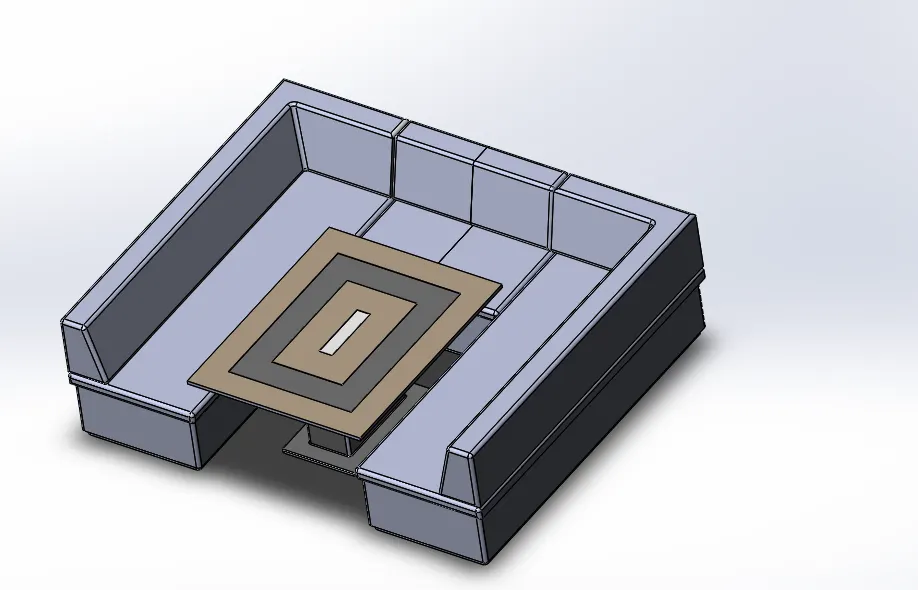
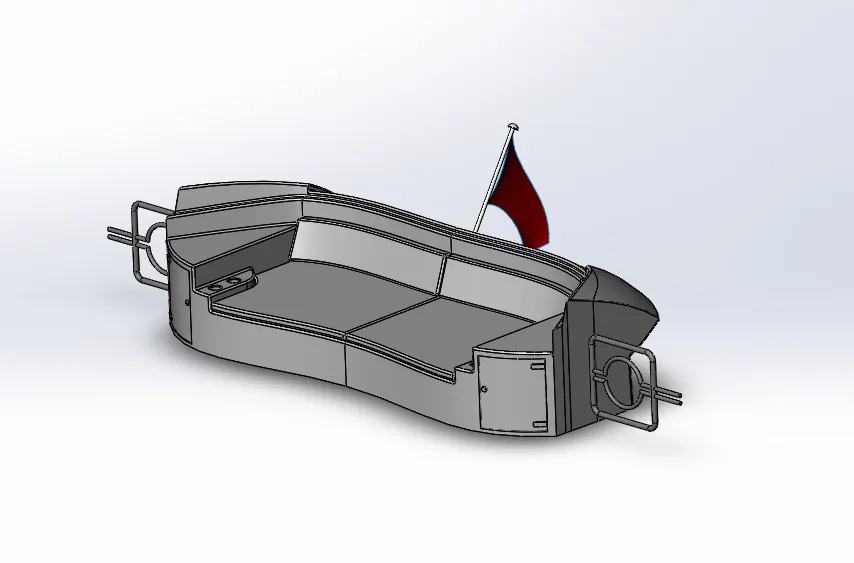
8 rear seat
the rear seat is kept at the rear end of the hull the rear seat has a wooden cupboard and teacup holder as an additional feature .
Features to use create a rear seat
Sketch
Extrude
Projection curve
Rule surface
Knit surface
Swept surface
Cut extrude
Fillet
Extend surface
Description and procedure to make rear seat
insert the blueprint of the yacht ina new part
Create a rear portion of the rear seat of the yacht on the floor of the hull using surface modelling.
Create the basement of the rear seat.
Provide fillet and chamfer to all the required edges.
Create a hand rest portion on the side of the rear seat.
Create additional cushion on the surface of the seat.
Provide fillet and chamfer to all the required edges.
Create a gate on one side of the rear seat.
Create a cub board below the hand rest portion.
Create the remaining part of the rear seat by mirroring the seat modelled till the last step .
Apply appearances to the surfaces.
9 superstructure :
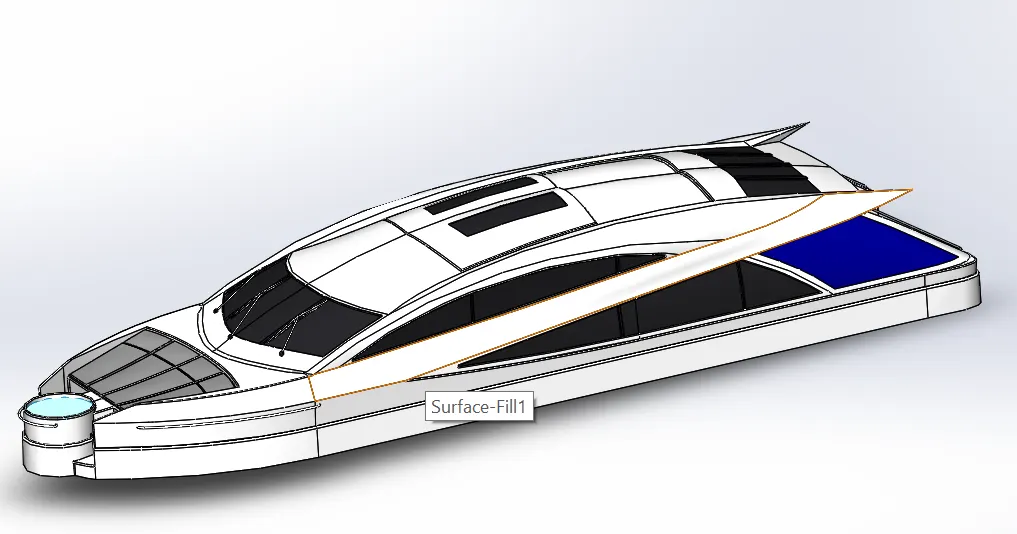
A superstructure is an upward extension of an existing structure above a base line
The superstructure is a yacht is the part that emerges from the deck
Features to use create a superstructure
Sketch
Curve surface
Swept surface
Loft surface
extruded surface
Extend surface
Surface fill
Surface knit
Surface trim
Delete surface
Extrude
Mirror
Cut extrude
Pattern
Fillet
Spilt
surface fill :the filled surface constructs a surface patch with any number of sides within a boundary defined by existing model edge ,sketches ,or curves including composite curves.
Surface trim: you can use a surface , plane ,or sketch as a trim tool to trim intersecting surface
Delete face : in the graphics area click the face you want to delete the name of the face appear under face to delete .
Description and procedure to make super structure
Insert the blueprint of the yacht in a new part
Create half of the superstructure by surface modeling and convert it into solid body
Create a foundation tank on the front side of the superstructure
Provide handle for on the surface of the foundation tank
Create steps in the front portion of superstructure
Create glass windows portion on the surface of the superstructure
Create a wiper portion on the surface of the superstructure
Create a handle for the backside door of the superstructure.
Create a surface on the foundation tank and provide appropriate transparency on it
Apply colour to all the necessary surface .
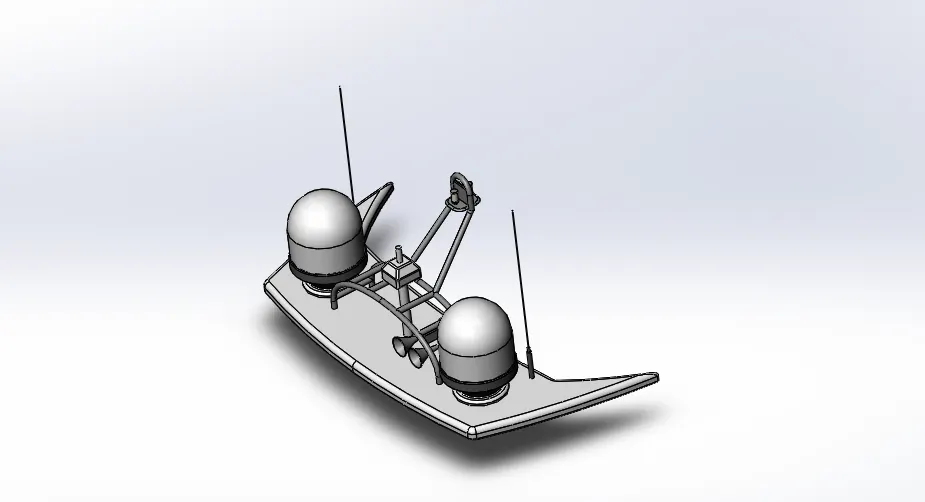
10 radar mast : radar mast is the mounting device of the radar in the ship it has an appropriate position for keeping
All the radar related equipment such as a transmitter ,reciver ,processor etc.
Features to use create a radar mast
sketch
projected curve
extrude
cut extrude
fillet
chamfer
sweep
Description and procedure to make radar mast.
Insert the blue print of the yacht in a new part.
Create the bottom plate of the radar and provide fillet to all the sharp edges .
Create the cylindrical tank on the bottom plate
Provide fillet and chamfer to all the required edges.
Create an antenna starting from the bottom plate of radar mast
Create the remaining part of the radar mast by mirroring the part modelled till the last step.
Apply appearances to all the required surface.
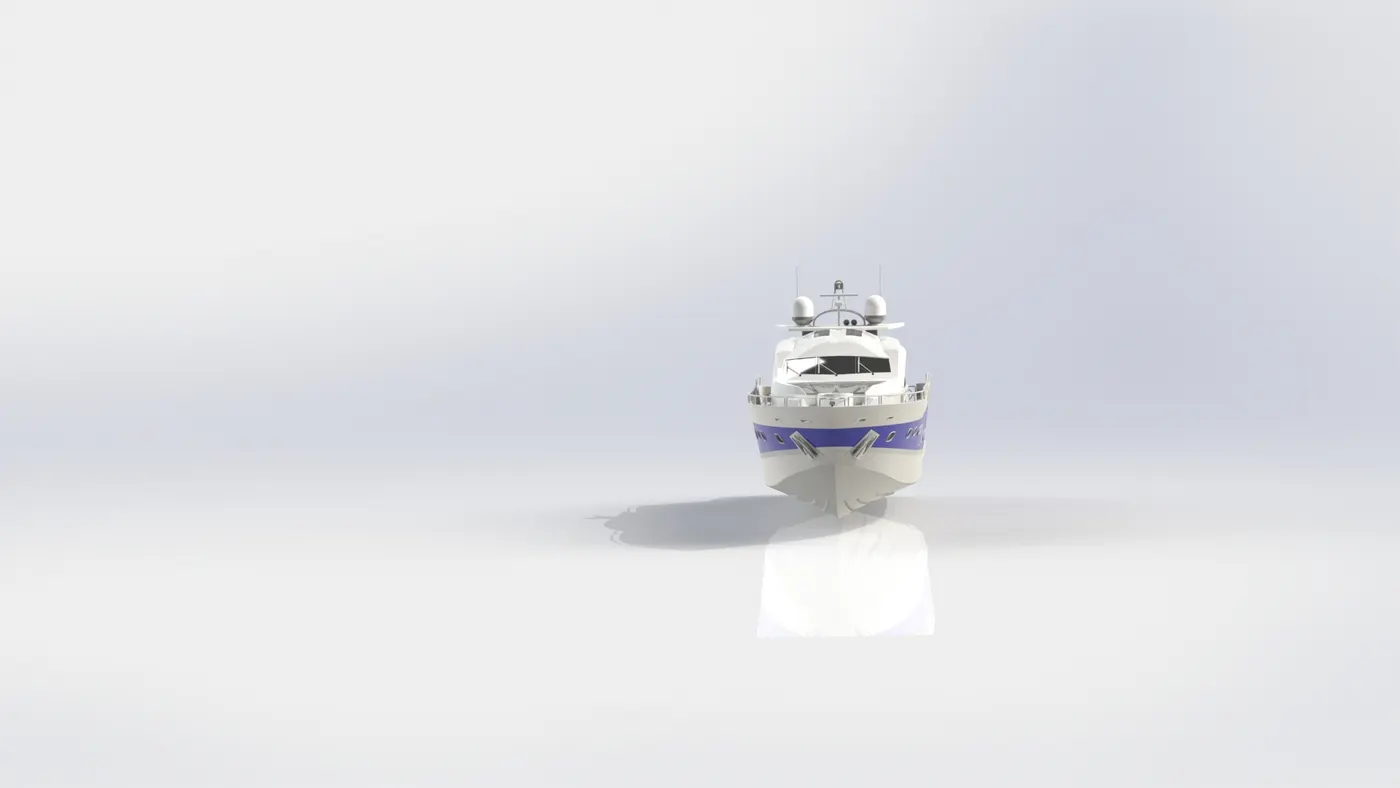
Assembly of a yacht
First to open the solidwork file then click insert compent >existing
Parts/assembly
Then click the browse button then select hull its automattically fix then one
Connecting with the hull use of mate are coincident ,concentric ,distance mates
To join the part are movie in yacht .
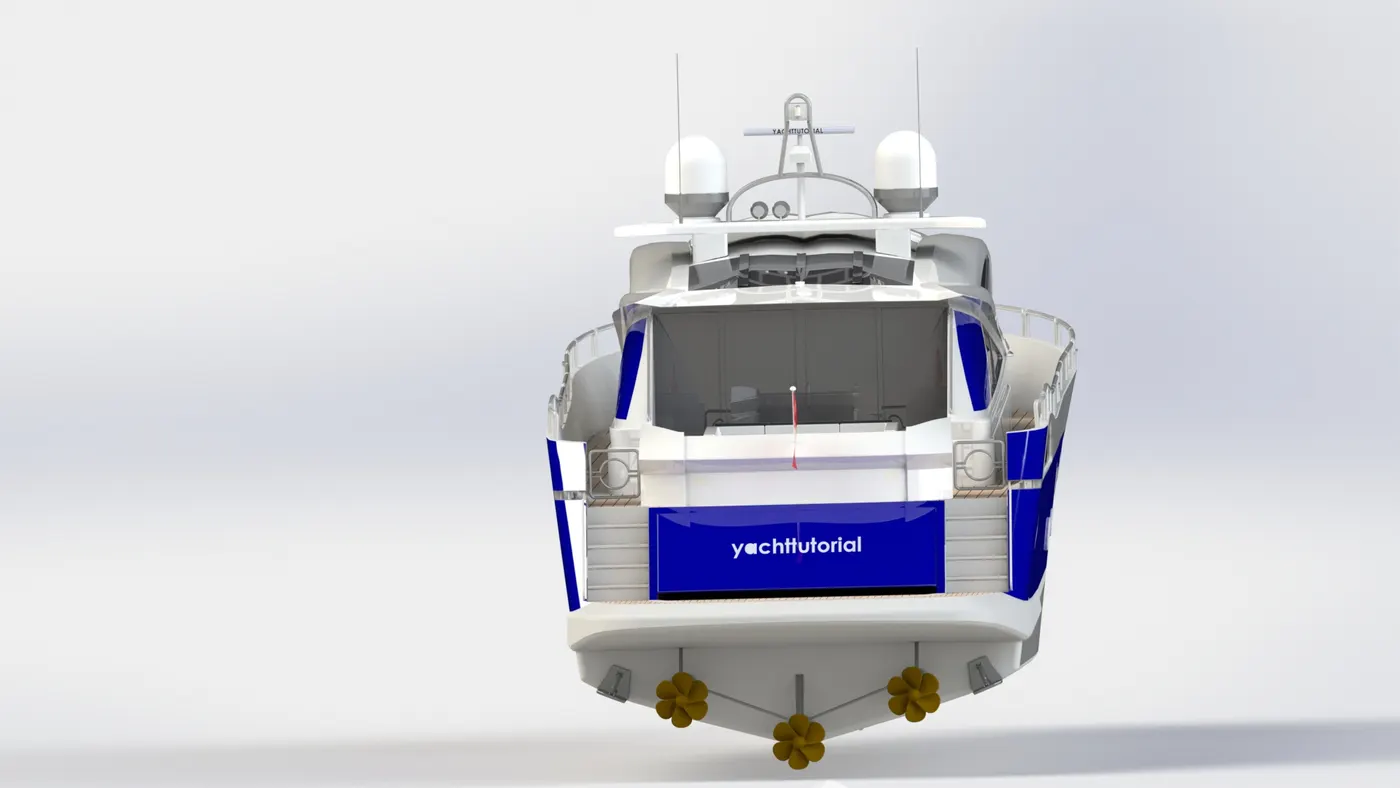
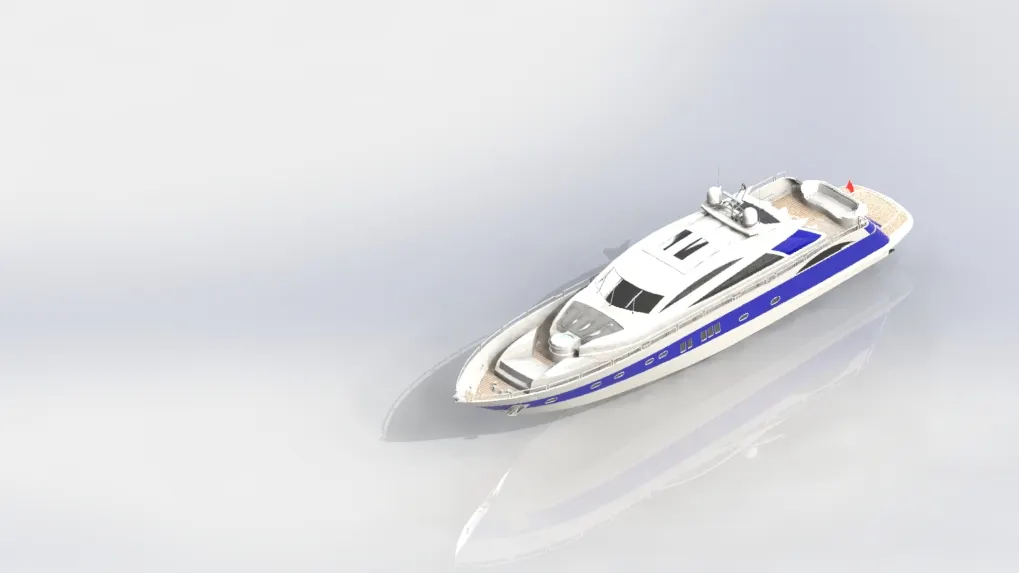
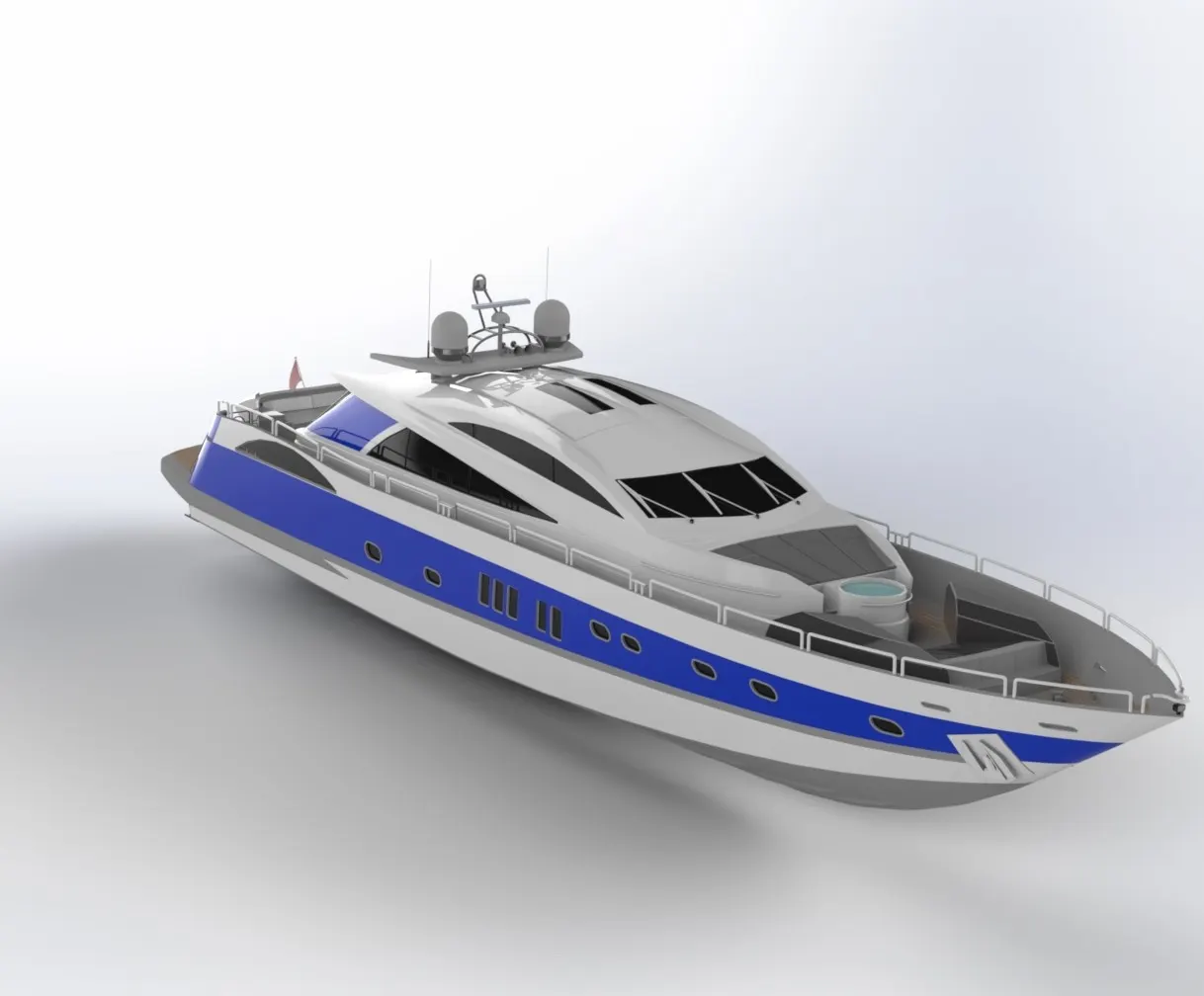
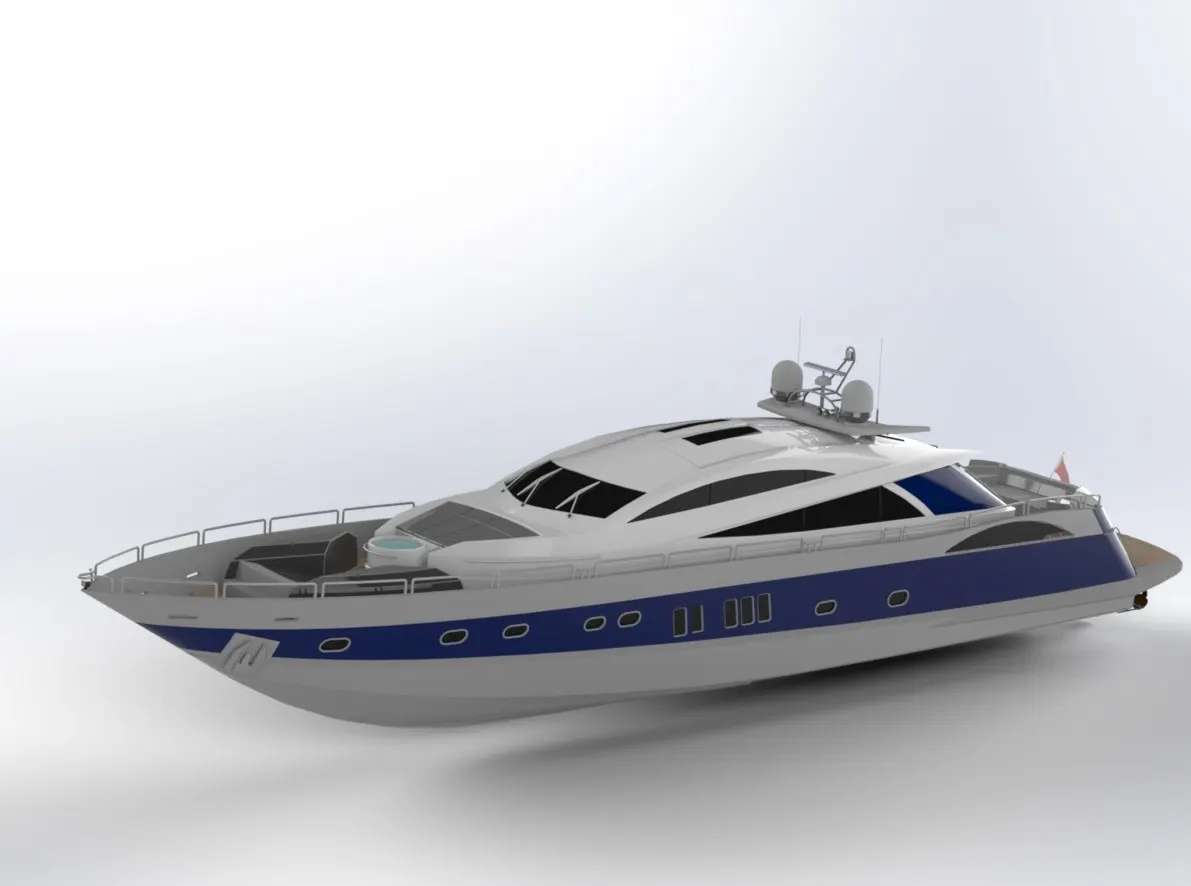
rending : by using of photoview 360 or solidwork visualize you can do rendering .
Conclusion :
the parts of the yacht is modeled.
the parts are inserted in assemble environment and the parts are assembled.