Architectural plan for the provided plot size and develop relevant basic structural drawings.
AIM:
To create an Architectural drawing consisting of Floor plan, Elevations and Sections for the plot size 60'x20' and also create the structural drawings for Column, Footing and Beam.
INDRODUCTION:
To draw an architectural and structural drawings in an Autocad.
Plot size: 60'x20' .
Orientation: East facing
Command used: Line , Offset , Rectangle, Trim , Extend , Block , Block edit , Dimension , Layer , Hatch , fillet, polyline, text, hatch,Ray, copy, trim, erase.
PROCEDURE :
- Open Autocad software
- Set units in inches and feet
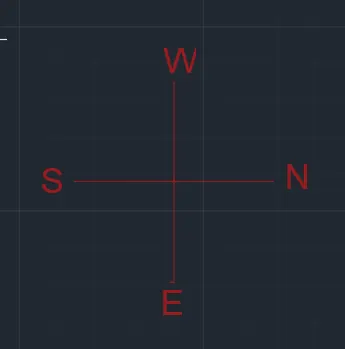
- Go to layer properties click new layers ,name the layers for reference
- In Architectural drawings there are : Plan, Elevation , Section
- In structural drawing there are: Column layout, Footing layout, Beam layout
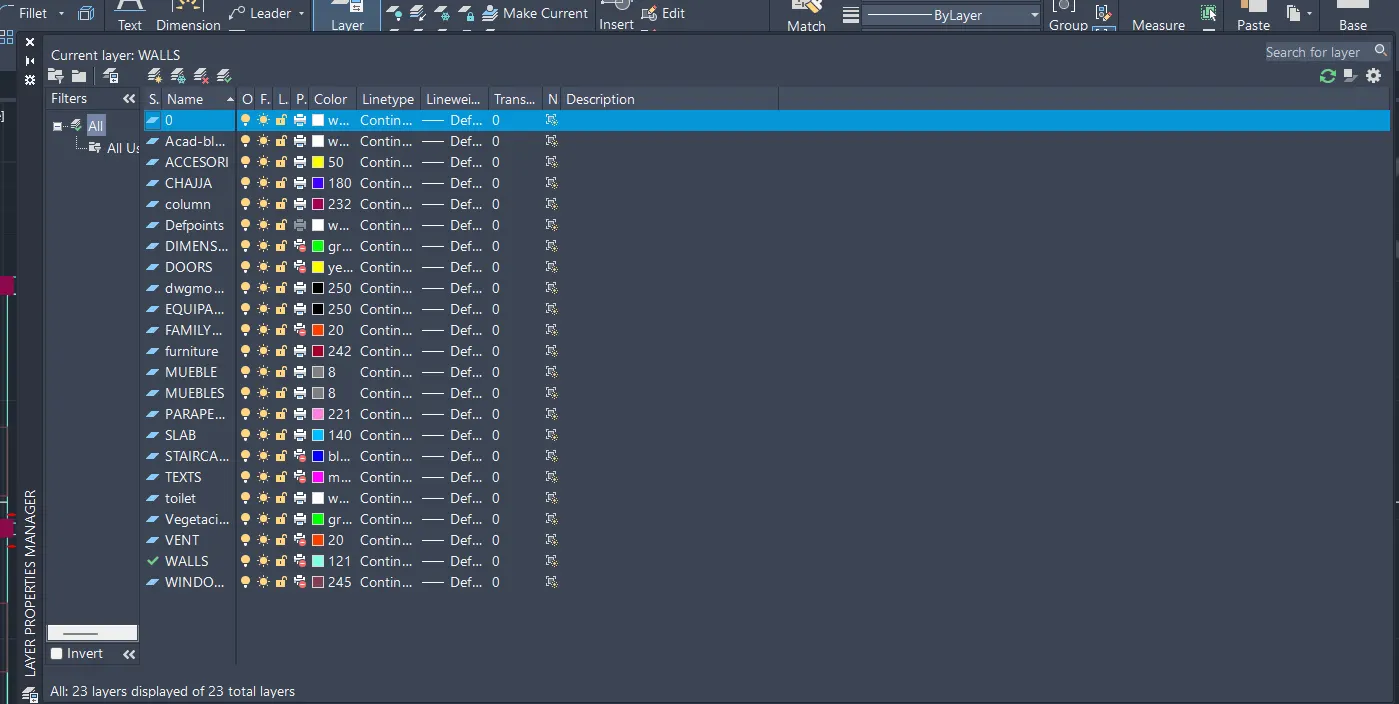
- Using line tool created a direction Symbol
ARCHITECTURAL DRAWING:
To create floor plan, Elevation and sections.
- PLAN
- By using line tool , draw a rectangle of size 60'x20'
- The entrance is facing East direction
- The outer wall thickness is 9" and the inner wall thickness in 6".
- This is 60'x20' 2BHK house plan with two story
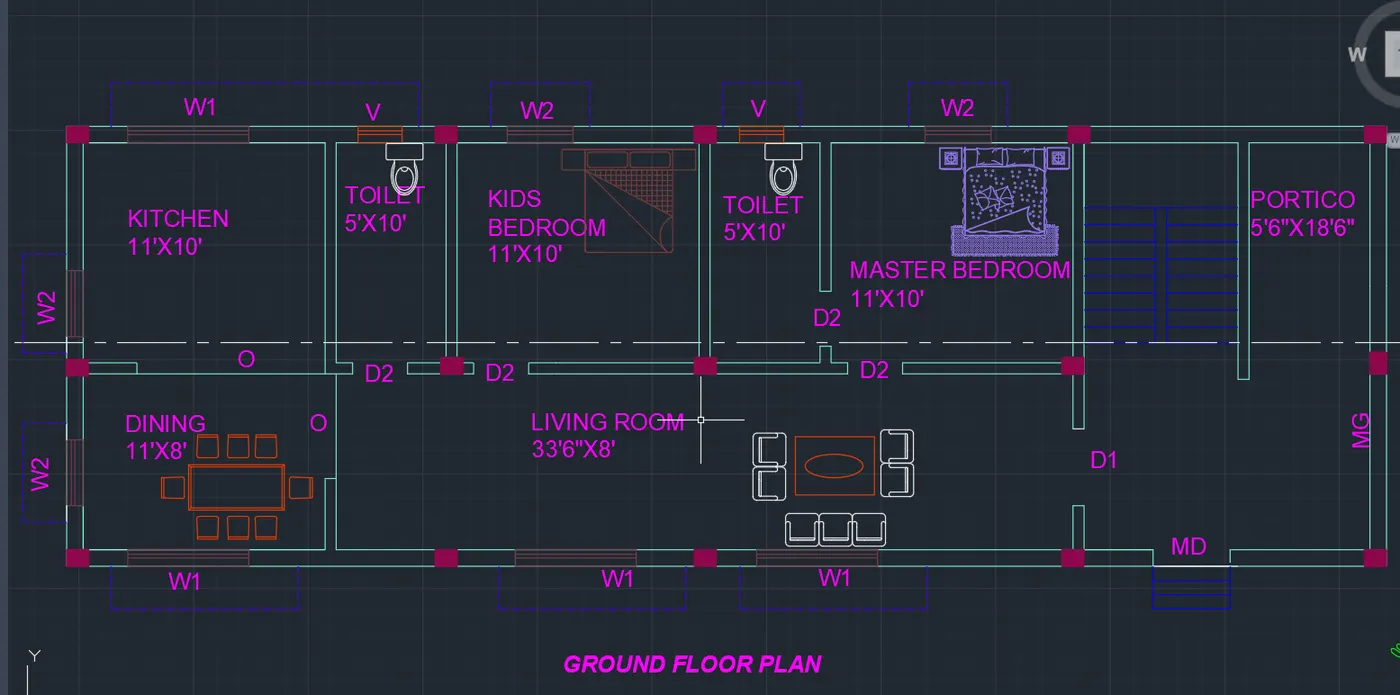
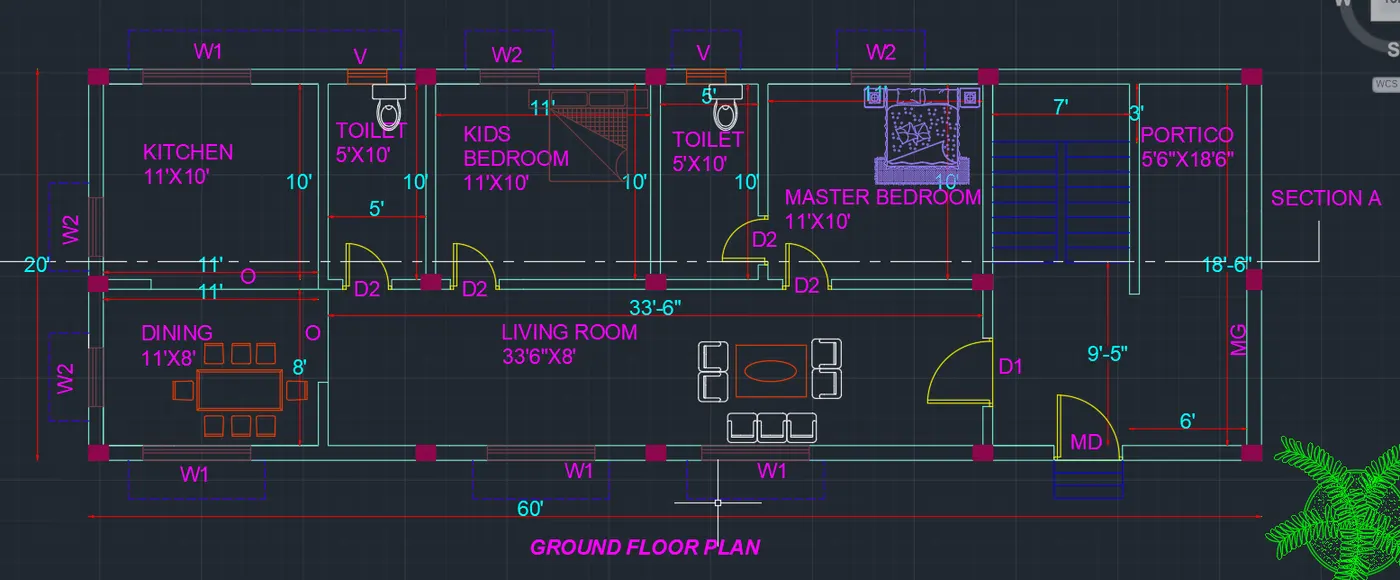
- On this 60x20 Ground floor plan
- Ground floor plan consist of a Living room, master bedroom with a attached bathroom, dining room are available.
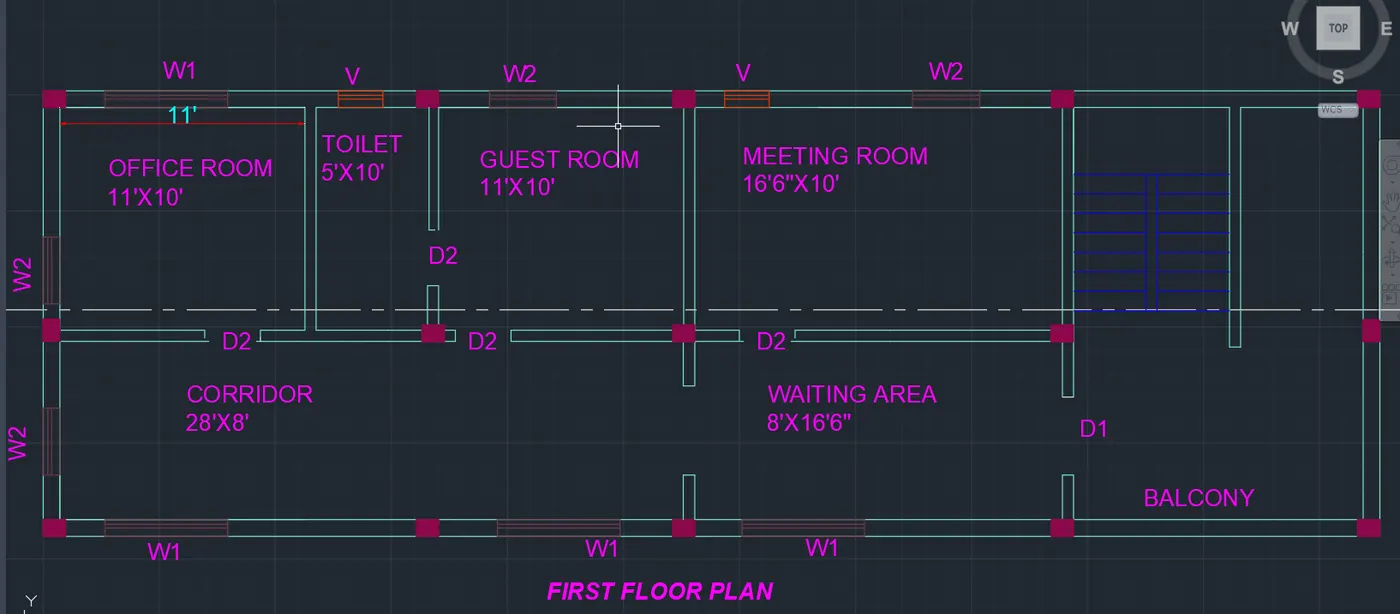
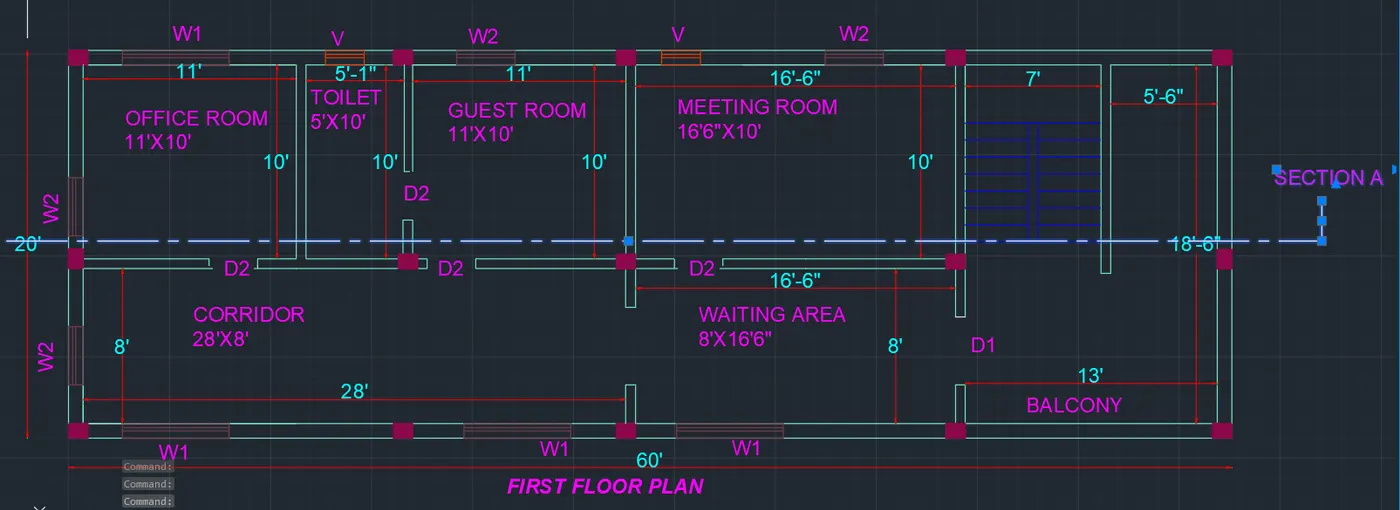
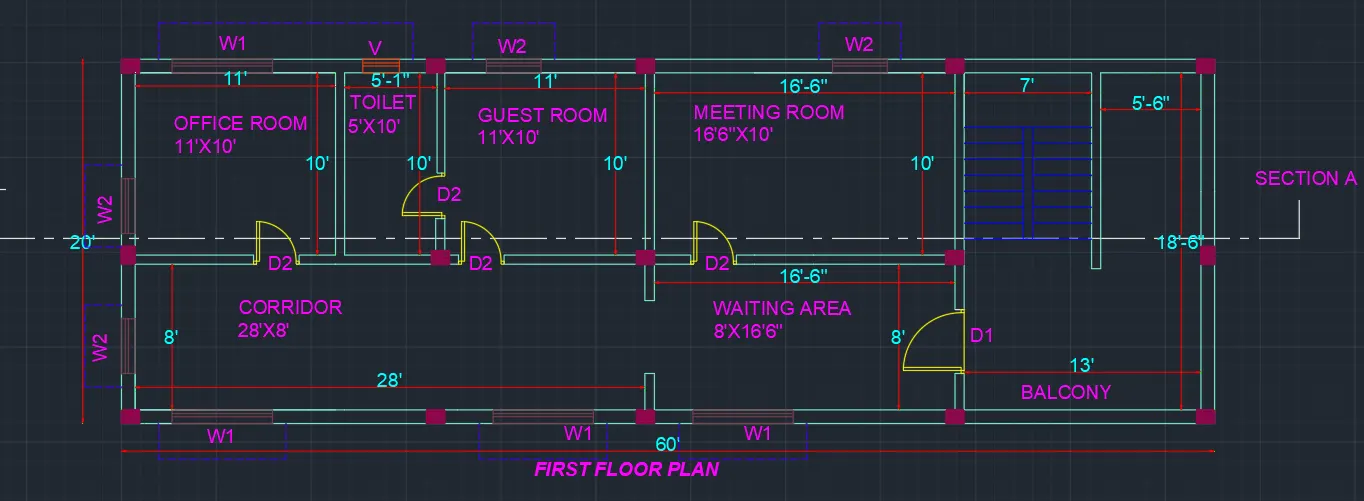
- First floor plan consist of a Meeting room, Guest room with attached bathroom,office room,corridor, balcony are available.
- On this east facing 2bhk ground floor plan as per vastu, living room, bedroom, kitchen, dining area,toilet , sitout are available
- The kitchen is placed in the direction of south west direction.
- The dining room is placed in the south east direction.
- The Master bedroom is placed in the direction of northwest direction.
- The living area is placed in the direction of East.
- The stair is in northwest direction.
-
Doors
Sizes
D1
3'6''X6'8"
D2
2'6"X6'8"
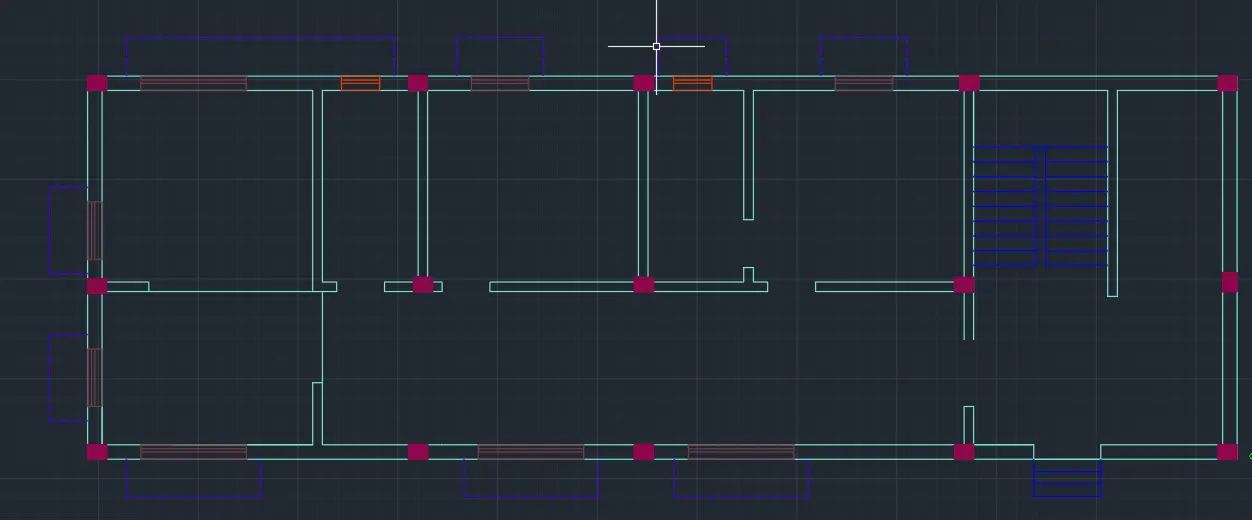
- By line command i have created columns of size 1'x9".
- Here i filled up with hatch.
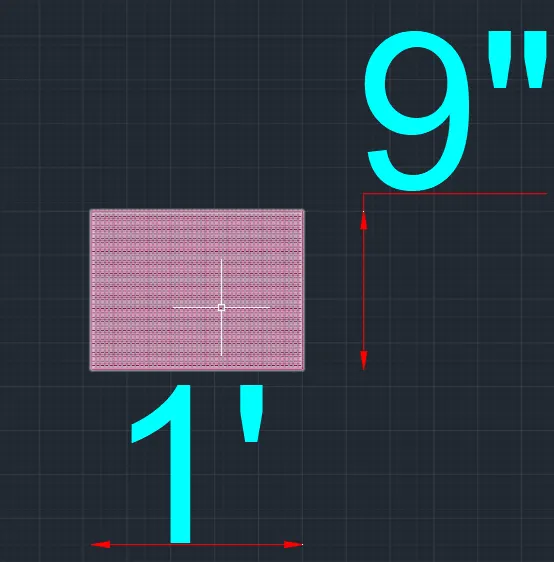
- Place the column in a plan where ever it required and draw stairs according to the dimension
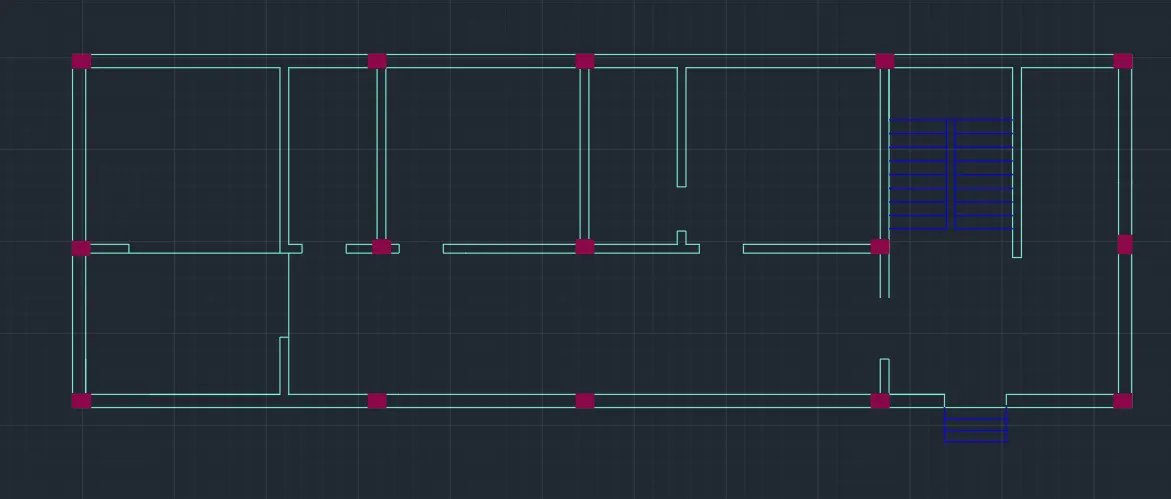
- The dimension of windows are shown below
|
Windows/Ventilators |
Size |
|
W1 |
5'6"x4'3" |
|
W2 |
3'x4'3" |
| V |
2'x1'6" |
- After placing the windows draw the sunshades.
- Using the tool components , i have placed components in all rooms, spaces
- Using text command , i have mentioned all names for rooms , spaces, doors and windows for ground floor plan
- Using text command , i have mentioned all names for rooms , spaces, doors and windows for First floor plan
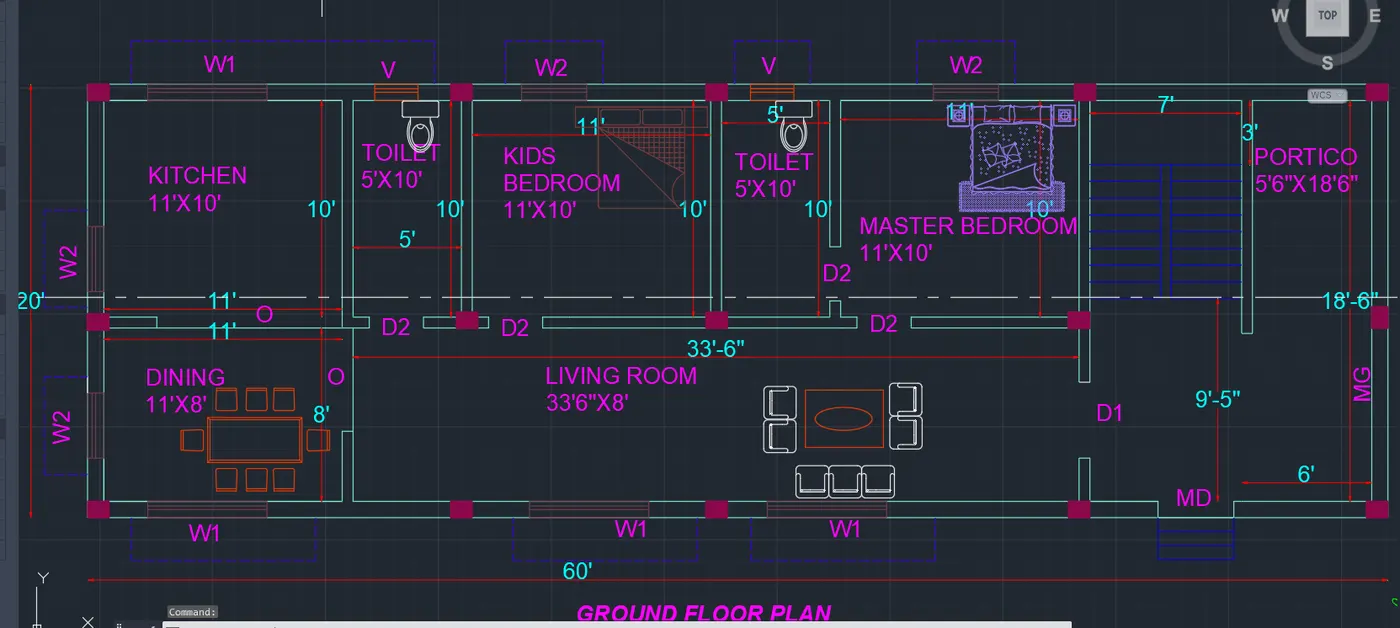
- Using Dimlinear command , i have created the dimension of ground floor plan
- Again Using Dimlinear command , i have created the dimension of First floor plan
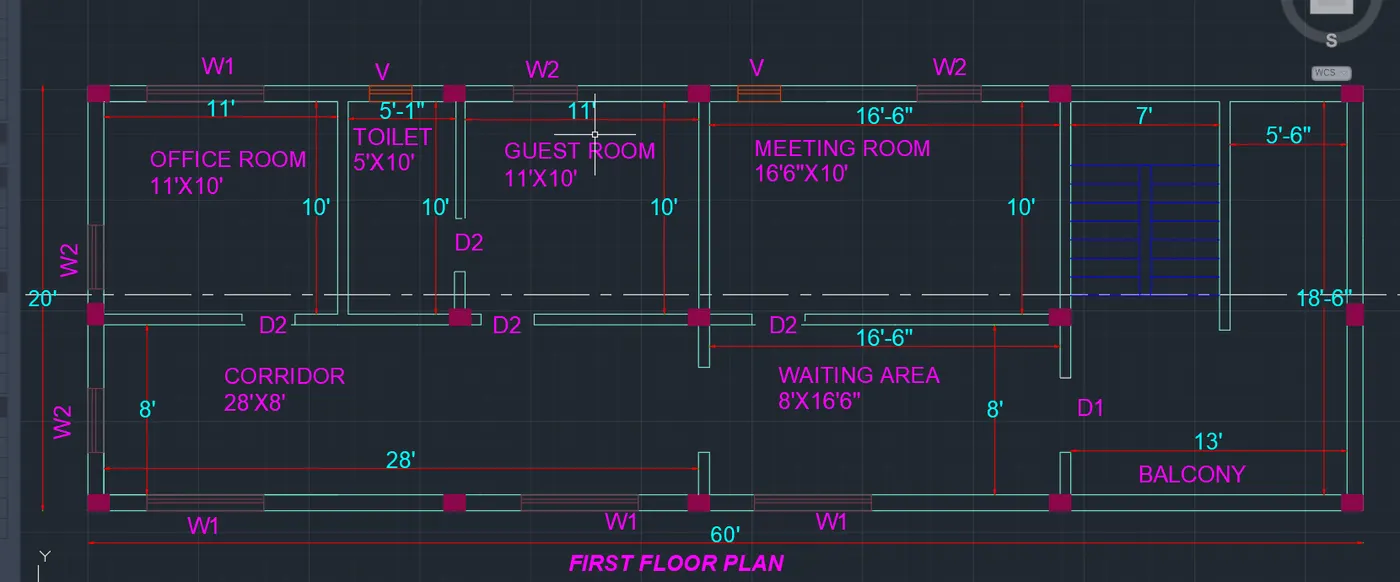
- Using the linetype LONG-DASH SHORT-DASH, I have cut the plan into 1 sections, SECTION - A
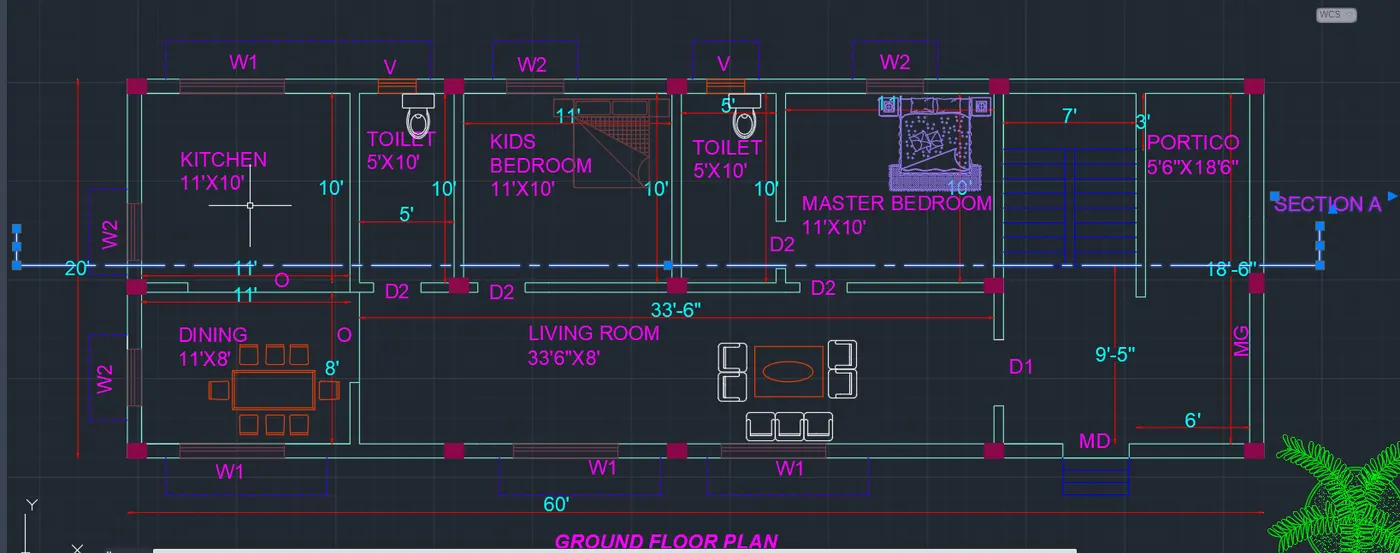
- I have cut the section A in the First floor plan as shown below.
- Create the doors using line command.
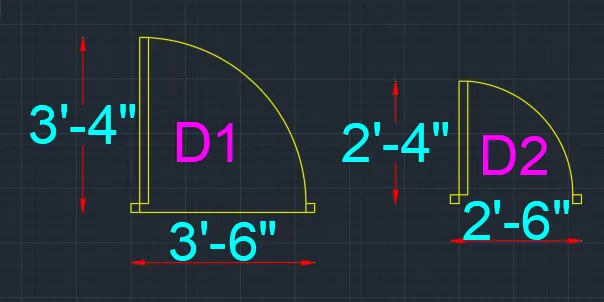
- Place the doors in the door openings at ground and first floor plan.
SECTION A
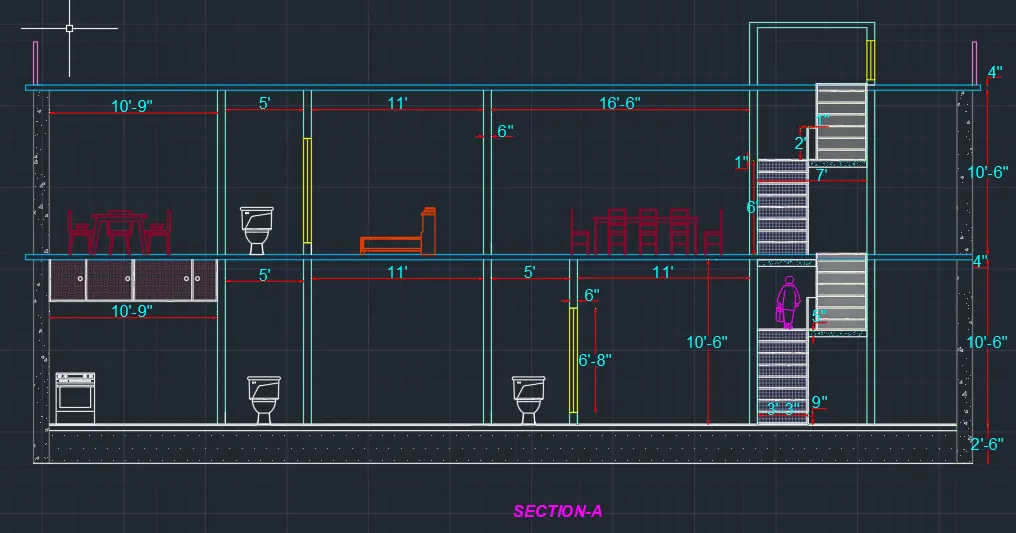
Using the commands Line, polyline, offset, fillet and trim, I have created the sectional view for the Section -A.
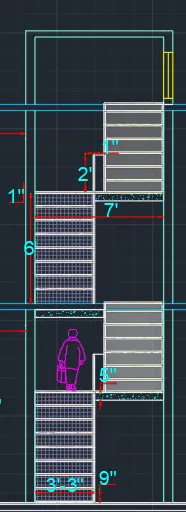
- Using hatch command , i have filled in all walls , slabs as required.
- Provide text and dimension to all rooms, kitchen, spaces.
- Using line command i drew the internal walls.
ELEVATION.
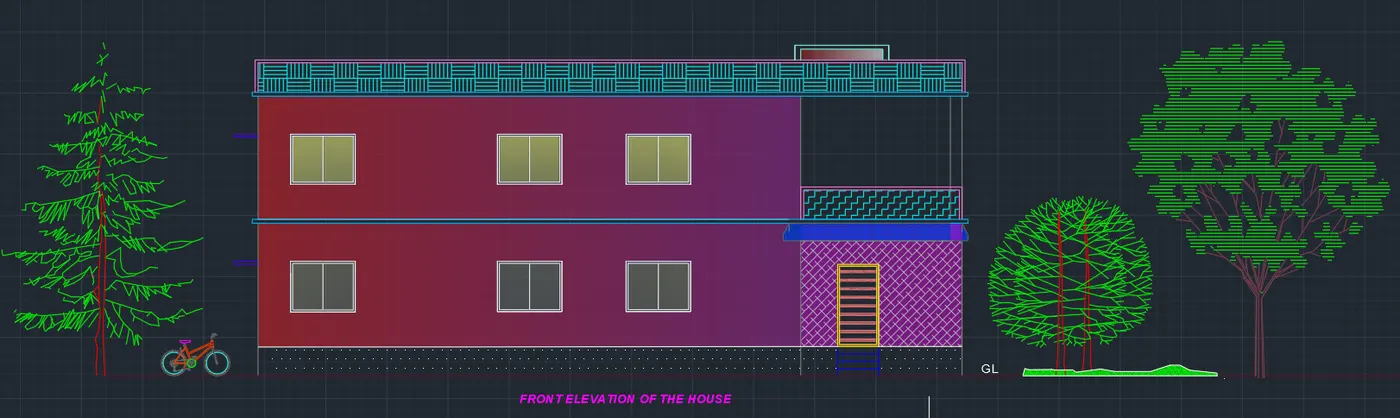
- Using the commands Line, polyline, offset, fillet, trim and hatch, I have created the front elevation of the house.
- Provided windows & doors as per the plan.
- Provided Parapet wall.
- Provided balcony
- Using hatch command , i have created gravel for foundation,& AR-CONC for lintel, slab & beam.
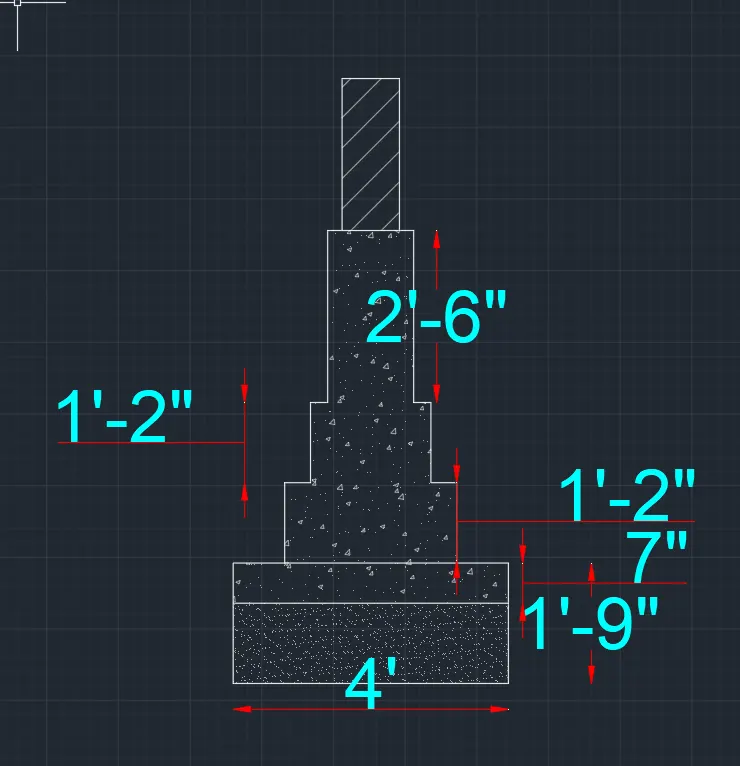
- Using the commands Line, polyline, offset, fillet, trim and hatch, I have created the foundation.
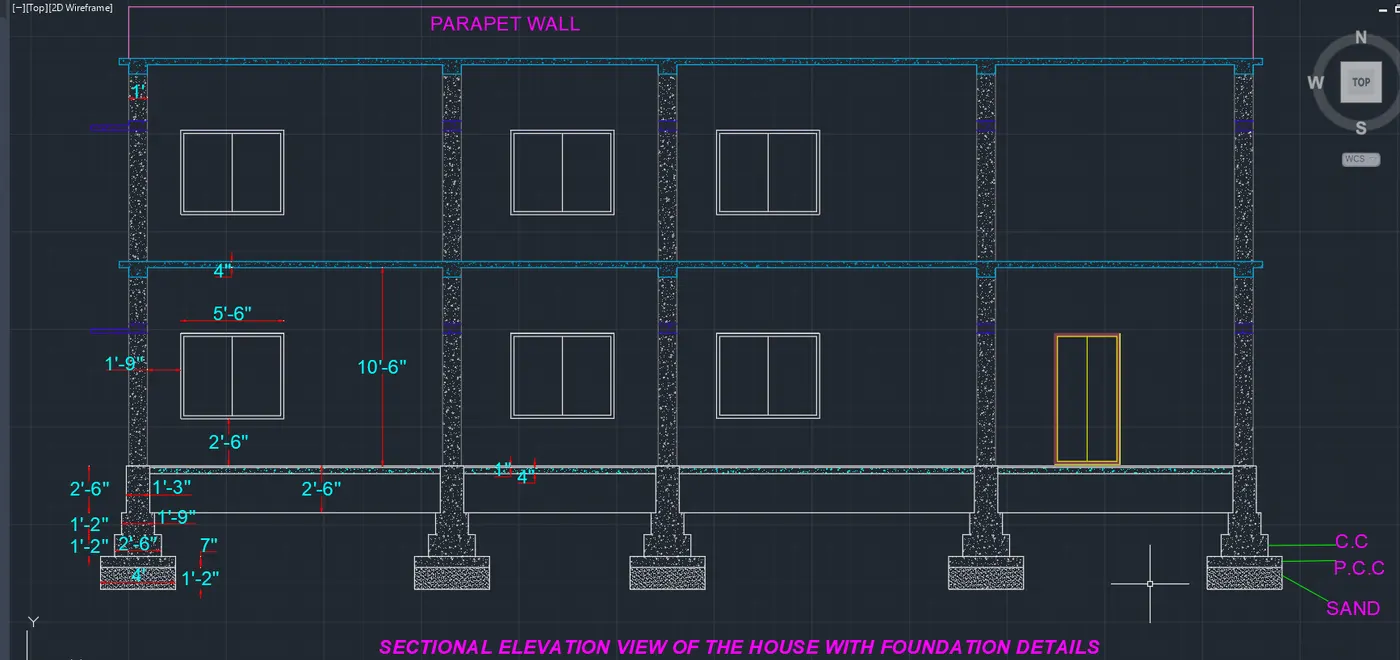
- Using the commands Line, polyline, offset, fillet, trim and hatch, I have created the sectional view for the Elevation
- Provided windows & doors as per the plan.
- Provided Parapet wall.
- Provided balcony
- Using hatch command , i have created gravel for foundation,& AR-CONC for lintel, slab & beam.
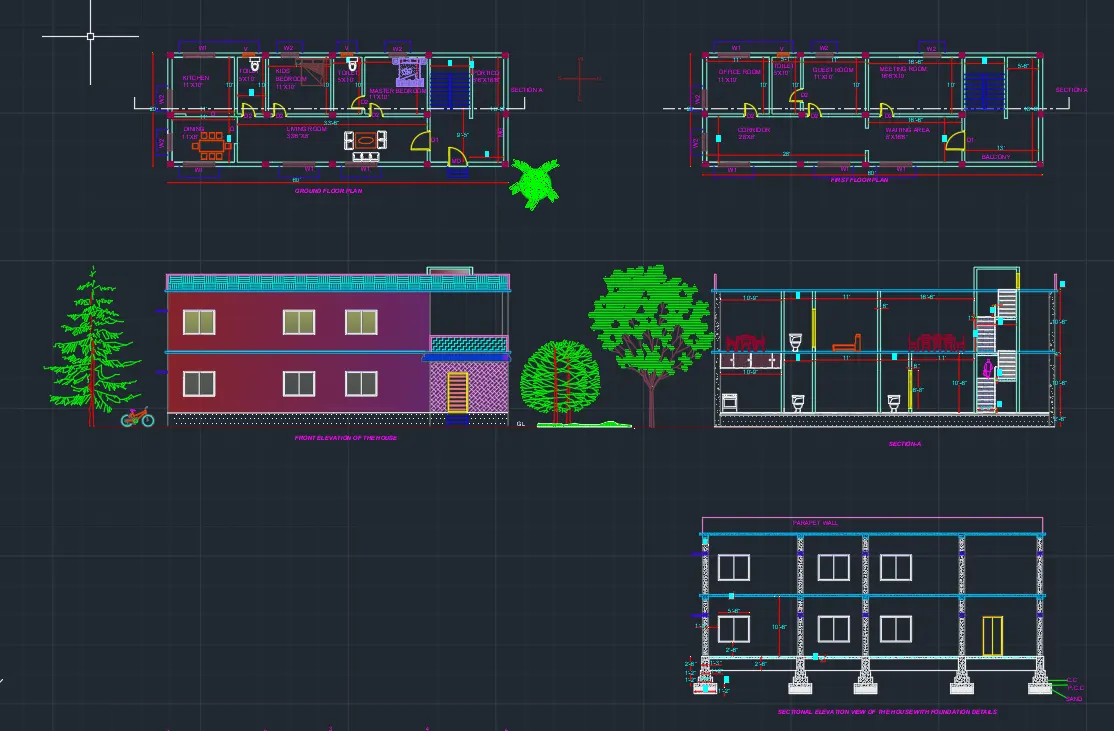
- The result for the Architectural drawing , i have shown Ground floor plan , First floor plan, Sectional view and Elevation.
- STRUCTURAL DRAWINGS
- COLUMN LAYOUT
- First turn off the layers except the column layer and boundary layer in the layer properties
- Select all column from the building plan and copy them to different area
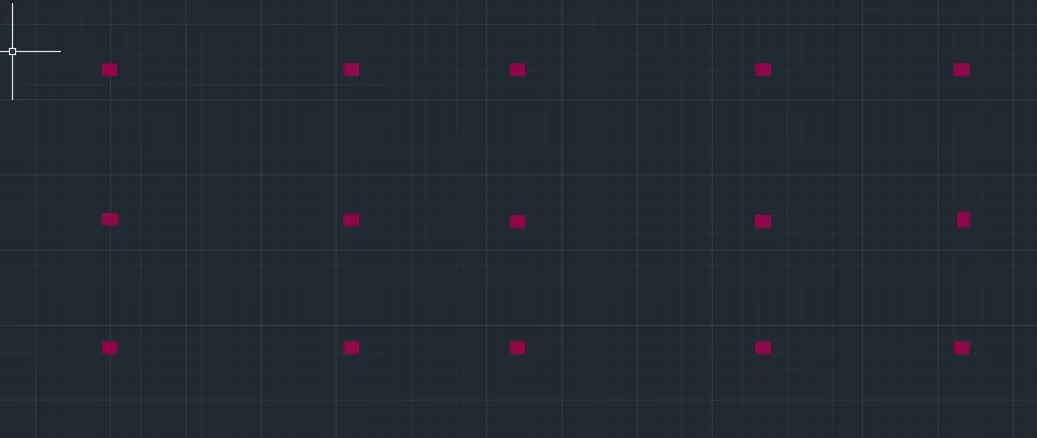
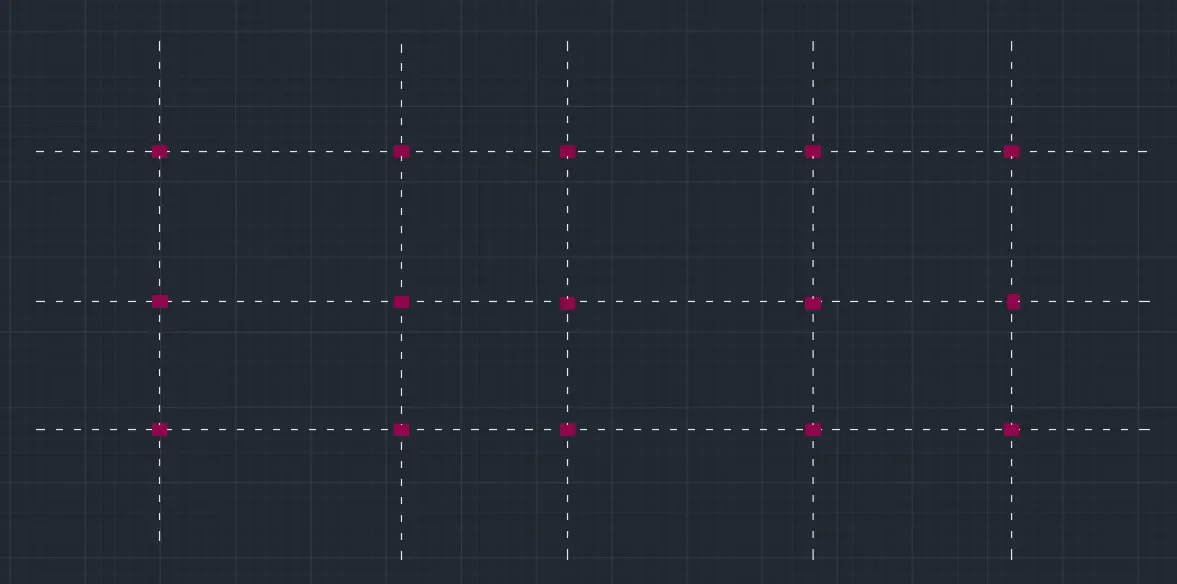
- Select the line type as ISO 02W100 and give scale as per requirement.
- Draw lines through the midpoint of the columns in the horizontal and vertical directions.
- Using the command dimli , create a dimension
- Measure all objects
- Using text command, select that tool and give text as per the drawings
- Modify dimenstion style
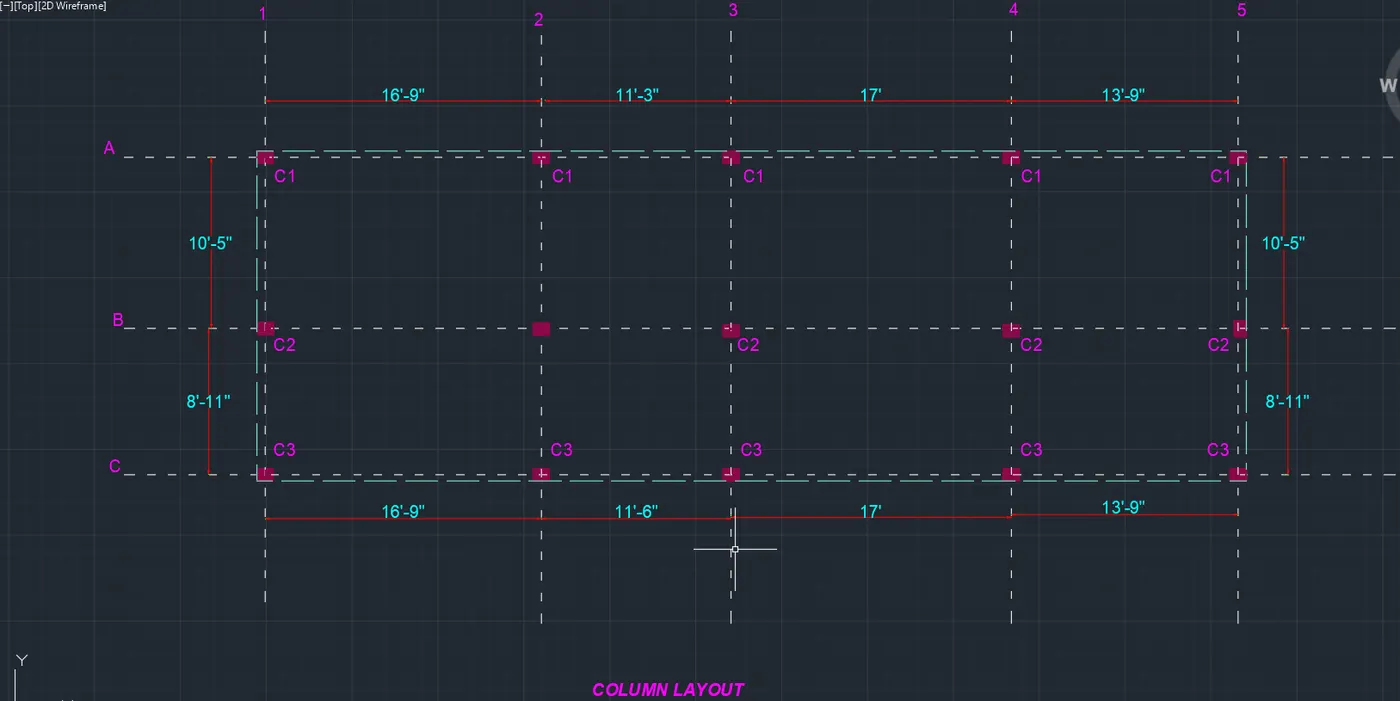
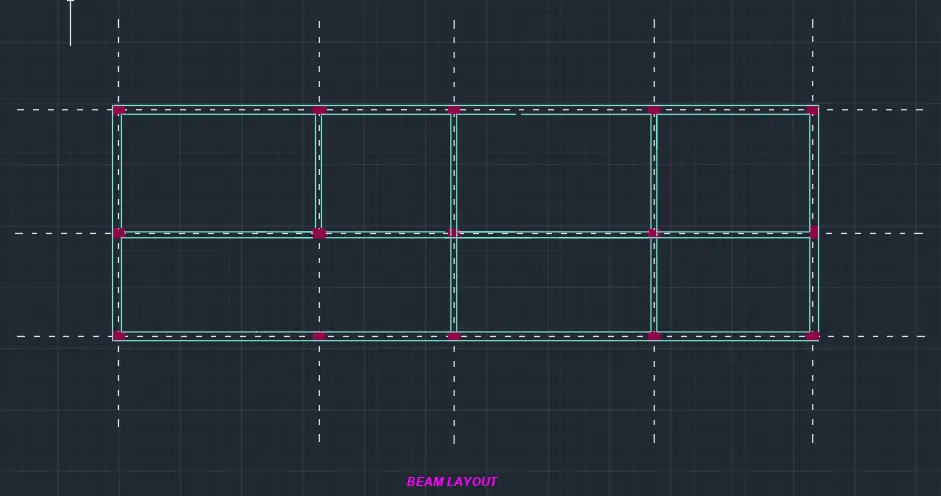
- BEAM LAYOUT
- First turn off the layers except the column layer and boundary layer in the layer properties
- Select all column from the building plan and copy them to different area.
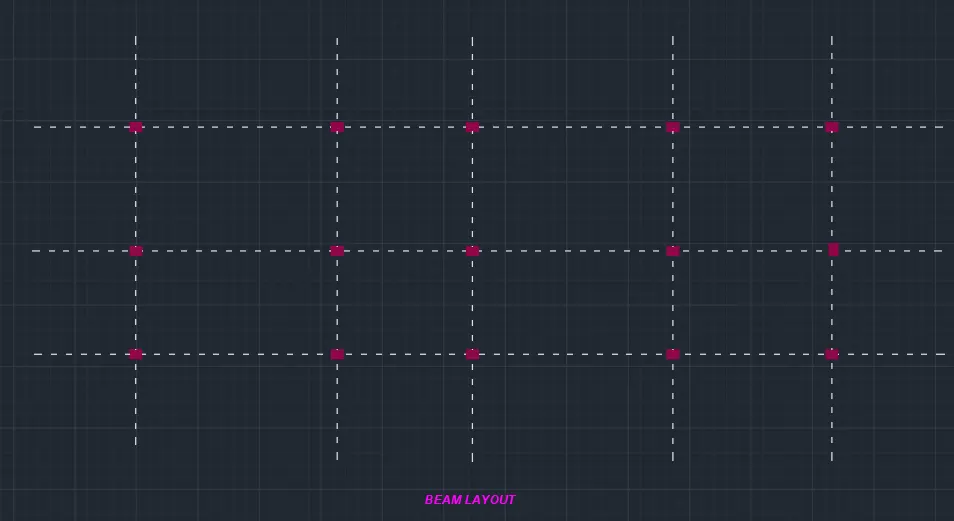
- Select the line type as ISO 02W100 and give scale as per requirement.
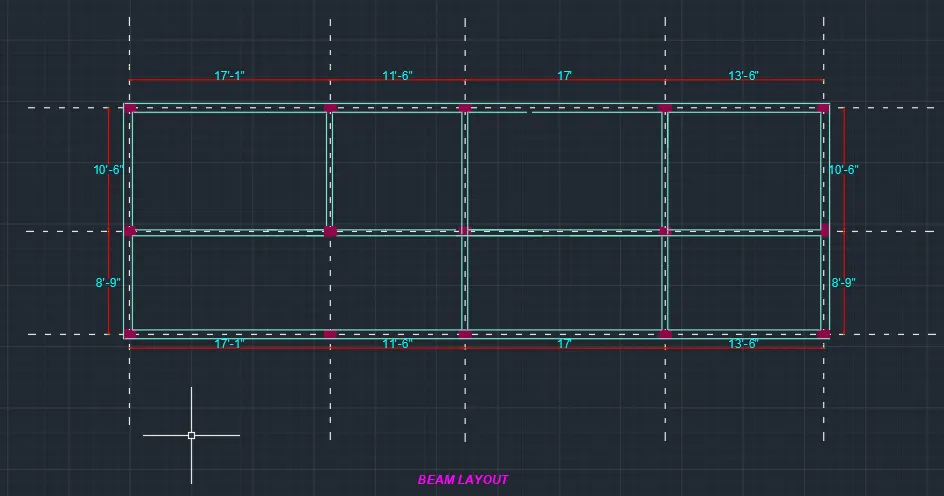
- Draw lines through the midpoint of the columns in horizontal and vertical directions as shown in the figure below.
- Assign the name beamlines to the beam Layer.
- Using the command dimli , create a dimension
- Measure all objects
- Using text command, select that tool and give text as per the drawings
- Modify dimenstion style
- FOOTING LAYOUT
- First turn off the layers except the column layer and boundary layer in the layer properties
- Select all column from the building plan and copy them to different area.
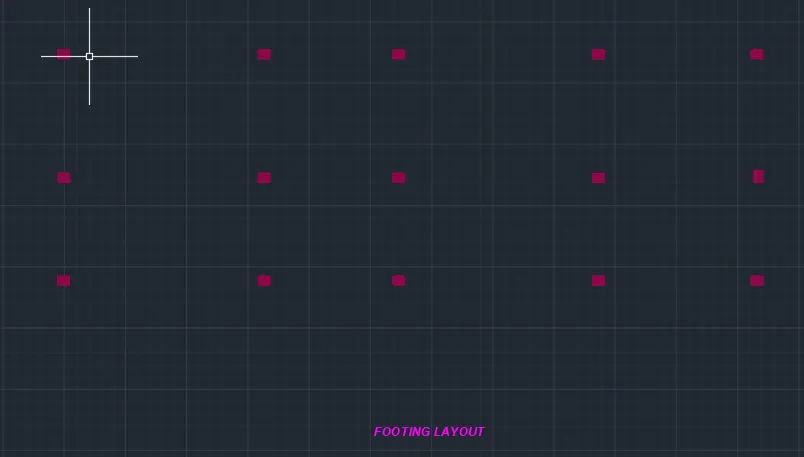
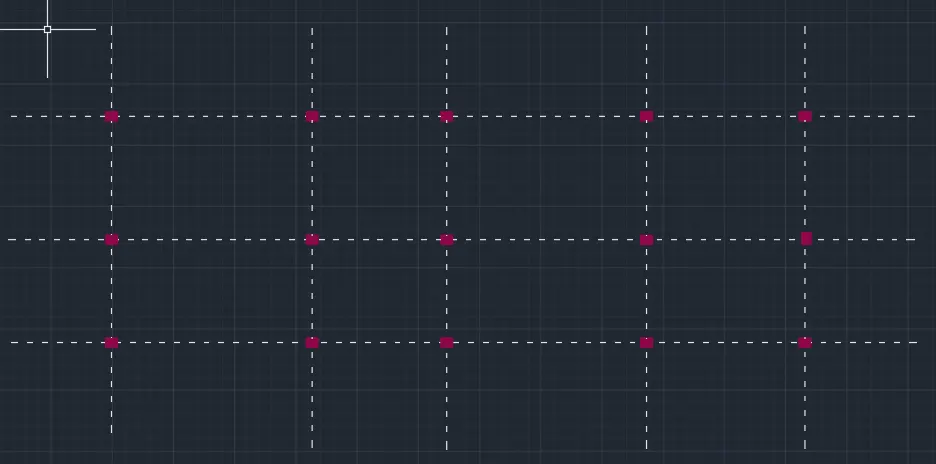
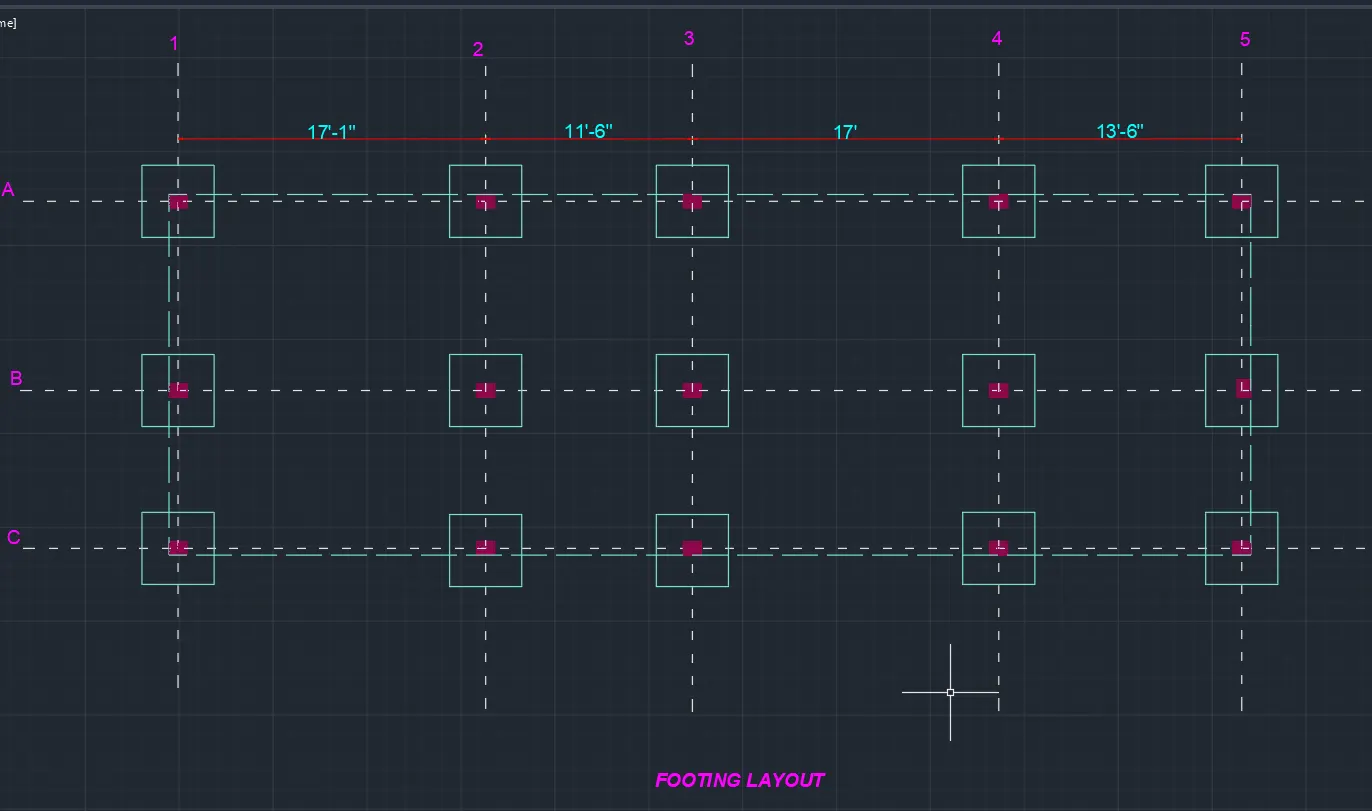
- Using the line command, the square footing of size 4'x4' is provided for all the columns except for staircase column where footing of size 3'x3' is provided.
- Using the CENTERLINE LineType, the grid lines are provided.
- Using the DIM-LIN and DIM-CONTINUE command, the dimensions between the grid lines are mentioned.
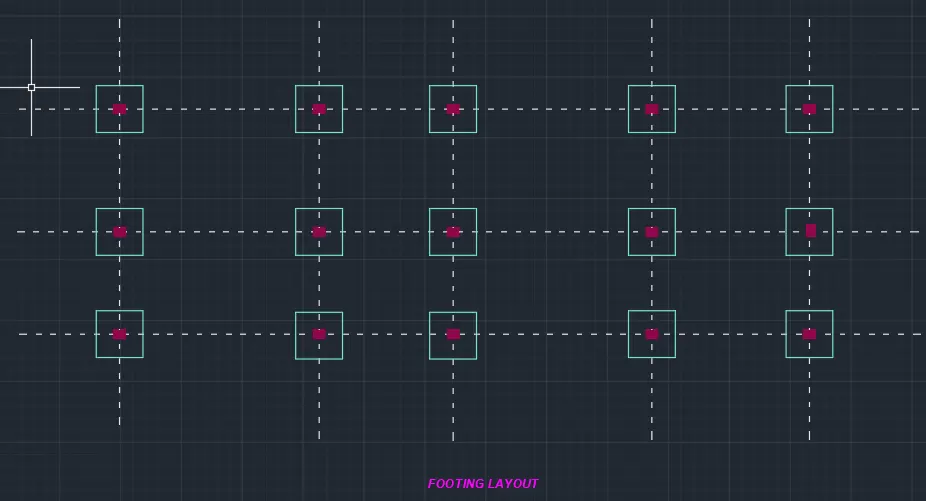
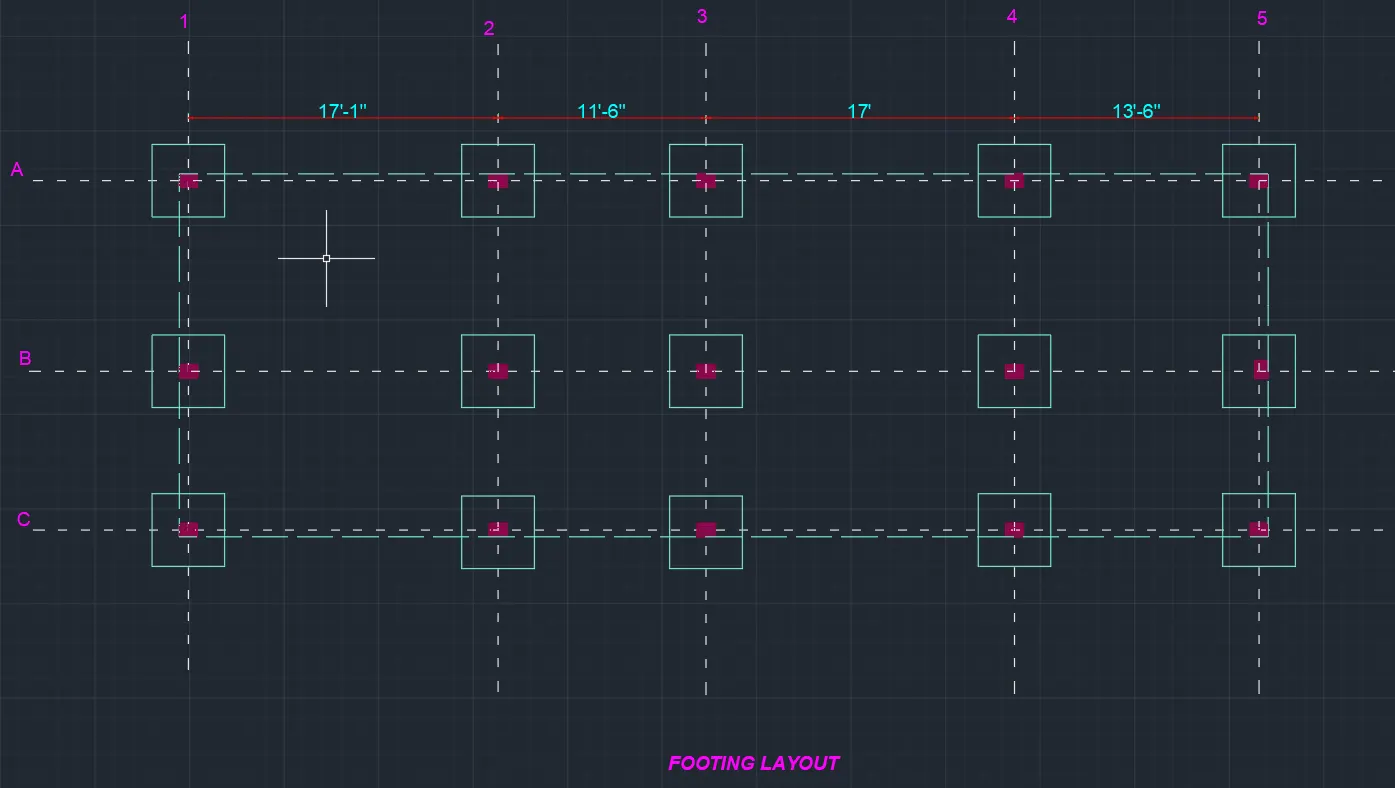
- The result of COLUMN LAYOUT, BEAM LAYOUT, FOOTING LAYOUT are shown below.
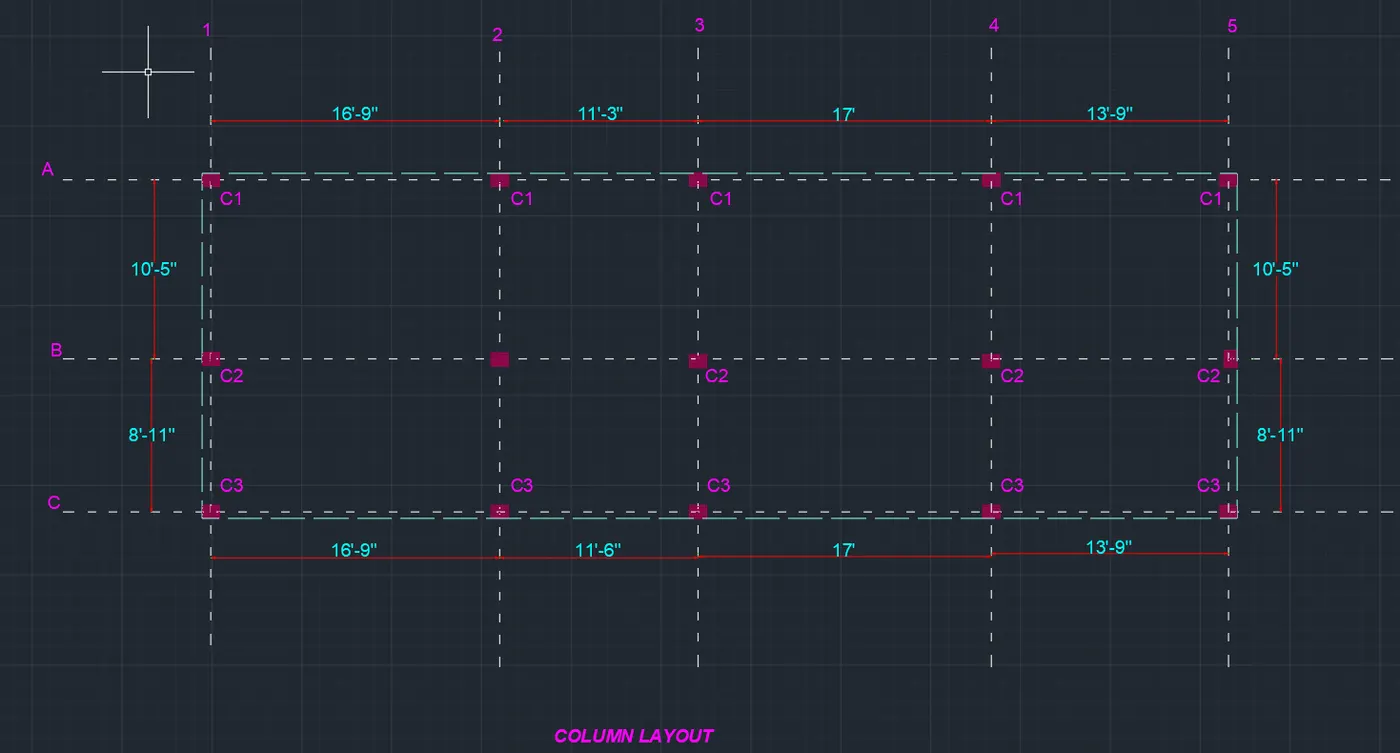
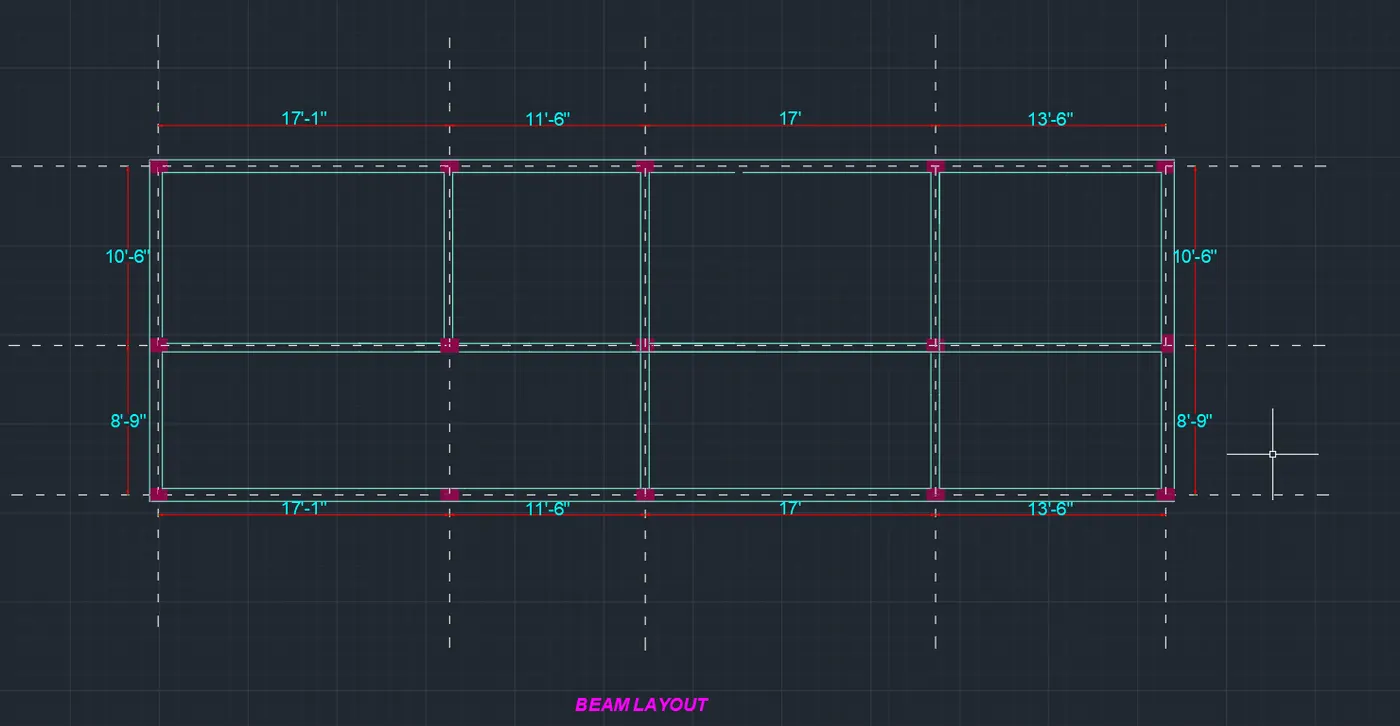
RESULT
- Successfully completed the Architectural drawing of Ground floor plan, first floor plan, Section of both ground floor and first floor and Elevation of both ground floor and first floor plan.
- Successfully completed the Structural drawing of Column layout, Beam layout and Footing layout.