Analysis & Design of RCC shear walls in the model using ETABS
Aim - To run the analysis and design of rcc shear walls in Etab
Procedure -
Step 1 -
- Open the challenge in Etab software
- Select 3-d view
- Run the analysis
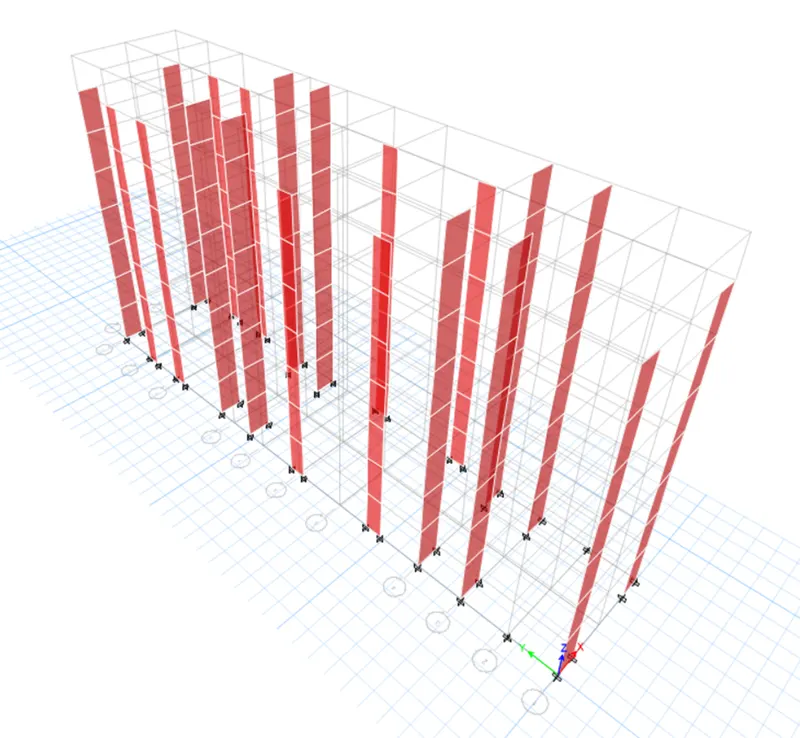
Step 2-
- Select Display and then show table
- In that,select Analysis result-structure output-modal information-modal participating ratio
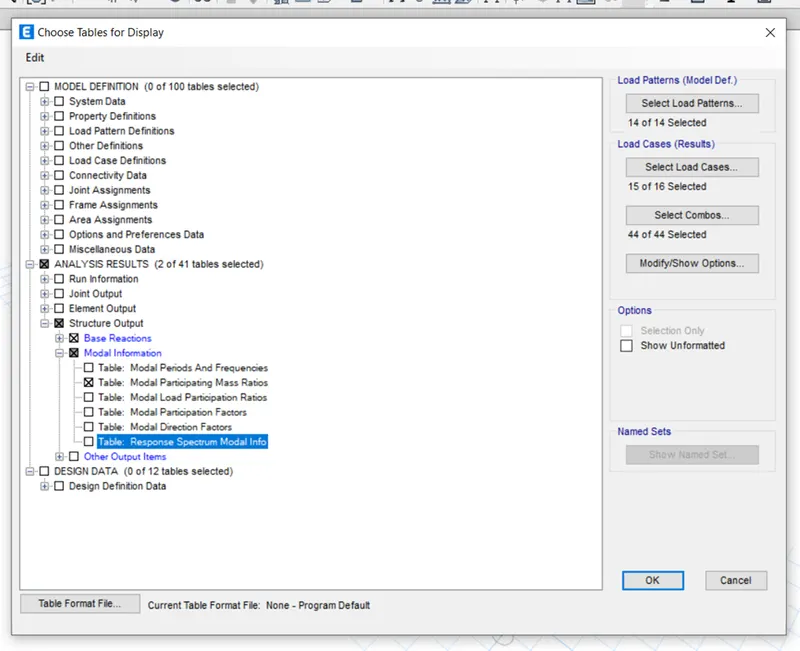
- Then select display tab and then story response plot
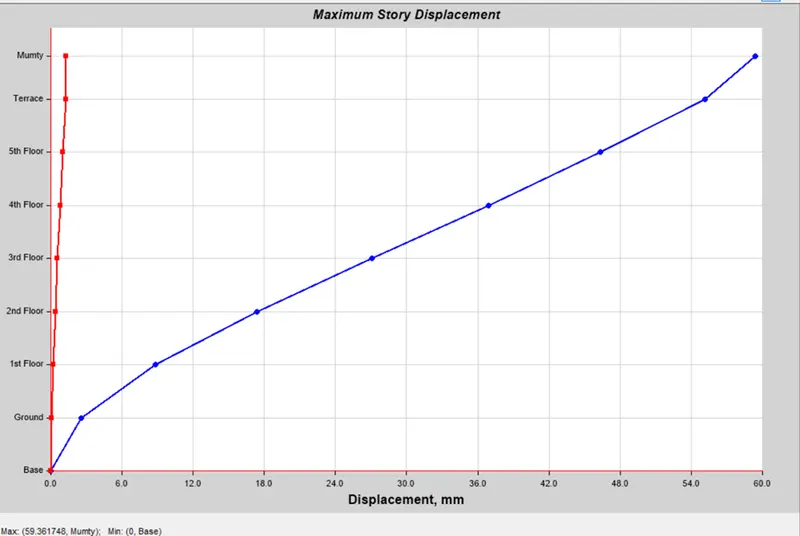
Step 3 -
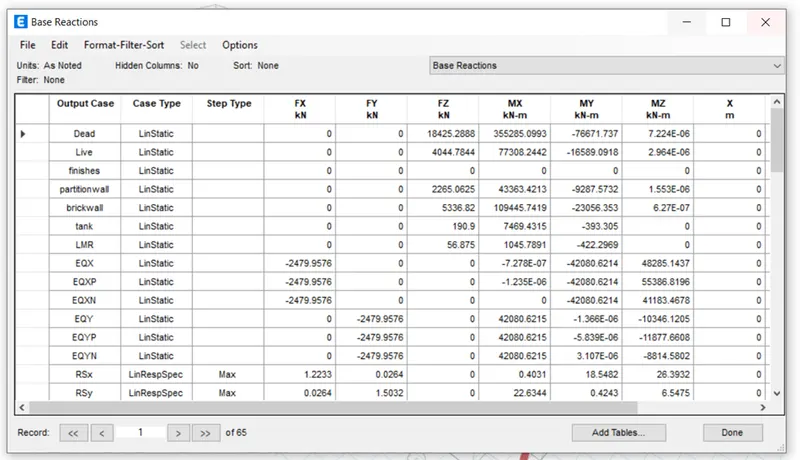
- Calculate % of shear,for that select plan view of base story and then apply
- Then select Reaction tab
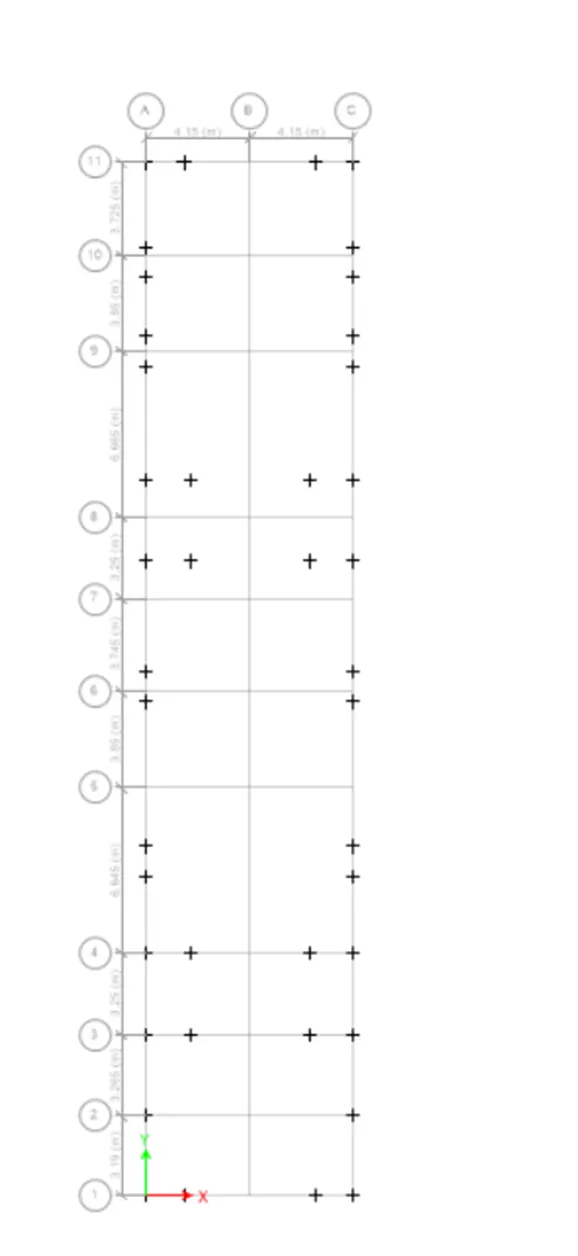
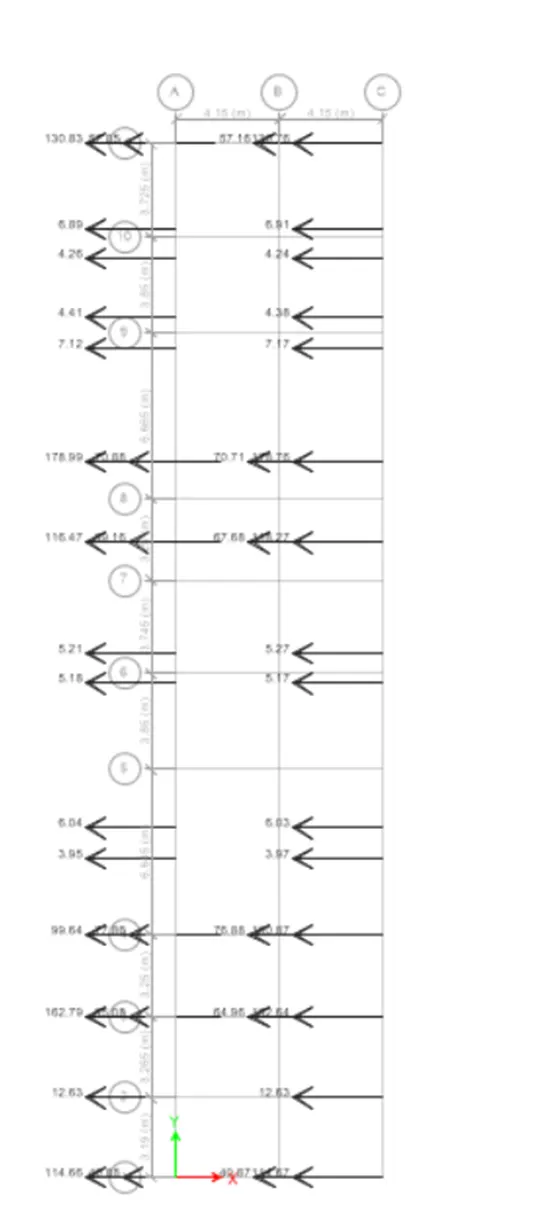
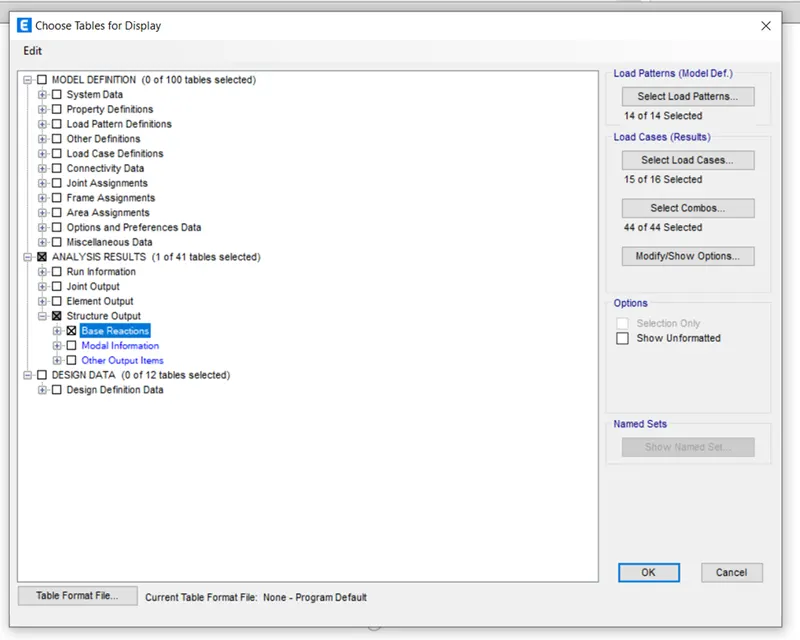
- After that,select display tab.In that, select show table
- In that,Analysis result-structure output-base reaction and ok
- EQx=EQy both are same reading
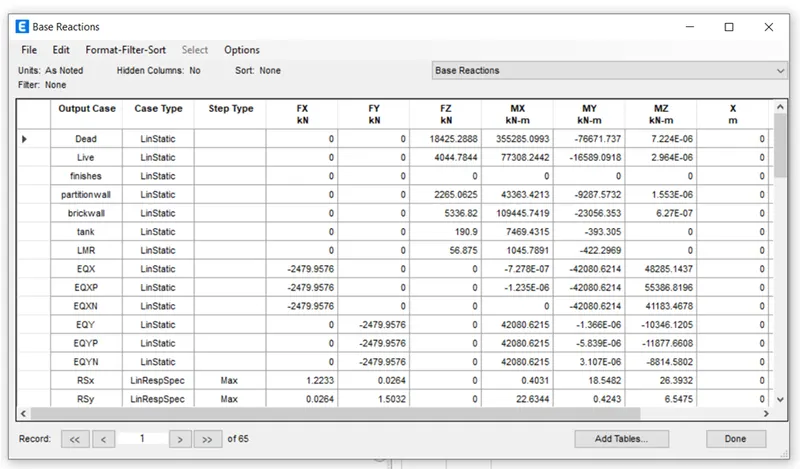
Step 4 -
- Select elevation view and then select frame reaction option
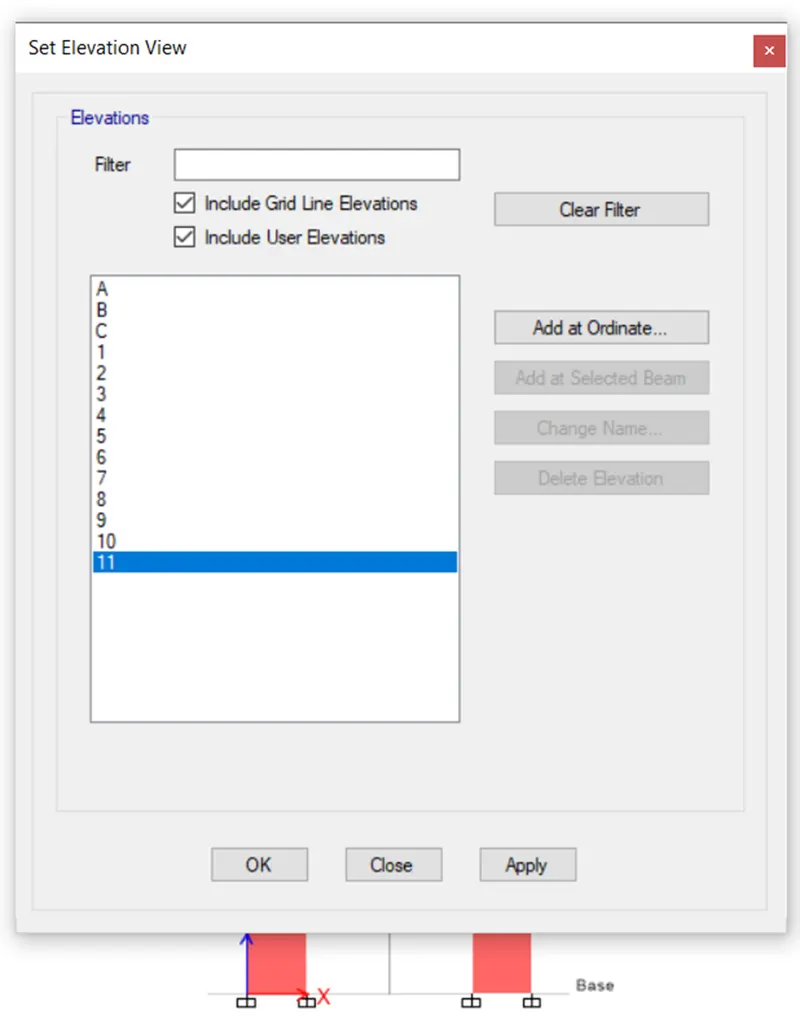
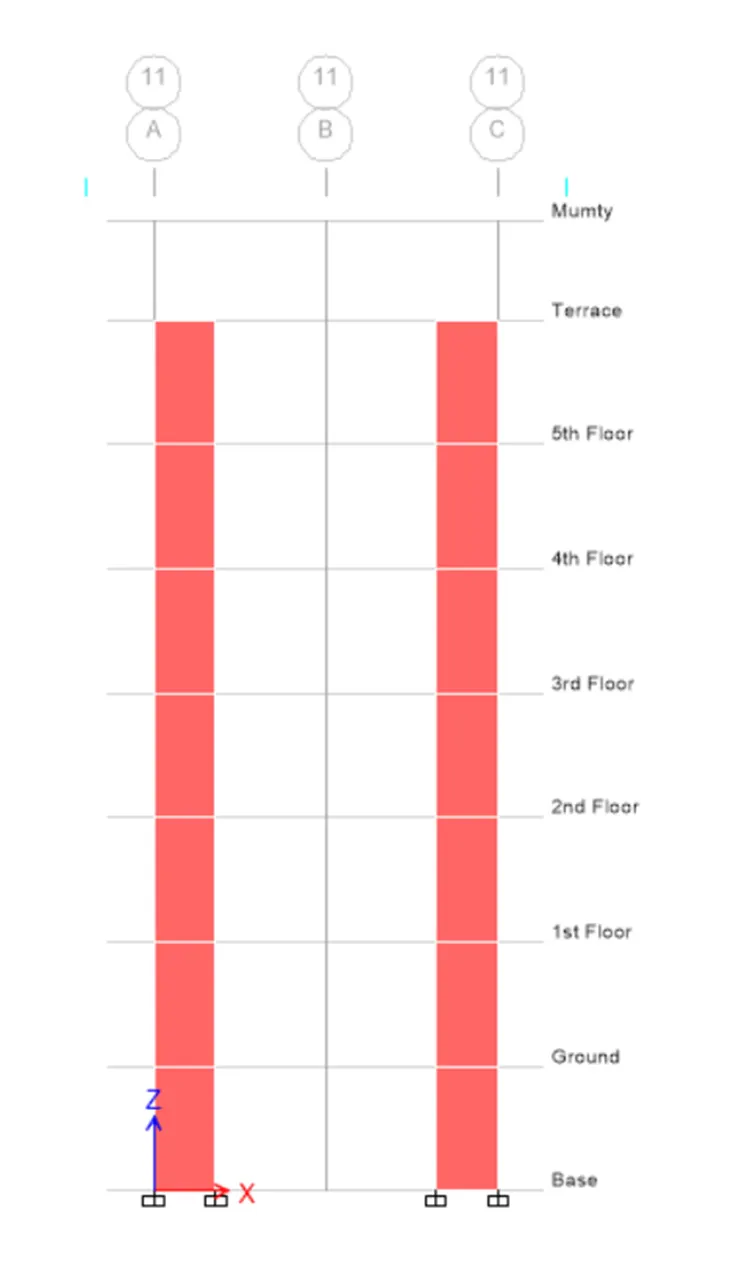
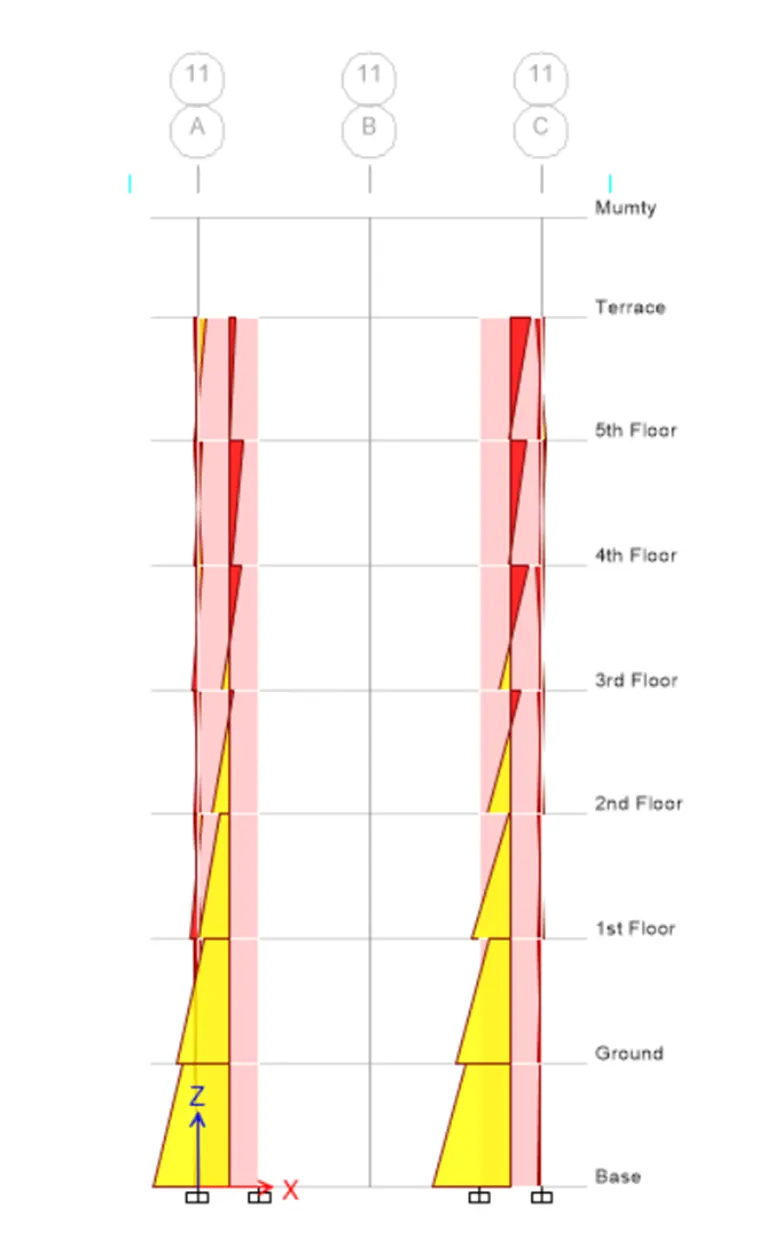
Step 5 -
- Select shear wall tool,in that select view/review option
- Click on Run analysis
- In shear wall tab,select display design info
- And choose design output as Pier reinforcing ratio and then ok
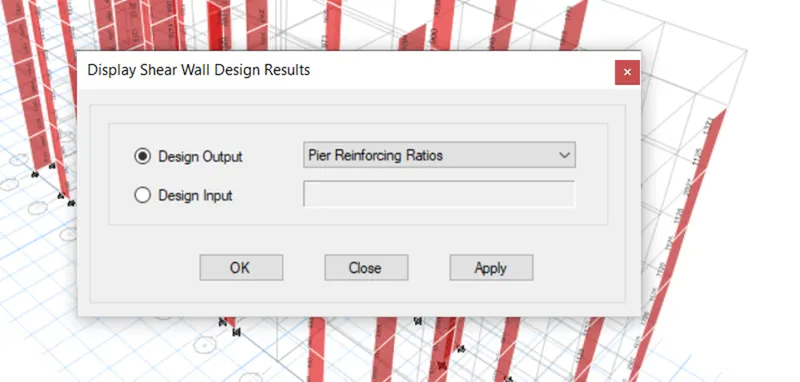
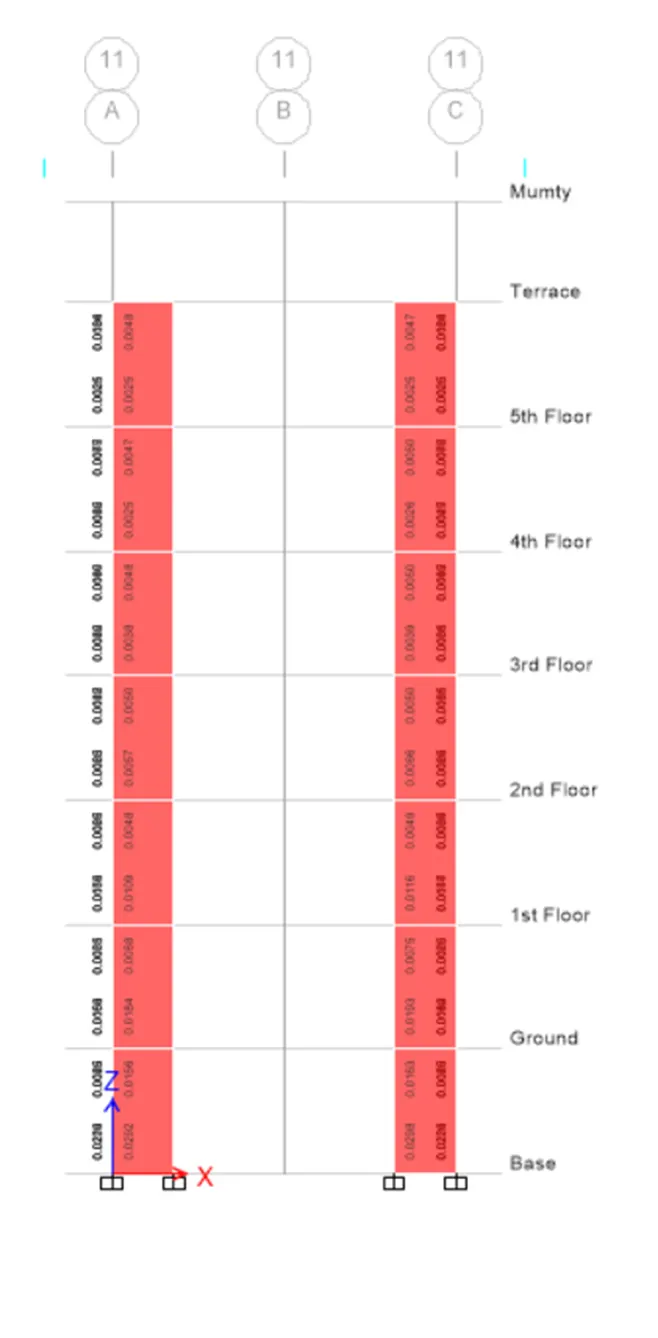
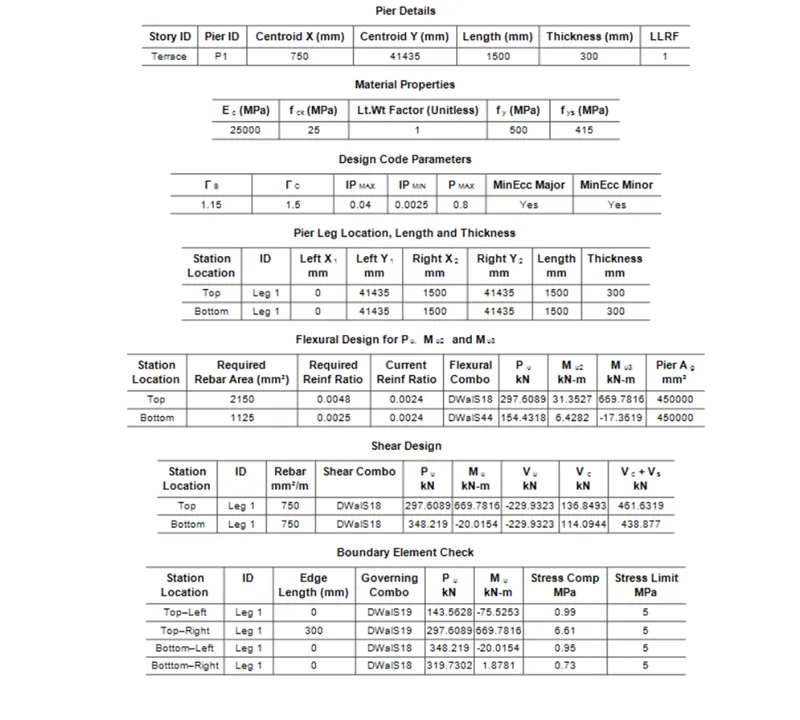
- After that,from shear wall tool,select display design info
- In that,choose pier shear reinforcing as design output
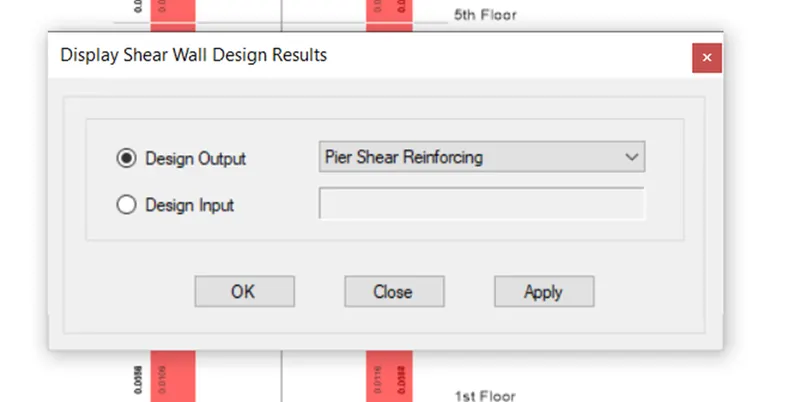
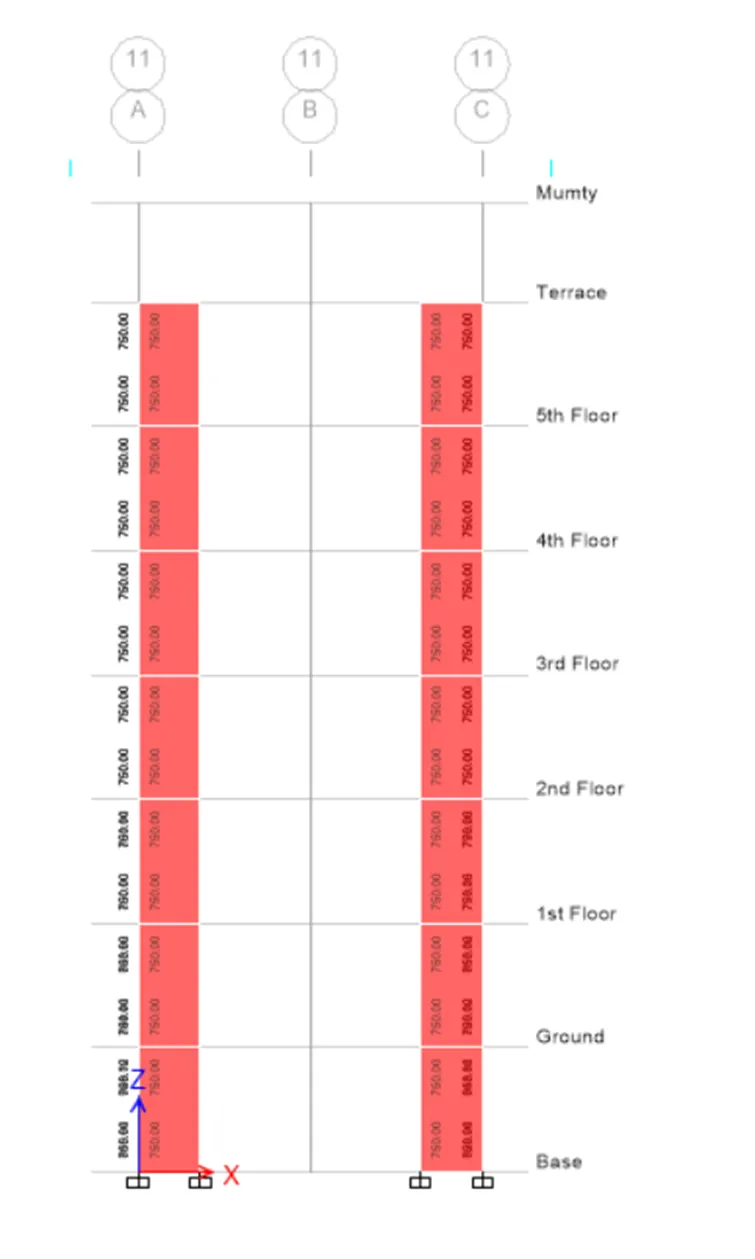
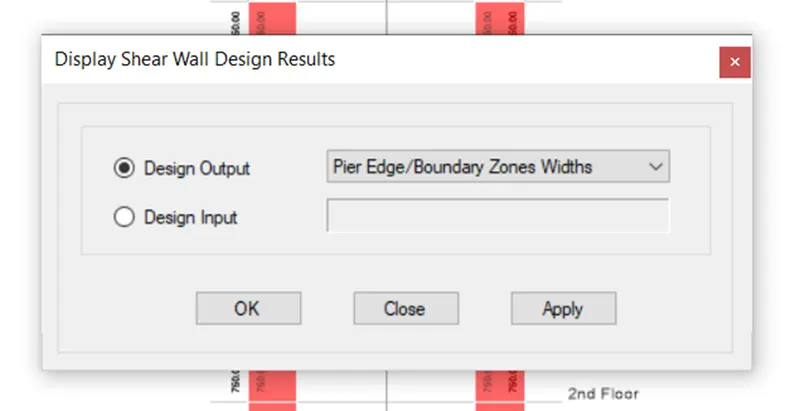
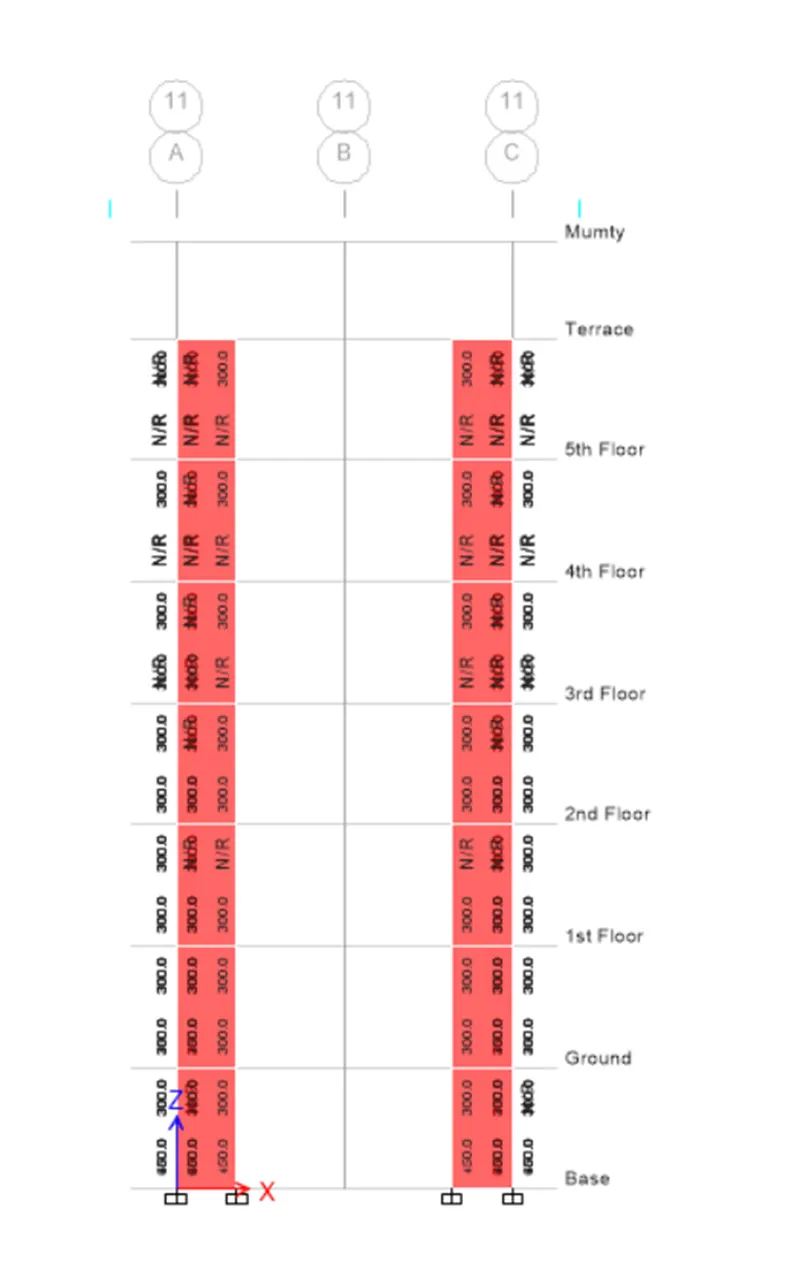
- After that,In shear wall tool,select display design info and in that select pier edge/boundary zone width as design output
Step 6 -
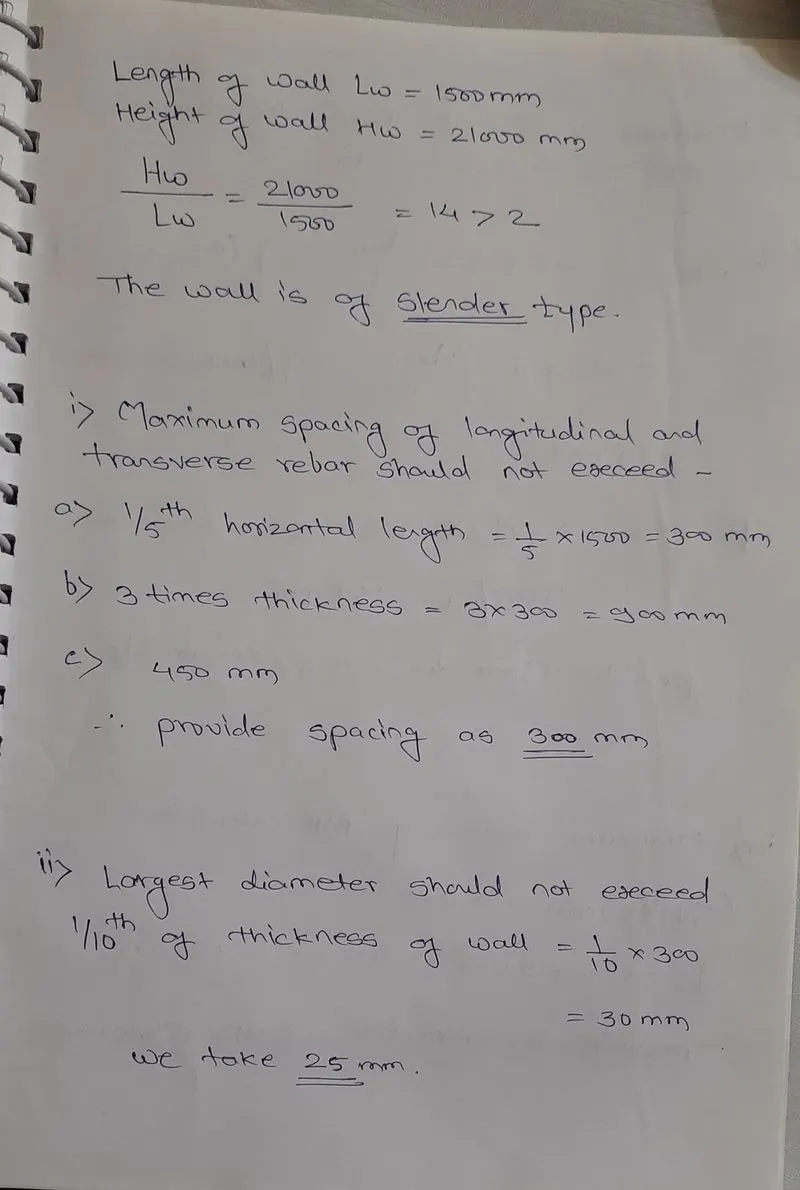
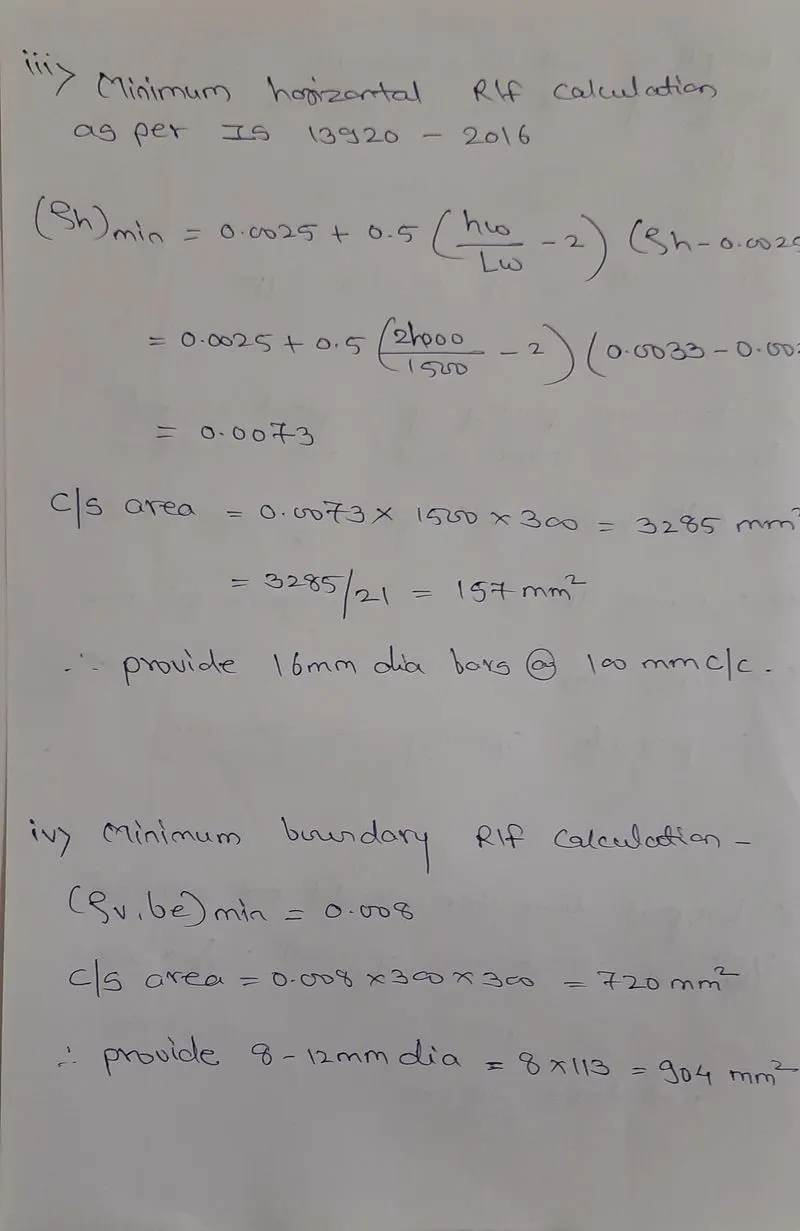
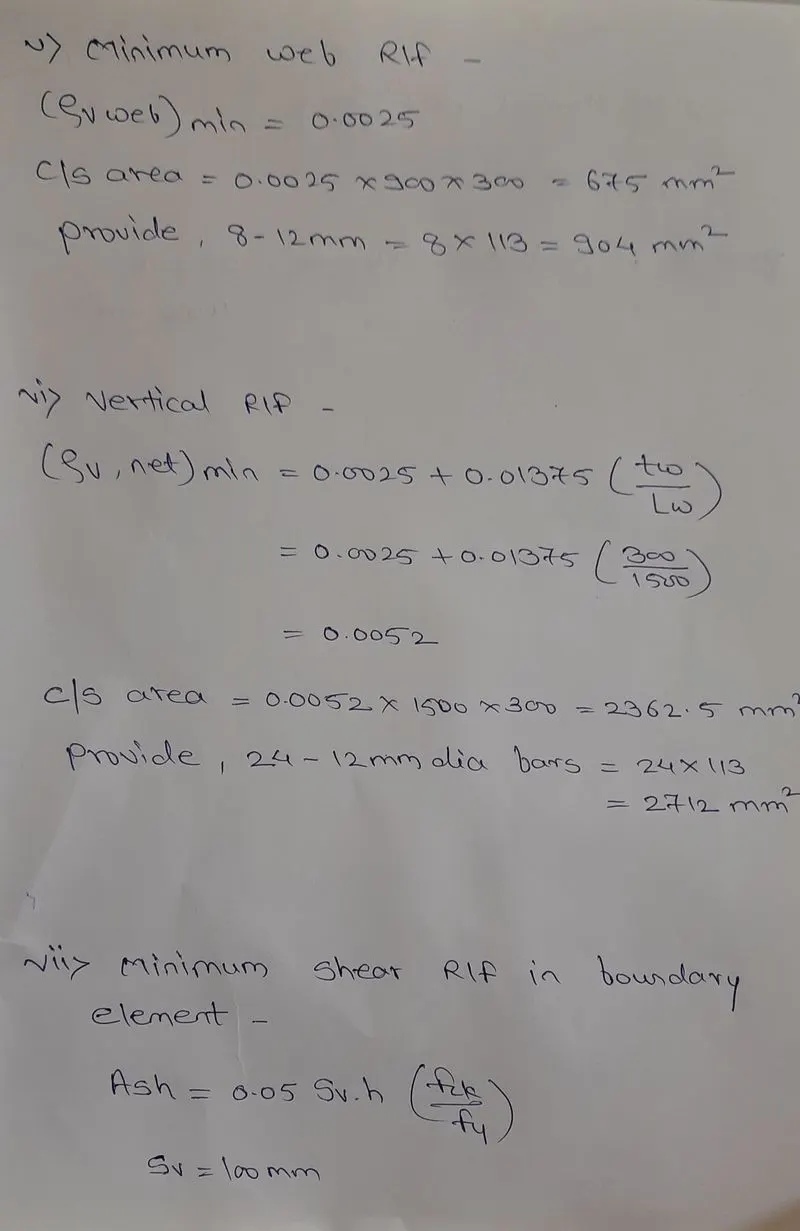
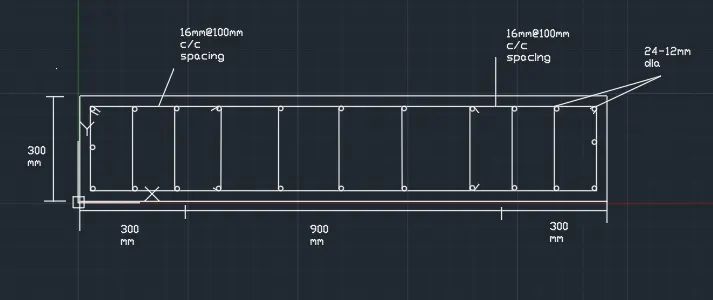
- Shear calculations -

Result -
We designed RCC shear wall using autocad software.