Advanced Sheet Metal Design Using NX Cad Challenge_7_ Metal bracket-II
TITLE- DESIGNING BRACKET USING NX - cad
OBJECTIVE- TO CREATE A BRACKET USING SHEET METAL WORKBENCH OF NX cad .
INTRODUCTION-Nx cad software is a simple and powerful tool which has wide variety of application in various industries such as automobile , medical , aircraft etc . using the sheetmetal workbench from nx , we will create the required part.
DESIGN METHODOLOGY-
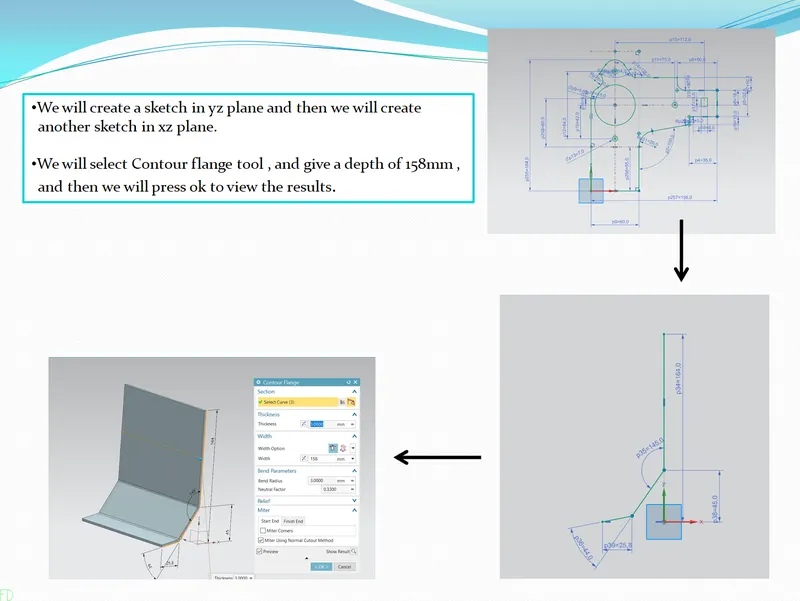
1 - Creating sketch and contour flange .
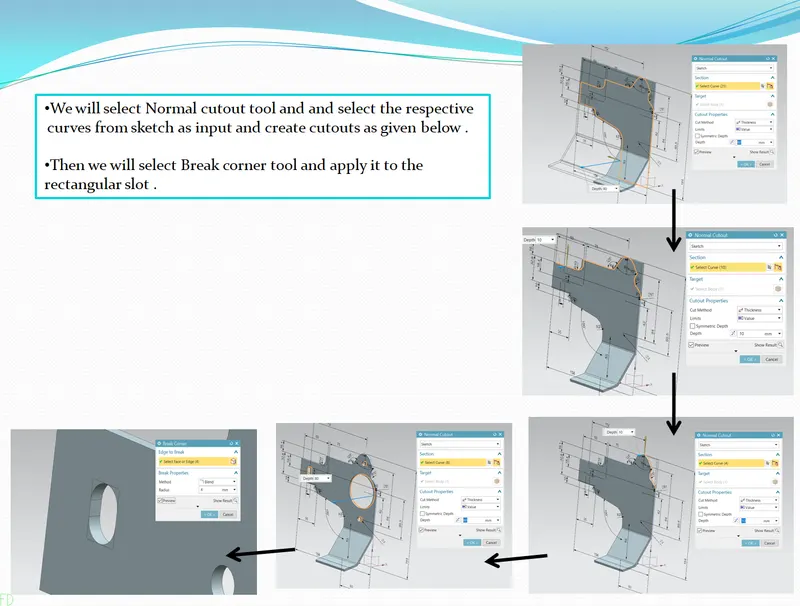
2 - Creating normal cutout and break corner .
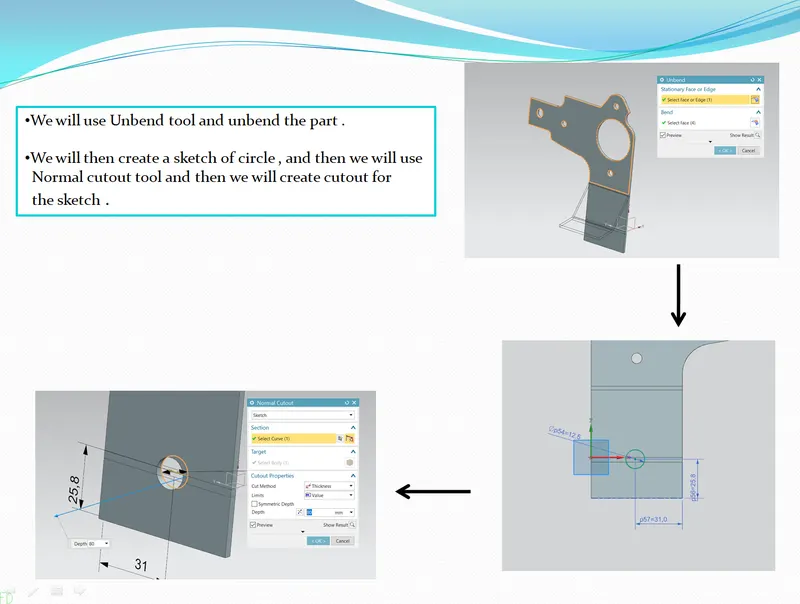
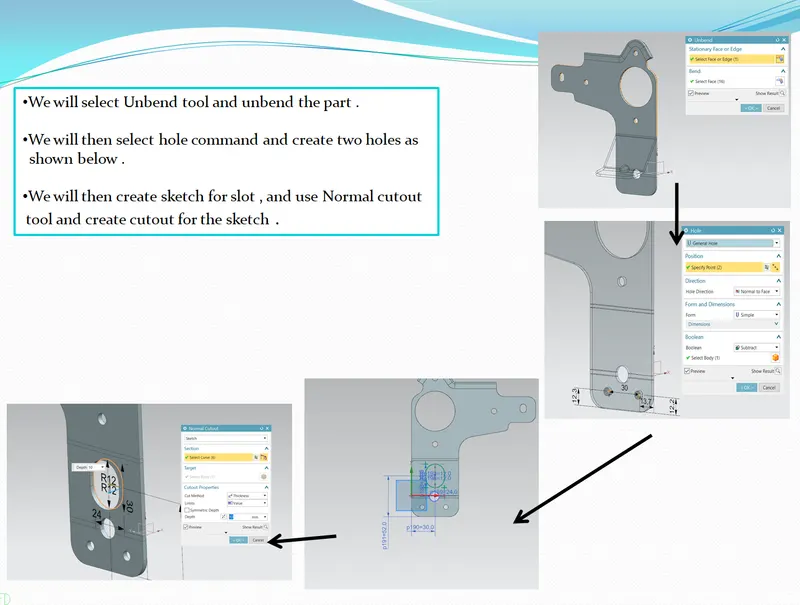
3 - Unbending and creating normal cutout .
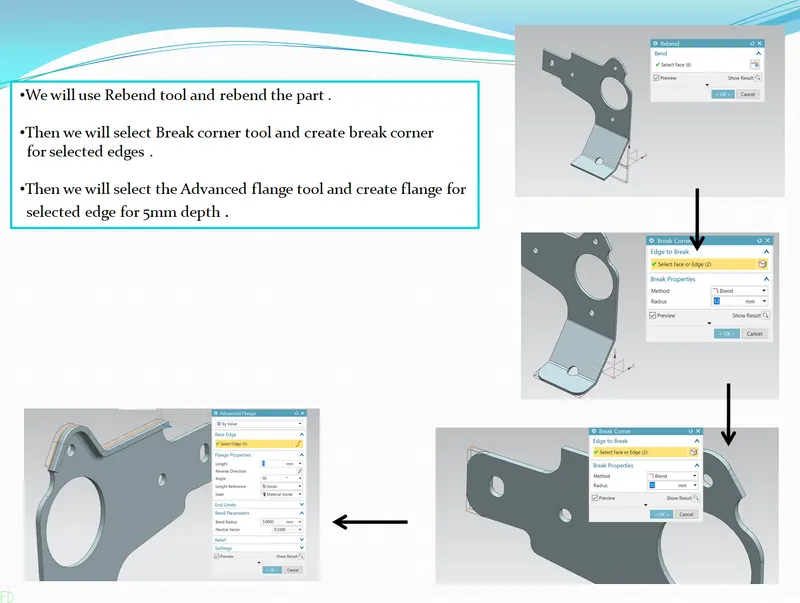
4 - Rebending , applying break corner and creating advanced flange .
5 - Unbending , creating holes and normal cutout .
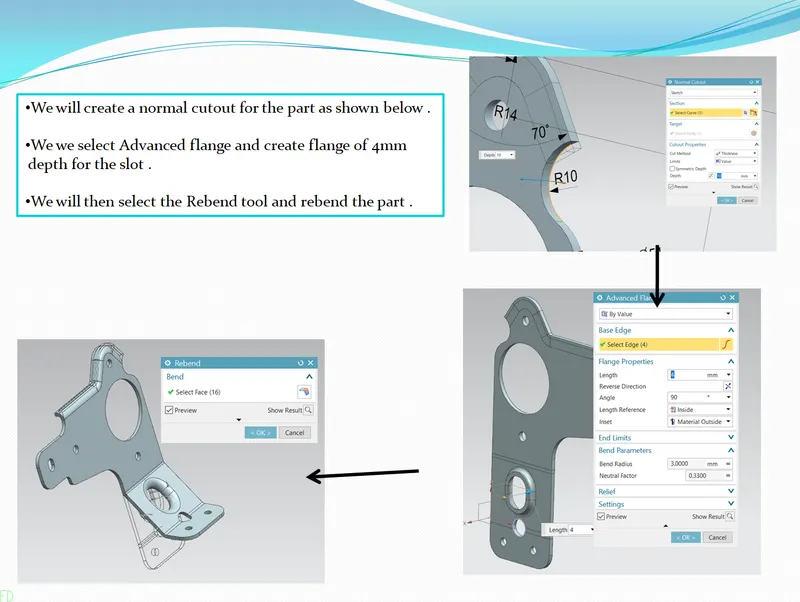
6 - Creating normal cutout , advanced flange , and rebending the part .
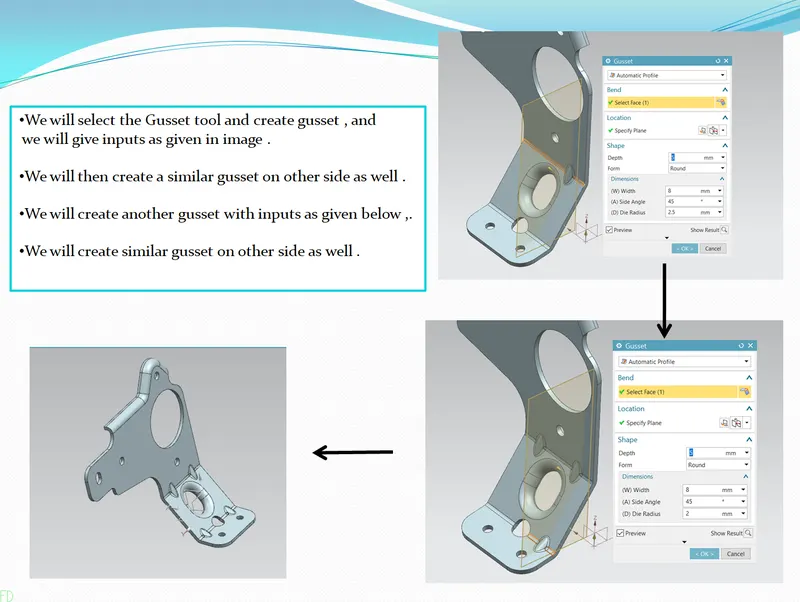
7 - Creating the gussets for the part .
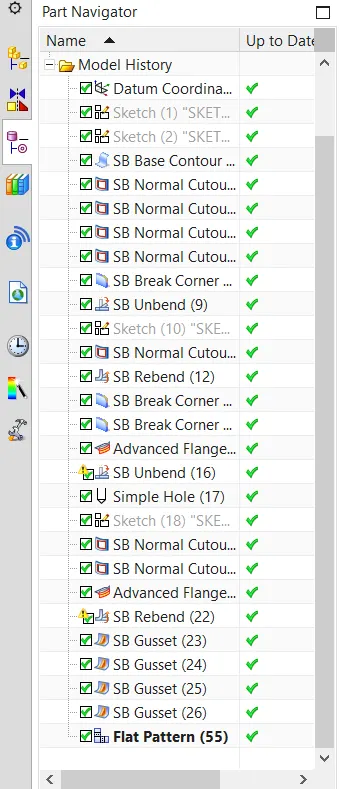
8 - TREE STRUCTURE of part .
1 - TOP VIEW of part .
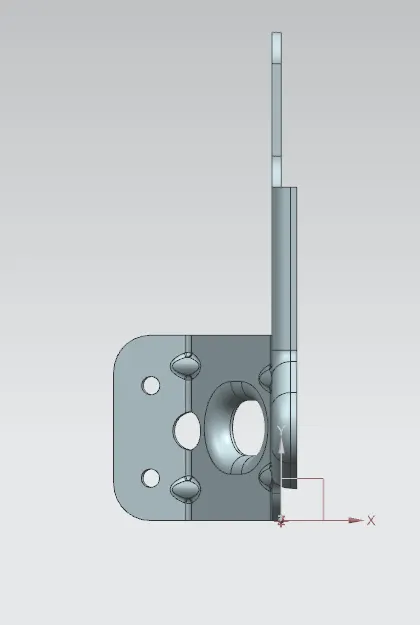
2 - FRONT VIEW of part .
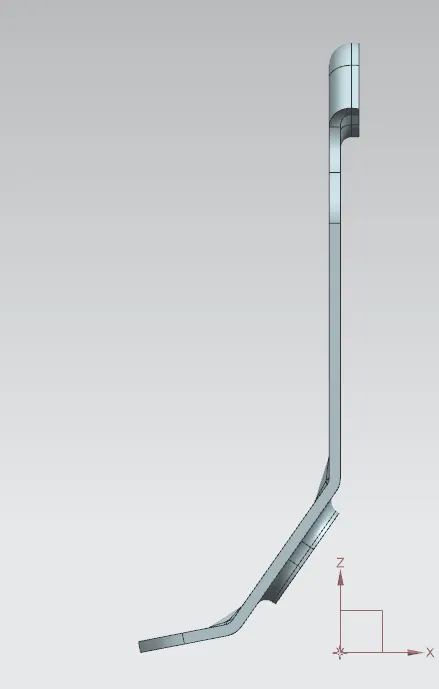
3 - LEFT SIDE VIEW of part .
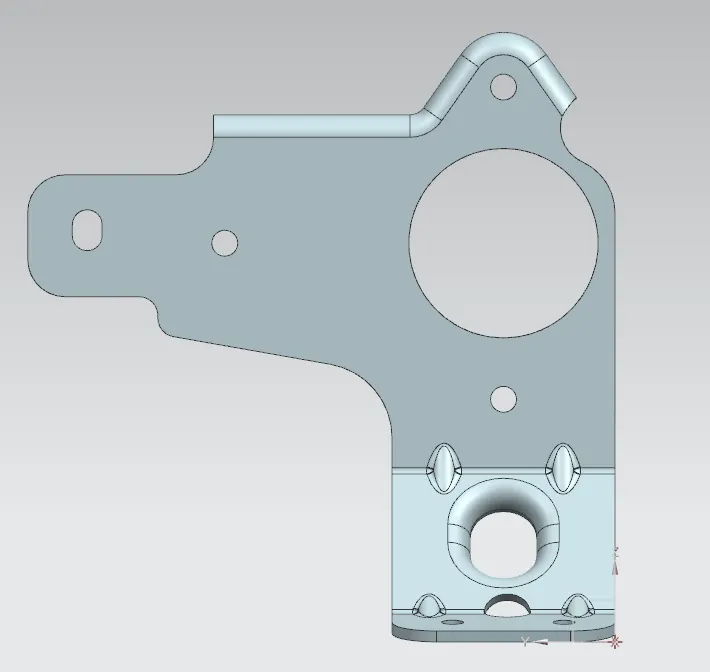
4 - RIGHT SIDE VIEW of the part .
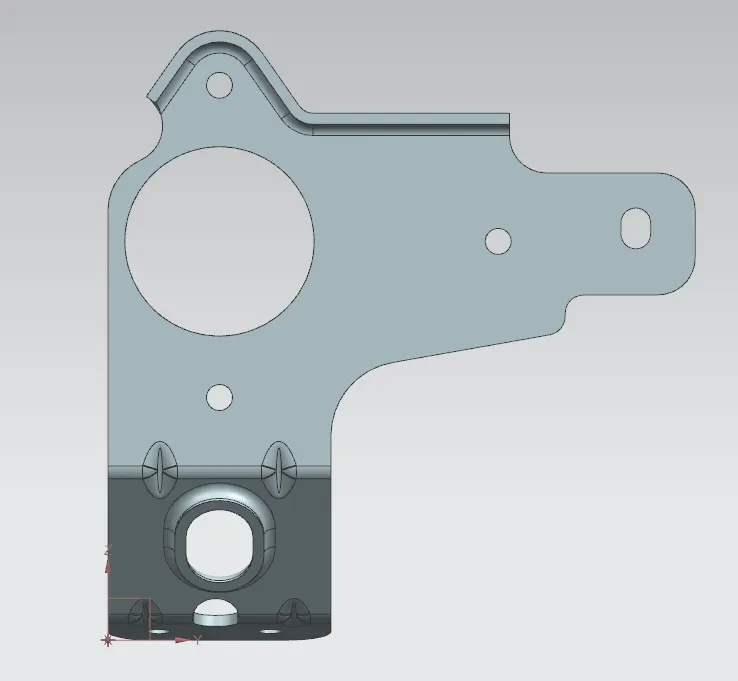
5 - ISOMETRIC VIEW of part .
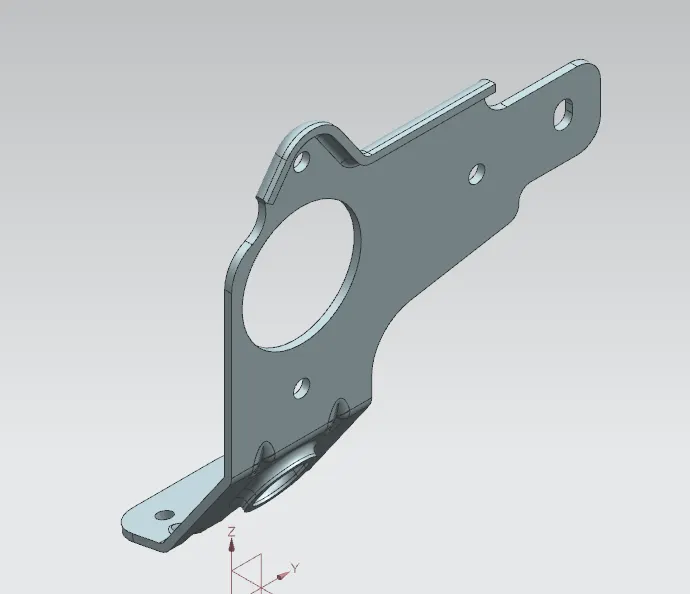
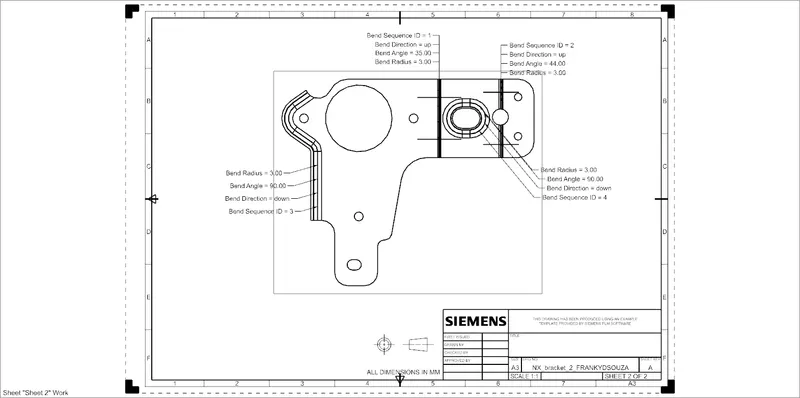
6 - FLATPATTERN VIEW of part .
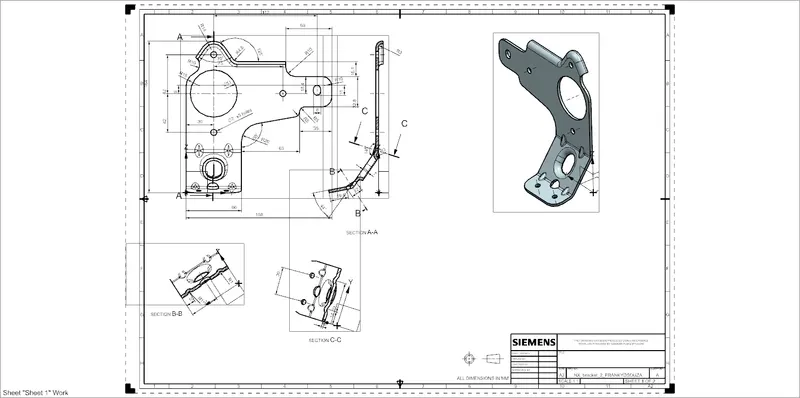
7 - DRAFTING SHEET of part .
DESCRIPTION-
1 - CONTOUR FLANGE -
we create a sketch and then extrude it in a particular direction .
2 - NORMAL CUTOUT - 
This command is used to cut material by projecting a sketch onto a model and then cutting perpendicular to the faces intersected by projection .
3 - GUSSET - 
This command is used to provide extra stiffness to the part . it creates a rib like feature on the bend .
4 -ADVANCED FLANGE - 
This command is used to add a flat flange at an angle to planar face and add a bend between the two and flange can also be created on curved surface .
5 - BREAK CORNER -
This command is used to round or chamfer sharp corners of tab or flange .
6- UNBEND - 
This command is used to unbend the material to create a flat sheet .
7 - HOLE - 
This command is used add hole in sheet metal body . this holes can be clearance for bolts, screws etc .
8 - REBEND - 
This command is used to bend the sheetmetal part that we had previously bend .
9 - FLATPATTERN - 
This command is used to create the 2D drawing of the sheet metal part .
10 - DRAFTING - 
This command is used to create drafting or detailed drawing of sheetmetal part .
CONCLUSION-
We have created bracket using sheet metal workbench of NX cad .