Advanced Sheet Metal Design Using NX Cad Challenge_7_ Metal bracket-II
Design of creating a metal bracket in Nx
Objective
Our aim is to create the metal bracket from the given 2D drawing in nx for the uniform thichness and for 3D view.
Introduction
In Nx environment we are going to a metal bracket from given 2D drawing using Nx commands like contour flange, normal cut out, advanced flange,gusset and breaking corner.
Design Methodology
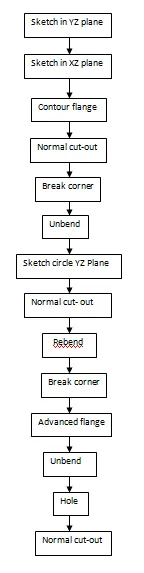
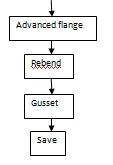
Explanation of commands
Contour flange
It is another type of creating a flange by extruding a sketch along a vector (axis) at a required distance or length.
Advanced flange
It is used to add flange along edge using a bend angle or with the reference face by giving the flange length and length reference.
Gusset
It is used to add stiffing gusset in part with feature like Automatic and uses defined.
In Automatic profile it create gusset in round form while in user defined we create a sketch according to it create gusset.
Normal cut-out
Sketch the required shape on a base or at any sheet metal and it will remove or cut the shape which is drawn on the base and shows the remaining base or it can be reversed.
Hole
It is used to create a hole on metal and it has different type of hole like general, screw clearance, drill etc..direction of holes can be changed, form and dimension can be applied to obtained the required shape.
Unbend and Rebend
It is used to flatten the bodies to add some more features and then rebend to its original position.
Breaking corners
It is applied to sharp edges to break the corner where it is required and it has bend, chamfer type and it can make a corner at required radius.
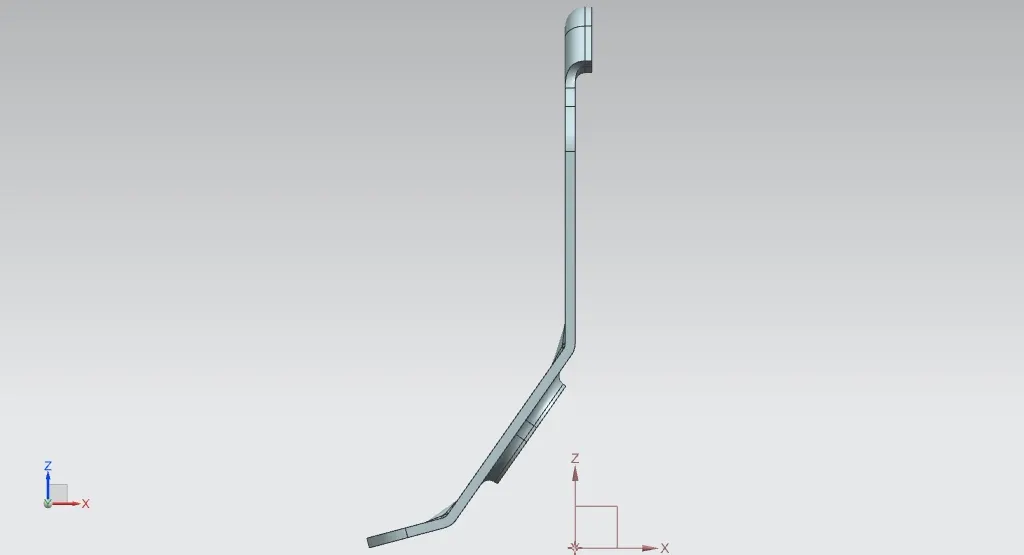
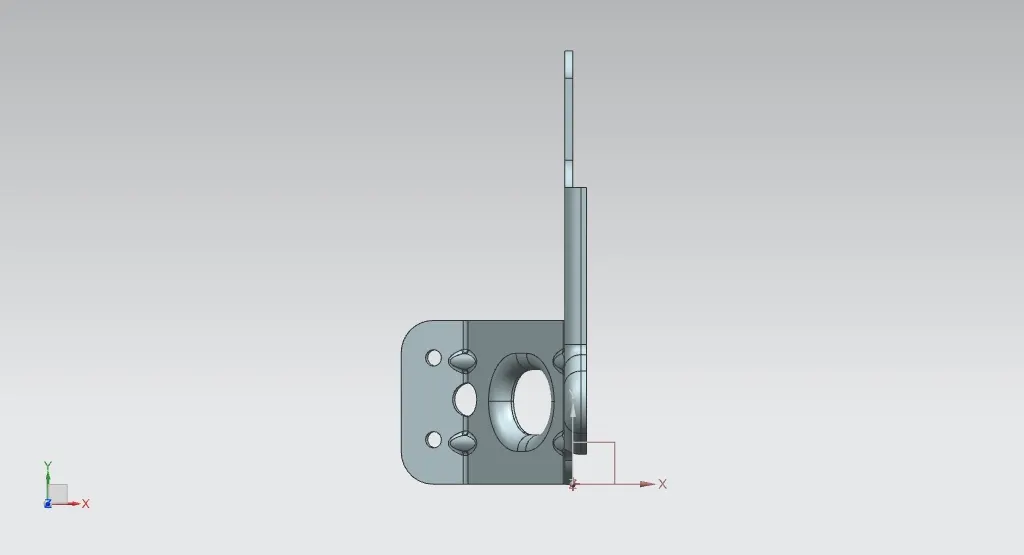
Modelling view
Front view
Top view
Isometric view
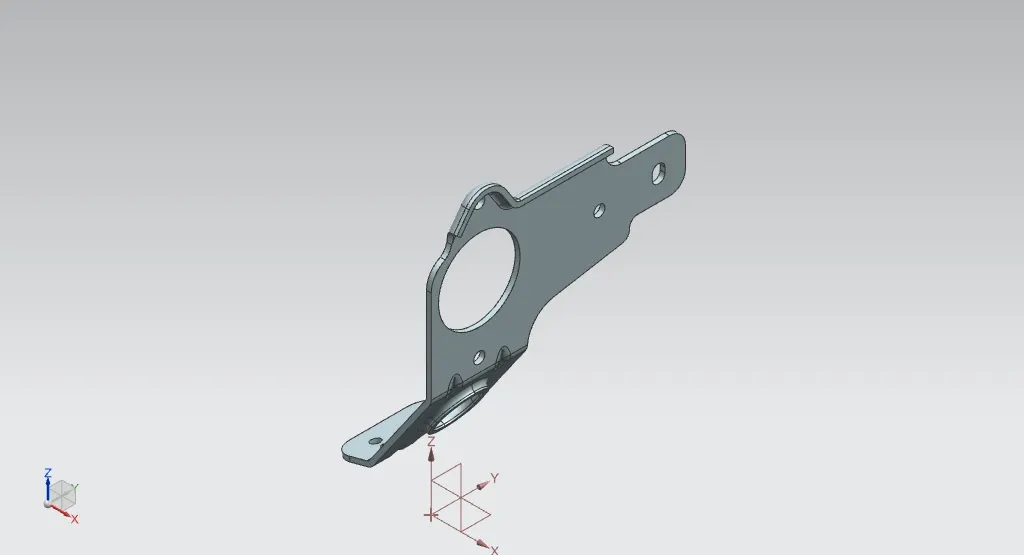
Side view
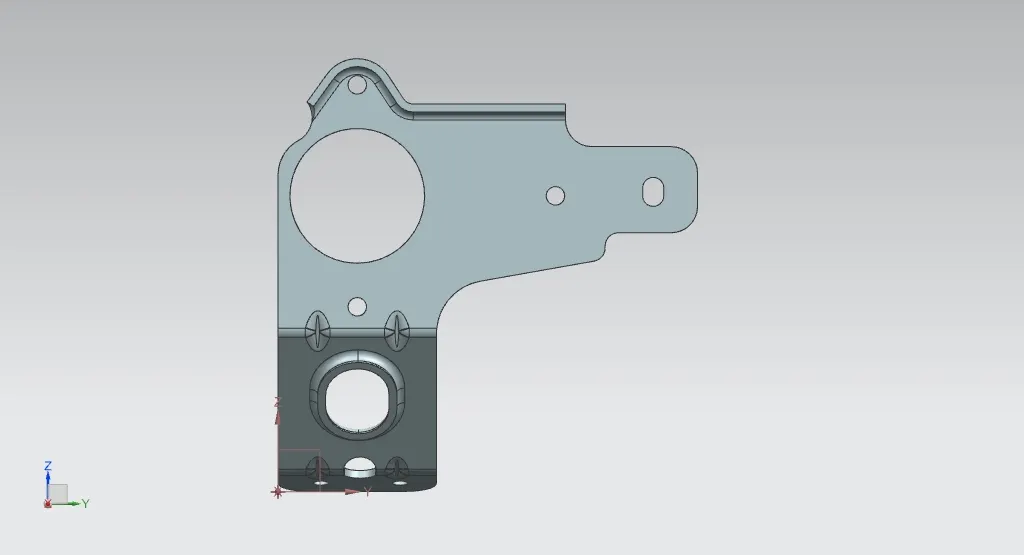
Conclusion
Thus the metal bracket from the given 2D drawing has been created succesfully and finally save the file in step file format.