Advanced Sheet Metal Design Using NX Cad Challenge_5_Odd Shaped Enclosure
Design of odd shape enclosure in NX
Objective
Our aim to design a given model in a modelling application and then convert in to a sheet metal to bend rebend and then in flat pattern.
Introduction
Nx is a environment where we can create or design a sheet metal with its various commands, first we need to select the modelling application to create solid bodies and then it is converted in sheet metal by using sheet metal from solid command and then it can bend, rebend or add some more feature if required.
Note: Sheet metal should bend while using bend commands if it doesn’t then it has not converted from solid to sheet metal.
Design methdology
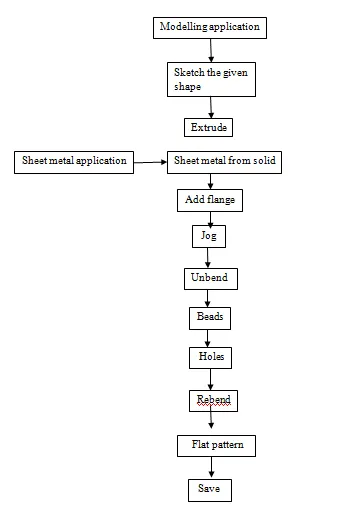
Explanation of commands
Extrude
It is used to create bodies by extending the shape at a direction for a required distance i.e extrude a material along a vector (axis).
Sheet metal from solid
It convert the solid bodies into sheet metal by selecting the face and the edges of solid bodies.
Flange
Flange is used to add a sheet metal at edges of base (tab) at an angle and it can be added full, centre or at end with material inside or outside with a required length and bend radius.
Jog
It lift the material one side of the sketch line and then it add flange to it of a required length, with reference to the line the side of lift can be changed.
Unbend and rebend
It is used to flatten the bodies to add some more features and then it can be rebend to it original shape..
Beads
It lift the material along the sketch with different cross section like circular, U and V shape at required depth, radius with end condition like formed, punched etc.
Hole
It is used to create a hole on metal and it has different type of hole like general, screw clearance, drill etc..direction of holes can be changed, form and dimension can be applied to obtained the required shape.
Flat pattern
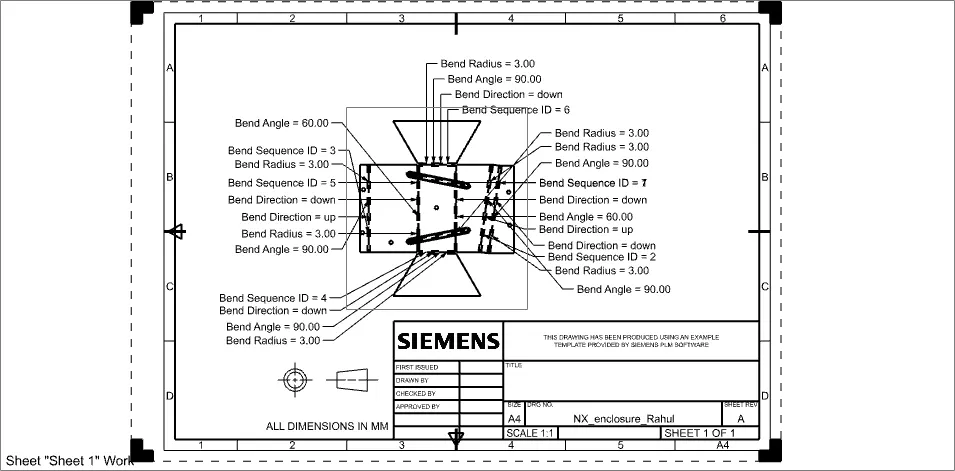
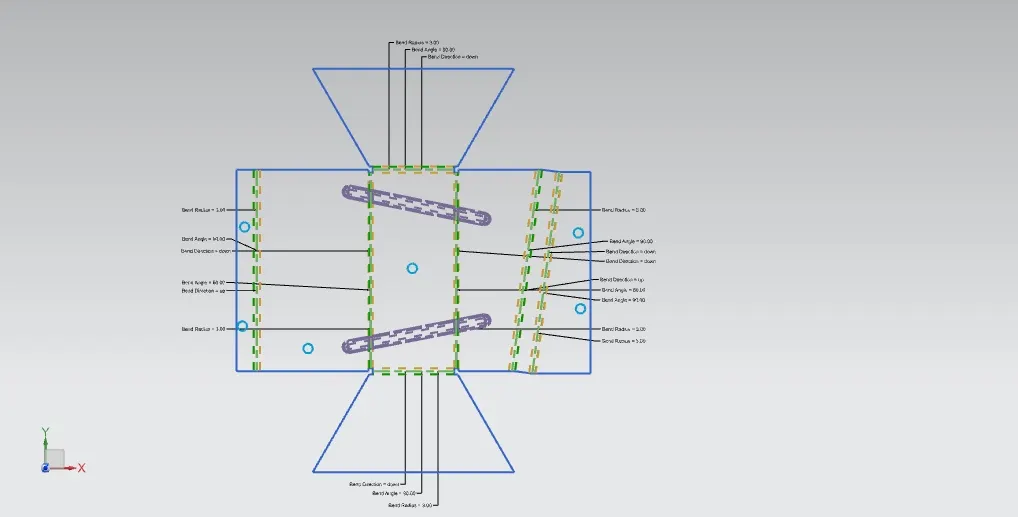
It is used to create a sheet metal material in to a flattened form in 2D view for clear or detailed understanding of the model.
Model viwes
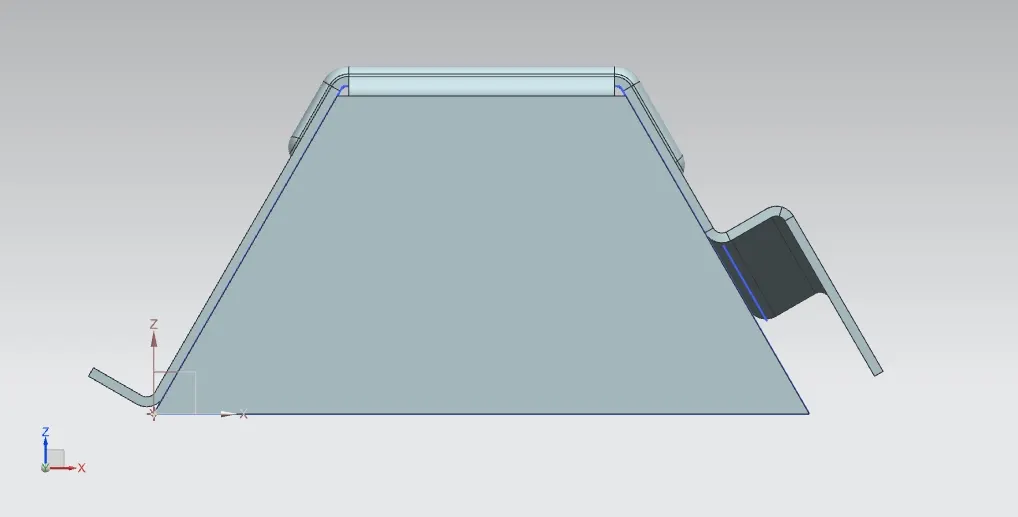
Front view
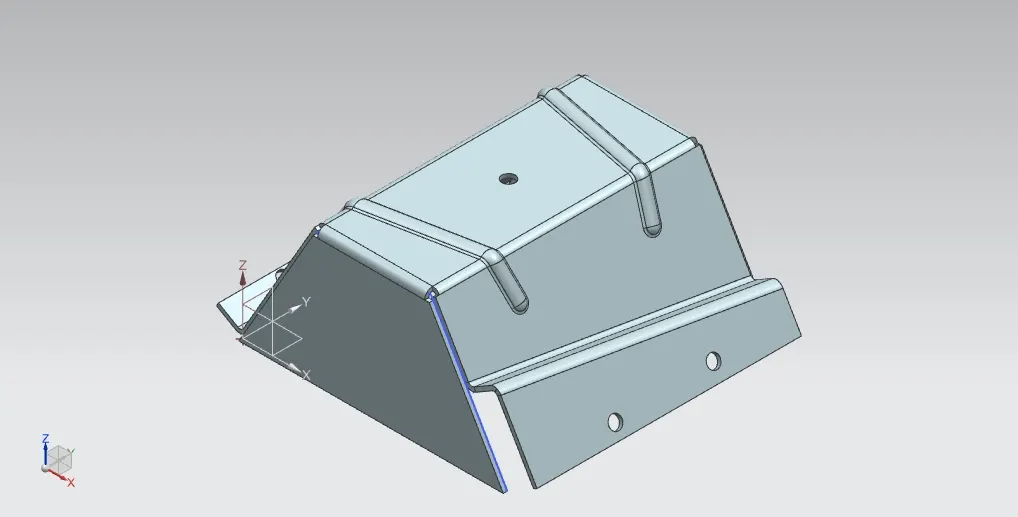
Isometric view
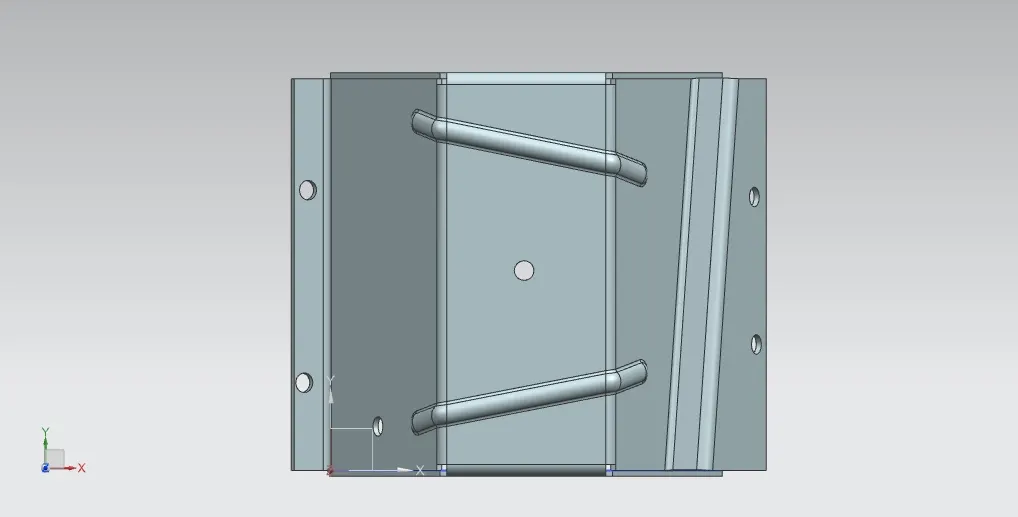
Top view
Side view
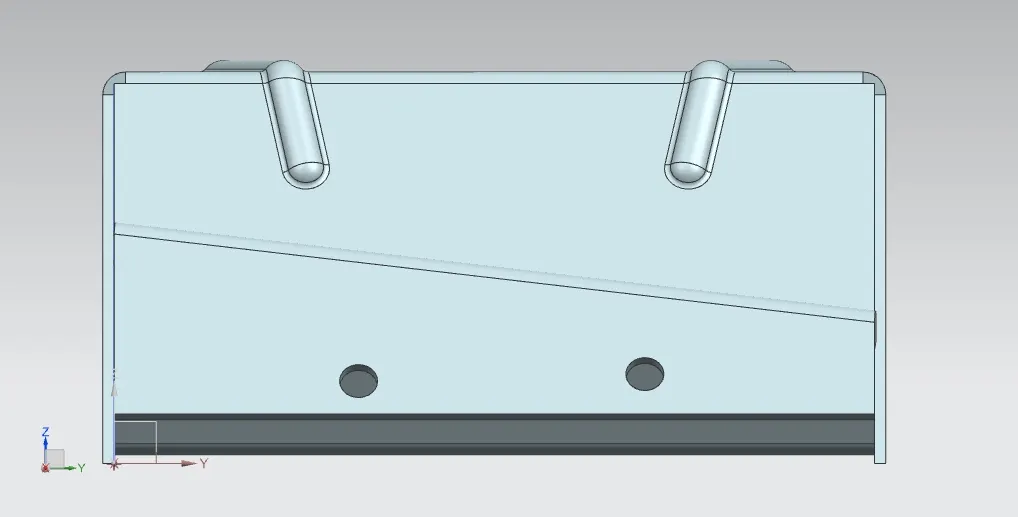
Modelling/drawing sheet image
Conclusion
Thus the given model is successfully converted from the solid bodies to sheet metal by using nx commands.