Advanced Sheet Metal Design Using NX Cad Challenge_7_ Metal bracket-II
METAL BRACKET DESIGN
OBJECTIVE-
Create a Metal Bracket design model following the given guidelines by using NX Sheet metal application.
INTRODUCTION-
Siemens NX software is a flexible and powerful integrated solution that helps you deliver better products faster and more efficiently. NX delivers the next generation of design, simulation, and manufacturing
Sheet metal is metal formed by an industrial process into thin, flat pieces. Sheet metal is one of the fundamental forms used in metalworking, and it can be cut and bent into a variety of shapes.
DESIGN METHODOLOGY-
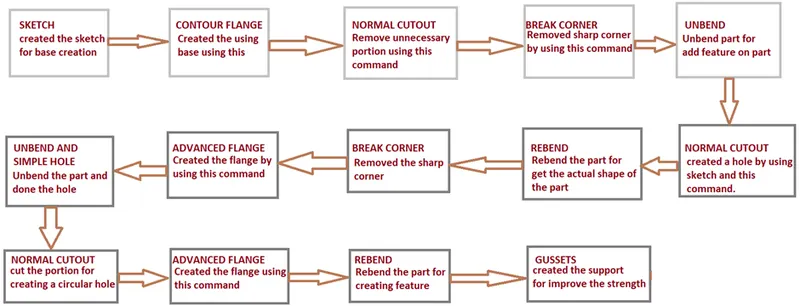
DESCRIPTION-
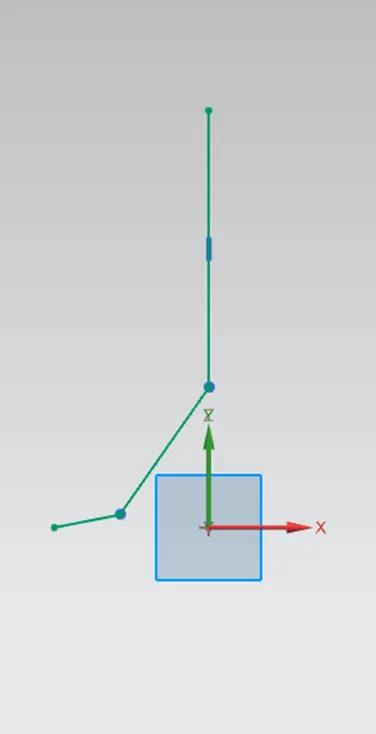
- SKETCH-
This is the basic and first step for creating any model. In this, we can edit the dimensions of the sketch. To make a sketch we must first select a plane according to perspectives and views.
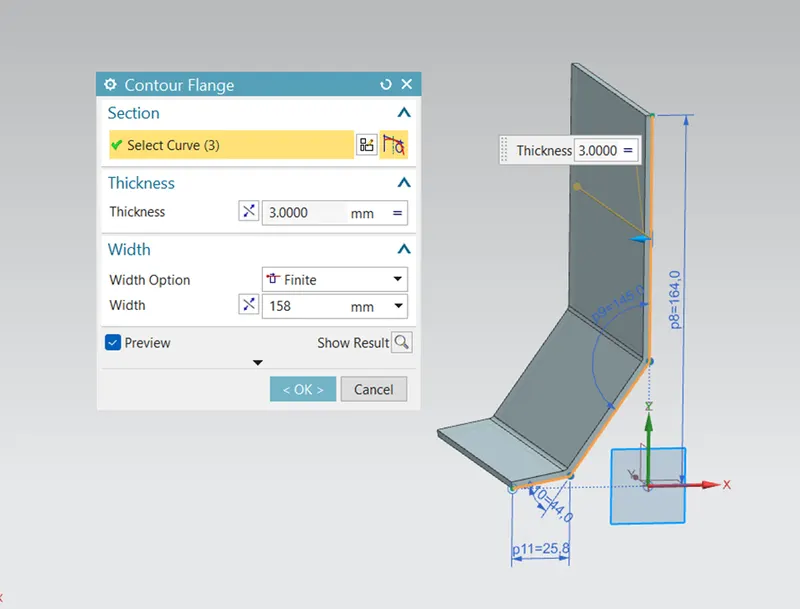
- CONTOUR FLANGE-
In this type of feature, we can add an extending part on the edge of the model, or we can make from sketch known as the flange. This can be changed in degree, length also.
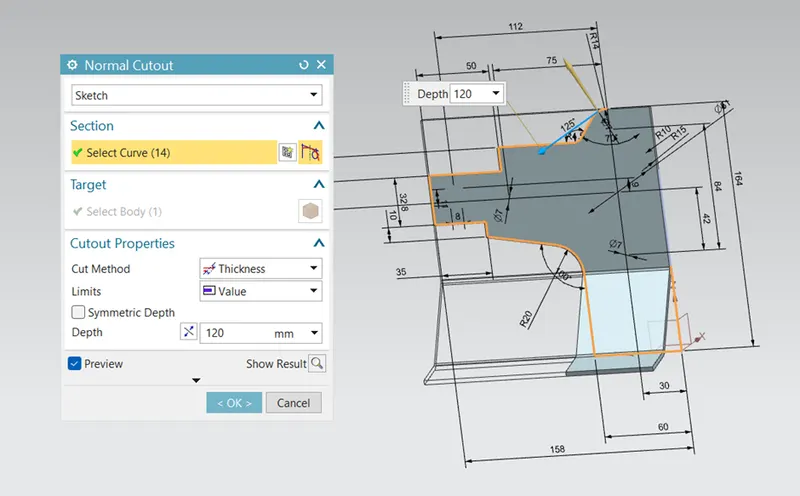
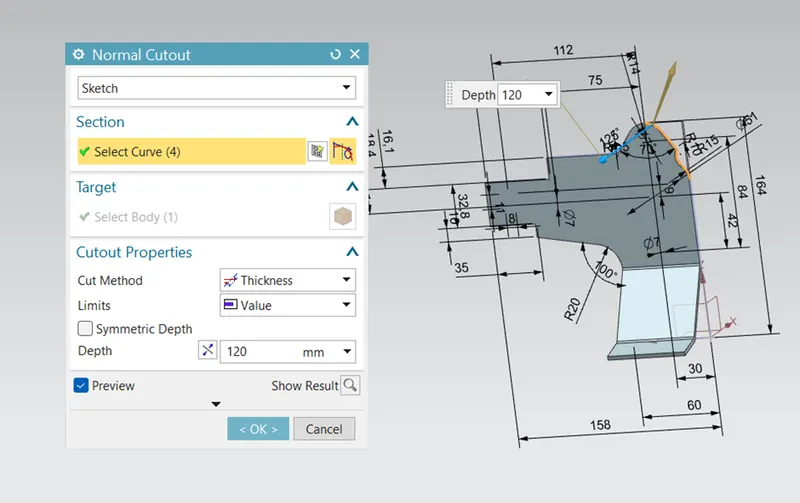
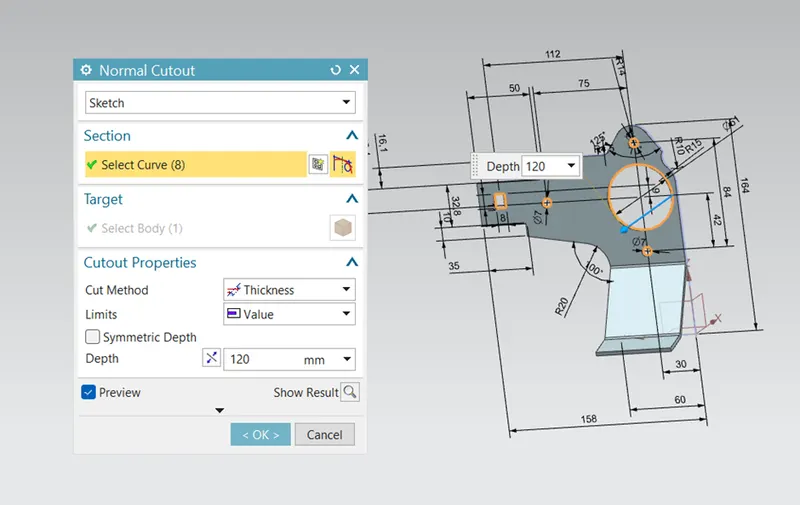
- NORMAL CUTOUT
This feature is used to make a cutout of any shape on sheet metal. Either we can edit the sketch from the first or we can use this kind of operation.
- BREAK CORNER-
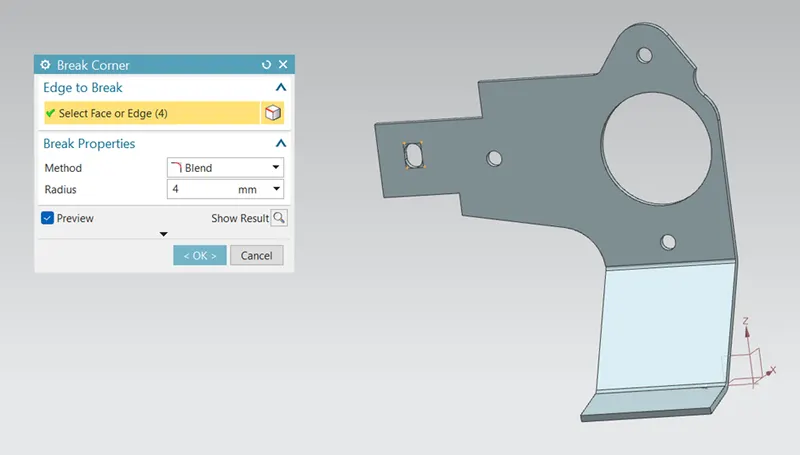
This feature is used because while making flange the edge still has a sharp corner. So, to tackle we use the bend corner feature.
- UNBEND-
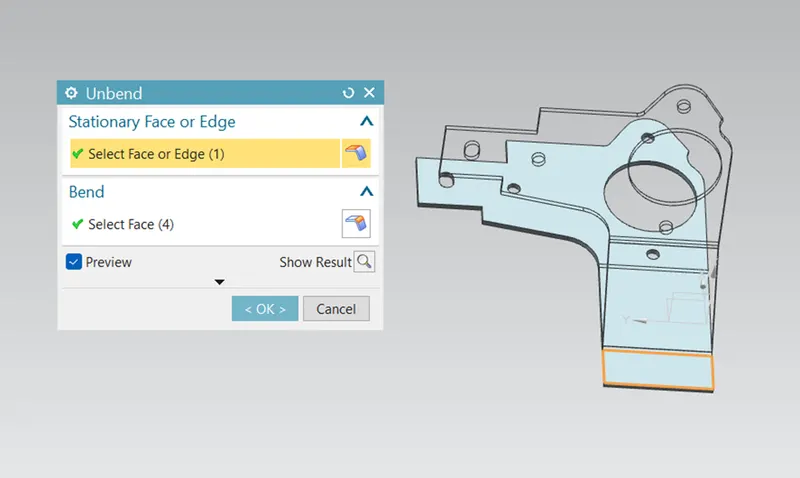
This command is used to unbend all the bend areas of the sheet metal. Resulting in an even and flat pattern surface of the sheet metal.
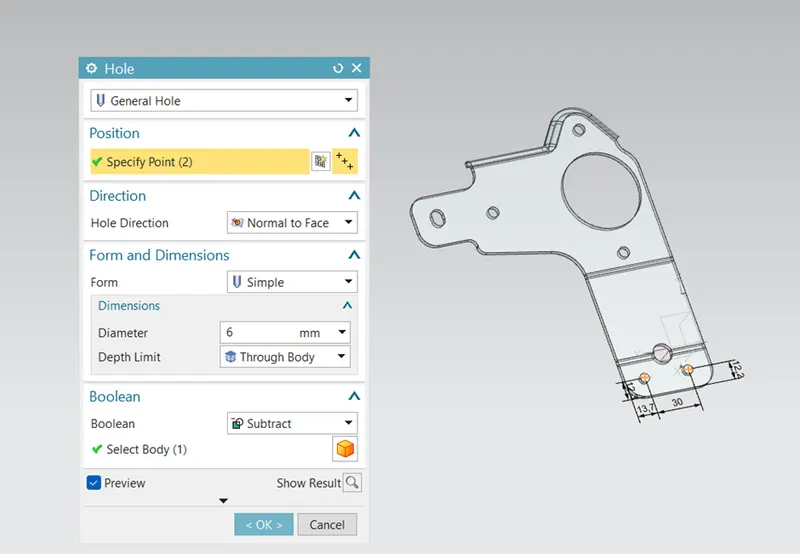
- HOLE-
This is a cutout feature where the sketch can only be made in circles only.
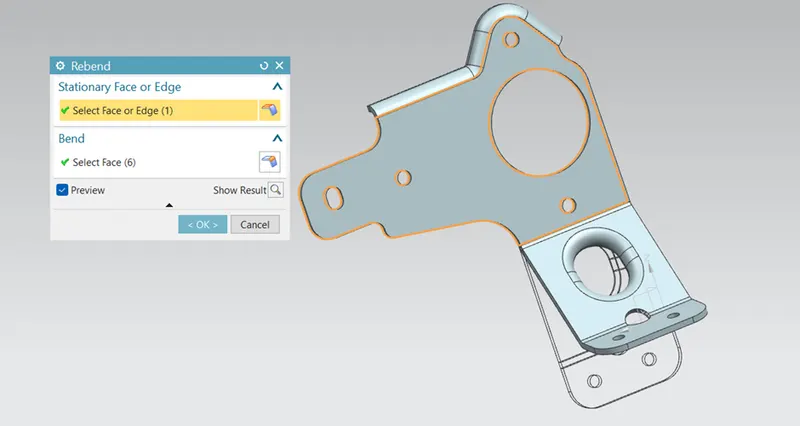
- REBEND-
This operation is the straight opposite of bending operation. In this, we can re-bend all flanges and bent areas to the original shape of the sheet metal.
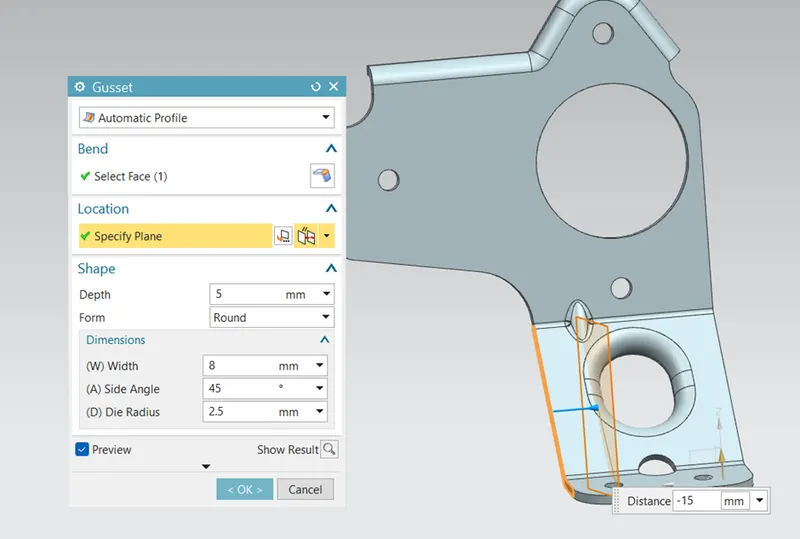
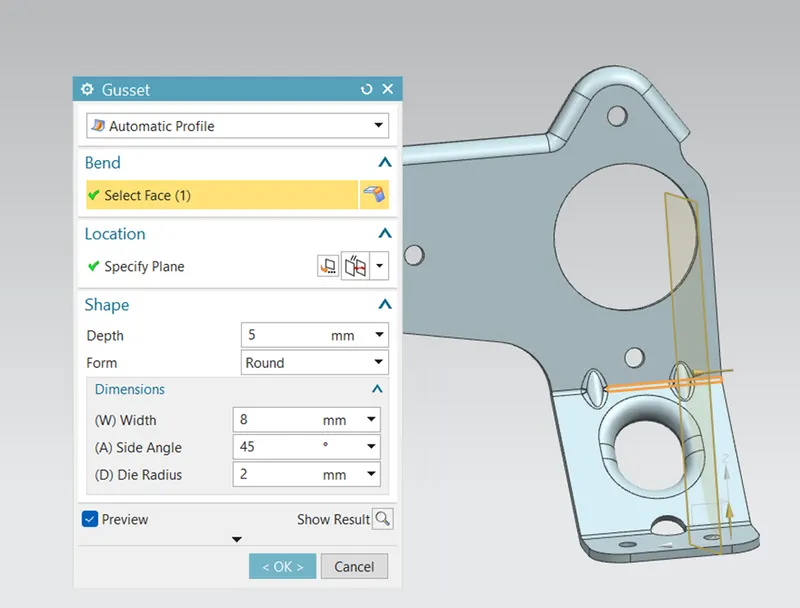
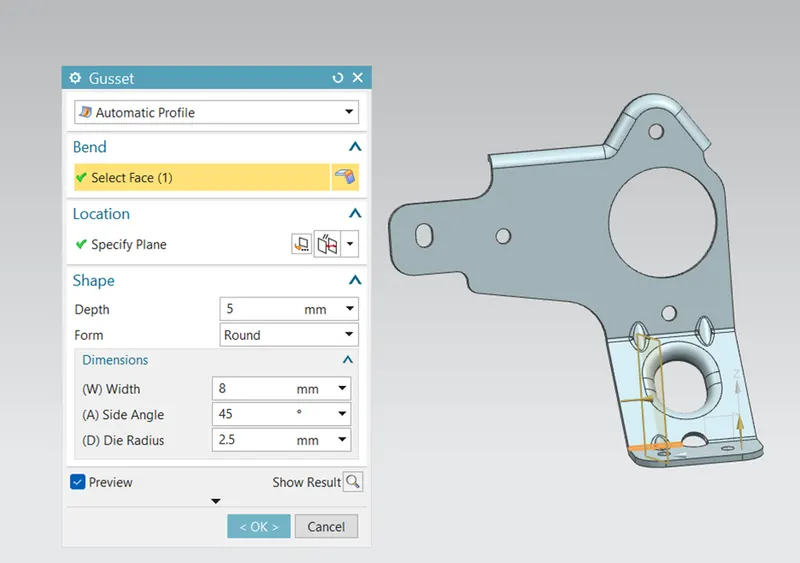
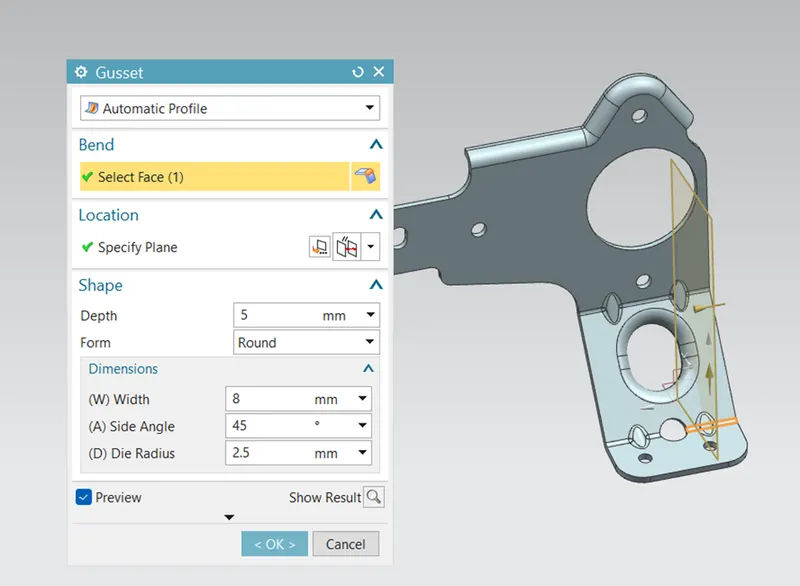
- GUSSET-
It is a feature added to give stiffness to the bent sheet metal part hence increasing the strength of the part.
VARIOUS VIEW OF MODEL-
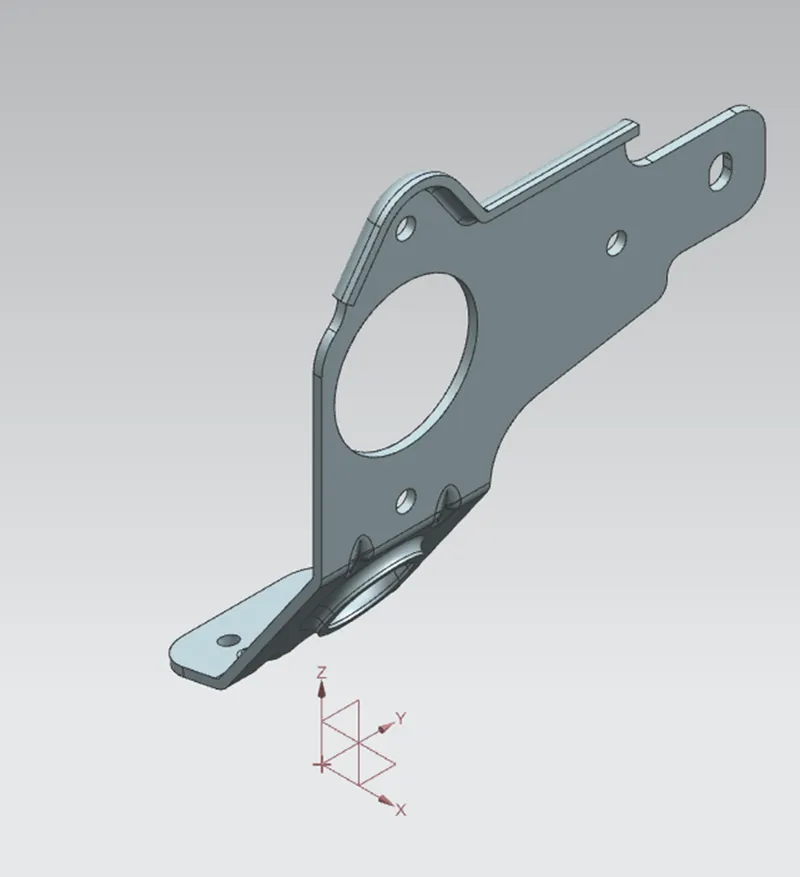
- ISOMETRIC VIEW-
- FRONT VIEW-
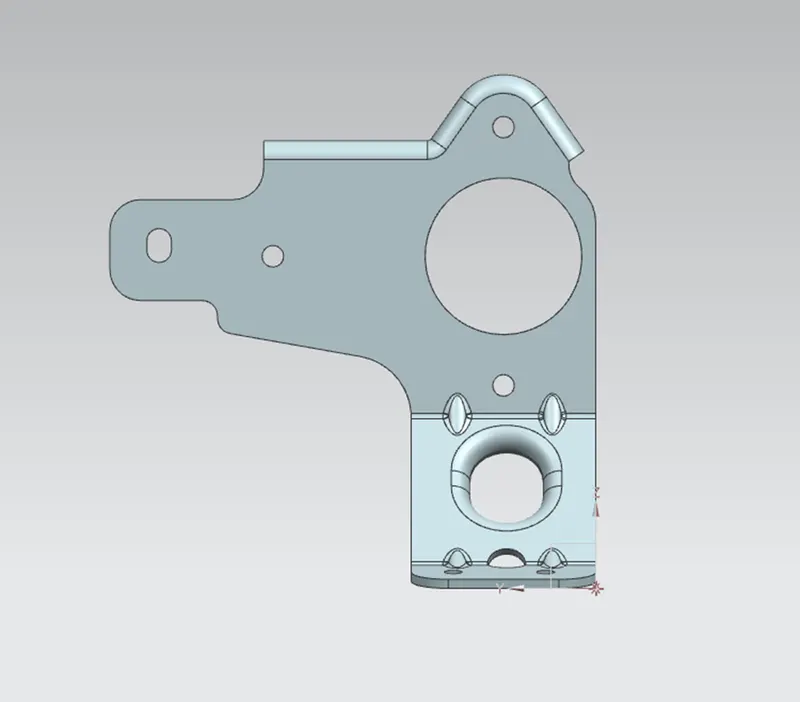
- TOP VIEW-
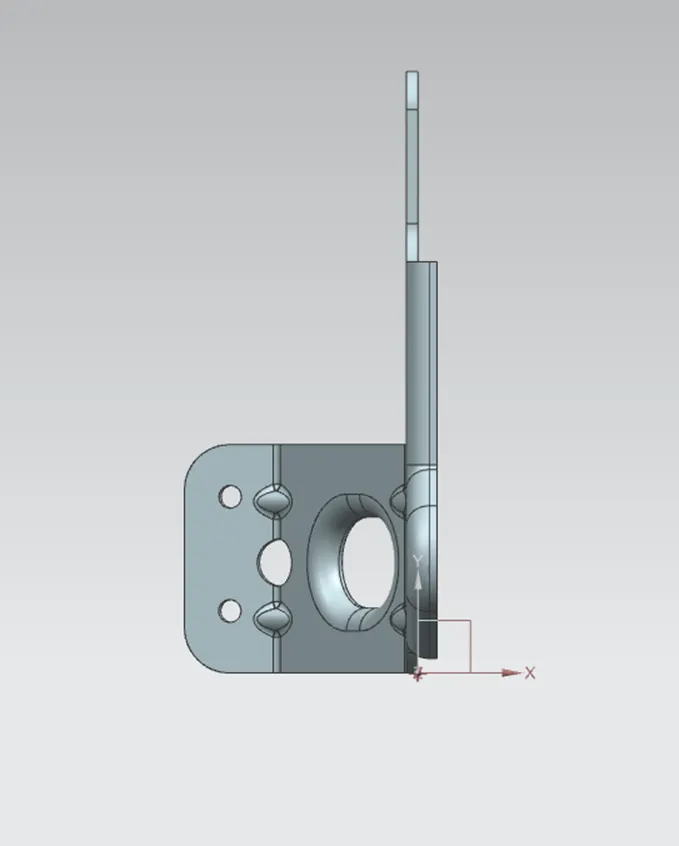
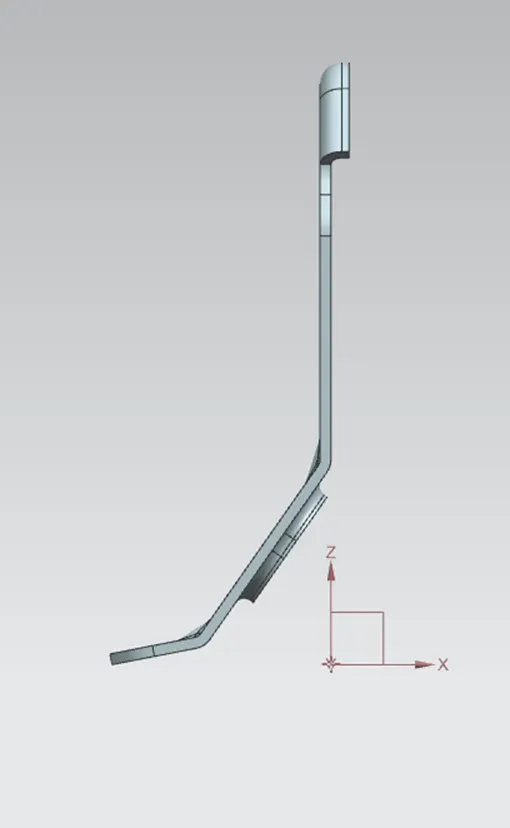
- SIDE VIEW-
CONCLUSION-
In this challenge we created the sheet metal Bracket model using given guidelines. We learn about the various commands in NX Sheet metal application.