Advanced Sheet Metal Design Using NX Cad Challenge_7_ Metal bracket-II
Title :- Metal Bracket II
Objective :- Design a Metal bracket using UGNX.
by Sheet meatel workbench.
Introduction :- Sheet metal bracket genarly we use in automobiles and elctronics
devices to hold with some other assembly.
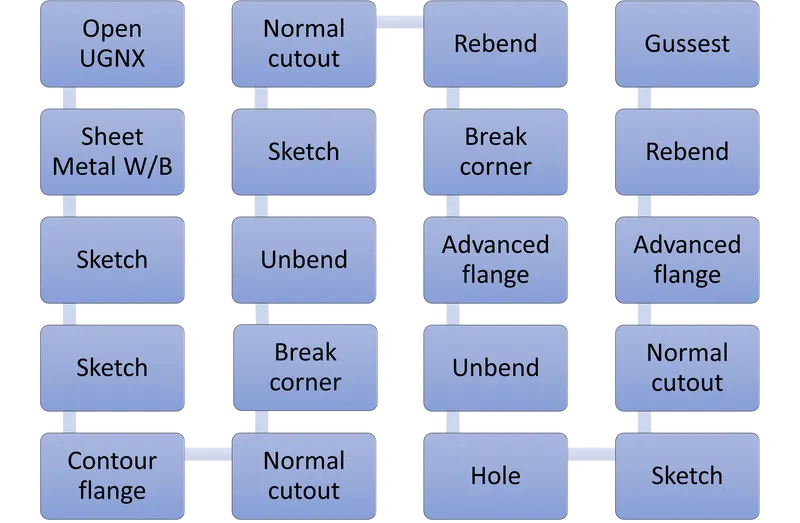
Design approach flow chart :-
Description
* Sketch :- Created a sketch on Y,Z plane as per given dimensions.
* Sketch :- Created a sketch on X,Z plane as per given dimensions.
* Contour flange :- Creat contour flange by useing sketch which is created on X,Z plane.
* Normal cutout :- Use Normal Cutout to by using sketch drawn on Y,Z plane.
* Break corner :- Break at rectangle by Radius 4 mm.
* Unbend :- Apply unbend to corners.
* Sketch :- Created a sketch of d=Dia 12.5 mm.
* Normal cutout :- Do Normal Cutout of Dia 12.5 mm.
* Rebend :- Apply Rebend to unbended corners.
* Break corner :- Break corners at four corners by different rasius.
* Advanced flange :- Apply advanced flange of 5 mm lenght.
* Unbend :- Apply unbend to corners.
* Hole :- Creat two simple holes of Dia 6 mm.
* Sketch :- Created a sketch for cutout two holes.
* Normal cutout :- Do Normal Cutout last sketch.
* Advanced flange :- Apply advanced flange on last cutout of 4 mm lenght.
* Rebend :- Apply Rebend to unbended corners.
* Gussest :- Apply Gussest at four places of 5mm Depth & 8 mm width.
* Save all :- Save all.
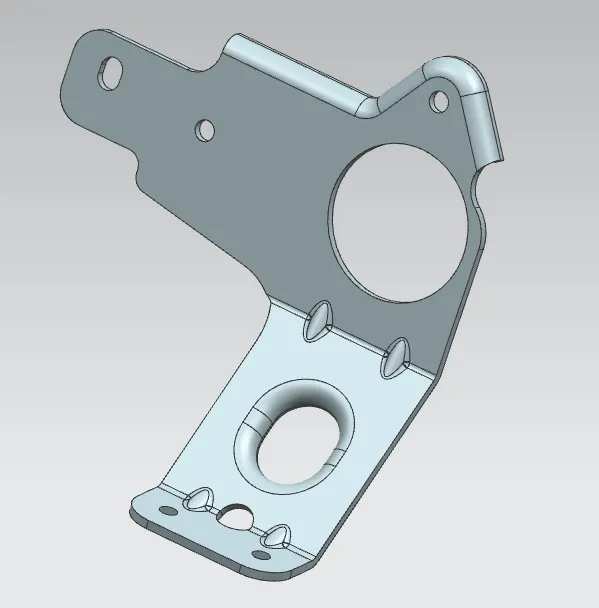
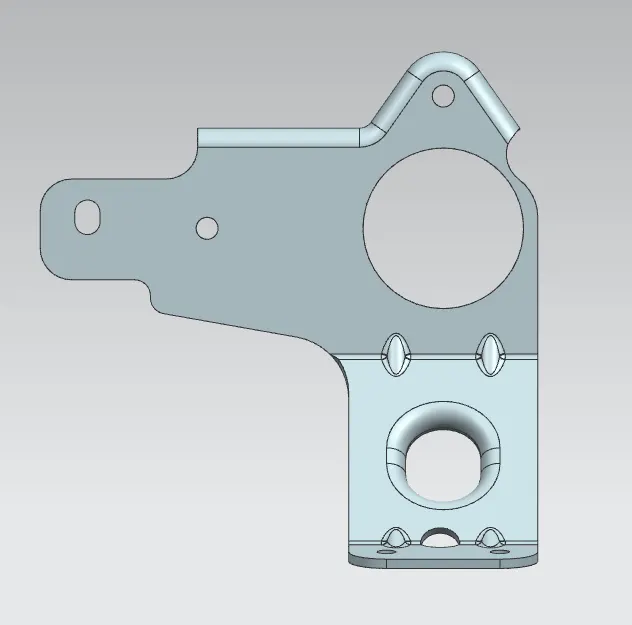
Model Screenshots
Isomatric view
Top view
Front view
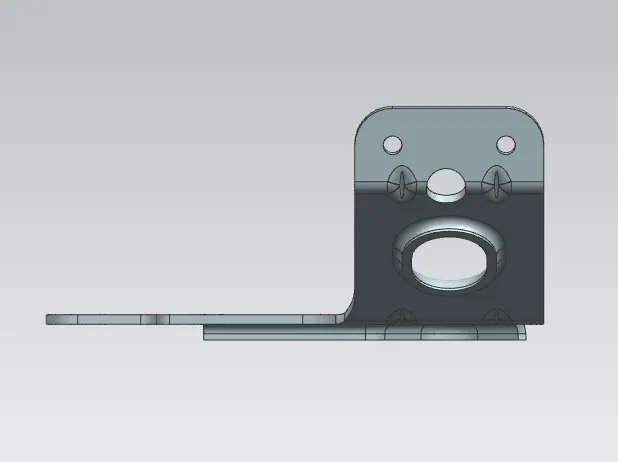
Side view
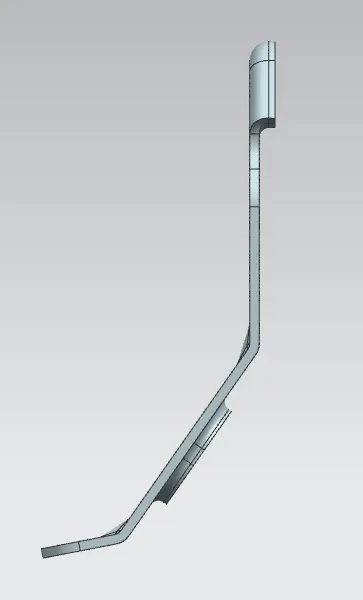
Bottom view
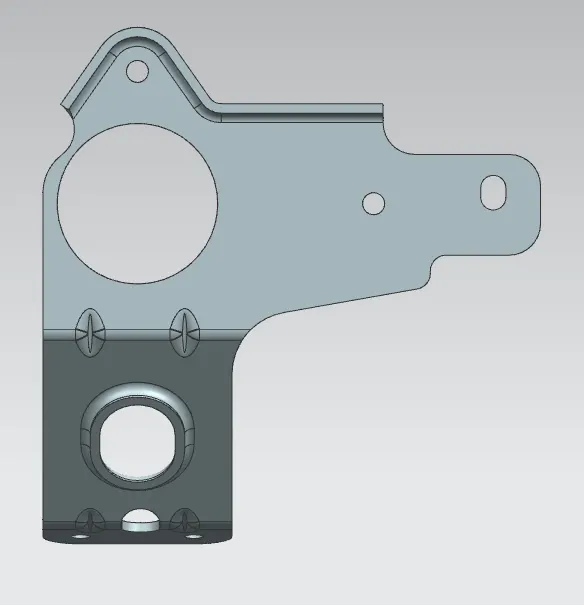
Conclusion :- I would like to conclued, Now iam able to design any kind of metal brackets,
as per drawing and also with referance to concept and application also.