Advanced Sheet Metal Design Using NX Cad Challenge_7_ Metal bracket-II
AIM-Advanced Sheet Metal Design Using NX Cad Challenge_7_ Metal bracket-II
OBJECTIVE:
This is a project to learn the step by step procedure to create a Bracket with a gusset from the given 2D drawing
INTRODUCTION:
NX Sheet Metal provides a set of tools within the NX design environment that allows for simple and fast design of sheet metal parts, dependent on their material and manufacturing process, the most common of which is straight brake sheet metal forming.
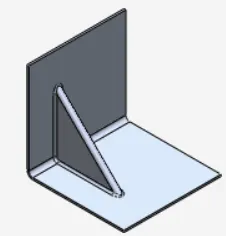
Sheet metal gussets, or “Stiffeners”, used to strengthen a bend. Gussets are formed with a specially made tool. ... In both methods the punch is split, left and right of the gusseting Tool with enough clearance to allow the material to flow rather than cut the material being formed
EXAMPLE
Design methodology
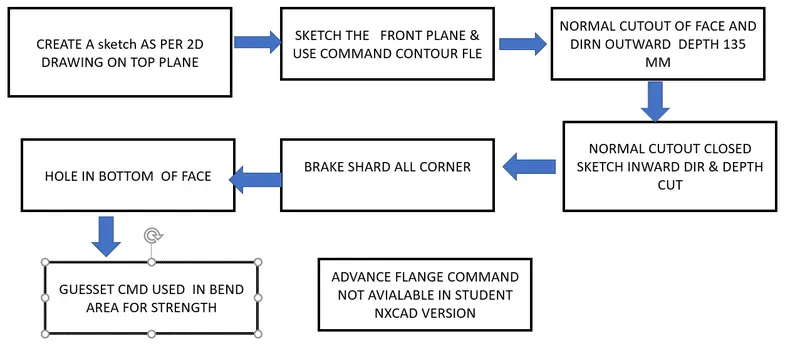
FEATURES & TOOLS
- Contour Flange: Creates a base feature by extruding the sketch along a vector or add material by sweeping the sketch along an edge.
- Break Corners: This feature makes sharp edges to smooth round shape or to chamfer shape.
- Normal Cut-Out: It helps to cut material by projecting a sketch onto the model, cutting perpendicular to the face.
- Unbend: This feature helps to unbend the bent shapes to a flat pattern. In sheet metal the other features like cut-outs and holes needed to be created over the flat configuration. So that feature applied will be normal to a flat surface.
- Hole: Cut or remove the material with thread pattern on it. For applying the hole feature there should be a specific point, which will be the center of the hole.
- Rebend: This command helps to rebend the previously unbent sheet and have a component in its original form.
- Advanced Flange: Add a flange along an edge using a bend angle or a reference face. The edge and reference face can be curved.but student version nxcad not use for this cm
- Gusset: Creates a stiffening gusset on the part.
- Flat Pattern: It is used to represent the whole component in 2D form. This flat pattern also shows tire features with dimensions.
- Drafting: Drafting is creating a technical drawing into a sheet, communicating about the dimensions and view of components. The draft helps the manufacturing and production department to know about the product design in a 2D format.
Procedure:
- Sketch the drawing for the contour flange on XZ plane with a width of 158mm.
- Using normal cut-out remove unwanted material by checking the 2D drawing.
- Use break corners to give a smooth curve to the corners according to the 2D drawing available.
- Unbend the model and cut out the shapes needed in the model.
- Rebend the model.
- Use advanced flange skip this step beacause nxcad is student version installation this command is not available for use
- Use normal cut-out by sketching the shape between two bends.
- Rebend the model and apply the gusset feature at the bend as shown in the drawing.
FEATURE TREE
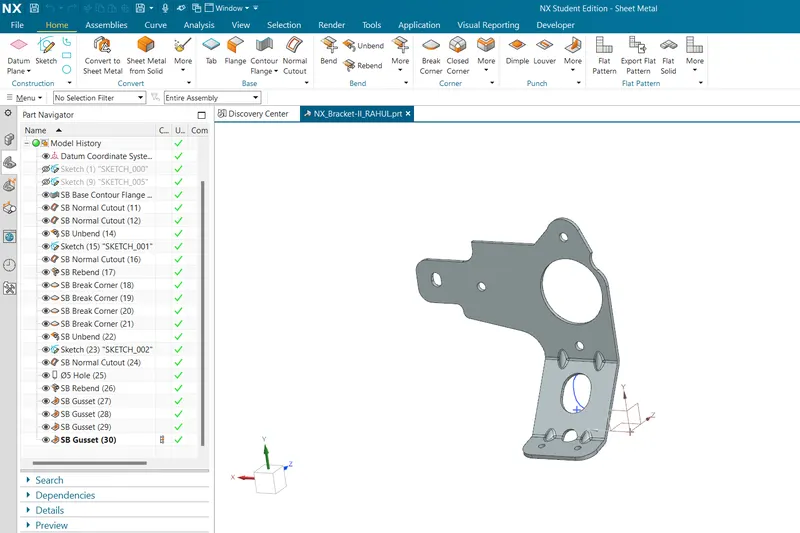
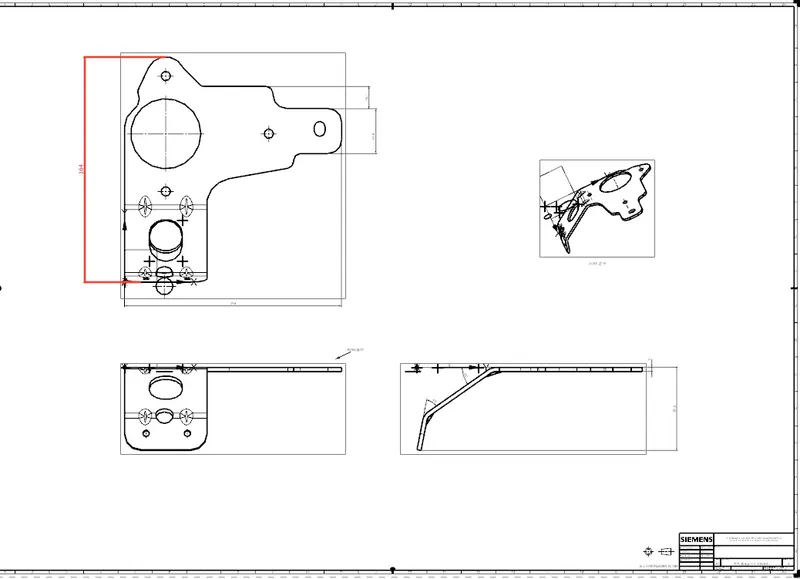
ALL STANDARD VIEWS OF BRACKET-II
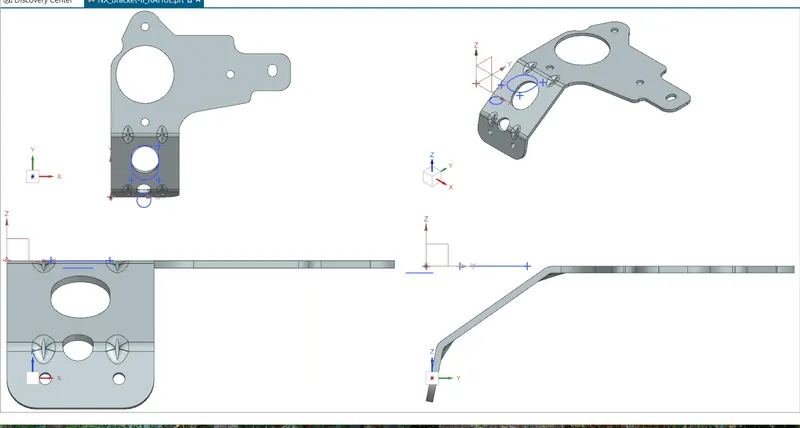
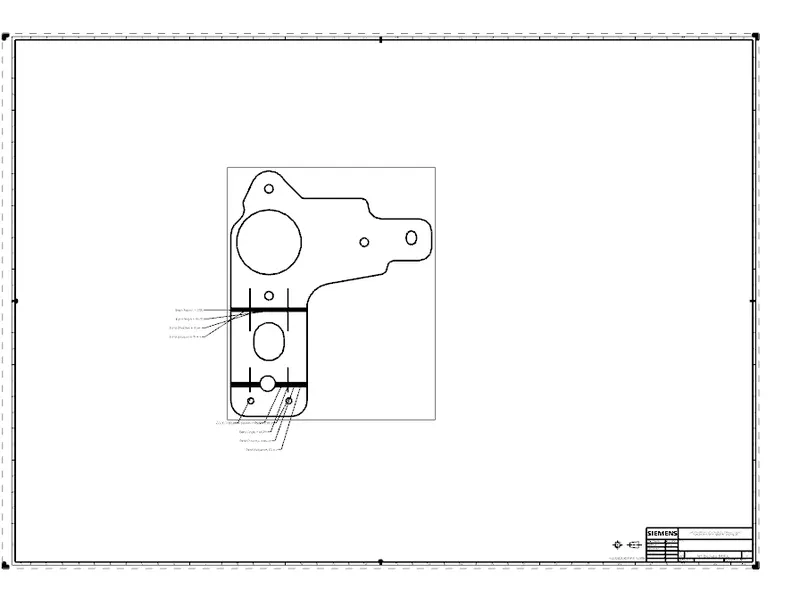
2D DRWAING
CONCLUSION- I HAVE USED GUEST AND LEARN THAT KNOW ABOUT TO USE FOR ADVANCE FLANGE. BRACKET II IS CREATED IN NXCAD