Advanced Sheet Metal Design Using NX Cad Challenge_6_Bracket
Advanced Sheet Metal Design Using NX Cad Challenge_6_Bracket
Objective:
Write a detailed report on Sheet Metal Component with good explanation on Sheet Metal modelling tools applied throughout the modelling.
Design Methodology
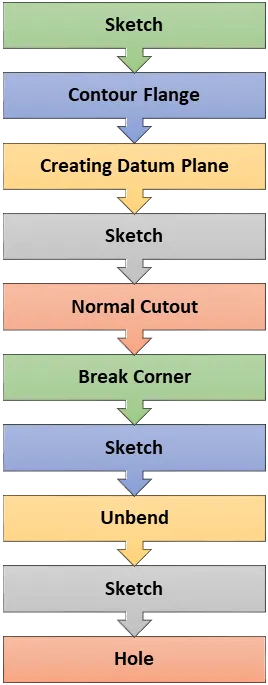
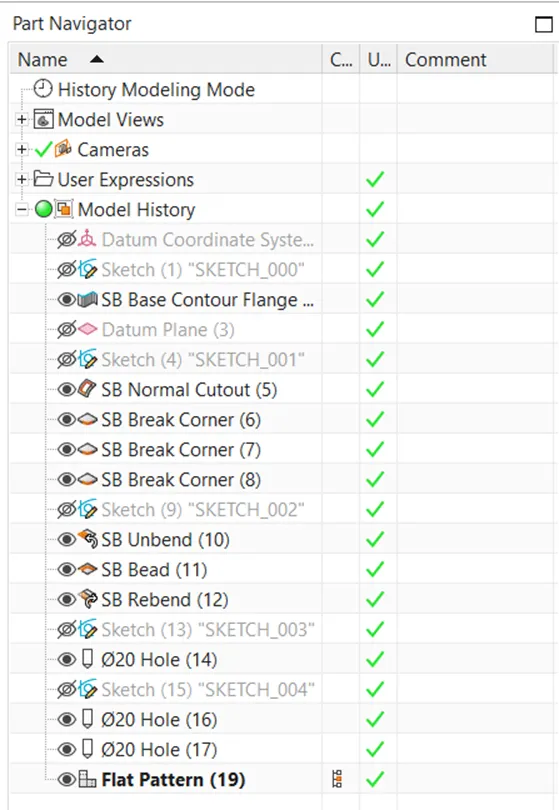
Tools used while designing this challenge
Sketch, Contour Flange, Normal Cutout, Break Corner, Unbend, Rebend, Hole.
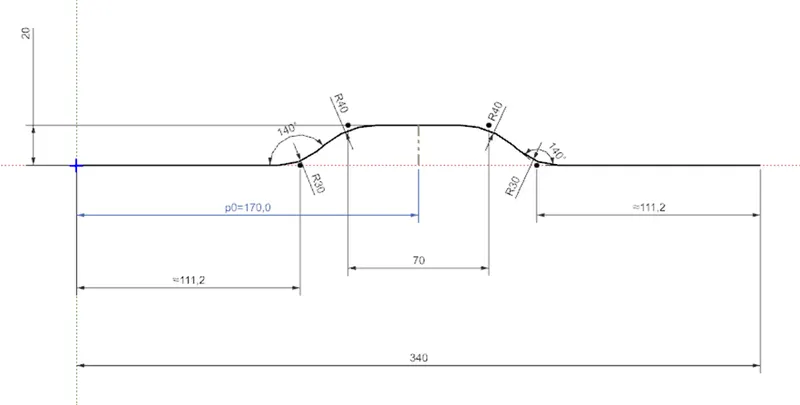
Creating Sketch for Flange Contour
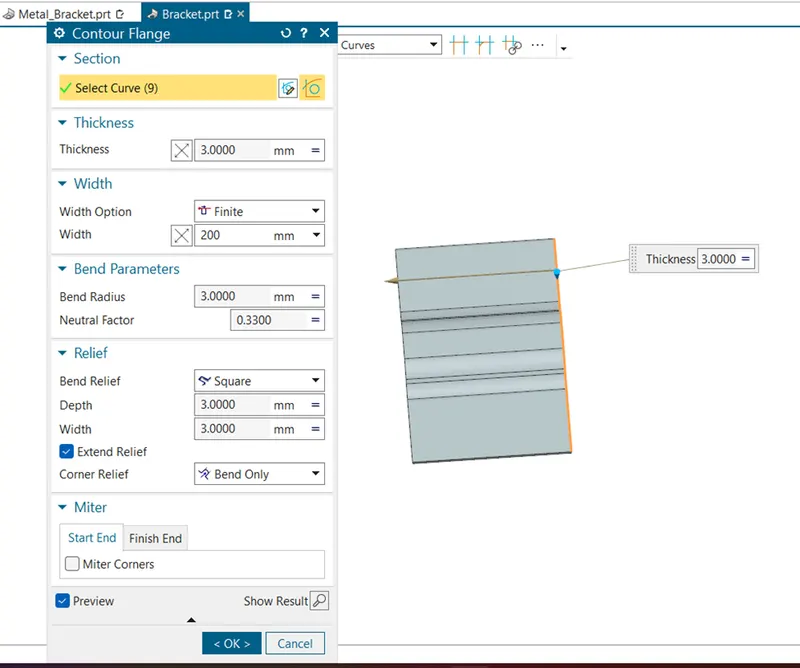
Adding material with using of Flange Contour
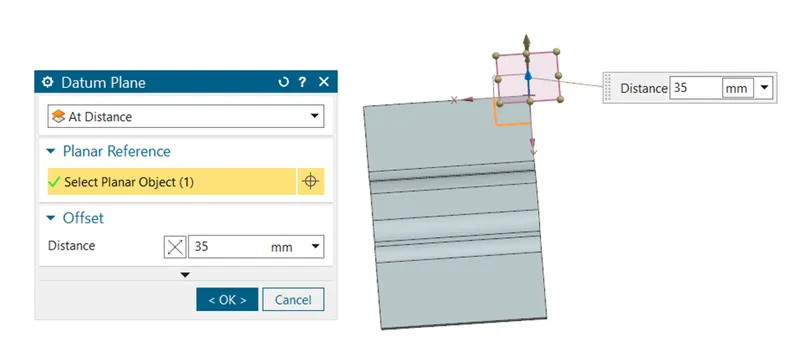
Creating Datum Plane for Sketch
Removing the material from the Cutout command
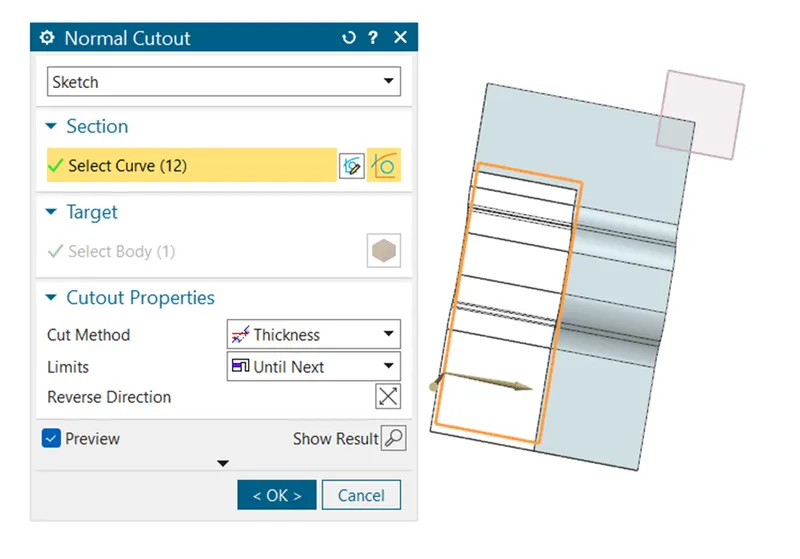
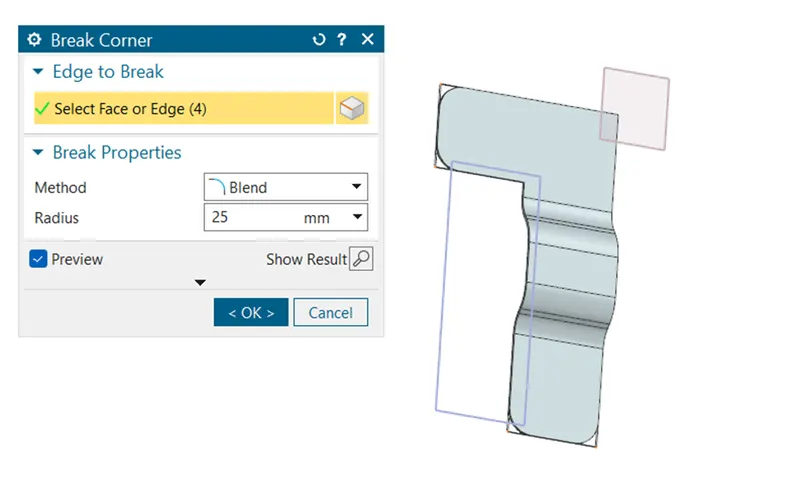
Removing the sharp edges from the metal sheet with application of Break Corner
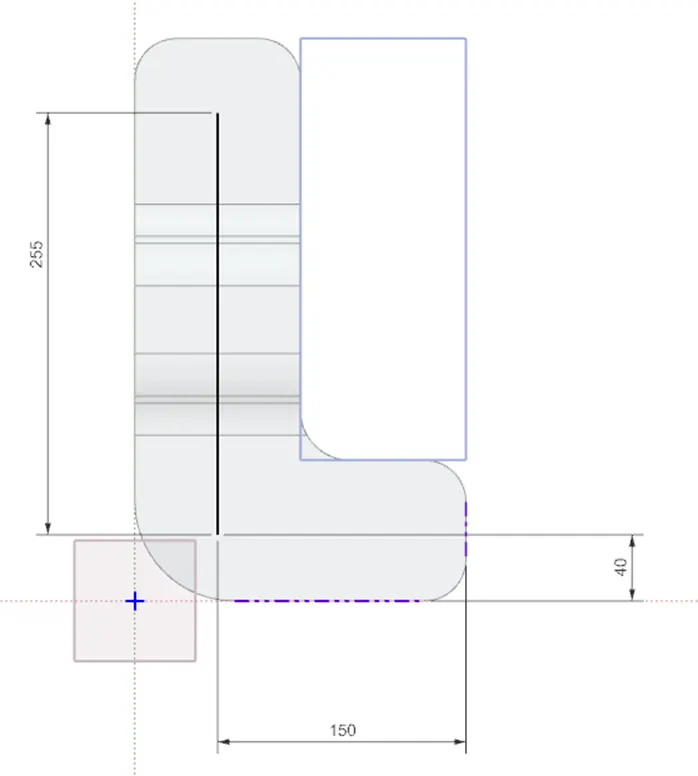
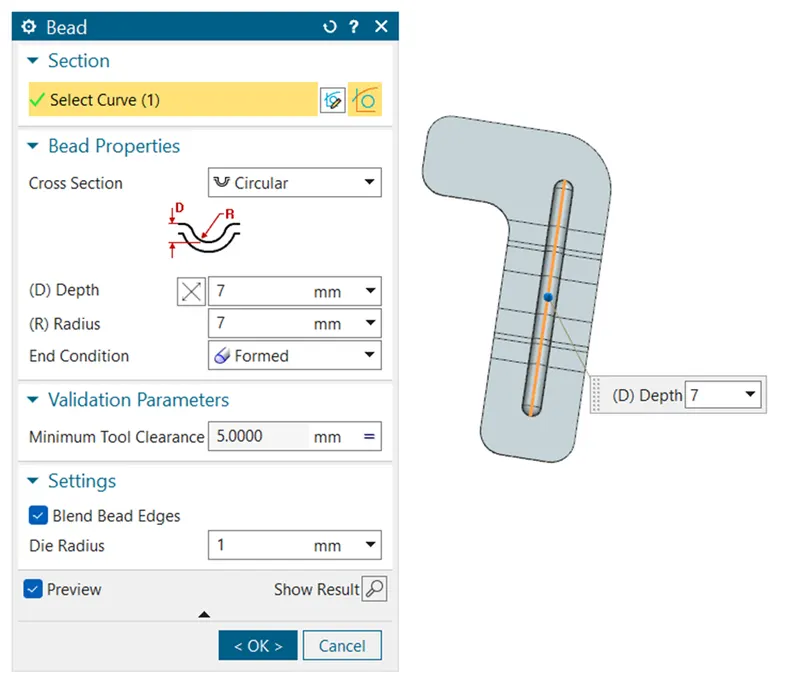
Creating Sketch for Bead command
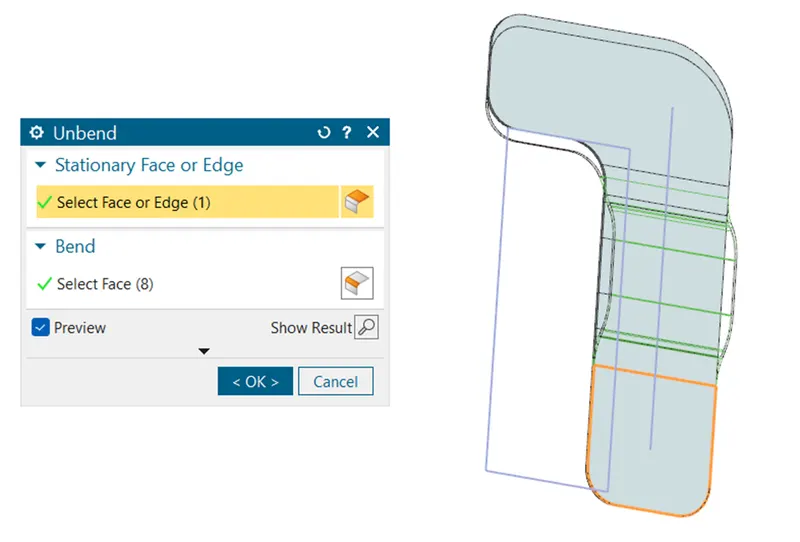
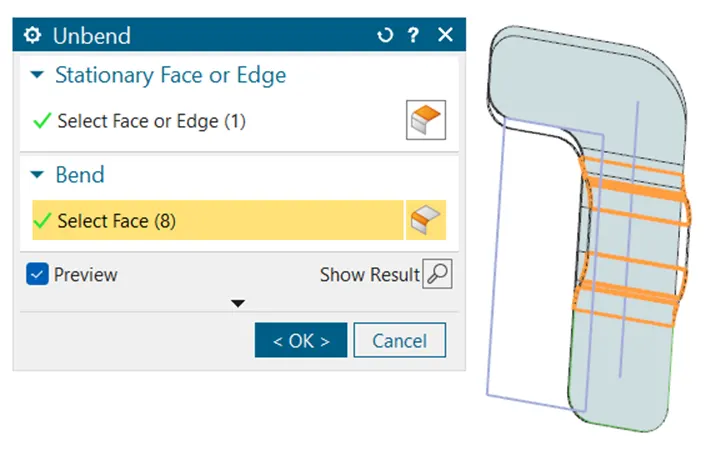
With reference to flat surface we will make other bended surface into flat surface
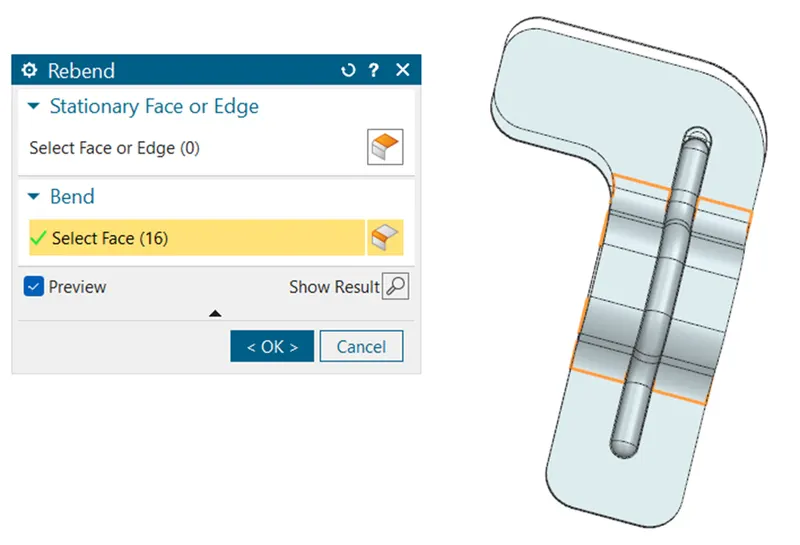
With Rebend command we will roll back to the previous bended model
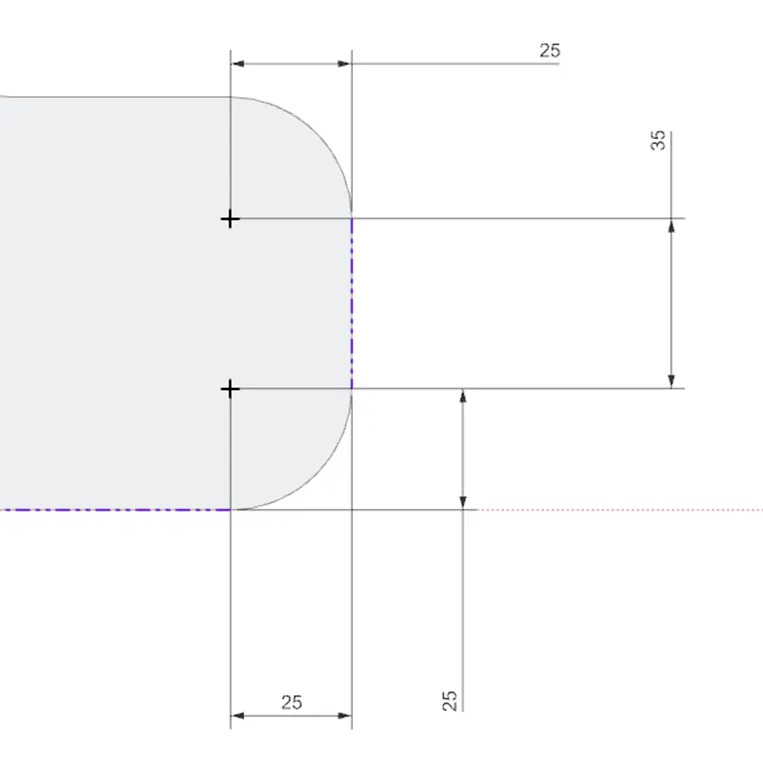
In order to make a hole profile in the model we will use sketch and locate the position on model.
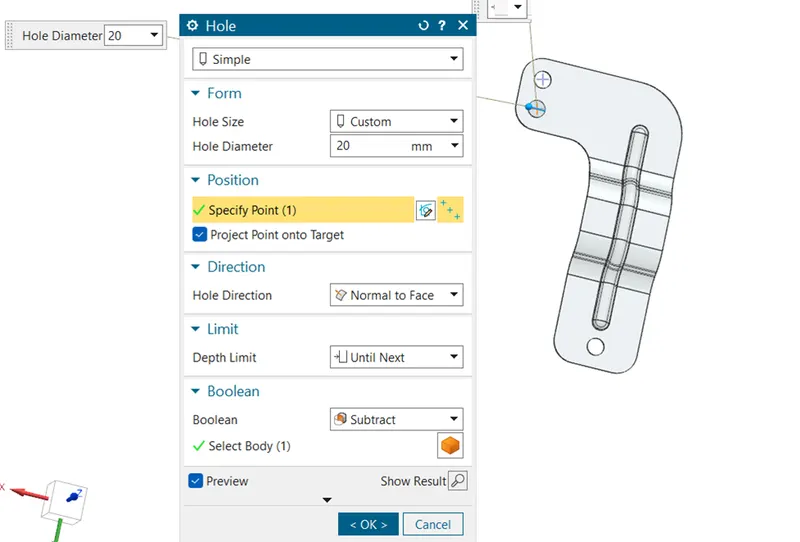
With reference to the above sketch we remove the material and make hole through profile using Hole command.
In order to make the Circular projection on the sheet metal we will use bead command for the same.
Feature Tree:
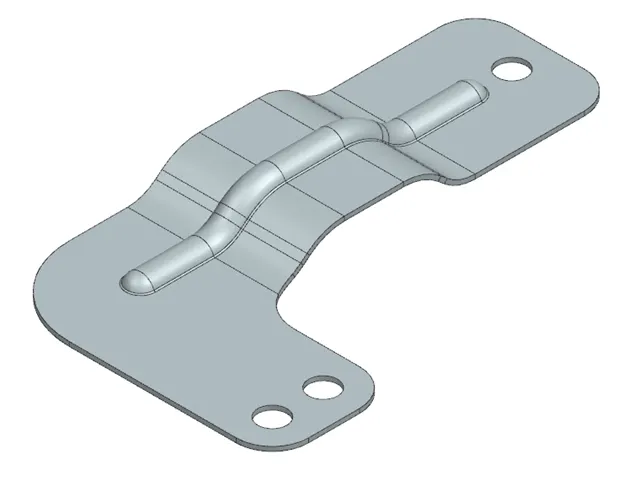
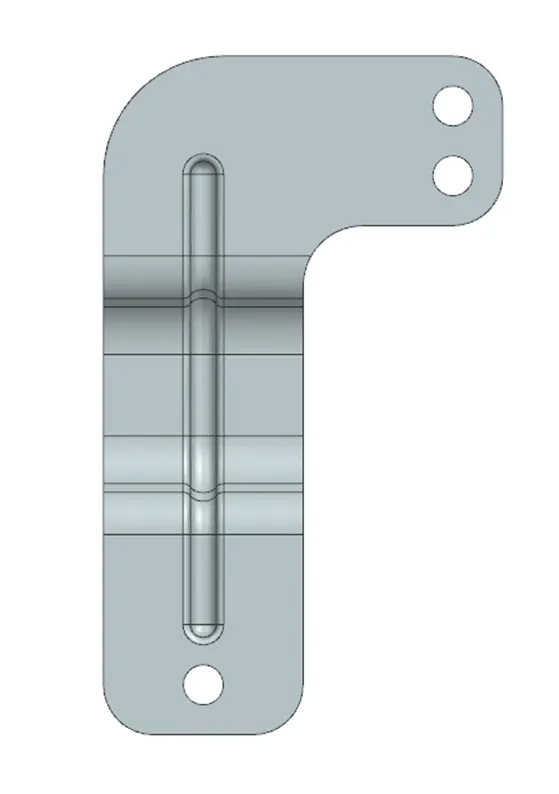
3D Model Views
Isometric View
Front View
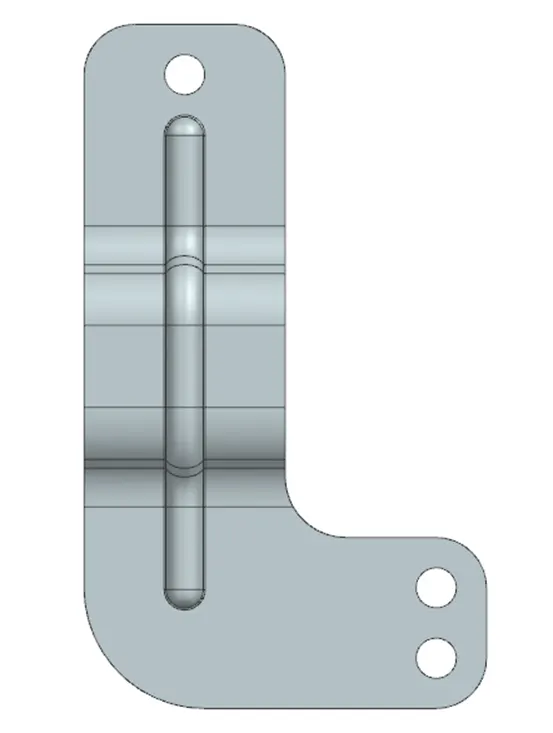
Front View

Bottom View
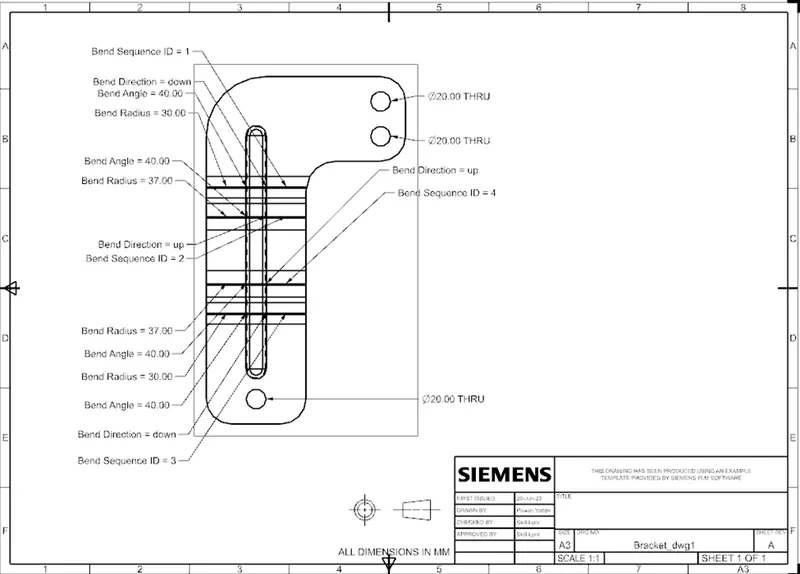
Detailed Drawing Sheet
Conclusion:
In this challenge we have learned the various command like Contour Flange, Normal Cutout, Break Corner, Unbend, Rebend.