Challenge

Advanced Sheet Metal Design Using NX Cad Challenge_6_Bracket

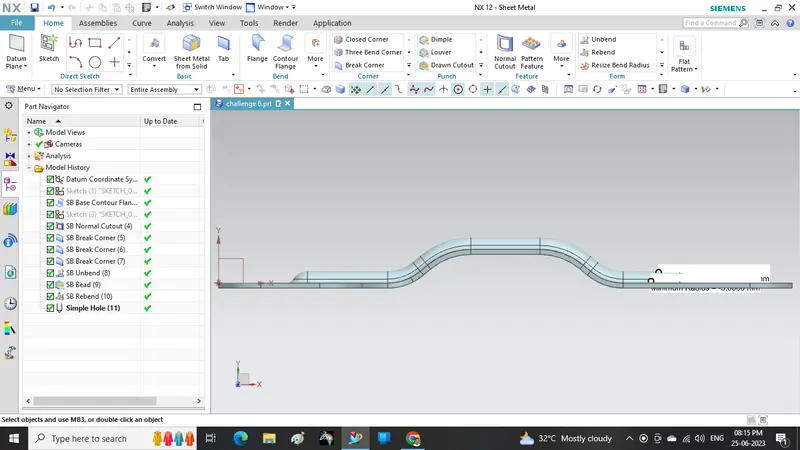
Bracket Designed by using Sheet Metal Design workbench in NX Cad Software

Objective: To Know How to design given part using NX CAD 

Introduction:  It is a typical sheetmetal part. It is used for clamping.

Design Methodology: 
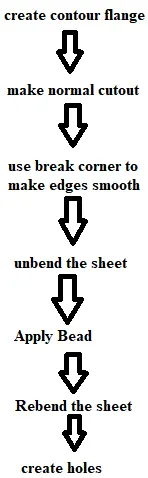
Description: 

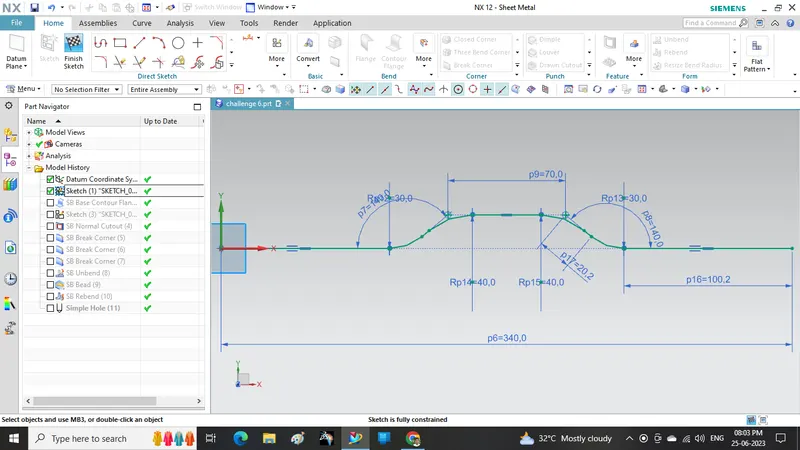
  1. create sketch as shown                                                                   
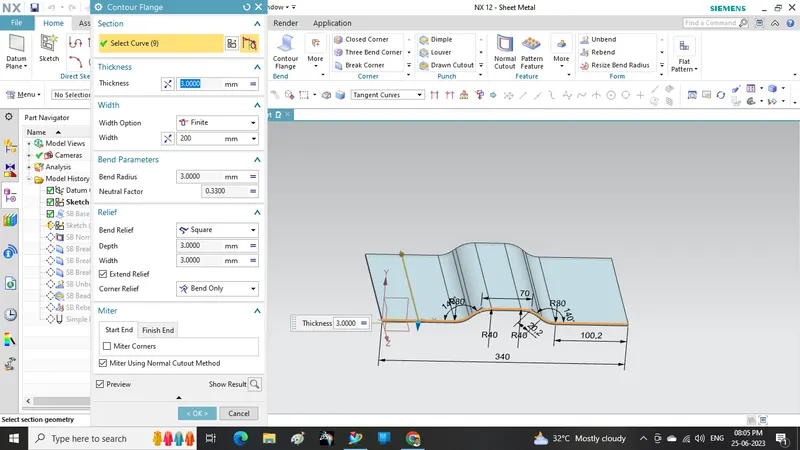
  2. Apply contour flange command                                                        
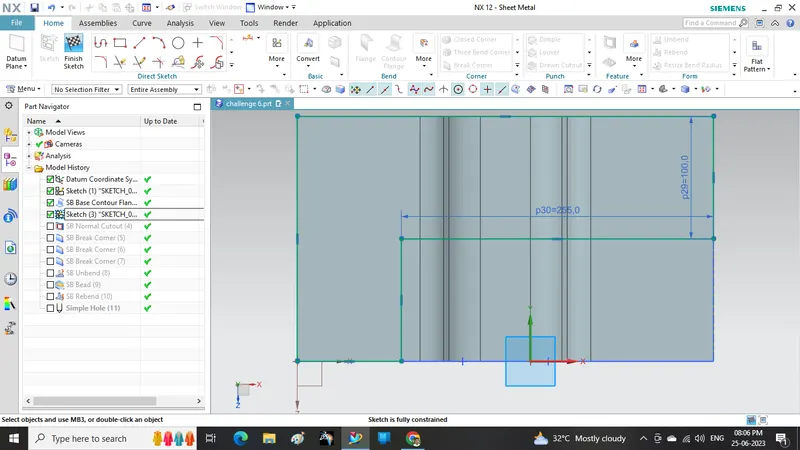
  3. Draw a sketch as shown for cutout                                                   
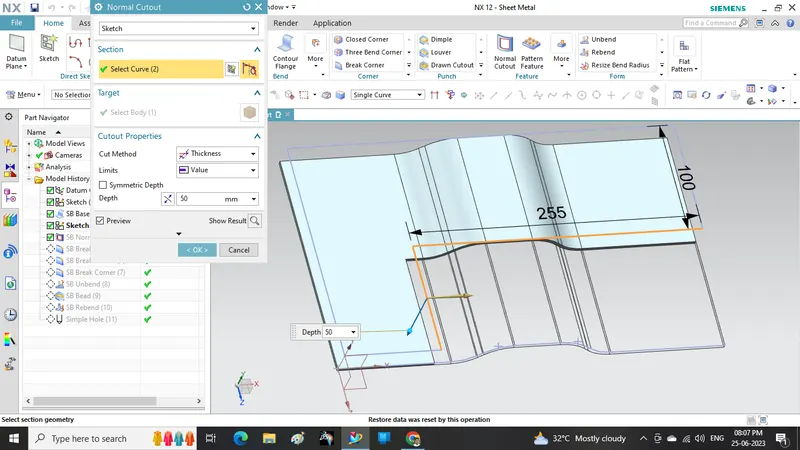
  4. Apply normal cutout command                                                         
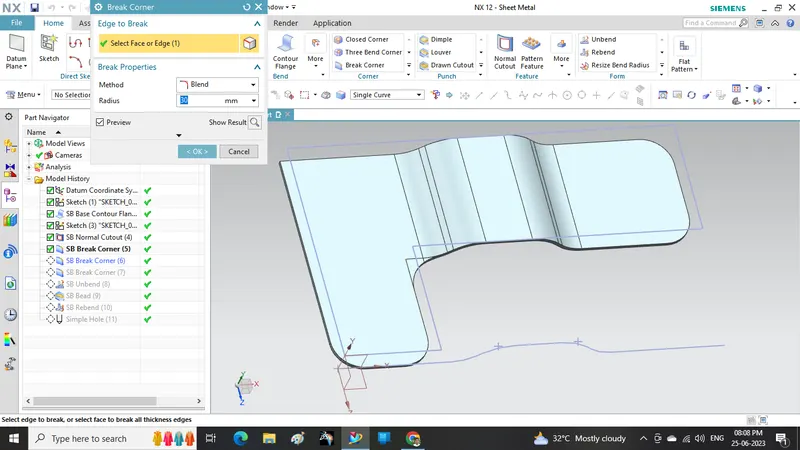
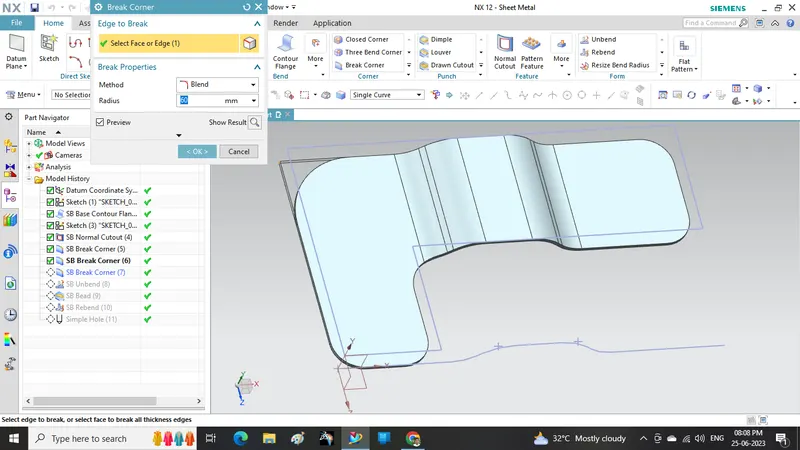
  5. use break corner command for smooth corners                                 
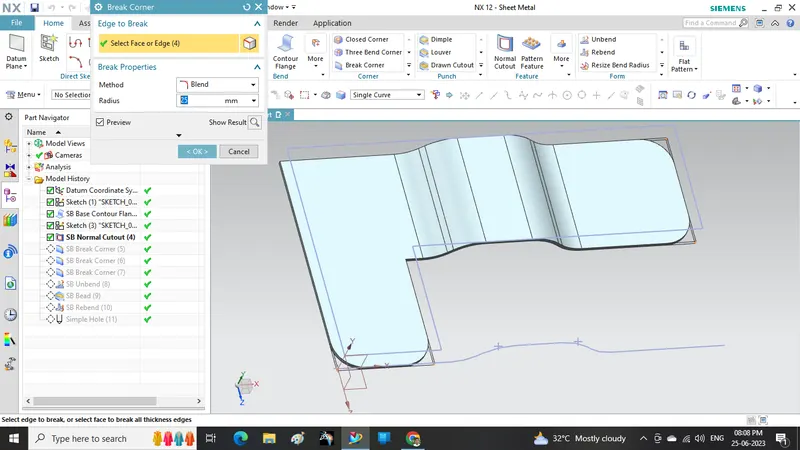
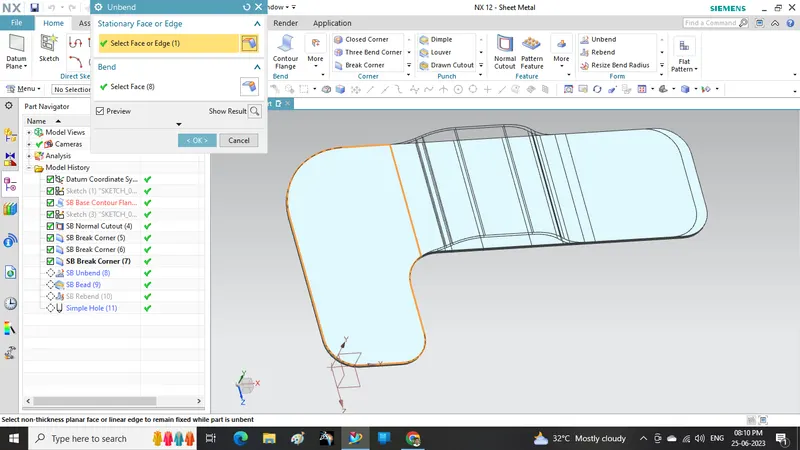
  6. unbend the sheet                                                                            
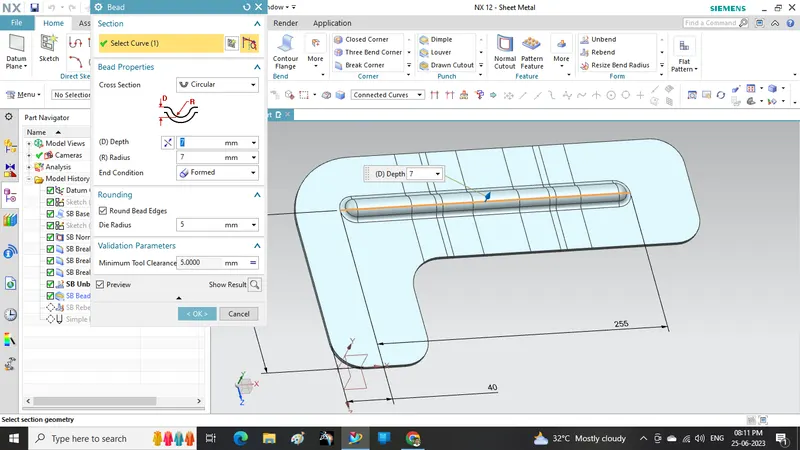
  7. Apply bead command                                                                      
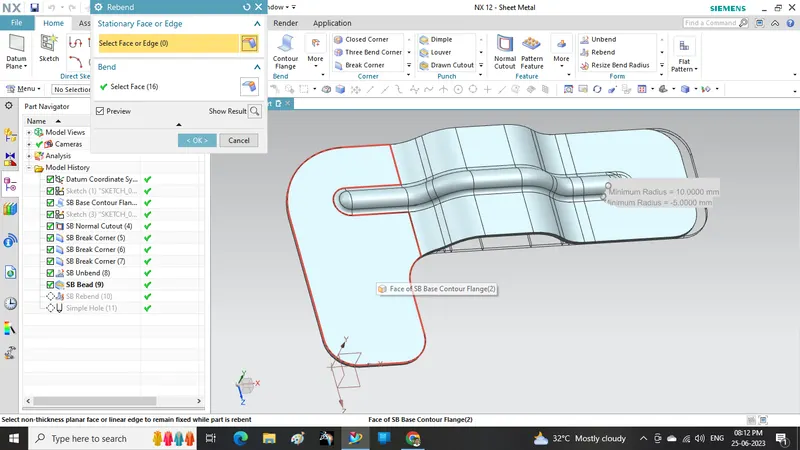
  8. Rebend the sheet                                                                            
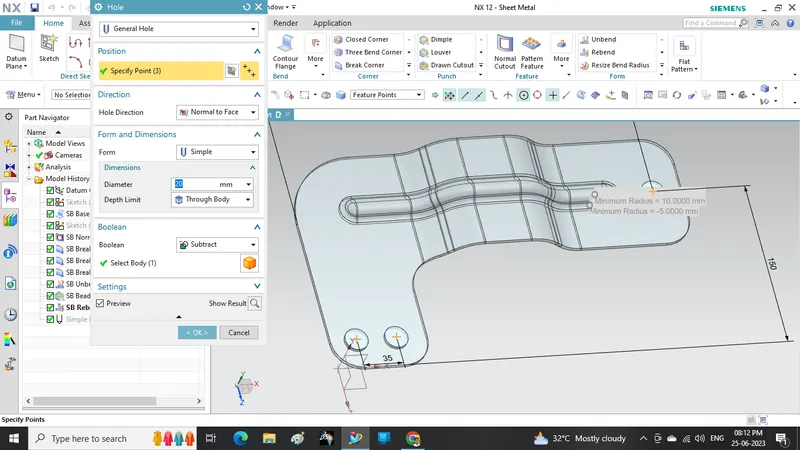
  9. Make holes on sheet                                                                       

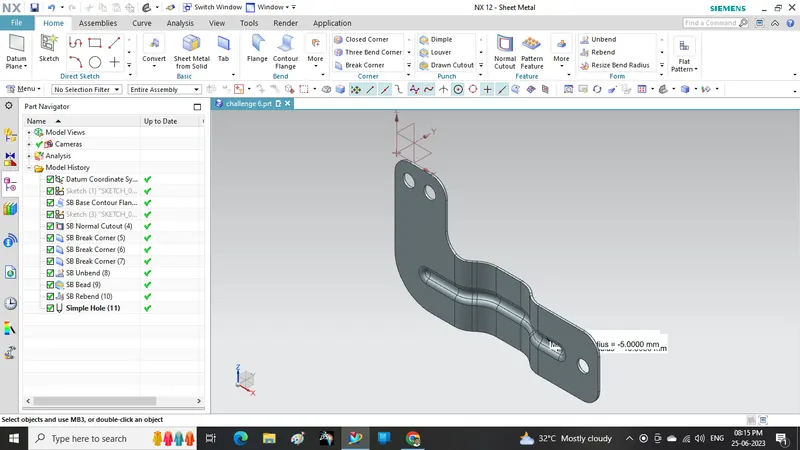
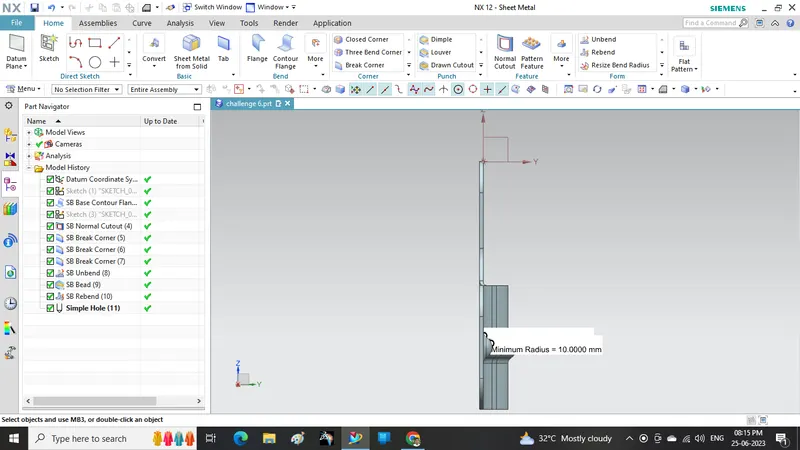
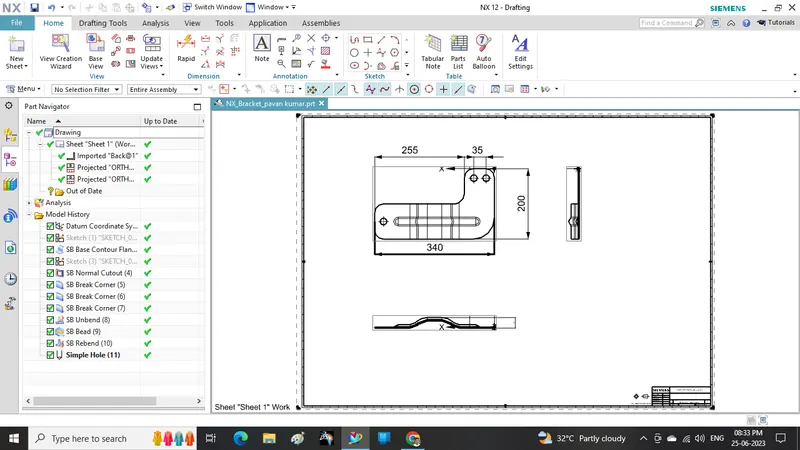
Different views:
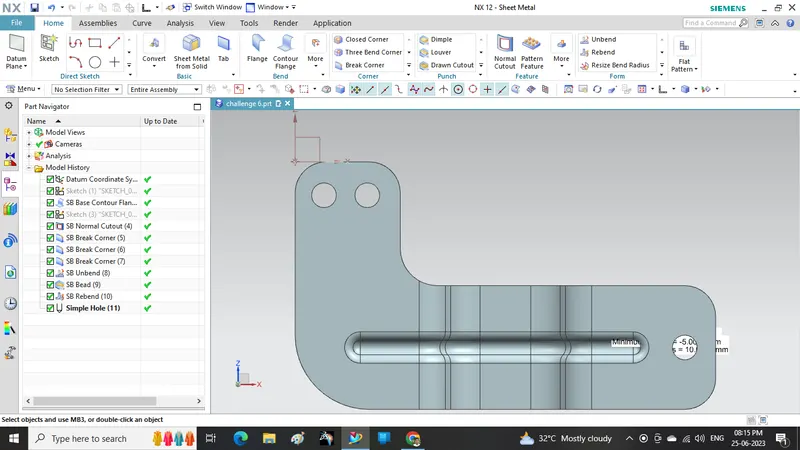
Drafting of the Part is given below
Conclusion: I here by declaring that I learnt how to create above Bracket from Skilllync on NX CAD software

Your portfolio, next

Ship work like this
in your own course.

Talk to a career counsellor

Free 20-minute call. We'll map the right course to where you want to work.

By submitting you agree to our Terms and Privacy Policy.