Advanced Sheet Metal Design Using NX Cad Challenge_6_Bracket
:BRACKET DESIGN:
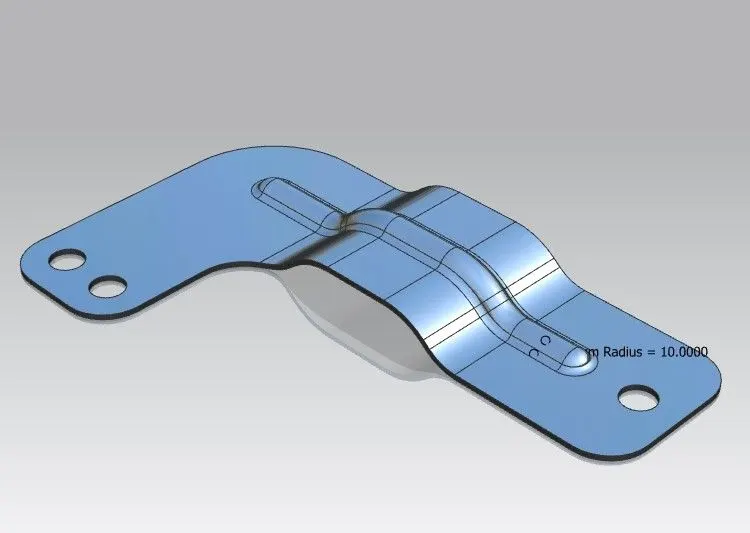
Objective: The objective of this project is to design a Bracket using Siemens NX Sheet Metal Application.
Introduction:
Siemens NX is one of the popular CAD Software used for 2D drafting and 3D modeling. It has complete set of tools for creating sheet metal parts. Here by in this project we have used varies tools of Siemens NX 10 Sheet Metal Application for creating Bracket Design by using different features.
Design Methodology:
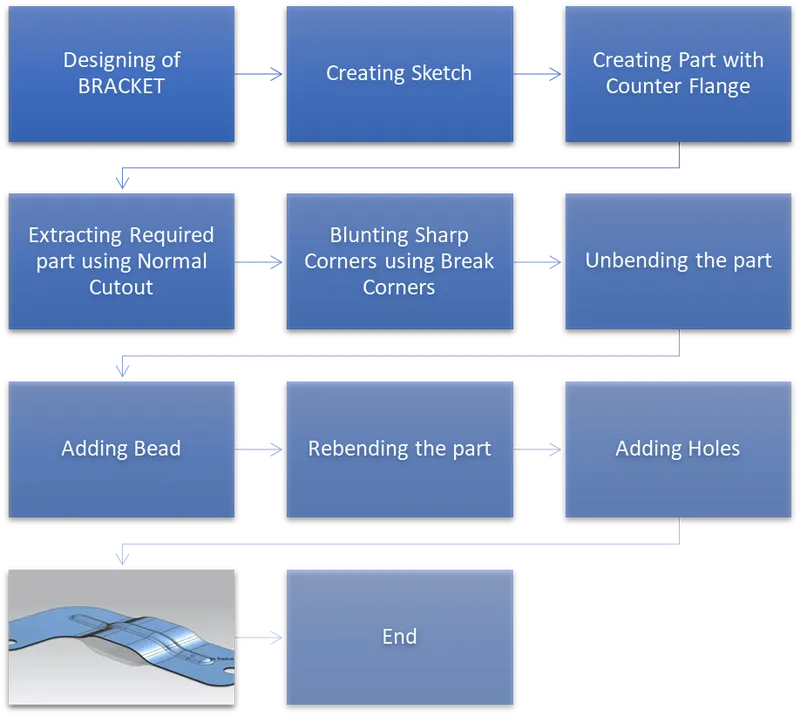
Description:
- The Bracket Design is Created using following feature.
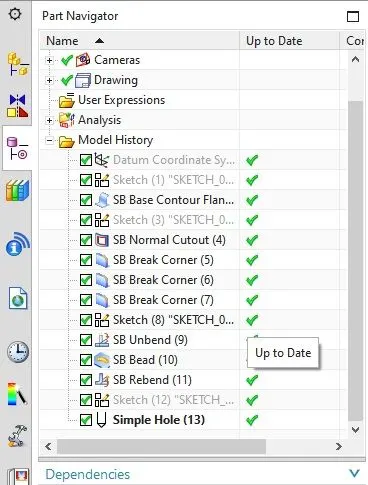
SKETCH TOOLS: Sketch tools are used for creating 2D sketches in Siemens NX. The sketch tools used are straight line, Rectangle, point, fillet, Arc and circle.
- Initial Sketch, Bead Sketch and Hole Points are created using these tools.
CONTOUR FLANGE: This feature Creates a base feature by extruding a sketch along a vector, or adds material by sweeping a sketch along an edge or chain of edges.
- Initial sketch of Bracket is converted into 3D sheetmetal part using this feature.
NORMAL CUTOUT: This feature is used Cut material by projecting a sketch onto the model and then cutting perpendicular to the faces intersected by the projection.
- Required Sheetmetal part is extracted using this feature.
BREAK CORNER: This feature is used to blunt sharp corner by providing radius to corners.
- Sharp corners are blunted by using this feature
UNBEND: It is used to flatten the material by removing the bends.
BEAD: This feature is used to lifts material along the contour of a sketch that simulates a stamping tool.
- Using this Feature Bead is created on the top of part.
REBEND: It is used to Rebend the flatten Design.
HOLE: This feature is used to create different types of holes in the part.
- 2 holes are of 20mm is created using hole feature.
IMAGES:
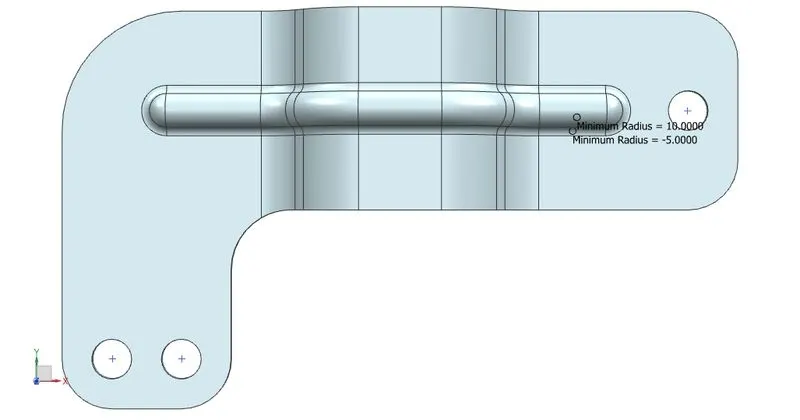
Top View:
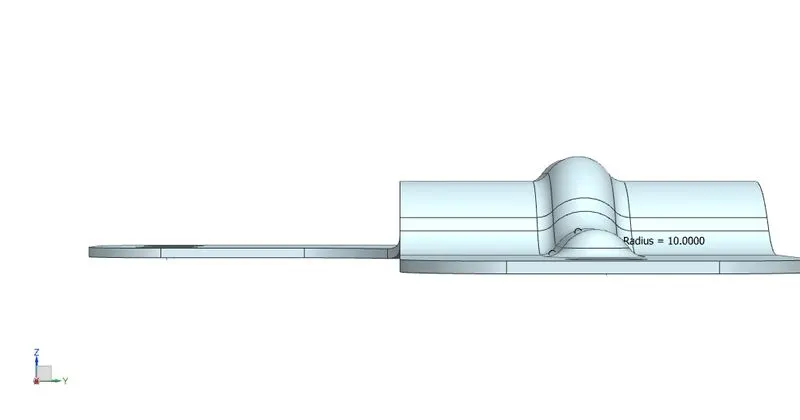
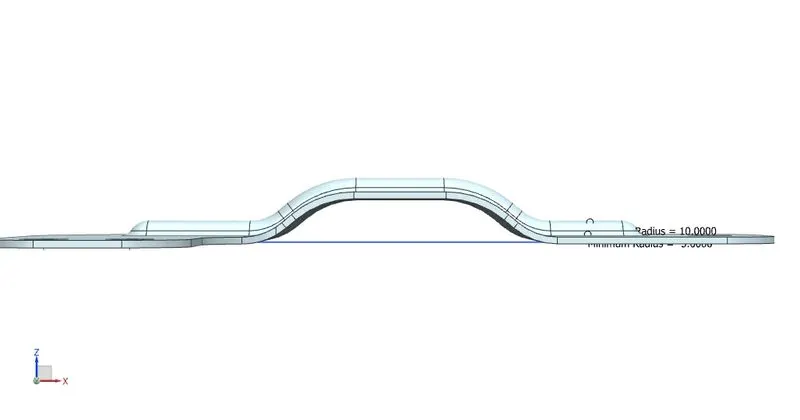
Side View:
Front View:
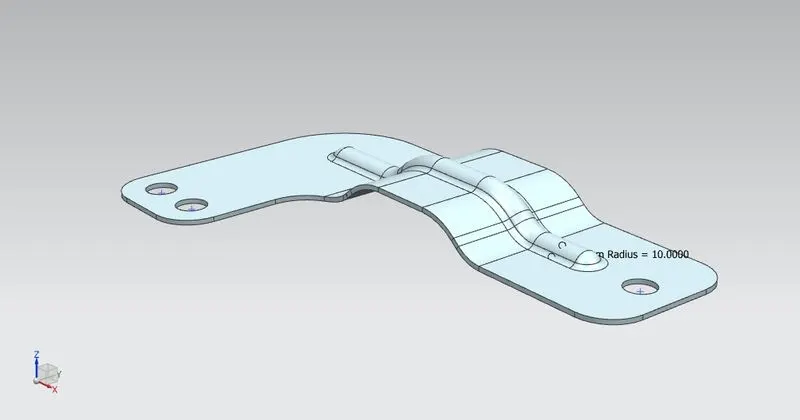
Isometric View:
Part Tree:
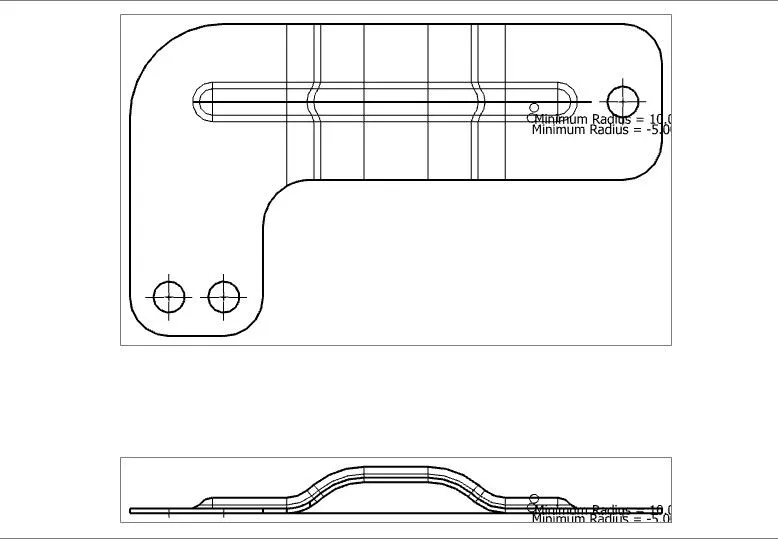
Drawing Sheet:
Conclusion:
Thus, the designing of Bracket using Siemens NX Sheetmetal application is done successfully.