Advanced Sheet Metal Design Using NX Cad Challenge_6_Bracket
BRACKET DESINING IN ADVANCED SHEET METAL USING NX CAD
Objective:
To create metal bracket from given 2D drawing
Introduction:
The Sheet metal application provides an environment for the design of sheet metal parts used in Machinery, Automotive and Aerospace. Enclosures, Brackets and other parts are normally manufactured with break press. The sheet metal application are widely used in the,
- Aircraft Bodies
- Automobiles
- Utensils used for domestic purpose
- Beverage cans
In sheet metal application we can create a uniform thickness sheet metal parts using basic features such as flange, tabs and jogs. We can also do close corners, cutout and stiffening features. The complex sheet metal part can be designed in the solid model workbench and then we can convert into a sheet metal part. We can also import, clean up and convert a non-sheet metal part into a valid sheet metal part. Flat pattern sheet metal data can be used for the manufacturing process. The material parameters such as thickness, bend radius and bend relief can be easily set as default settings.
Version used here is NX 12.
Design Methodology:
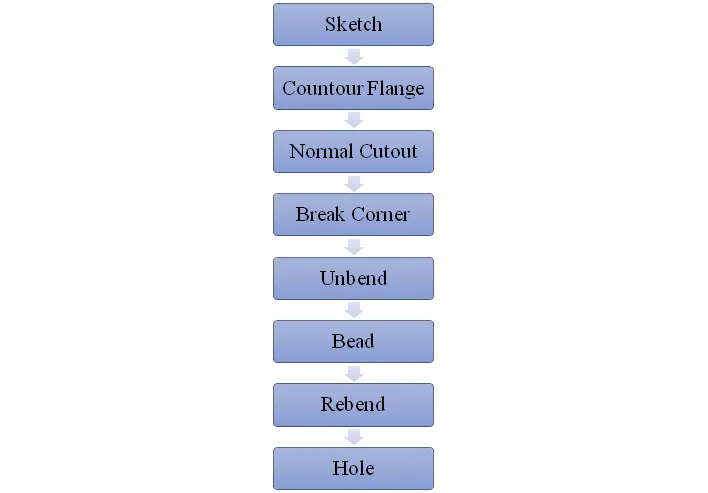
Description:
Contour Flange: It is created by extending the sketch on its respective axis with the thickness as required from the base.
Normal Cutout: It is used to in the sketch.
Break Corner: It is used to make the corners blend with some self dimensioned radius in order to make corners smooth.
Unbend: It is used for Unbending corners of the body.
Bead: It is used to create a contour shape according to the sketch in the required direction with required punch/die radius.
Rebend: It is used for bending corners of the unbend body.
Hole: A Hole feature is used to create holes on the model.
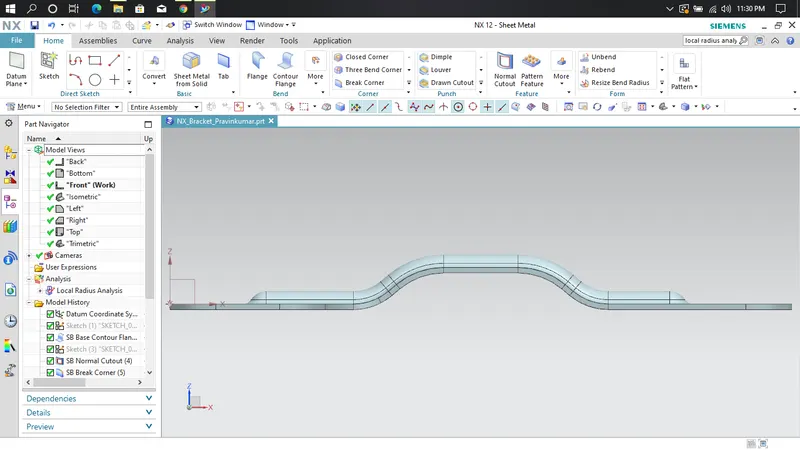
Front view:
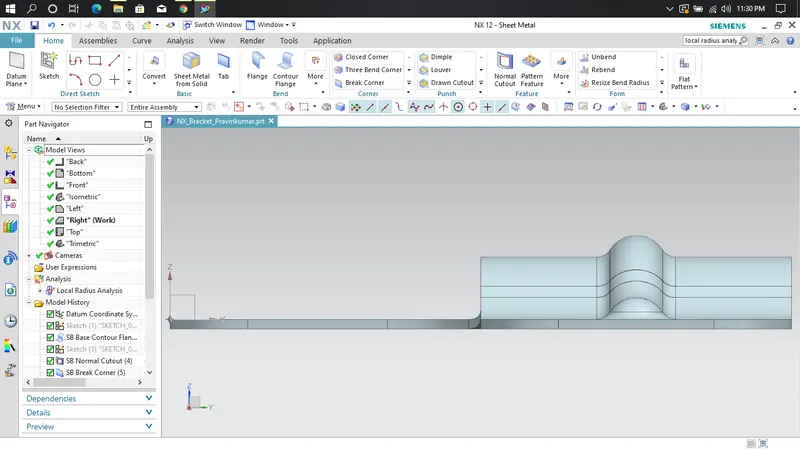
Side view:
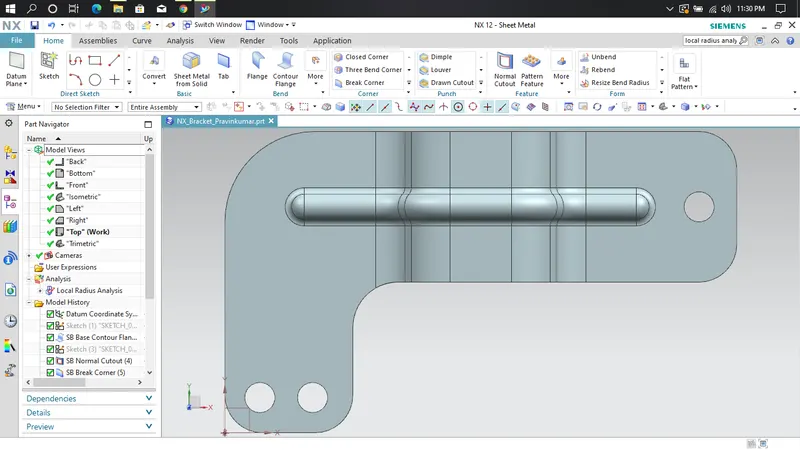
Top view:
Isometric view:
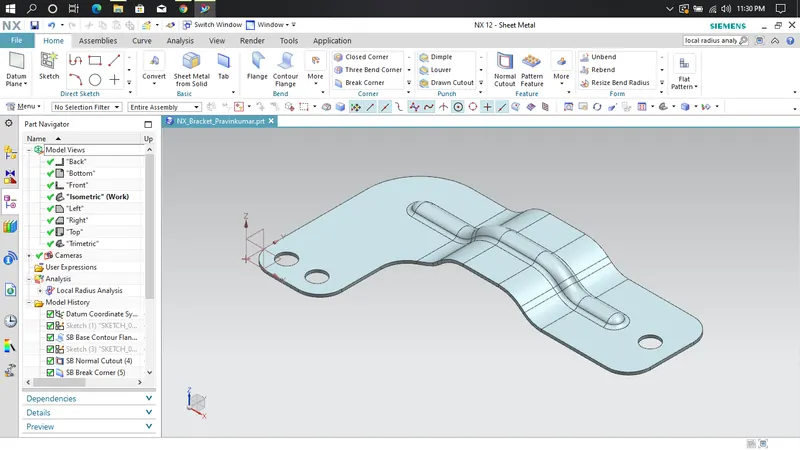
Conclusion:
Thus we have successfully designed bracket using 2D drawing by using NX Cad.