Advanced Sheet Metal Design Using NX Cad Challenge_5_Odd Shaped Enclosure
Title: Odd Shaped Enclosure
Objective:
To create a Odd Shaped Enclosure model using Advanced Sheet Metal tools in NX-12.
Introduction:
Sheet Metal can be used as a cut and bend for the different shape of part and creation of different sheet metal part using Tab, Flange, etc.,
In this challenges I compute the Odd Shaped Enclosure with the help of NX-12 software.
Design Methodology:
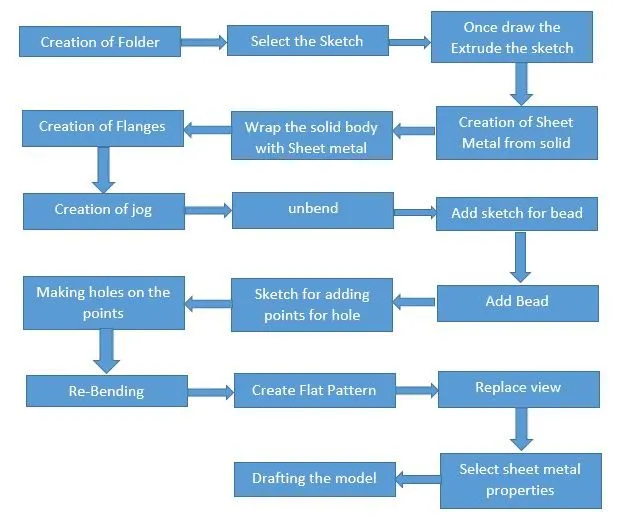
Tools Used:
Extrude:
To create a sketch and adding the extrude tool for creating the model. Extrude tool is used to add the width of the sketched area.
Sheet Metal from Solid:
To change the solid to sheet metal model as per required thickness of the model. Then wrap the solid model.
Flange:
Create a Flange at the required places. Add the flat flange at the required place of the model.
Jog:
Create an offset or a step in edge. To draw a sketch based on the required flange on the model. the select the jog tool then fill the value requires to create jog in the dialogue box.
Unbend:
Using unbend tool to select the stationary face and bending face to unbend the model.
Beads:
To create a duct shape in the model bead tool to be used. Draw the sketch on the required shape of duct, then create the bead to enter the value on the dialogue box.
Adding holes:
To create a points using the point tool and then use the adding hole tool then select the point to add the holes based on the required.
Re-bending:
Select the bending areas in the reverse order of the bend. To select the stationary face and bending surface using the re-bending tool.
Flat pattern:
Select the full model to the flat pattern. It used for the drafting purpose of the model.
Replace View:
Select the view want to replace from the option. The change the properties of sheet metal based on the required want to see in the view.
Drafting:
Open the new tab to select the drafting for the drawn model. Then select the sheet size
Base view: From the base view select the view want to dimensioning on the sheet. The select the orientation for the selected view. Then apply the base view. Remove the unwanted dimension for the drawing.
Final Output Model:
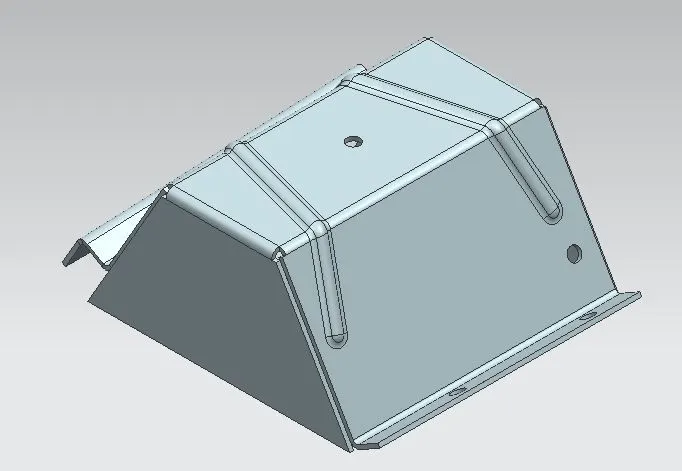
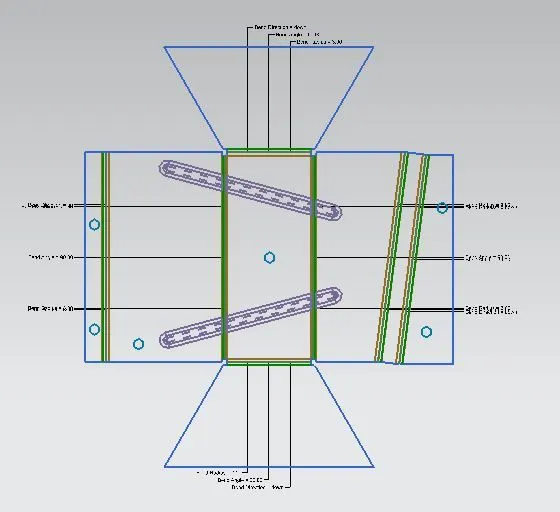
Conclusion:
In this challenge creating the Odd Shaped Enclosure using NX-12 is successfully completed and attached the images in the views and part model of the casing and image of casing drawing.