Advanced Sheet Metal Design Using NX Cad Challenge_5_Odd Shaped Enclosure
Designing Of Odd Shape Enclosure
Objective: To design an enclosure for odd shape part using NX sheet metal application.
Intorduction:
The NX sheet metal application is a powerful tool to design and develop the numerous sheet metal components in different sectors. It has been used in wide range of industrial sectors such as mechanical, automotive, structural design, medical sector and domestic sector etc. In this perticular exercise, the demonstration on designing of the odd shape enclosure have been carried out. Performing this practice gives the overall design methodology to create an enclosure for any odd shape entity.
Design Methodology:
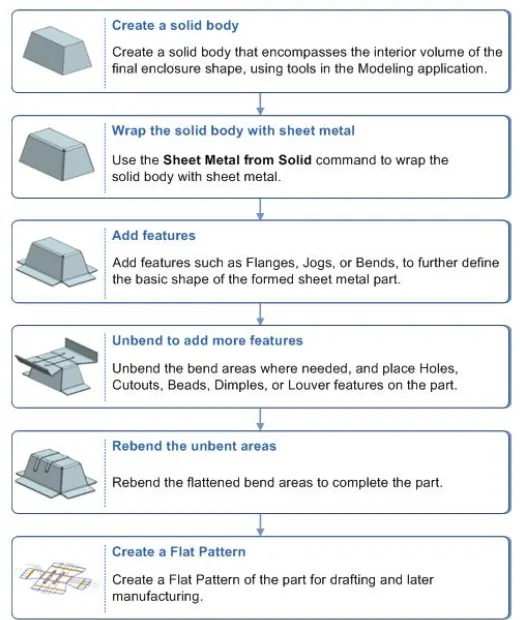
Commands and features used to design the casing:
1) Solid body creation by extrude command
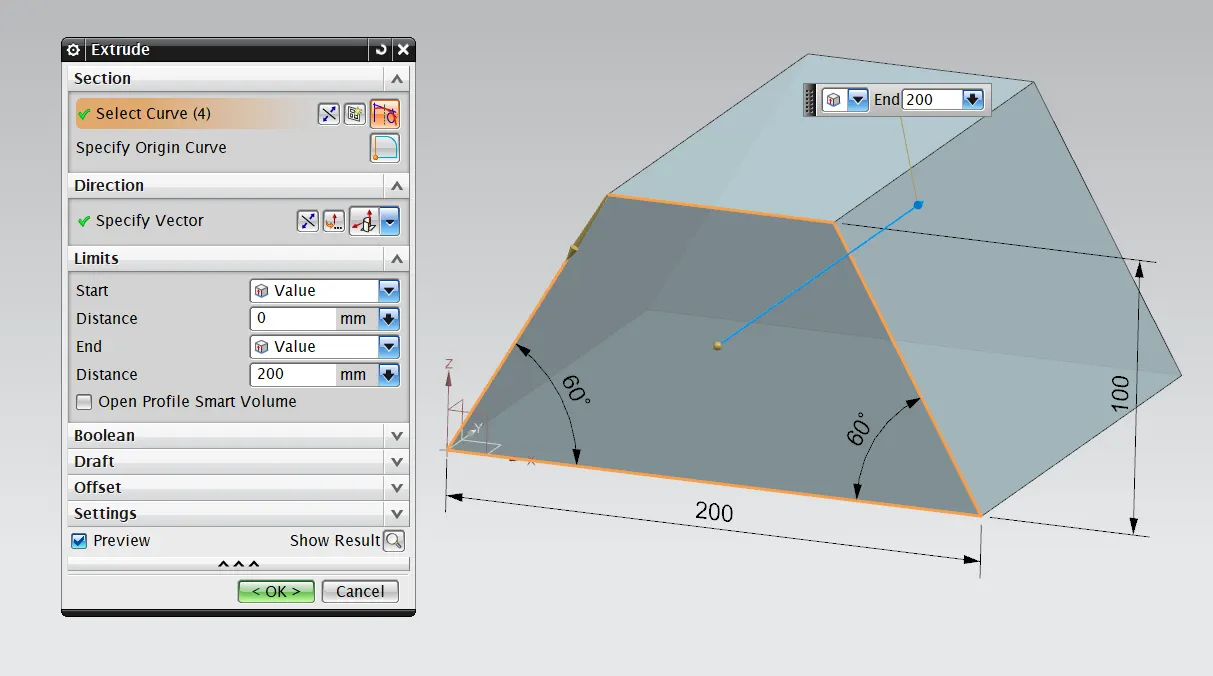
using extrude command the solid body have been created by sketching the required closed profile.
2) Wraping the solid body with sheet metal by using 'sheet metal from solid' command
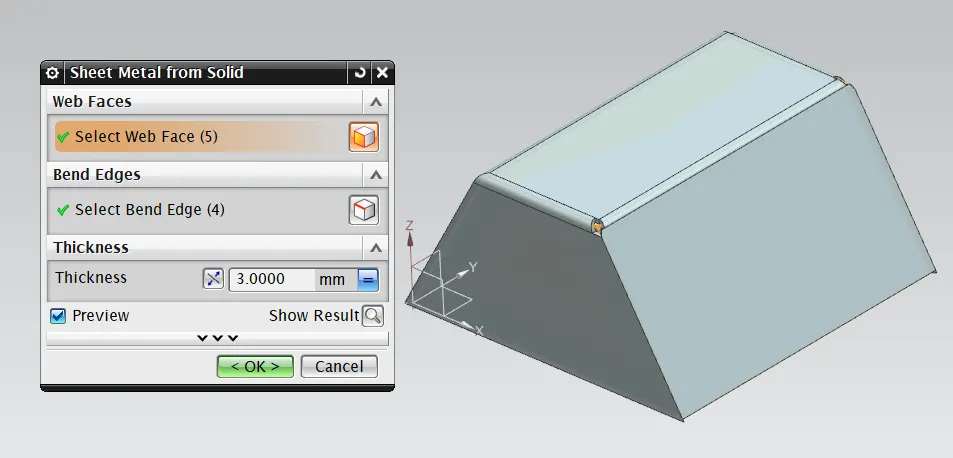
for web face selection, the outer faces of the solid body except the bottom surface are selected and for bend edge selection, the top four edges are selected. The thickness value for the sheet metal is given as 3mm. After the formation of sheet metal around the solid body, hide the solid body for further operation with the sheet metal wall.
3) Flange
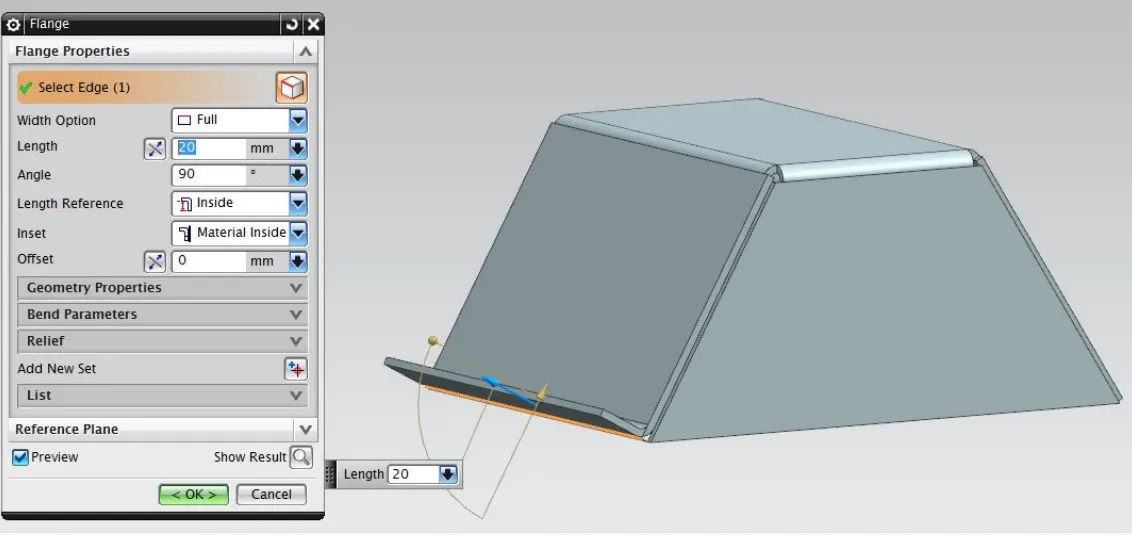
using flange command we can provide adjacent flanges to the existing sheet metal by selecting it's edges where required also we can provide different parameters such as bend angle, bend redius, bend relief, corner relief etc.
4) Jog
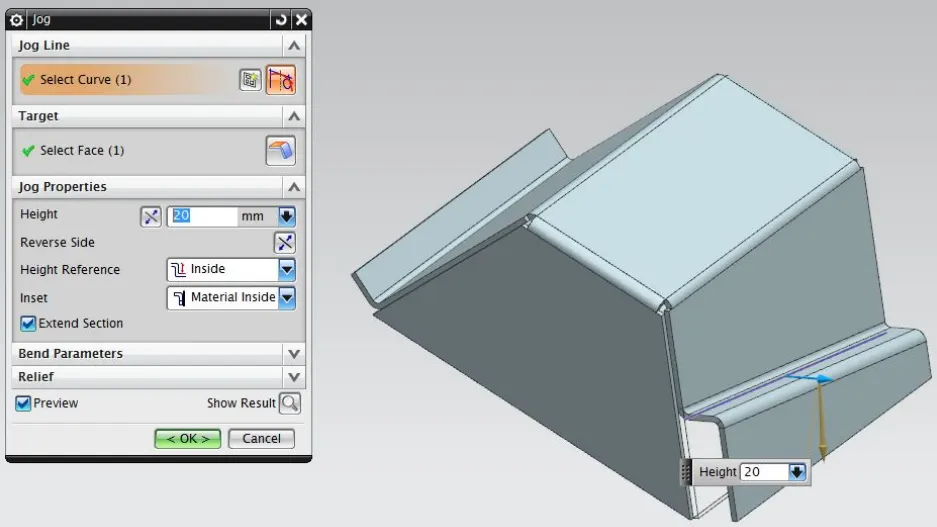
Jog command modifies the model by lifting material on one side of a sketch line and adds the flange between two sides. The height of the flange is given as 20mm.
5) Unbend
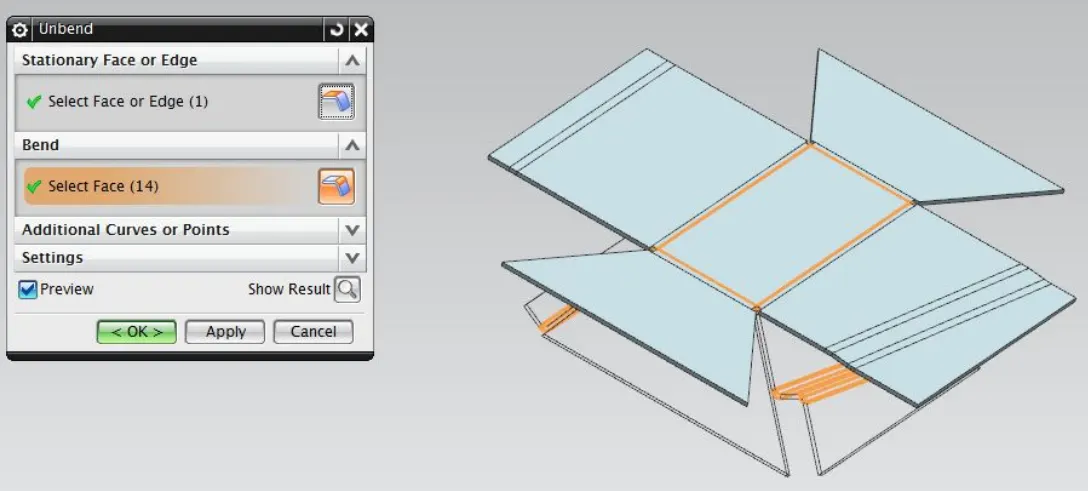
the unbend command is used to make the flanges flat w.r.t. the base feature.
6) bead
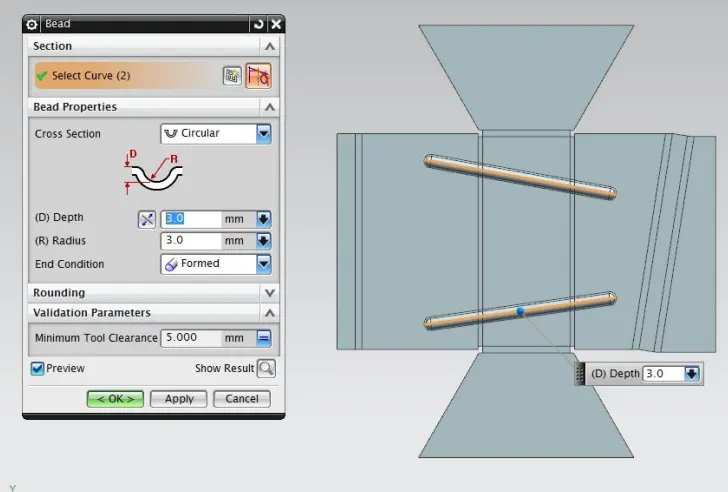
bead lifts the material along the contour of a sketch that simulates the stamping tool.
7) Hole
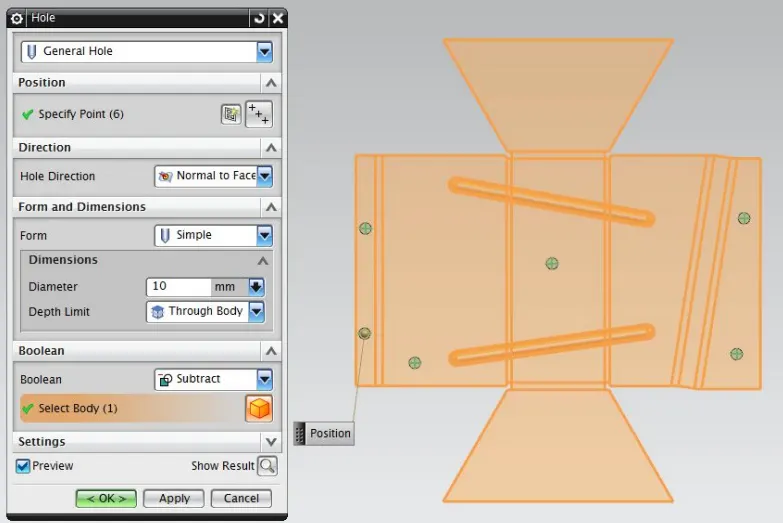
The points are provided on required positions by creating the sketch and the holes are generated using these points by hole command.
8) Rebend
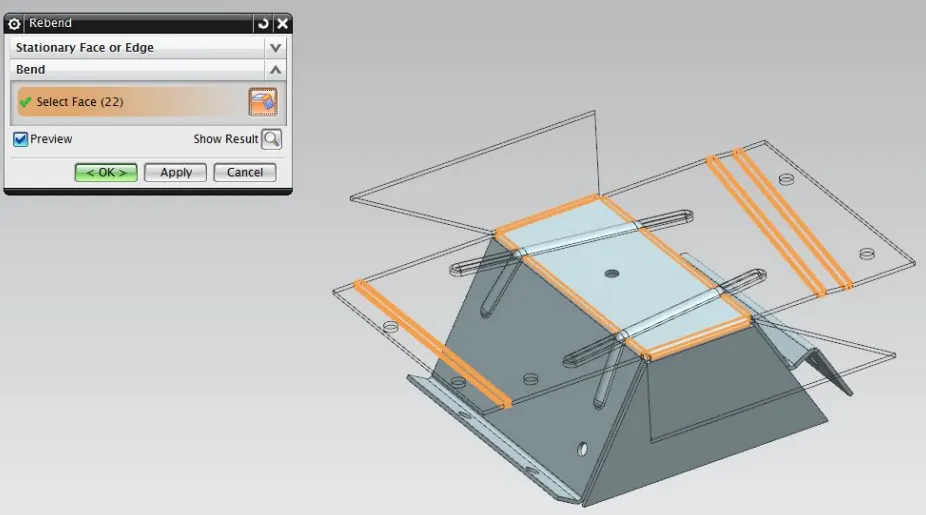
Using rebend command the sheet metal component gets it's bended form back.
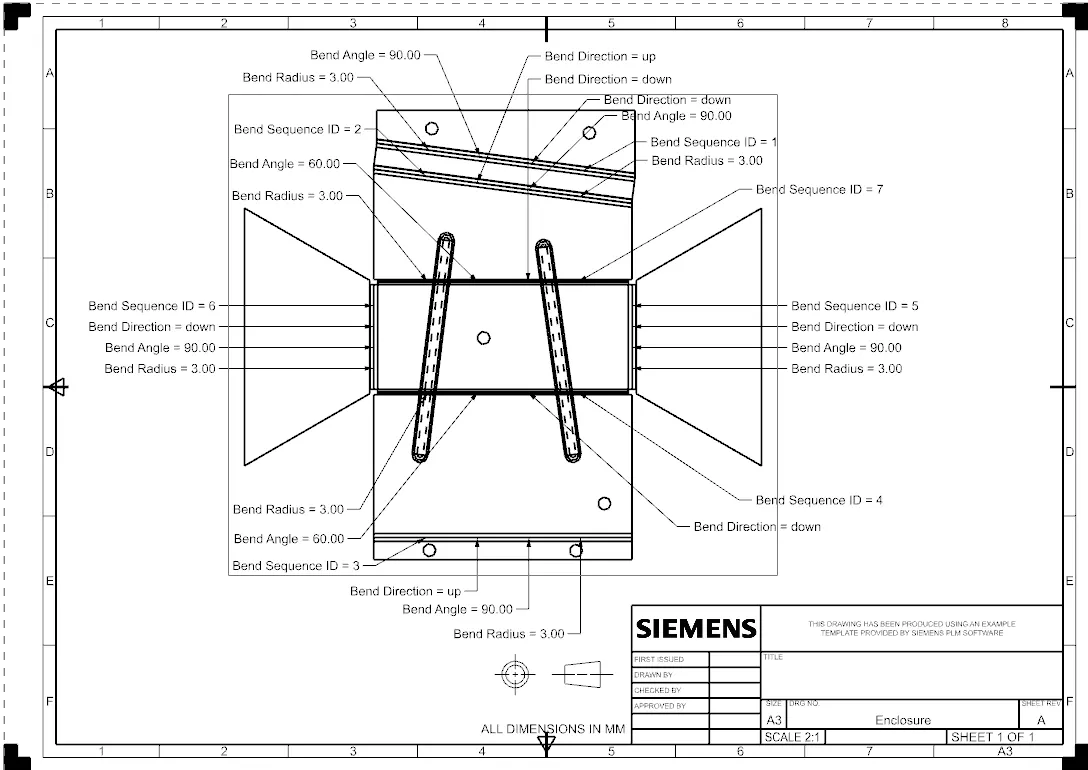
9) Flat Pattern
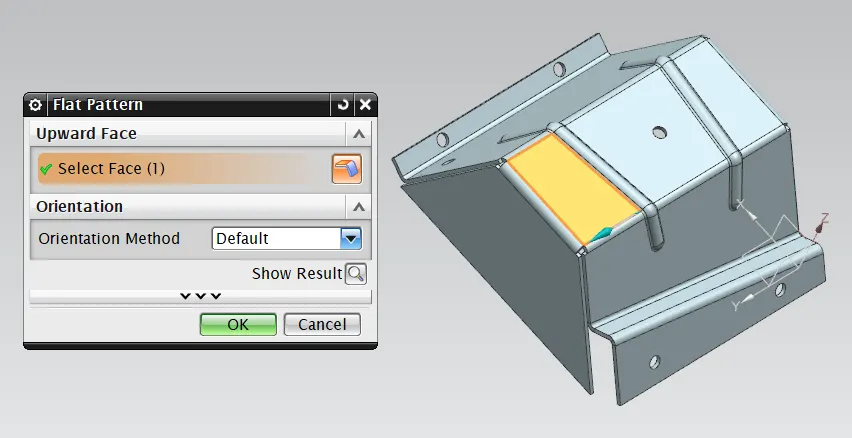
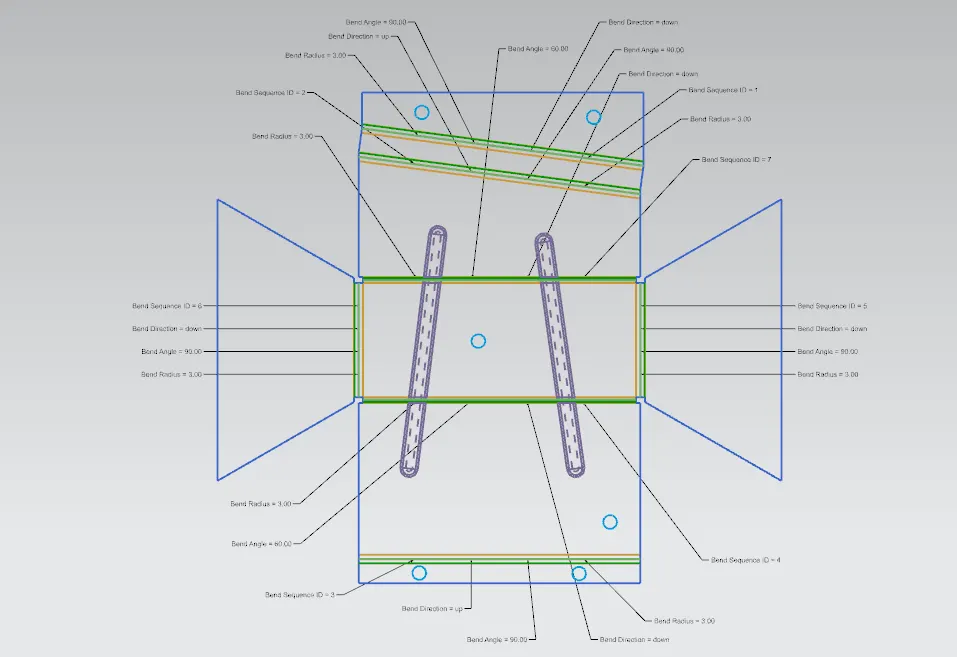
Using flat pattern command, a detailed 2d flat drawing got generated. By enabling the flat pattern view from model views in part navigator, the flat pattern could be seen in NX.
10) Drafting
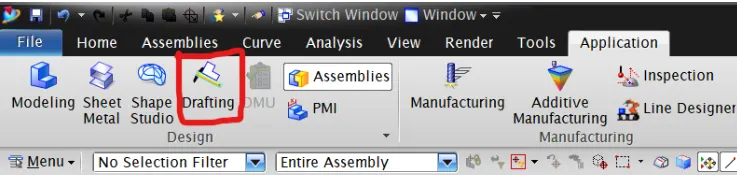
switch to the drafting application through the application tab.
then by selecting 'add base view' option to add the view of the model which is 'Flat Pattern' view.
Screenshots Of The Part:
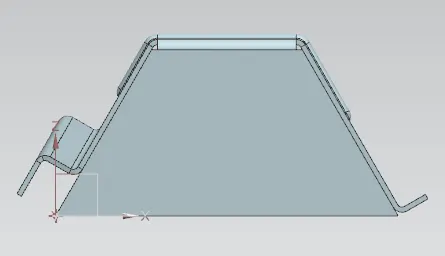
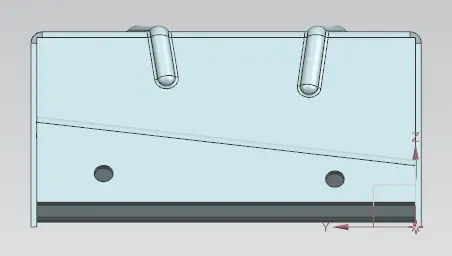
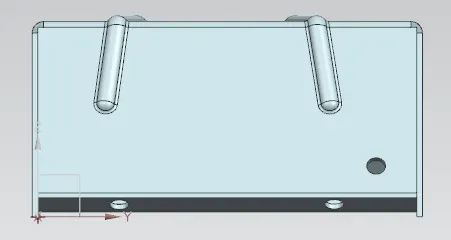
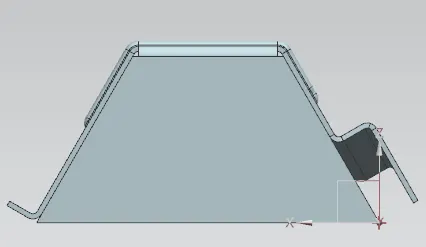
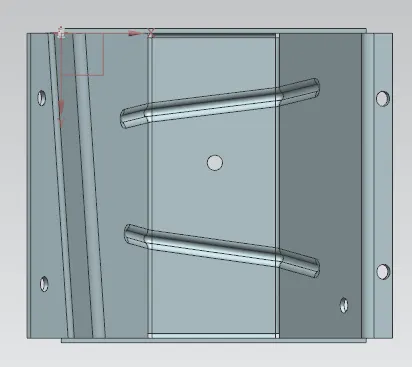
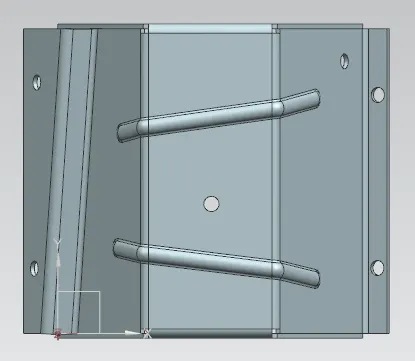
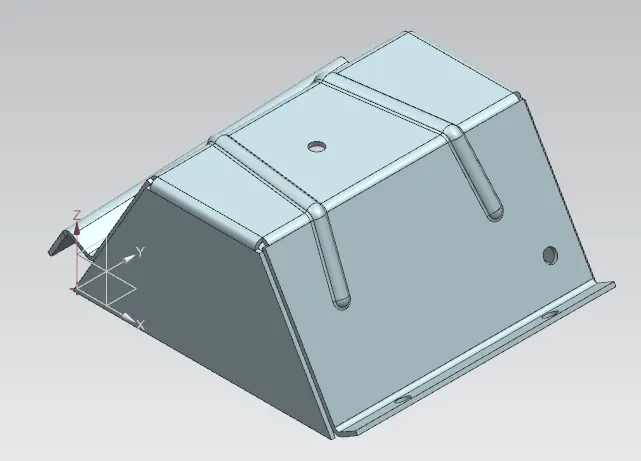
Conclusion:
In this way the odd shape enclosure design has been completed using NX sheet metal application by following the given guidelines.