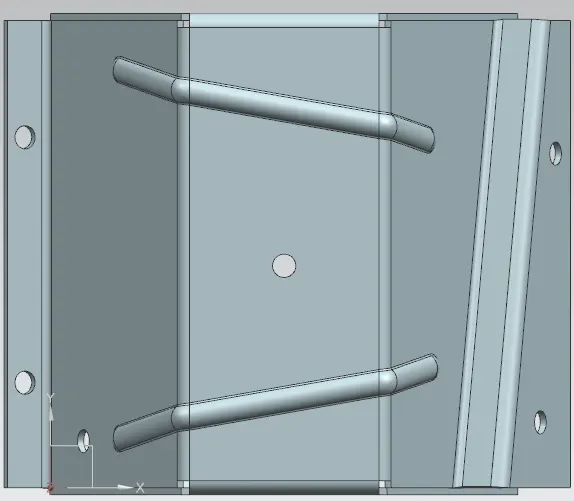
Advanced Sheet Metal Design Using NX Cad Challenge_5_Odd Shaped Enclosure
ODD SHAPED ENCLOSURE
Objective:
To create a sheet metal component from a solid body/ convert a solid to sheet metal.
Introduction:
In this project first we will create a random solid body with a sketch and extrude command in the modelling workbench. Similarly we will make a sheet metal component of same shape from that random solid body.
Design Methodology:
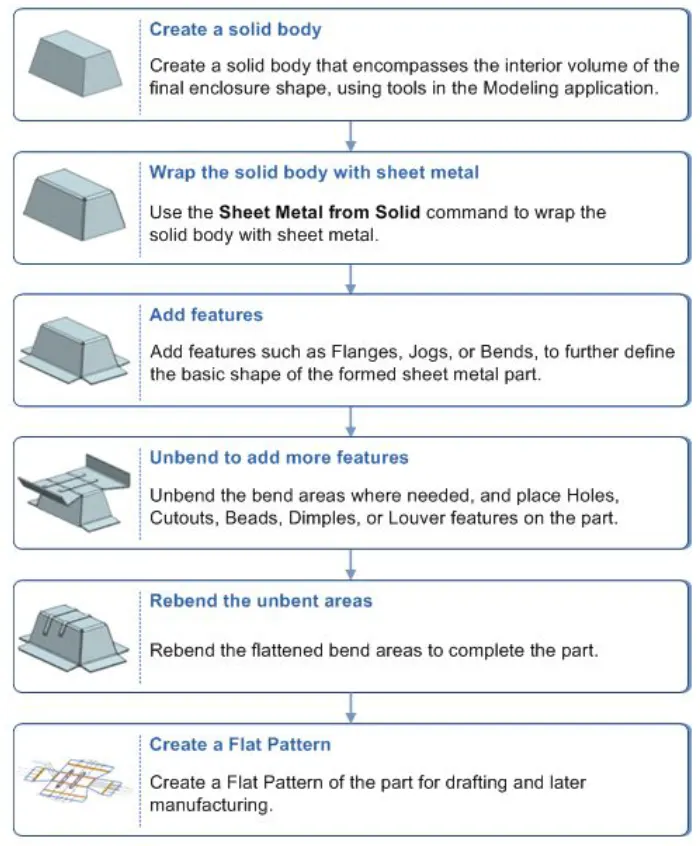
1. Create a Solid body
2. Wrap that solid body using command 'sheetmetal from solid'
3. Add some flanges and features.
4. Unbend the sheet metal body.
5. Add some beads and holes on the it.
6. Rebend it for going to the desired shape and design is completed.
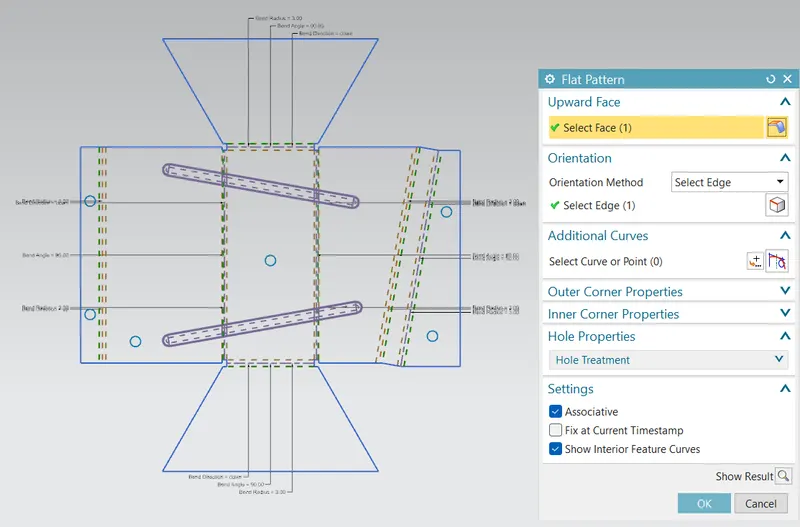
7. Create a flat pattern.
Description:
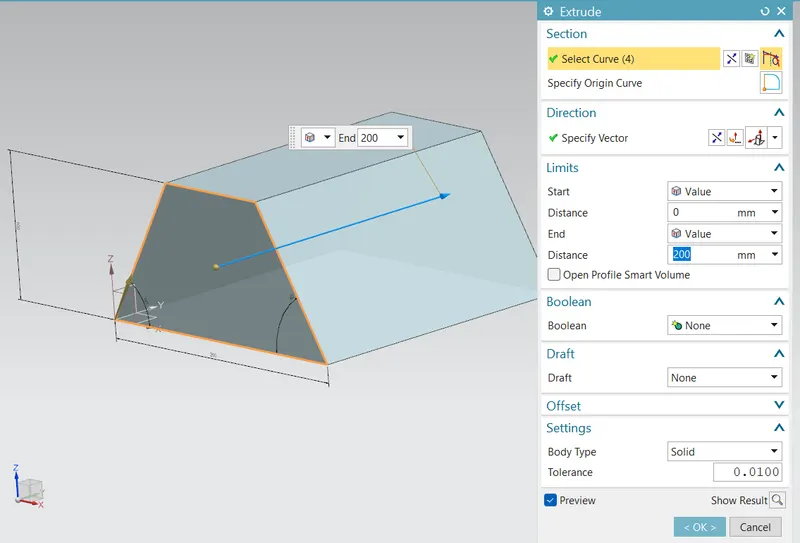
Create solid body
In sketch made a trapezium and extruded it up to 200 mm.
Wrap the trapezium
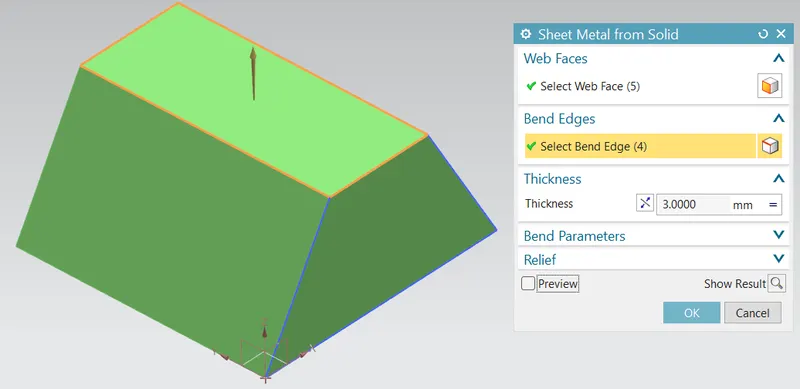
Using command 'sheet metal from solid' wrapping the solid body with sheet metal.
selected the web faces to warp with sheet metal; and
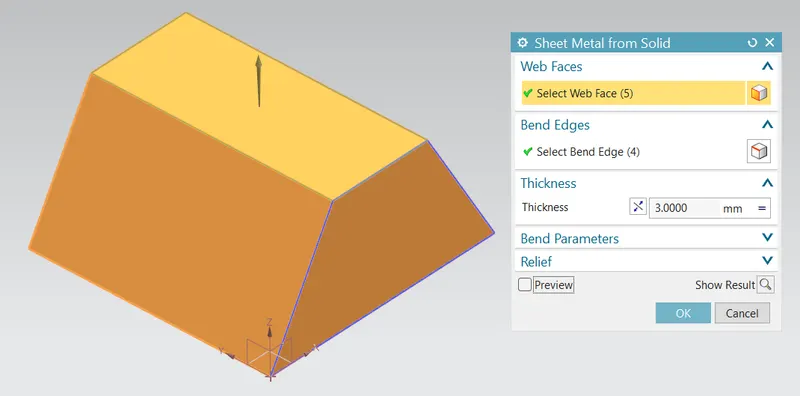
Selected the edges where the bend happens.
Adding Flanges
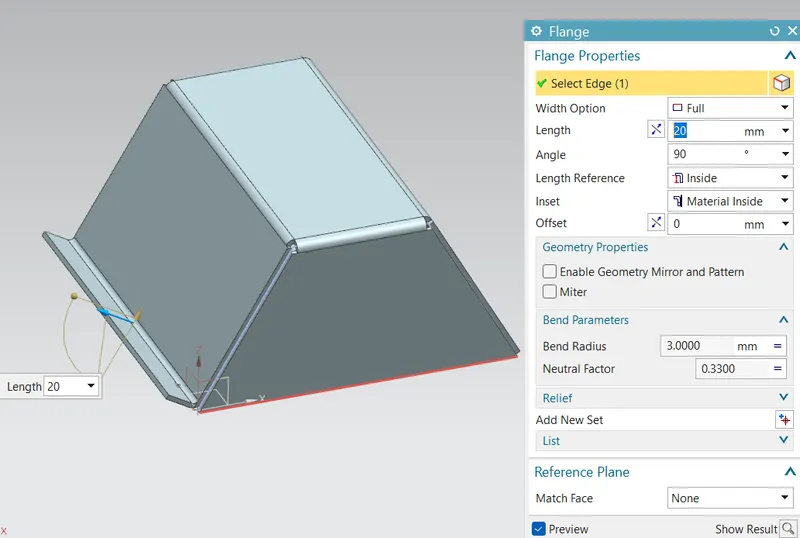
At one of the bigger edge added a 20mm lenth flange with 90 degree to the face and
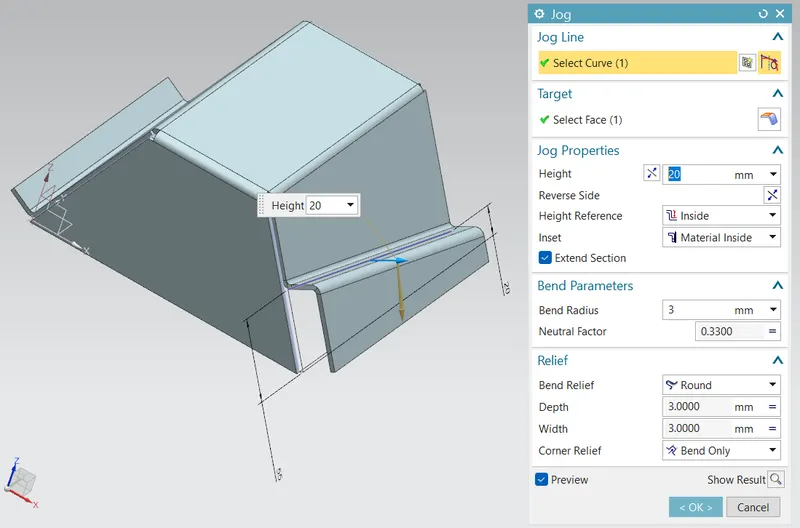
on the opposite bigger side face edge added a step flange using jog command as shown below;
Unbend
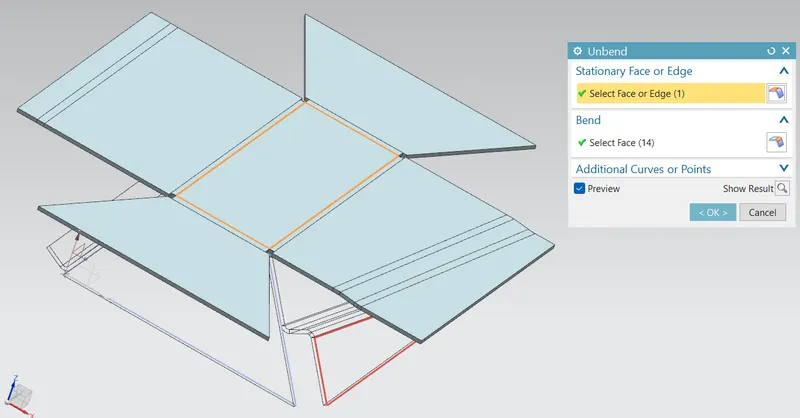
Using unbend command made the sheet metal to a flat sheet. for adding extra features.
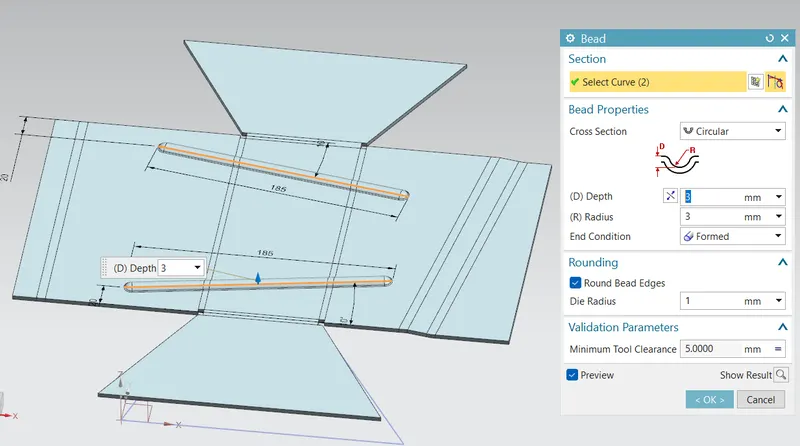
Adding beads for strengthening the part
Made 2 lines on the flattened sheet metal as shown below and selected that curves for bead path, given circular section of radius 3mm and depth 3mm.
Holes
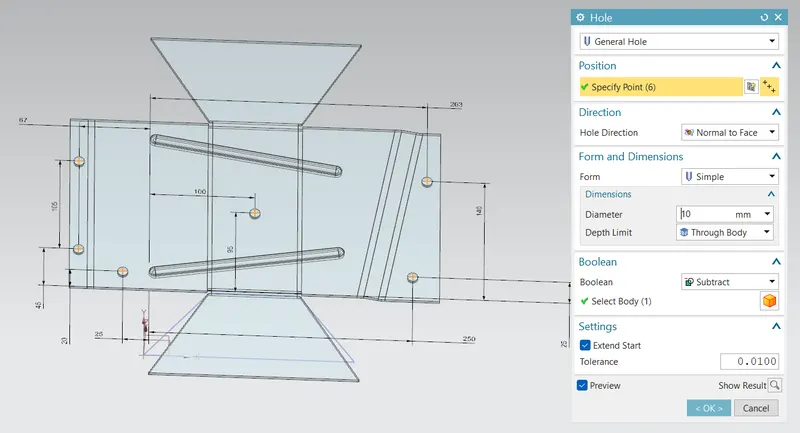
Added some hole using 'Hole' command as shown below;
Rebending
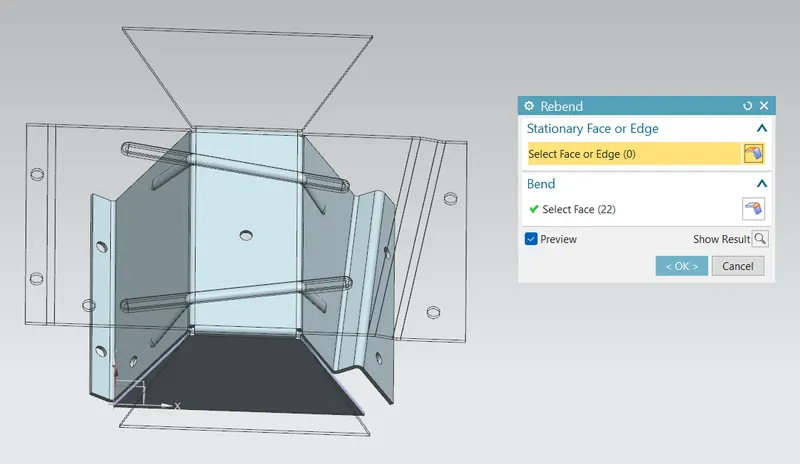
Using rebend command made the sheet metal bend to the earlier shape.
Creating flat pattern
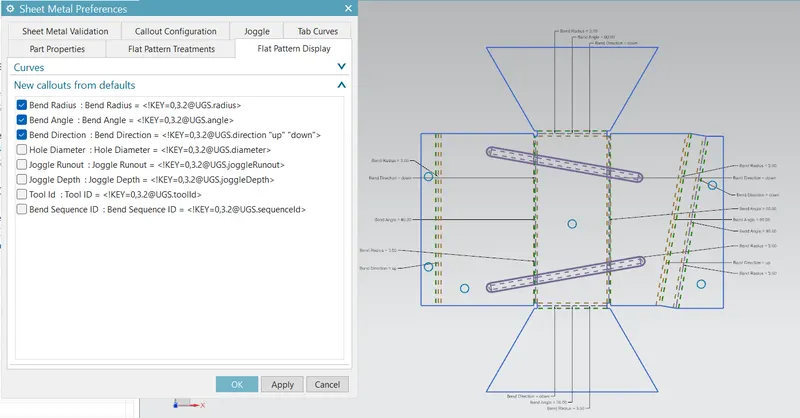
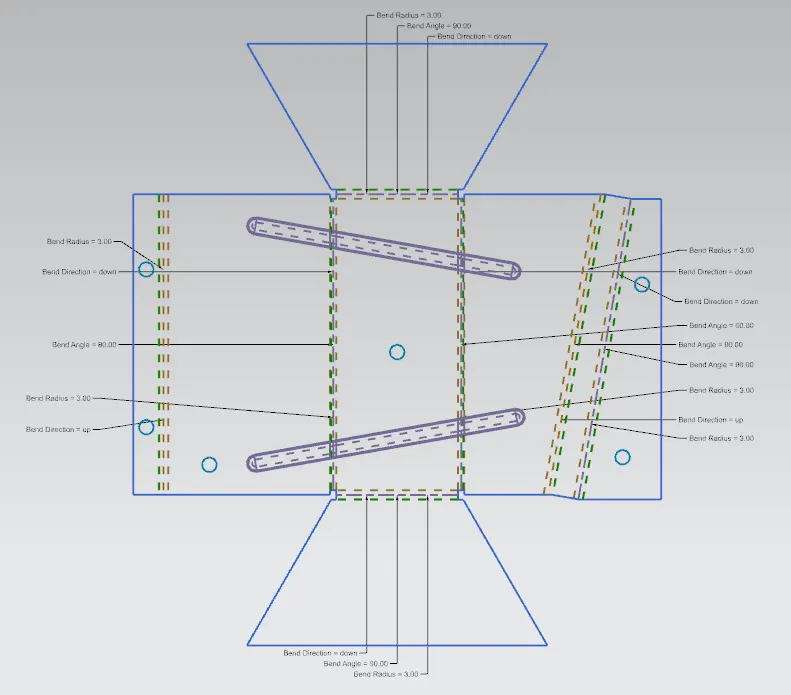
Conclusion:
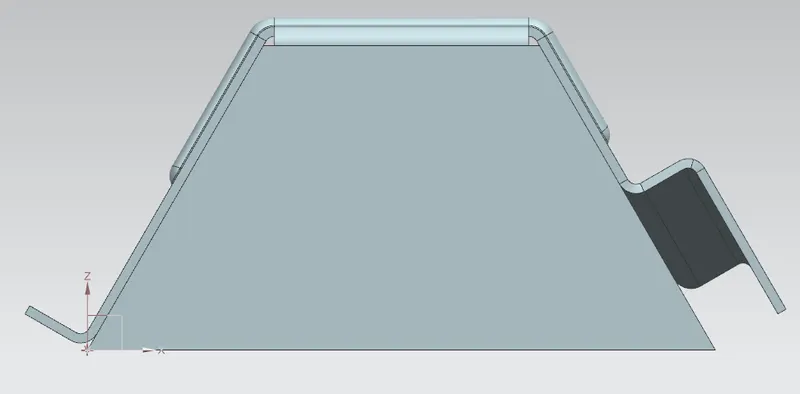
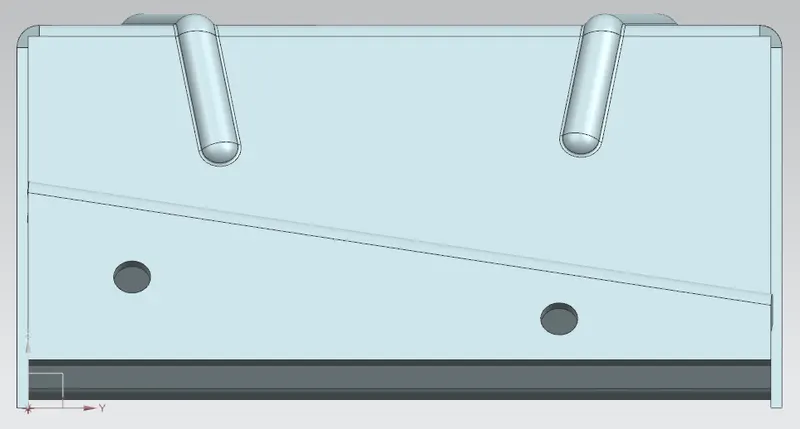
Sheet metal design has made similar to the solid body and added some extra features.
Flatten pattern has made for the sheet metal design.
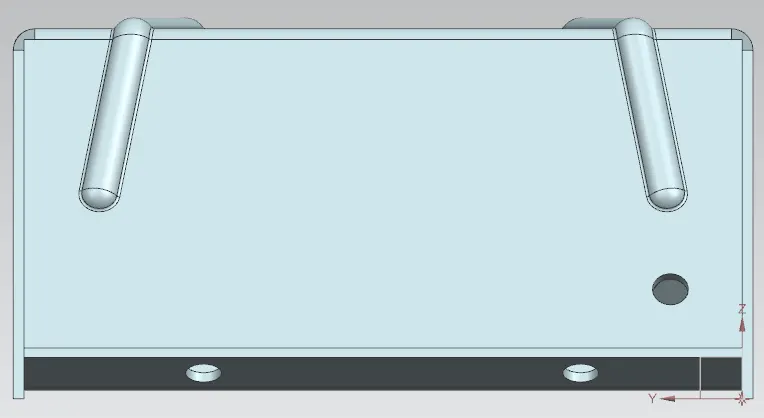
Front view:
Right and Left Side views:
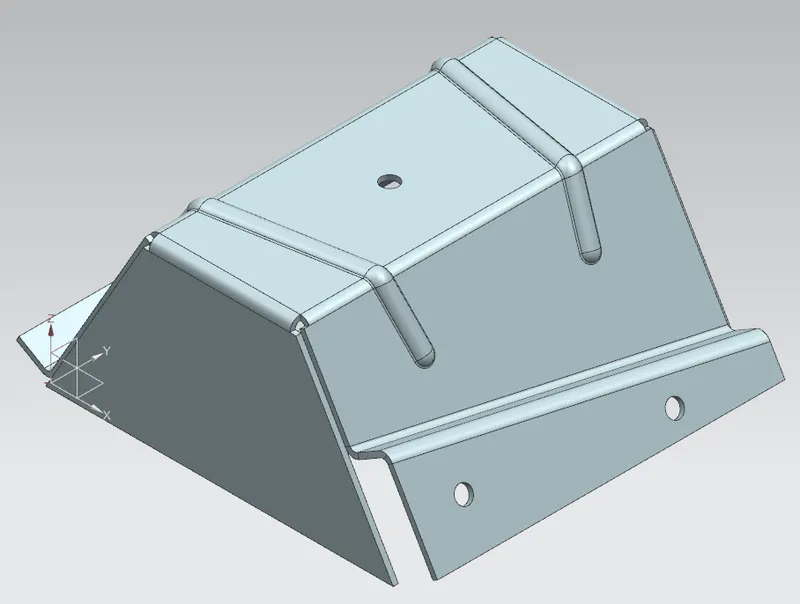
Isometric view:
Top view: