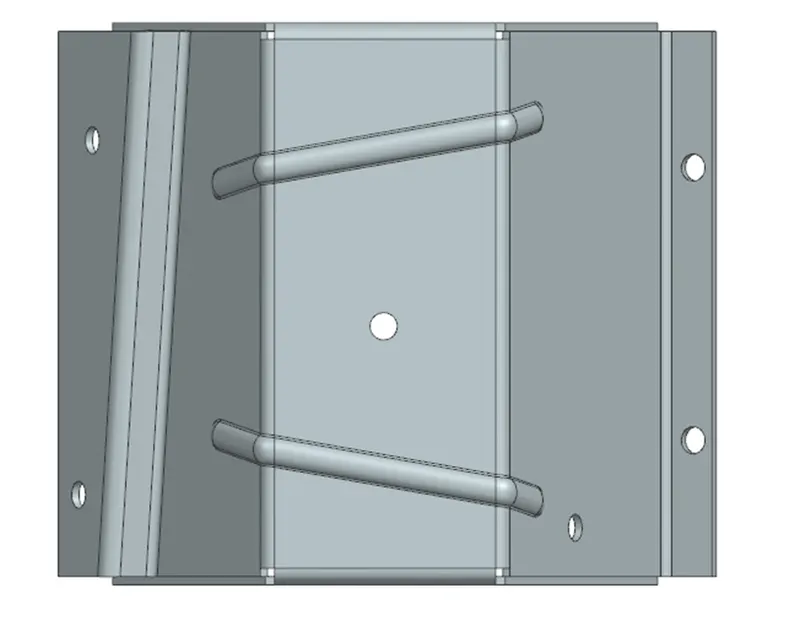
Advanced Sheet Metal Design Using NX Cad Challenge_5_Odd Shaped Enclosure
Advanced Sheet Metal Design Using NX Cad Challenge_5_Odd Shaped Enclosure
Objective
In this Challenge we need to make a sheet metal with reference of the solid body.
Design Methodology
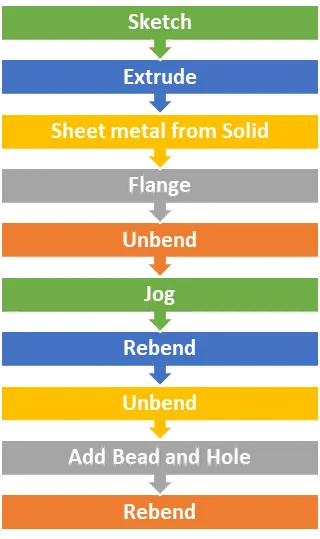
Process Flow
Detail Description
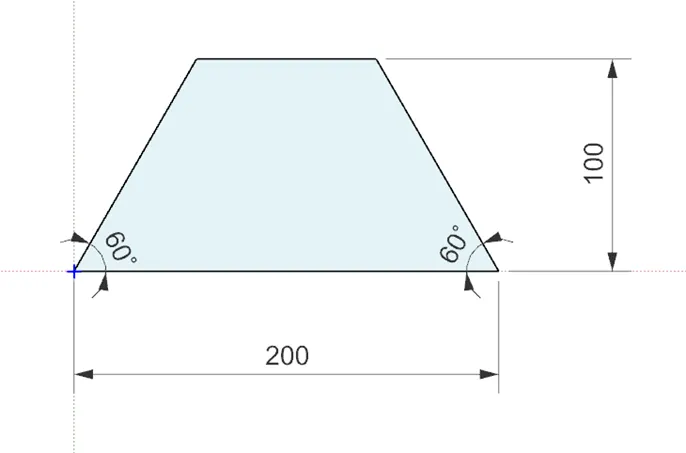
Creating Sketch for Solid Body
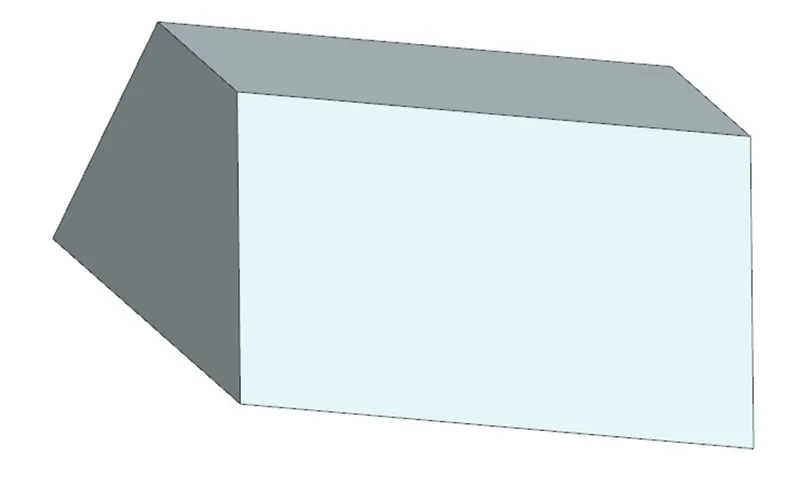
Extrude
Select the sketch and extrude it 200mm
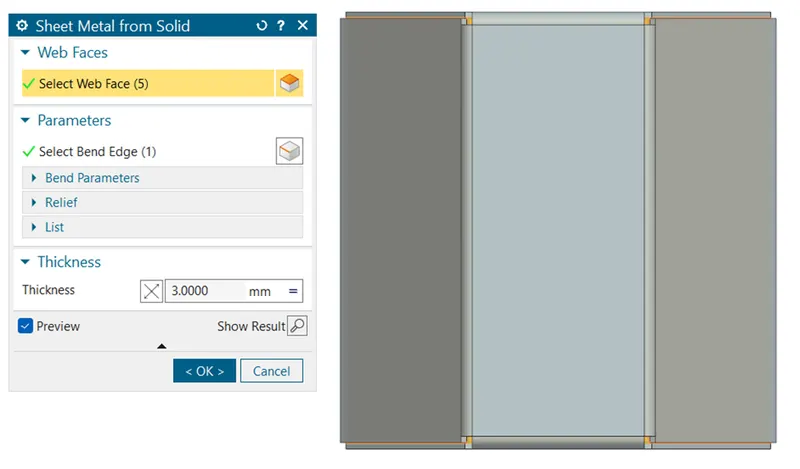
Sheet Metal from Solid
Select the faces of the solid body and the bend edges.
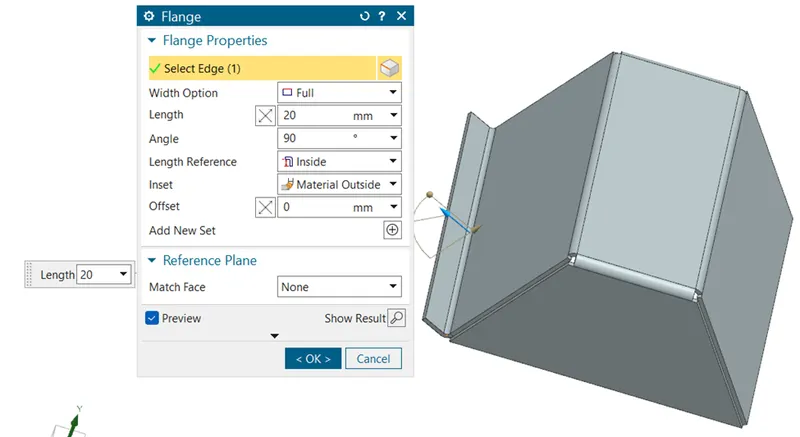
Flange
Creating Flange of 20mm at 90° Angle
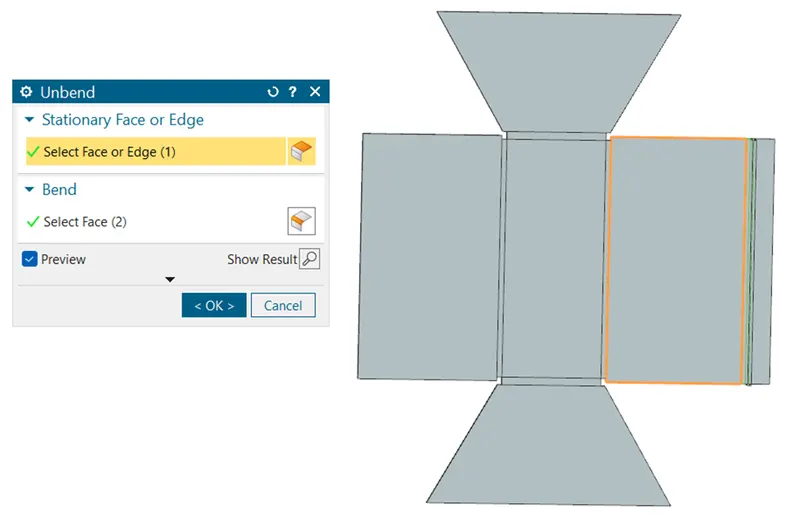
Unbend
Since, Due to my software constrained, instead of directly applying the jog. I make the profile Unbend all the faces of sheet metal.
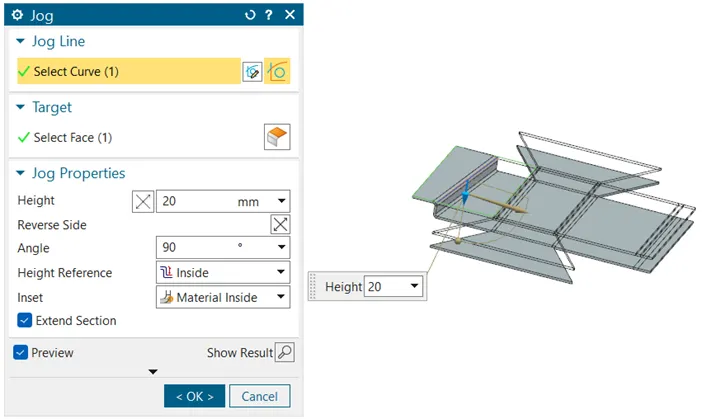
Jog
Once the sheet metal is unbend, and draw the sketch on sheet metal and applied the Jog of 20mm.
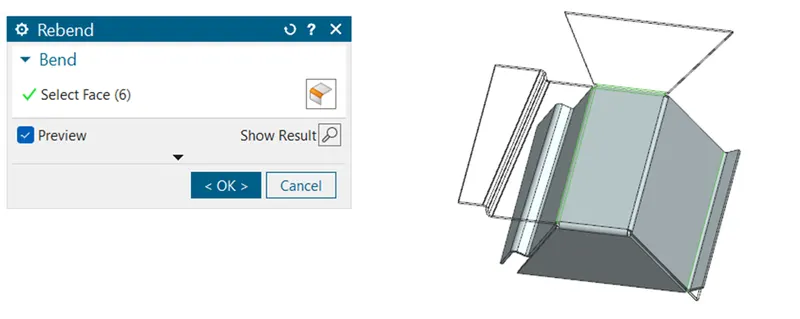
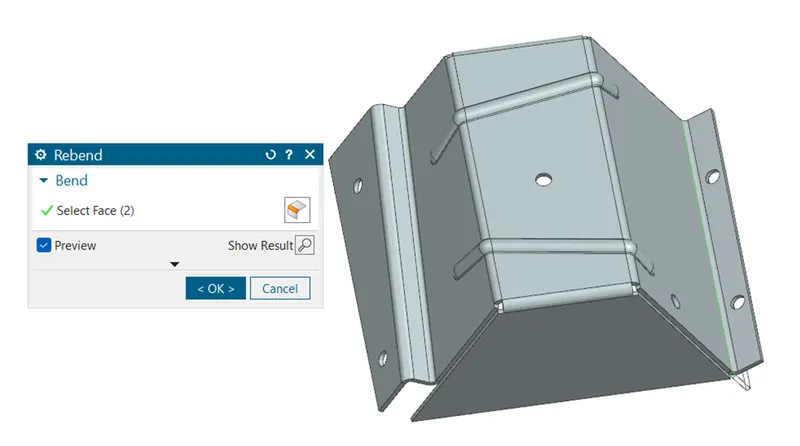
Rebend
After applying the Jog we have Rebend the sheet metal.
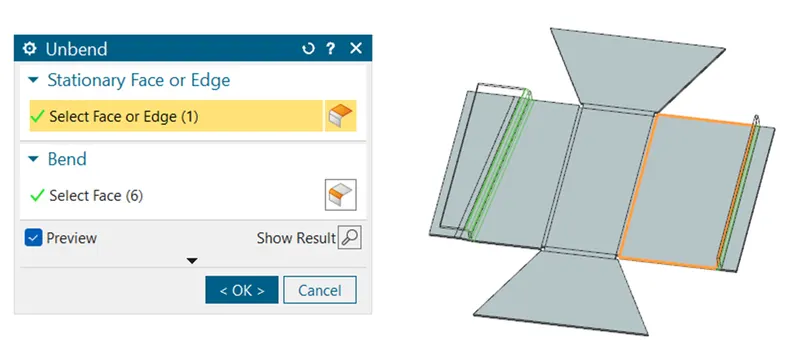
Unbend
Again Unbend the sheet metal to apply Bead and hole feature.
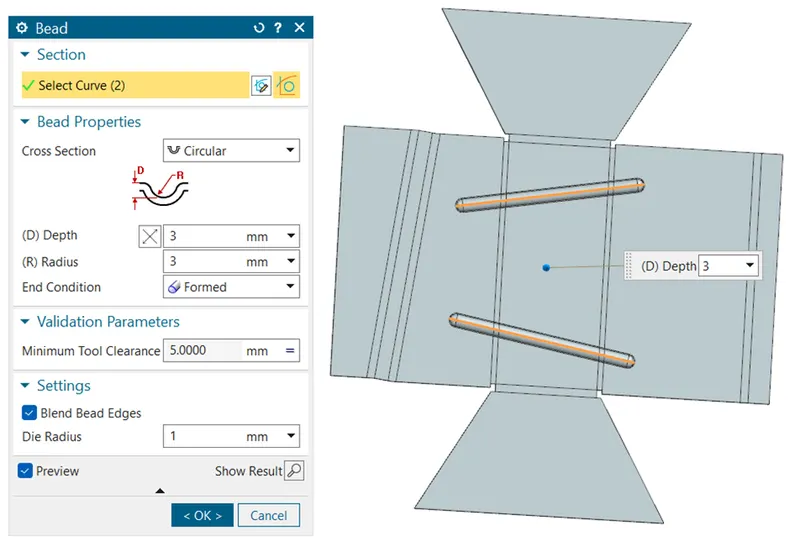
Bead
Select the face and draw the line on the face of the sheet metal and give the depth and radius of 3mm.
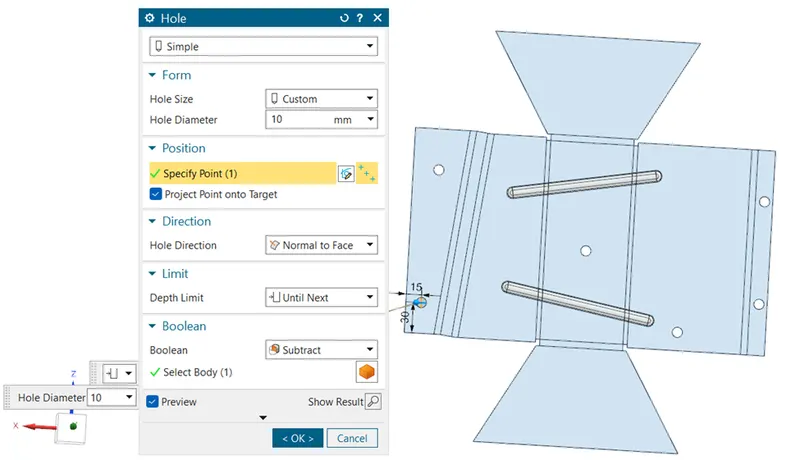
Hole
Select the face of the sheet metal and make a hole on it.
Rebend
Rebend the sheet metal to make the final model.
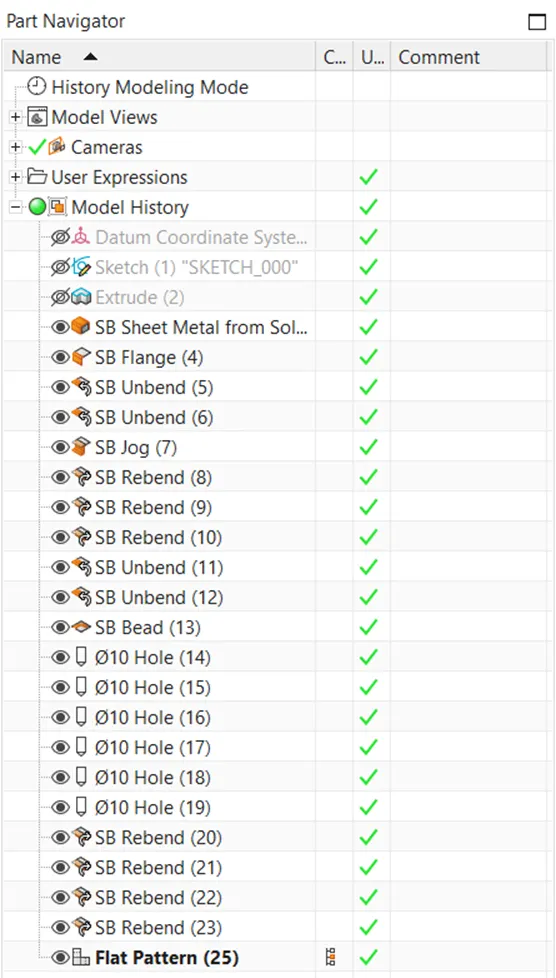
Feature Tree:
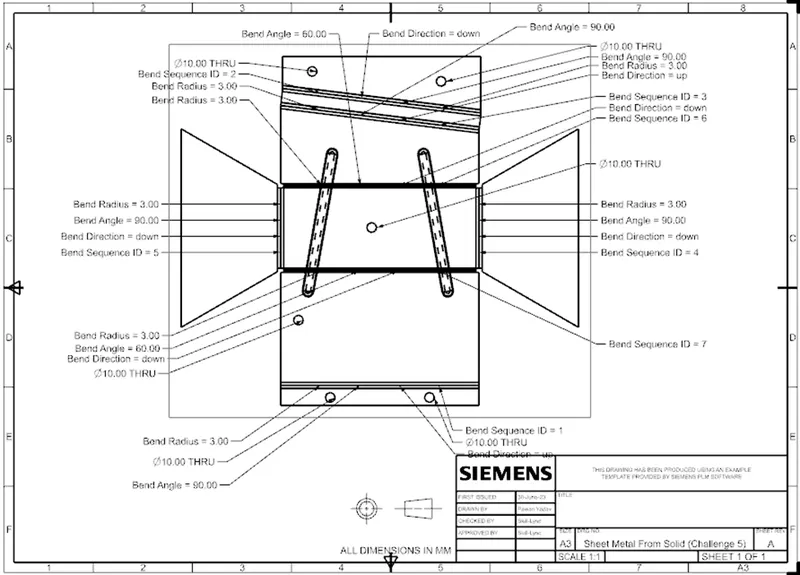
2D Drawing
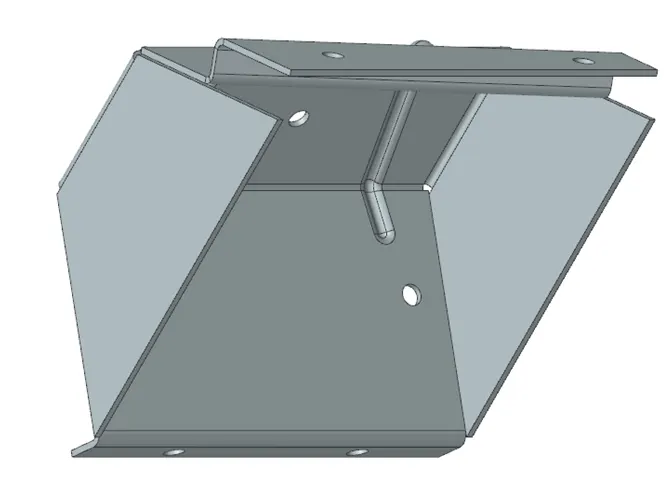
3D Views
Isometric View
Top View
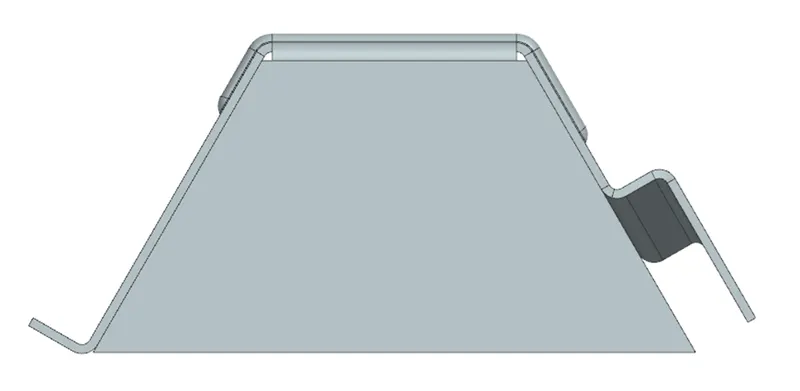
Front View
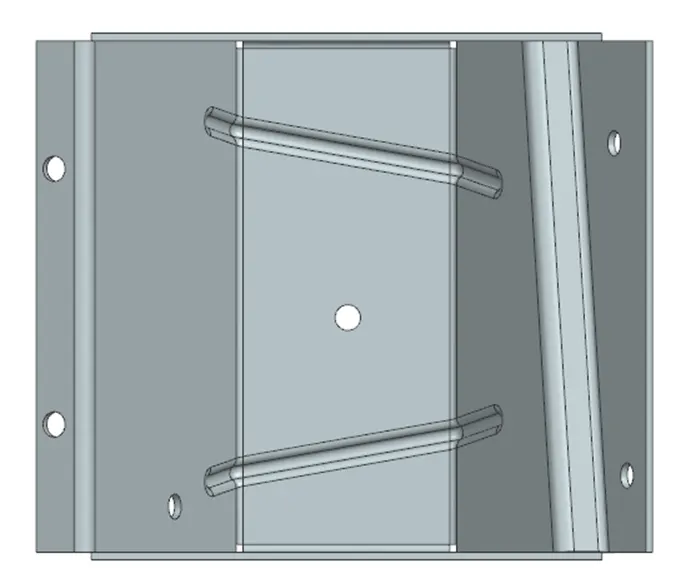
Right Side View
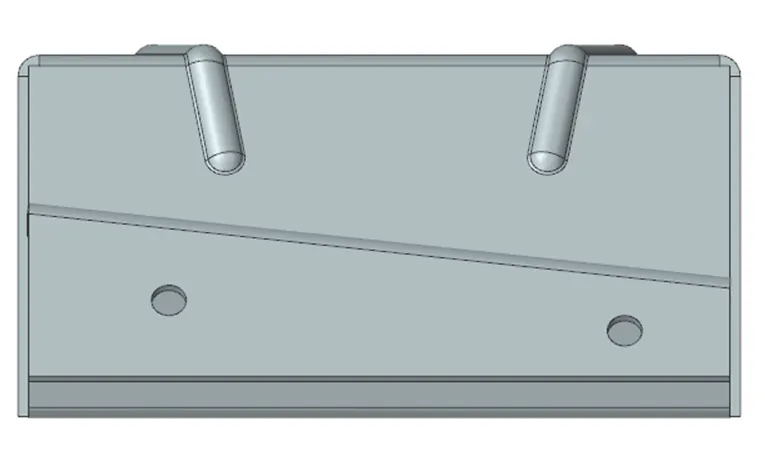
Back View