Advanced Sheet Metal Design Using NX Cad Challenge_5_Odd Shaped Enclosure
DESIGN OF SHEET METAL ENCLOSER
OBJECTIVE to design an odd shaped encloser in sheet metal by using nx cad siemens.
INTRODUCTION
Sheet Metal Encloser
The importance of enclosures in electronic products cannot be overemphasized. Regardless of the size and complexity of an electrical product, there needs to be a form of enclosure. A sheet metal enclosure has several associated benefits, including electrical conductivity, emission reductions, and resistance against harsh industrial environments.
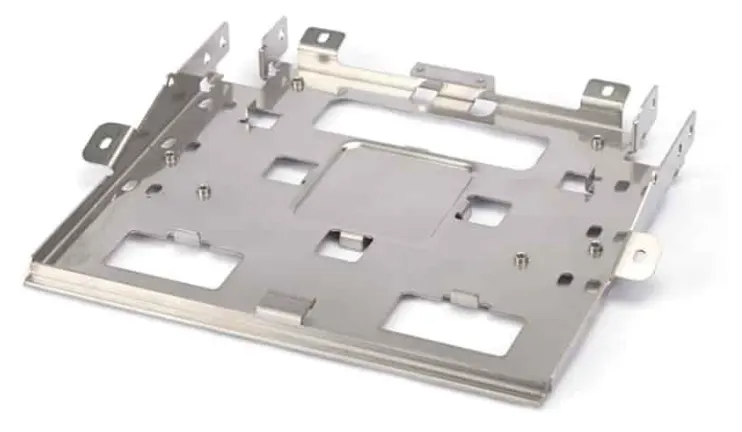
Product Design Requirements For Encloser
- The application of the sheet metal enclosure.
- Intended working conditions for the enclosure, i.e., working temperature, exposure to corrosion, requirements for vibration resistance, IP rating, etc.
- Dimensional requirements.
- Mounting requirements, including wall-mounting, pole mounting, tabletop, etc.
- The component you want to enclose inside the enclosure, e.g., the component height and size, connector positions, and more.
- Aesthetic requirements.
- here we are going to create an odd-shaped encloser in sheet metal. these kinds of enclosers are very useful for machine protection. it protects machine like motor and so on from water, unfortunate impacts and most importantly it is used for safety purposes. safety purposes like heat, exploding, and so on.
- while creating an encloser we have to be aware of choosing a Material there is some factors that we should considered before we select those are applications,corrorsion resistance,strength weight,cost, etc.
DESIGN METHODOLOGY
while design of an encloseer we follow following Methodology
- Sketch the 2D shape of the Old Shape enclosure .
- Construct the solid body using extrude.
- Covert sheet metal from solid body.
- Add Flange & Jog feature.
- Unbend the part and add other features such as hole and beads.
- Rebend the part after applying of required features
- Create flat pattern.
- Create a drawing sheet by using of drafting.
DESCRIPTION
Sketch
- create Sketch to creat solid body
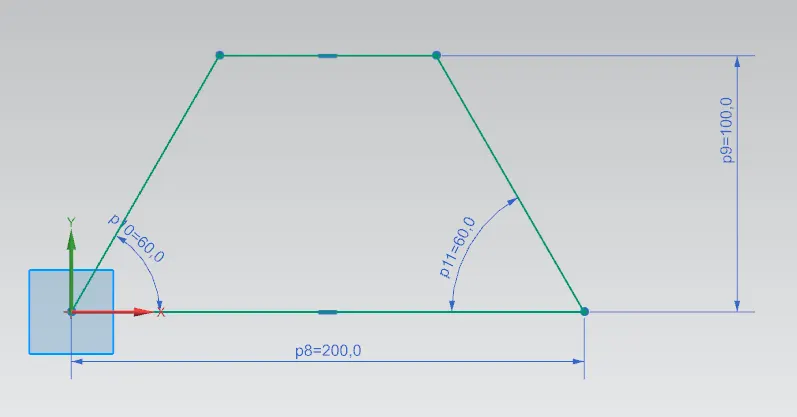
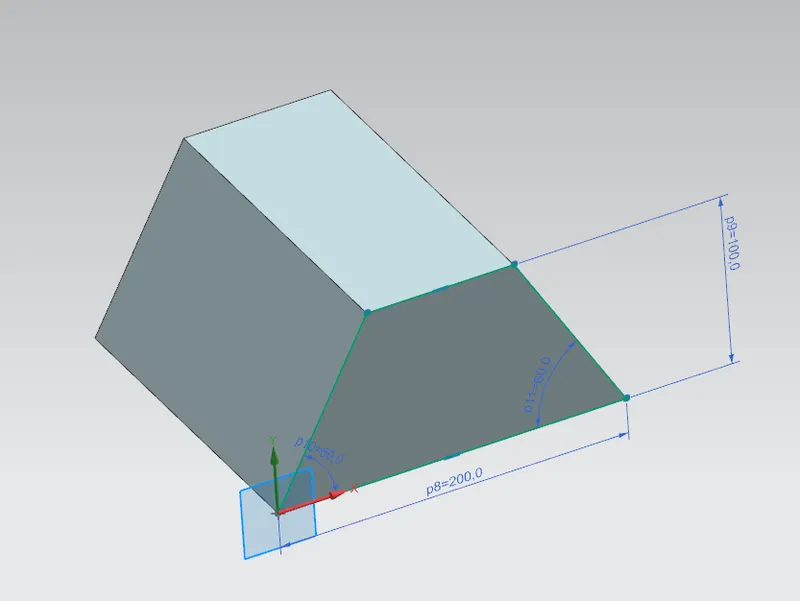
EXTRUDE
- create an extrude for creating a solid body. this solid body can be created by sketching on the plane.
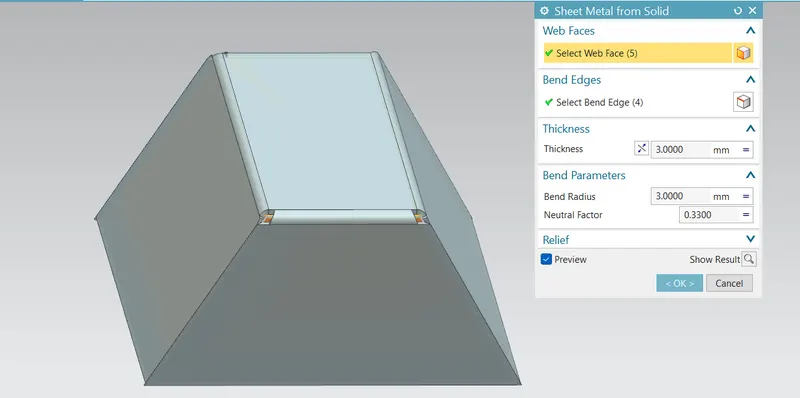
Converting Solid Part To Sheet Metal
- by using SM from SB what it will do it converts a sheet metal from a solid body for that we have to select the intended faces, and edges and give thickness values. then press apply to convert.
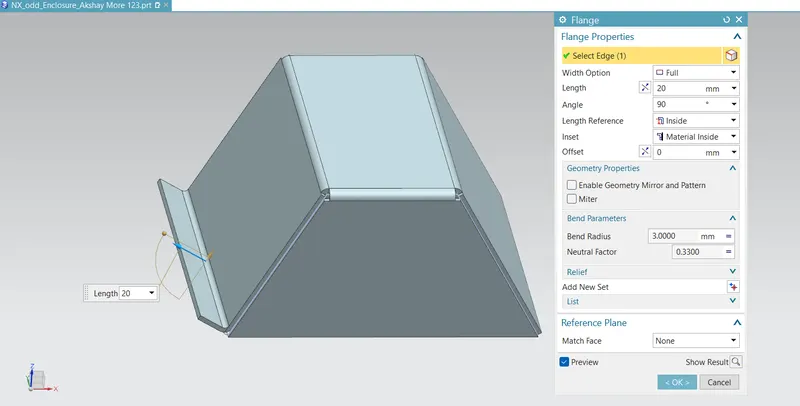
FLANGE
- add a flangeon the appropriate edge of 20 mm length
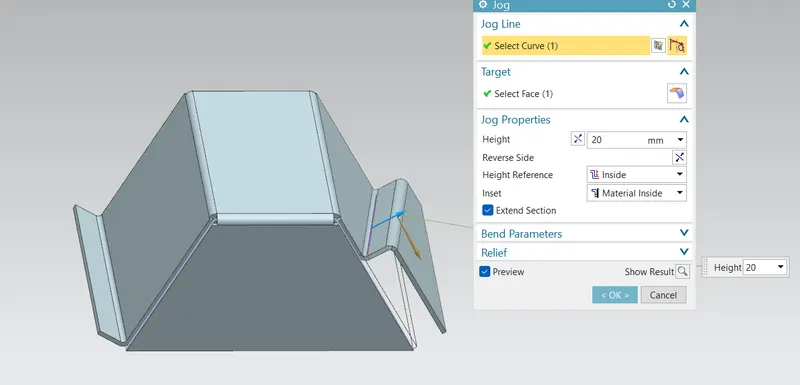
JOG
- on the other side apply a jog. what a jog do it is lifting a material as shown in fig. the profile was created by the sketch on the lifting faces.
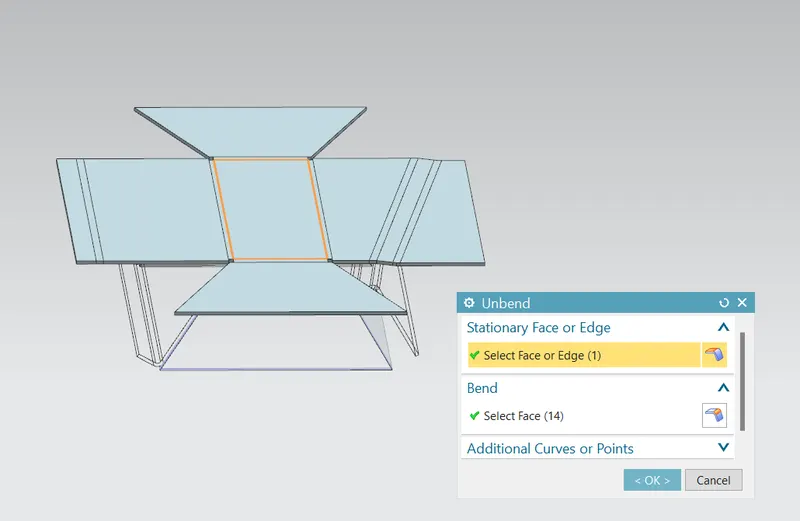
UNBEND
- do a unbend it will unbend our sheet metal as shown in figure . unbend command used to add some extra features on the sheet metal
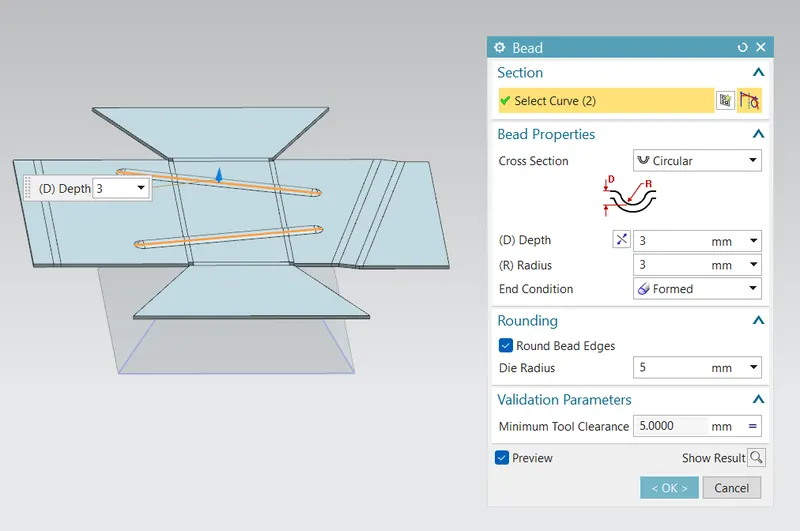
BEAD
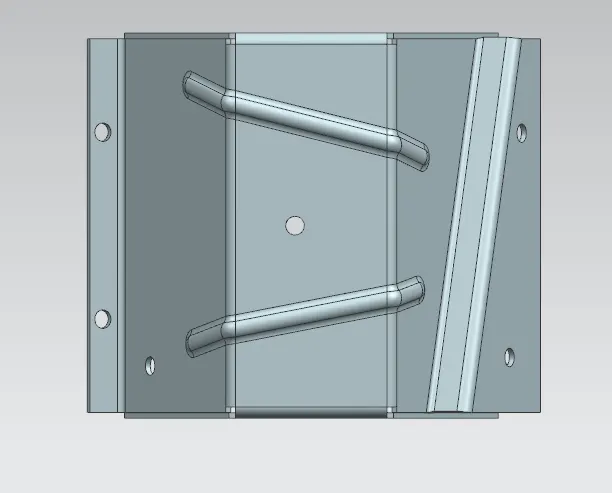
- bead is added on the sheet metal part to increase a stiffness of the sheet metal. bead can be created by sketching a line.
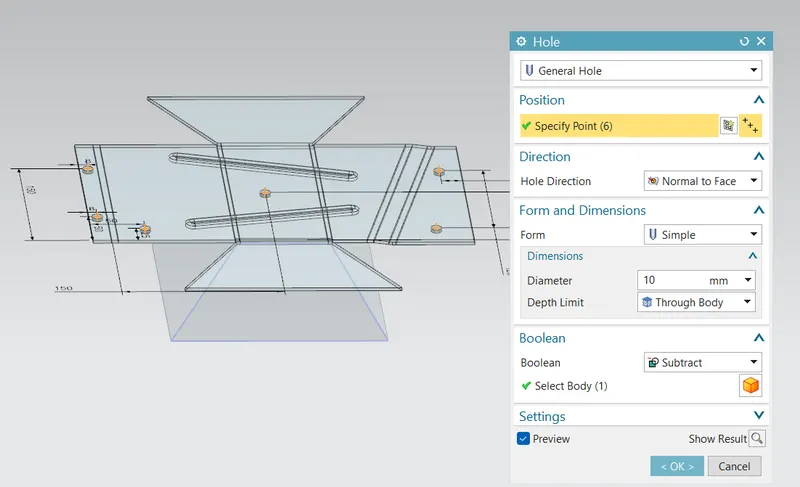
HOLES
- HOLES has been created with uniform diameter of cut profile
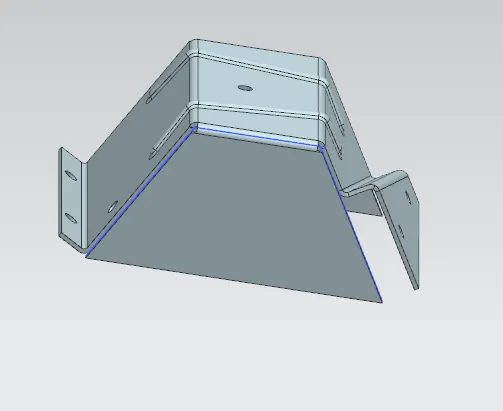
REBEND
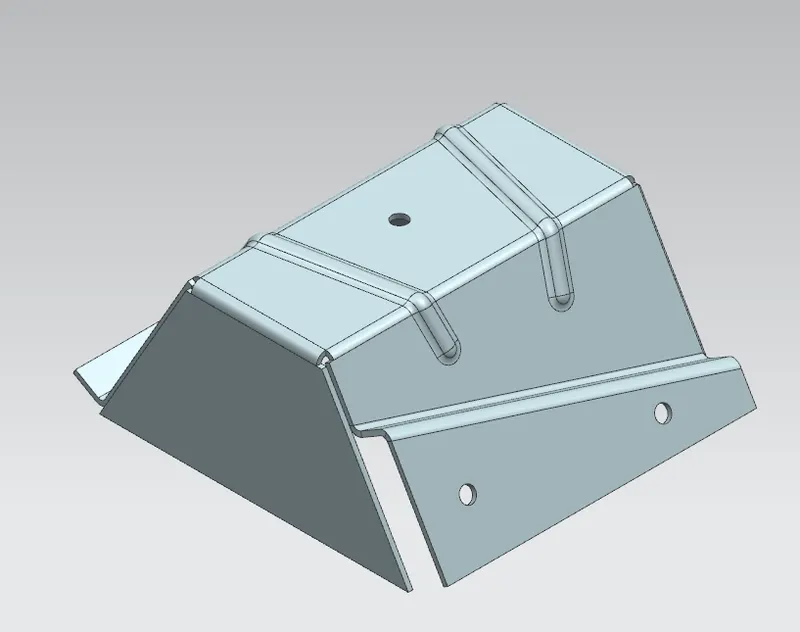
- rebend to back to it's formed shape and the final encloser would result like this
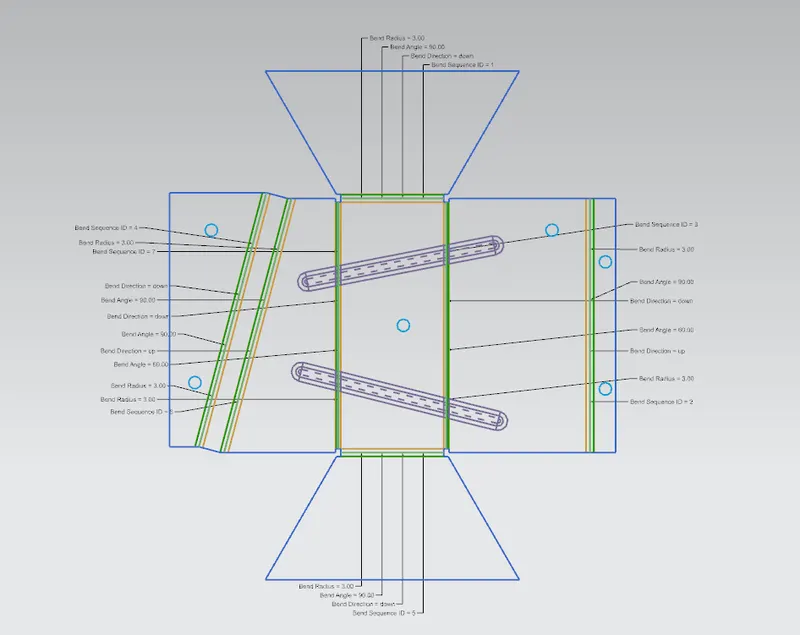
FLAT PATTERN
- create a flat pattern for drafting purposes ensure that you have enble all the important details so those are reflect on your drafting.
DRAFTING
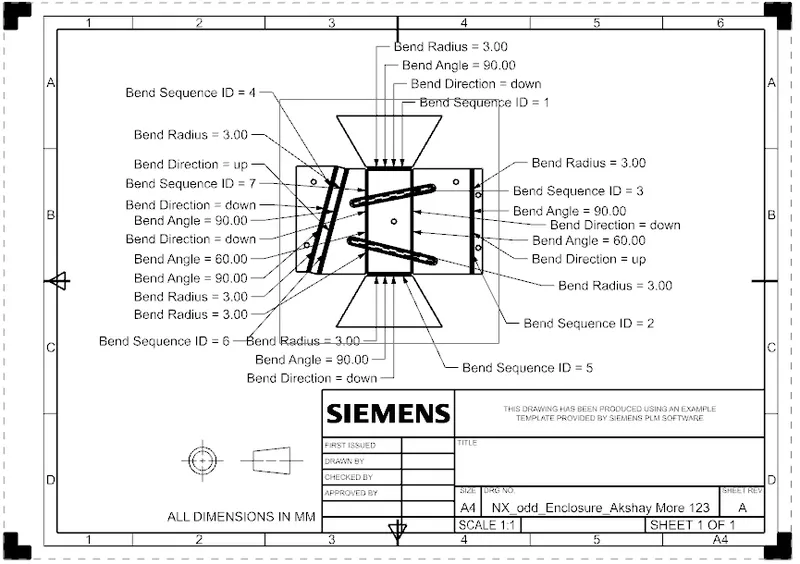
Drawing View
Isometric view
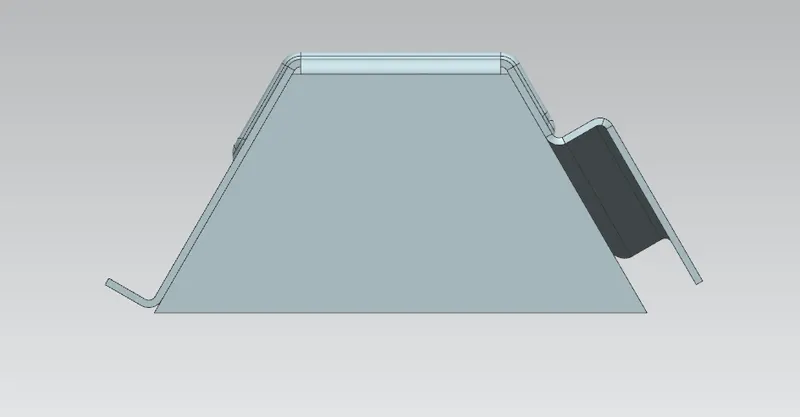
Front view
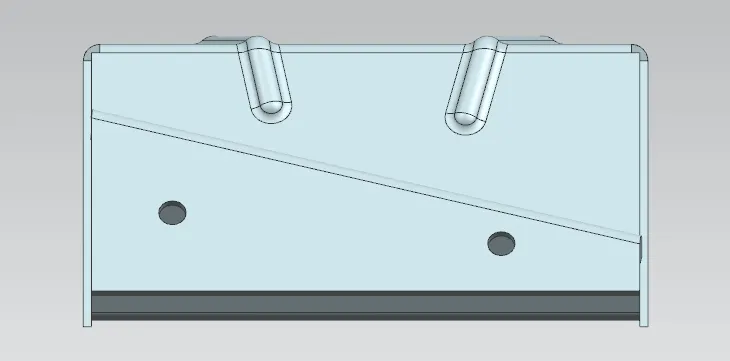
Side View
- Right Side view
- left side view
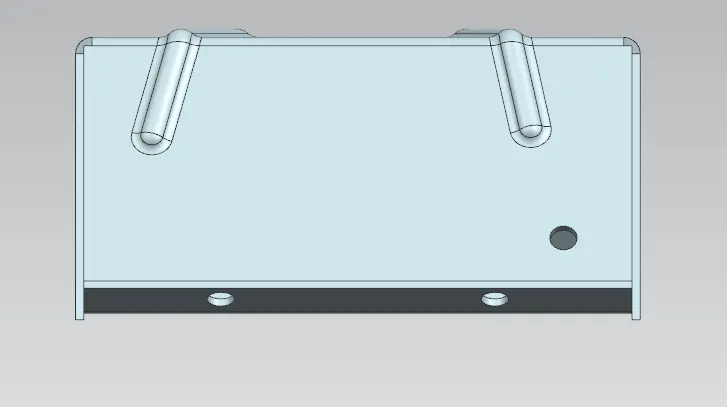
Top view
Conclusion
- Design Odd Shape enclosure using sheet metal in NX & view the drawing using drafting application.
- Converting solid or Non sheet metal part to sheet metal part.