Design Odd Shaped Enclosure
Aim:- To design the odd enclosure using the various features available in the NX Cad.
Introduction:-
NX cad is a designing software that is primarily concerned with the sheet metal designing. The tools and features available are unlike other softwares such as SOLID-WORKS or CREO. The tools are specific enough to make sheet metal designing easier. Given the fact that manufacturing a proper component is key in the mechanical industry also the fact that using sheet metal for complex designing is tough & this software comes in handy to overcome the difficulties and helps us visualise how the component is going to look for a manufacturer. Features such as Unbend & drafting goes a long way when it comes to understanding the component.
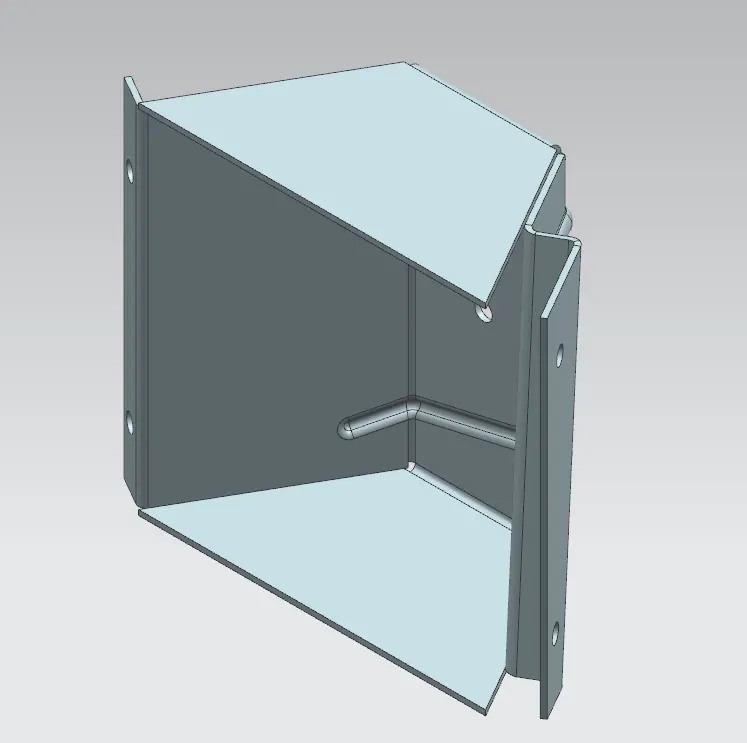
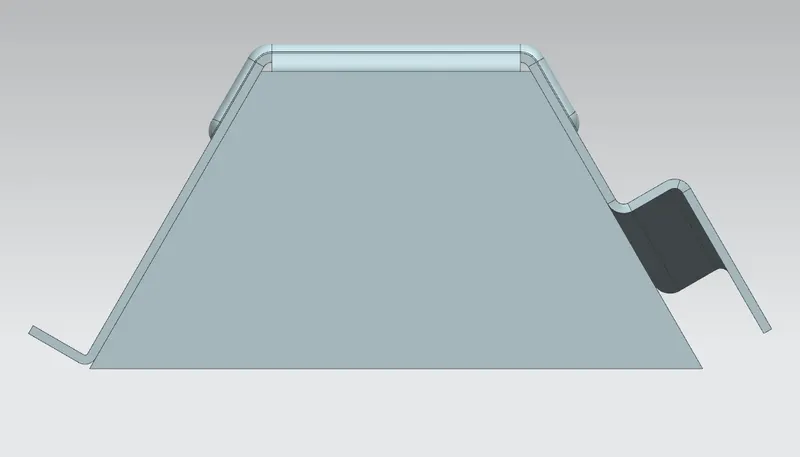
As the name suggest this model is an odd enclosure of a combination of tab & flanges. The jog feature has been used as the primary cause for this. The series of bends, holes and beads made this model look odd. The important feature used is the 'Soild to sheet metal' this allowed for the soild extrude to make it into a sheet metal.
Design Methodology:-
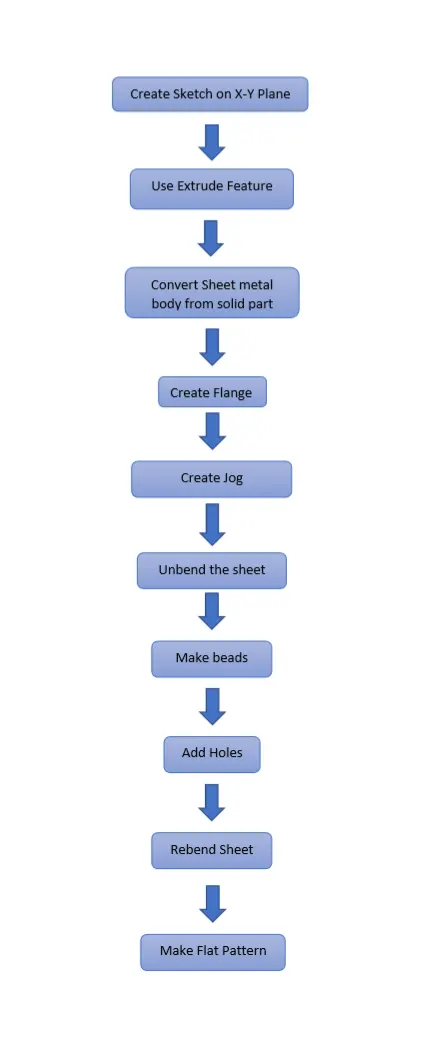
Description:-
SKETCH: Adds curves, dimensions and constraints to a plane or face. Eg: Sketch about the ZX plane of a quadrilateral to extrude a soild body.
EXTRUDE: Creates a feature by extruding a section along a vector. Eg:The sketch has been extrude to form a soild body.
SHEET METAL FROM SOILD: Builds a sheet metal model that takes its shape from a collection of planar faces. Eg: Turning the soild extrude into a sheet metal model.
FLANGE: Adds a flat flange at an angle to a plane face and adds a bend between the two. Eg: Flange to the edge of the sheet metal body to lift about an angle.
JOG: Modifies the model by lifting material on one side of a sketch line, adding a flange between the two sides. Eg: A line on the sheet metal surface turned as a jog (type of flange).
UNBEND: Flattens a bend and the material adjacent to the bend. Eg: To make the sheet metal body and flanges into a flat sheet.
BEAD: Lifts material along the contour of a sketch the simulates a stamping tool. Eg: Lines on the top surface lifted above the surface.
HOLE: Adds a hole to one or more soild bodies in a part or assembly with options for counterbored, countersunk, and threaded. Eg: Holes on certain points on the model.
REBEND: Restores and unbend feature to its previous bent state, along with any features added after the unbend feature. Eg: Bringing back everything to previous bend.
FLAT PATTERN: Creates a flat pattern feature from the formed sheet metal part. Eg: The flat pattern used for the drafting with dimensions appropriate to the model.
DRAFTING: Application with tools to create and maintain drawings of the design model. Eg: Drawing with dimensions of the base view with the flat pattern feature.
SCREENSHOTS:-
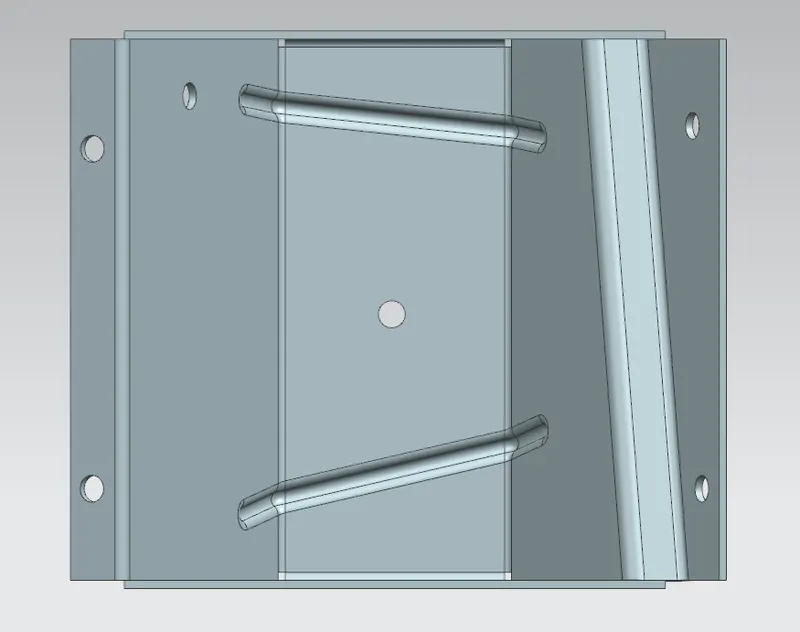
FRONT VIEW:
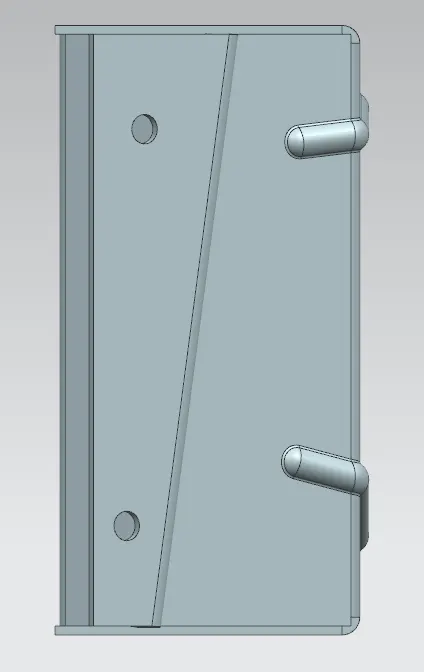
SIDE VIEW:
ISOMETRIC VIEW:
TOP VIEW:
Conclusion:-
Odd Shaped Enclosure modelled successfully in sheet metal in NX cad.