Parsing NASA thermodynamic data
clear all
close all
clc
DATA = fopen('THERMO.dat','r');
fgetl(DATA);
temperature_line = fgetl(DATA);
temp_split = strsplit(temperature_line,' ');
global_low_temp = str2double(temp_split{2});
global_med_temp = str2double(temp_split{3});
global_high_temp = str2double(temp_split{4});
% Skipping the three lines
for s = 2:4
tline = fgetl(DATA);
end
for g = 1:53
first_ele_line = fgetl(DATA);
a = strsplit(first_ele_line,' ');
l = length(a);
element_name = (a{1});
loc_lo_temp = str2double(a{l-3});
loc_hi_temp = str2double(a{l-2});
loc_med_temp = str2double(a{l-1});
t1 = loc_lo_temp;
t2 = loc_hi_temp;
t3 = loc_med_temp;
% First line of coefficient for 0
first_line = fgetl(DATA);
% For first line
location_E = strfind(first_line,'E');
E1 = location_E;
E1(1);
% Finding whole values of coefficients
a1 = first_line(1:E1(1)+3);
a1 = str2double(a1);
a2 = first_line(E1(1)+4:E1(2)+3);
a2 = str2double(a2);
a3 = first_line(E1(2)+4:E1(3)+3);
a3 = str2double(a3);
a4 = first_line(E1(3)+4:E1(4)+3);
a4 = str2double(a4);
a5 = first_line(E1(4)+4:E1(5)+3);
a5 = str2double(a5);
% For Second line
second_line = fgetl(DATA);
location_E2 = strfind(second_line,'E');
E2 = location_E2;
E2(1);
% Finding whole values of coefficients
a6 = second_line(1:E2(1)+3);
a6 = str2double(a6);
a7 = second_line(E2(1)+4:E2(2)+3);
a7 = str2double(a7);
a8 = second_line(E2(2)+4:E2(3)+3);
a8 = str2double(a8);
a9 = second_line(E2(3)+4:E2(4)+3);
a9 = str2double(a9);
a10 = second_line(E2(4)+4:E2(5)+3);
a10 = str2double(a10);
% For Third line
third_line = fgetl(DATA);
location_E3 = findstr(third_line,'E');
E3 = location_E3;
E3(1);
% Finding whole values of coefficients
a11 = third_line(1:E2(1)+3);
a11 = str2double(a11);
a12 = third_line(E2(1)+4:E2(2)+3);
a12 = str2double(a12);
a13 = third_line(E2(2)+4:E2(3)+3);
a13 = str2double(a13);
a14 = third_line(E2(3)+4:E2(4)+3);
a14 = str2double(a14);
% Enthalpy
T = linspace(t1,t2,1000);
R = 8.314;
for m = 1:length(T)
if T(m) > t3
Cp(m) = (a1 + a2*T(m) + a3*T(m)^2 + a4*T(m)^3 + a5*T(m)^4)*R;
H(m) = (a1 + a2*T(m)/2 + a3*T(m)^2/3 + a4*T(m)^3/4 + a5*T(m)^4/5 + a6/T(m))*R*T(m);
S(m) = (a1*log(T(m)) + a2*T(m) + a3*T(m)^2/3 + a4*T(m)^3/4 + a5*T(m)^4/4 +a7)*R;
else
Cp(m) = (a8 + a9*T(m) + a10*T(m)^2 + a11*T(m)^3 + a12*T(m)^4)*R;
H(m) = (a8 + a9*T(m)/2 + a10*T(m)^2/3 + a11*T(m)^3/4 + a12*T(m)^4/5 + a13/T(m))*R*T(m);
S(m) = (a8*log(T(m)) + a9*T(m) + a10*T(m)^2/2 + a11*T(m)^3/3 + a12*T(m)^4/4 + a14)*R;
end
end
%Creating
mkdir('C:AKASH-SkillLyncMatlab for MechanicalO',element_name)
cd(['C:AKASH-SkillLyncMatlab for MechanicalO',element_name])
% Plotting
figure(1)
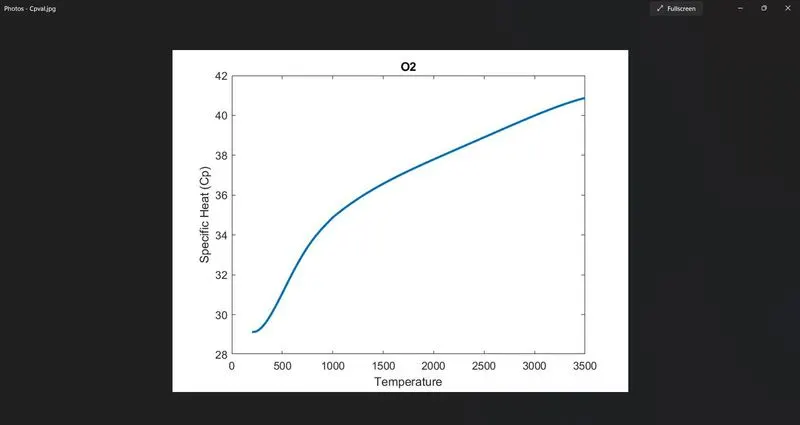
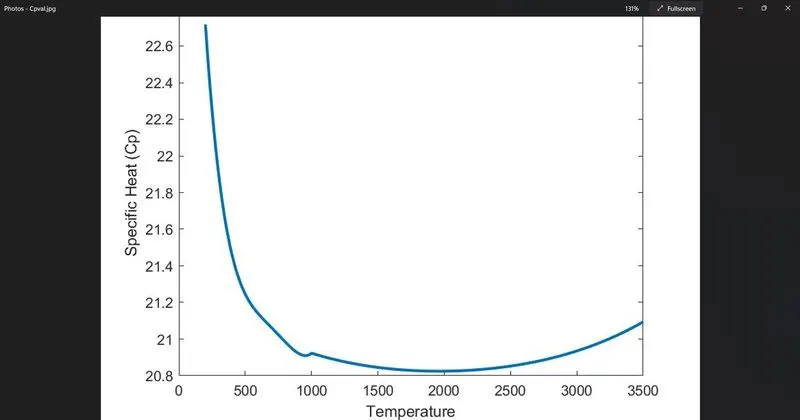
plot(T,Cp,'linewidth',2)
xlabel('Temperature');
ylabel('Specific Heat (Cp)');
title(element_name)
saveas(1,'Cpval.jpg')
figure(2)
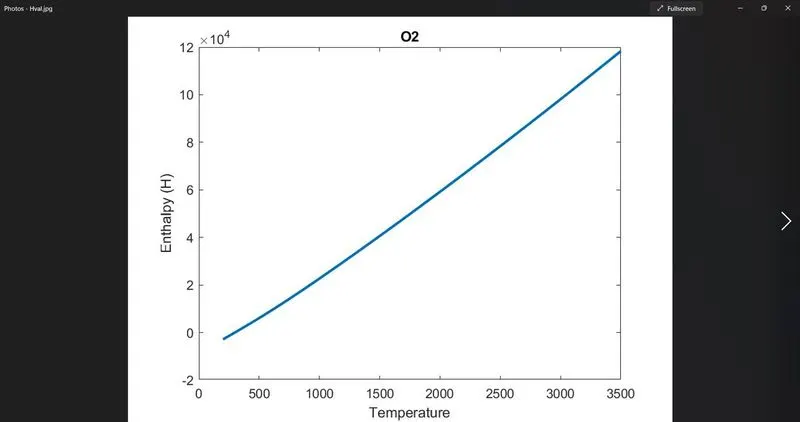
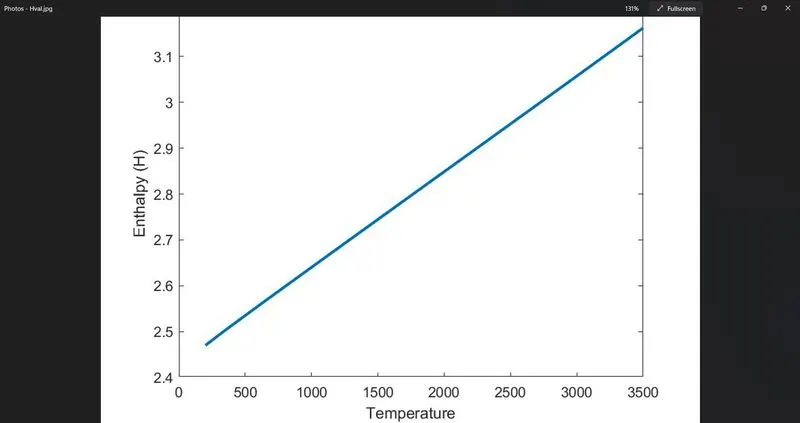
plot(T,H,'linewidth',2)
xlabel('Temperature');
ylabel('Enthalpy (H)');
title(element_name)
saveas(2,'Hval.jpg')
figure(3)
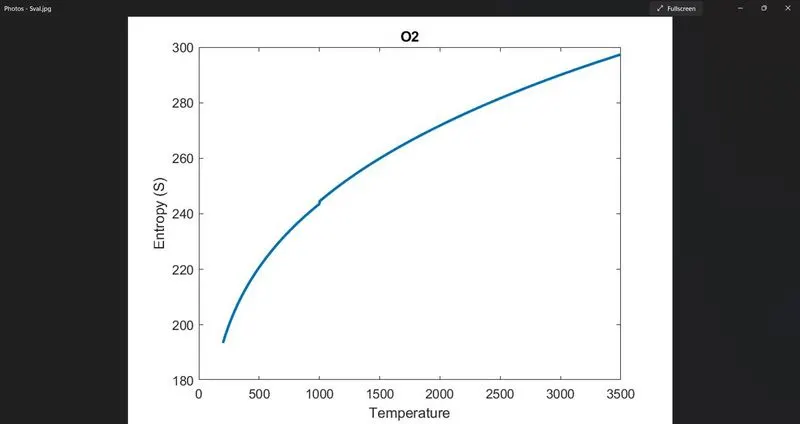
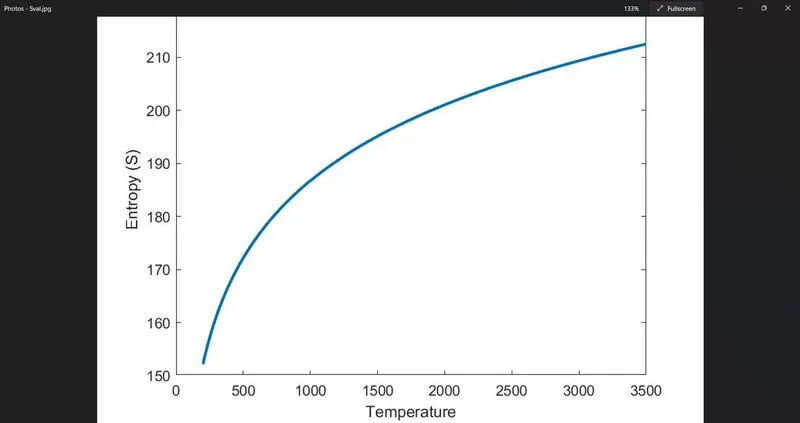
plot(T,S,'linewidth',2)
xlabel('Temperature');
ylabel('Entropy (S)');
title(element_name)
saveas(3,'Sval.jpg')
% Finding molecular weight
element = ['H','O','C','N','A','S'];
atomic_weight = [1 16 12 14 40 32];
Mo_wt = 0;
for i = 1:length(element_name)
for j = 1:length(element)
if strcmp(element_name(i),element(j))
Mo_wt = Mo_wt + atomic_weight(j);
position = j;
end
end
n = str2double(element_name(i));
if n >1
Mo_wt = Mo_wt + atomic_weight(position);
end
end
sprintf('Molecular weight of %s is %f u',element_name,Mo_wt)
end
fclose(DATA);
Plots of Cp, H & S are as follows
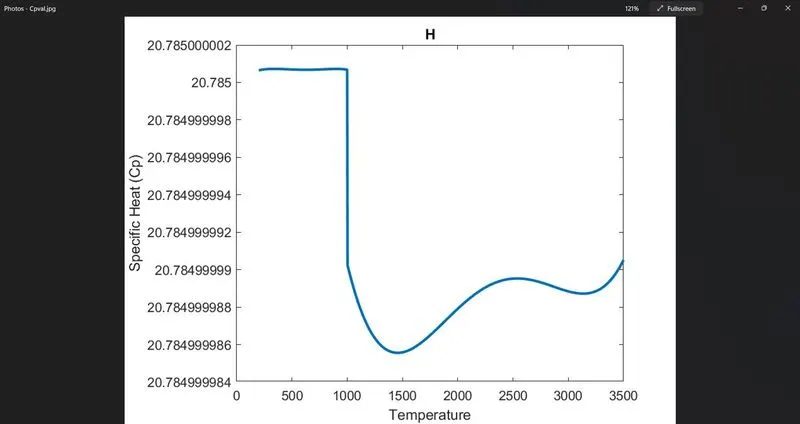
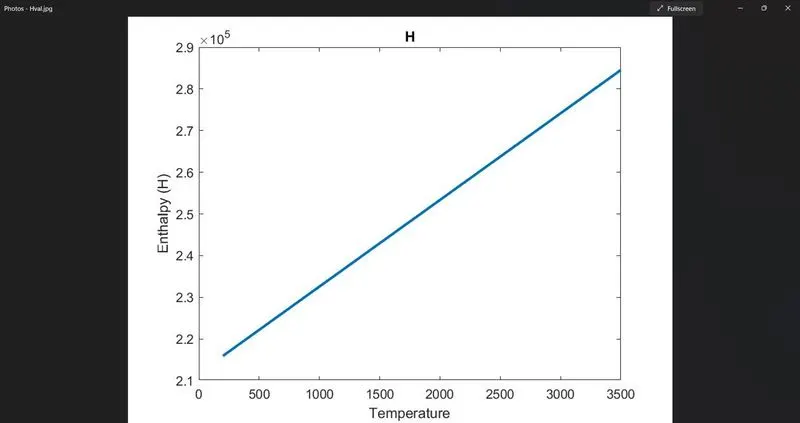
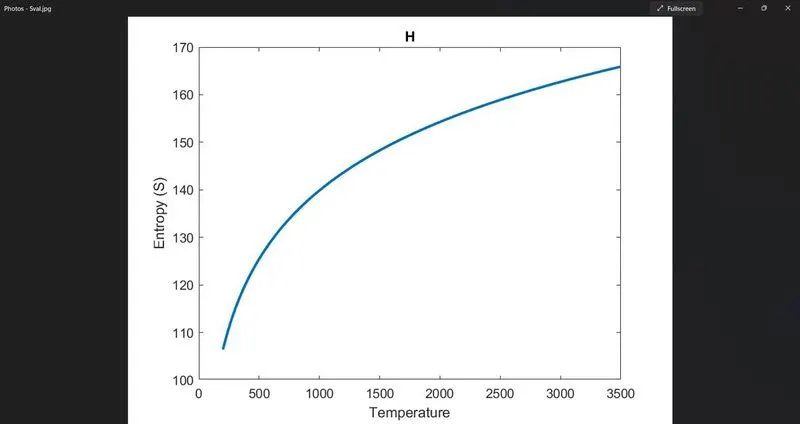
Code Explanatiopn
-> fopen command is used to open & read ".dat" file which is stored in Data.
-> fgetl command is used to extract the 1st line of data as it contains global temp.
-> The data we get here in terms of combine string thus we use strsplit command to split long string for individual purpose.
-> str2double command is used to get integer value from string.
-> for loop is used to skip further 3 lines.
-> mkdir command is used to create folder in current directory.
-> cd command is used to change current folder to new folder.
-> Sprintf command is used to display molecular weight of each element.
-> fclose command is used to close the file.
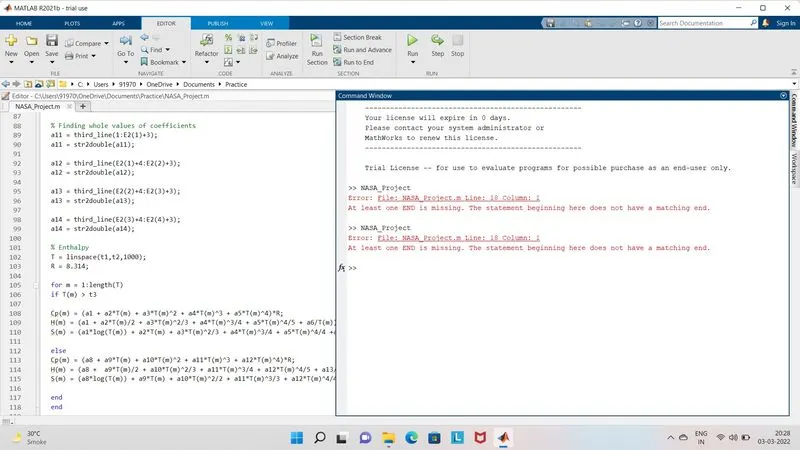
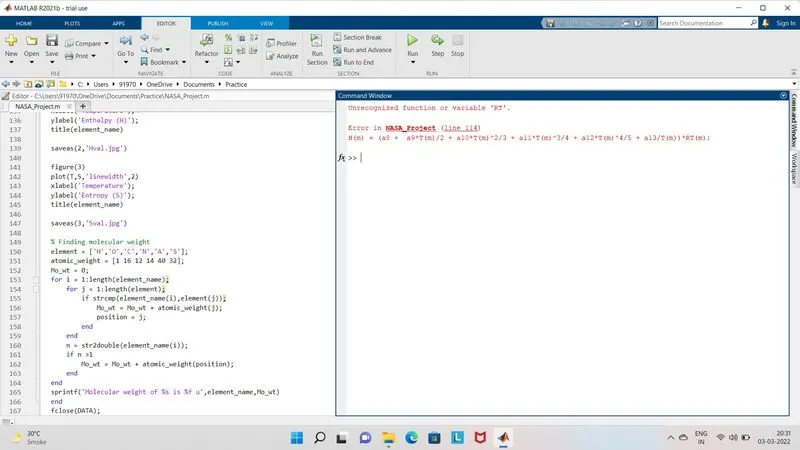
Errors faced & steps taken are as follows
Some typing mistakes occured which caused the errors but after rectifying it my code was complete