Advanced Sheet Metal Design Using NX Cad Challenge_5_Odd Shaped Enclosure
DESIGNING OF ODD SHAPED ENCLOSURE :
OBJECTIVE :
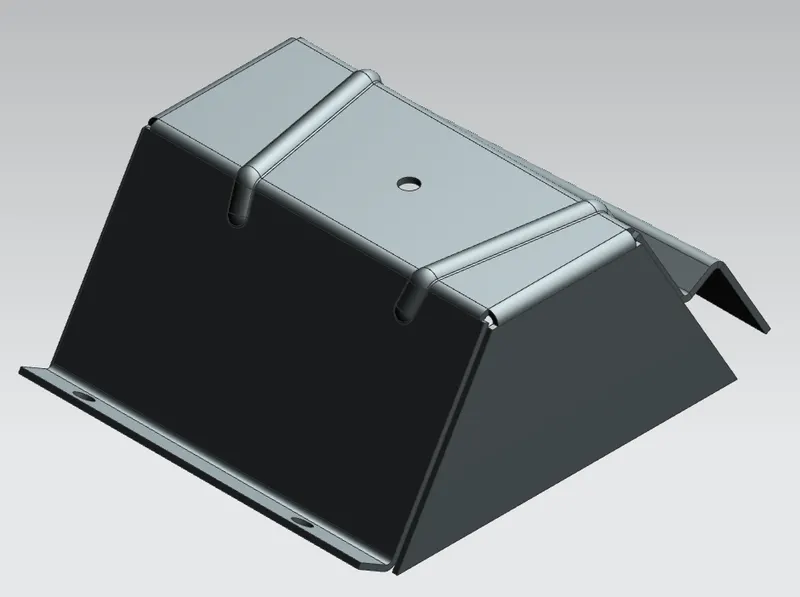
In this project we are going to design odd shaped enclosure in NX.
INTRODUCTION :
- Sheet metal is a metal formed by an industrial process into thin, flat pieces. sheet metal is one of the fundamental forms used in metalworking and it can be cut and bent into variety of shapes. countless everyday objects are fabricated from sheet metal.
- This sheet metal part has many features like flanges, jog, beads, holes over its geometry. This cad model is created using NX sheet metal workbench. NX is widely used in industry because of it's multipurpose use of cad modelling, CAM. NX sheet metal workbench provides setb of tools within its design environment to provide fast and accurate result.
DESIGN METHODOLOGY :
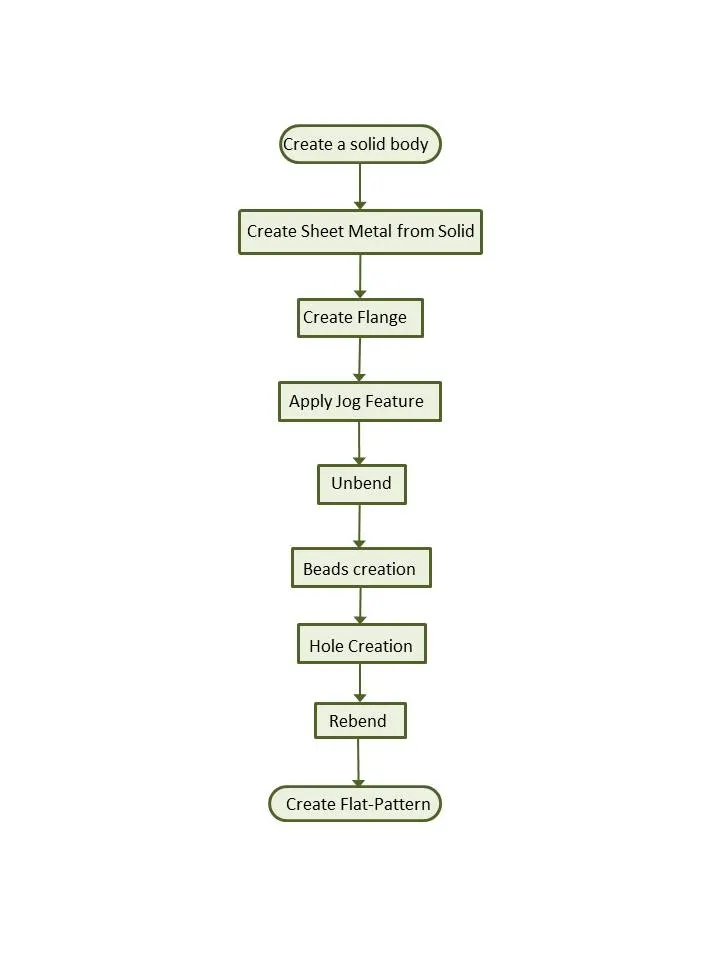
DESCRIPTION :
1) Modeling : Starts the Modeling application, which provides tools to design product geometry.
- Feature Tools : Extrude, Hole.
- Extrude - Creates a feature by extruding a section along a vector.
- Hole - Adds a hole to one or more solid bodies in a part or assembly with options for counterbored, countersunk and threaded.
2) Sheet Metal : Starts the Sheet Metal application, which provides tools to design straight-brake and more complex sheet metal parts.
- Feature Tools : Sheet metal from Solid, Flange, Jog, Unbend, Hole, Bead, Re-bend, Flat Pattern.
- Sheet Metal from Solid : Builds a sheet metal model that takes its shape from collection of planar faces.
- Flange : Adds a flat flange at an angle to a planar face and adds a bend between the two.
- Unbend : Flattens a bend and the material adjacent to the bend.
- Hole : Adds a hole to one or more solid bodies in a part or assembly with options for counterbored, countersunk and threaded.
- Jog : Modifies the model by liifting material on one side of a sketch line, adding a flange between the two bodies.
- Bead : Lifts a material along the contour of a sketch that simulates a stamping tool.
- Re-bend : Restores an unbend feature to its previous bent state, along with any features added after the unbend feature.\
- Flat pattern : Creates a flat pattern from the formed sheet metal part.
3) Drafting : Starts the Drafting application, which provides tools to create and maintain drawings of the design model
- Feature Tools: New Sheet, Base View.
- New Sheet : Creates a new drawing sheet.
- Base View : Creates a model based view on the drawing sheet.
PROCEDURE :
1. Open a new Part file and save it as Odd shaped Enclosure.prt
2. Create a Solid body :
- XZ Plane - Draw a sketch in the shape of Trapezium using lines. Exit the sketch
- Extrude it by changing values.
3. Wrap the solid body with Sheet Metal:
- Use Convert to Sheet Metal by selecting faces of Solid body and bend edges on Top face to convert it into Sheet metal.
4. Adding Features:
- Flange - Use Flange feature by selecting left edge of converted sheet metal to create flange.
- Jog - Use Jog feature and create a sketch on the right edge of sheet metal by drawing a inclined line to lift it.
5. Unbend:
- Unbend the Sheet metal by selecting stationary face and bend faces to add more features.
6. Adding more Features:
- Bead - Create a bead by drawing two symmetric inclined lines about X- axis.
- Hole - Create Holes on the sheet metal by sketching few points at required places.
7. Re-bend Sheet Metal:
- Re-bend the sheet metal by selecting Bend face which is previously used to unbend.
8. Drafting:
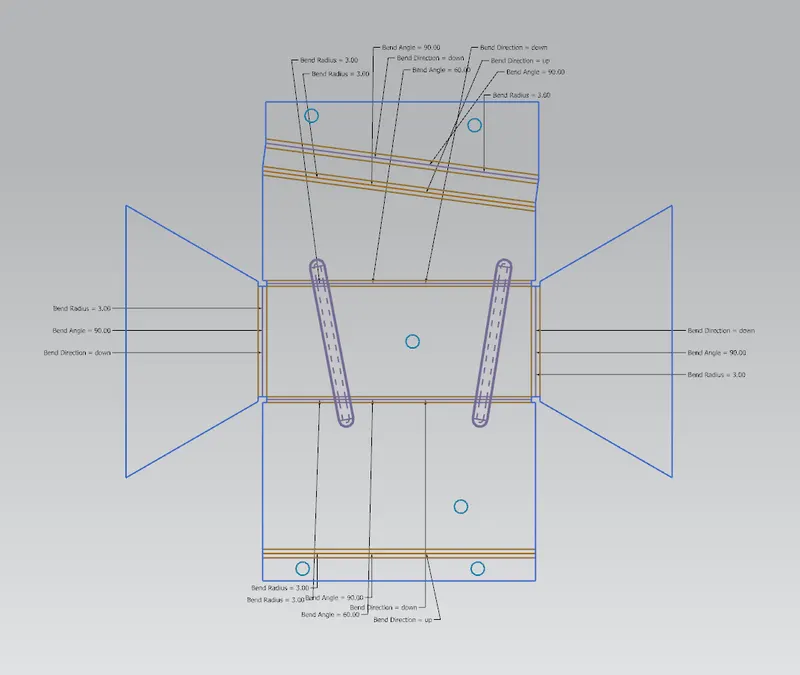
- Use Flat Pattern and select the flat face to create flat pattern.
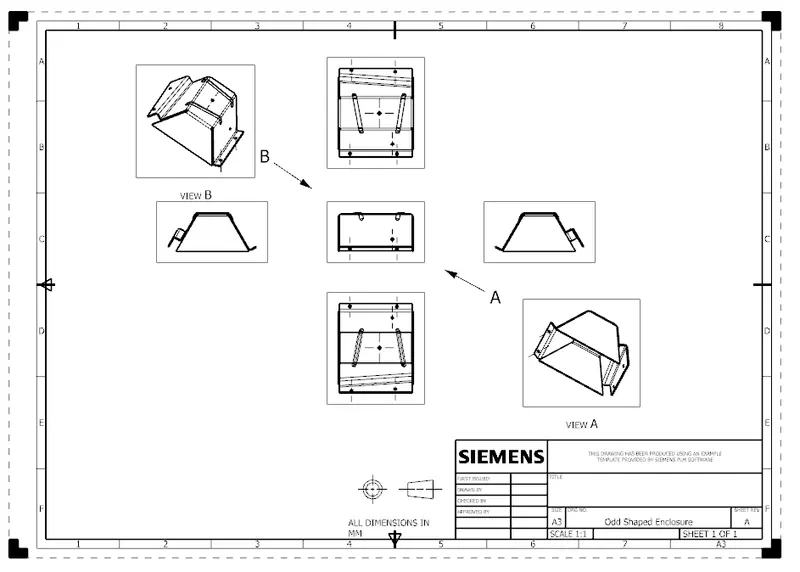
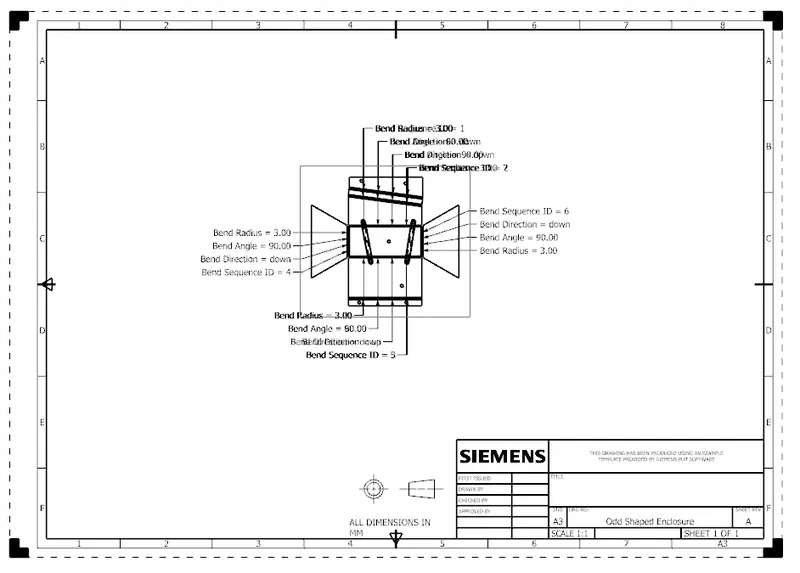
- Create a new drafting file of A4/A3/A2 Size and add Base view by giving proper scale(Rotate the model if required)
DIFFERENT VIEWS :
FRONT VIEW :
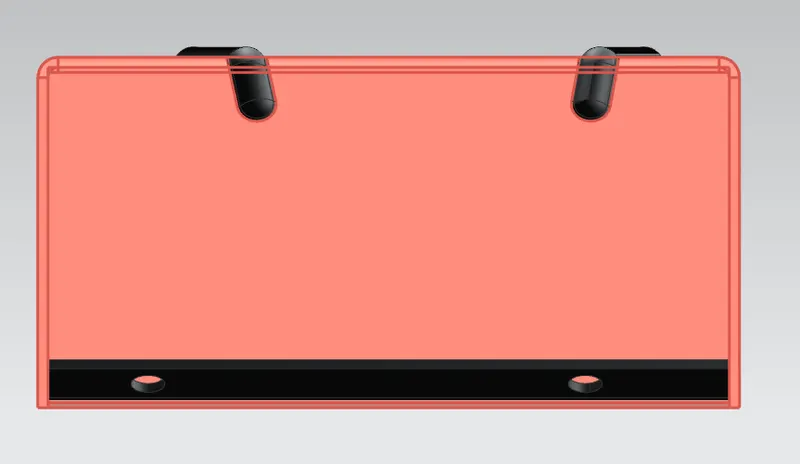
TOP VIEW :
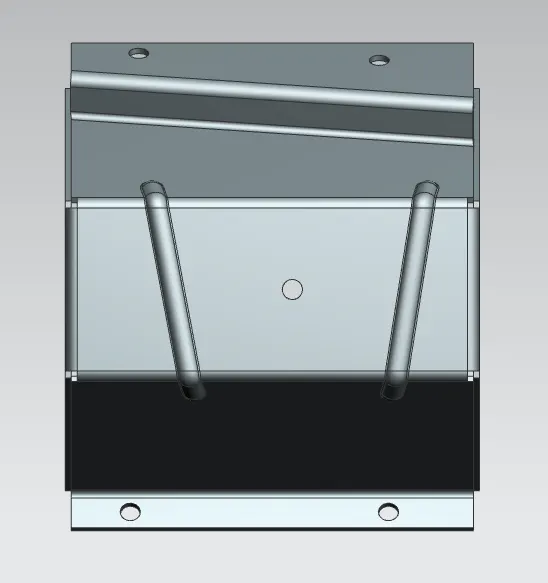
SIDE VIEW :
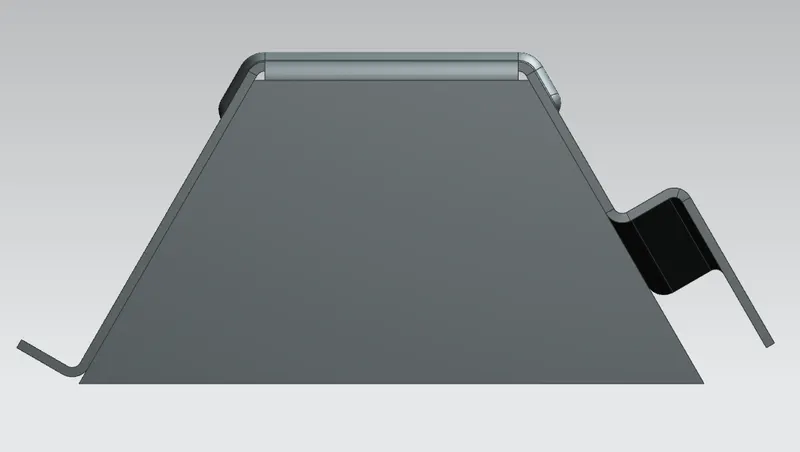
ISOMETRIC VIEW :
FLAT PATTERN :
DRAFT :
CONCLUSION :
Thus by using various NX sheet metal workbench tool we have completed a design of odd shaped sheet metal part.