Advanced Sheet Metal Design Using NX Cad Challenge_5_Odd Shaped Enclosure
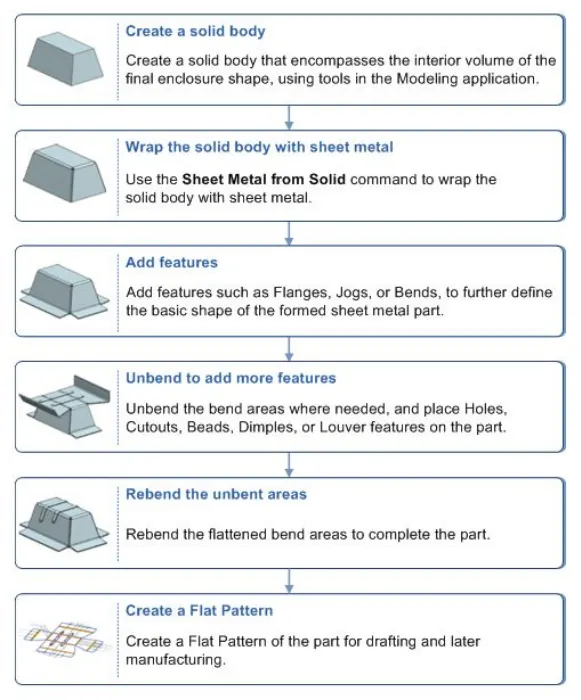
TITLE: Creating Sheet Metal ("Odd Shaped Enclosure") from a Solid Body using 'SM Wizard'.
OBJECTIVE: Write a detailed report on Sheet Metal components with a good explanation of Sheet Metal modelling tools applied throughout the modelling. Also, attach the Final model Images (Min. 4 images) of Sheet Metal Odd Shaped Enclosure.
DESCRIPTION: In this project, we have created three different types of bends mainly with help of 'flange', 'jog' & 'contour flange'. Using these tools we have created bends in this project.
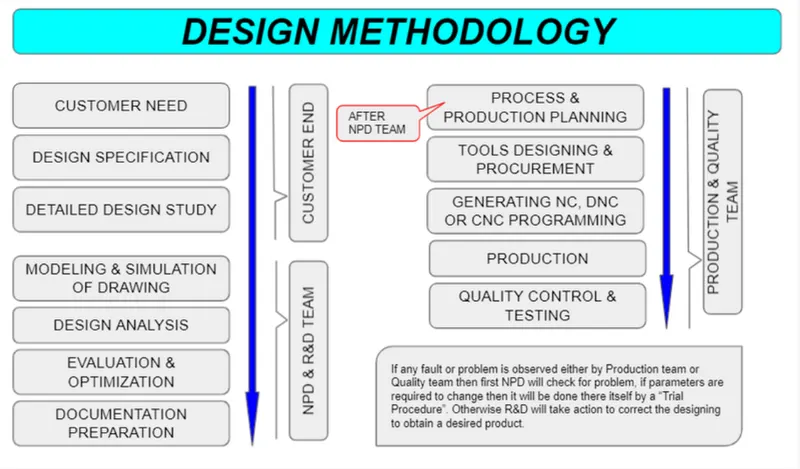
DESIGN METHODOLOGY :
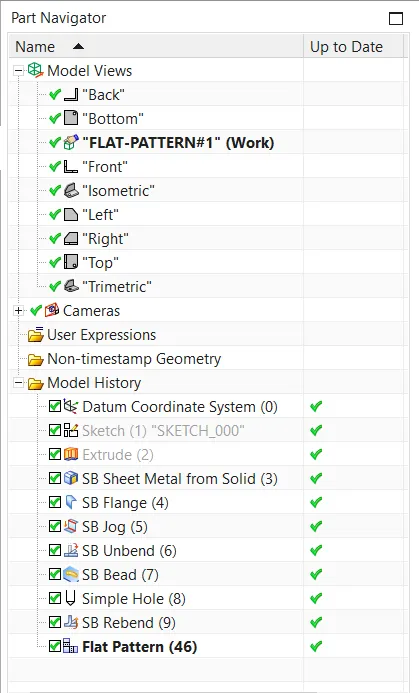
PART NAVIGATOR or FEATURE TREE:
DESCRIPTION :
Extrude:- This feature is used to make a solid body by creating a required sketch. 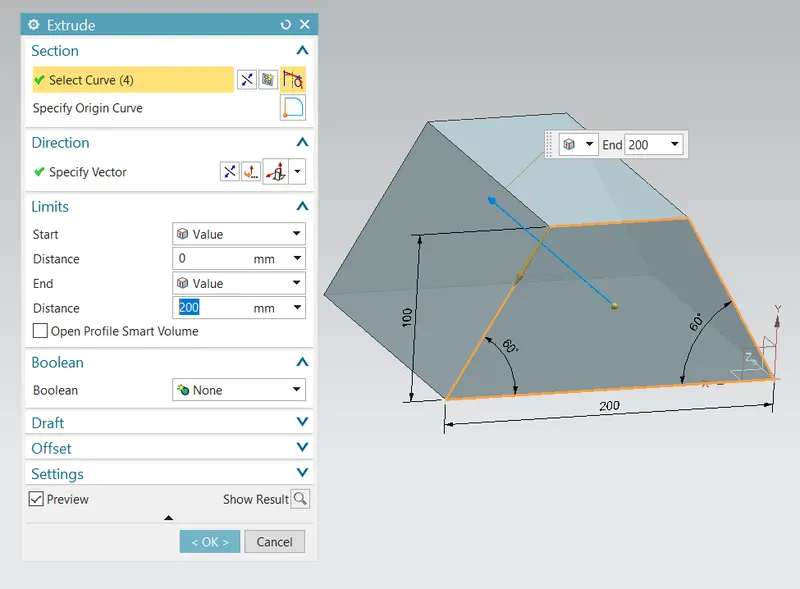
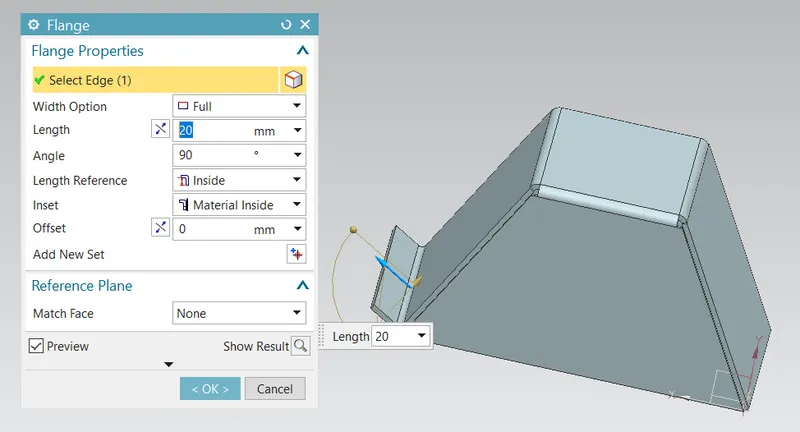
Flange:- An extended part of the existed component with various width options to be modified with the desired angle, bend radius, relief, length by selecting any edge of the component. 'Flanges' are the external or internal by-products that serve either to increase strength or for attachment with any other object.
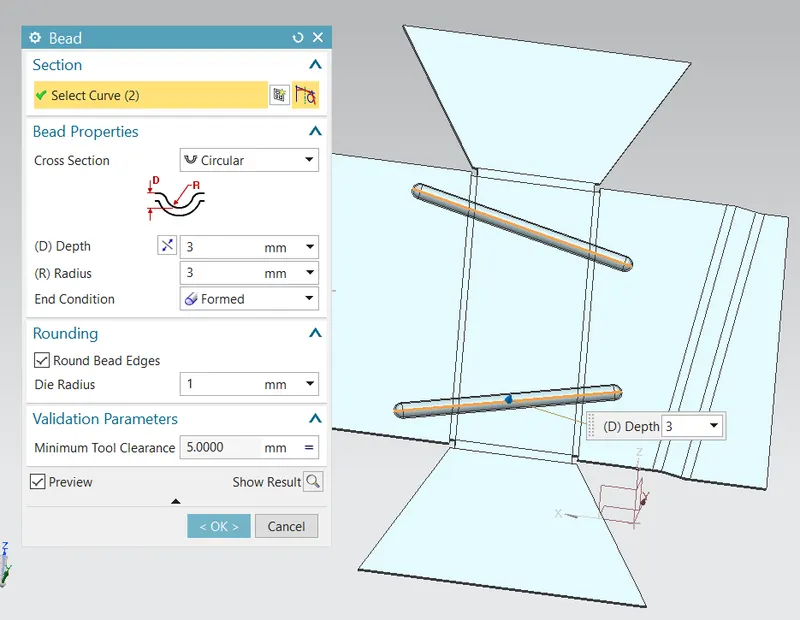
Bead:- 'Bead' can is of different cross-sections like circular, v-shaped & u-shaped along with parameters like depth, radius, die radius, end condition and tool clearance.
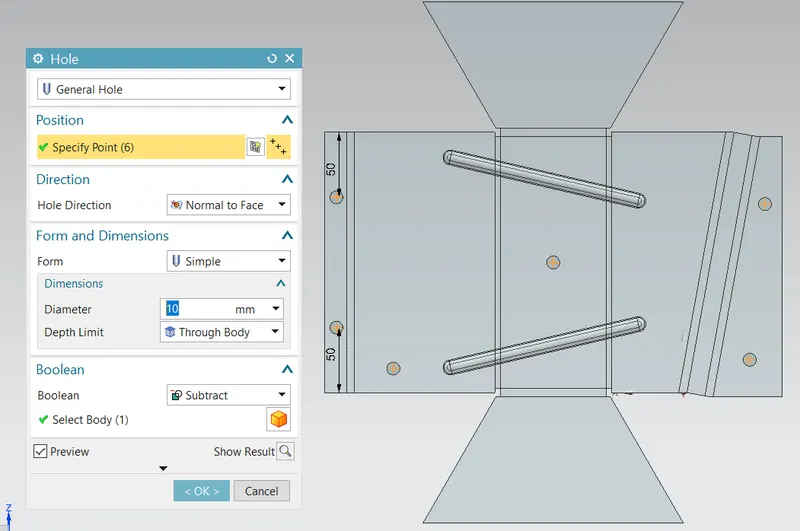
HOLE:- 'Hole' is the part of the component either to be removed or to be filled, it can be in any form (general form, drill size hole, screw clearance hole, etc). For creating a hole we just need to define a centre point. Rest features will be controlled by the working tab, hole type, dimension, fit type, depth limit, screw-type etc.
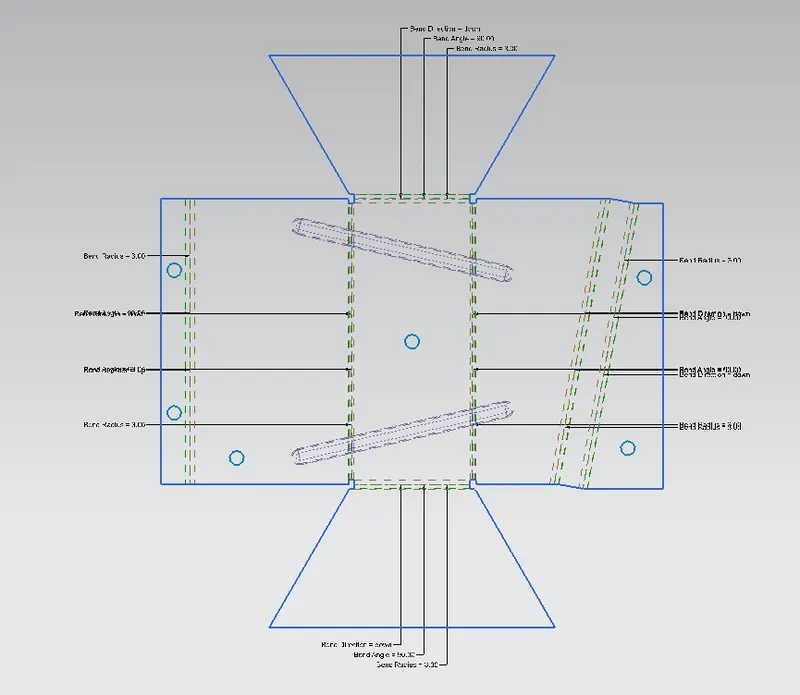
FLAT PATTERN:- 'Flat Pattern' operation is used to create a 2D pattern of the final component with all centrelines, bending curvature lines, flanges line, holes & their centres with detailed specifications.
DRAFTING:- This is a general drawing sheet formation with a 2D drawing with proper representation as per scale.
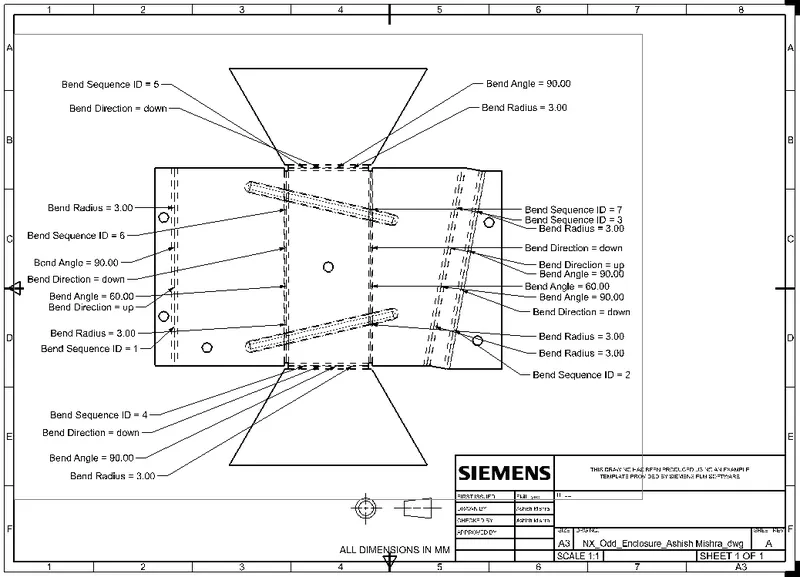
DIFFERENT VIEWS:-
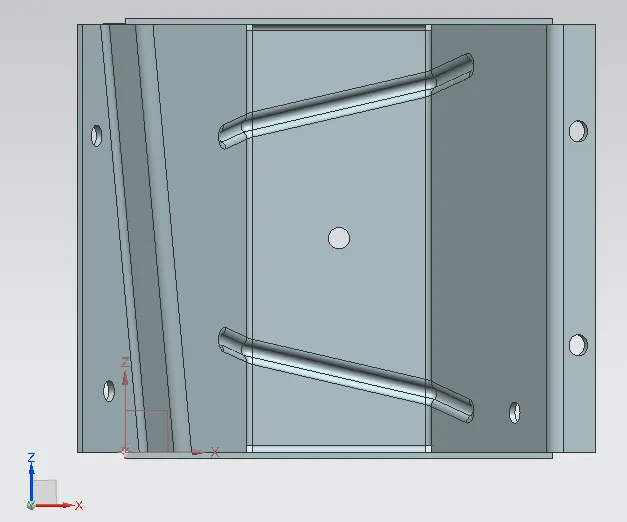
Bottom View
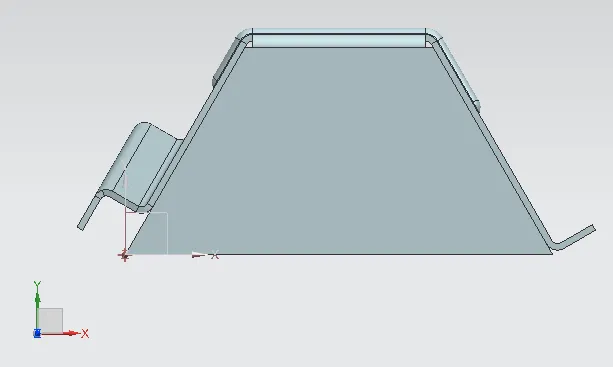
SIDE VIEW
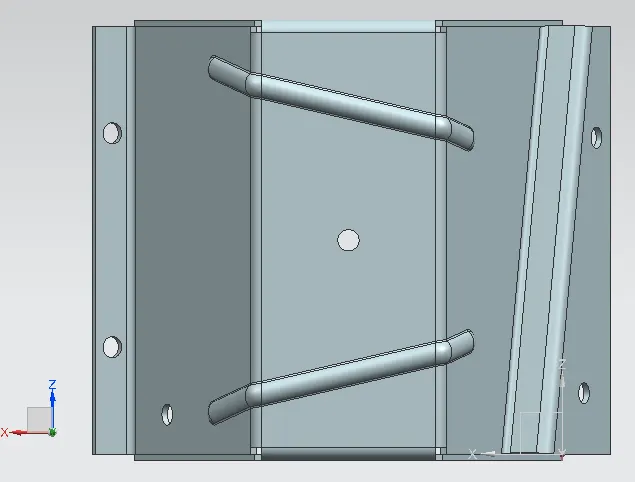
TOP VIEW'
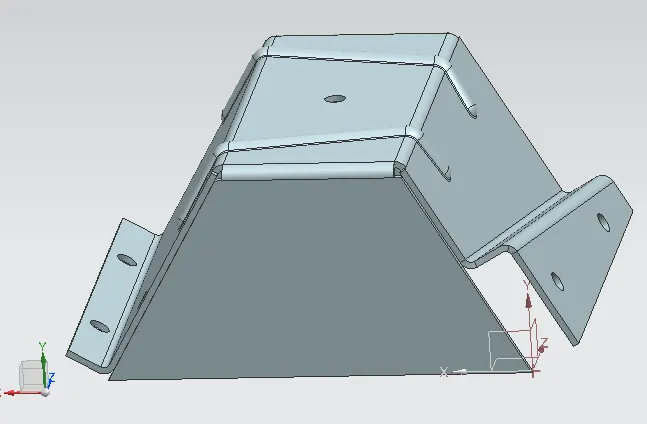
ISOMETRIC VIEW
CONCLUSION:-
In this project, I have learnt "SM Wizard" of 'Sheet Metal' to design different products. All these features include knowledge from Basic to Advanced level of drafting technique. All introductory 'Graphics User Interface' is learnt in this project work before starting any of the main designing parts. Different drafting tools are used here for drafting & modelling. The tools used in this project to create features by "SM Wizard" and tabs, bend, mirror, bead, hole, unbend, rebend, flat pattern, drawing sheet. After this modelling & drafting of 'Odd Enclosure' is completed, an A3 drawing sheet is created with as required parameters for designing.