Advanced Sheet Metal Design Using NX Cad Challenge_5_Odd Shaped Enclosure
ADVANCED SHEET METAL DESIGN USING NX CAD – ODD SHAPED ENCLOSURE
OBJECTIVE
- To know basics of sheet metal module in NX CAD.
- To know the features like EXTRUDE, SHEET METAL FROM SOLID, FLANGE, JOG, HOLE, FLAT PATTERN.
INTRODUCTION
Metal having thickness from 0.1mm to 6mm are termed as sheet metal. Extremely thin are termed as foils or leaf above 6mm are called as plate. Sheet metal are used in various products used in automobile industry, aeronautical industry. There are many other metals that can be made into sheet metals such as aluminium, copper, stainless steel etc.,
DESIGN METHODOLGY / APPROACH
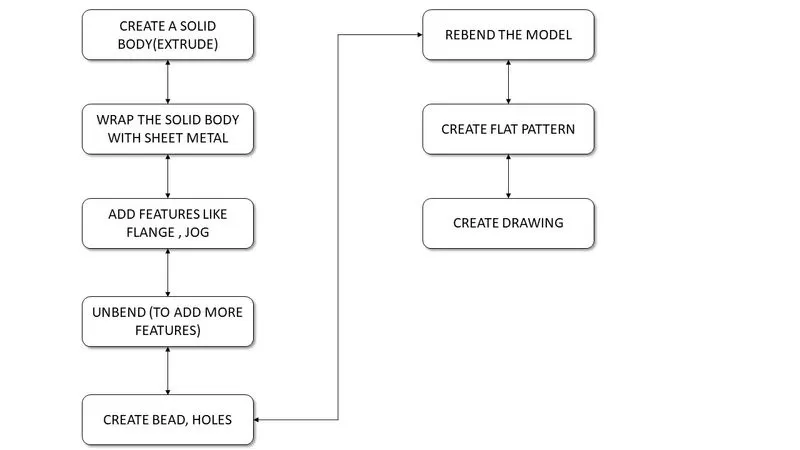
FEATURES USED
- EXTRUDE
- SHEET METAL FROM SOLID
- FLANGE
- JOG
- UNBEND
- BEAD
- HOLE
- REBEND
- FLAT PATTERN
EXTRUDE – EXTRUDE Feature used to create a section along a vector
SHEET METAL FROM SOLID – SHEET METAL FROM SOLID feature is used to build a sheet metal that takes its shape from a collection of planar surfaces
FLANGE – FLANGE feature is used to create extended portion or bend to the selected edge. While creating flange we have to set different parameters such as length, Bend radius, inset, bend relief, neutral factor.
JOG – JOG Modifies the model by lifting the material on the one side of the sketch line, adding the flange between the two sides.
HOLE – HOLE is used to create holes in the sheet metal part
BEAD - BEAD is like a raised rib in the sheet metal
UNBEND – UNBEND is used to flatten the sheet metal for further design
FLAT PATTERN – FLAT PATTERN used to create flat pattern feature from the formed sheet metal part
MODEL IMAGES
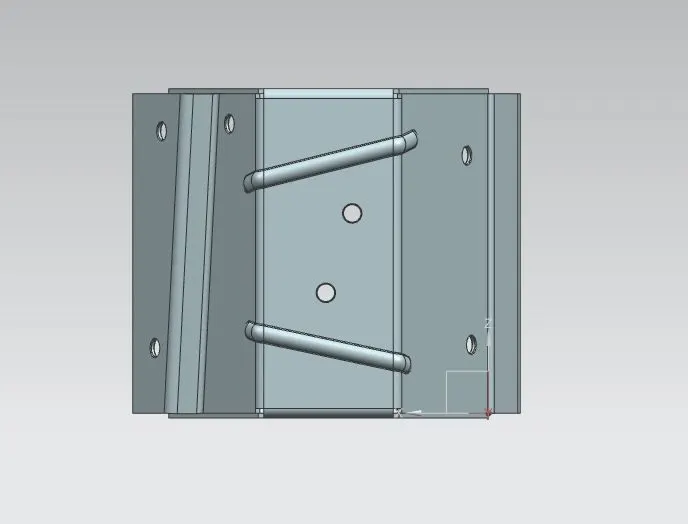
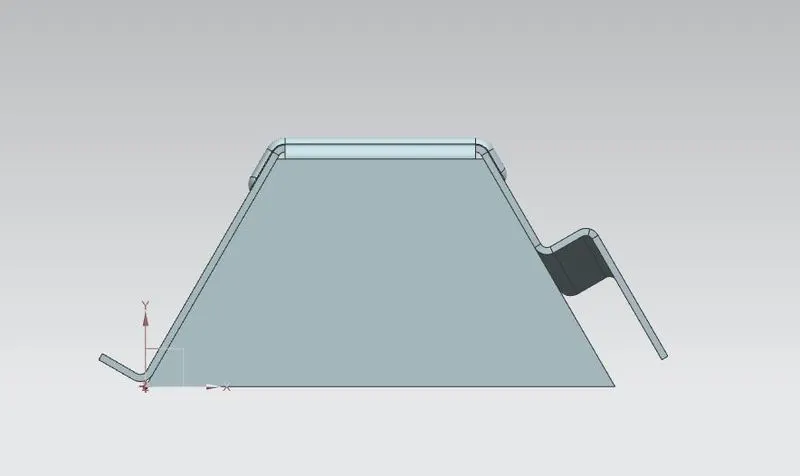
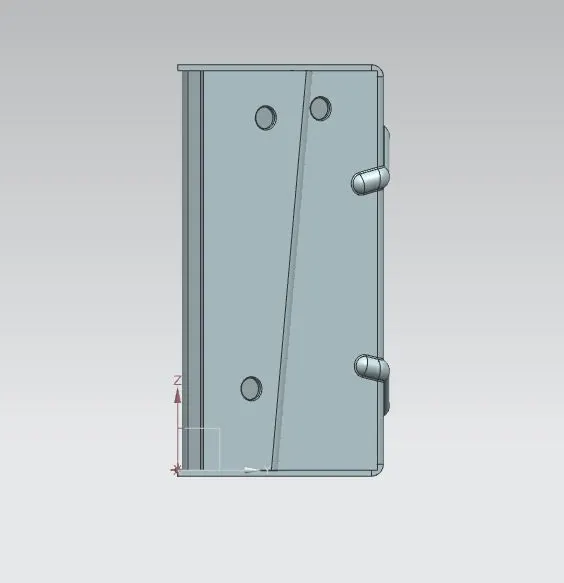
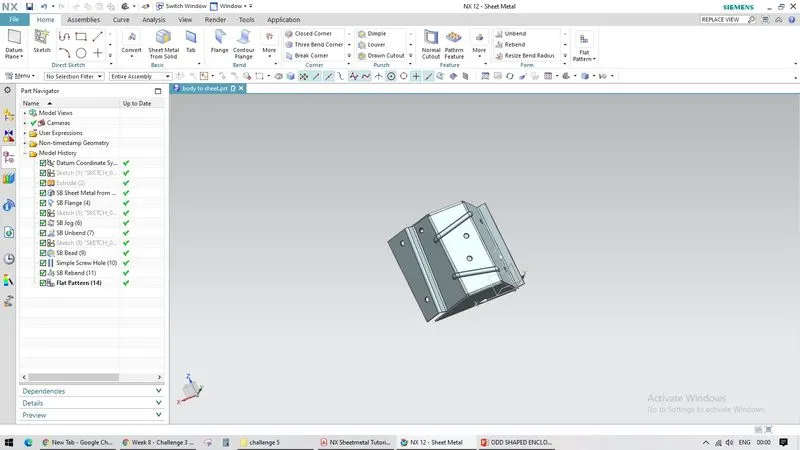
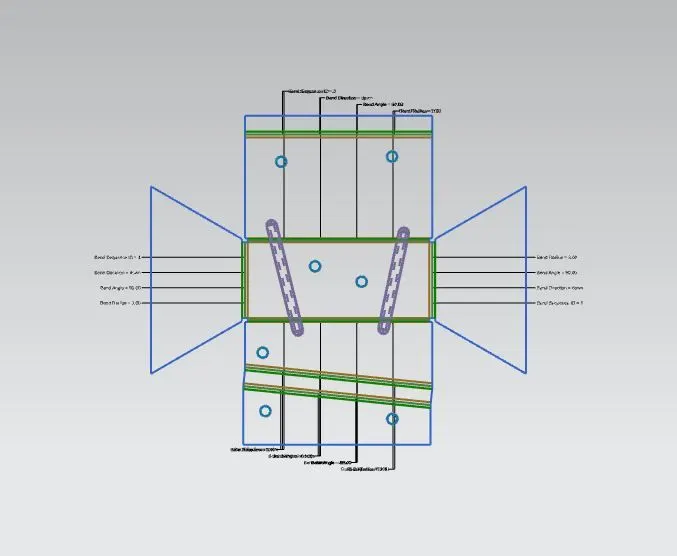
FLAT PATTERN
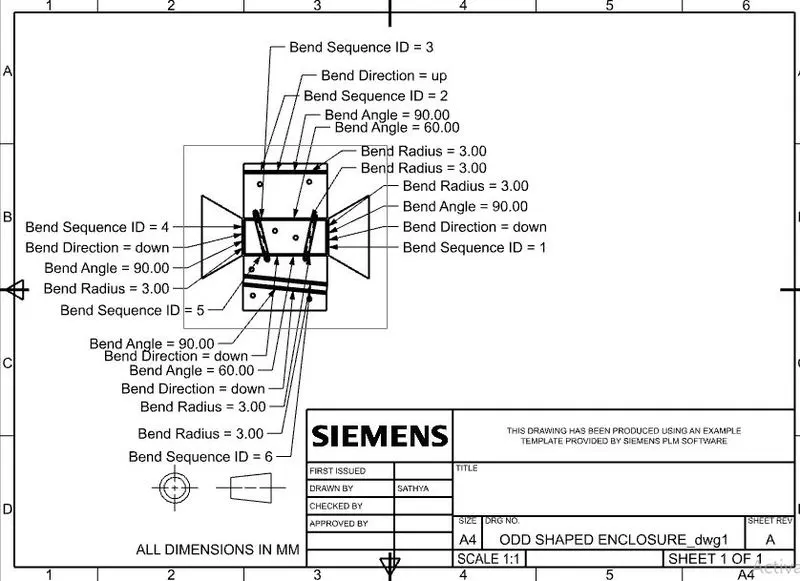
DRAFTING IMAGE
CONCLUSION
Thus the ODD SHAPED ENCLOSURE IS Modelled in NX CAD.