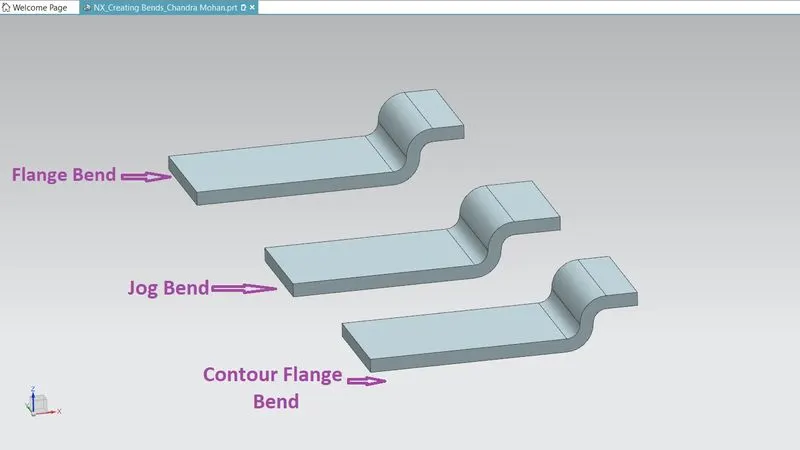
Advanced Sheet Metal Design Using NX Cad Challenge_4_Creating Bends
Creating Bends Using Different Features in NX-CAD
(Flange, Jog and Contour Flange Bend)
Objective:
The Objective of this project is to create the bends on the boss base using the 3 different types of commands
- Flange – This command adds a flat flange at angle to a planar surface and adds bend between the two sides
- Menu -> Insert -> Bend -> Flange
- Jog – This command Modifies the model by lifting material on one side of sketch line, adding a flange between the two sides
- Menu -> Insert -> Jog
- Contour Flange - This command creates a base feature by extruding a sketch along the vector, or adds material by sweeping a sketch along an edge or chain of edges.
- Menu -> Insert -> contour Flange
INTRODUCTION
The Bends can be created by different ways that can be viewed by three different ways to create the bend.
PROCEDURE
The Model have been started by creating a sketch and complete as required shape and used contour flange feature to make the part bend as first, then draw a sketch and tab it for thickness 3mm, select the sketch drawn on the tab for jog flange to create the bend on the part. The third way is to create a sketch and select one of the edges and choose flange to create the bend.
CREATING BENDS BY FLANGE:
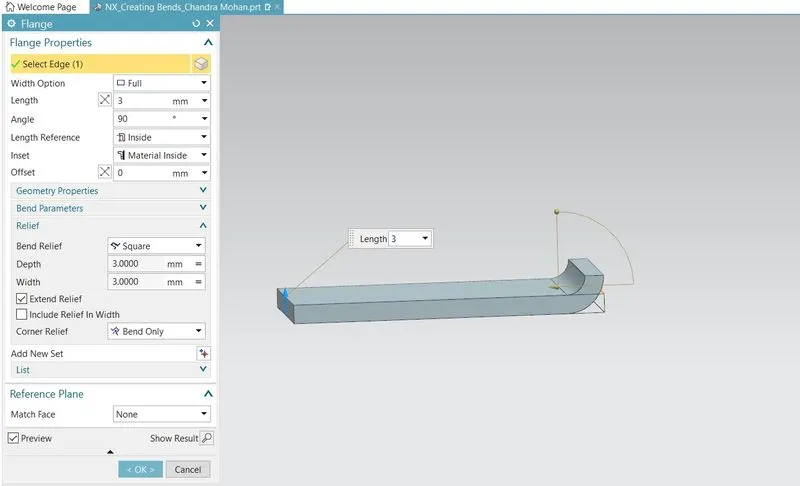
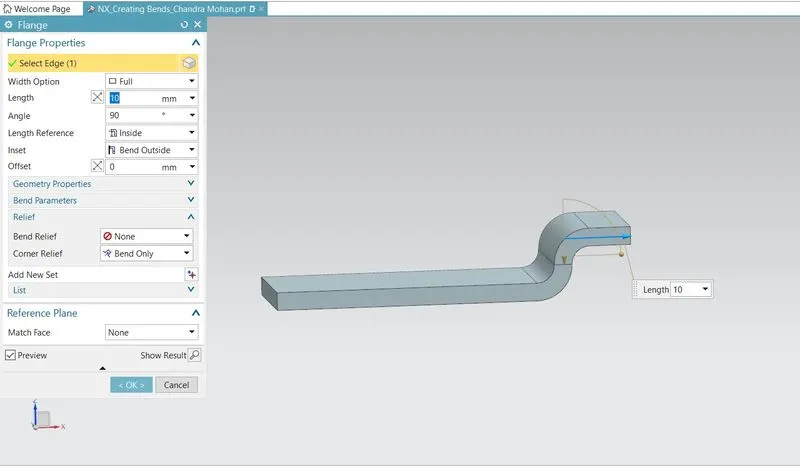
Sketch is created and tab of thickness 3mm is given to create the part. Flange is given at the edges to bend for 3mm and again the flange option is used on the edge of the flange to bend again for length 10mm.The angle for the flanges are provided as described.
Flange Bend with FEATURE TREE:
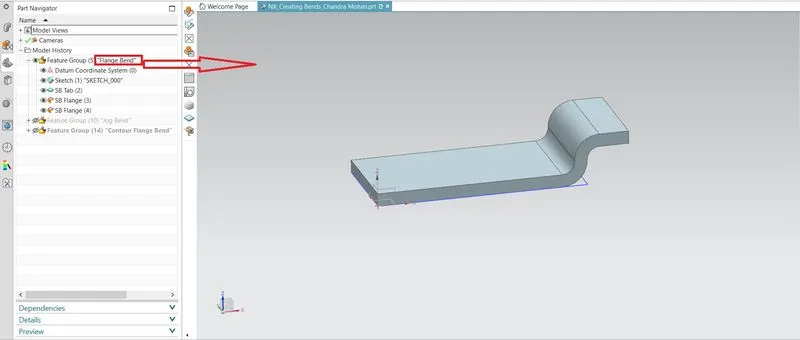
CREATING BENDS BY CONTOUR FLANGE:
Base Tab Sketch Line on Base Tab
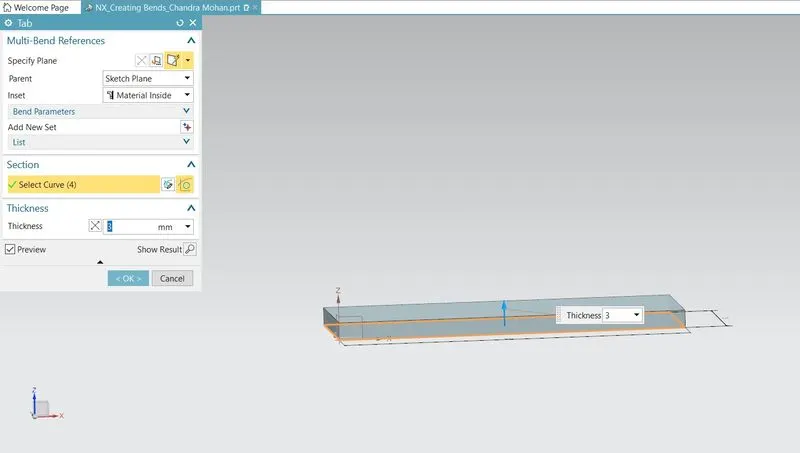
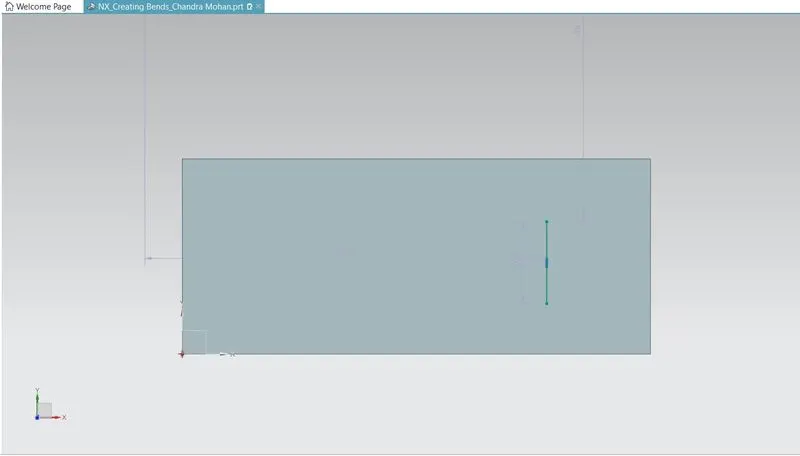
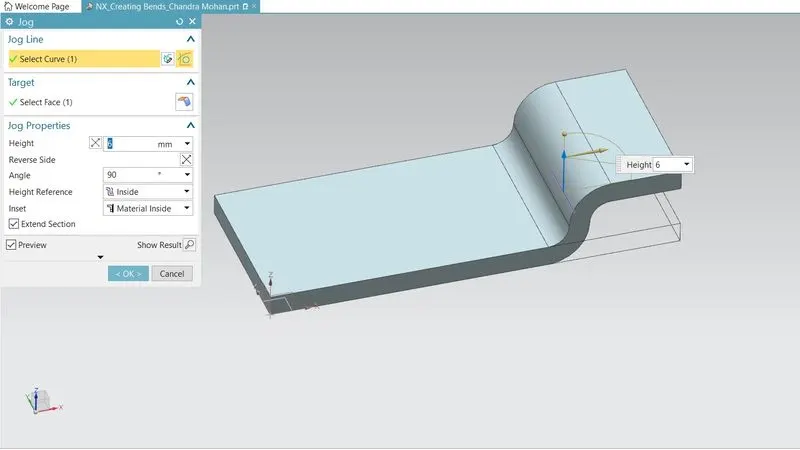
With the reference line the Job Command has been used to create a bend on the Sheet Metal. Change the parameters that the height and angle of the bend.
Jog flange is created by selecting jog flange option on the created sketch.Height of the jog flange is given as 6mm.This is also an another method of creating bends in Nxcad.
Jog Bend with FEATURE TREE:
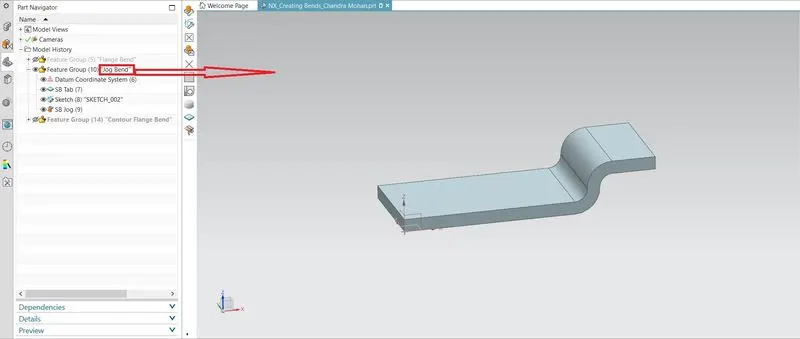
CREATING BENDS BY CONTOUR FLANGE:
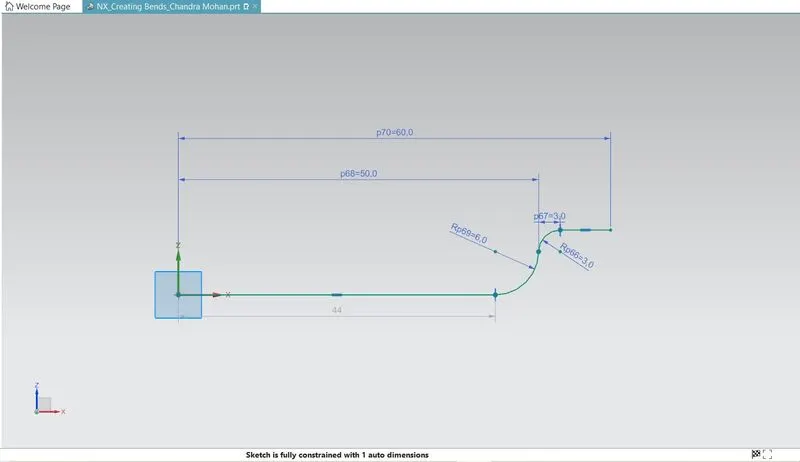
Sketch
The Sketch has been created in the XZ Plane.
Feature Command
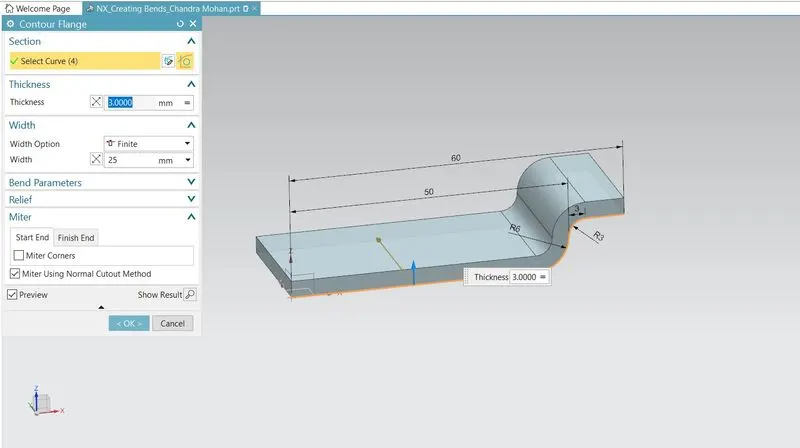
Use the contour flange command and select the sketch as shown above,determine the thickness as 3mm for the flange.This is also one of the method to create the flange.
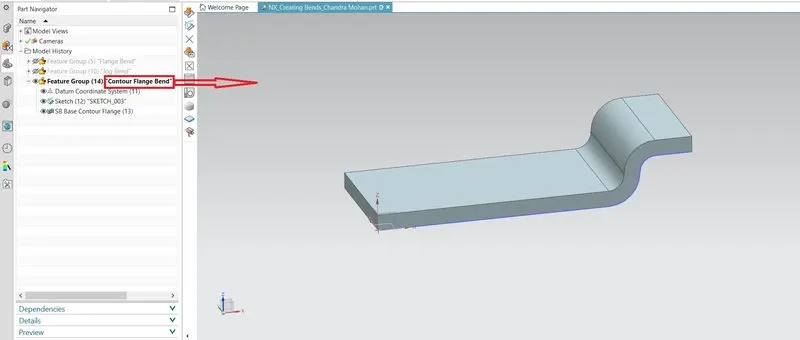
Contour Flange Bend with FEATURE TREE:
Conclusion:
The Bends are been created by different ways that can be viewed by three different ways.