Advanced Sheet Metal Design Using NX Cad Challenge_2_Box Assembly
Box Assembly Creation Using NX Advanced Sheet Metal Design
Objective:
To design a 'Box Assembly' using Siemens NX Sheetmetal Application
Introduction :
Sheet metals are malleable and durable materials, that are used in various industries, including automotive, aerospace, electronics, construction, and consumer goods. Sheet metal parts are created through a series of processes. First, the metal is cut to the desired shape using techniques like laser cutting or shearing. Then, it's often bent or formed into the desired three-dimensional shape using presses or roll forming machines. Finally, the part may be welded, punched, or stamped to add additional features or details. Common fabrication methods involve cutting, bending, punching, stamping, welding, and finishing. The choice of method depends on the desired shape, material thickness, and production volume. Advancements in technology have led to more precise and efficient sheet metal fabrication processes, enabling the creation of complex components.
Design methodology / approach :
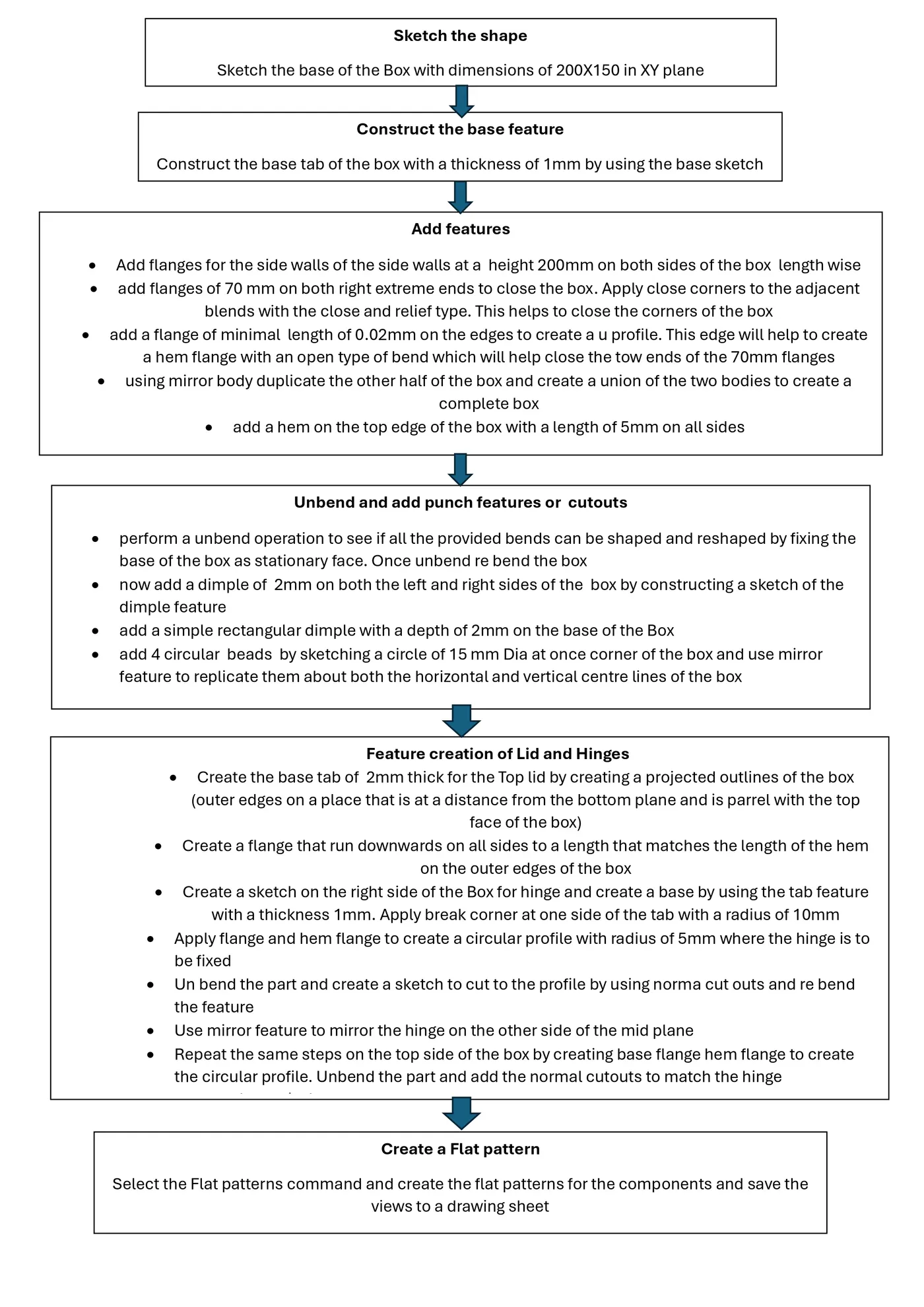
Features used for creation of the Box assembly:
Sketch: Used to crate the basic sketched for the base and the dimple profiles
Tab: used to create a base feature by extruding sketch along vector by a thickness value or by adding material to existing faces and bend regions of Sheetmetal part.
Flange: This command is used to add a flat flange at a angle to the planar face and add a bend between the two. A flange consists of bend region and a web.
Closed Corner: This command is used to modify two flanges in one operation and to close the corner where the two flanges meet.
Hem Flange: This command is used to modify an edge of a Sheetmetal part by folding it on to itself for the purpose of safe handling or to increase edge stiffness.
Mirror Body: used to mirror the part w.r.t the required axis.
Unite: used to combine the two parts into one part.
Dimple: used to lift an area of the model inside the sketch that stimulates a stamping tool.
Mirror Feature: used to mirror the required sketch to other side with reference to the axis.
Unbend: used to flatten the 3D model by selecting one stationary face.
Re bend: This command is used to re bend the flatten sheet material component.
Bead: This command is used to lift material along contour of a sketch that stimulates a stamping tool. Bead can also be created to stiffen sheet material.
Datum Plane: This feature is used to project the plane at a certain distance by giving the distance.
Normal Cutout: This command is used to remove the unwanted material w.r.t to the sketch.
Break Corner: This command is used to round or chamfer sharp corners of a tab or flange.
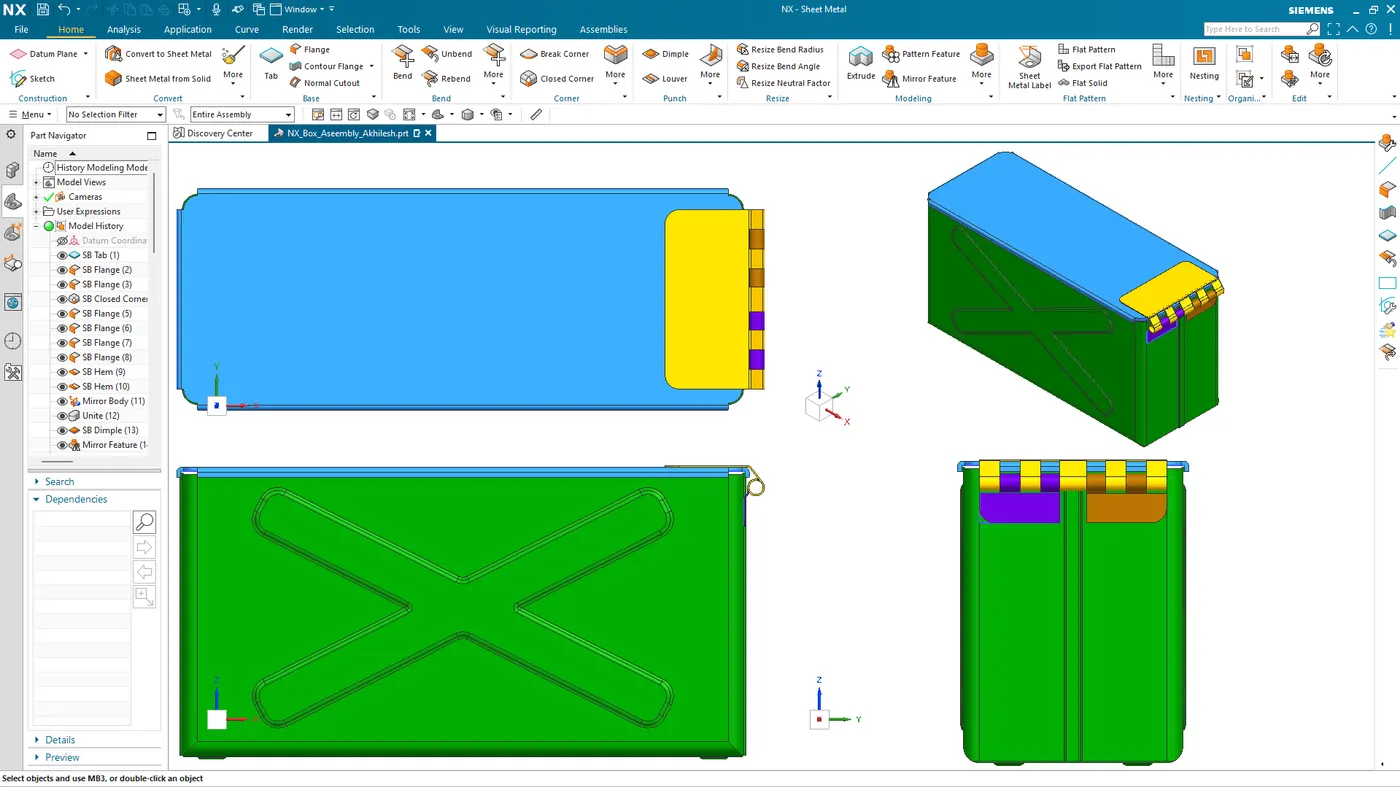
BOX assembly Views:
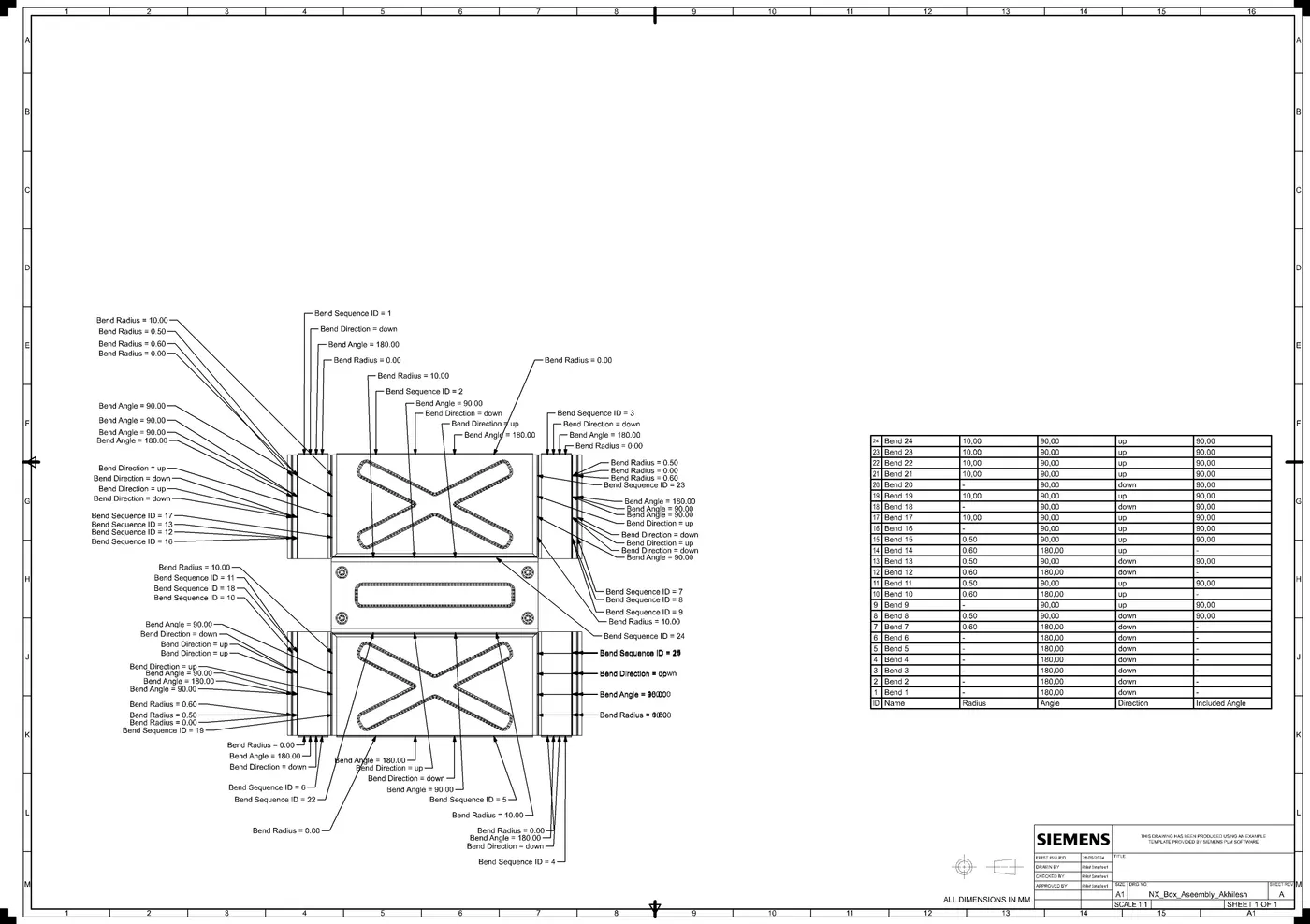
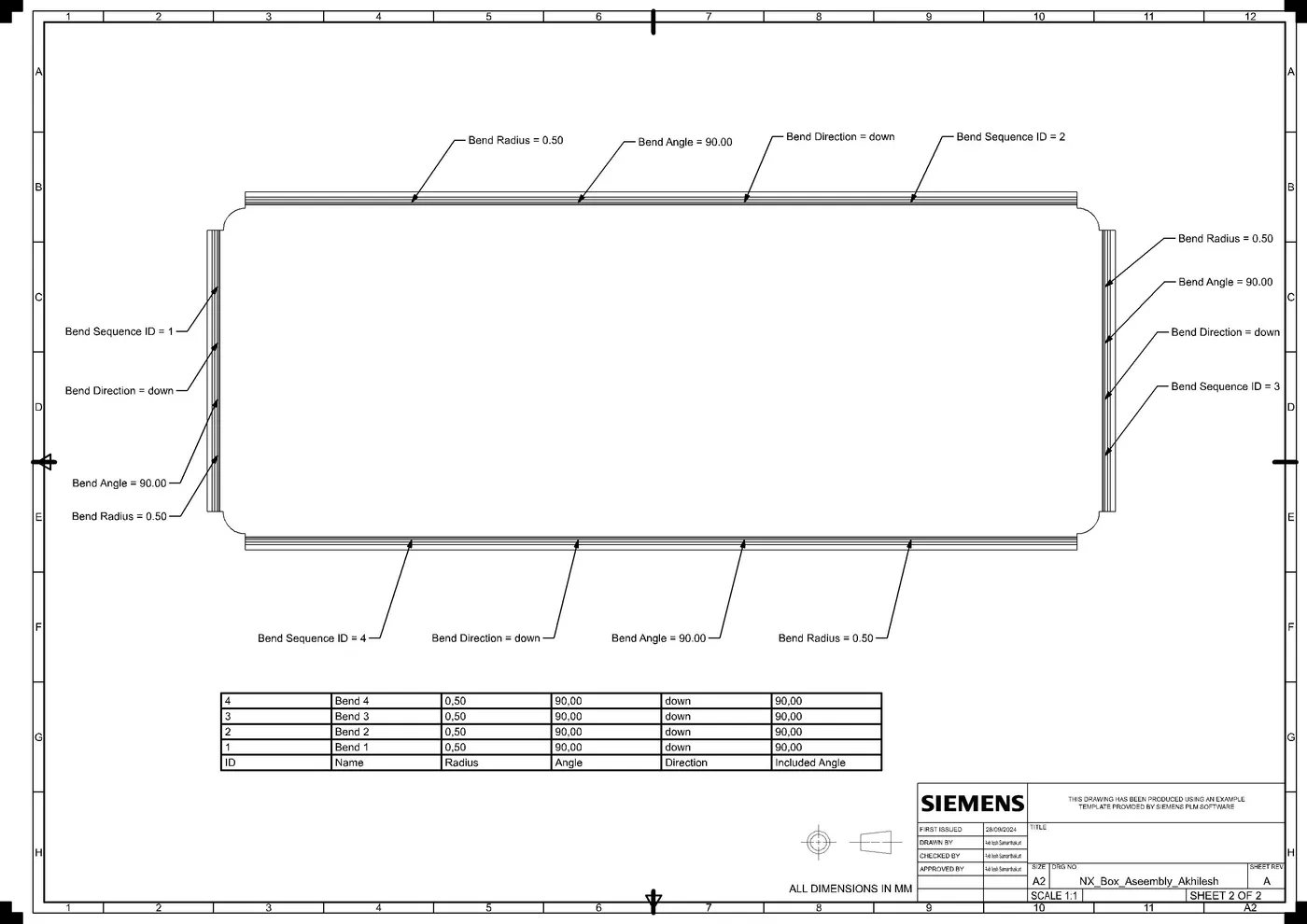
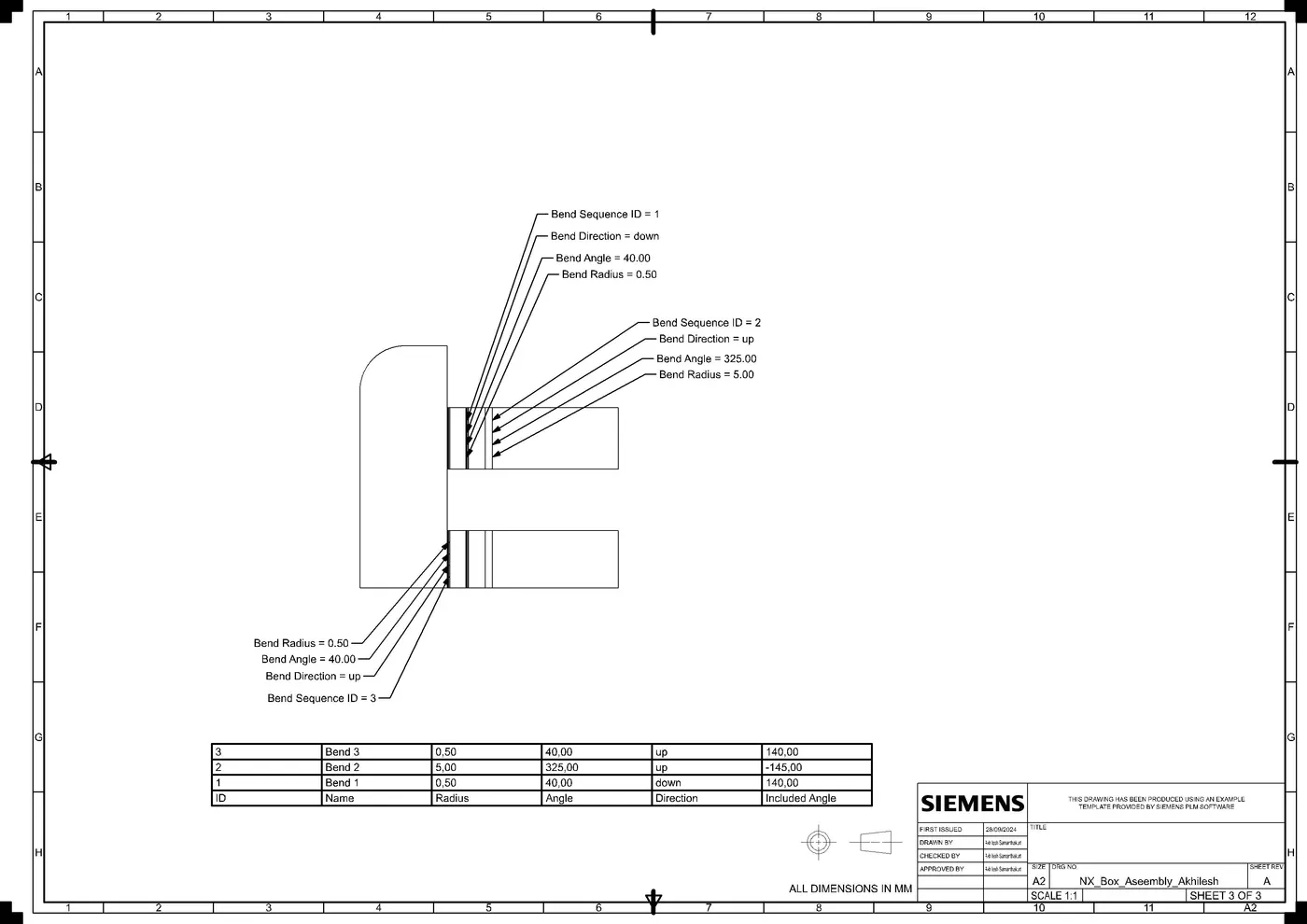
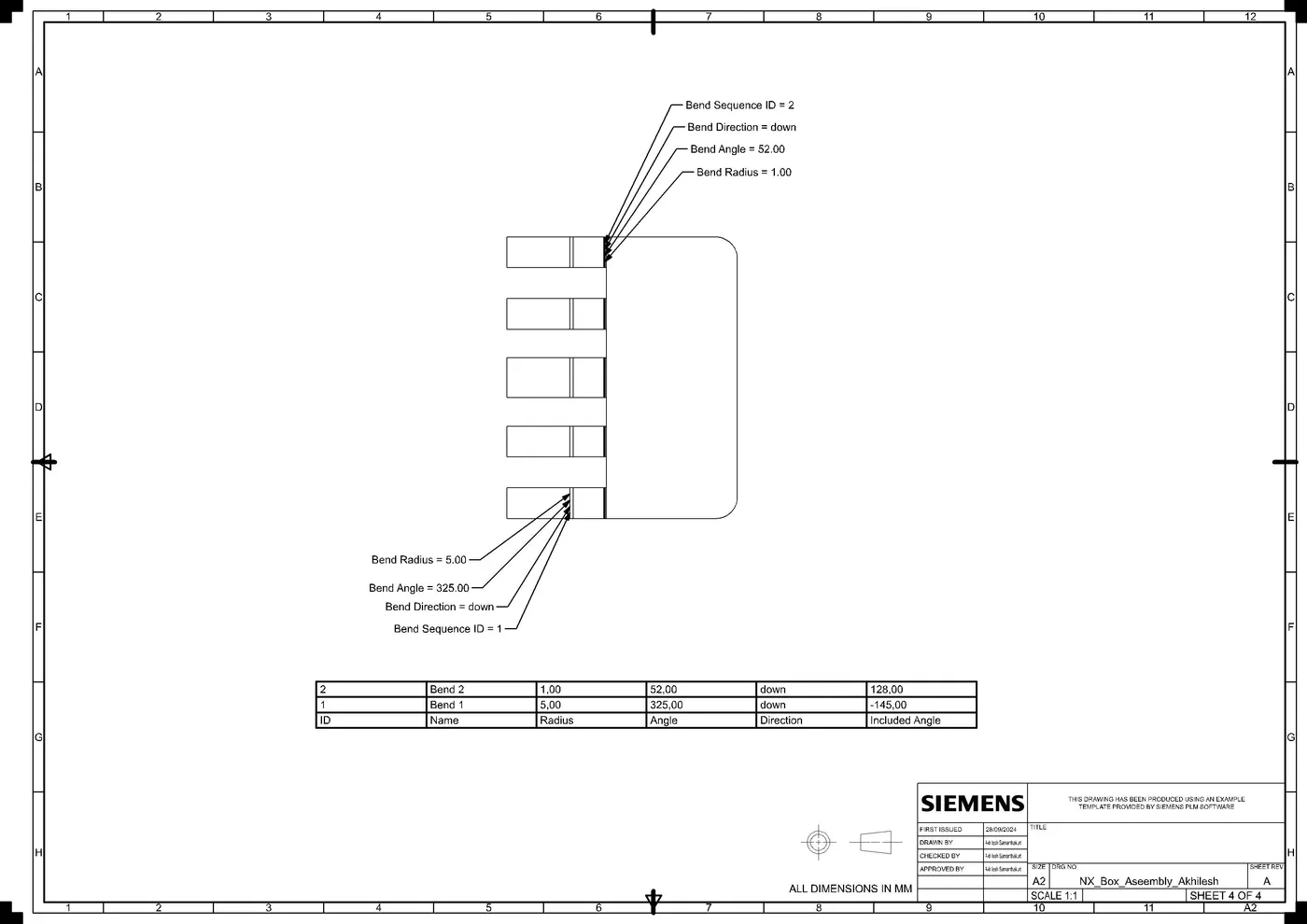
Drawing views:
Conclusion:
Box Assembly has been designed by using NX application and leant about various features of NX Sheetmetal application.