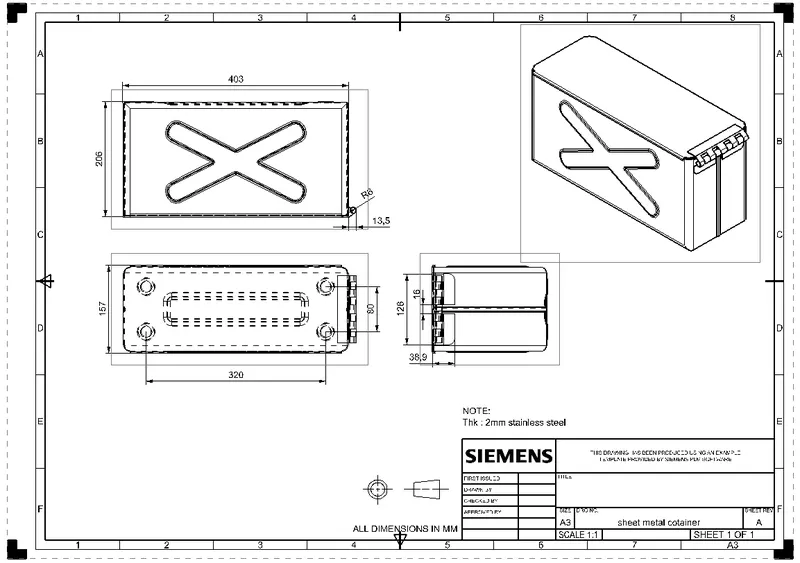
Advanced Sheet Metal Design Using NX Cad Challenge_2_Box Assembly
- Title of the Project
CREATING CONTAINER USING SHEET METAL APPLICATION USING NX2027,
- Objective
OBJECTIVE IS TO USE VARIOUS BENDING COMMANDS, LIKE HEM, FLANGE BENDS IN SHEET METAL BENDING.
- Introduction
SHEET METAL DESIGN, it is a very big industry, in each and every component , vehicle, utensile, cars, buses, mahcines, sheet metal part is used. sheet metal we count thickness fromn 0.5mm to 6mm. in fabrication we use sheet metal part, and we bend it using press brake.
we have already blank size, ( flat pattern before bending) then we bend it. the bending radius that also punch radius should be more than or equal to its thickness.
- Design methodology / approach (To be explained with the help of Flowcharts only)
SKETCHS->TAB->FLANGE BENDING-> HEMMING->EDGE HEMMING->SKETCH FOR BASE TAB->
CREATING LOCK FOR BOX: BASE TAB->FLANGE BEND-> ROUND HEM->CUTOUT - CREATING LOCK FOR LID: BASE TAB->FLANGE BEND-> ROUND HEM->CUTOUT
- Description (Need to explain tools/ Features used while designing) >
tab feature :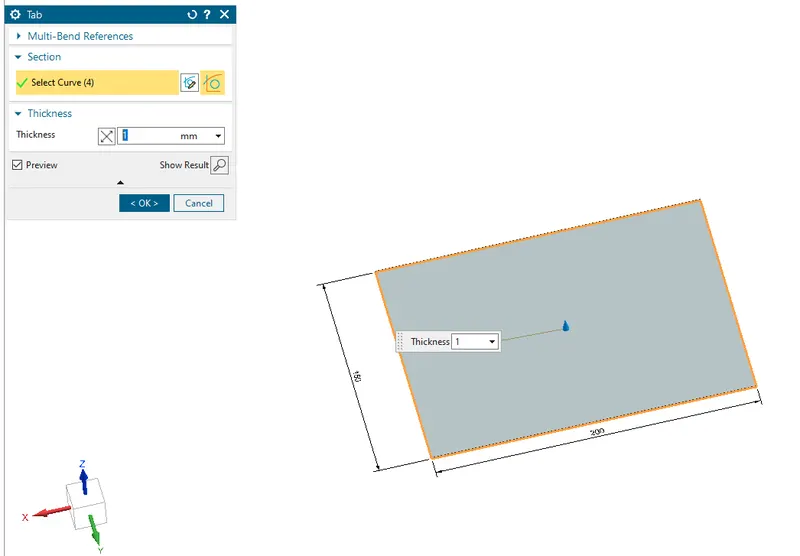
now, using flange bend,: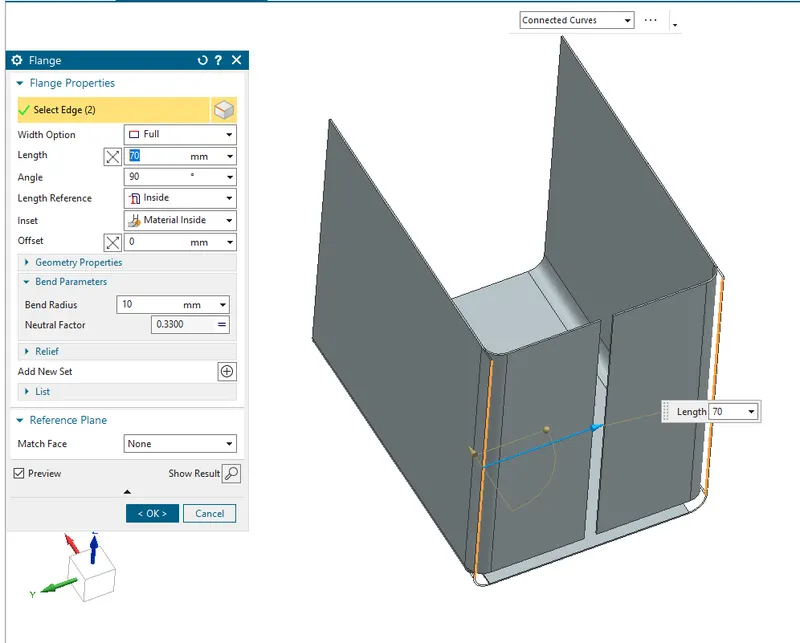
using flange bend:, use bend radius 10 mm, length reference is inside, material inside in the option.
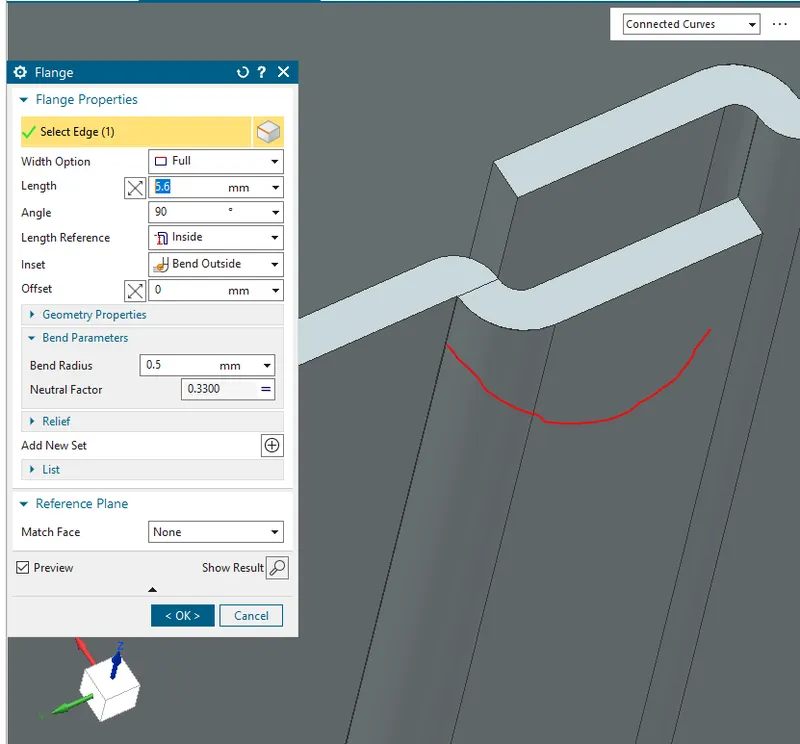
now, using, flange bend for hem joint.
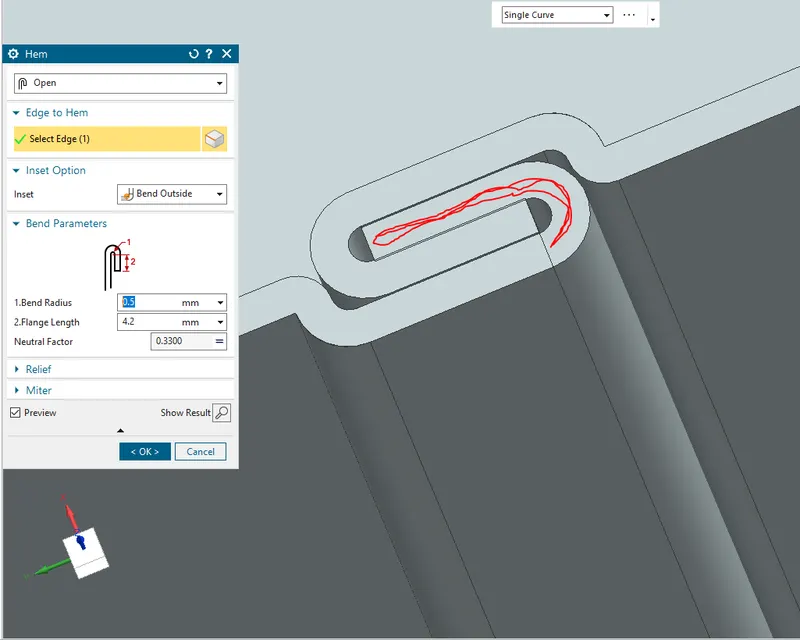
now use hem joint, as shown
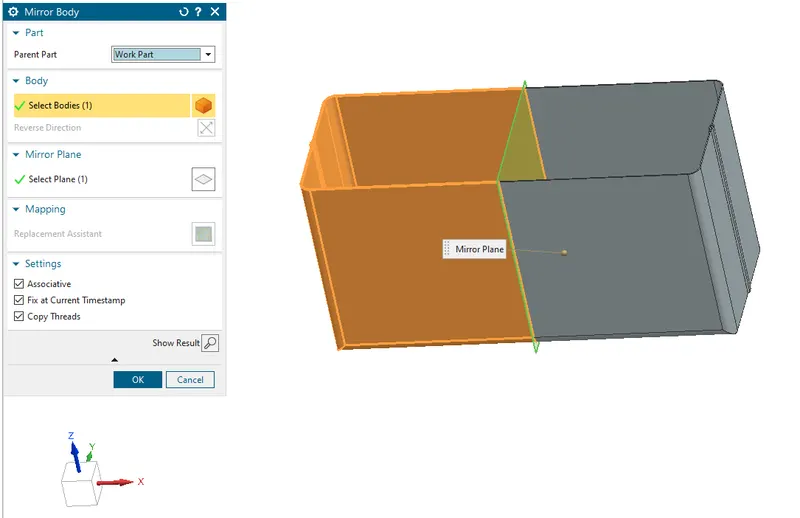
now create a plane, and use mirror body, make sure to use " fix at current timestamp", it will require when uniting.
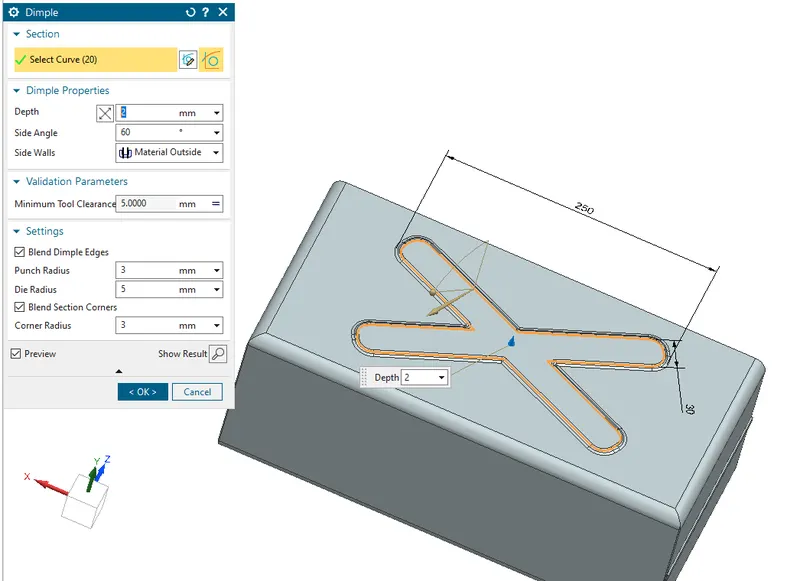
now, make a sketch as shown above and use dimple command and do some radius expored, and hence make dimple of 2-3 mm height.
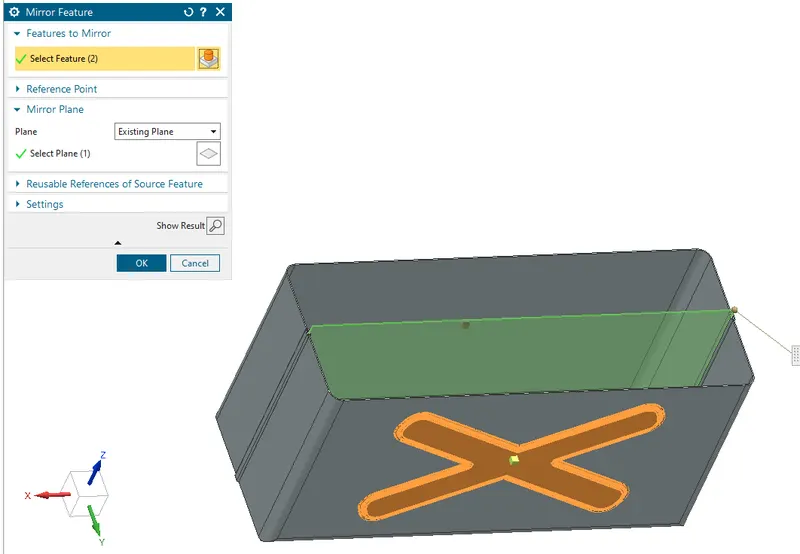
you can miror it using mirror feature as shown above.
now use hem at edge, 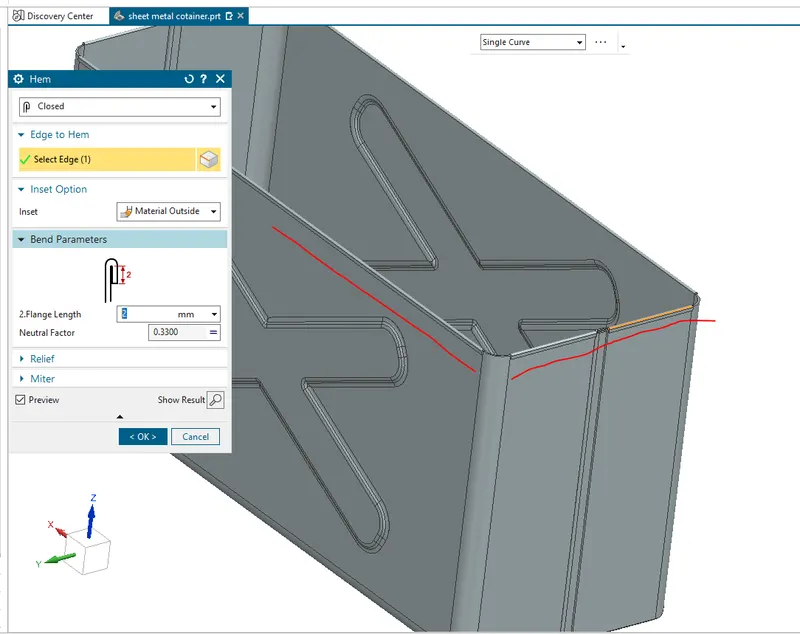
creating a lid, use base tabe and bend its edge using flange bend.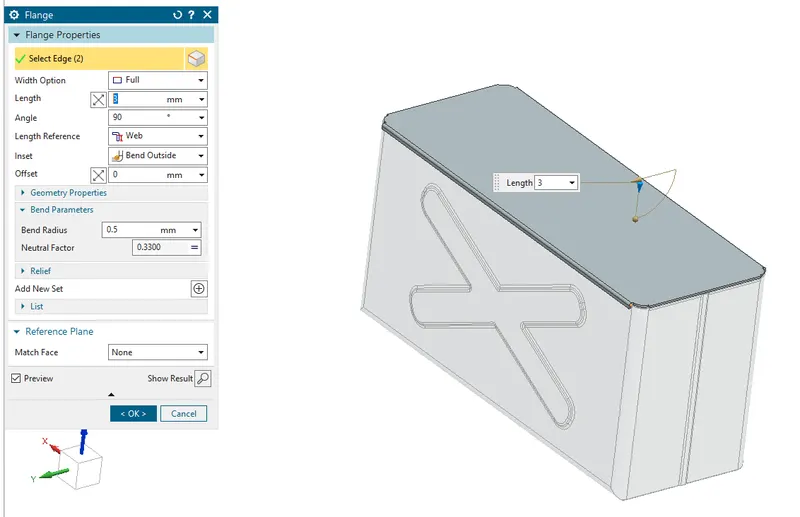
now creat base tab at front, 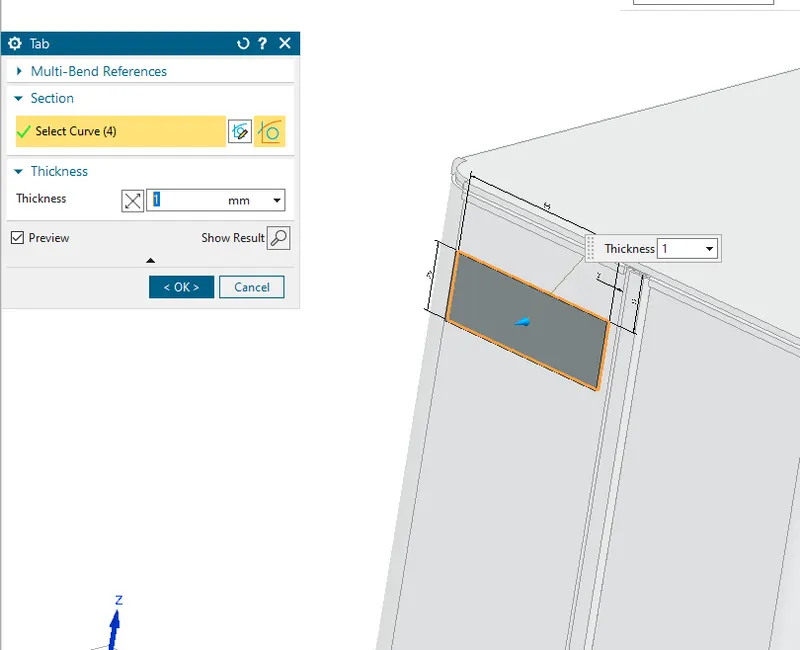
use breat cornor to add radius at sharp corner: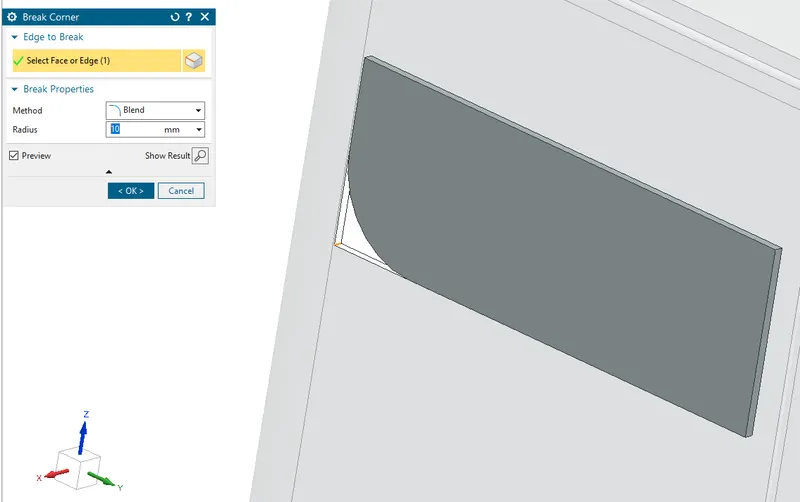
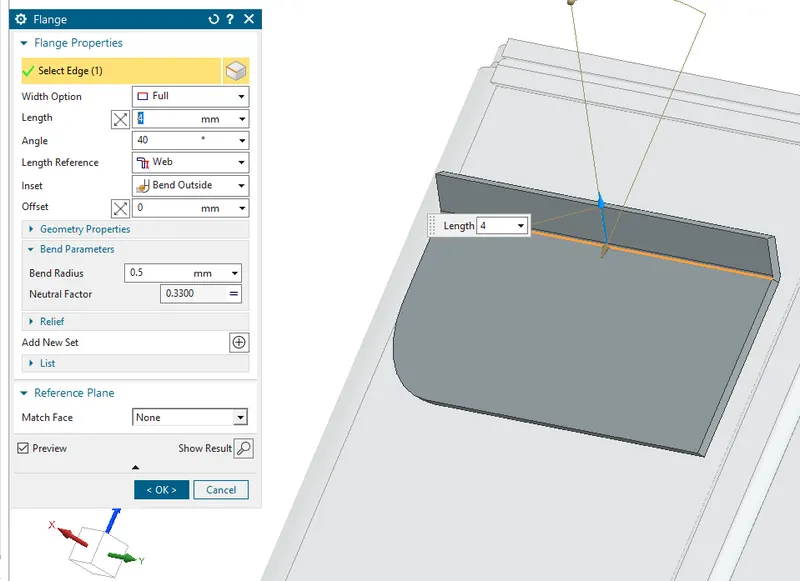
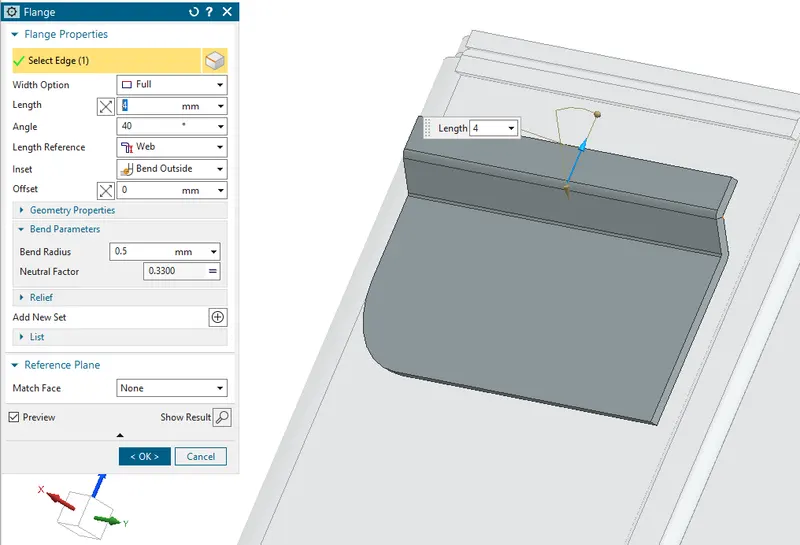
using hem create round :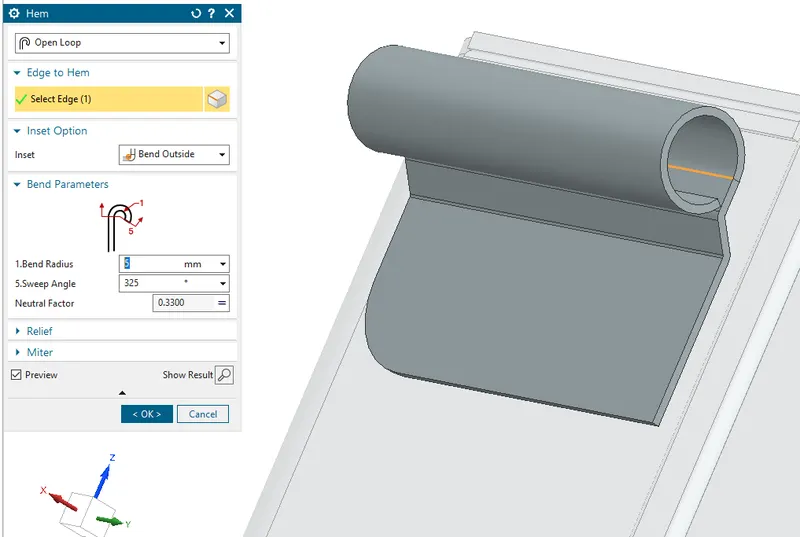
after unbending, do some sketch and use normal cutout as shown: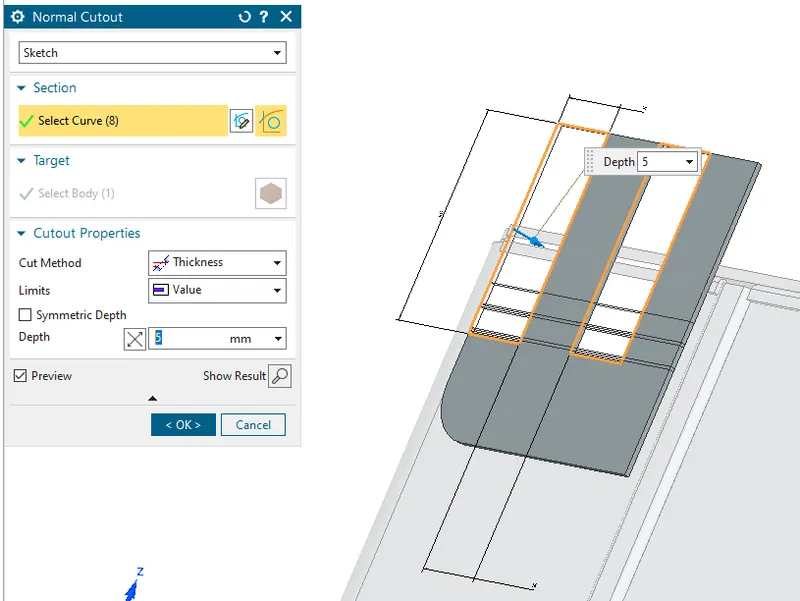
mirroring at right side: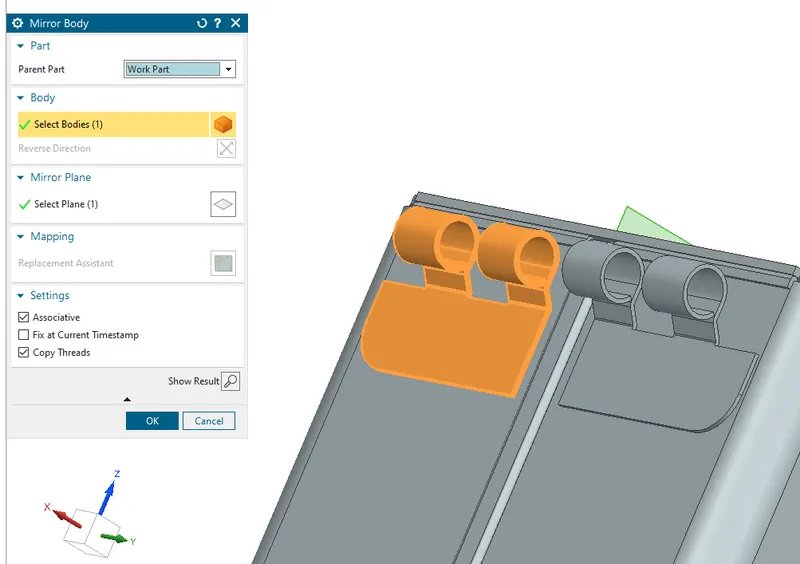
do same flange at up side of the lid, to match create sketch accoringingly, :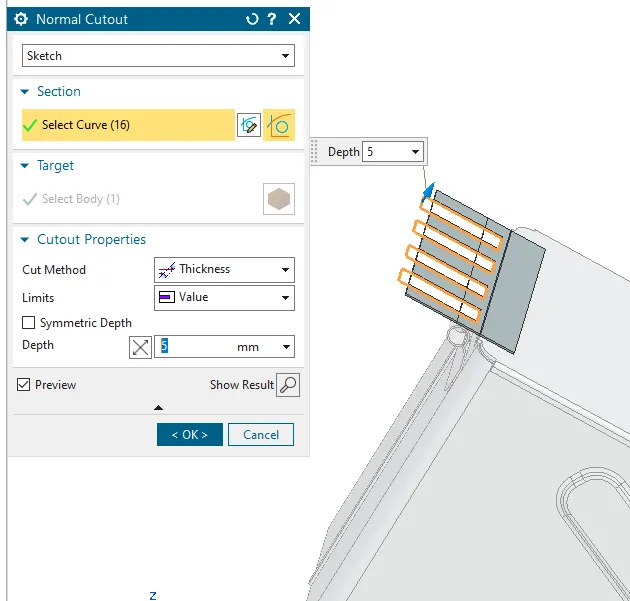
now rebend your part :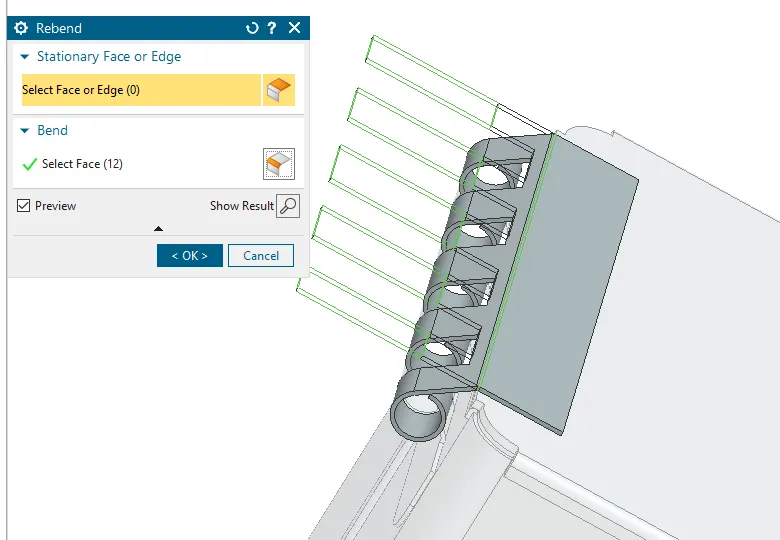
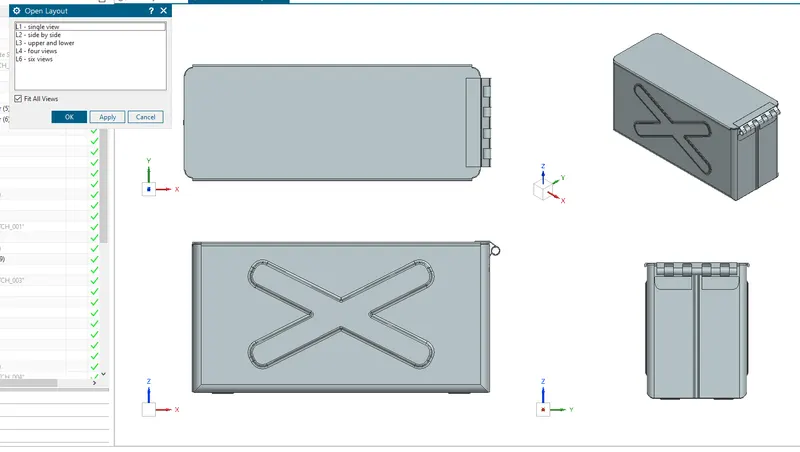
hence container is created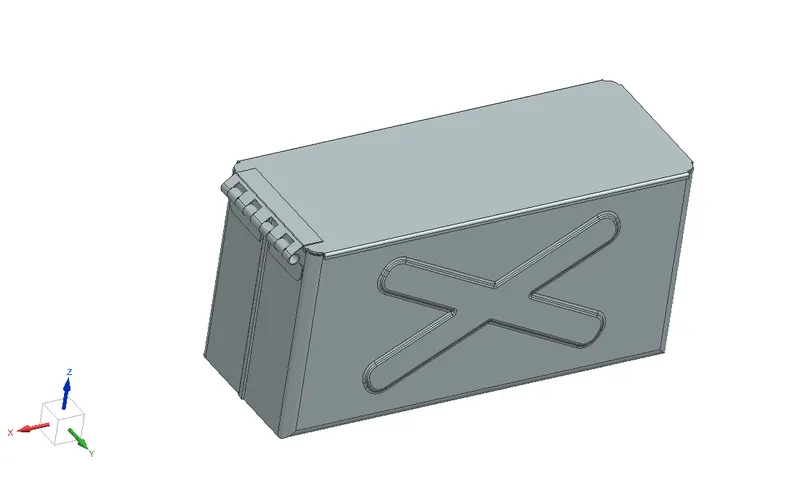
- Upload a min of four screenshots of Model in the report. (Front View, Side View, Isometric View and the Top View)
- Attach Detailed Drawing Sheet Image (If Required)