Advanced Sheet Metal Design Using NX Cad Challenge_2_Box Assembly
TITLE OF THE PROJECT: Advanced sheet metal design using Siemens NX cad - Box Assembly.
OBJECTIVE: To design a box assembly and create a draft of it using the Siemens NX Sheet metal application.
Introduction: Sheet metal: It is formed by an industrial process into thin, flat pieces, It is one of the fundamental forms used in metalworking and it can be cut and bent into a variety of shapes it is used in many sectors including the aeronautics & automotive sectors
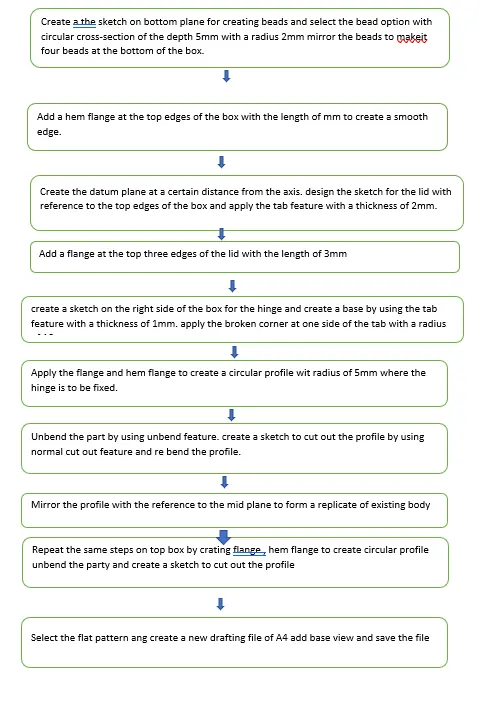 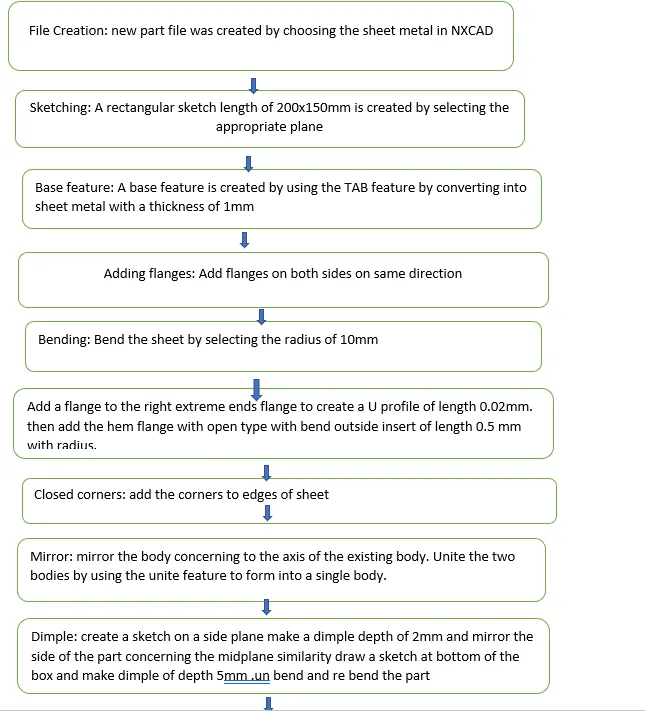 |
|||||||||||||
Description:
Features Used:
Sketch: It is a basic command to draw 2d models
Tab: This command is used to create a base feature by extruding a sketch along a vector by a thickness value or by adding material to existing faces and bend regions of the sheet metal part.
Flange: This command is used to add a flat flange at an angle to the planar face and add a bend between the two. A flange consists of a bend region and a web.
Closed Corner: This command is used to modify two flanges in one operation and to close the corner where the two flanges meet.
Hem Flange: This command is used to modify an edge of a sheet metal part by folding it onto itself for safe handling or to increase edge stiffness.
Mirror Body: This command is used to mirror the part w.r.t the required axis.
Unite: This command is used to combine the two parts into one part.
Dimple: This command is used to lift an area of the model inside the sketch that stimulates a stamping tool.
Mirror Feature: This command is used to mirror the required sketch to the other side concerning the axis.
Unbend: This command is used to flatten the 3D model by selecting one stationary face.
Rebend: This command is used to rebend the flattened sheet material.
Bead: This command is used to lift material along the contour of a sketch that stimulates a stamping tool. Beads can also be created to stiffen sheet material.
Datum Plane: This feature is used to project the plane at a certain distance by giving the distance.
Normal Cutout: This command is used to remove the unwanted material w.r.t to the sketch.
Break Corner: This command is used to round or chamfer sharp corners of a tab or flange.
Images of a Box Assembly:
Isometric view: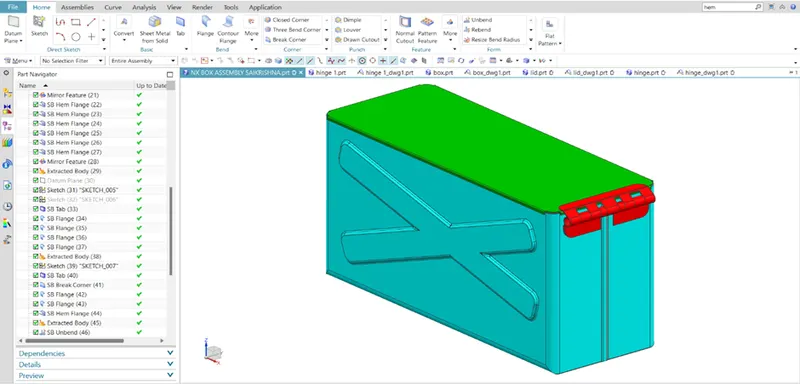
FRONT VIEW: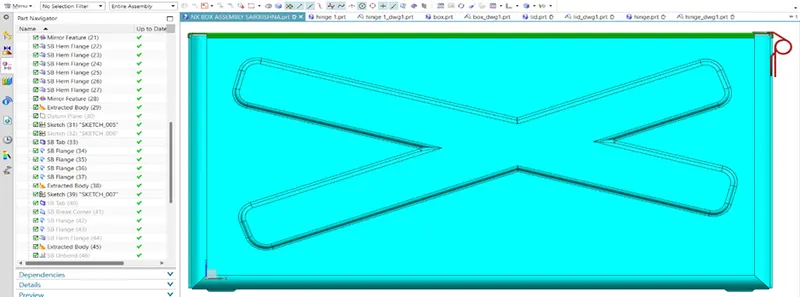
TOP VIEW:
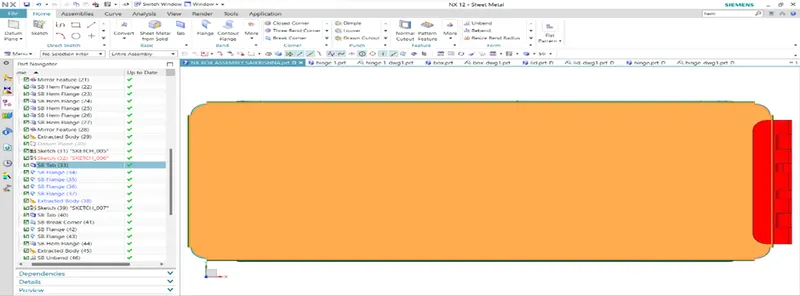
SIDE VIEW: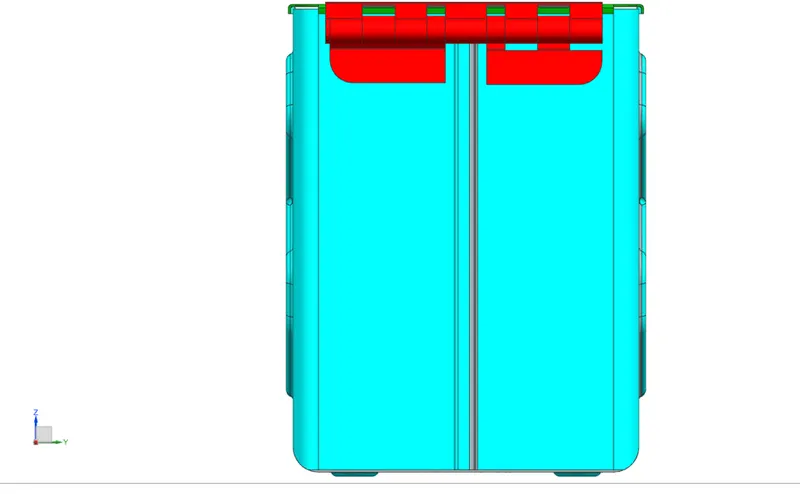
BOTTOM VIEW: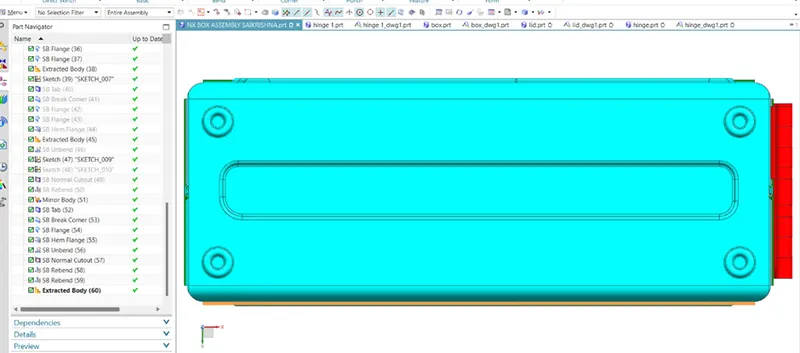
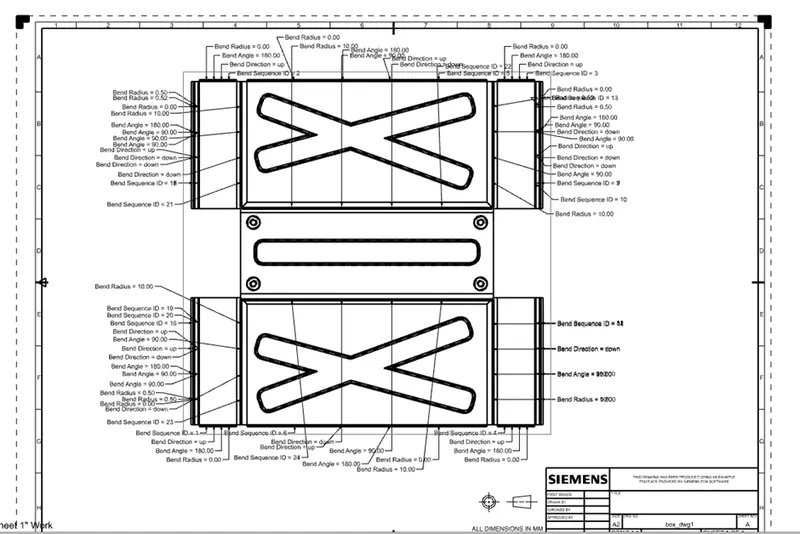
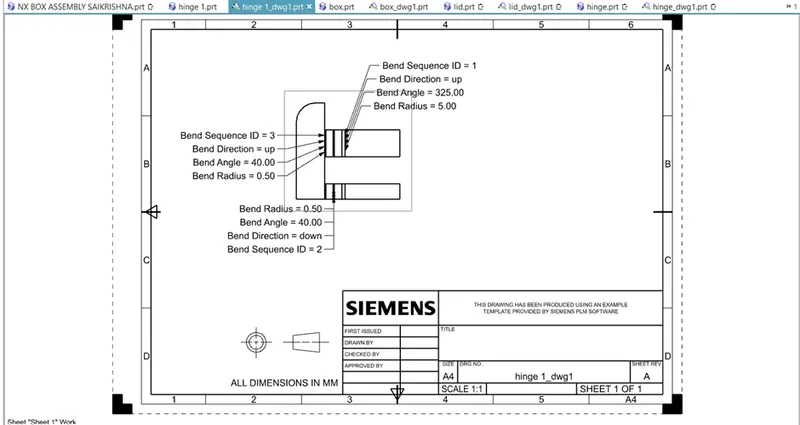
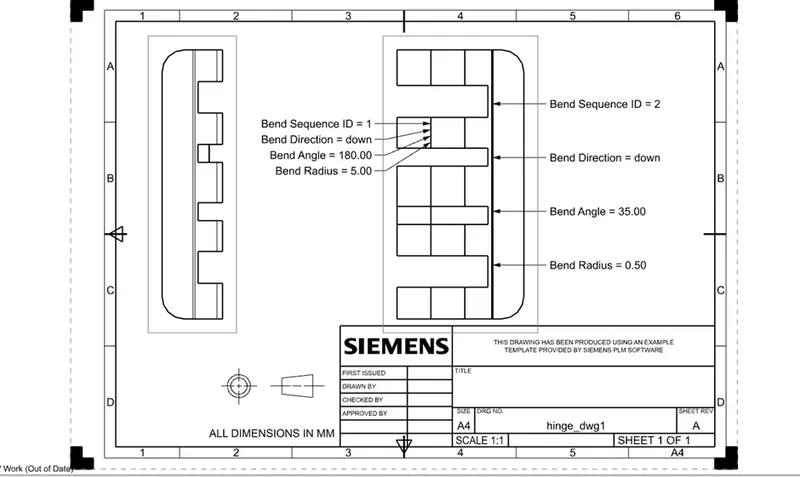
DRAFTING :
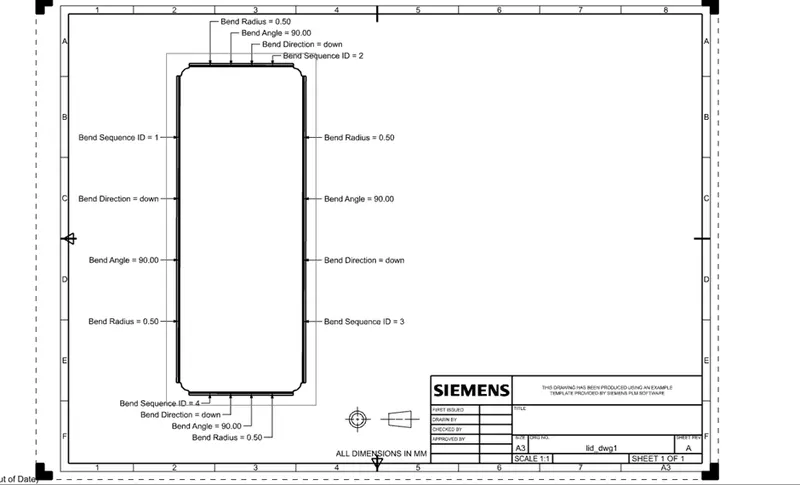
Conclusion:
Box Assembly has been designed by using the NX application and learned about the features.