Advanced Sheet Metal Design Using NX Cad Challenge_2_Box Assembly
Sheet metal Box Assembly Design Using NXCAD
Objective
- Design and Assemble box using NXCAD, Sheetmetal NXCAD Software.
Introduction
- NX CAD is a 3D modelling software. In addition, it consists of Sheetmetal, surface modelling as well as drafting option. NXCAD is specially known for it is Sheetmetal application since it has various features and tools to design Sheetmetal.
Design Methodology
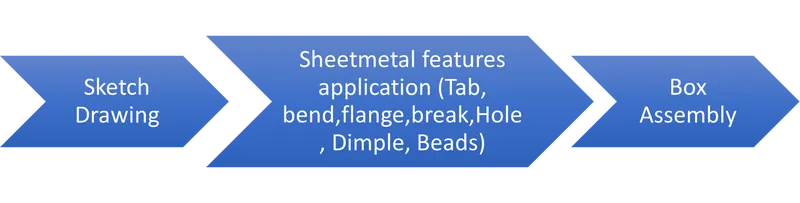
Box Assembly
Features Used
- Tab is used to extrude a sketch as a base feature.
- Bend is used to bend Sheetmetal from tab.
- Flange is used to add flanges to base feature or secondary feature.
- Closed corner is used to close the corner of the ends of two adjacent faces using adjacent bend faces.
- Hem Flange is used to give extra strength to sheet metal as well as to keep it together without welding application.
- Mirror is a command used to mirror two bodies with respect to a chosen plane.
- Dimple is used to emboss a design on a Sheetmetal.
- Bead is used to create a punch feature of any predefined sketch.
- Normal Cutout is used to cut a sheet metal using sketch.
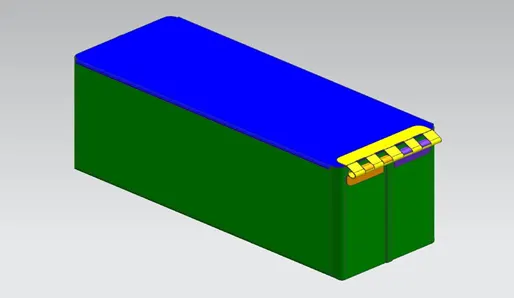
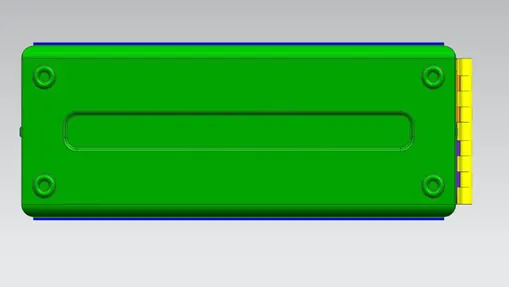
Views of Box Assembly
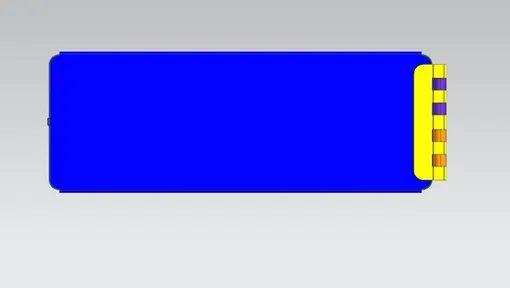
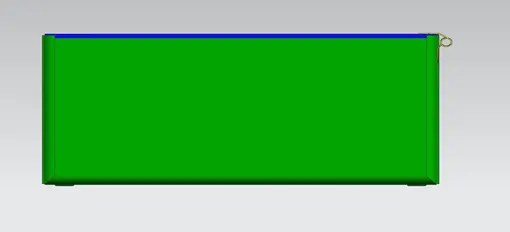
Conclusion
- Box Assembly was designed and modelled using Sheetmetal applications in NXCAD software.
Conclusion
- Box Assembly was designed and modelled using Sheetmetal applications in NXCAD software.