Advanced Sheet Metal Design Using NX Cad Challenge_1_Casing Design
Advanced Sheet Metal Design Using NX Cad Challenge 1 Casing Design
Title of the Project: Advanced Sheet Metal Design Using NX Cad Challenge 1 Casing Design
Objective: To design a Casing with the help of NX advance sheet metal.
Introduction:
NX Sheet Metal provides a set of tools within the NX design environment that allows for simple and fast design of sheet metal parts, dependent on their material and manufacturing process. NX sheet metal design software incorporates material and process information in sheet metal-specific modelling features: bends, flanges, tabs, cutouts, beads, dimples, louvers, corner and edge treatments, patterns and other formable features.
We can also quickly convert solid models to sheet metal components, and create sheet metal parts that enclose other components.
NX Sheet Metal-specific features such as flanges, tabs, jogs, corner conditions, and drawn cutouts & many more along with productivity enhancements such as – automatic bend reliefs.
So, in this project I am going to design a Casing by using sheet metal tools and commands.
DESGIN STEPS
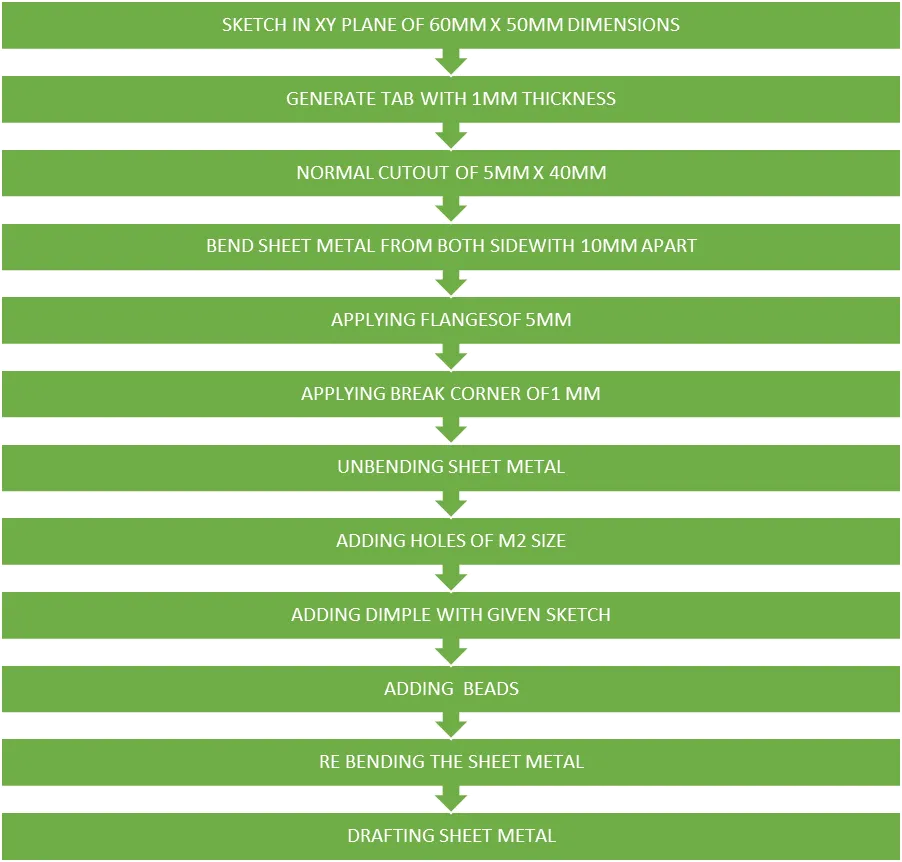
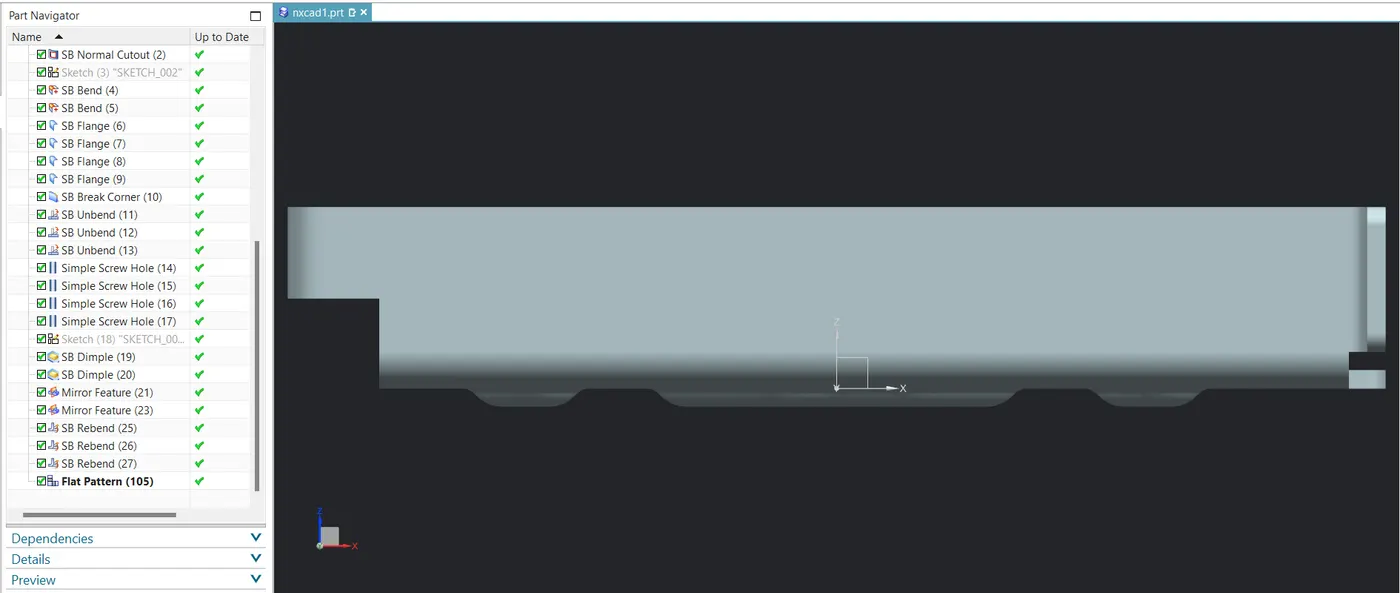
DESCRIPTION OF FUNTIONS ARE IN USED
· TAB: This extruding feature used to convert 2D sketch in 3D by adding thickness.
· NORMAL CUTOUT: This feature used to remove material using sketch.
· BEND: This feature used to bend thicken sheet using reference lines.
· FLANGE: Adding material to reference surfaces.
· BREAK CORNER: Rounds a sharp corner.
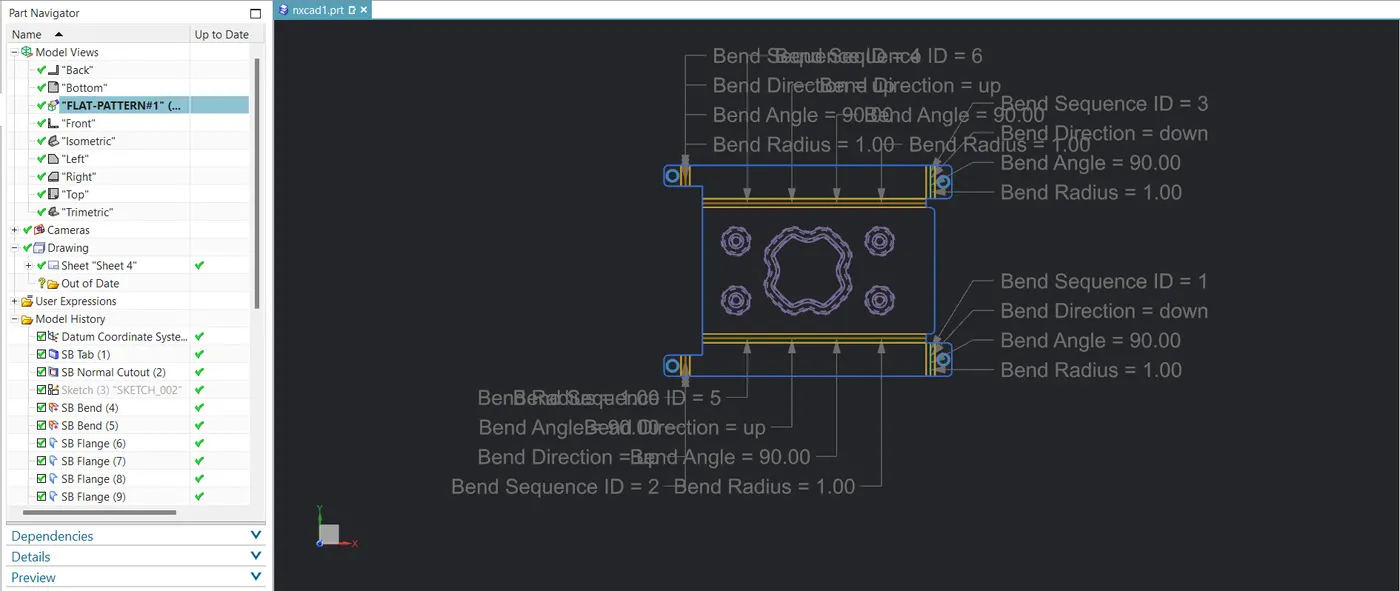
· UNBEND: Flattens all bends of sheet metal.
· HOLE: This feature use to create holes in given sheet.
· STUDIO SPLINE: Creates desired spline using points.
· MOVE CURVE: We can change direction of spline at a certain angle.
· DIMPLE: This feature is used to make depreciation or appreciation using sketch on sheet metal.
· BEAD: Lifts or drop a material of around sketch.
· MIRROR FEATURE: Used to mirror feature with respect to planes.
· REBEND: Restore all bends.
· FLAT PATTERN: Creates flat pattern feature from sheet metal part.
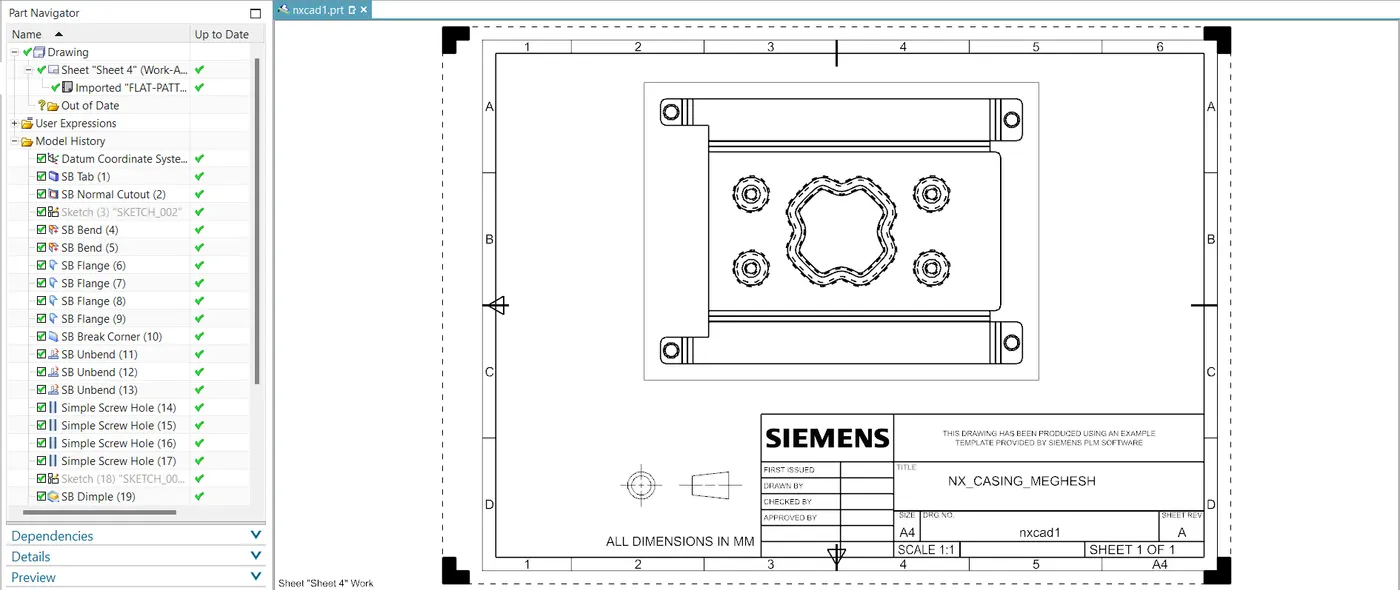
· BASE VIEW: Used to create a model view on the sheet.
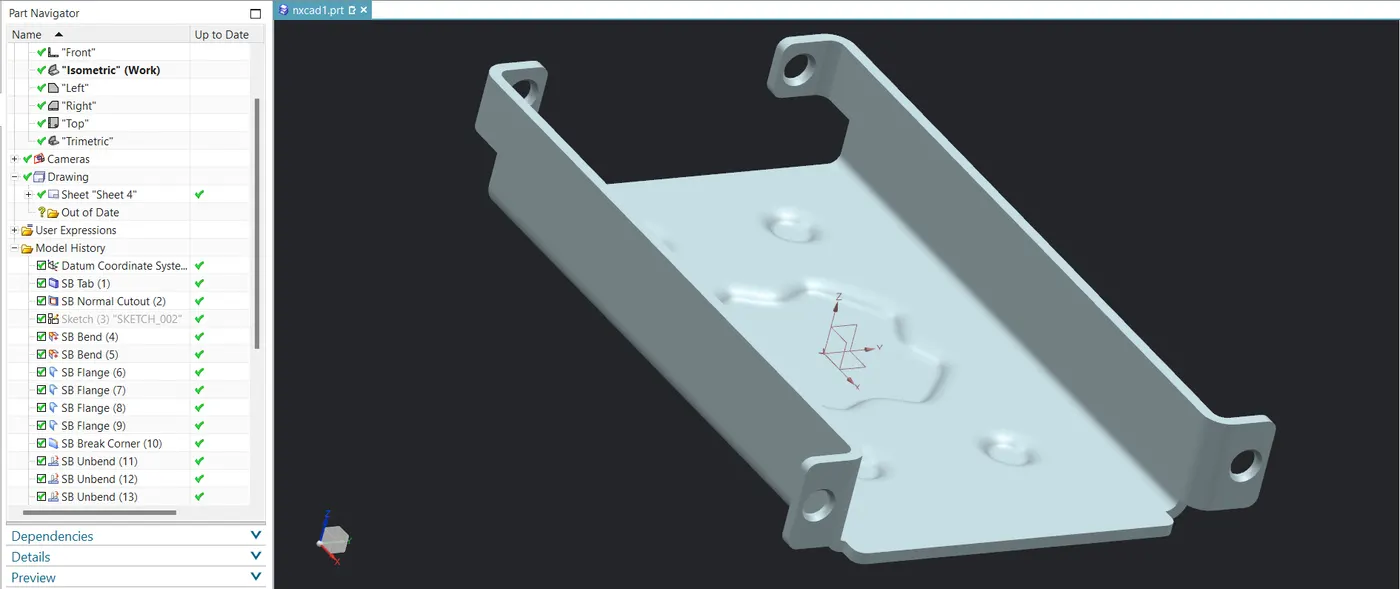
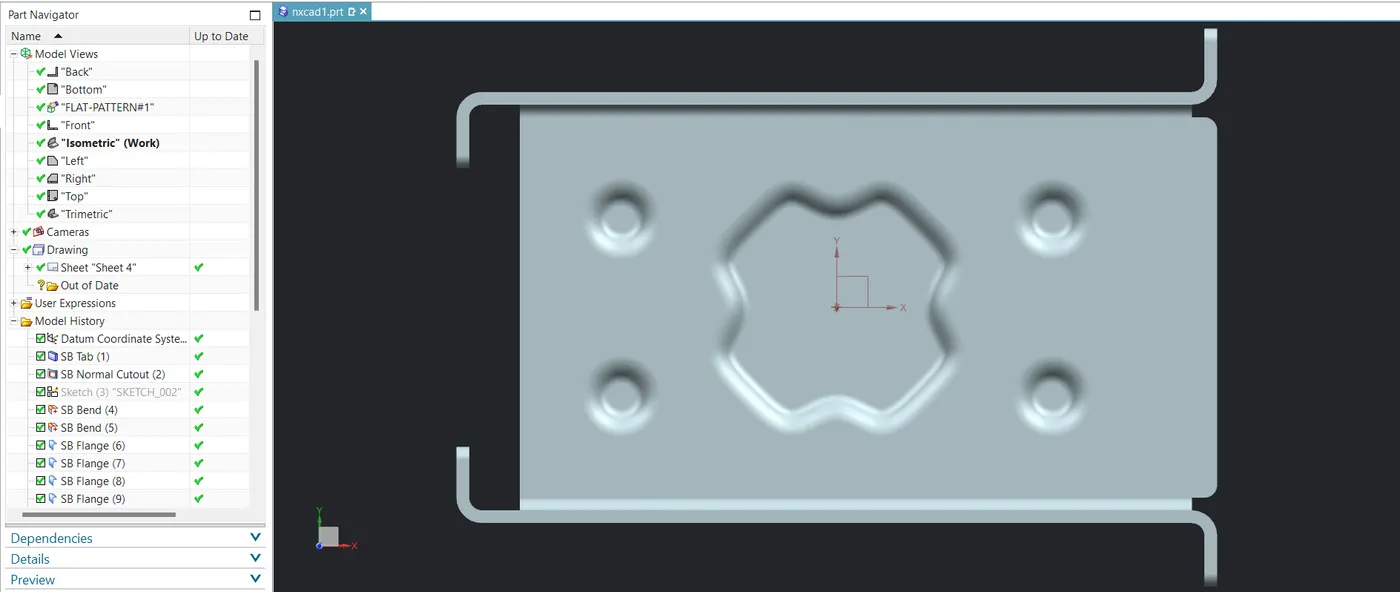
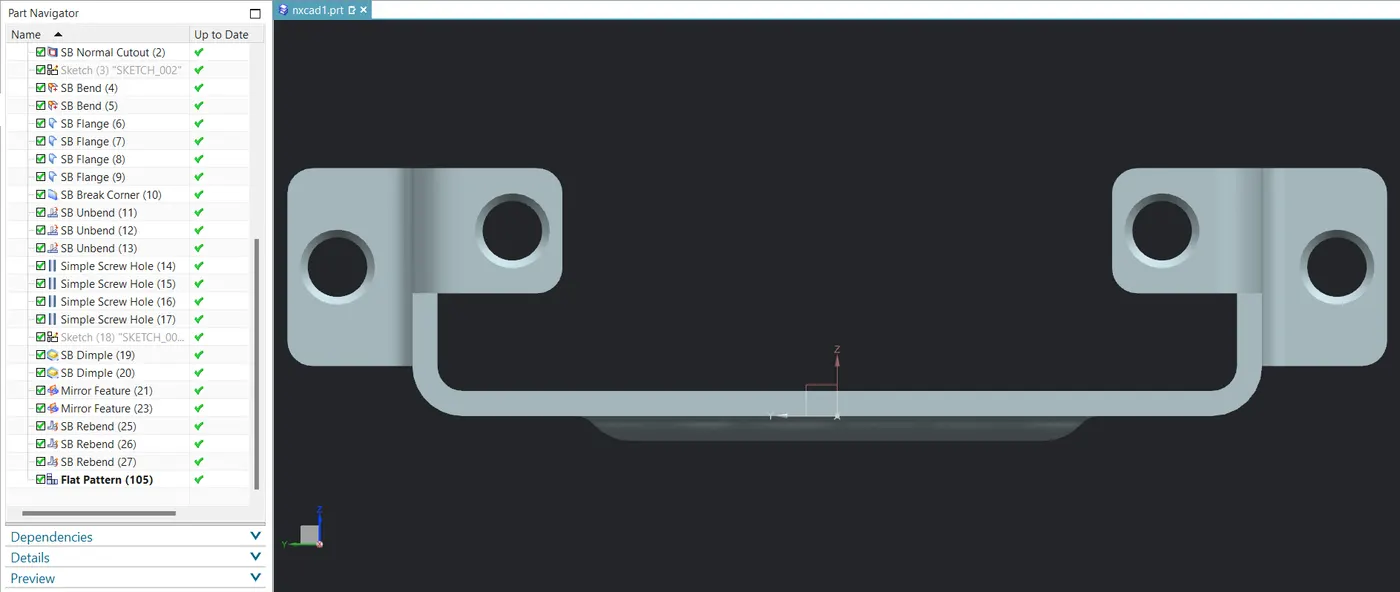
SCREENSHOTS OF MODEL
CONCLUSION: I understand all features and different tools in thissheet metal design.