Advanced Sheet Metal Design Using NX Cad Challenge_1_Casing Design
TITLE: Advance Sheet Metal Design of CASING
OBJECTIVE: To design a sheet metal model of the casing using the NX CAD tool.
INTRODUCTION: Sheet metal is metal formed by an industrial process into thin, flat pieces. As a matter of fact, it is one of the basic shapes used in metalworking and may be cut and bent into a wide range of shapes. Sheet metal is used to create a huge variety of commonplace items.
Metals including titanium, aluminum, brass, copper, tin, and nickel can also be transformed into sheet metal. Important sheet metals for decorative applications include silver, gold, and platinum.
Automobiles, aeroplane fuselages, wings, and kitchenware frequently employ sheet metal. It is impossible to produce all of these in various designs and to prepare drafting in the right manner using manual drawings. Using design tools to accomplish this can help us make a better decision and makes it easier to model the object.
There are some of the design tool software are available like CATIA, AUTOCAD, NX CAD, SOLID WORKS, PROE, etc.
I have chosen the NX CAD of SIEMENS to design this CASING part.
DESCRIPTION:
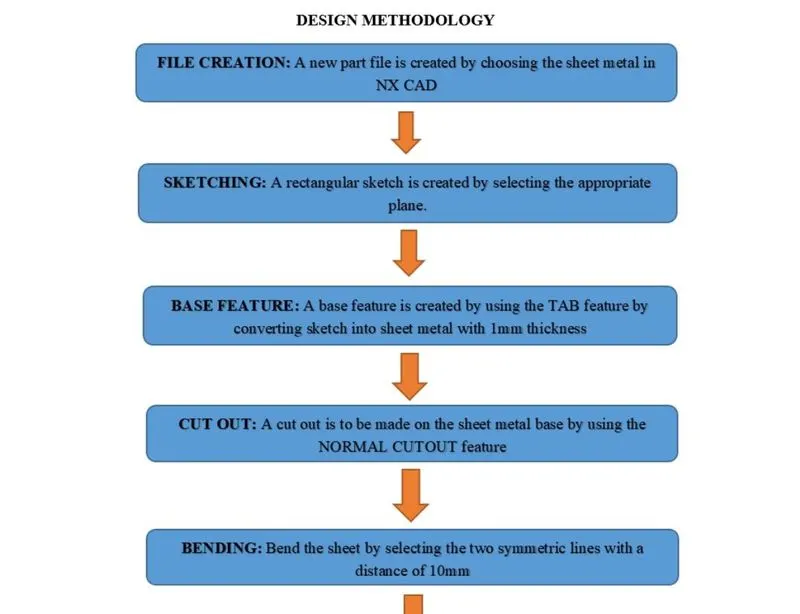
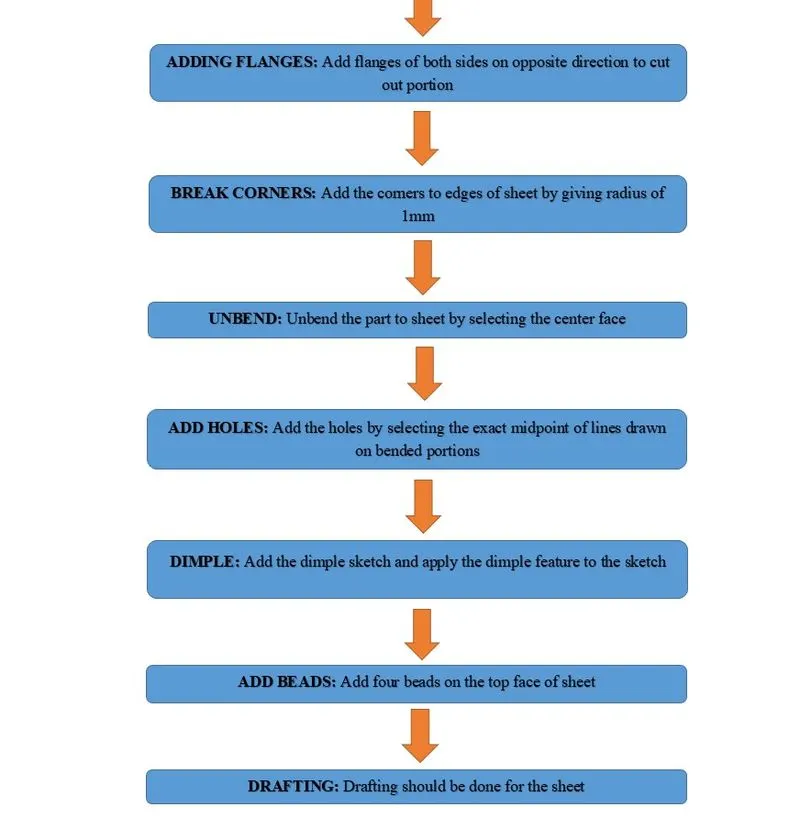
FEATURES USED:
- SKETCH: This is used to create a basic sketch of the design on selecting the desired plane, then later it can be modeled for the requirement.
- TAB: This feature is used to create a base tab on selecting the curve drawn in sketch mode with the appropriate thickness on our desire and it can easily convert that sketch into the sheet.
- BEND: This feature is used to bend the sheet metal along the sketched curve upon our requirement.
- FLANGE: Flange is used to add flanges on selecting the edges of our sheet metal, it is working as a BEND feature along with that extra material can be added by adjusting the length of the flange.
- UNBEND: Unbend is a feature used to analyze the model whether a part was perfectly assigned the features, which ensures for a modeler to do further operations on it.
- HOLE: It is actually used for making the holes on the requirement for further assembly of the part by assigning different types of specifications of screws.
- DIMPLE: It is used to draw a dimple on selecting a curve for modeling the sheet.
- BEADS: This feature is used to create a bead on the sheet which generally strengthens it.
- MIRROR: It is used to add the material or feature replicates by acting as a mirror to it, this generally reduces the modeling time.
- REBEND: This is used to re-bend the object after all conformations and ready for production.
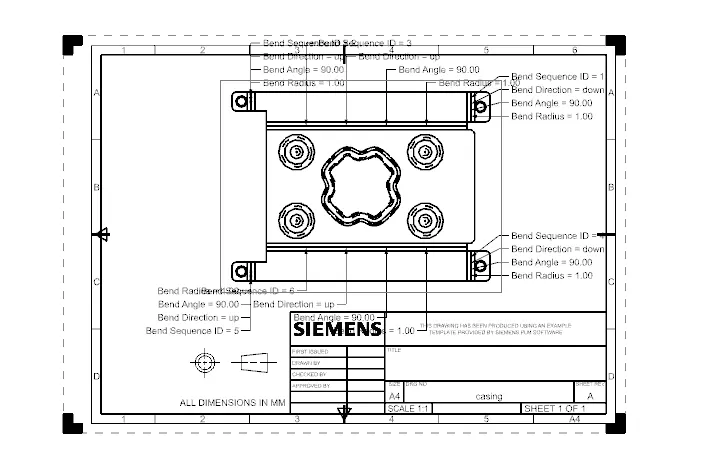
- DRAFTING: It is used to provide the dimensions and views of the designed part to the manufacturing team.
Design Views:
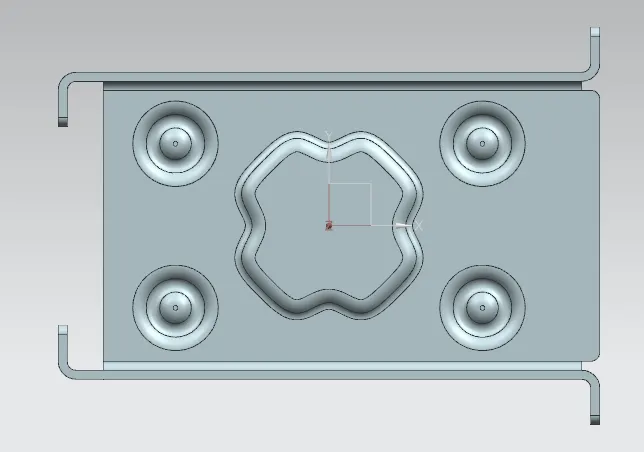
Top View:
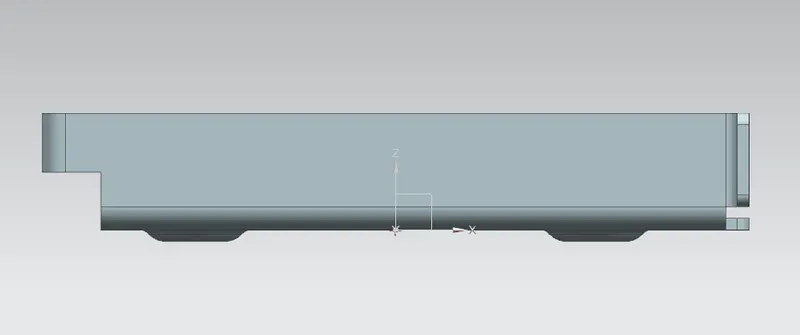
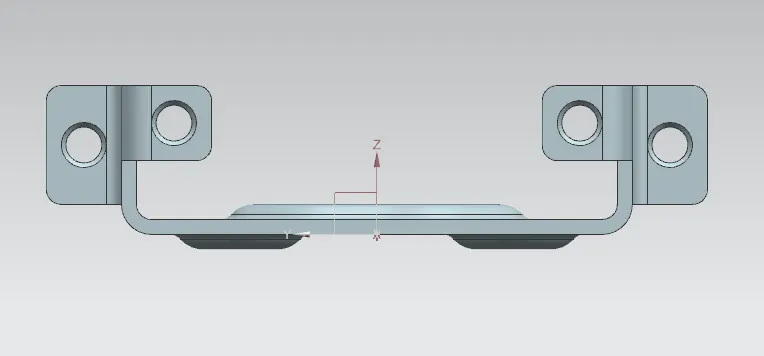
Front View:
Side View:
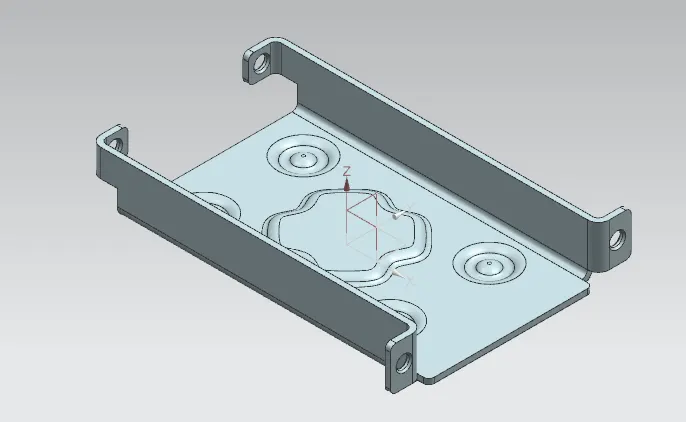
Isometric View:
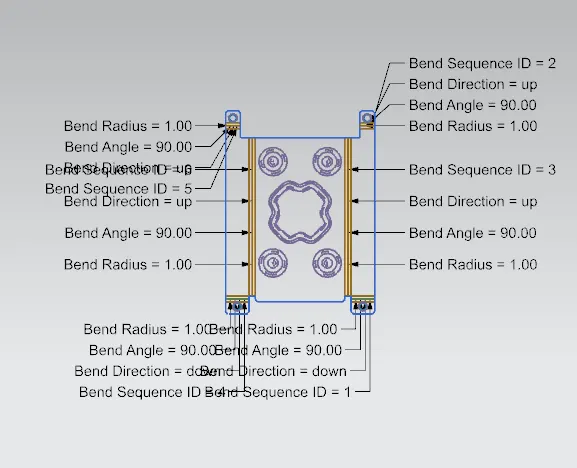
Flat Pattern:
Drawing Sheet:
CONCLUSION:
Gained knowledge about sheet metal and its applications. All the basic features of NX CAD are practiced and finished the challenge by designing CASING DESIGN in NX CAD.