Advanced Sheet Metal Design Using NX Cad Challenge_1_Casing Design
Title :- Casing Design using UGNX
Objective :- Casing Design - Design a sheet metal component using UGNX 3D design softaware,
with sheet meat workbench.
Introduction :- Casing is a body part which a covers and protects something
:- Casing, which can be used for any components and assemblies.
Design approach flow chart :-
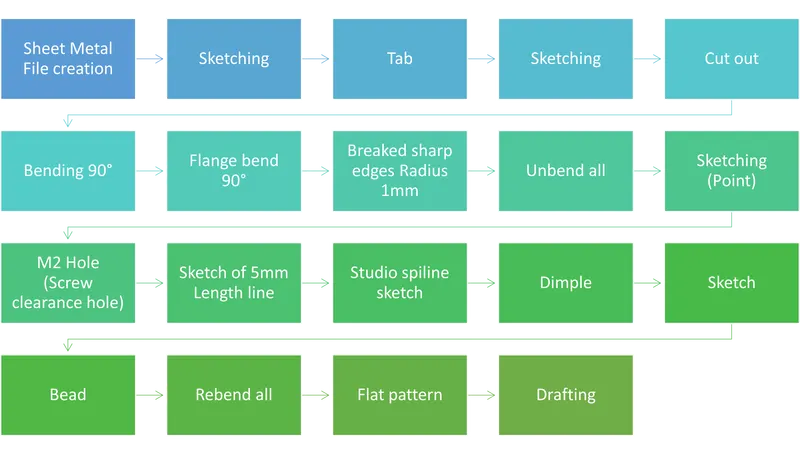
Description
* Sktetching :- Created a sketch with respect to X,Y Direction 60x50 rectangle,
* Tab :- Created a Base tab for futher operations.
* Cutout :- done cut out of 40x5 mm to make notch.
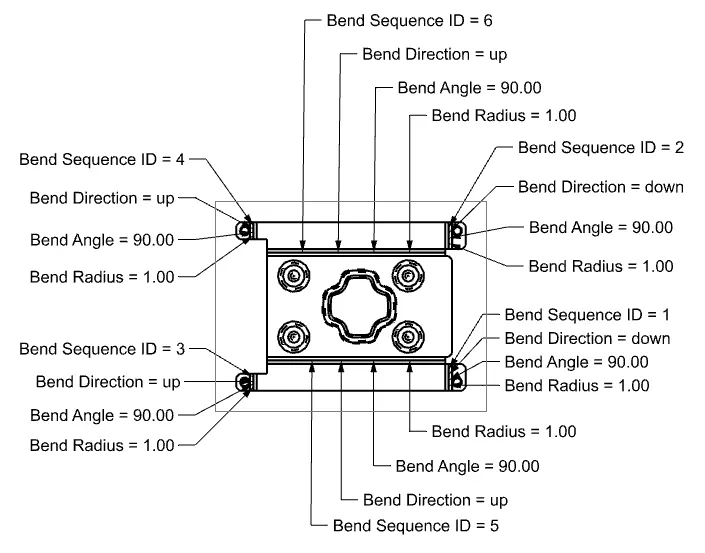
* Bend :- Bend applied 90 degree on both sides, by sketching 10 mm ecch sides.
* Flange :- Flange bend applied 90 degree on 4 sides
* Break corner :- Break corner is nothing but Edge blend, Radius 1 mm if given to required sharp edges.
* Unbend :- we use Unbend command genaraly for making sheet flat for applying hole or some
other commands like jog and etc...
* M2 screw clearance hole :- done one point by sketch the by that point created M2 screw clearance hole.
* Dimple :- Firstly made a 5 mm lines equaly , on that created spiline then on that created a Dimple
some time dimple is required to bolting purpose and some time these
dimples we use also as passing hole for cable and pipes etc...
* Bead :- Bead is made by sketching a circle then applied Bead command,
bead are important to pass serew body and some time for electric cables and pins.
* Rebend :- I did Rebend all edges which erlier i have Unbended to coplete the model.
* Flat pattern :- Flat pattren is one of the importnt operation in sheet metal, to know the actual
parameters of a sheet metal component.
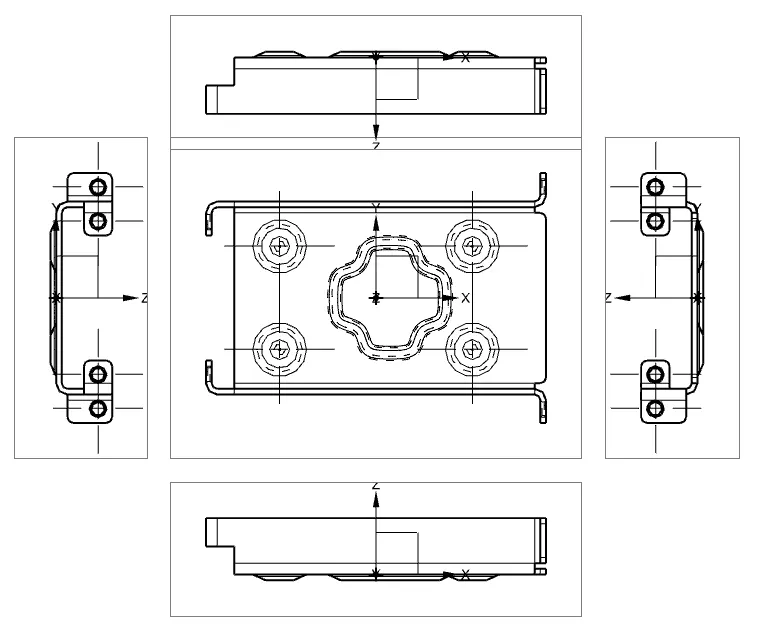
* Drafting :- Genaraly we do drafting for easy understanding , to produse components, to release DFM drawing,
and as well as for tooling purpose also.
Design views
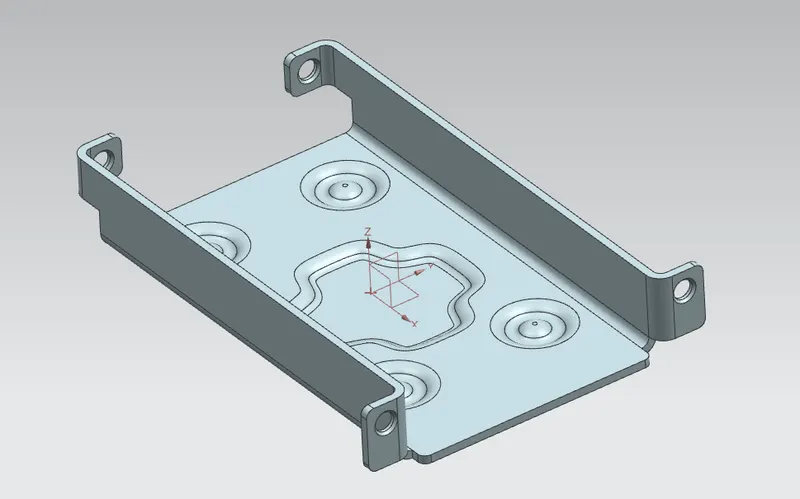
Isomatric view
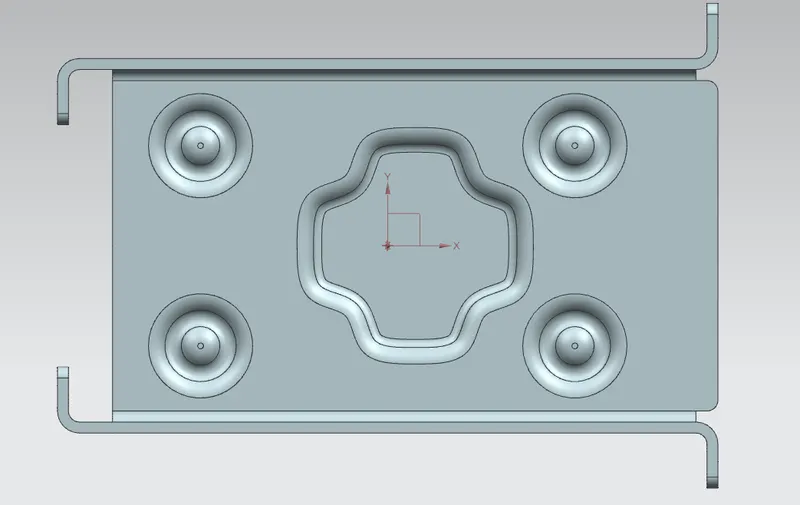
Top view
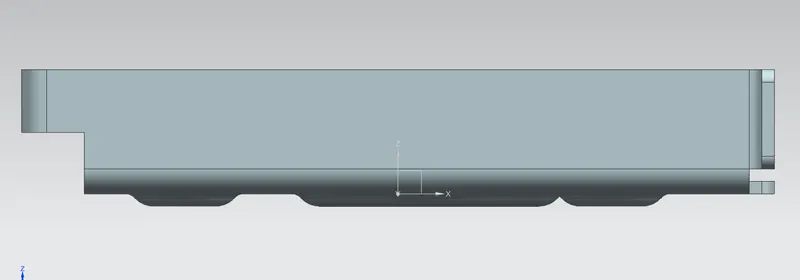
Front vieew
Left Side view
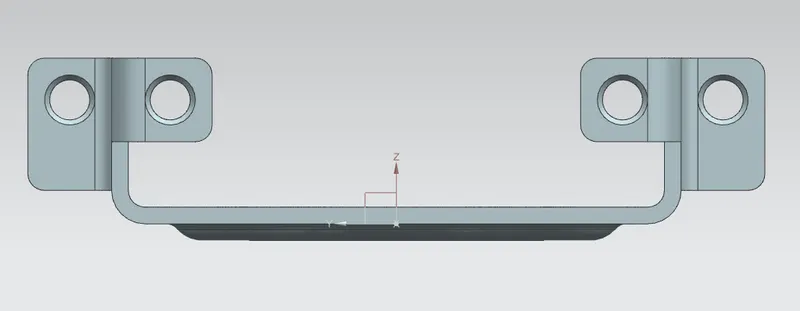
Right Side view
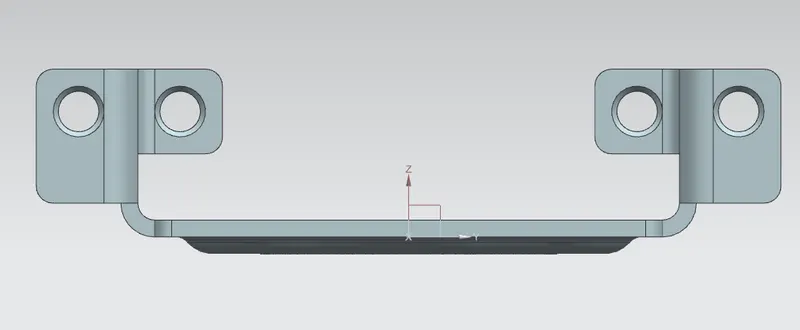
Detailed Drawing sheet :-
Conclusion :- I learned how to use UGNX sheet metal workbench, in that how to use such command like
Tab, Bends, Dimple, Beads and improtant is Flat patren commnd.
So now iam able to do drawings with Dimple and besds also and also iam able release
Flat pattern drawings for manufacturing and tooling.