Advanced Sheet Metal Design Using NX Cad Challenge_1_Casing Design
Title: Advanced sheet metal design using NX Cad:- Casing Design
Objective
- The objective of this project is to design the sheet metal casing using the Siemens NX Cad software’s sheet metal application.
- To learn and understand use of various tools used in sheet metal design.
- To make a draft of the casing modeled.
Introduction
Sheet metal is a type of metal which is formed into thin sheets by various industrial processes. It’s thickness varies from 0.5mm to 6mm. It is widely used in Automobile, Aerospace, roofs for buildings and so on, the most commonly used metals are aluminum, steel, tin, etc.
Design Methodology
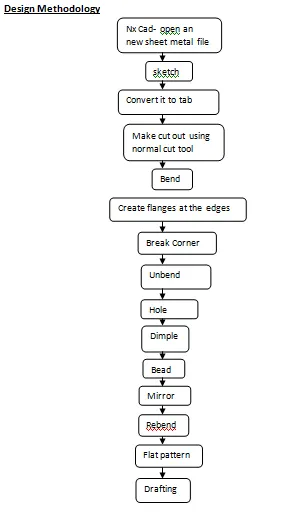
Description of tool and features
Tab
This tool is used to create a base feature by extruding a sketch along a vector by given thickness value.
Normal Cutout
This tool is used to cut the material by projecting a sketch onto the model and cutting perpendicular faces intersected by the projection.
Bend
This tool is used to bend material on one side of a sketch line and adds a bend between the two sides based on angle and length given.
Flange
This tool is used to create a flat flange at an angle to a planar face by creating a bend between two faces.
Break corner
This tool is used to make the corners of a tab or flange round or create a chamfer.
Unbend
This tool helps to flatten a bend and the material adjacent to the bend so that the holes or other features can be created.
Hole
This tool is used to create holes of various type like screw type, counter bore, counter sink etc.
Dimple
This tool is lift an area of the model inside a sketch which simulates the stamping tool.
Bead
This tool is lift an area around a contour which simulates the stamping tool.
Mirror
This tool is used to replicate features, faces, and bodies about a plane or a planar face.
Rebend
This tool is used to restore an unbend feature to its previous bent state, along with the features added after unbend feature.
Flat pattern
This tool is used to create a flat pattern from the formed sheet metal part.
Drafting
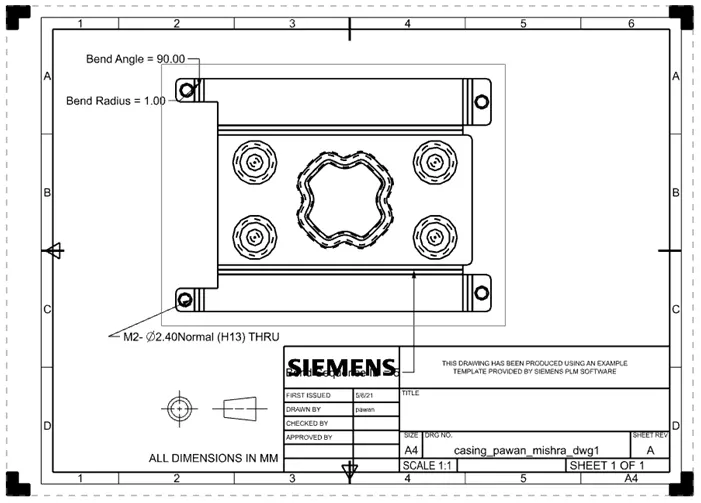
Drafting is used to convert 3d models into 2d technical drawings.
Screenshots of the model
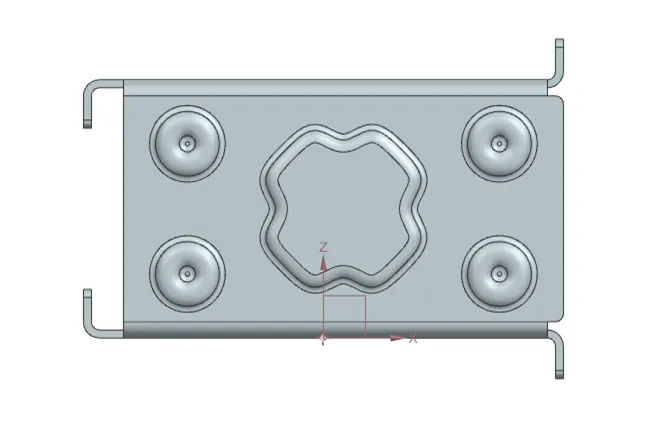
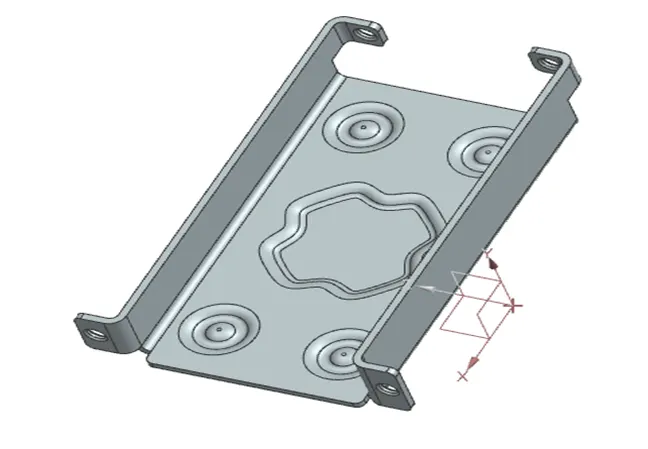
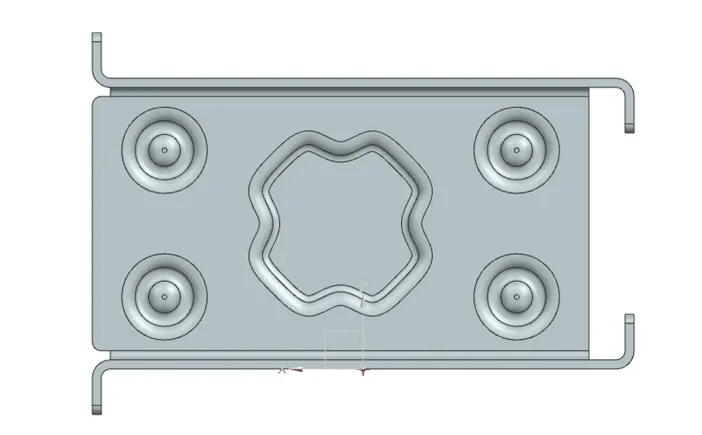
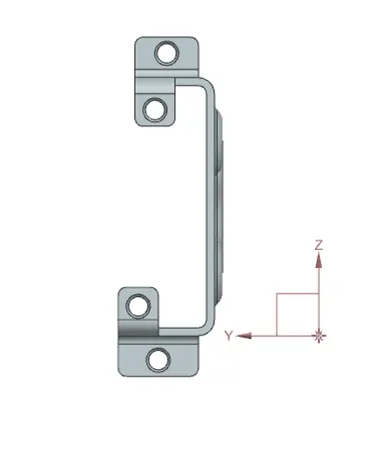
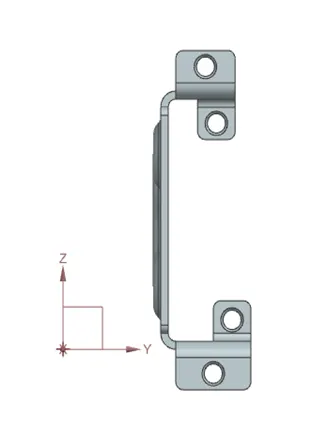
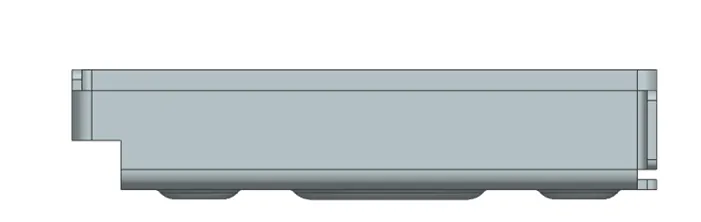
Drawing sheet image
Conclusion
Thus tools and features in Nx Cad sheet metal application were understood and the casing was created and the model was drafted.