DussehraFestive scholarship on Skill-Lync courses, this week onlyFestive scholarship is openOffer ends Wed, 21 Oct, 11:59 pm IST.
Dussehra 2026

Start your next chapter this Dussehra

Tell us where you want to work. A counsellor will match you to the right course and confirm the festive scholarship you qualify for.

  • Festive scholarship on course fees, confirmed on your call
  • Free 20-minute call to map the right course to your goal
  • Real industry projects and placement support with every course

Offer ends Wed, 21 Oct, 11:59 pm IST

3,905 engineers placed since 2019 · 1,277 hiring companies

By submitting you agree to our Terms and Privacy Policy.

You're on the list

Browse courses
Mechanical · PG program

Post Graduate Program inComplete Passenger Car Design & Product Development

A comprehensive program on Passenger Car Design using a wide range of design tools. This program is highly suited for beginners

★ 4.8· 1 reviews

Duration
24 weeks
Content
122 hours
Courses
6
Projects
19
Mode
Online
Overview

What you'll
be able to do.

  • Students will gain a basic understanding of the design & development processes of a vehicle.
  • They will acquire knowledge of engineering concepts behind the processes and how to solve real-life challenges.
  • Design requirements and methodologies in the development of a model is covered in the program.
  • Students will acquire hands-on experience in using software like Autodesk Alias, CATIA V5 and Siemens NX CAD that aid in the design and development of a passenger car.

Why this program

  • Understanding of the design and development processes of a product.
  • Knowledge of standard engineering practices and trends followed in the industry right now.
  • Ability to create and understand engineering drawings.
  • Working with modelling software like Siemens NX CAD and CATIA V5 that are most widely used in the design domain.
  • Job Opportunities
    • Design engineer(OEM/Tier 1)
    • Plastic design engineer
    • Sheet metal/ BIW design engineer
    • Product design engineer
    • Design and release engineer (D&R)
    • Wiring harness engineer/ designer
    • Seating design engineer
  • Higher Education can be pursued in
    • Automobile Engineering
    • Design Engineering
    • Mechanical Engineering
Tools you'll use
Autodesk AliasCATIA V5Siemens NX CAD
Curriculum

6 courses,
63 modules.

Get the full syllabus ↓
  1. 01Automotive Sheet Metal Design using Siemens NX CAD / CATIA V56 modules
    1. Vehicle development cycleW01
      • This is an introductory session where you will be introduced to the basics of automobiles along with different models of car bodies.
      • You will learn about the different stages of vehicle development that a car will go through before reaching the customer.
      • You will also learn about the three years of development activity that precedes the development of an automotive model.
    2. Basics of Automotive Body in WhiteW02
      • In this session, you will be introduced to the basics of automotive BIW.
      • You will be introduced to the basics of steel and its properties in detail as steel is an important component used in the construction of automobiles.
      • The steps that are followed in the selection of the material will be discussed as well.
      • You will be given an introduction to cross-functional teams that exist in an organization, and the need to coordinate with them along with examples of master sections and 3D components of the parts for easy and clear understanding.
    3. Design Methodology of a Hood, Fender, Roof, Back Doors, and Side DoorsW03
      • In this module, we will focus on the Hood, Fender, Roof, Side doors, and Back doors.
      • The design procedures for all the afore-mentioned parts can be summarized as follows,
        • Design Requirements
        • Functional Requirements
        • Regulations
        • Gap and Flushness Requirements
        • Safety Requirements
    4. Case study - Converting - Backdoor/Tailgate Inner PanelW04
      • In this module, we will present a real-life scenario where the effect of converting an inner panel from aluminium cast to the steel deep draw part will be shown.
      • Here is a quick summary of this case. The following design parameters were identified as critical and hence were fully described:
        • The seal surface width was the same as the aluminium liftgate
        • Tailgate outer parting was maintained as the same
        • Liftgate thickness was modified
        • Gap and flushness were maintained
      • You will be able to clearly understand these design parameters and the decisions that were made.
      • In this case study, the design guidelines were set through a series of CAE simulations.
    5. Design of key mechanism - Lock and StrikerW05
      • In this module, you will study the anatomy of a Locker and Striker mechanism.
      • In order to be a successful product development engineer, it is very important to understand in detail the development process and design requirements for even the smallest component.
    6. Case study Process and challenges with supplier manufactured partsW06
      • In this module, we will look at two case studies.
      • Both of these studies focus on supplier manufacturing practices.
      • We will discuss the design challenges faced by two Asian Automotive suppliers and then go over the solution methodologies
  2. 02Automotive Plastic Design using CATIA V515 modules
    1. Design Overview In Automotive IndustryW01
      • In this session, you will learn
        • Product Life Cycle
        • Design Life Cycle
    2. Plastics in Automotive IndustryW02
      • In this session, you will learn
        • Types of plastics (Thermoset Plastics, Thermoplastic)
        • Engineering plastic Materials
        • Manufacturing Process
        • Injection Molding
    3. Introduction to CATIAW03
      • In this session, you will learn
        • Basic commands and operation
        • Save feature, pan feature, rotate feature, etc
    4. Sketcher workbenchW04
      • In this session, you will learn the following
        • Commands
        • Rules to follow
        • Working in exercise
    5. Part Design WorkbenchW05
      • In this session, you will learn
        • Pad and pocket
        • Working on exercise
    6. Advanced part designW06
      • In this session, you will learn
        • Boolean operations
        • How to work on a Boolean exercise
        • How to work on After Tool Go modification on Automotive components. (OEM Working procedures)
    7. 2D Drawing creationW07
      • In this session, you will learn to
        • Create a PCB Bracket using Boolean operations
    8. Basic Surface Design WorkbenchW08
      • In this session, you will learn the following
        • Commands (Types of Sweep)
        • Working on exercise
        • Draft analysis
        • How to work on a surface exercise
    9. Advanced Surface Design WorkbenchW09
      • In this session, you will learn the following
        • Commands
        • Creation of Closed body, Thickened body
        • A parting line and parting surface
    10. Creation of Door Switch Bezel and adding thickness to itW10
      • In this session, you will learn
        • How to create tooling direction and do the draft analysis to ensure the part can be taken out of the tool?
        • Adding the right thickness to the part and solving the issues.
        • Create the parting line for the bezel.
    11. Tooling FeasibilityW11
      • In this session, you will learn
        • What is a mounting feature?
        • How to create a locator and dog house?
        • Integrating the mounting features to the base part with Boolean operations
    12. Modeling ExerciseW12
      • In this session, you will learn
        • The Clip mounting feature is in Plastic design.
        • Design considerations for creating this feature
        • Tooling analysis for the clip feature
    13. Drafting WorkbenchW13
      • In this session, you will learn
        • Drafting workbench
        • Creation of detail drawing for the Components
        • Views creations (basic view & section views)
        • Application of GD&T in drawings
        • Template settings
    14. Mold Design ConsiderationsW14
      • In this session, you will learn
        • Creation of Paring line
        • Creation of Tooling axis
        • What is undercut and how to solve it
    15. Complex Mold Design ParametersW15
      • In this session, you will learn
        • Creation of simple mold for the Rear quarter trim Cupholder
        • What are core and cavity
        • Stripper, ejection, and system
        • Draft analysis
      • Designing a mold gives a good working understanding of the molding aspects of a component
  3. 03Automotive Wiring Harness using CATIA V510 modules
    1. Basics of Vehicle Electrical Distribution System & Wiring HarnessW01
      • In this session, you will learn
        • Introduction to Vehicle Electrical Distribution System (EDS)
        • Introduction to wiring harness assembly
        • Wiring harness design process for New Product Development (NPD)
        • Introduction to CATIA V5 electrical workbench
    2. Introduction to CATIA V5 Electrical Workbench & Electrical Part DesignW02
      • In this session, you will learn
        • Customized settings for electrical environment
        • Wiring harness routing process for CATIA V5
        • CATIA V5 – electrical part design
    3. Electrical Part DesignW03
      • In this session, you will learn
        • Clip/clamps/support part definition
        • Backshell definition
        • Protective covering definition
    4. Harness Assembly & Installation – Part 1W04
      • In this session, you will learn
        • Preparation of harness assembly
        • Creating the wire harness geometrical bundle
        • Inserting harness components into a geometrical bundle
        • Positioning your inserted electrical parts
        • Connecting & Disconnecting electrical components
        • Defining the wiring harness routing
    5. Harness Assembly & Installation – Part 2W05
      • In this session, you will learn
        • Wiring harness routing on external references
        • Modifying the wire harness bundle segments
        • Wire harness protective coverings
        • Use of electrical splices
        • Bundle continuity check/analysis
        • Geometrical bundle warnings
        • 3D annotation
    6. Harness Assembly & Installation – Part 3 W06
      • In this session, you will learn
        • Modifying the wire harness bundle segments
        • Modifying the branch point location
        • Deleting bundle segment
        • Bundle continuity check/analysis
        • Geometrical bundle warnings
        • 3D annotations
        • Important commands, tips, & techniques
    7. Wiring Harness FlatteningW07
      • In this session, you will learn
        • Wiring harness flattening workbench
        • Flattening workbench settings
        • Flattening the 3D harness assembly
        • Modify flatten assembly
        • Saving the flatten files
        • Drawing, creation & contents
    8. Component Specifications & Selection GuideW08
      • In this session, you will learn
        • Wiring harness component specifications & selection parameters
        • Available suppliers in the market (India)
    9. Wiring Harness Routing & Packaging Basics – Session 1W09
      • In this session, you will learn
        • Definitions
        • Routing & packaging process
        • Design criteria (generic) for wiring harness
        • Packaging rules & best practices
        • Guidelines for battery cables routing
    10. Wiring Harness Routing & Packaging Basics – Session 2W10
      • In this session, you will learn
        • Clearance management
        • Water ingress protection
        • Thermal protection management
        • Chaffing protection
        • Vibration protection
        • Routing on/near dynamic parts ( engine, wheel)
        • Harness bending rules (harness & battery cables)
        • Interconnection connector parking
  4. 04Automotive Class A surfacing using ALIAS12 modules
    1. Digital Design Foundation 1, Curves Introduction & Why Use CurvesW01
      • In this session, you will learn
        • Introduction to ALIAS
        • What is Design? About CAID/CAD Design
        • User interface and Navigation Tools
        • Basic Object Selection and viewing
        • Importing Sketches as images or canvases
        • Working with layers
        • Introduction to curve tools. Basics, U’s & V’s, spans.
        • Create Symmetrical Curves
        • Transform Curves, Creating Curve Fillets, Curve Sections and offset curves
    2. Digital Design Foundation 2 & Building and Controlling Simple GeometryW02
      • In this session, you will learn
        • Controlling Geometry, Mirroring, Grouping, and Duplicating Objects
        • Object Lister, CV Sculpting, and Concept Sculpting
    3. Digital Design Foundation 3, Surface Editing & Introduction to Different Continuities W03
      • In this session, you will learn
        • Surface toolbar, edit and shade
        • Difference Between Surfaces and Solids
        • Surfaces from Boundaries
        • Bezier Surfaces
        • Nurbs & Slab Modeling
        • What are Parent Surfaces?
          • Primary Surfaces
          • Secondary Surfaces
        • Sharp Surface Models
        • Primary Fillets and Blends
        • Secondary Fillets and Blends
        • Chord Fillet and Radius Fillet
        • Trimming, Creating Curves on Surfaces
        • Trimming Surfaces, Intersect Surfaces, Filleting Surfaces
        • Adding Variable Radius Fillets
        • G0 - Positional
        • G1 - Tangent
        • G-2 - Curvature
        • G-3 - Curvature
    4. Workflow 1: Concept ModelingW04
      • In this session, you will learn
        • Introduction to Concept Modelling
        • Introduction to Construction Options
        • Dimensions
        • Overlay Canvasses for Design and Presentation
        • Building with Curves & Surface Tools
        • Modelling Approaches and Surface Distribution
        • Working Accurately
    5. Workflow 2: Concept ModellingW05
      • In this session, you will learn
        • Overlay Canvass for Design
        • Surface Understanding by Three-quarter Views
        • Building with Curves & Surface Patching
        • Modelling Approaches and Surface Distribution
    6. Workflow 3: Concept ModellingW06
      • In this session, you will learn
        • Component design
        • Hypothetical surfaces to create patch layout
        • Work more on the Creative side: Imagine the surfaces
    7. Workflow 4: Concept ModellingW07
      • In this session, you will learn
        • Component design
        • Hypothetical surfaces to create patch layout
        • Work more on the Creative side: Imagine the surfaces
    8. Workflow 5: Concept ModellingW08
      • In this session, you will learn
        • Surfaces, patches, and layout
        • The idea of how to divide surfaces
        • Building techniques, and where to start
        • Make your way up to the top
        • Parent Patches- Foundation
    9. Technical Surfacing (A- Class Knowledge)W09
      • In this session, you will learn
        • Introduction to Technical Surfacing
        • Surface Evaluation - Reflection Lines
        • Surface Evaluation - Cross Sections & Comb Plots
        • Construction Tolerances between Surface Patches
        • Transform CV - Fine-Tuning Control Points
        • Working with Trimmed Edges - Fit Curve & Align Project
    10. Class B Surfaces ModellingW10
      • In this session, you will learn
        • A well-thought patch construction
        • Patches with proper CV layout
        • Proper passing of positional, tangent, and curvature surfaces
        • Properly evaluated surfaces
        • Making way up to Class-A Model
    11. Reverse EngineeringW11
      • In this session, you will learn
        • Introduction to Reverse Engineering
        • Working with Mesh Data
        • Working with Sections
        • Creating a Surface onto a Mesh
        • Analyzing and Displaying Deviation
        • Reference Manager for Handling Large Data Sets
    12. Presenting Your DesignW12
      • In this session, you will learn
        • Rendering in ALIAS
        • Hardware Rendering, Shades, Lighting and Environments
        • Creating Image Files
  5. 05Automotive Lighting Design using CATIA V54 modules
    1. Basic of Lighting & Software OverviewW01
      • In this session, you will learn
        • Some Old school phenomena of Physics-related to lighting
        • How basic physics are used in real-time application
        • Basic name and application of Automobile lighting Eg., Headlight, tail light etc.
        • The function of light, eg., Turn indication, High beam, Low Beam
        • CATIA basic model, workbench, some basic commands (in CATIA)
        • Some practice sessions on basic features, Like, boss, Locators (in CATIA)
    2. Basic of Regulation & Start of Making LampW02
      • In this session, you will learn
        • Information about regulations and their function
        • Start making Lamp (Class A analysis) (in CATIA)
        • B surface creation (all into separate parts in CATIA)
        • Feature implementation (in CATIA)
        • More deep information for Regulation and How to Check into 3D
        • Draft analysis, Basic check for Model(in CATIA)
    3. Advance Level of Regulation with 3D Model & Plastics IntroductionW03
      • In this session, you will learn
        • Basic Plastic, understanding while designing parts (in CATIA)
        • Making joining section (Glue, hot plate, Vibration etc)
        • Making all in single files (in CATIA)
        • Publish command in CATIA and join all parts together
        • Making mounting concept with 3,2,1 Principle surrounding check (in CATIA)
        • C regulation into 3D (in CATIA)
    4. Basic Tooling Check & Drawing MakingW04
      • In this session, you will learn
        • Data as per tooling requirement(only basic) in CATIA
        • Start making a 2D drawing from 3D (in CATIA)
        • Tolerance and Dimension (in CATIA)
        • Complete revision (basic only)
        • Making small Lamp again as per regulation, plastic, and Tooling requirement
        • Understanding Industry requirements, Optics, thermal, RFQ, and other key elements to getting into this domain
  6. 06Automotive Seating Design using CATIA V516 modules
    1. Introduction to Automotive SeatingW01
      • In this section, we will have a brief Introduction to Automotive Structure, Seats & their Nomenclature.
    2. Current Fashion/TrendW02
      • In this section, we will have a brief on types of Seats, how the seats are defined as per the number of rows in the Car and Number of Movement in the seat.
    3. Component of SeatsW03
      • This section contains information about the parts/component used to design/develop a seat as per the requirement from the customer. It will also have a basic mechanism used in a seat to provide the movements. It is defined in two segments:
        • Front Row Components
        • Rear Row Components
    4. Component Details : FoamW04
      • In this section, we will brief about the components of Foam.
      • The following points will be covered during the course with a hands-on CATIA model.
        • How many types of Foam are available
        • Design Standard for Foam
        • Methods of foam development/Manufacture
        • Defects in Foam
    5. Component Details : StructureW05
      • In this section, we will brief about the components – Structure.
      • The following points will be covered during the course with a hands-on CATIA model.
        • Types of Structure
        • Component of Structure
        • Design guideline
        • The material used in manufacturing
        • Methods used to develop a structure
    6. Component Details : HeadrestW06
      • In this section, you will learn the following.
        • Types of Headrest used in automotive seats.
        • Components used in making headrest
        • Use of Headrest
    7. Component Details : TrimsW07
      • In this section, you will learn the following.
        • Types of Trims used in Automotive
        • The terminology used in Trims
        • Defects during the development of trim
        • Methods to assemble trims
    8. Component Details : PlasticsW08
      • The following points will be covered during the section:
        • Types of Plastic ( Material/Usage differentiation)
        • Nomenclature of plastic parts in the seat
        • Efficient ways to use plastic in a seat
        • Defects occur on plastic components
    9. Component Details : ArmrestW09
      • In this section, you will learn the following.
        • Types of Armrest
        • Mechanism of Armrest
        • Components of an Armrest
        • Manufacturing Defects of Armrest
    10. Component Details : MechanismW10
      • In this course we will brief about details of all the mechanisms used in Automotive passenger seats including types of Mechanism used and nomenclature:
        • Recliner – Work/Function and detail study
        • Track – Work/Function and detail study
        • Height Adjuster – Work/Function and detail study
    11. Seat TestingW11
      • This course will provide a glimpse of testing of seats at Car/Seat level which will include below:
        • Safety-related Test
        • Regulatory related Test
    12. Comfort and InnovationW12
      • This course will provide a glimpse of testing of a seat at Car/Seat level which will include below :
        • Comfort mechanism
        • New Innovation Idea
        • Comfort layouts of Seats
    13. Seat Related IssuesW13
      • This section of the course will not only be generalized to seating but this method can be used all over the globe in any design-related program:
        • 8D
        • Fish Bone Diagram
        • 5D
        • Man-Machine Diagram
    14. DFMEA and PFMEAW14
      • This section of the course will not only be generalized to seating but this method can be used all over the globe in any design-related program :
        • What are DFMEA and PFMEA
        • The process to prepare DFMEA and PFMEA
        • Different Review points of DFMEA and PFMEA
    15. Geometric Dimensioning and Tolerances [GD&T] W15
      • This section of the course will not only be generalized to seating but this method can be used all over the globe in any design-related program :
        • Introduction to GD&T
        • Usage of GD&T in seats
        • Different examples to define GD&T with exercise to do
    16. Program Life CycleW16
      • This section of the course will not only be generalized to seating but this method can be used all over the globe in any program :
        • Life Cycle of a program
        • Different stages a program goes
        • Milestones of Customers
Industry projects

19 projects
you'll ship.

Our projects are designed by experts in the industry to reflect industry standards. By working through our projects, Learners will gain a practical understanding of what they will take on at a larger-scale in the industry. In total, there are 19 Projects that are available in this program.

Tail Lamp Design 1
Automotive Lighting Design using CATIA V5

Tail Lamp Design 1

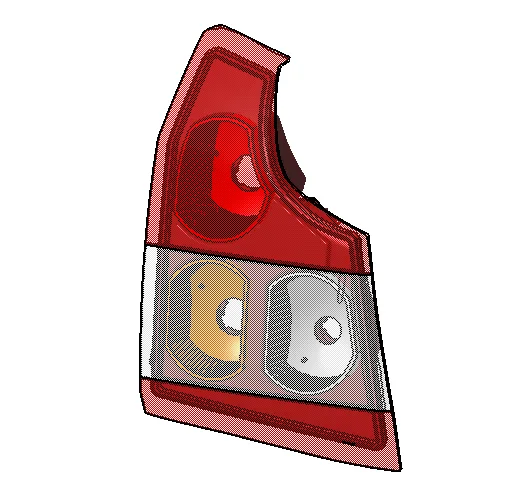
This project is about modelling the tail lamp of a vehicle. Here, the students will create a complete tail lamp assembly using the given styling data.
Tail Lamp Design 2
Automotive Lighting Design using CATIA V5

Tail Lamp Design 2

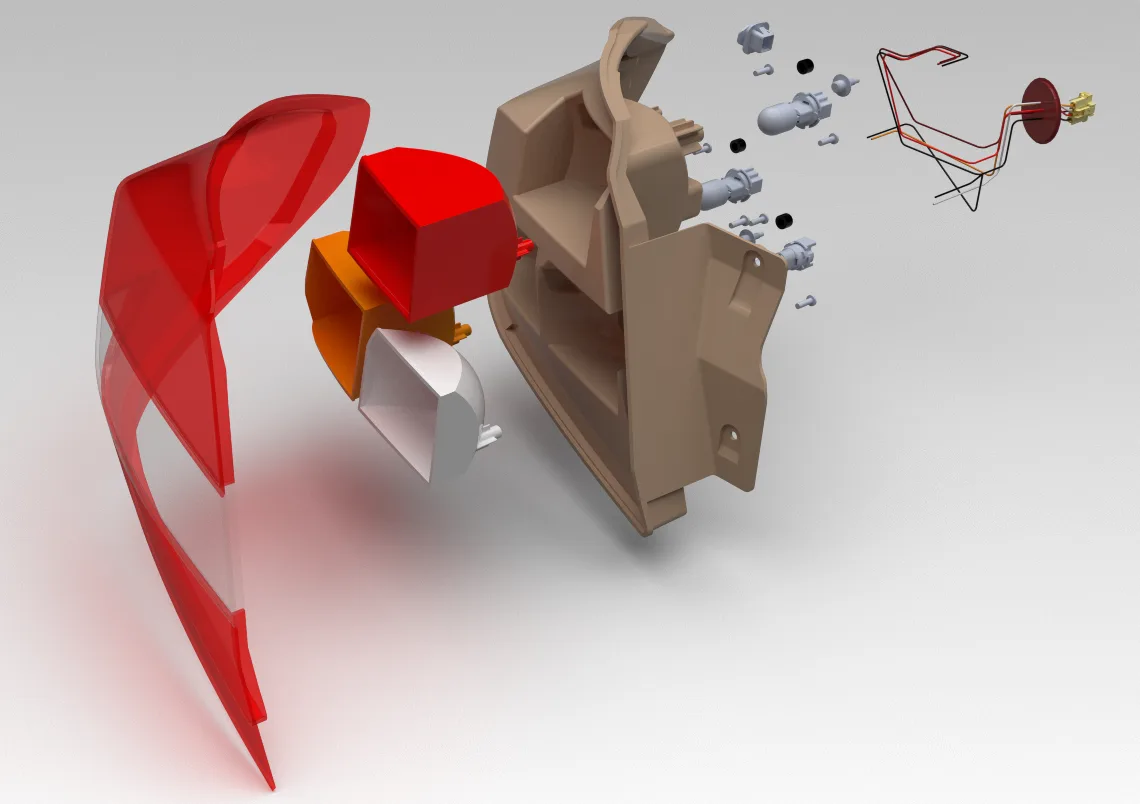
This project also deals with the modelling of the tail lamp. Here, the students will create a complete tail lamp using a hot plate welding section for the given Styling data.
Design of front row back foam
Automotive Seating Design using CATIA V5

Design of front row back foam

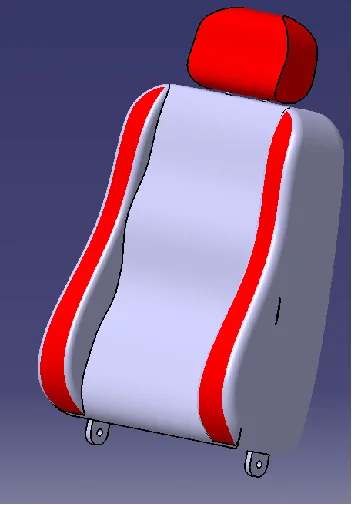
In this project, you will design a parametric front row back foam. Use Underbuild / Overbuild Technique and foam terminology standards for making the parts.
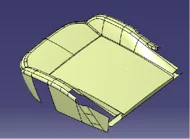
Design of front row cushion foam
Automotive Seating Design using CATIA V5

Design of front row cushion foam

This project deals with the design of front row cushion foam. Here, the students will design a parametric CAD model from the Input Class A and the H-Point given using the Foam desi…
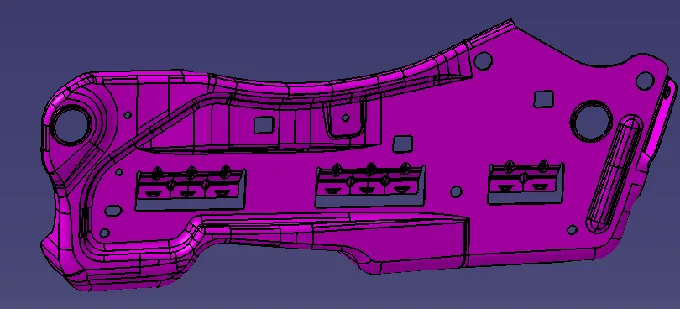
Remastering the Solid
Automotive Seating Design using CATIA V5

Remastering the Solid

In this project, the students will remaster the complete solid of the side structure for the front seat. They should apply the best practices learnt in the course for remastering.
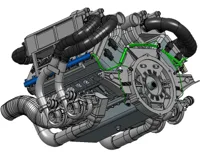
Wiring Harness on Engine
Automotive Wiring Harness using CATIA V5

Wiring Harness on Engine

This project deals with the design of the wiring harness of the engine. Here, the students will perform wiring harness routing, flattening and 2D drawing creation for the Engine mo…
Wiring Harness on Car Body
Automotive Wiring Harness using CATIA V5

Wiring Harness on Car Body

This project deals with the design of the wiring harness on the car body. Here, the students will perform wiring harness routing, flattening and 2D drawing creation.
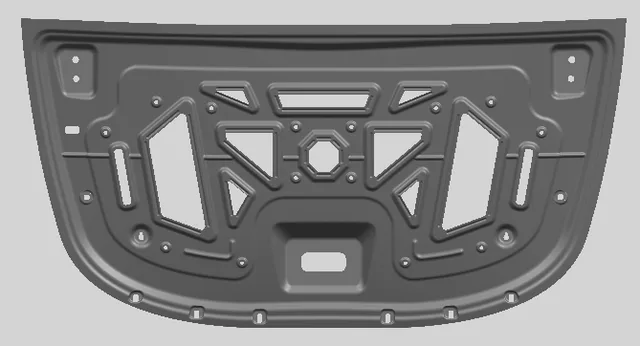
Designing of Hood
Automotive Sheet Metal Design using Siemens NX CAD / CATIA V5

Designing of Hood

In this particular project, you will be working on designing the inner panel of the hood, according to EURO NCAP standards.
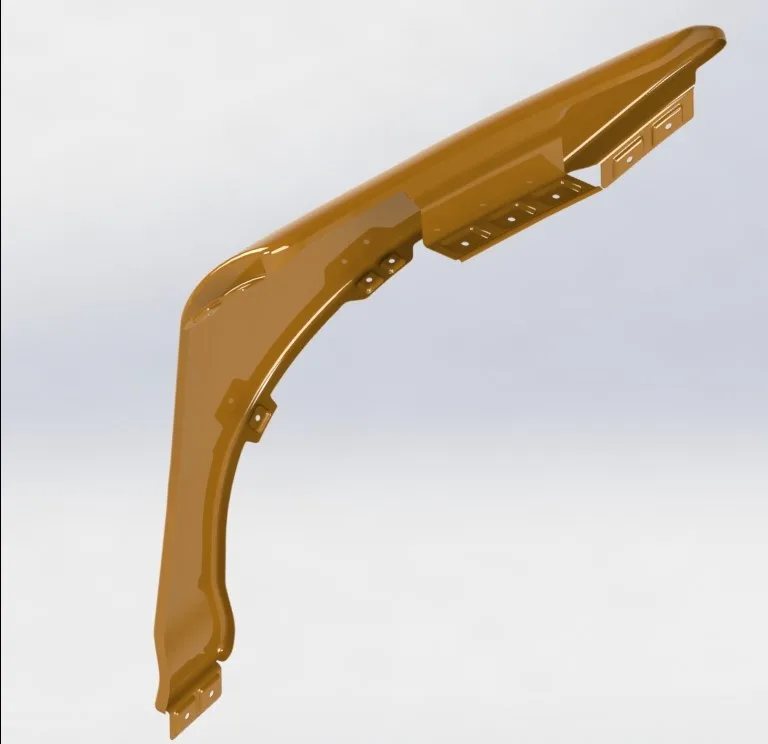
Designing of Fender Drip Area
Automotive Sheet Metal Design using Siemens NX CAD / CATIA V5

Designing of Fender Drip Area

In this particular project, you will be working on designing the Fender, according to EURO NCAP standards.
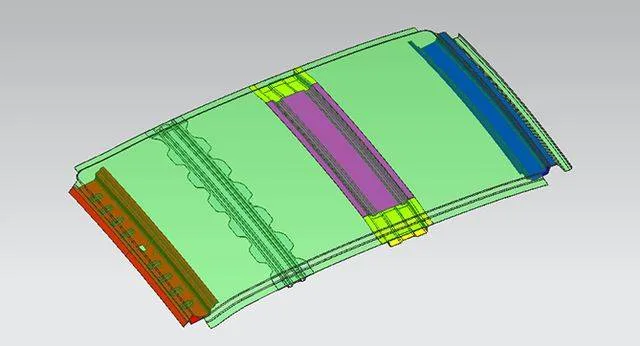
Designing of Roof Assembly
Automotive Sheet Metal Design using Siemens NX CAD / CATIA V5

Designing of Roof Assembly

In this particular project, you will design a complete roof assembly with all the necessary reinforcements using automotive standards.
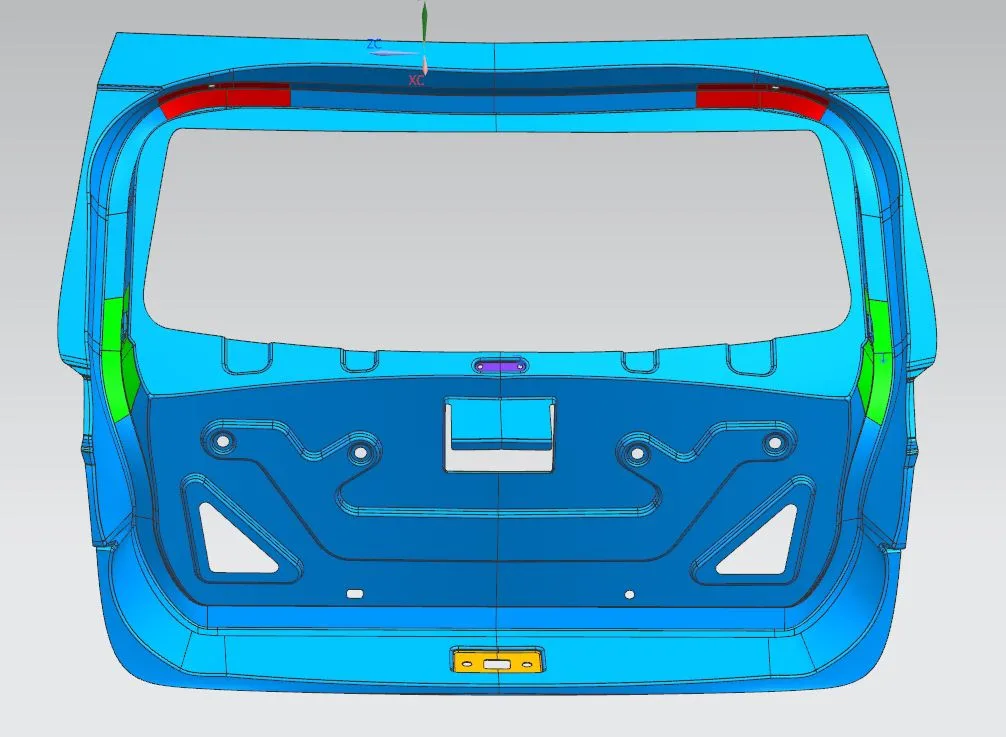
Designing of Tailgate
Automotive Sheet Metal Design using Siemens NX CAD / CATIA V5

Designing of Tailgate

In this project, you will design and develop the complete Tailgate assembly using the given styling data.
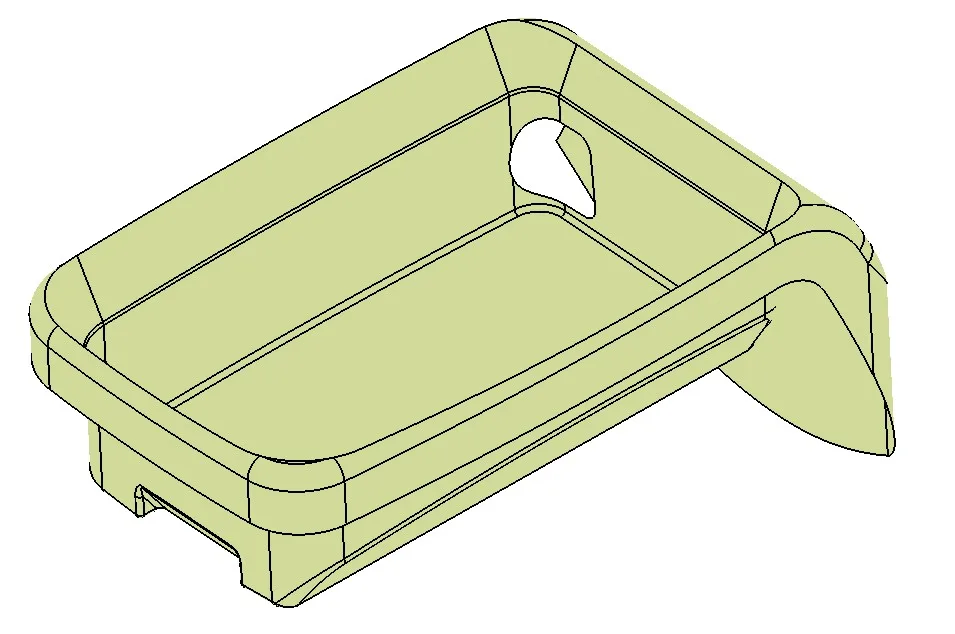
Design of Coin Holder
Automotive Plastic Design using CATIA V5

Design of Coin Holder

In this project, you will design a coin holder plastic trim part from the given Class-A surface. Check if the product is manufacturable.

+ 7 more projects in the full syllabus

Placements

32 learners placed
from this program.

Companies
24
Median CTC
3.5 LPA
20246 LPA
IPL Tech
Vi Engineer

Pushpendra
20243 LPA
DesignTech Systems
Intern

Jai P.
20233.5 LPA
Hubbell Incorporated
Design GET

Aafiq Abdul Rahman
20233.6 LPA
Magna Steyr (I) Pvt. Ltd.,
Design GET

Adharsh Balu
20232.2 LPA
Smart Enovations India Pvt Ltd
Design Engineer

Yuvaraj U.
20233 LPA
BPCL
Gat

Mayur S.
Fee

One fee.
Everything included.

Become job ready with our comprehensive industry focused curriculum for freshers & early career professionals

Premium
₹2,75,000
Inclusive of all chargesEMI from ₹14,375/month
  • Career Service Assurance
  • Personalized Career Services Mentorship
  • 1 Year Access
  • Personalized Page
  • Live Individual & Group Sessions
  • Personalized & Hands-On
  • Job-Oriented Industry Relevant Curriculum
Check eligibility →
FAQ

Questions,
answered.

What is the duration of this online certification course at Skill-Lync?

The duration of this online certification course is around six months. 

Why should I learn car designing online?

Skill-Lync’s car design course is one of the best car designing courses in India. Students must enrol for this online certification course because it helps them upskill and advance their careers. This course covers critical concepts on how to design a car from scratch.

Are there any projects involved in this certification course?

Yes, various projects and assignments are included in this online certification course. 

Who can register for this online car design course?

Any student with a technical background can enrol for this car design course. 

Does this course provide any placement assistance to its learners?

Yes, Skill-Lync provides placement assistance to the students. 

Will students get a certificate for these online car design courses?

Yes, students will get a merit certificate for these online car design courses. 

Is there any technical support for this online course?

Yes, students always get technical assistance for the car design online course at Skill-Lync. 

Next step

Not sure it's
the right fit?

A counsellor will walk you through the syllabus, projects and fee options — and tell you honestly if another course suits you better.

Get the syllabus + a call back

We'll email the full syllabus and call within one working day.

By submitting you agree to our Terms and Privacy Policy.

Call usEnquire

Talk to a career counsellor

Free 20-minute call. We'll map the right course to where you want to work.

By submitting you agree to our Terms and Privacy Policy.