DussehraFestive scholarship on Skill-Lync courses, this week onlyFestive scholarship is openOffer ends Wed, 21 Oct, 11:59 pm IST.

Dussehra 2026

Start your next chapter this Dussehra

Tell us where you want to work. A counsellor will match you to the right course and confirm the festive scholarship you qualify for.

  • Festive scholarship on course fees, confirmed on your call
  • Free 20-minute call to map the right course to your goal
  • Real industry projects and placement support with every course

Offer ends Wed, 21 Oct, 11:59 pm IST

3,905 engineers placed since 2019 · 1,277 hiring companies

By submitting you agree to our Terms and Privacy Policy.

You're on the list

Browse courses
Mechanical · PG program

Post Graduate Program inBIW Fixture and Plastic Design

The PG Program on automotive engineering trains you in important tools & technologies like CATIA V5, Siemens NX CAD and SOLIDWORKS. It is an ideal automotive design course for beginners.

★ 4.8· 5 reviews

Duration
24 weeks
Content
82 hours
Courses
5
Projects
18
Mode
Online
Overview

What you'll
be able to do.

  • This course provides a basic understanding of the design and development processes of a vehicle body or shell.
  • Students will gain hands-on experience in using software that aid in the design and development of BIW fixtures/plastic components of a car.
  • This course provides knowledge on the engineering concepts behind the processes and how to solve challenges.

Why this program

  • Understanding of molding process, Gating, and Runner design ejecting methods, manufacturing feasibility check
  • You'll learn mechanical and electrical fundamentals including servicing, diagnostic, and repairs on things like the engine, steering, suspension, driveline, brakes, body control, and vehicle communication systems.
  • The student can get employed as
    • BIW design engineer
    • BIW fixture designer
    • Mold simulation engineer
    • Automotive plastics trims designer
Tools you'll use
CATIA V5Siemens NX CADSOLIDWORKS
Curriculum

5 courses,
48 modules.

Get the full syllabus ↓
  1. 01Automotive Plastic Design using CATIA V515 modules
    1. Design Overview In Automotive IndustryW01
      • In this session, you will learn
        • Product Life Cycle
        • Design Life Cycle
    2. Plastics in Automotive IndustryW02
      • In this session, you will learn
        • Types of plastics (Thermoset Plastics, Thermoplastic)
        • Engineering plastic Materials
        • Manufacturing Process
        • Injection Molding
    3. Introduction to CATIAW03
      • In this session, you will learn
        • Basic commands and operation
        • Save feature, pan feature, rotate feature, etc
    4. Sketcher workbenchW04
      • In this session, you will learn the following
        • Commands
        • Rules to follow
        • Working in exercise
    5. Part Design WorkbenchW05
      • In this session, you will learn
        • Pad and pocket
        • Working on exercise
    6. Advanced part designW06
      • In this session, you will learn
        • Boolean operations
        • How to work on a Boolean exercise
        • How to work on After Tool Go modification on Automotive components. (OEM Working procedures)
    7. 2D Drawing creationW07
      • In this session, you will learn to
        • Create a PCB Bracket using Boolean operations
    8. Basic Surface Design WorkbenchW08
      • In this session, you will learn the following
        • Commands (Types of Sweep)
        • Working on exercise
        • Draft analysis
        • How to work on a surface exercise
    9. Advanced Surface Design WorkbenchW09
      • In this session, you will learn the following
        • Commands
        • Creation of Closed body, Thickened body
        • A parting line and parting surface
    10. Creation of Door Switch Bezel and adding thickness to itW10
      • In this session, you will learn
        • How to create tooling direction and do the draft analysis to ensure the part can be taken out of the tool?
        • Adding the right thickness to the part and solving the issues.
        • Create the parting line for the bezel.
    11. Tooling FeasibilityW11
      • In this session, you will learn
        • What is a mounting feature?
        • How to create a locator and dog house?
        • Integrating the mounting features to the base part with Boolean operations
    12. Modeling ExerciseW12
      • In this session, you will learn
        • The Clip mounting feature is in Plastic design.
        • Design considerations for creating this feature
        • Tooling analysis for the clip feature
    13. Drafting WorkbenchW13
      • In this session, you will learn
        • Drafting workbench
        • Creation of detail drawing for the Components
        • Views creations (basic view & section views)
        • Application of GD&T in drawings
        • Template settings
    14. Mold Design ConsiderationsW14
      • In this session, you will learn
        • Creation of Paring line
        • Creation of Tooling axis
        • What is undercut and how to solve it
    15. Complex Mold Design ParametersW15
      • In this session, you will learn
        • Creation of simple mold for the Rear quarter trim Cupholder
        • What are core and cavity
        • Stripper, ejection, and system
        • Draft analysis
      • Designing a mold gives a good working understanding of the molding aspects of a component
  2. 02Automotive Sheet Metal Design using Siemens NX CAD / CATIA V56 modules
    1. Vehicle development cycleW01
      • This is an introductory session where you will be introduced to the basics of automobiles along with different models of car bodies.
      • You will learn about the different stages of vehicle development that a car will go through before reaching the customer.
      • You will also learn about the three years of development activity that precedes the development of an automotive model.
    2. Basics of Automotive Body in WhiteW02
      • In this session, you will be introduced to the basics of automotive BIW.
      • You will be introduced to the basics of steel and its properties in detail as steel is an important component used in the construction of automobiles.
      • The steps that are followed in the selection of the material will be discussed as well.
      • You will be given an introduction to cross-functional teams that exist in an organization, and the need to coordinate with them along with examples of master sections and 3D components of the parts for easy and clear understanding.
    3. Design Methodology of a Hood, Fender, Roof, Back Doors, and Side DoorsW03
      • In this module, we will focus on the Hood, Fender, Roof, Side doors, and Back doors.
      • The design procedures for all the afore-mentioned parts can be summarized as follows,
        • Design Requirements
        • Functional Requirements
        • Regulations
        • Gap and Flushness Requirements
        • Safety Requirements
    4. Case study - Converting - Backdoor/Tailgate Inner PanelW04
      • In this module, we will present a real-life scenario where the effect of converting an inner panel from aluminium cast to the steel deep draw part will be shown.
      • Here is a quick summary of this case. The following design parameters were identified as critical and hence were fully described:
        • The seal surface width was the same as the aluminium liftgate
        • Tailgate outer parting was maintained as the same
        • Liftgate thickness was modified
        • Gap and flushness were maintained
      • You will be able to clearly understand these design parameters and the decisions that were made.
      • In this case study, the design guidelines were set through a series of CAE simulations.
    5. Design of key mechanism - Lock and StrikerW05
      • In this module, you will study the anatomy of a Locker and Striker mechanism.
      • In order to be a successful product development engineer, it is very important to understand in detail the development process and design requirements for even the smallest component.
    6. Case study Process and challenges with supplier manufactured partsW06
      • In this module, we will look at two case studies.
      • Both of these studies focus on supplier manufacturing practices.
      • We will discuss the design challenges faced by two Asian Automotive suppliers and then go over the solution methodologies
  3. 03Automotive BIW Fixture Design using CATIA V510 modules
    1. Introduction to BIW-FixtureW01
      • In this session, you will learn
        • Definition of BIW, Jigs, & Fixture
        • BIW-Nomenclature
        • Types of Fixtures & their applications
        • BIW stations & their uses
        • Basic terminologies
    2. BIW-Fixture BasicsW02
      • In this session, you will learn
        • Project activities
        • Different welding processes
        • 3-2-1 Principle
        • Body planes
    3. Pre-Design ProcessesW03
      • In this session, you will learn
        • Design methodology
        • Structuring a design tree
        • Different types of fixture units
    4. Units Design-1W04
      • In this session, you will learn
        • Different types of Pin Unit Design
        • Different types of Clamp Unit Design
        • Different types of Rest Unit Design
    5. Units Design-2W05
      • In this session, you will learn
        • Dump Unit Design
        • Slide Unit Design
        • Base Unit Design
    6. Finishing of the designW06
      • In this session, you will learn
        • 3D-finish
        • Rough locators
        • Pneumatic routing
        • Valve banks & selection
        • Gun study
        • Sensors & selection
    7. 2D-Detailing Basics W07
      • In this session, you will learn
        • Drawing templates
        • Angles of projection
        • Basic GD&T used in fixturing
        • Scaling & views
        • Various detailing patterns
    8. 2D-Detailing W08
      • In this session, you will learn
        • Key Sheet detailing
        • Unit detailing
        • Child parts detailing
    9. 2D-Detailing - Child Part & BOMW09
      • In this session, you will learn
        • Child parts detailing
        • Material selection
        • BOM Preparation
    10. Documentations, Sequence Sheet & Process SheetsW10
      • In this session, you will learn
        • Creation of BOM sheets
        • Creation of BOP sheets
  4. 04Advanced Sheet Metal Design using NXCAD5 modules
    1. Introduction to NX CAD InterfaceW01
      • In this module, the student will learn how to create the sketches in NX CAD
        • Students will also be performing functions such as,
        • Creation of lines, circles, and squares
        • Specifying the dimensions
        • Pattern creation
    2. Introduction to Sheet Metal Modelling InterfaceW02
      • In this module the students will be able to understand Tabs and Flanges
        • Contour flange
        • Advanced flange
        • Jog flange
        • Hem flange
        • Corners, closed corners, and overlapping corners in sheet metal
        • Adds a flange to an angle to a planar face and a bend between the two.
    3. Conversion Wizards for Solid to Sheet MetalsW03
      • In this module, you will get a thorough understanding of:
        • Edge rip
        • Convert utility
        • Cleanup utility
        • Reliefs
        • Face optimization
        • Forming sheet metal from solid
    4. Stiffening Features in Sheet MetalsW04
      • In this module, you will gain experience in:
        • Beads creation
        • Dimple creation
        • Emboss creation
        • Mirror features
        • Feature patterns
    5. Creation of Flattening and FormingW05
      • In this module, you will get an understanding of
        • Neutral file data
        • Surface extraction
        • Adjacent and tangent face selections
        • Flattening and thickening
  5. 05Mold Design using SOLIDWORKS12 modules
    1. Basics of Injection Molding / SOLIDWORKS ModellingW01
      • In this week, the following topics are covered.
        • Injection molding process
        • Plastic processing methods
          • Rotational molding
          • Extrusion
          • Vacuum forming
          • Blow molding
          • Gas-assisted injection molding
        • Mold cycle and the factors affecting it
        • Thermoplastics and thermosets
        • Current trends in the industry
        • Types of plastics
        • Properties of plastics
        • Selection of plastics
        • Basics of sketching
        • Basics of using features in SOLIDWORKS
    2. Basics of Mold Design / SOLIDWORKS SurfacingW02
      • In this session, the following topics are covered.
        • Product development process
        • Various departments in plastic manufacturing industries and the workflow
        • Parts of mold
          • Core, cavity, guide pillar, sprue, register ring, guide bush, ejector pin, return pin, spacer blocks, core plate, cavity plate, ejector plates, etc.
        • 2 plate & 3 plate molds
        • Drafts
        • Parting lines
        • Various surface tools for designing in SOLIDWORKS
    3. DFM and DefectsW03
      • In this module, we will be covering theory related to various concepts and terms used in mold design.
      • The topics we shall cover are:
        • Concept of machine tonnage and its calculation
        • DFM study
          • Gate point, wall thickness, cores, tolerance, venting, ejector pads, inserts, ejector inserts, guide pillar, support block, relief, free play inserts, multi-gate position, and flow leader.
        • Defects in mold design process
          • Short shots, flash, weld lines, sink marks, blisters, jetting, burn marks, warpage, gloss differences, hesitation, overpacking, and unbalanced flow.
    4. Parting Surface / Mold Design Tutorial 1W04
      • In this module, we will be studying the theory behind parting surfaces.
      • The topics that will be covered are as follows:
        • Parting surface
        • Types of parting surfaces
          • Flat stepped
          • Angled
          • Profiled
        • Example cases to understand the selection of parting surfaces
        • Matching drafts
        • Shrinkage
        • Inserts
        • Mold design tutorial
          • Doing draft analysis for the model
          • Creating parting lines
          • Creating shut-off surfaces
          • Creating parting surfaces
          • Create basic mold blocks
    5. Sliders and Ejection System/ Mold Design Tutorial 2W05
      • In this module, we will be looking at the topic of sliders and ejection systems.
      • The topics that will be covered are:
        • Need for sliders and their working
        • General types of sliders
          • Sliding split type molds
          • Angular lift pin type molds
        • Methods of actuating the sliders
          • Finger cam
          • Dog leg
          • Cam track
          • Spring
          • Hydraulic actuation
        • Concept of slider locking
        • Types of ejector systems
          • Pin
          • Sleeve
          • Stripper
          • Blade ejector systems
        • Creating a mold for the outer cover of a disposable camera
          • Creating parting lines, shut-off surface, parting surface, and mold blocks for the model
          • Creating ejector pins for the mold
          • Creating inserts for the mold
    6. Gates and Runners / Mold Design Tutorial 3 - Part 1W06
      • In this module, we will be learning about runners and gates.
      • The various topics covered are as follows:
        • Types of gates: Sprue, edge, tab, overlap, fan, disk, ring, spoke, film, pin, submarines, and cashew gates
        • Runner diameter calculation
        • Types of runners
        • Runner configurations
        • Why engravings are used in cavities?
      • Creating a mold for a door bezel model
        • Creating the parting lines, shut-off surfaces, and parting surfaces of 3D profile for the model
        • How to work in assemblies and how to arrange files in a specific format?
        • How to align the sprue of the mold with the origin of the assembly?
        • How to select proper dimensions for the mold blocks?
        • Creating mold blocks for door bezel
    7. Mold Design Tutorial 3 - Part 2W07
      • In this module, we will continue working on the door bezel model from the previous session and learn the following topics:
        • Locating undercuts in the model
        • Understanding the use of sliders in solving the undercut issue
        • Creating slider split
        • Assigning proper dimensions to the slider
        • Editing the core cavity blocks according to the shape of the slider
        • Creating bolts, washers, and locking mechanisms for the sliders
    8. Mold Design Tutorial 4 - Part 1W08
      • In this module, we will start creating a mold for a CPU fan case model and we will learn the following topics:
        • Complex parting line selection
        • Providing correct matching drafts for the model
        • Creating the core-cavity surfaces for the model.
        • Aligning the sprue location
        • Selecting dimensions
        • Creating the mold blocks for the CPU fan case in the assembly
        • Adding reliefs for the core-cavity blocks
    9. Mold Design Tutorial 4 - Part 2W09
      • In this module, we will continue working on the CPU fan case model and we will learn the following topics:
        • Locating undercuts in the model
        • Creating a slider split for the undercuts
        • Assigning proper dimensions for the sliders
        • Providing reliefs for the sliders
        • Creating inserts for the model
    10. Mold Design Tutorial 5 - Part 1W10
      • In this module, we will start creating a mold for a plastic knob model and we will learn the following topics:
        • Creating the parting line, shut-off surface, and the parting surfaces for the plastic knob model
        • Automatic and manual shut-off surface creation
        • Core-cavity surfaces for the plastic knob model
        • Sprue alignment
        • Selecting dimensions and creating the mold blocks for the plastic knob in assembly
        • Theories behind the cooling channels for a mold
    11. Mold Design Tutorial 5 - Part 2W11
      • In this module, we will continue working on the plastic knob model and we will learn the following topics:
        • Creating multiple inserts for the model
        • Creating holes for fixing the inserts
        • Locating undercuts and creating a slider split for it
        • Complex slider creation
        • Assigning proper dimensions for the slider
    12. Mold Design Tutorial 5 - Part 3W12
      • In this module, we will continue working on the plastic knob model and we will learn the following topics:
        • Creating an ejector system
          • Angled ejector pins
          • Reliefs
          • Ejector plates
          • Ejector backplates
        • Making channels for plastic injection
          • Sprue
          • Runner
          • Gate
        • Use of air vents in a mold
        • Creating channels for air passage
        • Selection of the dimensions and positions of the cooling channels
        • Creation of cooling channels
Industry projects

18 projects
you'll ship.

Our projects are designed by experts in the industry to reflect industry standards. By working through our projects, Learners will gain a practical understanding of what they will take on at a larger-scale in the industry. In total, there are 18 Projects that are available in this program.

Designing a Robot Welding Fixture
Automotive BIW Fixture Design using CATIA V5

Designing a Robot Welding Fixture

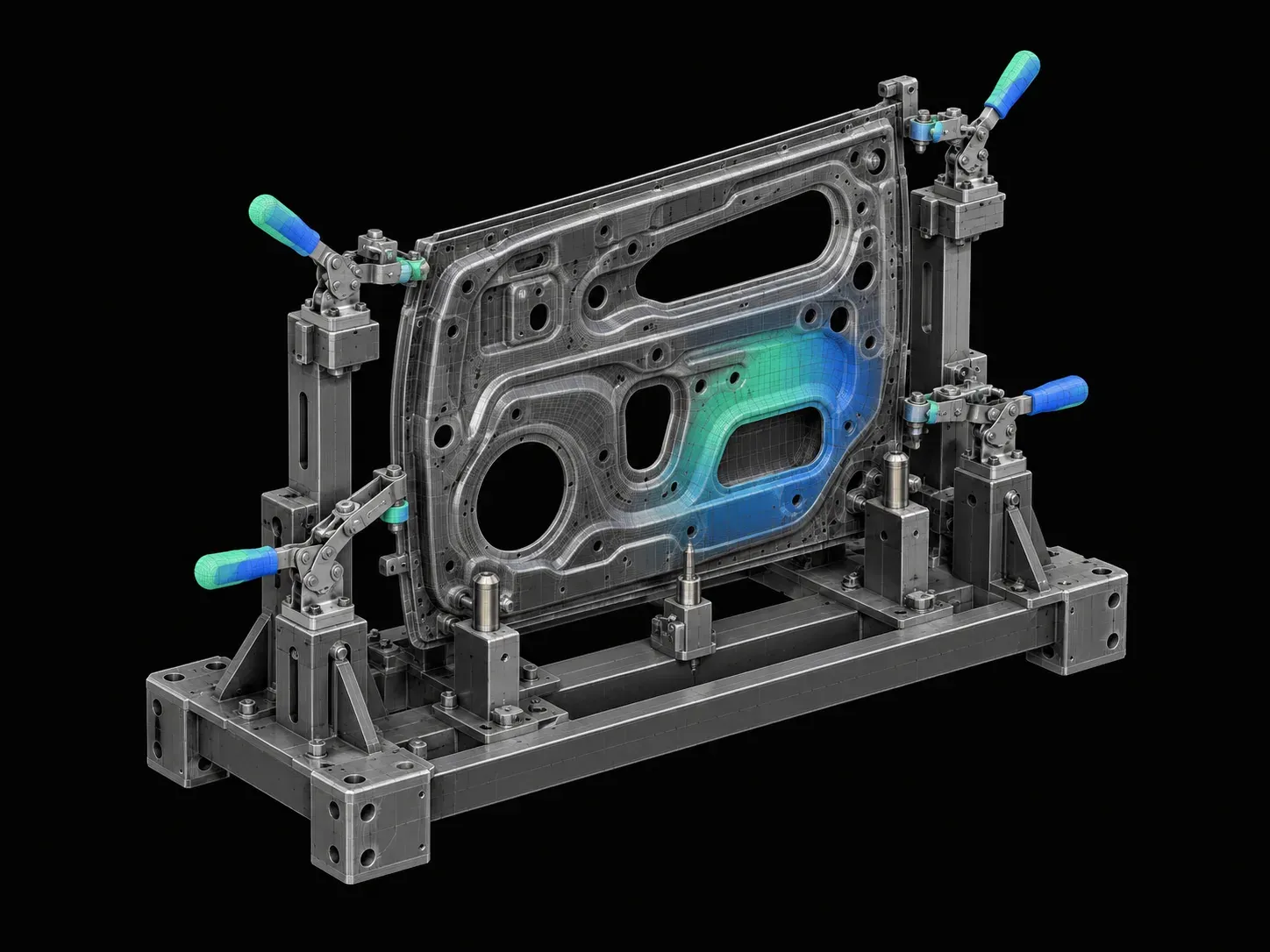
In this project, the students will be working on the design and development of a robotic welding fixture. Here, the students will create the assembly and child-part drawings for th…
Designing a Manual Welding Fixture
Automotive BIW Fixture Design using CATIA V5

Designing a Manual Welding Fixture

In this project, the students will be working on the design and development of a manual welding fixture. The students will also create the assembly and child-part drawings for the …

Designing of Hood
Automotive Sheet Metal Design using Siemens NX CAD / CATIA V5

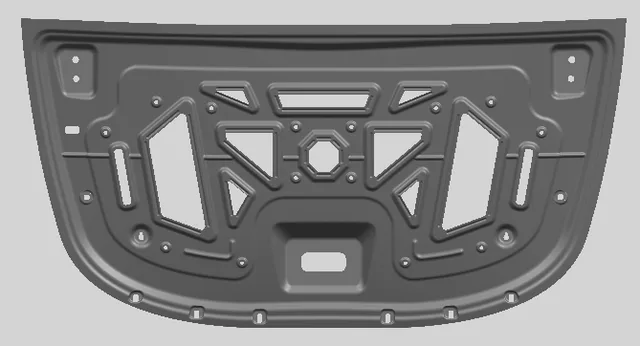
Designing of Hood

In this particular project, you will be working on designing the inner panel of the hood, according to EURO NCAP standards.

Designing of Fender Drip Area
Automotive Sheet Metal Design using Siemens NX CAD / CATIA V5

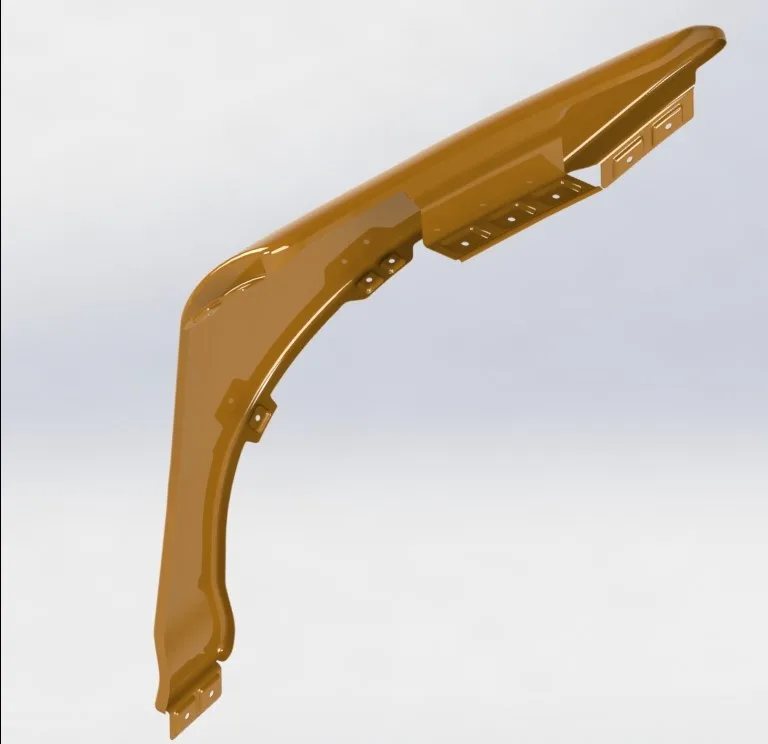
Designing of Fender Drip Area

In this particular project, you will be working on designing the Fender, according to EURO NCAP standards.

Designing of Roof Assembly
Automotive Sheet Metal Design using Siemens NX CAD / CATIA V5

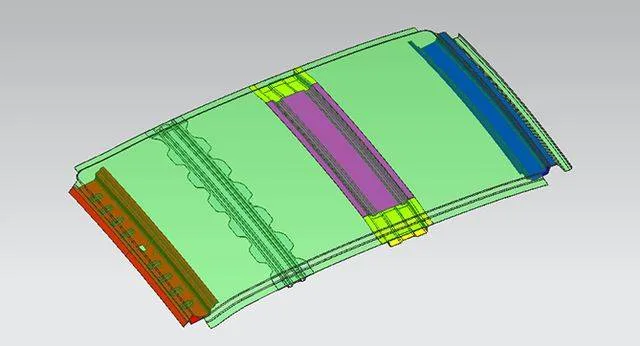
Designing of Roof Assembly

In this particular project, you will design a complete roof assembly with all the necessary reinforcements using automotive standards.

Designing of Tailgate
Automotive Sheet Metal Design using Siemens NX CAD / CATIA V5

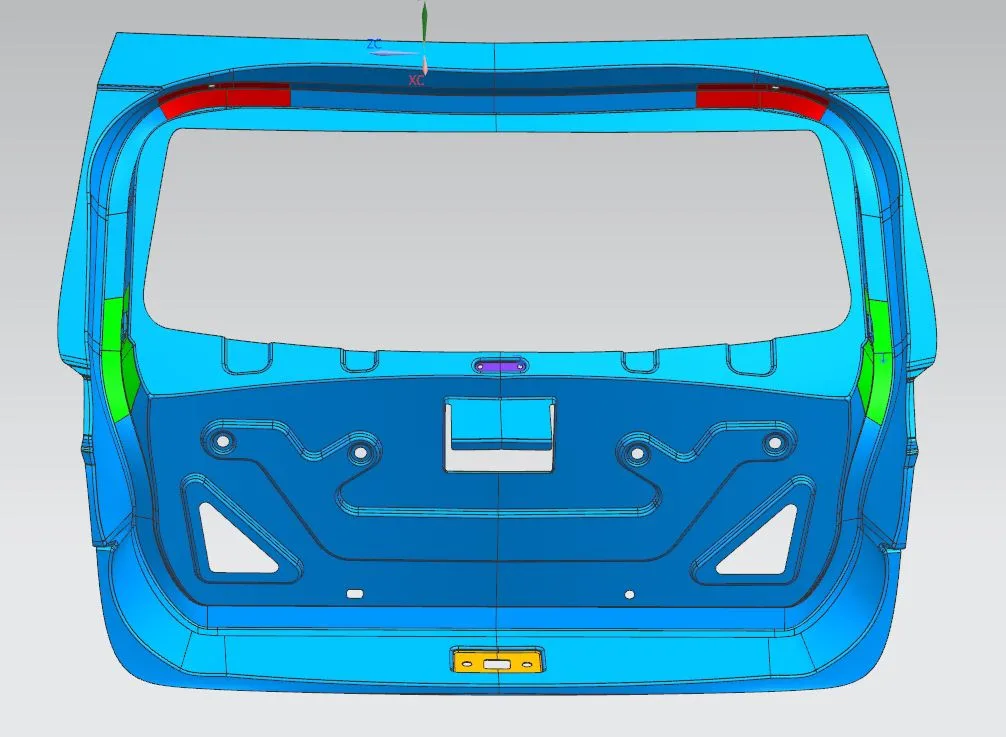
Designing of Tailgate

In this project, you will design and develop the complete Tailgate assembly using the given styling data.

Design of Coin Holder
Automotive Plastic Design using CATIA V5

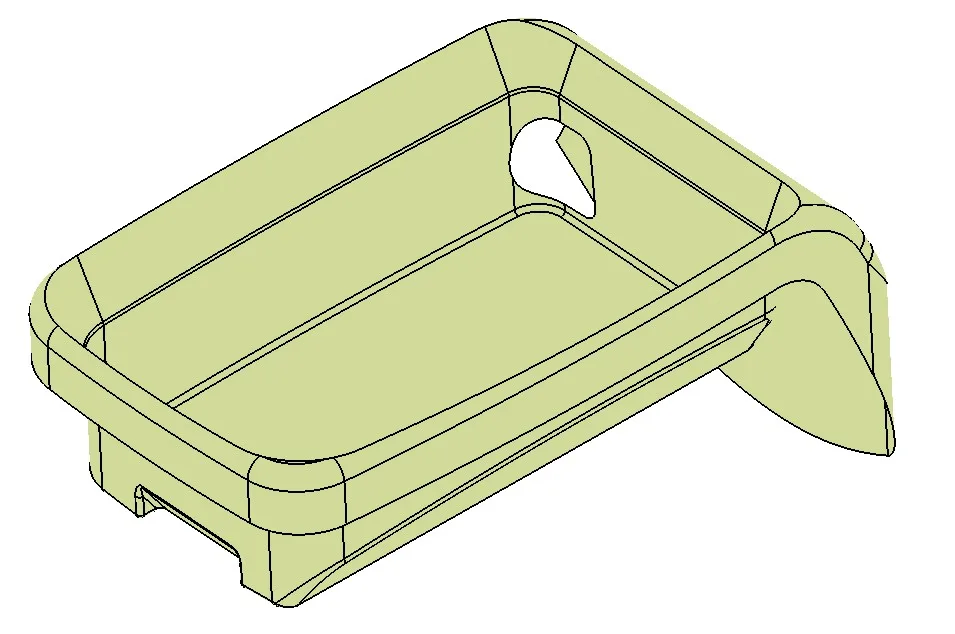
Design of Coin Holder

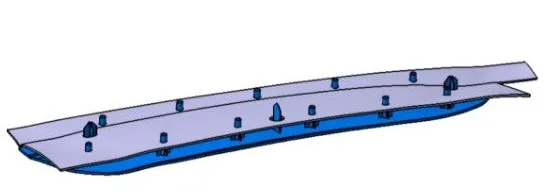
In this project, you will design a coin holder plastic trim part from the given Class-A surface. Check if the product is manufacturable.

Design of Heat Staking
Automotive Plastic Design using CATIA V5

Design of Heat Staking

In this project, the students will design heat stakes for joining the plastic door. The students will apply the 3-2-1 principle for designing the plastic applique.

Design of Switch Bezel
Automotive Plastic Design using CATIA V5

Design of Switch Bezel

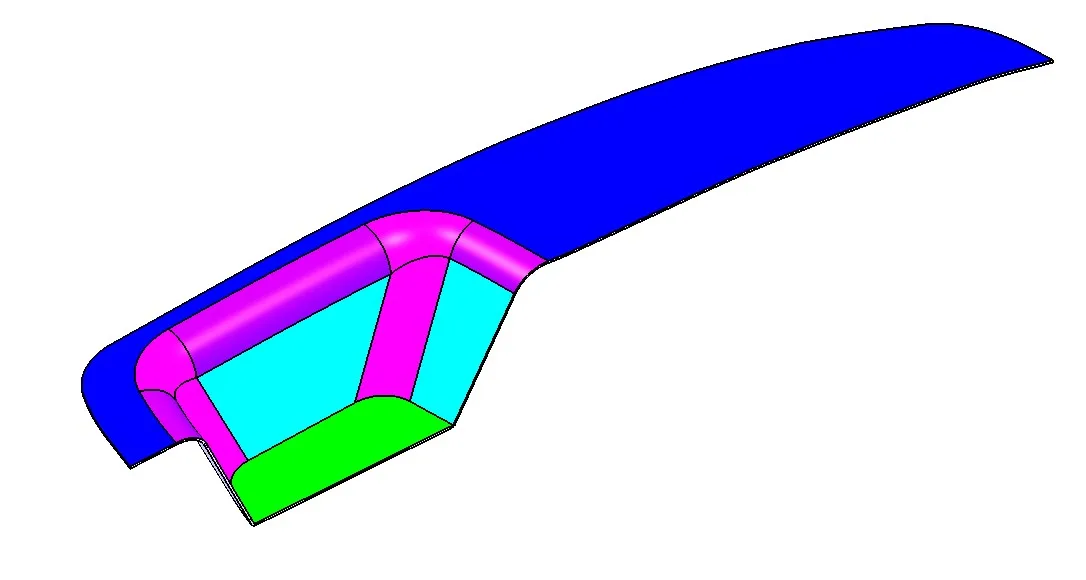
This project is about the development of a car side door switch bezel. You will be creating the CAD model of the switch bezel from the given inputs.

Design of B-pillar Cover
Automotive Plastic Design using CATIA V5

Design of B-pillar Cover

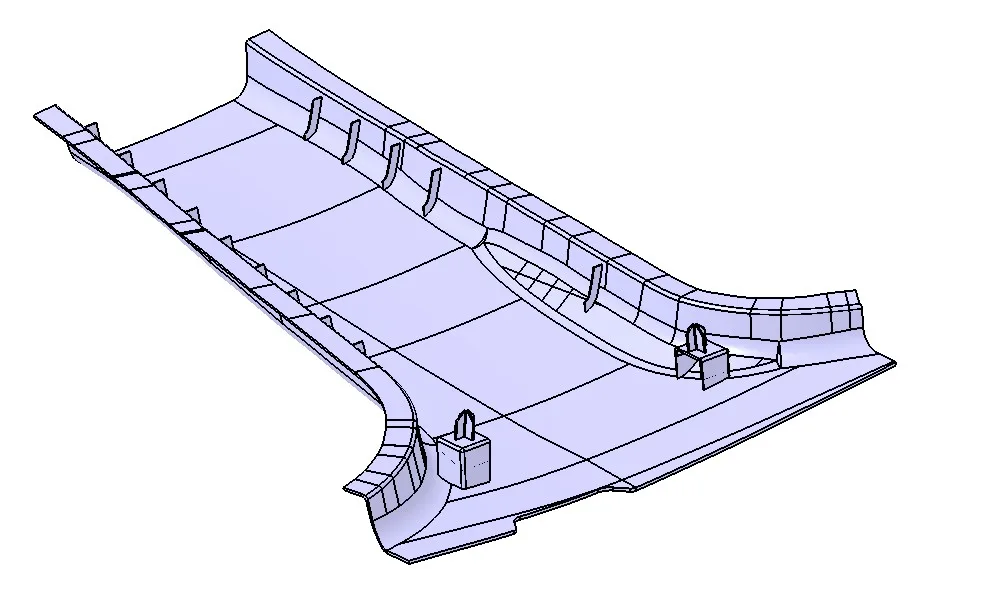
The project deals with the design of a B-pillar cover. The students will create a Plastic B pillar trim from the given class-A surface.

Design of Side door Panel
Automotive Plastic Design using CATIA V5

Design of Side door Panel

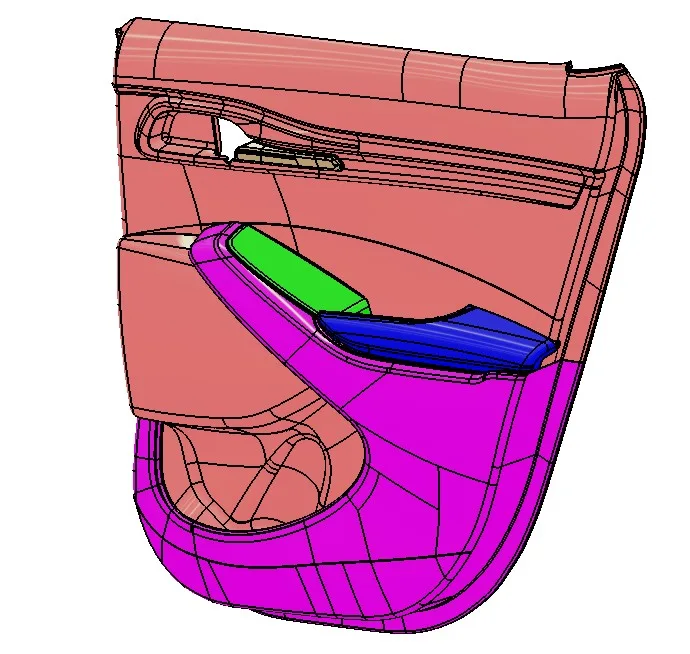
In this project, you will create a complete side door panel. You will design all the sub-assemblies like the armrest, map pocket, and the lower substrate.

Creation of Mold for a Table Fan Outer Casing
Mold Design using SOLIDWORKS

Creation of Mold for a Table Fan Outer Casing

This project is about creating the mold for a table fan outer casing with consideration of side cores.

+ 6 more projects in the full syllabus

Placements

22 learners placed
from this program.

Companies
17
Median CTC
3.75 LPA
20233.5 LPA
Thryve Digital
Design Engineer

Prathamesh P.
20233.2 LPA
Intelizign Engineering Services Pvt Ltd
Design Engineer

Kaviyarasu P
20235 LPA
Vegazva Group
Design Engineer

Prakash M.
20224.2 LPA
Cyient
Design Engineer

Rohit Ravsaheb Patil
20222.16 LPA
Macmium
Design Engineer

Karthik R.
20224.6 LPA
TATA Technologies
GET

Vikram Prabhu H
Fee

One fee.
Everything included.

Become job ready with our comprehensive industry focused curriculum for freshers & early career professionals

Premium
₹2,75,000
Inclusive of all chargesEMI from ₹14,375/month
  • Career Service Assurance
  • Personalized Career Services Mentorship
  • 1 Year Access
  • Personalized Page
  • Live Individual & Group Sessions
  • Personalized & Hands-On
  • Job-Oriented Industry Relevant Curriculum
Check eligibility →
FAQ

Questions,
answered.

What are the advantages of this online plastic design course?

This online certification course helps you get lucrative jobs and better upskilling opportunities. 

What is the duration of this plastic design course at Skill-Lync?

The total duration of this course is nine months. 

What type of assistance do students receive if they have doubts?

Students receive one-on-one assistance through WhatsApp, email, or telephone.

What are the prerequisites for this online program?

You must be an automotive or mechanical engineer to apply for the Post Graduate Program.

What projects and assignments are available in the lesson curriculum?

Skill-Lync presents projects and assignments that include box, switchboard, casing, bracket, enclosure and many more. 

Do students get a certificate?

Yes, students receive a certificate upon completion. 

What are some lucrative job profiles after completing this course?

Upon course completion, you can work as a BIW design engineer, BIW fixture designer and Moldflow simulation engineer.

Next step

Not sure it's
the right fit?

A counsellor will walk you through the syllabus, projects and fee options — and tell you honestly if another course suits you better.

Get the syllabus + a call back

We'll email the full syllabus and call within one working day.

By submitting you agree to our Terms and Privacy Policy.

Call usEnquire

Talk to a career counsellor

Free 20-minute call. We'll map the right course to where you want to work.

By submitting you agree to our Terms and Privacy Policy.